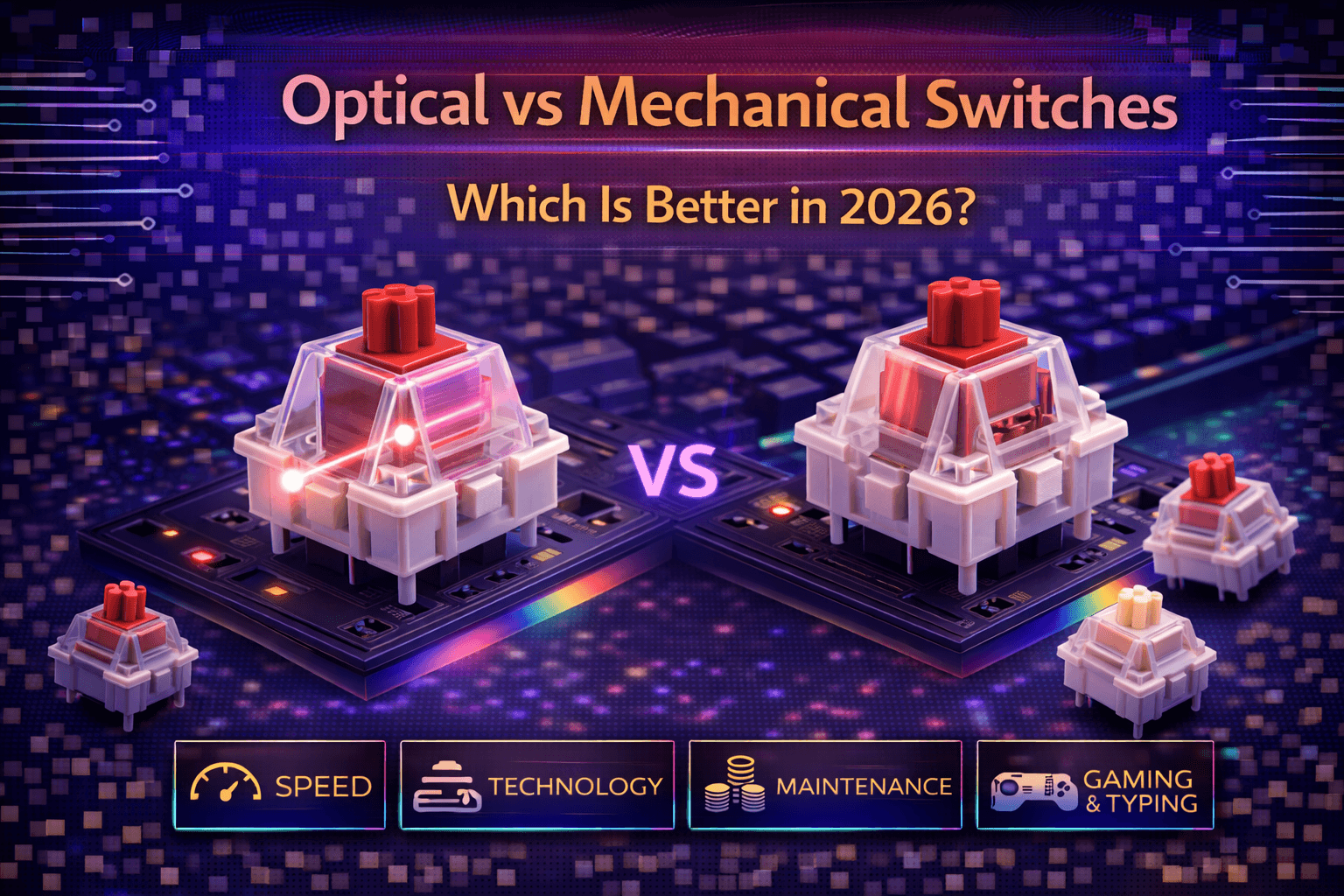
Optical and mechanical switches represent different actuation technologies for mechanical keyboards—optical switches use light-based detection while traditional mechanical switches use physical metal contacts. Understanding practical differences requires separating marketing claims from technical reality and matching technology to actual user needs rather than theoretical advantages.
Optical switches gained significant gaming attention through marketing emphasizing "faster response" and "no debounce delay." The technical reality is more nuanced. Optical switches actuate 5-10ms faster than mechanical switches through light beam interruption versus metal contact closure. However, this difference proves imperceptible within human reaction time context (200-250ms average). The speed advantage exists on paper but doesn't translate to practical gaming improvement for 99.9% of users.
The meaningful differences between optical and mechanical switches lie elsewhere: durability (optical switches avoid metal contact wear), analog capability (Razer's analog optical enables controller-like gradual input), feel characteristics (optical switches feel different but not objectively better), and ecosystem maturity (mechanical switches dominate variety and availability). Mechanical switches maintain market dominance through hundreds of available options versus dozens of optical, established ecosystem, and proven satisfying feel.
This comprehensive guide explains how each technology works, compares performance characteristics honestly, analyzes gaming speed claims with realistic human context, discusses durability differences, evaluates variety and availability, explores unique optical features, and helps you determine which technology suits your actual needs. Whether building custom keyboard or choosing pre-built system, understanding optical versus mechanical cuts through marketing to enable informed decisions.
Note: This guide contains affiliate links. If you purchase through our links, we may earn a commission at no extra cost to you. This helps support our in-depth testing and content creation.
How Technologies Work
Mechanical Switch Operation
Basic mechanism: Physical stem moves downward when pressed, pushing spring. Stem movement brings metal contacts together, creating electrical circuit.
Actuation process: Downward stem movement → spring compression → metal contact touches metal leaf → electrical circuit closes → PCB detects signal → keystroke registers.
Signal path: Physical contact closure → PCB electrical detection → debounce processing (5-10ms) → signal sent to computer.
Key components: Housing (plastic), stem (POM plastic), spring (metal), metal contacts (electrical points), PCB (circuit board).
Debounce mechanism: When metal contacts touch, they bounce slightly before settling (contact bounce phenomenon). Software debounce prevents contact bounce from registering multiple presses. Typical debounce delay: 5-10 milliseconds.
Reliability: Contacts rated 50-100 million actuations depending on quality. Cherry MX rated 100M actuations, budget switches typically 50M.
Contact wear mechanism: Over millions of actuations, metal contacts gradually oxidize and wear. After extended use (years for casual users), contact degradation can cause inconsistent actuation or failure.
Optical Switch Operation
Basic mechanism: Infrared LED emits light toward optical sensor. Stem movement blocks or unblocks light beam. Sensor detects beam interruption as keypress.
Actuation process: Downward stem movement → blocks infrared light beam → optical sensor detects interruption → keystroke registers immediately.
Signal path: Light beam interruption → sensor detection (0ms debounce) → signal sent to computer.
Key components: Housing (plastic), stem (POM plastic), spring (metal), infrared LED (light emitter), optical sensor (light detector), specialized PCB (circuit with optical components).
Debounce mechanism: Light beam interruption is instantaneous and bounce-free. No software debounce needed—beam either blocked or not blocked, no physical bounce phenomenon.
Reliability: No metal contacts to wear. LED and sensor rated theoretically unlimited but practically 100M+ actuations. No contact oxidation wear mechanism.
Durability advantage: Optical sensors don't degrade from actuation. No contact wear equals theoretically unlimited lifespan compared to mechanical contact degradation.
Key Technology Differences Summary
| Factor | Mechanical | Optical |
|---|---|---|
| Actuation method | Metal contact closure | Light beam interruption |
| Debounce | 5-10ms software delay | 0ms (no bounce) |
| Contact wear | Metal degradation over time | No contact wear |
| Durability | 50-100M actuations | Theoretically unlimited |
| Complexity | Simple proven design | More complex electronics |
| Hot-swap | Universal MX socket standard | Requires optical-specific sockets |
| Variety | Hundreds of options | Dozens of options |
Speed and Performance Analysis
Theoretical Speed Difference
Mechanical switches:
- Pure actuation detection: Near-instant
- Software debounce delay: 5-10ms typical
- Total mechanical latency: ~7-12ms
Optical switches:
- Light interruption detection: Near-instant (light-speed)
- Software debounce: 0ms (not needed)
- Total optical latency: ~0.2-3ms (Razer claims 0.2ms, Gateron optical ~2-3ms)
Difference: Optical 5-10ms faster than mechanical switches theoretically.
Performance Reality Check: Human Perception Context
Human reaction time benchmarks:
- Average untrained person: 200-250ms reaction time
- Trained gamer: 150-200ms reaction time
- Elite esports professional: 130-180ms reaction time
Speed difference analysis:
- Optical advantage: 5-10ms
- As percentage of human reaction time: 2.5-5%
- Human perception threshold: ~100ms (minimum perceivable difference)
- Conclusion: 5-10ms difference is imperceptible to human perception
Real-world analogy: Upgrading car to accelerate 0-60mph in 5.99 seconds instead of 6.00 seconds. Difference exists on paper, undetectable in practice.
When Speed Differences Actually Matter
Practically never for humans. 5-10ms matters in:
- High-frequency algorithmic trading (not gaming)
- Scientific instruments (not keyboards)
- Theoretical benchmarks (not practical use)
Does NOT matter for:
- Gaming at any competitive level
- Typing at any speed
- Human-operated computing
- Real-world user experience
Gaming Performance Determinants (Ranked by Impact)
- Skill and practice: 99% of performance
- Game knowledge and strategy: 30-40%
- Human reaction time (200ms range): 5-10%
- Monitor refresh rate and input lag (5-15ms): 2-5%
- Mouse quality and sensitivity: 1-3%
- Switch actuation speed (5-10ms difference): <1% imperceptible
Speed Claims Reality Check
Marketing claim: "Optical switches provide competitive advantage through faster actuation"
Technical reality: 5-10ms faster exists but is imperceptible within human reaction time
Professional gamer reality: Most use mechanical switches despite optical speed advantage. Skill determines performance, not milliseconds.
Verdict: Ignore marketing claims about speed advantage. Both technologies perform identically in practical gaming and typing.
Feel and Typing Experience
Optical Switch Feel
Actuation character: Different from mechanical. Light-based detection creates subtly different sensation.
Feedback: Smooth but sometimes described as "mushier" than mechanical. Light beam detection doesn't provide same definite feedback as physical metal contact closing.
Bottom-out: Physical end of travel, same as mechanical.
Available varieties: Limited range. Mostly linear (smooth), some tactile, few clicky options.
Common optical switches:
- Razer Optical (linear/clicky primarily)
- Gateron Optical (limited varieties)
- Corsair OPX (linear)
- Very limited ecosystem vs mechanical
Feel assessment: Adequate and smooth but different. Some users prefer it, many prefer mechanical feel. Subjective preference.
Mechanical Switch Feel
Actuation character: Physical metal contact creates definite, satisfying actuation sensation.
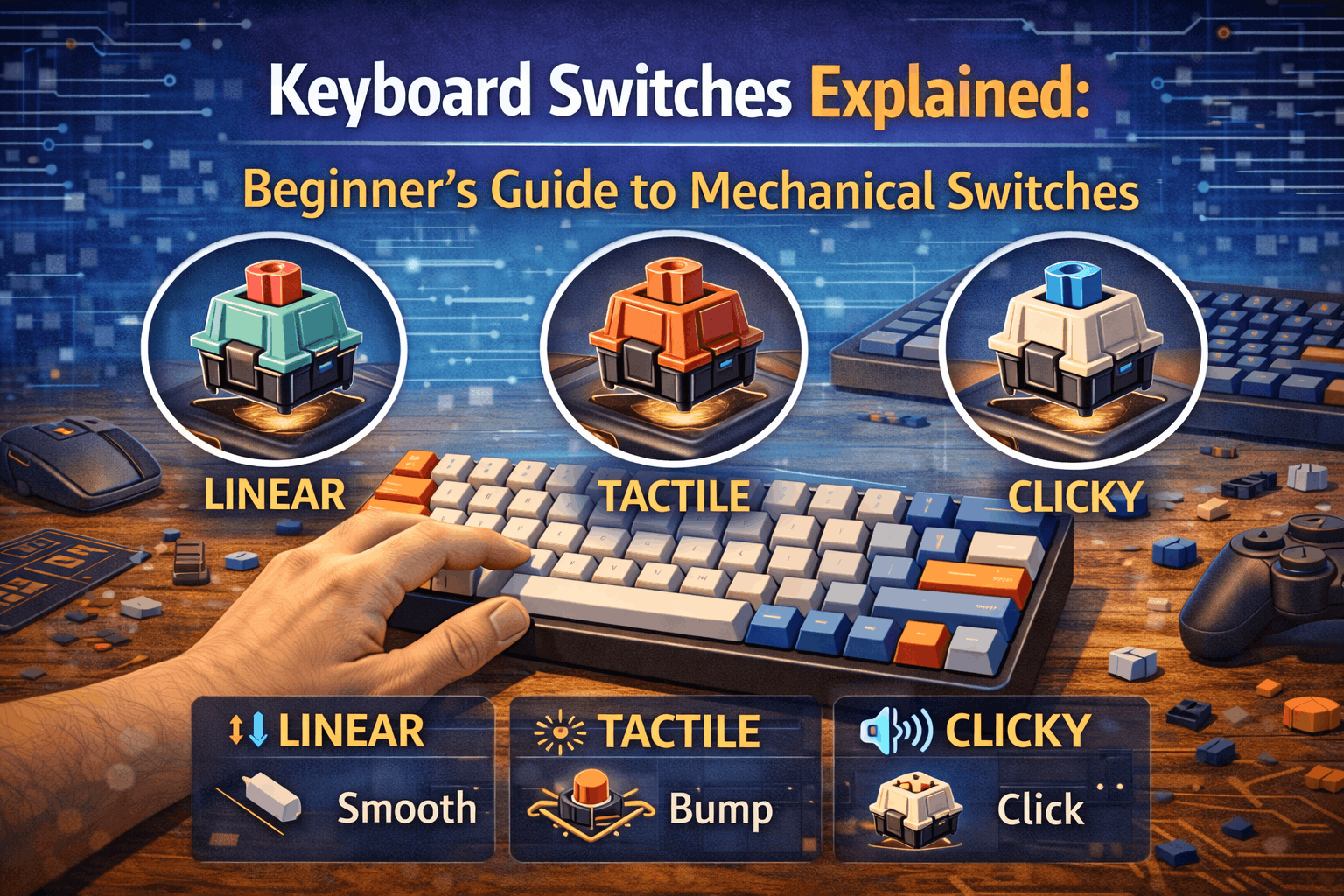
Feedback: Varies by switch type (linear = smooth, tactile = bump, clicky = audible). Hundreds of varieties accommodate all preferences.
Bottom-out: Physical end of travel, same as optical.
Available varieties: Hundreds of mechanical switches. Every weight (35g-80g+), every tactility type, every sound profile.
Feel assessment: Proven satisfying across decades of use. Industry standard. Extensive refinement.
Feel Comparison Analysis
| Factor | Mechanical | Optical |
|---|---|---|
| Feedback definiteness | More definite | Mushier |
| Variety of options | Hundreds | Dozens |
| Customization | Extensive | Limited |
| Proven satisfaction | Decades | Newer technology |
Preference verdict: Subjective. Try both if possible. Most prefer mechanical feel due to definite actuation feedback and variety.
Durability Comparison
Mechanical Switch Durability
Rated lifespan: 50-100 million actuations
- Budget switches: 50M actuations
- Quality switches (Cherry, Gateron): 100M actuations
Wear mechanism: Metal contacts gradually oxidize and wear. After millions of actuations, contact surface degrades, potentially causing inconsistent actuation.
Failure mode: Contact oxidation from humidity/air exposure, contact wear from repeated mechanical touching, spring fatigue (rare).
Real-world durability: Excellent. 50-100M actuations translates to years of heavy daily use. Most mechanical switches outlast keyboard's other components (case, PCB).
Practical lifespan: 5-10+ years for typical user with daily use.
Optical Switch Durability
Rated lifespan: 100M+ actuations, theoretically unlimited
Wear mechanism: No metal contacts to oxidize. LED and optical sensor don't degrade from actuation itself.
Failure mode: LED failure (rare, rated 100M+), optical sensor failure (rare), spring fatigue (same as mechanical).
Real-world durability: Theoretically better than mechanical (no contact degradation). Practically, both last years of heavy use.
Practical lifespan: 5-10+ years same as mechanical in practice.
Durability Verdict
On paper: Optical switches theoretically more durable (no contact wear)
In practice: Both technologies provide adequate durability. 50-100M actuation lifespan far exceeds practical keyboard lifetime for vast majority of users.
Meaningful advantage?: Minimal. Optical's theoretical durability advantage rarely manifests in real-world use. Both technologies reliable for years.
Variety and Availability
Mechanical Switch Options
Available switches: Hundreds of mechanical switches from multiple manufacturers
Type variety:
- Linear: Cherry MX Red, Gateron Yellow, Alpaca, Tangerine, etc. (50+ options)
- Tactile: Cherry Brown, Gateron Brown, Zealios, Holy Panda, etc. (50+ options)
- Clicky: Cherry MX Blue, Gateron Blue, Box White, etc. (30+ options)
Weight range: 35g ultra-light to 80g+ heavy—complete spectrum
Manufacturers: Cherry (Germany), Gateron (China), Kailh (China), Durock (China), ZealPC, Gazzew, Alpaca, others
Hot-swap: Universal MX-compatible hot-swap sockets standardized
Customization: Extensive ecosystem—frankenswitching, spring swaps, stem swaps, lubing, comprehensive modding community
Availability: Widely available everywhere (Amazon, KBDfans, Divinikey, vendors worldwide)
Ecosystem: Mature, established, proven
Optical Switch Options
Available switches: Limited—dozens of optical switches from few manufacturers
Type variety:
- Mostly linear options (smooth)
- Some tactile options
- Few clicky options
- Very limited ecosystem
Weight range: Limited, mostly 45-60g—not comprehensive
Manufacturers: Razer (dominant), Gateron Optical (limited line), Corsair (few models), very few others
Hot-swap: Requires optical-specific hot-swap sockets—not universal, proprietary designs
Customization: Limited. Can't mix optical/mechanical. Fewer modding options. Specialized components.
Availability: Limited to optical-specific keyboards (Razer Huntsman, some Corsair)
Ecosystem: Niche, newer, less established
Variety Comparison
| Factor | Mechanical | Optical |
|---|---|---|
| Total switch options | 200+ | 50-75 |
| Manufacturers | 10+ major | 3-4 |
| Weight range | 35g-80g+ | 45-60g mostly |
| Types | Linear, tactile, clicky all common | Linear dominant |
| Customization | Extensive | Limited |
| Availability | Worldwide, ubiquitous | Limited to optical keyboards |
| Hot-swap | Universal MX standard | Proprietary optical sockets |
Verdict: Mechanical switches dominate variety and customization significantly. Optical switches represent niche alternative with limited options.
Unique Optical Features
Analog Optical Switches (Razer Innovation)
What it is: Razer Huntsman V3 Pro exclusive—adjustable actuation point + analog input capability
Adjustable actuation: Customize actuation point from 1.5-4.0mm per individual key. Different travel distances per key.
Analog input: Like game controller triggers—gradual input instead of binary on/off. Input varies from 0-100% depending on press depth.
Genuine benefit: Useful for racing games (accelerator control), flight simulators (throttle control), sports games (power meters).
Actual gaming advantage: Yes—genuine utility for specific game genres. Actual innovation, not marketing hype.
Availability: Razer Huntsman V2 Analog ($$$), exclusive optical feature
Value assessment: Only meaningful optical-exclusive advantage with actual utility. Worth considering if playing racing/flight games.
Rapid Trigger Technology
What it is: Instant reset capability. Key re-actuates immediately upon finger movement without requiring full travel back.
Benefit claim: Faster repeat inputs theoretically. Marketed for gaming advantage.
Reality assessment: Minimal practical advantage. Human finger movement speed is bottleneck, not switch reset speed.
Availability: Some optical keyboards (Wooting, some Razer models), unavailable in mechanical.
Speed Claims (Revisited)
Razer claims 0.2ms response time on Huntsman V2. Real-world impact negligible given 200ms human reaction time. Marketing emphasizes theoretical advantage without discussing human perception reality.
Which Technology Should You Choose?
Choose Optical Switches If:
- You specifically want analog optical input (racing/flight gaming)
- You prefer optical feel after trying both side-by-side
- Building with optical-specific keyboard (Razer Huntsman V2/V3)
- You believe durability advantage matters (theoretical benefit)
- You want unique optical features (rapid trigger, analog)
Realistic scenario: 5% of users benefit from optical advantages
Choose Mechanical Switches If:
- You want maximum variety (hundreds of options)
- You value proven, satisfying feel
- You want universal hot-swap flexibility
- You need extensive customization options (lubing, modding)
- You're building custom keyboard
- You want widely available options
- You prefer established ecosystem
Realistic scenario: 95% of users served better by mechanical switches
The Honest Recommendation
For 95% of users: Mechanical switches
- Vastly superior variety (200+ vs 50 optical switches)
- Proven, satisfying, refined feel
- Better ecosystem and compatibility
- No meaningful disadvantage vs optical
- Better customization and modding
- More affordable options at all price points
For specific users: Optical switches
- Analog optical input (racing/flight games) genuine benefit
- Prefer optical feel after direct comparison
- Building with Razer Huntsman specifically
- Want theoretical durability advantage
Debunking Marketing Claims
Ignore these common claims:
- "Optical switches faster for gaming" (5-10ms imperceptible difference)
- "Optical switches provide competitive advantage" (doesn't exist in practice)
- "Professional gamers use optical" (most use mechanical despite marketing)
- "Optical switches revolutionize gaming" (minor niche benefit for specific games)
Consider these legitimate factors:
- Analog capability (genuine innovation for racing/flight)
- Feel preference (optical vs mechanical subjective)
- Variety needs (mechanical vastly superior)
- Ecosystem compatibility (mechanical standard)
- Customization desires (mechanical extensive, optical limited)
FAQ
Q: Are optical switches faster than mechanical for gaming?
A: Theoretically 5-10ms faster. Practically imperceptible within 200-250ms human reaction time. No meaningful gaming advantage. Marketing exaggerates significance. Skill determines gaming performance, not milliseconds. See performance section above.
Q: Are optical switches more durable than mechanical?
A: Theoretically yes—no metal contact wear. Practically both last 5-10+ years. 50-100M mechanical actuation lifespan exceeds typical use. Optical durability advantage rarely manifests. See durability section above.
Q: Do professional esports gamers use optical or mechanical switches?
A: Mostly mechanical switches. Some use optical (sponsored by Razer). Switch type doesn't determine performance—skill does. See performance reality section above.
Q: Can I use mechanical switches in optical keyboard or vice versa?
A: No. Different technologies require different PCBs and physical designs. Optical needs LED/sensor per switch. Mechanical needs contact detection. Not interchangeable. Proprietary by design.
Q: Should I buy optical or mechanical keyboard?
A: Mechanical for most users (variety, feel, ecosystem). Optical if you specifically want analog input (Razer Huntsman V2 Analog) or prefer optical feel after testing. Ignore speed marketing claims. See recommendations section above.
Conclusion
Optical and mechanical switches both provide excellent keyboard experiences through different technologies. Optical switches offer theoretical speed advantage (5-10ms faster) that proves imperceptible in human perception context and durability advantage (no contact wear) that rarely matters given mechanical switches' adequate longevity. Analog optical capability (Razer exclusive) provides genuine innovation for racing/flight gaming.
Mechanical switches dominate through vastly superior variety (hundreds of options versus dozens), proven satisfying feel, universal compatibility, and extensive customization ecosystem. For 95% of users, mechanical switches represent better choice.
Optical switches serve specific users: analog optical capability provides genuine innovation for racing/flight gaming, and some users prefer optical feel after direct comparison with mechanical alternatives.
The straightforward recommendation: choose mechanical switches for variety, compatibility, and proven performance. Consider optical only if specifically wanting analog input capability or preferring optical feel after side-by-side testing. Ignore marketing claims about speed advantages—both technologies perform identically in practical gaming and typing contexts.