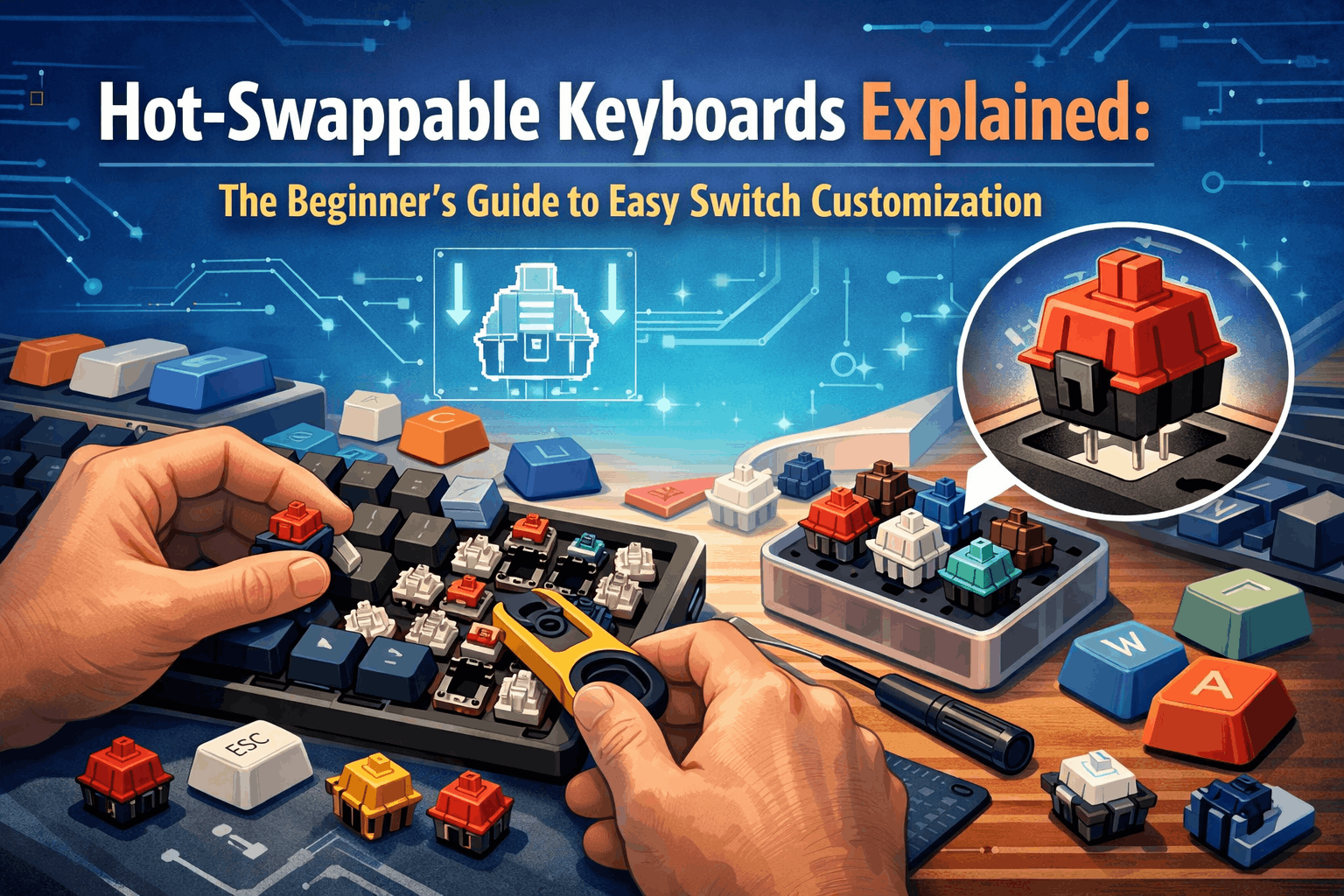
Here’s a scenario that plays out constantly in the mechanical keyboard world: someone drops $80 on their first mech, types on it for a week, and realizes the switches feel wrong. Too heavy. Too mushy. Too loud. With a soldered keyboard, that’s basically it — you’re stuck with your choice unless you own a soldering iron and have the patience of a watchmaker. Most people don’t.
Hot-swappable keyboards fix this entirely. The switches clip into sockets instead of being soldered down, so you can pull them out and snap in different ones whenever you want. No tools beyond a cheap plastic puller. No technical skills. No risk of frying your PCB. Just pop, swap, done.
If you’re new to mechanical keyboards, this is the single most important feature to look for. Not RGB lighting, not wireless, not the case material. Hot-swap capability is what lets you actually figure out what you like without buying three different keyboards to get there. This guide covers how it all works, what to look for, and which boards are worth your money.
Note: This guide contains affiliate links. Purchases through these links support the site at no extra cost to you.
The Short Version
- Hot-swap keyboards have sockets instead of solder — switches pop in and out freely
- Why it matters: you can experiment with different switch types, sounds, and feels without buying a new board every time
- Who benefits most: beginners who don’t know their preference yet, enthusiasts who like tweaking, and anyone who wants a keyboard that grows with them
- Budget: solid options start around $50-80, with premium builds in the $200-250 range
What Actually Is a Hot-Swappable Keyboard?
The simplest way to think about it: LEGO versus superglue.
A soldered keyboard is the superglue version — every switch is permanently attached to the circuit board. Changing anything means heating up solder joints, carefully removing the old switch, and praying you don’t damage a trace on the PCB in the process. It works, but it’s not exactly beginner-friendly. If you’re considering your first build, our beginner guide to building a custom keyboard walks through the hot-swap-first approach without the soldering complexity.
A hot-swappable keyboard is the LEGO version. Switches click into sockets. Pull them out when you want, push new ones in. The keyboard doesn’t care — it just works with whatever switch is sitting in the socket at that moment.
What’s Happening Inside the Socket
The sockets themselves are small metal connectors that sit on the keyboard’s PCB (the circuit board). Each socket has spring-loaded contacts inside. When you push a switch in, its metal pins slide into those contacts and get gripped firmly enough to hold the switch in place and make a reliable electrical connection. When you want the switch out, a switch puller (a small plastic tool that usually comes in the box) lets you compress the clips on the switch housing and lift it straight up.

It’s dead simple mechanically. The engineering challenge was making sockets that could handle being used hundreds of times without the contacts loosening up — and modern sockets have that pretty much solved. If you’re curious about the switches themselves and what makes them feel different, our complete guide to keyboard switches breaks that down.
How We Got Here
Hot-swap wasn’t always an option. Before roughly 2018, every mechanical keyboard was soldered. If you wanted different switches, you either learned to solder or you bought another keyboard. Kailh Electronics changed that by developing the first widely-adopted hot-swap socket design in the late 2010s. The market exploded between 2018 and 2020, and by now hot-swap has gone from enthusiast luxury to standard feature — you’ll find it on everything from $50 budget boards to $300+ premium builds. The latest developments include magnetic hot-swap designs and optical hot-swap systems, though standard mechanical hot-swap remains dominant.
Hot-Swap vs Soldered: What’s the Real Difference?
This is probably the first comparison most people look up, so let me lay it out clearly:
| Feature | Hot-Swappable | Soldered |
|---|---|---|
| Changing switches | Pull out, push in, done — takes seconds | Soldering iron, desoldering pump, steady hands, 20+ minutes per switch |
| Upfront cost | Slightly higher ($50–$300+) | Cheaper ($30–$150) |
| Durability | 100+ swap cycles (Kailh) to 50,000+ (Gateron v2) | Permanent — lasts until something breaks |
| Flexibility | Swap anytime, mix types, experiment freely | You get what you get |
| Sound | Marginally different (tiny gap between pin and socket) | Slightly more direct connection |
| Repairs | Bad switch? Replace it in 10 seconds, costs $0.50 | Bad switch? Desolder it or buy a new keyboard |
| Customization ceiling | Basically unlimited | Anything beyond stock requires soldering skills |
Which Matters in Practice?
Hot-swap wins on flexibility, and it’s not close. The ability to try a switch for a week, decide it’s not right, and swap to something different without any permanent consequence is genuinely transformative for someone exploring the hobby. It also makes maintenance trivial — a dead switch is a 10-second fix, not a reason to buy a new keyboard.
Soldered wins on… not much, honestly. The traditional argument is that soldered connections are more rigid, giving a slightly crisper feel and more direct sound transmission. This is technically true but practically irrelevant for most people. The difference is subtle enough that you’d need to A/B test identical boards side by side to notice, and modern gasket-mounted hot-swap keyboards (where springs sit under the PCB to absorb vibration) often sound better overall than cheap soldered boards anyway.
The cost argument is fading. Hot-swap used to carry a meaningful premium. In 2026, the price gap has narrowed to the point where it’s rarely worth choosing soldered just to save $10-15. The flexibility you gain pays for itself the first time you avoid buying a whole new keyboard because your switches felt wrong.
Bottom line: unless you’ve already found your forever switch and you’re 100% certain you’ll never want to change, hot-swap is the way to go. And even then — why close the door on future options?
A Note on “Hot-Swap Ready” vs True Hot-Swap
Be careful with marketing language. Some keyboards advertise as “hot-swap ready” or “modular” without actually having proper hot-swap sockets. True hot-swap means dedicated sockets on the PCB designed for repeated switch insertion and removal. Some cheaper boards use friction-fit designs that technically allow switch removal but aren’t engineered for repeated use and can fail after a few swaps. Stick with keyboards that explicitly mention Kailh or Gateron hot-swap sockets, or verify with community reviews before buying.
How to Swap Switches (Without Breaking Anything)
The actual process is simple. The only way to mess it up is by being impatient or careless, so take it slow the first time.
You’ll Need
- Your hot-swappable keyboard
- A switch puller (that small plastic tool in your keyboard’s box)
- Your replacement switches
- A clean, well-lit surface
The Process
Step 1 — Get set up. Flat surface, good lighting. If you want to remember which switch was where (some people run different switches on different keys), take a quick photo first.
Step 2 — Position the switch puller. Slide the two prongs down around the sides of the switch until they catch on the small tabs on the switch housing. You’ll feel them click into place.
Step 3 — Pull straight up. This is the most important part. Straight up. Not at an angle, not with a twist. Gentle, steady pressure. The switch should release smoothly. If it’s resisting, don’t force it — wiggle the puller very slightly side to side while pulling upward. Forcing it is how you bend pins and damage sockets.
Step 4 — Check the old switch. Look at the metal pins on the bottom. Are they straight? Good. If they’re bent, that switch needs pin straightening before it goes back into anything.
Step 5 — Insert the new switch. Line up the pins with the socket holes. Press straight down, firmly but without forcing. You should feel (and sometimes hear) a satisfying click when the switch seats properly. If it doesn’t go in smoothly, stop — check that the pins are straight and properly aligned. If you’re worried about the socket, support the back of the PCB with your other hand while pressing the switch in.
What Goes Wrong (and How to Avoid It)
Bent pins are the number one issue. Always eyeball the pins before inserting a switch. A bent pin won’t make contact and could damage the socket if you force it. Straighten bent pins with tweezers — it takes five seconds.
Twisting during removal bends pins and can stress the socket. Straight up, always. Think of it like pulling a cork, not unscrewing a lid.
Not checking compatibility. Different socket types exist (covered below). Make sure your switches match your keyboard’s sockets before you buy a whole set and discover they don’t fit.
Going too fast. The first few swaps, take your time. Once you’ve got the feel for it, you’ll be swapping switches in seconds without thinking about it. But the learning curve is real for the first 2-3 switches.
Socket Types: What’s Compatible With What
Not every hot-swap keyboard uses the same socket design. Here’s what you need to know.
Kailh Sockets — The Industry Standard
Kailh Electronics designed the socket that most keyboards use. If you buy a budget or mid-range hot-swap board from Keychron, Royal Kludge, Redragon, or most other popular brands, you’re almost certainly getting Kailh sockets.
They’re rated for 100+ swap cycles, handle standard MX-style switches (both 3-pin and 5-pin), and they’ve been refined over years of production. Nothing exciting, nothing broken. They just work.
Gateron Sockets — The Premium Alternative
Gateron makes both switches and sockets, and their v2 socket design improves on Kailh’s in a few ways: better snap structure, more reliable connection, and a dramatically higher durability rating (50,000+ cycles versus Kailh’s 100). Many newer premium keyboards — especially Keychron’s recent lineup — are shipping with Gateron sockets.
In practice? Most people won’t notice a difference between Kailh and Gateron sockets. The Gateron durability rating is nice insurance if you’re a compulsive swapper, but Kailh’s 100-cycle minimum is already more than most humans will ever hit. If you swap switches 5 times a year, that’s 20 years of use.
Optical Hot-Swap — A Separate Universe
Some gaming brands (Razer, Corsair, and a few others) use optical hot-swap instead of mechanical. The sockets detect light interruption rather than physical contact, which can offer faster actuation. The problem: optical switches only work in optical sockets. You can’t use standard MX switches in an optical board or vice versa. This locks you into a much smaller ecosystem of compatible switches.
Unless you specifically want an optical keyboard and understand the trade-off, stick with standard MX hot-swap for maximum flexibility. If you’re interested in alternative switch technologies, our guides on Hall effect keyboards, Hall effect vs mechanical switches, and rapid trigger cover the newer options.
3-Pin vs 5-Pin: The Compatibility Question Everyone Has
Mechanical switches come in two configurations:
3-pin switches have two metal electrical pins and one plastic guide pin. Designed for plate-mounted setups where the metal plate provides stability.
5-pin switches have two metal electrical pins and three plastic guide pins. The extra pins let the switch mount directly to the PCB for stability without needing a plate.
What fits where:
- 3-pin switches work in 5-pin sockets — no issue, the extra space just stays empty
- 5-pin switches don’t fit 3-pin sockets — the plastic guide pins are too big. You can clip them off with nail clippers or small pliers to convert 5-pin to 3-pin, but that’s a one-way modification
- Most modern hot-swap keyboards accept both — check your board’s specs, but this is standard in 2026
The takeaway: if your keyboard has 5-pin sockets (most do), you can use basically any MX-style switch on the market. That’s the flexibility you want.
Why Hot-Swap Is Worth It (The Real Reasons, Not Marketing)
You Don’t Know What You Like Yet
This is the big one, especially for beginners. Linear, tactile, or clicky? Light or heavy? Short travel or long? You genuinely cannot know your preference without trying switches under your fingers for real. Switch testers help, but pressing one switch on a tester is nothing like typing 5,000 words on a full board of them. If you want to understand the differences before buying, check our guides on linear switches, tactile switches, and clicky switches. Hot-swap lets you live with a switch type for a few days, form a real opinion, and change course if it’s not right. That trial-and-error process is how everyone finds their ideal switch — hot-swap just makes it painless instead of expensive.
You Can Go Deep on Customization
Some enthusiasts run different switches on different keys. Linears on the spacebar and gaming cluster for speed. Tactiles on the alpha keys for typing feedback. Maybe something heavier on the modifier keys to prevent accidental presses. This kind of per-key tuning is impossible on a soldered board, and it’s the kind of thing that sounds obsessive until you try it and realize your keyboard feels noticeably better.
Sound Tuning Becomes Possible
Different switches sound dramatically different. The deep thock of a lubed linear. The crisp snap of a tactile. The sharp click of a clicky. Beyond switch type, different brands within the same category sound different too — a Gateron Yellow doesn’t sound like a Cherry Red even though they’re both linears. If noise is a concern, silent switches are another option worth exploring. With hot-swap, you can chase the exact sound profile you want by swapping switches until your ears are happy.
Repairs Cost $0.50 Instead of $100
A single dead switch on a soldered keyboard is either a desoldering project or an excuse to buy a new board. On a hot-swap keyboard, it’s a 10-second fix with a replacement switch that costs less than a dollar. Over years of use, this alone can justify the hot-swap premium multiple times over.
Better Resale Value
This one’s underrated. A hot-swap keyboard with a set of extra switches is more appealing on the secondhand market than a soldered board locked into one configuration. Buyers know they’re getting options. And as switch technology improves year over year, you can upgrade your switches without replacing your board — that’s genuine future-proofing.
The Community Aspect
This sounds soft, but it matters: hot-swap keyboards make it easy to participate in the mechanical keyboard community. Switch swaps, group buys on new switch types, comparing sound profiles — all of this is accessible when you can try new things without a soldering station. The subreddit r/MechanicalKeyboards and various Discord servers are full of people sharing their latest switch experiments, and being able to actually try what they’re recommending makes the hobby more engaging. You’re not just reading about switches — you’re testing them.
The Honest Downsides
Hot-swap is great, but nothing’s perfect. Here’s what to weigh:
The Price Premium (Shrinking, but Real)
Hot-swap boards cost roughly 10-20% more than equivalent soldered models. At the budget end, that’s the difference between a $40 soldered board and a $50 hot-swap one. At the mid-range, maybe $10-15. It’s not dramatic, and the flexibility usually pays for itself quickly, but if your budget is absolutely fixed to the dollar, it’s a factor.
Socket Durability Worries (Mostly Overblown)
This comes up constantly in forums: “won’t the sockets wear out?” The short answer is no, not in any practical timeframe. Kailh sockets are rated for 100 cycles. If you swap switches 5 times a year (which is more than most people), that’s 20 years. Gateron v2 sockets are rated for 50,000+ cycles, which is essentially infinite for human use. Individual socket failure can happen but it’s rare, and replacement sockets cost pennies. This concern is dramatically overblown relative to the actual risk.
Fewer Ultra-Premium Options (Improving Rapidly)
A few years ago, the highest-end custom keyboards ($400+) were almost exclusively soldered. Designers wanted the most rigid possible connection for premium feel. That’s changing fast — most premium boards under $300 now offer hot-swap, and even the $400+ segment is increasingly including it. But if you’re eyeing a very specific high-end artisan board, check whether hot-swap is available before assuming.
The Sound “Difference”
Technically, a soldered switch-to-PCB connection is marginally more rigid than a socketed one, which can produce a slightly more direct sound. In practice, this difference is borderline inaudible, and gasket-mounted hot-swap boards (which are everywhere now) often sound better than budget soldered boards. File this under “technically true, practically meaningless.”
Best Hot-Swap Keyboards for Beginners in 2026
Three picks at three price points. Each one I’d genuinely recommend to someone getting into mechanical keyboards.
Budget: Royal Kludge RK84 (~$50–$70)
The RK84 has basically become the default recommendation for anyone’s first hot-swap keyboard, and there’s a reason for that. At $50-70, it’s cheap enough that you’re not agonizing over the purchase, but it doesn’t feel like a $50 keyboard once you start using it.
What you get: a 75% layout (84 keys — compact but keeps the arrow keys and function row that a lot of people can’t live without), Kailh hot-swap sockets that accept both 3-pin and 5-pin switches, full RGB if you’re into that, and — this is unusual at this price — triple connectivity. USB-C wired, Bluetooth, and 2.4GHz wireless. Most $50 keyboards make you pick one connectivity mode. The RK84 gives you all three.
It comes with RK-branded switches (Red, Brown, or Blue options — essentially clones of Gateron switches) that are perfectly fine as starting points. More importantly, it includes a switch puller, a keycap puller, and a few extra switches in the box. Everything you need to start experimenting on day one.
The build is plastic, and it feels like plastic — there’s no pretending it’s aluminum. But it’s sturdy plastic with no noticeable flex, and the keycaps (double-shot ABS) are decent for the price even if they’ll develop shine after a few months of heavy use.
The switches it comes with are fine — not amazing, but perfectly usable as a starting point. The real value proposition isn’t the stock switches; it’s that you can replace them with literally anything MX-compatible whenever you want. Buy a set of Gateron Yellows for $15, swap them in over lunch, and you’ve got a dramatically different typing experience on the same board.
One honest caveat: the stabilizers on the larger keys (spacebar, shift, enter) are mediocre. They’re rattly out of the box, which is common at this price point. A $5 tube of dielectric grease and 20 minutes of your time fixes this completely — our switch lubing guide covers the technique. It’s the kind of small DIY tweak that the hot-swap community considers routine, and there are dozens of YouTube tutorials showing exactly how to do it.
Specs: 75% layout · Kailh hot-swap (3+5 pin) · USB-C / Bluetooth / 2.4GHz · RGB · Double-shot ABS keycaps · Switch and keycap pullers included
Mid-Range: Keychron V1 QMK (~$100–$130)
The V1 is where you start feeling the difference that build quality makes. Pick one up after using a plastic budget board and the aluminum case immediately communicates “this is a different level.” It’s heavier, more solid, and the typing experience is noticeably improved thanks to the gasket mounting system.
Gasket mounting deserves a quick explanation because it genuinely matters. Instead of the PCB being screwed rigidly to the case (which transmits every keystroke vibration into the case and creates a harsh, pingy sound), gasket-mounted boards use silicone or rubber strips between the PCB and case. This absorbs vibration, softens the typing feel, and produces a much more pleasant sound profile. It’s the single biggest upgrade you’ll notice going from budget to mid-range. We cover this in depth in our gasket mount vs tray mount comparison.
The V1 uses Gateron hot-swap sockets (both 3 and 5-pin compatible), comes with your choice of Gateron or Keychron stock switches, and includes PBT keycaps — Cherry-profile PBT, specifically, which resists the shine and wear that ABS caps develop. For a deeper dive into keycap shapes, check our keycap profiles guide. The layout is 60% (compact, no dedicated function row or arrow keys), which is polarizing. Some people love the desk space savings. Others miss their arrow keys immediately. Know which camp you’re in before buying.
One feature you might not care about now but will later: full QMK/VIA programmability. This lets you remap every single key, create custom layers, build macros, and essentially make the keyboard do whatever you want through software. You don’t need to touch this to use the V1 — it works perfectly out of the box. But it’s there when you get curious, and it’s the kind of feature you start appreciating six months in when you realize you want a specific key to do something specific.
The main limitation is that the V1 is wired-only (USB-C). If wireless matters to you, the V2 adds Bluetooth at a slight price bump. For desk use on a single machine, wired is arguably better — zero latency, no battery management, and one less thing to think about.
Build quality genuinely rivals keyboards at twice the price point. The aluminum has real heft to it, the finish is clean, and there’s no rattling or looseness anywhere. Keychron has been iterating on this design for years and it shows.
Specs: 60% layout · Gateron hot-swap (3+5 pin) · USB-C wired · CNC aluminum case · Gasket mount · Cherry PBT keycaps · QMK/VIA programmable · Switch puller and stabilizers included
Premium: Keychron Q1 Max (~$200–$250)
If you want to buy one keyboard and not think about upgrading for years, this is it.
The Q1 Max is essentially Keychron taking everything they learned from the V-series and Q-series and putting it all into one board. Full aluminum construction. Gasket mounting. Tri-mode connectivity (USB-C, Bluetooth 5.1, 2.4GHz wireless). Pre-lubed Gateron Jupiter switches that feel excellent out of the box. PBT keycaps with dye-sublimation printing. A rotary knob for volume control. 300-hour battery life on Bluetooth. Full QMK/VIA support.
The 75% layout is the sweet spot for most people — you keep your arrow keys, function row, and a few utility keys, but the board is still compact enough that it doesn’t dominate your desk. The per-key RGB is actually bright enough to be visible in a lit room (a lot of RGB implementations wash out under normal lighting).
Is it worth $200-250 when the RK84 exists at $50? That depends entirely on how much you value build quality, sound, feel, and wireless convenience. The difference between a $50 board and a $200 board is immediately obvious the moment you type on both. The aluminum has a different resonance, the gasket mounting changes the keystroke character, the pre-lubed switches eliminate scratch, and the PBT keycaps have a texture that ABS can’t match. Whether that difference is worth $150 to you is a personal call. But I’ll say this: people who buy at the Q1 Max level tend to stop buying keyboards. People who buy at the budget level tend to upgrade within a year. Do the math on which approach actually costs more.
The Gateron Jupiter switches deserve specific mention because they’re genuinely excellent. Pre-lubed from the factory with a smooth, consistent feel that rivals aftermarket switches costing $0.50-0.70 each. You could happily use the Q1 Max without ever swapping its stock switches — which is a weird thing to say in a hot-swap guide, but it’s the truth. Of course, if you do want to experiment, the Gateron hot-swap sockets give you full flexibility.
Battery life at 300 hours on Bluetooth means you’re charging this thing maybe twice a month with daily use. One less thing competing for your USB-C cable.
Specs: 75% layout · Gateron hot-swap (3+5 pin) · USB-C / Bluetooth 5.1 / 2.4GHz · CNC aluminum · Gasket mount · Pre-lubed Gateron Jupiter switches · PBT dye-sub keycaps · Rotary knob · QMK/VIA · 300hr battery
How to Pick Your First Hot-Swap Board
Instead of overcomplicating this, work through four questions:
Question 1 — What’s your budget?
Under $80: Royal Kludge RK84, Ajazz AK820 Pro. Genuine hot-swap, full features, plastic build. No compromises where it matters.
$100-$180: Keychron V-series. Aluminum construction, gasket mounting, noticeably better typing experience. This is where diminishing returns start, so it’s a great value sweet spot.
$180-$300: Keychron Q-series, Glorious GMMK Pro. Premium everything. Buy-it-for-life territory if you treat it well.
Question 2 — What layout?
60% is compact and clean — great for desk space, but no dedicated arrow keys or function row. You access those through key combinations (Fn+WASD for arrows, etc.). Some people adapt instantly; others never stop missing dedicated keys.
65% adds arrow keys to the 60% form factor. A popular compromise. See our 65% vs 75% comparison if you’re torn between the two.
75% keeps arrow keys and the function row. This is what I’d recommend to most people because you don’t give up anything you’ll miss.
Full-size (100%) includes the numpad. Less common in the enthusiast space but practical if you do a lot of data entry. TKL (tenkeyless / 80%) is the middle ground — full layout minus the numpad.
Question 3 — Wired or wireless?
Wired-only saves a bit of money and means no battery management. If your keyboard lives on one desk, this is fine. See our wired vs wireless comparison for the full breakdown.
Wireless (Bluetooth / 2.4GHz) adds flexibility for laptop use, multiple devices, and clean desk setups. Most boards over $50 include wireless in 2026. If gaming is your focus, check our best wireless gaming keyboards picks.
Tri-mode (USB + Bluetooth + 2.4GHz) gives maximum flexibility. Worth it if you switch between devices regularly.
Question 4 — Pre-built or barebones?
Pre-built comes with switches and keycaps. Ready to use. This is what beginners should buy — you can always swap the switches later, which is the entire point of hot-swap.
Barebones is just the case, PCB, and plate. You buy switches and keycaps separately. More control, but also more research and higher total cost. Save this for your second keyboard.
FAQ — Quick Answers to Common Questions
Can any mechanical keyboard hot-swap?
No. Only keyboards specifically built with hot-swap sockets. If you open up a keyboard and see solder joints (silvery metal blobs) around the switch pins, it’s soldered. Hot-swap sockets look like small plastic/metal connectors sitting on the PCB. When in doubt, check the product listing — manufacturers always advertise hot-swap if it’s present.
How many times can I swap before sockets wear out?
Kailh sockets: 100+ rated cycles. Gateron v2: 50,000+. At 5 swaps per year (more than most people do), Kailh sockets last 20 years. This is genuinely not something to worry about. If a socket eventually fails — which is rare — replacement sockets cost cents.
Are hot-swap keyboards less durable overall?
No. The sockets are engineered for repeated use. The durability risk comes from technique, not design — if you force switches in at angles or with bent pins, you can damage a socket. Be gentle, pull straight up, check pins before inserting, and you’ll have zero issues.
Do I need special switches?
Standard MX-style switches (Gateron, Cherry, Kailh, Durock, Akko, etc.) work in standard hot-swap sockets. The only exception is optical keyboards (Razer, Corsair) which need optical-specific switches. For standard MX hot-swap boards, you have access to hundreds of compatible switches from dozens of manufacturers.
Can I mix switch types on one keyboard?
Yes, and a lot of enthusiasts do. Linears on gaming keys, tactiles on typing keys, heavier switches on modifiers. As long as all switches use the same pin configuration compatible with your sockets, mix away. It’s one of the best things about hot-swap.
What if I bought a soldered keyboard — can I make it hot-swap?
Technically yes, by desoldering every switch and soldering in hot-swap sockets. In practice, this is a significant project requiring soldering skill, a desoldering pump or wick, and patience — you’re talking 2-4 hours of careful work for a full-size board, with the constant risk of lifting a pad (pulling a copper trace off the PCB, which is often irreparable). For most people, it makes more sense to sell the soldered board and buy a hot-swap one. The cost of tools plus time usually exceeds just buying the right keyboard.
Is hot-swap good for gaming?
Absolutely. There’s no input lag difference between hot-swap and soldered connections — the electrical contact is identical during use. Some competitive gamers prefer hot-swap specifically because they can optimize their switch choice for gaming (light linears for fast actuation) and swap to something different for typing. Check our best gaming keyboards under $100 if gaming is your primary use case. The flexibility is an advantage, never a disadvantage.
Do hot-swap keyboards work with Mac and PC?
Yes. Hot-swap is a mechanical feature of the switch sockets — it has nothing to do with the keyboard’s compatibility with operating systems. Any hot-swap keyboard that works with PC also works with Mac, Linux, and anything else that accepts USB or Bluetooth keyboard input. Some keyboards (especially Keychron) include dedicated Mac keycaps and Mac/PC toggle switches, which is a nice bonus.
Will changing switches void my warranty?
No. Hot-swap keyboards are explicitly designed for switch swapping. Manufacturers expect you to do it and it’s not grounds for warranty denial. Damaging the PCB through improper technique (forcing switches, bending the PCB) could void the warranty, but normal switch swapping as intended won’t.
The Bottom Line
Hot-swappable keyboards removed the single biggest barrier to enjoying mechanical keyboards: commitment. You no longer need to research switches for weeks, agonize over your choice, and hope you guessed right. You try, you evaluate, you adjust. That cycle of experimentation is how every keyboard enthusiast eventually finds their perfect setup — hot-swap just makes the process cheap and painless instead of expensive and frustrating.
Ten years ago, getting the perfect typing feel meant building from scratch with a soldering iron or buying five different keyboards until one clicked. Today, a $60 hot-swap board and a $15 set of switches gives you the same exploration capability. That democratization of customization is genuinely the biggest shift in the keyboard hobby in the last decade.
If you’re buying your first mechanical keyboard, get a hot-swap board. If you’re upgrading from a rubber dome or membrane keyboard, get a hot-swap board. If you already own a soldered mechanical keyboard and find yourself curious about other switches, get a hot-swap board.
The RK84 at $50-70 is the low-risk entry point — cheap enough that it’s not a commitment, good enough that it’s not a compromise. The Keychron V1 at $100-130 is where quality jumps noticeably and you start understanding why enthusiasts care about case material and mounting styles. The Q1 Max at $200-250 is the “buy once, stop looking” option for people who’d rather invest once than upgrade incrementally.
Start with whatever fits your budget — our best hot-swap keyboards roundup covers the standouts at every price point. The switches you can always change later — that’s the whole point.
Want to go deeper? Our guides on mechanical keyboard switches (linear vs tactile vs clicky), keyboard layouts, and best keyboards for typing will help you make even more informed choices. Ready to plan a full build? Our keyboard configurator lets you pick compatible switches, keycaps, and more.

