Introduction
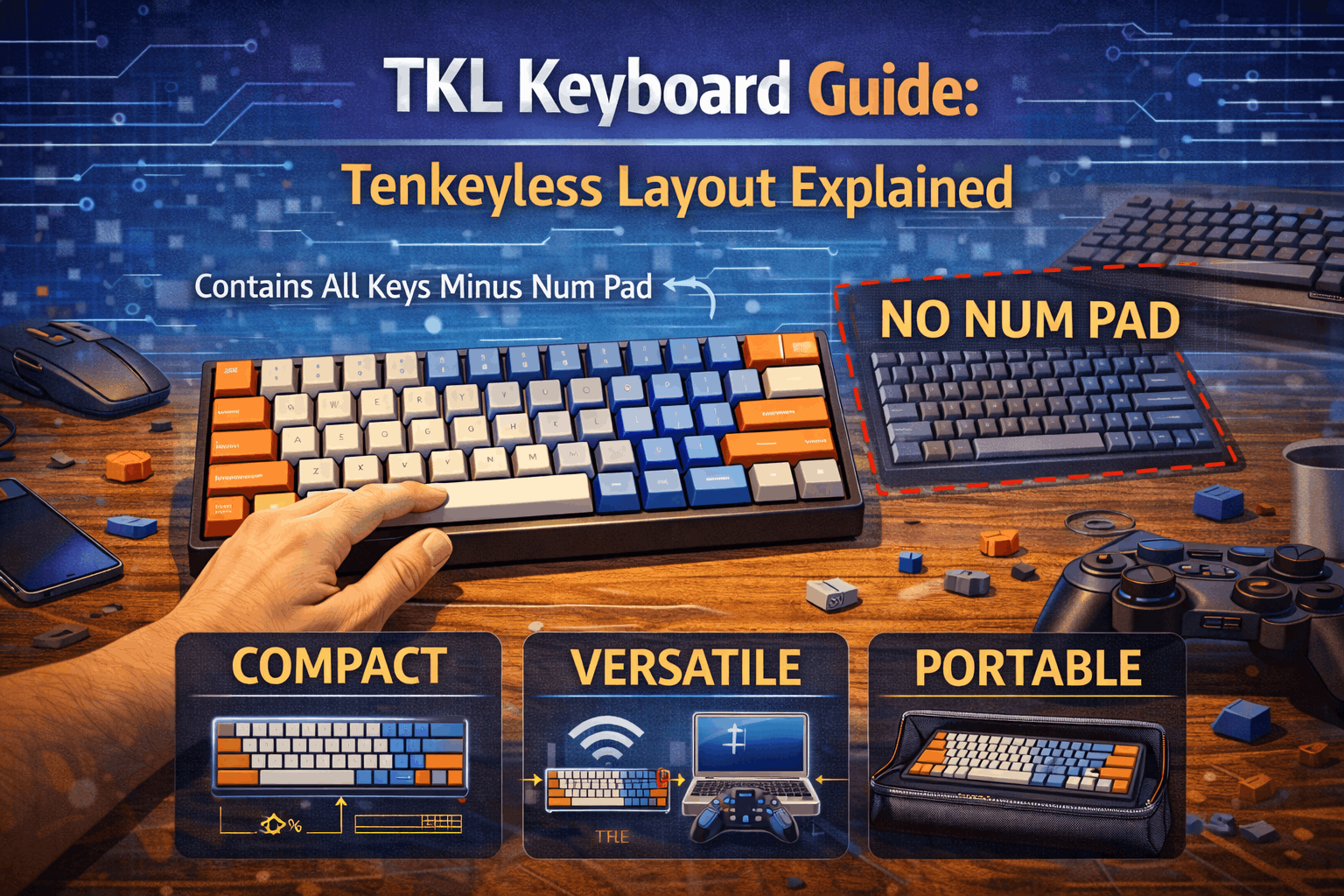
TKL keyboards are the gateway to compact layouts—all the keys you need, none you don't. If you've heard the term "tenkeyless" and wondered what it means, the answer is remarkably simple: it's a full-size keyboard with the numpad removed.
In 2026, TKL (Tenkeyless) keyboards represent the most pragmatic balance between functionality and desk space savings. They eliminate the numpad—the 17-key cluster that most people rarely use—while preserving everything else: the F-row for function keys, the full navigation cluster (Home, End, Page Up/Down, Insert, Delete), dedicated arrow keys, and all modifiers. You get a comfortable, familiar layout that works for gaming, productivity, and everyday typing without requiring any mental adjustment or learning curve.
Why are TKL keyboards so popular? Because they solve a real problem. Full-size keyboards take up enormous desk space, but many compact layouts feel too extreme or sacrifice essential keys. TKL sits in the sweet spot—it's the safest compact keyboard choice for buyers making the transition from full-size, the industry standard for professional esports, and the most recommended size for gamers seeking mouse space without losing functionality.
This guide explains what makes TKL special, compares it to other keyboard sizes, and helps you decide whether TKL is right for your setup—or whether a more extreme compact layout might better suit your needs.
Note: This guide contains affiliate links. If you purchase through our links, we may earn a commission at no extra cost to you. This helps support our in-depth testing and content creation.
TKL Keyboards at a Glance
What it is: 87 keys total representing a full-size keyboard with only the numpad removed—nothing else is sacrificed. Size measures approximately 14 inches wide (3–4 inches narrower than full-size, roughly 1.5 inches wider than 65% keyboards).
Best for: Gamers, first compact keyboard buyers, and anyone who doesn't use the numpad daily.
Main trade-off: No numpad—use top-row numbers for occasional entry, or buy an external numpad for roughly $15–30.
What Is a TKL Keyboard?
Definition and Key Count
TKL stands for "Tenkeyless"—literally, keyboards without the ten-key numpad. A TKL keyboard contains all the keys you find on a standard full-size keyboard except the separate number pad that's relegated to the right side of full-size boards.
The result is typically 87 or 88 keys (depending on region and layout variant), representing approximately 87% of a full-size keyboard's total key count.
What You KEEP on a TKL Keyboard
Unlike more extreme compact layouts, TKL removes only the numpad. Everything else remains intact: full alphanumeric keys (letters A–Z, numbers 0–9 on top row), the complete F-row (F1 through F12, fully accessible without Fn layers), the full navigation cluster (Insert, Delete, Home, End, Page Up, Page Down), dedicated arrow keys (up, down, left, right in traditional cluster), all modifiers (Shift, Ctrl, Alt, Super/Windows, etc.), and the standard spacebar with all punctuation keys.
What You LOSE
The only casualty is the numpad—the 17-key calculator-style cluster on the right side of full-size keyboards. That's it. No other keys are sacrificed.
Physical Dimensions
A typical TKL keyboard measures approximately 14 inches (356 mm) wide and approximately 5.5 inches (140 mm) deep. Height follows standard profile (varies by keyboard model).
Compared to full-size keyboards, TKL is 3–4 inches narrower. Compared to 65% keyboards, TKL measures approximately 1.5 inches wider.
Why TKL Dominates the Modern Keyboard Market
Zero learning curve defines the primary appeal. Every key is in a standard position. If you've used a full-size keyboard, a TKL feels immediately natural. There's no Fn layer to memorize, no key remapping to learn—muscle memory transfers directly.
Maximum mouse space creates tangible benefit. The removal of the numpad creates 3–4 inches of additional desk space on the right side. For gamers, this translates to a larger mousepad or more natural arm positioning without cramping. For office workers, it means room for other equipment or simply a cleaner, less cluttered desk.
Market dominance in 2026 shows clearly in sales figures. TKL commands approximately 30% of overall keyboard sales, making it the second-most-popular size after full-size keyboards (40%). It's the most popular compact layout, outpacing 65% keyboards among users who specifically seek compactness.
TKL Layout Variants
While "TKL" generically describes a tenkeyless keyboard, several layout variants exist depending on regional standards and specific design choices.
ANSI TKL (North America)
87 keys total define ANSI TKL as the standard layout in North America and the most widely available globally. It features the standard US keyboard layout with a 2.25 unit left Shift, 6.25 unit spacebar, and familiar row offsets and key placements.
Why it's most common: Widest keycap set support, most prebuilts use this layout, and it's the easiest to find replacement parts for.
ISO TKL (Europe, UK, and Other Regions)
88 keys total define ISO TKL, which adds one additional key to the left of the "Z" key and features a different Enter key shape (vertical rectangle instead of horizontal). This accommodates European language layouts and is standard in the UK, Germany, France, Italy, Spain, most of continental Europe, and some Asian markets.
Practical difference: One additional key and a slightly different bottom-left section. Keycap sets must explicitly support ISO to work properly.
JIS TKL (Japan)
Different from both ANSI and ISO, JIS TKL features a shorter spacebar, more modifier keys, Japanese-specific character keys, and a unique bottom-row configuration.
Availability: Rare outside Japan; primarily used by Japanese typing enthusiasts.
Winkeyless (WKL) TKL
This aesthetic variant removes Windows/Super keys for a more symmetrical, minimalist appearance. It's primarily an enthusiast design choice with no functional impact.
When to choose each variant:
- ANSI if in North America or want maximum compatibility
- ISO if in Europe/UK and need regional language support
- JIS only if typing in Japanese
- WKL only if you're an enthusiast preferring aesthetic symmetry
TKL vs Other Keyboard Layouts
TKL vs Full-Size: The Essential Comparison
This comparison matters most for users currently using full-size keyboards. The numpad difference creates the fundamental distinction:
| Feature | Full-Size Keyboard | TKL Keyboard |
|---|---|---|
| Total Keys | 104–108 | 87–88 |
| Width | 17–18 inches | ~14 inches |
| Numpad | ✅ Included | ❌ Removed |
| F-row | ✅ Full access | ✅ Full access |
| Arrow keys | ✅ Dedicated | ✅ Dedicated |
| Navigation cluster | ✅ Full (Insert, Delete, etc.) | ✅ Full |
| Space saved | — | 3–4 inches |
| Learning curve | — | None |
Why TKL wins for most users becomes clear through multiple advantages:
Gaming advantage: The extra 3–4 inches of desk space makes an enormous difference for gaming ergonomics. Gamers can position their mouse at a more natural angle and have room for larger mousepads—critical for low-sensitivity aiming.
Desk space efficiency: In modern compact workspaces, saving 3–4 inches of width frees room for external monitors, stream decks, or simply creates a cleaner aesthetic.
Portability improvement: TKL keyboards are lighter than full-size and easier to fit in bags, making them more practical for LAN events or traveling.
Aesthetic alignment: TKL matches modern minimalist design preferences better than bulky full-size keyboards.
When full-size remains better:
- Heavy numpad users (accounting, data entry, CAD work where number entry is constant)
- Traditional office environments where some formal offices still expect full-size keyboards
- Existing investment (if you already have a full-size keyboard and barely use compact features, no reason to change)
Verdict: TKL is superior for 80% of users. The only genuine disadvantage is losing the numpad—and for most people, that's not an actual disadvantage because they rarely use it.
TKL vs 65% Keyboard: Significant Feature Difference
This comparison matters if you're considering more extreme compactness. The feature difference creates a clear distinction:
| Feature | TKL | 65% Keyboard |
|---|---|---|
| Total keys | 87–88 | 67–68 |
| F-row (F1–F12) | ✅ Full access | Via Fn layer |
| Navigation cluster | ✅ Full (Insert, Delete, Home, End, Pg Up/Dn) | Partial (Delete, Pg Up/Dn only) |
| Arrow keys | ✅ Dedicated | ✅ Dedicated |
| Width | ~14 inches | ~12.5 inches |
| Learning curve | None | 2–3 weeks for Fn layer |
Why 65% has been gaining market share: The 65% format offers a more compact size (1.5 inches narrower than TKL) with a modern aesthetic that appeals to contemporary design sensibilities. It includes arrow keys—unlike 60% keyboards—providing essential navigation, and remains versatile enough to work for gaming, typing, and productivity with only minor Fn layer adjustment.
Why TKL remains better for many users: F-keys remain always accessible with no Fn layer needed for development, debugging, or spreadsheet work. There's no learning curve—the layout feels familiar from day one. The full navigation cluster keeps Home/End keys always available, and the productivity focus makes it better for heavy F-key users.
Use case split: Casual gamers and typists find 65% sufficient and appreciate the more compact size, while heavy F-key users find TKL essential for their workflows. Aesthetic priority tends to favor 65% for its cleaner look, whereas functionality priority favors TKL for its zero compromises.
TKL vs 60% Keyboard: Entirely Different Categories
A 60% keyboard represents an extreme minimalist approach (67 keys, roughly 11.5 inches wide) with Fn layers required for F-keys, arrow keys, and navigation. This isn't really a fair comparison to TKL, which is meant to be a conservative compact layout.
Users seeking 60% keyboards understand and accept the trade-offs; TKL users want minimal compromise. These layouts serve entirely different philosophies.
Who Should Buy a TKL Keyboard?
Perfect Choice For:
Gamers Across All Skill Levels
TKL is the overwhelming favorite among gamers—both casual and professional—for several compelling reasons. The extra 3–4 inches of desk space saved from removing the numpad provides ample room for low-sensitivity aiming and large mousepads. It's become the professional standard—approximately 70% of esports professionals use TKL keyboards. All gaming keys remain immediately accessible without Fn layers, and the natural arm positioning prevents cramping during long sessions.
Works for every gaming genre: FPS titles (Counter-Strike 2, Valorant, Apex Legends), MOBA games (League of Legends, Dota 2), MMOs (World of Warcraft, Final Fantasy XIV), fighting games, and any other genre. For deeper insights into gaming keyboard technology, check out our guide on hall effect keyboards and hall effect vs mechanical switches.
First-Time Compact Keyboard Buyers
If you're transitioning from a full-size keyboard and want to experience compact layouts for the first time, TKL is the safest choice. There's zero adjustment period—no Fn layers to learn and no key remapping to understand. Unlike 65% keyboards, TKL retains the full F-row and navigation cluster, keeping all keys accessible. It feels like a natural progression, like a full-size keyboard that's been optimized. It's easy to recommend to anyone and hard to dislike, making it virtually regret-proof for first-time buyers.
This makes TKL better than jumping straight to 60% keyboards, which prove too extreme for a first compact experience with too much adaptation required. It's also safer than starting with 65% keyboards—while they're a good alternative, TKL eliminates any uncertainty about Fn layers.
Modern Office Workers
TKL strikes an excellent balance for professional use. Every key needed for development, writing, and spreadsheet work remains immediately accessible. The absence of numpad clutter reduces visual chaos while keeping your desk organized. It looks professional and is accepted in virtually all office environments. Unlike 60% keyboards, any colleague can understand and use the TKL layout instantly, making it ideal for shared workspaces.
This makes it perfect for software developers who rely on F-keys for IDE shortcuts, writers and editors who need arrow keys and navigation always available, and general office work involving emails, documents, and web browsing. It's not ideal for heavy Excel users and data entry work—those workflows should consider keeping a full-size keyboard or adding an external numpad.
Hybrid Users
If you split your time between gaming and work, TKL is the all-rounder that never compromises. Gaming sessions benefit from plenty of mouse space, while work sessions have F-keys and the nav cluster immediately accessible. No keyboard swapping is needed—a single setup handles everything seamlessly.
People Who Rarely Use the Numpad
Here's an honest assessment: Ask yourself, "How often do I actually use the numpad?"
- Less than 5 times per day: TKL is perfectly fine—use the top-row numbers
- Only for calculator: Use a calculator app instead, making the numpad unnecessary
- 0 times per day: TKL is ideal
Most people fall into this category. Many users never use the numpad and don't realize it until they switch to TKL.
Streamers and Content Creators
For streaming and content creation setups, TKL provides more desk space for stream decks, lighting, and cameras. It looks professional on camera with a cleaner aesthetic than full-size keyboards, and TKL keyboards are often featured positively in reviews. The community appeal is strong—gamers and tech enthusiasts respect the TKL choice.
Recommended TKL Keyboards (2026)
Budget Tier ($60–$100)
RK87 at roughly $60 – Solid value with acceptable build quality, great for testing the TKL layout.
Keychron C at roughly $70 – Great wireless option for the budget tier with reliable performance.
Redragon K552 at roughly $40 – Ultra-budget option that's basic but functional for beginners.
Mid-Range Tier ($100–$150)
Keychron V3 at roughly $90 – Excellent value with wireless capability and solid build quality.
Ducky One 2 TKL at roughly $130 – High-quality prebuilt with refined typing experience.
Varmilo VA87M at roughly $140 – Premium typing feel with excellent build quality.
Premium Tier ($150–$250)
Keychron Q3 at roughly $170 – Excellent hot-swap build with premium materials and customization options.
Varmilo VA87M Custom at roughly $180 – Customizable premium option with superior typing experience.
Leopold FC750R at roughly $140 – Legendary reliability and refined typing feel beloved by enthusiasts.
Enthusiast Tier ($250–$500+)
Mode Envoy at roughly $300 – Enthusiast favorite with exceptional build quality and gasket mount.
High-end custom TKL keyboards (Space80, Satisfaction75, etc.) at $450+ aftermarket – Premium craftsmanship and prestige pieces for serious enthusiasts.
Who Should Avoid TKL?
Not Ideal For:
Heavy Number Entry Users
If you're an accountant, data entry specialist, finance professional, or CAD worker performing 50+ number entries daily, losing quick numpad access will slow your workflow significantly.
Better solutions:
- Keep your full-size keyboard
- Buy TKL plus an external numpad (roughly $15–30) for dedicated number entry sessions
Excel Power Users
Excel users often rely on numpad-specific workflows and shortcuts. Numpad shortcuts use Alt+number combinations for special characters, number entry speed is faster with the numpad for heavy data input, and decades of numpad muscle memory are hard to break.
Solution: Maintain your full-size keyboard or pair TKL with an external numpad.
Extreme Minimalists
If your priority is the absolute smallest keyboard possible with maximum desk space savings and modern aesthetic above all else, better choices exist:
- 65% keyboard (roughly 12.5 inches, more compact)
- 60% keyboard (roughly 11.5 inches, most extreme)
Full-Size Keyboard Loyalists
If you simply prefer full-size keyboards—you have ample desk space, you actively use the numpad, and you value tradition and familiarity—this is entirely valid. No need to change if full-size works for your situation.
The Numpad Question: Do You Actually Need It?
This is the critical decision point for TKL consideration.
Self-Assessment Quiz
How often do you use your numpad?
| Frequency | Best Choice | Notes |
|---|---|---|
| Never / Rarely (0–5 times/day) | TKL perfect | Don't need numpad; use top-row numbers |
| Occasionally (5–20 times/day) | TKL works well | Adjust to top-row numbers without issue |
| Frequently (20–50 times/day) | TKL OK + external numpad | Use external numpad for heavy sessions |
| Constantly (50+ times/day) | Keep full-size | Numpad essential to workflow |
Honest reflection: Most people who think they need a numpad actually don't. The numpad is a "nice to have" that remains unused for typical office and gaming work.
External Numpad Solution: Best of Both Worlds
If you occasionally need numpad access, the ideal solution is buying a TKL keyboard plus a separate external numpad.
Why this works:
- Get compact TKL for daily use
- Use external numpad only when needed (data entry sessions, heavy Excel work)
- Place numpad on left side for better ergonomics
- Remove it from desk when not in use (saves space)
- Total cost: TKL (roughly $80–150) plus external numpad (roughly $15–30)
Recommended external numpads:
Keychron Q0 at roughly $90 – Premium mechanical option with hot-swap switches.
Magicforce 21 at roughly $20 – Budget option that's basic but functional.
Ducky Pocket at roughly $70 – Mid-range quality option with excellent build.
Top-Row Number Adjustment
Most users adapt to typing numbers using the top row (1–0 instead of numpad) within 2–3 weeks.
Timeline:
- Week 1: Slow, looking at keyboard frequently
- Week 2–3: Speed improving, muscle memory forming
- Month+: Automatic—it feels natural
The adjustment is surprisingly quick for most people.
TKL for Gaming: Why It Dominates Esports
Professional and competitive gaming has adopted TKL as the standard layout, and there are concrete reasons why.
Mouse Space Advantage
The math is simple:
- Full-size keyboard width: 17–18 inches
- TKL keyboard width: ~14 inches
- Difference: 3–4 inches extra space on the right side
Real impact: For low-sensitivity players (common in FPS games like Counter-Strike and Valorant), this extra space is crucial. It allows for larger mousepads with more arm room for precision aiming, lower desk sensitivity without running out of room, a more natural arm angle that's not cramped against the keyboard, and better ergonomics during long gaming sessions.
Professional Esports Standard in 2026
- Approximately 70% of professional players use TKL keyboards
- Approximately 20% use 65% or smaller layouts
- Approximately 10% use other compact sizes
- 0% use full-size keyboards in competitive tournaments
Tournament setups: Esports booths are space-constrained. TKL is the standard because it provides full functionality without wasting space.
All Gaming Keys Present
TKL removes only the numpad. Every key needed for gaming is immediately accessible: the number row for ability binds, function keys (sometimes used for streaming or game shortcuts), arrow keys for menu navigation, all modifiers for complex bindings, and no Fn layer workarounds needed.
Better than 65% for gaming? Slight advantage where TKL's retained F-keys are marginally useful for some games or streaming overlays. Reality: 65% keyboards work fine for 95% of gaming scenarios. The difference is negligible. If compactness is your priority, 65% is still excellent.
TKL Availability & Customization: Massive Ecosystem
In 2026, TKL keyboards have one of the largest market ecosystems of any keyboard size.
Market Availability
Selection across all price ranges:
- Budget tier: 50+ legitimate options
- Mid-range tier: 100+ quality options
- Premium tier: 200+ options (including boutique brands)
- Every major brand makes at least one TKL keyboard
Why such selection? TKL sits at the intersection of mainstream demand (gamers, office workers, first-time compact buyers) and professional standard (esports, content creators). This combination creates a huge addressable market.
Hot-Swap Options
Most modern TKL keyboards feature hot-swap PCBs, which means switches can be changed without soldering. This enables easy switch experimentation—you can try different switch types without commitment. It's beginner-friendly with no soldering skills required, allows customization by swapping switches for different games or work modes, and proves affordable since you don't need to buy multiple keyboards to try different switches.
Popular hot-swap TKL keyboards:
Keychron V3 Max at roughly $110 – Excellent wireless hot-swap option.
GMMK TKL at roughly $110 – Popular hot-swap platform with great community support.
Keychron Q3 Max at roughly $200 – Premium hot-swap with aluminum case.
For more on switch customization and achieving buttery-smooth typing, see our comprehensive guide on how to lube mechanical keyboard switches.
Keycap Compatibility: Perfect Standardization
TKL keyboards use standard layouts, which means every keycap set supports TKL (assuming standard ANSI layout) with no compatibility concerns—truly universal. TKL offers the widest keycap selection of any keyboard size and proves the easiest size for customization.
Whether you're shopping for premium PBT keycaps, novelty artisan sets, or budget ABS options, TKL compatibility is guaranteed. Learn more about keycap options in our keycap profiles guide.
Custom Build Community
TKL keyboards have a massive enthusiast community, second only to 65% keyboards. Community support includes regular group buys (GBs) as community-funded keyboard projects, PCB options from multiple manufacturers, case variety spanning wood, aluminum, polycarbonate and exotic materials, gasket mount options for modern mounting systems that improve typing feel, and comprehensive aftermarket support with stabilizers, springs, and lubes all optimized for TKL.
Popular custom TKL keyboards:
- Mode Envoy (highly sought enthusiast favorite)
- Frog TKL (design-focused premium option)
- Brutal60 TKL (entry-level custom option)
- Space80 (premium boutique option)
TKL Wireless Options
For portable work or multi-device setups, TKL wireless keyboards offer excellent convenience. For a comprehensive comparison of connection types, see our wireless vs wired keyboards guide.
2.4GHz Wireless TKL (Gaming-Grade)
2.4GHz wireless provides near-zero latency, equivalent to wired performance:
- Latency: 1–2 ms (imperceptible for gaming)
- Battery life: 200–300 hours (with RGB off)
- Lag-free performance makes professional esports viable
Best 2.4GHz TKL options:
Keychron V3 Max at roughly $110 – Excellent value with gaming-grade wireless.
Razer BlackWidow V3 Pro TKL at roughly $230 – Gaming-focused with premium features.
Logitech G915 TKL at roughly $200 – Premium wireless with low-profile switches.
Bluetooth TKL (Multi-Device)
Bluetooth enables seamless switching between multiple devices without dongles. You can connect to laptop, desktop, tablet, and phone simultaneously. The lack of a dongle creates a cleaner USB setup, making it great for office workers who frequently switch between devices.
Best Bluetooth TKL options:
Keychron K8 Pro at roughly $110 – Solid value with multi-device support.
Nuphy Halo87 at roughly $160 – Premium build quality with excellent Bluetooth.
Tri-Mode TKL (Ultimate Flexibility)
Some keyboards offer all three connection types: wired USB-C, 2.4GHz wireless, and Bluetooth. This provides maximum flexibility—you can use any device with any connection method, enjoying gaming latency AND multi-device convenience without compromise.
Best tri-mode TKL options:
Keychron Q3 Max at roughly $200 – Premium tri-mode with all connection types.
Keychron V3 Max at roughly $110 – Budget tri-mode with 2.4GHz plus Bluetooth.
Common TKL Mistakes
Learning from others' errors helps you avoid regrettable purchases.
Buying TKL Without Assessing Numpad Habits
You purchase a TKL assuming you don't need a numpad, then discover you use it frequently and regret the purchase.
The fix: Honestly assess how often you use the numpad before buying. If you use it 30+ times daily, keep your full-size or plan to buy a separate external numpad.
Choosing TKL for Extreme Compactness
You want the smallest keyboard possible, buy TKL, then realize 65% keyboards are more compact.
The fix: Know your priority. If absolute minimalism matters more than having all keys, look at 65% keyboards instead.
Not Measuring Desk Space Before Purchasing
You assume TKL saves massive desk space, buy it, then realize only 3–4 inches were saved—and your desk is still cramped.
The fix: Measure your desk width. Calculate whether 3–4 inches actually solves your space problem. Sometimes the difference is negligible if desk space is already tight.
Buying Gaming TKL for Heavy Spreadsheet Work
You buy a TKL for gaming but spend most of your time in Excel, then realize you miss the numpad for data entry.
The fix: Assess your actual usage. If spreadsheet work dominates, keep your full-size or budget for an external numpad ($15–30).
FAQ: TKL Keyboards
Is TKL good for gaming?
Absolutely. TKL is the professional esports standard, with approximately 70% of competitive players using TKL keyboards. The extra 3–4 inches of mouse space significantly improves ergonomics and aim precision. All gaming keys are immediately accessible without Fn layers.
What's the difference between TKL and full-size keyboard?
TKL removes only the numpad; everything else remains identical. TKL is approximately 3–4 inches narrower than full-size keyboards. The trade-off is losing quick numpad access in exchange for better desk space and mouse room. If you rarely use the numpad (most people), TKL is objectively superior.
Do I need a numpad?
Most people don't. If you use the numpad fewer than 20 times daily, TKL works fine using the top-row numbers. Heavy Excel users, accountants, and data entry professionals genuinely need numpad access and should keep full-size keyboards or buy an external numpad ($15–30) to pair with TKL.
Is TKL better than 65% keyboard?
Both are excellent choices. TKL has more comfortable, spacious key positioning with traditional gaps between sections. 65% keyboards are approximately 1.5 inches more compact with a slightly compressed layout but require learning the Fn layer for F-keys. Choose TKL for a familiar, comfortable layout; choose 65% if maximum compactness is your priority.
Can I use any keycaps on a TKL keyboard?
Yes, absolutely. TKL keyboards use standard layout (assuming ANSI layout), meaning every keycap set on the market supports TKL—perfect universal compatibility. For guidance on keycap materials and profiles.
Conclusion
TKL keyboards represent the sweet spot in keyboard design for 2026. They retain every key you genuinely need (F-row, navigation cluster, arrow keys, all modifiers) while removing only the numpad—something most people never use. The result is a layout that works for gaming, productivity, writing, coding, and everyday typing without requiring any learning curve or mental adjustment.
At approximately 14 inches wide, TKL provides meaningful desk space savings compared to full-size keyboards (3–4 inches) without the compromise and learning curve required by 65% and 60% layouts (for a direct face-off, see our 65% vs TKL comparison). This is why TKL dominates professional esports (70% of pros), is the most popular compact layout for gamers, and remains the safest first-compact-keyboard choice for newcomers.
The TKL ecosystem in 2026 is massive: every major brand makes TKL keyboards, hot-swap options are abundant, keycap compatibility is universal, and the enthusiast community is incredibly active. Whether you spend $40 (budget) or $500+ (custom builds), TKL keyboards exist at every price point with every feature combination you might want.
The only real sacrifice is losing the numpad—and for most modern computer users, this isn't a sacrifice at all. If you genuinely need numpad access, an external numpad solves the problem for $15–30, giving you the best of both worlds.
Final thought: TKL is the smart compact choice—it keeps what matters most and removes only what most people don't use.
Next Steps
Want even more compactness? Explore our 65% keyboard guide for the next level of space savings. Need numpad access frequently? Keep your full-size keyboard or look into external numpads (roughly $15–30).
Interested in optimizing your keyboard's feel? Check our guide on how to lube switches for buttery-smooth keystrokes. Want to learn about switch types? See our guides on linear switches, tactile switches, and silent switches for office use.

