Introduction
Keycap profile affects typing feel more than most people realize—yet it's rarely explained clearly.
When shopping for mechanical keyboards, new enthusiasts focus on what they can see: switch brand (read our Cherry vs Gateron comparison), keycap material (explore our PBT vs ABS guide), and keyboard size (discover our 65% vs 75% layout comparison). They ignore keycap profile entirely, assuming keycaps are just... keycaps.
This oversight costs them. Profile—the height and shape of keycaps—dramatically impacts typing comfort, sound, speed, and even accuracy. A keyboard with excellent switches and premium materials can feel awkward if the keycap profile doesn't match your typing style.
The confusion is understandable. Profile options have cryptic names (DSA? XDA? MT3?) and subtle visual differences. But once you understand what profiles actually do, choosing the right one becomes straightforward.
This guide demystifies keycap profiles with visual descriptions, honest pros and cons, and a decision framework to match you with your ideal profile.
Note: This guide contains affiliate links. If you purchase through our links, we may earn a commission at no extra cost to you. This helps support our in-depth testing and content creation.
Quick Overview
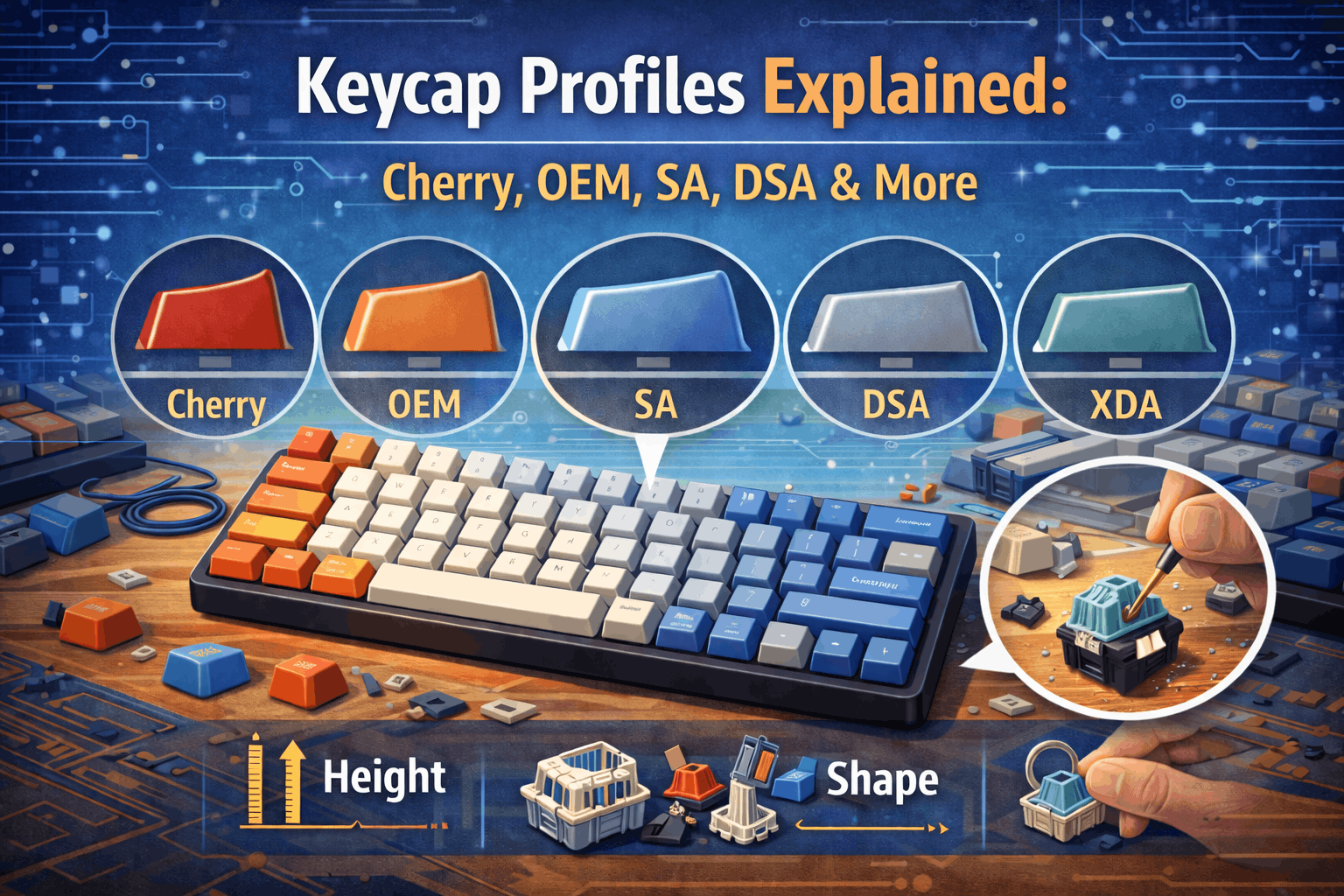
Profile equals keycap height plus shape, affecting typing angle, comfort, sound, and aesthetics. You'll encounter two main types: sculpted profiles with varying row heights, and uniform profiles with the same height everywhere. The most common options are Cherry (low and sculpted), OEM (medium and sculpted), and SA (high and sculpted). For typing, Cherry, MT3, or KAT work best because sculpted profiles guide fingers naturally. For aesthetics, SA delivers that tall retro look while uniform profiles like XDA provide modern, clean lines. For gaming, Cherry, OEM, or XDA win because lower profiles enable faster key presses.
What Is a Keycap Profile?
A keycap profile refers to the height and shape (contour) of keycaps across your keyboard. It determines how tall the keys are and whether they have different heights per row (sculpted) or stay uniform throughout.
Two Core Dimensions
Height comes in three ranges. Low profile keycaps measure roughly 7-8mm tall, including options like Cherry, DSA, and XDA. Medium profile caps run 9-11mm tall, covering OEM and KAT. High profile reaches 12-14mm or more, where you'll find SA and MT3. Height is measured from the top of your switch stem to the top of the keycap. Taller keycaps require more finger travel, while shorter caps enable faster typing but deliver less dramatic aesthetics.
Sculpting divides into two approaches. Sculpted profiles use different row heights, with Row 1 often sitting taller than Row 3. The angled tops match natural finger reach, and the contoured typing surface guides your fingers to the right positions. Cherry, OEM, SA, and MT3 all follow this sculpted philosophy. Uniform profiles keep the same height on all rows with flat or slightly curved tops, making all keycaps interchangeable between rows. DSA and XDA represent this uniform approach.
Why Profile Matters
Profile affects typing comfort through its impact on wrist angle and finger travel. The wrong profile for your hand size can cause fatigue or create an awkward typing position that slows you down over long sessions.
Sound changes dramatically with profile. Taller keycaps produce deeper sound frequencies. Sculpted profiles create more sound variation because each row sounds slightly different. Learn more about sound science in our gasket mount vs tray mount guide.
Aesthetics get defined by your profile choice. Tall profiles deliver that vintage, retro appearance. Low profiles look modern and sleek. The visual impact of your keyboard comes as much from profile as from color scheme.
Speed benefits from lower profiles for many typists. Less vertical travel means faster key presses, though this advantage matters more to some typing styles than others.
Cherry Profile: The Enthusiast Standard
Cherry profile stands as the most popular custom keycap profile, with low height measuring roughly 7.5-8.5mm total. This sculpted profile originated with Cherry Corporation in the 1980s and has dominated the enthusiast market ever since.
Physical Characteristics
Row heights vary throughout the keyboard. Row 1 (the number row) measures about 8.5mm tall. Row 2 (QWERTY) drops to 8mm. Row 3 (ASDF home row) sits lowest at 7.5mm. Row 4 (ZXCV) returns to 8mm. The spacebar row varies depending on the specific implementation.
The shape features cylindrical tops that curve from front to back. The smooth curve creates medium scoop depth, providing a comfortable finger rest area without being aggressive about it.
What Works
The low profile creates fast typing conditions. Minimal finger travel distance means quick key actuation, which translates to less fatigue during long typing sessions. Your fingers simply don't move as far with each keypress.
The modern, sleek aesthetic fits any keyboard style. The compact visual appearance looks professional without making bold statements. This versatility means Cherry profile works whether you're building a gaming rig or a professional workstation.
Availability dominates the custom keycap market. Hundreds of Cherry profile keycap sets exist, with most enthusiast custom keycaps using Cherry as their baseline. Finding replacements or building themed sets becomes straightforward when the entire market supports your profile choice.
Versatility extends across use cases. Cherry excels for both typing and gaming, feels comfortable for most hand sizes, and produces a good neutral sound signature that works with various switch types and keyboard constructions.
What Doesn't Work
The visual statement stays understated. Cherry doesn't stand out compared to tall profiles like SA. If you want that retro or vintage appeal, Cherry's modern aesthetic won't deliver it.
The typing feel lacks drama for some users. Those who prefer more tactile profiles with deeper dishes find Cherry somewhat plain. The finger grip doesn't compare to something like MT3's aggressive sculpting.
Who Should Choose Cherry
First-time custom keycap buyers make a safe choice with Cherry. The profile works for all-around use covering both typing and gaming. Modern minimalist keyboard builds benefit from Cherry's clean lines. Users transitioning from laptop keyboards find Cherry's low profile familiar and comfortable.
Popular Cherry profile sets include GMK sets running $120-150 for premium ABS (read about ABS in our PBT vs ABS guide), ePBT sets at $80-100 for budget PBT, and Domikey options around $60-80 for mid-range quality.
OEM Profile: The Stock Standard
OEM profile sits at medium height, measuring roughly 9.5-11.5mm across its sculpted rows. This profile originated as the Original Equipment Manufacturer standard and remains the default on most pre-built keyboards today.
Physical Characteristics
Row heights create more dramatic variation than Cherry. Row 1 reaches 11.5mm as the tallest point. Row 2 measures 11mm. Row 3 drops to 9.5mm. Row 4 returns to 11mm. The key difference versus Cherry comes down to overall height—OEM runs 2-3mm taller throughout, creating a more pronounced typing angle and requiring greater finger reach.
What Works
The familiar feel helps newcomers. OEM comes standard on Corsair, Razer, and Logitech boards, meaning most people already know this profile intimately. The transition from stock keyboards requires zero adjustment period.
Typing ergonomics work well for standard use. The height creates a natural wrist angle without being extreme. The sculpting provides reasonable finger guidance without aggressive contours. Most people find OEM comfortable for everyday typing tasks.
Budget-friendliness makes OEM accessible. Most budget keycap sets use OEM profile, keeping prices low. The readily available supply means you'll find OEM options everywhere. This profile represents the cheapest entry point for keycap customization.
What Doesn't Work
The "premium" feel doesn't exist here. OEM gets associated with stock and pre-built keyboards, making it feel pedestrian to enthusiasts. The keyboard community often prefers Cherry, SA, or MT3 for custom builds because those profiles signal deliberate choice rather than default acceptance.
The taller profile creates slightly slower typing for some users. More finger travel than Cherry can feel sluggish for fast typists who've optimized their technique. Gaming suffers similarly—rapid key presses require more vertical movement.
Limited boutique options restrict creativity. Fewer high-end custom OEM sets exist because the enthusiast market focuses energy on Cherry, SA, and MT3. If you want premium materials with unique colorways, OEM selection disappoints compared to other profiles.
Who Should Choose OEM
Users satisfied with stock keyboard feel should stick with OEM. Budget keycap replacements work perfectly in OEM. People transitioning from standard office keyboards appreciate the familiar height and sculpting. Those preferring taller profiles but finding SA too extreme land comfortably in OEM's middle ground.
Popular OEM sets include HyperX pudding keycaps around $25 for budget RGB compatibility, Tai-Hao keycaps at $40-50 for colorful durability, and most stock keyboard replacement sets from major manufacturers.
SA Profile: The Retro Statement
SA profile stands very tall at 13-15mm with heavily sculpted rows and spherical tops. The name Spherical All references IBM vintage inspiration, making this an enthusiast favorite for retro-themed builds.
Physical Characteristics
Height towers over Cherry and OEM options. Each row varies significantly with deeper sculpting than any mainstream alternative. The shape features spherical tops that dome in all directions, creating deep dishes or scoops. The aggressive sculpting produces dramatically contoured surfaces where fingers naturally rest.
What Works
The typing feel delivers unique satisfaction. Deep finger dishes lock fingers firmly in position, creating very tactile feedback. The caps literally "hug" your fingers through their contours, guiding them naturally to proper positions. This reduces accidental adjacent key presses because your fingers sit exactly where they belong.
The iconic retro aesthetic makes bold statements. SA's vintage typewriter look creates dramatic visual impact with tall, commanding silhouettes. This profile works perfectly for themed builds aiming to capture that classic computer keyboard feeling.
Sound production creates deep "thock" frequencies. Taller keycaps naturally produce lower pitch sounds, delivering premium and satisfying acoustics. Paired with PBT material (read our PBT vs ABS guide), SA produces exceptional sound quality that enthusiasts chase relentlessly.
Nostalgic appeal connects directly to IBM Model M heritage. SA captures that classic computer keyboard aesthetic better than any modern alternative, making it the go-to choice for vintage-inspired builds.
What Doesn't Work
The extreme height requires adaptation. Switching from Cherry or OEM to SA takes 1-2 weeks of adjustment. Your initial typing speed will drop noticeably. Proper wrist rest becomes mandatory for comfort—typing on SA without support causes strain. People with smaller hands struggle with the reach requirements.
Cost runs high across the board. Most SA sets price at $100-200 or more, with limited budget options available. The premium positioning makes SA an investment piece rather than an experimental purchase.
Weight becomes noticeable. More plastic means additional mass, which can feel different on delicate switches. The overall keyboard weight increases measurably when using SA caps.
The adjustment period frustrates beginners. SA isn't beginner-friendly because the learning curve feels steep initially. Many people bounce off SA during that first difficult week.
Who Should Choose SA
Retro and vintage aesthetic priorities make SA the obvious choice. Enthusiasts wanting unique typing feel gravitate to SA's distinctive character. People with proper wrist support setups handle SA's height comfortably. Statement keyboards benefit from SA's bold presence. Typing enthusiasts (not gaming-focused users) appreciate SA's deliberate, purposeful feel.
Popular SA sets include Signature Plastics SA at $150-200 as the industry standard, MaxKey SA around $80-120 as a budget alternative, and Drop + MiTo collaborations running $120-150 for designer colorways.
DSA Profile: The Uniform Specialist
DSA profile runs low and uniform at 7-7.5mm across all rows. This classic spherical profile makes every key identical in height, creating complete flexibility in keycap placement.
Physical Characteristics
Height stays completely uniform across all rows and columns—every single key measures the same height. The shape uses spherical tops like SA but much shorter. This uniform design means all keycaps become completely interchangeable across your entire keyboard.
What Works
Ultimate flexibility emerges from uniform height. Any keycap fits any position on your board, enabling custom layouts easily with infinite customization possibilities. Need to rearrange your keyboard for a specific workflow? DSA makes it trivial.
Low profile benefits carry over from Cherry. Fast typing happens naturally with minimal wrist strain. The compact visual appearance stays light on the hands during extended sessions.
Spherical finger guidance provides positioning help similar to SA but in a shorter package. The smooth transitions between keys feel consistent, and the overall typing experience stays uniform across your entire board.
What Doesn't Work
The flat typing angle lacks natural row sculpting. Your fingers must self-guide to proper positions without help from varying heights. Some users struggle with positioning initially because the profile feels "wrong" compared to Cherry or OEM's familiar sculpting.
Niche preference limits availability. DSA isn't for everyone, resulting in smaller active community and limited availability compared to Cherry's dominance. Finding compatible keycap sets becomes harder outside specialty retailers.
Sound stays relatively flat. Less variation in sound per row means DSA doesn't produce the satisfying "thock" that SA delivers. The more uniform but less interesting sound signature appeals to fewer enthusiasts.
Who Should Choose DSA
Ortholinear keyboard enthusiasts love DSA's uniform approach. Users wanting maximum customization benefit from complete keycap interchangeability. Modern minimalist builders appreciate the clean aesthetic. Experimental keyboard layouts work perfectly with DSA's flexibility. Touch typists who don't need visual cues adapt to DSA quickly.
Popular DSA sets include Signature Plastics DSA running $80-120, Akko DSA sets around $50-70 as budget options, and various specialty custom runs for specific keyboard communities.
XDA Profile: The Modern Uniform
XDA profile offers low-medium uniform height at roughly 8mm across all rows. This modern evolution of uniform profiles builds on DSA's foundation while updating the design for contemporary preferences.
Physical Characteristics
Compared to DSA, XDA runs slightly taller at 8mm versus 7mm. The top surface stays flat instead of spherical. Larger keycap surface area provides more room for your fingers. The overall aesthetic reads more modern than DSA's classic spherical approach.
What Works
Uniform flexibility matches DSA's advantage. You can mix and match keycaps freely to create custom layouts without worrying about row compatibility.
Larger keycap surface area makes targeting easier. More surface for your fingers means less precision required during fast typing. The increased contact area feels more forgiving than DSA's smaller tops.
Modern aesthetic delivers clean, minimalist appearance. The contemporary design language works perfectly with modern keyboard builds focused on simplicity and function.
Affordability keeps XDA accessible. Budget-friendly pricing with good availability makes XDA an easy entry point for uniform profile experimentation.
What Doesn't Work
Flat tops provide less finger guidance compared to sculpted profiles. While the larger surface area helps, you still need visual attention to maintain proper finger positioning.
Niche status relative to Cherry means smaller community than mainstream options. Limited high-end custom options exist because most premium keycap designers focus on Cherry or SA.
Sound remains less interesting than sculpted alternatives. No row variation in sound means less depth and character compared to profiles with height differences.
Who Should Choose XDA
Uniform profile fans wanting slightly taller keys than DSA find XDA perfect. Modern minimalist keyboard builders appreciate the contemporary design. Budget-conscious enthusiasts get good value from XDA pricing. Anyone prioritizing clean aesthetic over ergonomic sculpting should consider XDA.
MT3 Profile: The Deep Dish
MT3 profile reaches high at 13-14mm with the most heavily sculpted design available. Matt3o created this profile in 2018, and it's become a fast-growing enthusiast favorite for its extreme approach to finger guidance.
Physical Characteristics
Extreme sculpting defines MT3. The deepest dish of any mainstream profile creates aggressive row angles that lock fingers firmly in position. Height matches SA but the shape diverges completely—where SA uses spherical contours, MT3 employs dramatic angular sculpting that physically guides fingers to proper positions.
What Works
Maximum typing guidance emerges from MT3's aggressive design. Fingers naturally find home position without conscious effort. The deep dish literally grabs and guides your fingers to correct placement. This reduces typos through physical feedback that makes mistakes feel obviously wrong. The ergonomic design benefits touch typists enormously.
Distinctive aesthetic creates instantly recognizable appearance. MT3's unique look represents modern interpretation of high-profile design with Drop and MiTo's distinctive design language visible across all sets.
Premium feel and quality come standard. Thick plastic construction creates satisfying tactile experience. Quality manufacturing shows in every detail. The professional feel justifies the premium pricing.
Exceptional deep "thock" sound results from the deep dishing. MT3 produces unique acoustic signatures that sound different from even SA despite similar heights. The satisfying sound quality appeals strongly to enthusiasts chasing optimal acoustics.
What Doesn't Work
Extreme learning curve demands patience. Full adaptation takes 2-4 weeks for most users. Your typing speed drops initially, sometimes dramatically. This isn't a profile for casual users—you either commit to the adaptation or bounce off frustrated.
Proper ergonomic setup becomes mandatory. MT3 sits too tall for comfortable use without a wrist rest. Desk height matters more with MT3 than any other profile. The design demands specific typing posture that not all setups can accommodate.
Limited availability restricts options. Most MT3 sets come as Drop exclusives due to patent restrictions. Fewer choices exist compared to Cherry's massive ecosystem. Higher cost reflects both limited supply and premium positioning.
Hand size creates fit issues. MT3 works better for larger hands that need more surface area. Smaller hands can feel uncomfortable with the aggressive sculpting. Personal fit becomes critical to success with MT3.
Who Should Choose MT3
Typing purists and enthusiasts seeking maximum guidance choose MT3. Users prioritizing ergonomics above all else appreciate MT3's deliberate design. People who adapted to SA and want "more" find MT3's aggressive approach satisfying. Touch typists wanting maximum physical guidance benefit most from MT3's deep dishes. Custom and high-end builds often feature MT3 because it signals serious commitment to typing optimization.
Popular MT3 sets include Drop + Matt3o /dev/tty at $130-150 as the iconic original, MT3 Godspeed around $140 for a popular colorway, and MT3 serika at $150+ for premium themed builds.
Other Notable Profiles (Brief Overview)
KAT profile sits at medium height around 10-12mm with sculpted rows. This profile finds middle ground between OEM and SA, delivering balanced feel with comfortable typing and good sound. The growing popularity reflects quality focus and reasonable pricing.
ASA profile from Akko runs medium-high at 11-13mm with sculpted, spherical tops. This offers balance between SA's dramatic height and Cherry's low comfort. Less aggressive than SA but more interesting than OEM, ASA's growing popularity comes from Akko's focus on PBT options at accessible prices.
KAM profile reaches medium height around 10mm with uniform construction. Uniform lovers wanting more height than DSA or XDA appreciate KAM's larger surface area while maintaining complete keycap interchangeability. The profile remains niche but serves its specific audience well.
G20 profile takes ultra-low approach at just 2-4mm with uniform height. This extremely shallow profile appeals to extreme minimalists and those wanting chiclet-style typing feel. The unique character makes G20 a rare specialty rather than mainstream option.
Profile Comparison Table
| Profile | Height | Type | Sound | Typing Feel | Aesthetics | Price | Best For |
|---|---|---|---|---|---|---|---|
| Cherry | Low | Sculpted | High-pitch | Fast, comfortable | Modern | $$ | All-around, gaming |
| OEM | Medium | Sculpted | Mid-pitch | Familiar | Standard | $ | Beginners, budget |
| SA | High | Sculpted | Deep thock | Dramatic, tactile | Retro, bold | $$$ | Aesthetics, typing |
| DSA | Low | Uniform | Muted | Flat, flexible | Minimalist | $$ | Ortho layouts |
| XDA | Med-Low | Uniform | Muted | Spacious, flat | Modern | $$ | Uniform fans |
| MT3 | High | Sculpted | Deep thock | Locked-in, ergo | Distinctive | $$$ | Typing purists |
| KAT | Medium | Sculpted | Mid-thock | Balanced | Refined | $$$ | Middle ground |
Key Takeaways from Table
Height directly impacts sound characteristics. Lower profiles like Cherry and DSA produce higher-pitched sounds in the 300-500Hz range. Higher profiles like SA and MT3 generate deeper sounds around 200-400Hz. Material choice affects sound as dramatically as profile (read more in our PBT vs ABS guide).
Sculpting changes typing dynamics fundamentally. Sculpted profiles create learning curves but provide natural finger guidance that becomes unconscious with practice. Uniform profiles offer layout flexibility but require more conscious finger positioning throughout typing sessions.
Material compatibility spans both PBT and ABS for most profiles, though some profiles favor one material over another based on manufacturing traditions and community preferences.
Availability shows clear winners. Cherry dominates the custom market with roughly 80% share. OEM dominates pre-built keyboards. Other profiles remain niche but continue growing steadily.
How to Choose Your Profile
Step 1: Identify Your Priority
Speed priority leads you to Cherry or OEM for minimal travel distance. Comfort priority points toward MT3 or SA for ergonomic sculpting that reduces strain. Aesthetics priority suggests SA for retro appeal or uniform profiles like XDA for modern minimalism. Budget priority narrows choices to OEM or DSA for affordable options.
Step 2: Consider Your Current Setup
If you like your current keyboard, understanding what you have helps. Most pre-builts use OEM, making OEM replacements feel familiar with zero adjustment. Gaming keyboards typically ship with Cherry or OEM already. Laptop users transitioning to mechanical keyboards find Cherry's low profile naturally comfortable.
If you want something different from your current experience, assess what bothers you. Prefer less reach? Try Cherry or DSA. Want more dramatic typing feel? SA or MT3 deliver significantly different experiences worth exploring.
Step 3: Account for Hand Size
Smaller hands find Cherry or DSA comfortable with less reach required. Avoid SA and MT3 because the height can cause strain over extended sessions. Uniform profiles work particularly well for smaller hands.
Larger hands feel very comfortable with SA and MT3. More surface area becomes necessary for proper finger positioning. Cherry may feel cramped for people with larger hands who need more contact area per key.
Average hands enjoy flexibility across all profiles. Choose based on preference rather than physiological requirements. Most profiles work well, giving you maximum flexibility in selection.
Step 4: Check Keyboard Compatibility
Most MX-compatible keyboards accept all mainstream profiles without issues. The standardized stem design means swapping profiles rarely causes problems.
The exception comes with low-profile mechanical keyboards like Keychron K series or Nuphy Air models. These boards only accept low-profile keycaps specifically designed for their switches. Always check your keyboard's specifications before ordering expensive keycap sets.
Step 5: Test Before Committing
Don't buy a $100 full keycap set without testing the profile first. The investment feels painful if you discover you hate the profile after installation.
Smart testing options include buying keycap sampler kits running $15-20 that include multiple profiles. Single-key testing works by purchasing just one key to try before committing. Borrowing from friends in the mechanical keyboard community provides free testing. Always check retailer return policies since many specialty shops offer 30-day returns for unopened keycap sets.
Mixing Profiles (Not Recommended)
Can you physically mix profiles on one keyboard? Yes—all fit MX stems mechanically. Should you mix profiles? No, not for practical typing purposes.
Problems emerge immediately. Inconsistent typing height between rows confuses your fingers during fast typing. The aesthetic mismatch becomes visually obvious when mixing different profile designs. Sound inconsistency between keys creates audibly unpleasant variations across your keyboard.
Mixing becomes acceptable in specific situations. Different spacebars are common for aesthetic purposes without affecting typing. Artisan keycaps serve decorative roles rather than functional typing. Single statement keys like Escape can use different profiles without disrupting workflow.
Best practice remains simple: stick with one profile per keyboard for optimal typing experience and visual coherence.
FAQ: Common Questions
Which keycap profile is best for typing long sessions?
Cherry and MT3 excel for extended typing sessions, though they achieve this through different approaches. Cherry offers fast, low-fatigue typing that works for most users immediately. MT3 provides maximum ergonomic guidance but demands a 2-4 week adaptation period. Both reduce strain better than uniform profiles by guiding fingers naturally to correct positions.
Do keycap profiles affect sound significantly?
Yes, dramatically. Taller profiles like SA and MT3 produce deeper "thock" sounds in lower frequency ranges. Lower profiles like Cherry and DSA generate higher-pitched "clack" sounds. Keycap material (PBT vs ABS—read our guide) affects sound as much as profile, so optimal acoustics require considering both factors together.
Can I use any profile on any mechanical keyboard?
Mostly yes for standard MX keyboards. Very tall SA or MT3 keycaps might not fit low-clearance cases where the switch plate sits close to the case bottom. Always verify your keyboard's case specifications before ordering tall profiles. Standard 60% keyboards handle all profiles without issues (read more about form factors in our 65% vs 75% guide).
What's the most popular keycap profile?
Cherry profile dominates the custom and enthusiast market with roughly 80% market share. OEM remains most common on pre-built keyboards from major manufacturers. Both represent safe beginner choices with broad availability and proven track records.
Should keycap profile match my keyboard layout (60%, 65%, 75%)?
No. Profile operates independently of keyboard layout. Any profile works with any size keyboard without compatibility issues. Choose your profile based on typing preference and hand size rather than keyboard dimensions. Layout and profile serve completely different functions in your setup. Learn more about layouts in our complete layout guide.
Conclusion: Find Your Profile
Keycap profile dramatically affects your daily typing experience in ways that most people don't consider until they try different options. This represents one of the most underrated customization opportunities in mechanical keyboards.
Quick recommendations by use case guide your decision. Typing enthusiasts should explore MT3 or SA for maximum guidance and sound quality. Gamers benefit from Cherry or OEM for speed and immediate familiarity. Minimalists appreciate XDA or DSA for clean, modern aesthetics. First-time custom keycap buyers make safe choices with Cherry's wide availability and proven performance. Statement keyboards demand SA for that iconic, unforgettable presence.
Remember this critical truth: there's no objectively "best" profile. All mainstream profiles work excellently for their intended purposes. The right choice becomes the one that makes you excited to type every single day.
Profile pairs with material (PBT vs ABS) to create your complete keycap experience. Combine a great profile with quality material, and you've created something special that transforms typing from utilitarian task into genuine pleasure.
Start with Cherry if uncertainty paralyzes your decision. Once you understand how profiles feel through direct experience, branch into MT3, SA, or uniform options with confidence. Hot-swap keyboards make testing multiple profiles easy without permanent commitment—one of their greatest advantages (read our hot-swappable keyboards guide).
The mechanical keyboard rabbit hole goes deep. Profile is where personal taste truly matters more than objective performance metrics. Choose what makes you happy rather than what someone else declares "best."
Your perfect profile exists. Finding it just takes experimentation and honest assessment of your priorities.

