Introduction
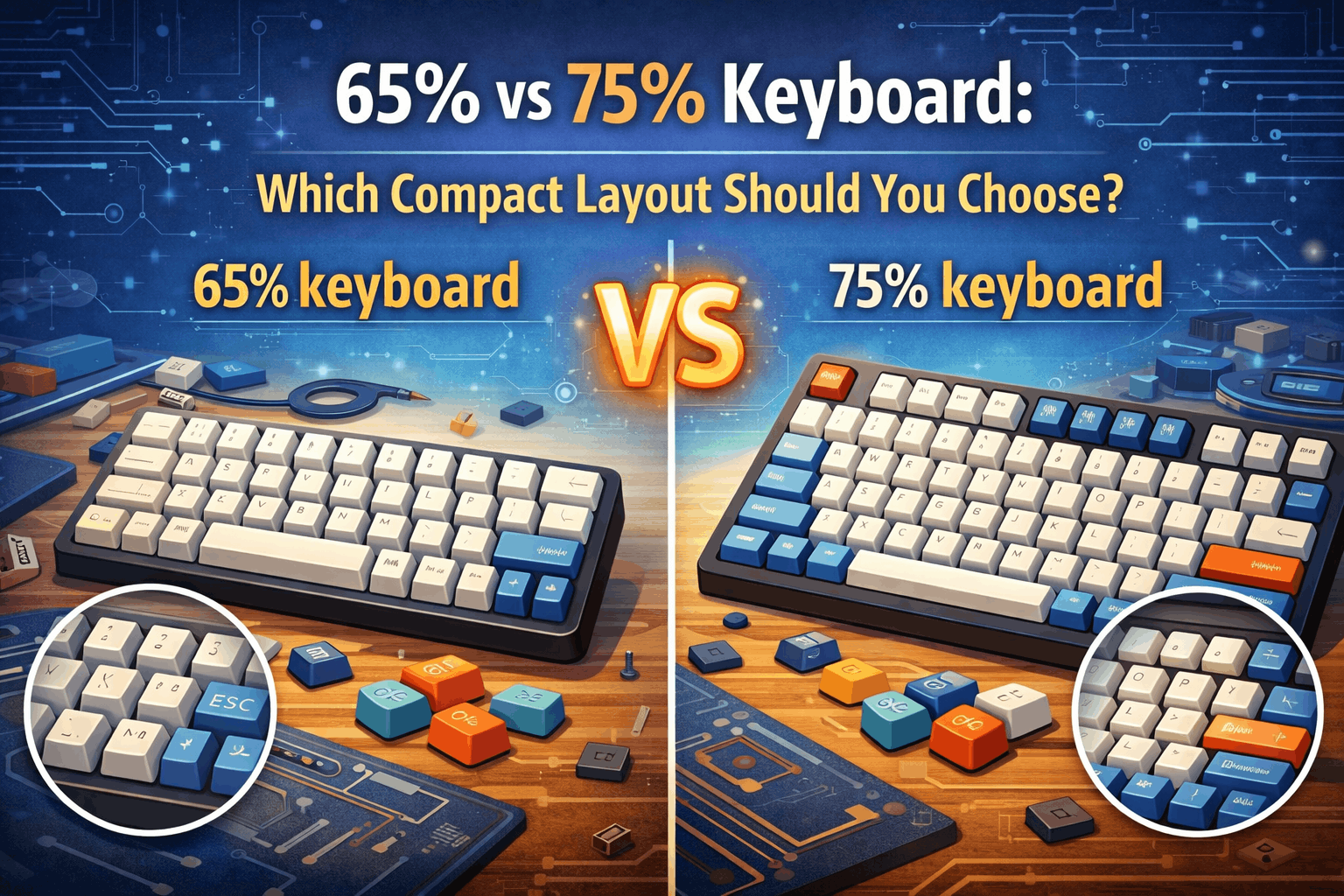
Ditching the numpad is easy. Choosing between 65% and 75%? That's where it gets tricky.
Both layouts represent the fastest-growing segment of the mechanical keyboard market in 2026. They're compact enough to fit modern minimalist desks but substantial enough to feel like "real" keyboards. Yet despite sitting only 0.5 inches apart in width, they serve fundamentally different workflows and priorities.
The choice between these two layouts isn't about which is "objectively better"—both are excellent for the right person. It's about matching the keyboard to YOUR daily work, your hobbies, and what you actually use on your desk. Get this wrong, and you'll spend months fighting against your keyboard's design. Get it right, and you'll wonder why you didn't make the switch sooner.
This guide compares 65% and 75% keyboards directly, explains where they diverge in real-world use, and helps you decide with confidence. By the end, you'll know exactly which layout solves your problems and which would frustrate you daily.
Note: This guide contains affiliate links. If you purchase through our links, we may earn a commission at no extra cost to you. This helps support our testing and content creation.
Quick Comparison
- 65% keyboard: 68 keys, no function row, smallest footprint = cleanest aesthetic, best for minimalists and FPS gamers
- 75% keyboard: 84 keys, includes F1-F12 row, only 0.5" wider = best functionality-to-size ratio, better for programmers and power users
- Choose 65%: Minimalist aesthetic priority, don't use F-keys, want smallest desk space, FPS gaming focus
- Choose 75%: Heavy F-key user, need dedicated Home/End/PgUp/PgDn, coming from full-size, productivity-focused work
Visual Size Comparison

At first glance, the difference seems negligible. But that 0.5 inches and 16 extra keys create remarkably different experiences for different users.
| Specification | 65% Layout | 75% Layout |
|---|---|---|
| Total Keys | 67-68 keys | 82-84 keys |
| Width | ~12.5 inches (320mm) | ~13 inches (330mm) |
| Function Row (F1-F12) | ❌ Fn layer only | ✅ Dedicated keys |
| Arrow Keys | ✅ Dedicated | ✅ Dedicated |
| Nav Cluster | ❌ (Fn combos) | ✅ Partial (dedicated) |
| Space Saved vs Full-Size | ~40% | ~35% |
| Typical Price | $60-$300 | $70-$350 |
The core trade-off: 65% trades function row and some navigation keys for maximum compactness. 75% retains almost everything while staying remarkably small. For most users, 75% offers better real-world usability. For minimalists, 65%'s purity wins.
What Is a 65% Keyboard?
A 65% keyboard is the 60% layout plus dedicated arrow keys. Think of it as: "I want the most compact keyboard possible while keeping arrow keys and basic navigation."
The 65% Layout Breakdown
What's included:
- Standard QWERTY alphanumeric keys (61 keys)
- Dedicated arrow keys (4 keys)
- Right-side modifiers and navigation: typically Delete, Home, End, PgUp, PgDn (varies by model—this is important)
- Everything else accessed via Fn layer
What's NOT included:
- Function row (F1-F12)
- Numpad
- Full navigation cluster (depends on specific model)
What You're Trading Away vs 75%
You sacrifice approximately 0.5 inches of width and eliminate the function row. For users who don't access function keys regularly, this is a clean trade. For programmers using IDE debug shortcuts, this is a deal-breaker.
Why Users Love 65%
Aesthetic perfection: The layout is visually balanced and symmetrical. It looks premium and minimalist—perfect for desk aesthetics and streaming setups. There's something psychologically satisfying about the compact, clean design.
Smallest practical size with arrows: You get dedicated arrow keys (unlike 60%), but you're not paying the width penalty of 75%. It's the Goldilocks middle ground for pure minimalists.
Superior mouse space: That extra 0.5 inches of space on the right side makes a measurable difference for low-sensitivity gamers who need room to move the mouse.
Forces efficient workflow: Without F-keys readily available, you naturally develop alternative workflows using customizable shortcuts and key remapping via QMK or VIA. Many experienced users find this actually improves efficiency once adapted.
Popular 65% Keyboards
- Keychron Q2 and V2 (excellent value)
- GMMK 2 65% (modular design)
- Tofu65 (custom keyboard favorite)
- Mode Sixty Five (premium)
- Zoom65 (community favorite)
Best For
- Minimalists who prioritize aesthetics above all else
- FPS gamers who want maximum mouse space
- Typists who rarely use function keys
- Enthusiasts who enjoy keyboard programming and customization
- Users with very limited desk space (<-40" width)
- Streamers/content creators (looks better on camera)
What Is a 75% Keyboard?
A 75% keyboard is designed with a different philosophy: "I want compact size but I'm NOT willing to sacrifice functionality." It's the ultimate compromise layout.
The 75% Layout Breakdown
What's included:
- Standard QWERTY keys (61 keys)
- Full function row (F1-F12) - 12 dedicated keys
- Dedicated arrow keys (4 keys)
- Compressed but dedicated navigation cluster: Home, End, PgUp, PgDn, Delete, Insert (6-8 keys)
- Arranged tightly to minimize width increase
What's NOT included:
- Numpad
- Full navigation spacing (compressed to fit)
The Critical Addition: Function Row
This is the game-changer. Every single F1-F12 key is dedicated, accessible without holding Fn. For programmers, content creators, power users, and Excel enthusiasts, this changes everything. A single keystroke instead of two. No layer switching. No context shifting.
Why Users Love 75%
Uncompromised functionality: You keep virtually everything important—function row, arrow keys, navigation cluster—while removing only the numpad. Nothing critical is hidden behind layers.
Familiarity for power users: If you're transitioning from a full-size or TKL keyboard, muscle memory carries over. Function key positions are identical. Navigation cluster layout is similar (just compressed).
Fast adaptation: Most users adapt to 75% in just a few days, especially those coming from larger keyboards. The layout feels natural immediately.
Better for serious work: Programmers, writers, data analysts, and content creators find 75% unlocks their actual productivity potential. F-keys aren't luxuries—they're core tools.
Still highly compact: You're only 0.5 inches wider than 65%, and modern desks easily accommodate this.
Popular 75% Keyboards
- Keychron Q1 Pro and V1 (best value)
- GMMK Pro and GMMK 2 (modular design)
- Royal Kludge RK84 (budget king)
- Keychron K2 and K7 (wireless options)
- EPOMAKER TH80 (full aluminum)
Best For
- Programmers and developers (IDE debugging requires F-keys)
- Writers and content creators (navigation keys critical)
- Excel/spreadsheet power users
- Office and productivity professionals
- First-time compact keyboard buyers (better learning curve)
- Power users with heavy software shortcut workflows
- Anyone who values immediate functionality over aesthetic minimalism
Key Differences Explained: Where They Really Diverge
1. Function Key Access (The Biggest Difference)
65% approach: Two-keystroke access
You press Fn+1 for F1, Fn+2 for F2, etc. This requires:
- Two-hand operation (both hands on keyboard)
- Conscious layer switching
- Muscle memory breaking from your established habits
- Slight delay (psychologically and physically)
Real impact: For occasional function key use? Negligible. For someone pressing F5 to debug code every 30 seconds? A daily source of friction.
75% approach: Single keystroke access
F1-F12 are right there. One key. One hand. Instant. Your brain doesn't think "I need to activate Fn and press 5"—it just thinks "F5."
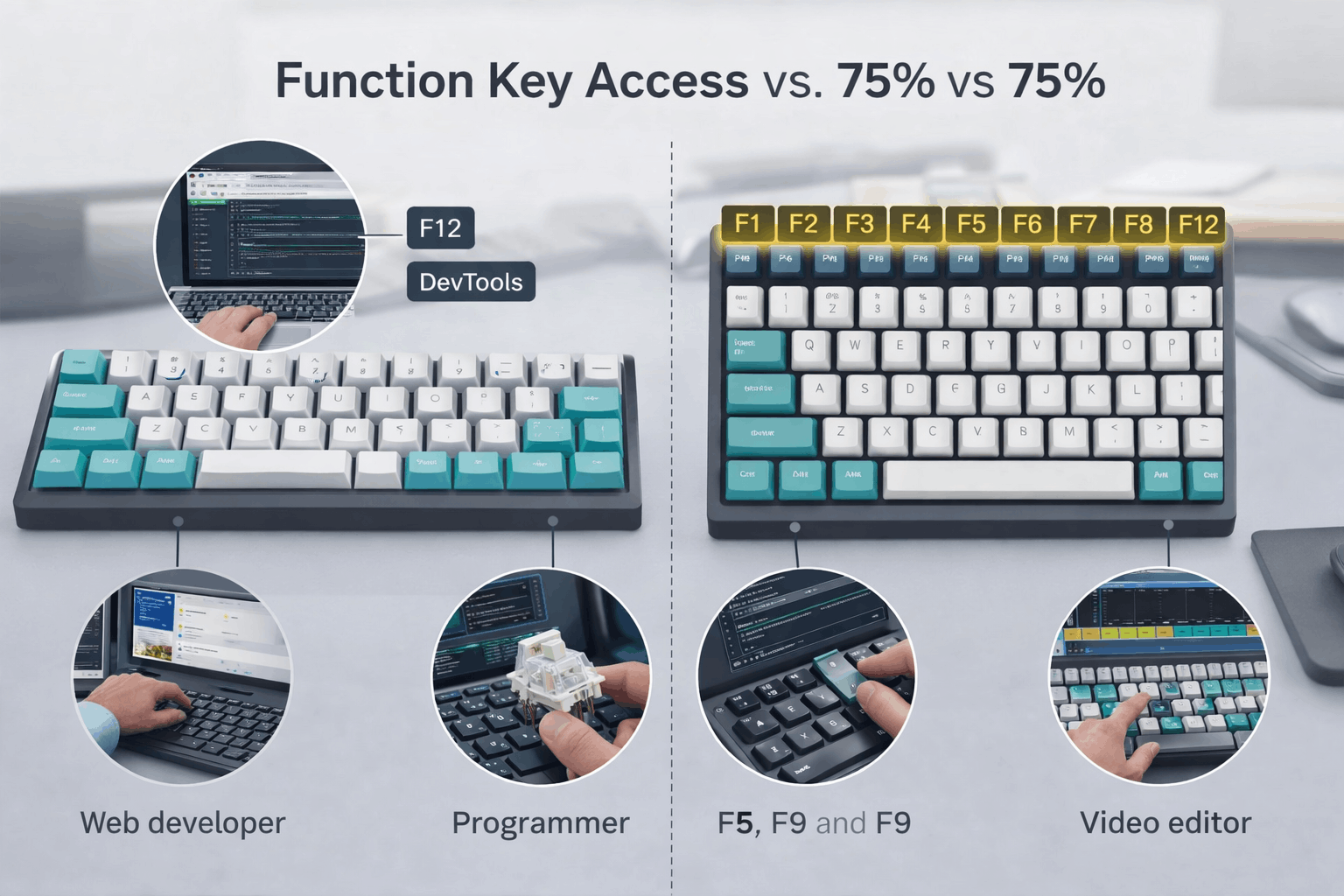
Winner: 75% (unless you genuinely don't use F-keys—then 65% ties)
2. Navigation Cluster (The Second-Biggest Difference)
65% approach: Limited and layered
Home, End, PgUp, PgDn are either missing entirely or hidden behind Fn+arrow combos. Delete might also require Fn. This creates a critical problem:
You're selecting text with Ctrl+Shift+arrow key. Now you want to select from here to the end of the line: Ctrl+Shift+End. On a 75%, that's three fingers. On a 65% with End on Fn layer, you need a fourth finger or you have to break the key combination.
75% approach: Dedicated keys, compressed
All navigation keys are present and dedicated. They're stacked vertically to save horizontal space, but they're always available. Ctrl+Shift+End is just three fingers, every time.
Real impact: For text selection, code navigation, and document jumping, this is profound. Programmers and writers will feel this friction every single day on a 65%.
Winner: 75% (unless you have very simple navigation patterns)
3. Aesthetics and Desk Presence
65% advantages:
- Perfectly symmetrical silhouette
- Premium minimalist aesthetic
- Looks incredible in photos and on stream
- Feels "designed" rather than "functional"
- Maximum desk breathing room
- Better for clean desk setups
75% advantages:
- Function row adds visual complexity (some like this)
- More "purposeful" appearance
- Feels like "complete" keyboard, not stripped down
- Still very compact and modern
- Popular in custom keyboard communities
Winner: Subjective. 65% for pure aesthetics. 75% if functionality matters equally.
4. Learning Curve and Adaptation
65% realistic timeline:
- Week 1: You notice every missing key. Productivity drops 20-30%.
- Week 2: Layer muscle memory starting. Still occasionally frustrated.
- Week 3: Layer becoming automatic. Productivity returning.
- Month 2+: Natural. But some operations still feel slightly slower than on 75%.
Critical point: Programmers and Excel users often don't adapt successfully. The friction becomes permanent.
75% realistic timeline:
- Day 1: Familiar. Nothing surprises you.
- Day 3: Muscle memory fully integrated (coming from full-size/TKL).
- Week 1: Completely natural. No friction.
Winner: 75% (unless you have infinite patience)
5. Gaming Performance: FPS vs MMO
For FPS (CS:GO, Valorant, Apex Legends):
- 65% slight edge: Extra 0.5" of mouse space for low-sens aimers
- WASD area identical on both
- F-keys irrelevant in FPS (use Ctrl/Alt binds)
- Neither is a disadvantage, just 65% is marginally better
For MMO (World of Warcraft, FFXIV):
- 75% clear winner: F-keys bind to ability bars
- Programmable hotkeys essential for rotations
- Number row doesn't provide same speed
For Sim Racing (iRacing, Assetto Corsa):
- 75% advantage: F-keys for pit settings, view changes
- Navigation important for menu control
- 65% would create frustration
For Strategy Games:
- Both adequate. Arrow keys same on both.
- No meaningful difference.
Overall gaming verdict: 65% marginal advantage for pure FPS. 75% better for everything else. For casual gaming, essentially identical.
6. Programmers vs Casual Users
Programmers overwhelmingly prefer 75%:
In IDE environments, function keys aren't optional:
- F5: Run/Debug (constant use during development)
- F9: Toggle breakpoint (dozens of times per session)
- F10: Step-over (core debugging workflow)
- F11: Step-into (core debugging workflow)
- Ctrl+Shift+End: Go to file end (constant navigation)
These aren't power-user niceties—they're basic, constant IDE operations. On 65%, these require Fn layer access or alternative shortcuts that break muscle memory.
Real feedback from experienced users: "I moved from 60% to 75% and gained back productivity I didn't know I'd lost."
For casual users/writers:
65% is often completely fine. Arrow keys sufficient for document navigation. F-keys rarely needed.
7. Desk Space Comparison
Real-world space difference:
- 65%: ~320mm width
- 75%: ~330mm width
- Difference: 10mm (less than half an inch)
When this matters:
- Very tight desk (<-40" wide): 65% wins significantly
- Small laptop desk: 65% advantage
- Normal desk (40"+ wide): Difference is negligible
For most users, the space difference is imperceptible. But for cramped setups, those 10mm can matter.
Comparison Table: Real-World Use Cases
| Use Case | 65% Rating | 75% Rating | Winner | Why |
|---|---|---|---|---|
| FPS Gaming | ⭐⭐⭐⭐⭐ | ⭐⭐⭐⭐ | 65% | Extra mouse space for low-sens aimers |
| MMO Gaming | ⭐⭐⭐ | ⭐⭐⭐⭐⭐ | 75% | F-keys essential for ability bars |
| Sim Racing | ⭐⭐⭐ | ⭐⭐⭐⭐⭐ | 75% | F-keys for cockpit settings |
| Programming | ⭐⭐ | ⭐⭐⭐⭐⭐ | 75% | F-keys for IDE debugging (constant) |
| Writing/Content | ⭐⭐⭐⭐ | ⭐⭐⭐⭐⭐ | 75% | Navigation keys essential for long docs |
| Excel/Spreadsheet | ⭐⭐⭐ | ⭐⭐⭐⭐⭐ | 75% | F-keys (F2 edit, F4 absolute) critical |
| Office/Productivity | ⭐⭐⭐⭐ | ⭐⭐⭐⭐⭐ | 75% | Navigation keys used constantly |
| Minimalist Aesthetic | ⭐⭐⭐⭐⭐ | ⭐⭐⭐ | 65% | Cleaner, more symmetrical design |
| Extreme Portability | ⭐⭐⭐⭐⭐ | ⭐⭐⭐⭐ | 65% | 10mm smaller matters for bags |
| Small Desk (<40") | ⭐⭐⭐⭐⭐ | ⭐⭐⭐⭐ | 65% | Space difference noticeable |
| First Compact Board | ⭐⭐⭐ | ⭐⭐⭐⭐⭐ | 75% | Less learning curve for beginners |
| Streaming Setup | ⭐⭐⭐⭐⭐ | ⭐⭐⭐⭐ | 65% | Better camera aesthetics |
Real-World Scenarios: Who Should Buy What?
Choose 65% If You:
✅ Prioritize clean, minimalist aesthetics above all else
✅ Rarely use function keys (not a programmer, designer, or power user)
✅ Want the absolute smallest footprint with arrows
✅ Play FPS games and value mouse space
✅ Already comfortable with layer-based keyboards
✅ Have extremely limited desk space (<-40" wide)
✅ Create content requiring desk appearance (streaming, YouTube)
✅ Can commit to a 2-3 week learning curve
Example persona: Gaming streamer who wants an aesthetically clean setup, plays primarily FPS, doesn't code, uses remappable keyboard shortcuts instead of F-keys
Best 65% recommendations:
Budget: Keychron V2 (~$75)
- Solid entry-level gasket mount
- Hot-swappable switches
- Wireless + wired options
- Great for testing if layout works for you
- Check Current Price on Amazon
Mid-Range: GMMK 2 65% (~$150)
- Modular design lets you customize sound/feel
- Excellent build quality
- Hot-swappable learn more in our hot-swappable keyboards guide
- Great resale value
- Check Current Price on Amazon
Premium: Mode Sixty Five (~$350)
- Aluminum case
- Premium gasket mount
- Enthusiast-level customization
- Investment piece
- Check Current Price on Mode’s official store
Choose 75% If You:
✅ Use function keys regularly (IDE, Adobe, productivity software)
✅ Coming from full-size or TKL (want familiar key positions)
✅ Need Home/End/PgUp/PgDn frequently
✅ This is your first compact keyboard (easier transition)
✅ Programming, writing, or content creation is your primary use
✅ Work with spreadsheets or data entry
✅ Want functionality that doesn't require Fn layer
✅ Prefer immediate access over aesthetic purity
Example persona: Software developer transitioning from TKL, uses F-keys constantly for IDE debugging, wants compact desk but needs productivity features without learning new layers
Best 75% recommendations:
Budget: Royal Kludge RK84 (~$60)
- Incredible value for feature set
- Triple connectivity (USB/Bluetooth/2.4GHz)
- Comes with multiple switch types
- Great introduction to 75% layout
- Check Current Price on Amazon
Mid-Range: Keychron Q1 (~$140–200)
- Aluminum case with gasket mount
- QMK/VIA programmable
- Excellent typing feel
- Available in wireless variant
- Best balance of price and quality
- Check Current Price on Amazon
Premium: GMMK Pro (~$200-250)
- Fully modular design
- Premium gasket implementation
- Extensive customization
- Excellent for enthusiasts who want to tinker
The Myth of the "Perfect Layout"
Before we finish, let's address some common misconceptions:
Myth: "75% is objectively better because it has more keys."
Reality: Depends entirely on YOUR workflow. A minimalist who never uses F-keys finds 75% wasteful. A programmer finds 65% frustrating.
Myth: "65% is too limiting for real work."
Reality: Many professionals thrive on 65% keyboards. It's about workflow adaptation. If your work doesn't require F-keys, 65% is fully capable.
Myth: "The 0.5" width difference is irrelevant."
Reality: For most desks, yes. For 40" wide desk with two monitors, no. For someone with six monitors, definitely no. Context matters.
Myth: "You can always adapt to the Fn layer."
Reality: Many users adapt instantly. Some never do. It depends on how your brain works and what you're using the keyboard for. Programmers have hardest time; gamers adapt fastest.
The real truth: Both layouts are successful because both serve legitimate needs. The question isn't which is objectively superior. It's which solves YOUR specific problems better than the alternative.
Can't Decide? Consider These Alternatives
If you're genuinely torn, you have options:
Option 1: Tenkeyless (TKL/87%)
- If 75% still feels cramped, TKL adds breathing room
- Full spacing on navigation cluster
- Only thing missing is numpad
- Example: Keychron V3
- More expensive; takes more desk space than 75%
Option 2: 60% + External Numpad
- If you need numpad but want minimalism
- True flexibility—position numpad anywhere
- Requires separate purchase
- Steeper learning curve than 65%
Option 3: Buy Hot-Swappable Versions of Both
- Many keyboard enthusiasts own multiple layouts
- 65% for gaming, 75% for work
- Hot-swappable designs read more in our hot-swappable keyboards guide let you move switches between boards
- Pricier but maximizes flexibility
Option 4: Programmable Board with Custom Layers
- Use 65%'s Fn layer smartly
- QMK/VIA firmware lets you map F-keys to accessible layer
- Takes setup time but becomes natural
- Advanced topic for experienced users
FAQ: Questions About 65% vs 75%
Q: Is 75% much bigger than 65%?
A: Only 0.5 inches (13mm) wider. The main difference is the function row, not overall size. Both fit easily on compact desks and are dramatically smaller than full-size keyboards. For most people, the width difference is imperceptible.
Q: Can I get used to 65% if I'm coming from full-size?
A: Yes, but expect 2-3 weeks of adjustment. The lack of function row takes the most getting used to. Gamers adapt faster than programmers and power users. If your work relies heavily on F-keys, you may never fully adapt.
Q: Are 75% keyboards harder to find than 65%?
A: No—both layouts have excellent availability in 2026. 75% was less common in 2020-2022, but it's now mainstream. Every major brand (Keychron, Glorious, Royal Kludge) offers both layouts.
Q: Which holds resale value better?
A: Both hold value well in the enthusiast market. 75% has slight edge due to universal appeal and function row. Hot-swappable versions of either (learn more in our hot-swappable keyboard guide) retain value best.
Q: Will I lose typing speed using 65% due to Fn layer?
A: For F-key-heavy workflows, yes initially. After adaptation, most users report no meaningful speed loss for their primary tasks. The key is whether YOUR workflow relies on F-keys constantly. Programmers report persistent speed loss. Gamers rarely notice.
Q: Which is better for content creators?
A: 75%, almost always. Adobe shortcuts heavily use F-keys. Navigation keys matter for timeline scrubbing. DaVinci Resolve, Premiere Pro, Photoshop all benefit from dedicated function access.
Q: Can I modify switches in both layouts?
A: Yes—look for hot-swappable versions. Both 65% and 75% increasingly offer hot-swap options, giving you maximum flexibility.
Conclusion: Making Your Choice
The 65% vs 75% decision isn't about which layout is objectively better. Both are excellent designs that have become popular for good reasons. The real question is which one matches your actual daily needs.
65% is the choice if: You can articulate why you don't use function keys, you have limited desk space, or you genuinely prioritize aesthetics. In these cases, the smaller footprint and cleaner design justify the Fn layer trade-off.
75% is the choice if: You use function keys regularly, you want a smooth transition from larger keyboards, or you do professional work requiring quick navigation. The extra 0.5 inches and 16 keys pay dividends daily.
For first-time compact keyboard buyers, 75% is the safer choice. You'll adapt faster, you won't hit unexpected friction with common applications, and you'll have full access to your software's shortcut systems. If you later decide you want the minimalist aesthetic, you can move to 65%.
For minimalists and streamers who genuinely don't need function keys, 65% delivers the design you're seeking without compromise.
The real mistake is buying based on what the internet says is "best" rather than what serves your actual use case. Only you know whether you use F5 ten times a day or once a month. Only you know your desk dimensions. Only you know if aesthetics matter as much as functionality.
Try both if possible. Visit keyboard meetups, ask friends who own them, watch typing and gaming videos. You'll develop intuition for which layout feels right for your hands and your workflow.
The best keyboard layout isn't the one with the most features or the best aesthetics. It's the one you'll enjoy using every single day for the next 5+ years. Choose accordingly.
Ready to pick ? Explore our best 75% keyboards roundup or discover the cleanest 65% layouts (coming soon) to find your perfect match.