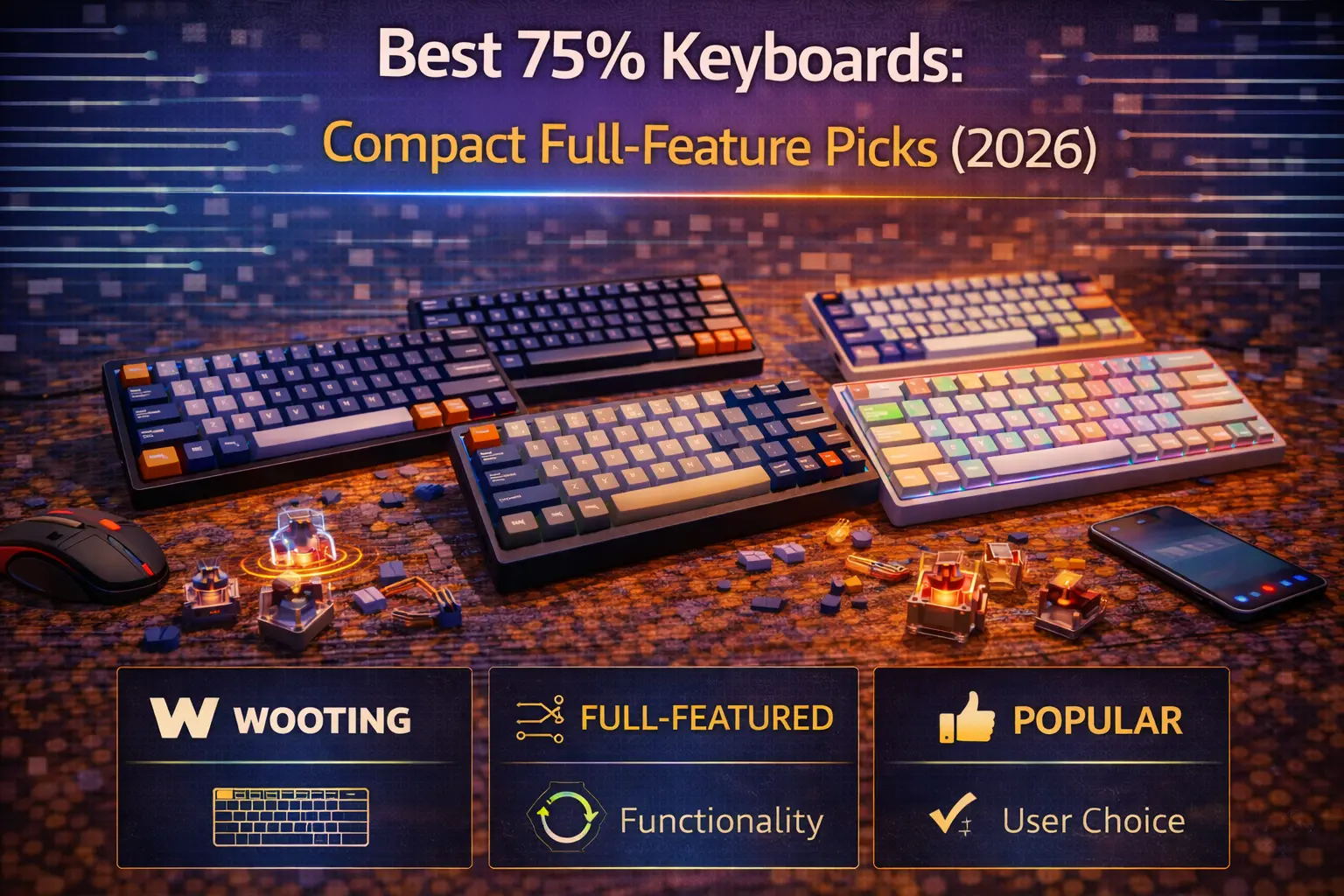
The best 75% keyboard in 2026 is the Keychron Q1 Max—a full-aluminum, gasket-mounted powerhouse with tri-mode wireless, a rotary knob, QMK/VIA support, and south-facing LEDs, all in one package. It nails every requirement most people have from a keyboard and leaves almost nothing on the table.
The 75% layout has become the most recommended form factor for good reason. It packs the entire F-row, dedicated arrow keys, Delete, Page Up, Page Down, and Home into a footprint barely wider than a 65% board. You sacrifice almost nothing compared to a full-size or TKL layout, yet you reclaim inches of desk space for your mouse arm. Whether you code in an IDE all day, grind ranked matches at night, or just want one keyboard that handles everything, 75% is where versatility meets efficiency. For a deeper look at exactly how this layout is arranged, see our 75% keyboard layout guide.
We spent weeks testing and researching the top 75% boards available in early 2026. This guide covers seven picks across every budget tier—from a sub-$90 wireless option to an enthusiast-grade aluminum tank—along with detailed comparisons against TKL and 65% layouts. If you are unsure whether 75% is the right size for you, our keyboard size guide breaks down every form factor side by side.
Note: This guide contains affiliate links. If you purchase through our links, we may earn a commission at no extra cost to you. This helps support our in-depth testing and content creation.
Why the 75% layout is the sweet spot for 2026
The core appeal of 75% is zero functional compromise in a compact body. Every key you use daily on a full-size board is still physically present: F1–F12 for IDE debugging, gaming binds, and browser shortcuts; dedicated arrow keys for text navigation; and a vertical nav column (Delete, Home, End, Page Up, Page Down) that spreadsheet warriors and programmers depend on. You never need to memorize Fn-layer combos for essential tasks.
Compared to a tenkeyless layout, a 75% board is roughly 1.5 to 2 inches narrower because it eliminates the empty gap between the alpha cluster and the navigation column. Those two inches translate directly into more mouse room—a tangible advantage for low-sensitivity FPS gamers who need wide sweeps, and an ergonomic benefit for anyone who wants their mouse closer to center. In practice, most 75% boards measure about 31–33 cm wide versus a TKL's 35–36 cm.
A major reason 75% boards dominate recommendation lists in 2026 is the rotary knob. Nearly every quality 75% keyboard now ships with a programmable encoder in the top-right corner, giving you analog volume control, scroll-wheel functionality, or whatever you assign through firmware. It is a small touch that makes a real difference in daily workflow, especially for video editors and music producers.
The 75% layout works for practically everyone: gamers who need F-keys for ability binds, developers toggling breakpoints with F5 and F10, office workers using F2 in Excel, and typists who simply want a no-compromise board that does not dominate the desk. If you care about hot-swappable switches and experimenting with different switch types, nearly every 75% board in 2026 supports hot-swap as standard.
The only genuine trade-off is key density. Because 75% compresses the navigation cluster flush against the alpha block (in non-exploded layouts), keys sit tighter together than on a TKL. The first few days may require a small muscle-memory adjustment, especially around the right Shift and arrow key area. Exploded 75% designs—like the Keychron Q1 and GMMK Pro—mitigate this by adding thin gaps between clusters, making the transition nearly seamless.
Our top picks at a glance
| Category | Product | Price | Highlights |
|---|---|---|---|
| Best Overall 75% | Keychron Q1 Max | $$$ | CNC aluminum, tri-mode wireless, gasket mount, QMK/VIA, knob |
| Best Budget 75% | Akko 5075B Plus | $$ | Tri-mode wireless, gasket mount, PBT keycaps, knob |
| Best Premium 75% | Zoom75 by Meletrix | $$$ | 3 kg aluminum tank, modular top-right module, VIA, tri-mode |
| Best Wireless 75% | NuPhy Air75 V2 | $$ | Ultra-slim low-profile, 598 g, QMK/VIA, 4000 mAh battery |
| Best 75% for Gaming | Keychron K2 HE | $$ | Hall Effect magnetic switches, Rapid Trigger, 1000 Hz wireless |
| Best 75% with Knob | Monsgeek M1 V5 VIA | $$ | Aluminum, levitating encoder knob, VIA, 8000 mAh battery |
| Best Custom Kit 75% | GMMK Pro | $$ | CNC aluminum, QMK, south-facing LEDs, massive mod community |
⭐ Best overall: Keychron Q1 Max
Mounting: Double-gasket · Switches: Hot-swap, Gateron Jupiter (5-pin) · Connectivity: 2.4 GHz (1000 Hz) + Bluetooth 5.1 + USB-C · Build: CNC 6063 aluminum · Knob: Yes · QMK/VIA: Yes · RGB: South-facing per-key · Weight: ~1,724 g
The Keychron Q1 Max is the 75% keyboard we recommend to almost everyone, and the reason is simple: it checks every box without a painful compromise. The double-gasket mount delivers a soft, slightly bouncy keystroke that sounds deep and satisfying out of the box—no foam modding required. The full CNC aluminum case feels genuinely premium, with a heft and finish quality that competes with boards costing considerably more. Tri-mode connectivity means you can game on low-latency 2.4 GHz, switch to Bluetooth for your tablet, and plug in via USB-C when you want zero-compromise wired input.
What makes the Q1 Max stand out from an already crowded Keychron lineup is the combination of wireless freedom and full QMK/VIA programmability. You can remap every key, build custom macros, and reprogram the aluminum rotary knob per layer—all through a visual interface with no coding needed. South-facing LEDs eliminate Cherry-profile keycap interference, which matters if you plan to swap in aftermarket sets. The 4,000 mAh battery delivers up to 180 hours with the backlight off, so weekly charging is realistic for most users.
The Q1 Max is ideal for developers, creative professionals, and gamers who want one keyboard that handles everything. If you already own boards from the Keychron Q series, you know the build quality; the Max simply adds wireless. It is not the right board if you need Hall Effect switches for competitive gaming (see the K2 HE below) or if you want the absolute lightest portable option. It sits at the premium end of the mainstream market—but you get a keyboard that genuinely ends the upgrade cycle for most enthusiasts.
💰 Best budget: Akko 5075B Plus
Mounting: Gasket (silicone gaskets) · Switches: Hot-swap, 5-pin, south-facing · Connectivity: Bluetooth 5.0 + 2.4 GHz + USB-C · Build: Plastic case with silicone fill · Knob: Yes · QMK/VIA: No (Akko Cloud Driver) · RGB: SMD per-key + side LED bar · Weight: ~880 g
The Akko 5075B Plus proves that under $90 can still buy you a genuinely good 75% keyboard. It ships with tri-mode wireless, a gasket mount, a rotary knob, double-shot PBT keycaps in Akko's comfortable ASA profile, and pre-lubed switches—features that were exclusive to the $150-plus tier just two years ago. The silicone-filled plastic case absorbs resonance effectively, and the polycarbonate plate pairs with the gasket mount to produce a satisfying, dampened keystroke that punches well above its weight class.
Where the 5075B Plus makes trade-offs is software and build material. There is no QMK or VIA support; remapping happens through Akko's proprietary Cloud Driver, which works fine for basic changes but lacks the depth of open-source firmware. The case is plastic rather than aluminum, so it does not have the same rigid, premium-in-hand feel as the Q1 Max or Monsgeek M1. At 880 grams, it is light— a positive for portability, a negative for desk presence. The 3,000 mAh battery provides solid wireless runtime, and the side LED bar adds a visual flourish not found on most boards at this price.
This is the board we recommend to anyone on a budget who still wants wireless, a knob, and hot-swap without settling for a hollow-sounding tray-mount board. It is also a smart entry point for newcomers to the best budget mechanical keyboards space. Skip it if QMK/VIA programmability is a hard requirement for your workflow—the Monsgeek M1 V5 VIA costs only slightly more and delivers that in an aluminum package.
👑 Best premium: Zoom75 by Meletrix
Mounting: Gasket isolation (supercritical foam sleeves) · Switches: Hot-swap, Kailh sockets (5-pin) · Connectivity: Bluetooth 5.0 + 2.4 GHz + USB-C (tri-mode PCB) · Build: 6063 aluminum top, bottom, and weight · Knob: Yes (modular: knob, screen, badge, or 2-key module) · QMK/VIA: VIA compatible · RGB: Yes · Weight: ~3,000 g
The Zoom75 is what happens when a community-driven design studio engineers a 75% board with no budget constraints and one instruction: make it the best. At roughly 3 kilograms, this full-aluminum slab does not move on your desk—period. The gasket isolation mount uses supercritical foam sleeves around each mounting post, producing an even, cushioned flex across the entire plate that results in one of the most consistent typing feels in the 75% category. Plate options include polycarbonate (default), brass, aluminum, and FR4, letting you tune acoustics to your exact preference using different plate materials.
What truly sets the Zoom75 apart is its modular top-right module system. The default knob module can be swapped for a tiny information screen, a decorative badge, or a two-key macro module— all without tools. This level of personalization does not exist on any other production 75% board. VIA compatibility ensures deep key remapping, and the tri-mode wireless PCB adds Bluetooth and 2.4 GHz to a board that would feel at home in a high-end custom keyboard collection. The build quality of the aluminum case is among the finest we have handled, with tight tolerances and a satisfying weight distribution.
The Zoom75 is the clear choice for enthusiasts who want the best-built, most customizable 75% keyboard money can buy. Be aware that stock is limited—Meletrix produces these in defined runs, and specific colorways sell out permanently. It is not on Amazon; you will need to order directly from Meletrix or authorized vendors. If its premium price and limited availability are barriers, the Keychron Q1 Max delivers 90% of the experience at a lower price with easier purchasing.
📡 Best wireless: NuPhy Air75 V2
Mounting: Low-profile integrated · Switches: Hot-swap, low-profile Gateron (multiple options) · Connectivity: Bluetooth 5.1 + 2.4 GHz (1000 Hz) + USB-C · Build: Aluminum top frame, ABS translucent bottom · Knob: No · QMK/VIA: Yes · RGB: Per-key RGB · Weight: ~598 g
The NuPhy Air75 V2 solves a problem no standard mechanical keyboard can: true portability. At just 598 grams and 13.5 mm thin, it slides into a laptop bag without a second thought, sits flush over a MacBook keyboard without touching the trackpad, and connects to up to four wireless devices simultaneously. The 2.4 GHz mode operates at 1000 Hz polling—competitive gaming territory— while Bluetooth 5.1 handles multi-device switching for productivity. A 4,000 mAh battery lasts up to 220 hours with the backlight off, which translates to weeks of real-world use between charges.
The low-profile Gateron switches feel genuinely good, not like a compromise. NuPhy offers multiple options (Aloe, Cowberry, Moss, Wisteria) alongside standard Gateron flavors. All are hot-swappable, so you can experiment. Full QMK/VIA support—still rare in low-profile wireless boards—gives you the same remapping depth as premium full-height keyboards. The aluminum top frame keeps the board rigid and premium-feeling despite its featherweight construction, while the translucent ABS bottom case lets RGB light bleed through in a way that is subtle rather than garish.
This is the best wireless keyboard for hybrid workers, travelers, and anyone who types across multiple devices daily. It is not the right choice if you prefer the deep key travel of a standard mechanical switch or if you game competitively with a heavy hand—low-profile switches have shorter travel by design. For a stationary wireless setup, the Q1 Max or M1 V5 will feel more substantial on a desk. But nothing else in 75% matches the Air75 V2's combination of weight, wireless performance, and QMK/VIA support.
🎮 Best for gaming: Keychron K2 HE
Mounting: Foam-dampened standard · Switches: Hot-swap, Gateron Double-Rail Magnetic Nebula (Hall Effect) · Connectivity: Bluetooth 5.2 + 2.4 GHz (1000 Hz) + USB-C · Build: Metal frame · Knob: No · QMK/VIA: QMK (via Keychron Launcher) · RGB: North-facing per-key · Weight: ~965 g
Hall Effect switches have transformed competitive gaming keyboards, and the Keychron K2 HE is the best way to experience that technology in 75%. The Gateron Double-Rail Magnetic Nebula switches use magnets instead of metal contacts, enabling adjustable actuation from 0.2 mm to 3.8 mm per key, Rapid Trigger for instantaneous re-actuation after partial release, and Last Key Priority for clean directional inputs. In practice, this means your WASD keys reset faster than any traditional mechanical switch can manage—a measurable advantage in counter-strafing and flick-intensive FPS gameplay.
Keychron's web-based Launcher app makes configuring actuation points, Rapid Trigger sensitivity, and custom key maps surprisingly painless. You can set WASD to trigger at 1.2 mm with aggressive Rapid Trigger for shooters, while leaving typing keys at a deeper 2.0 mm to reduce misfires— all saved to on-board memory. The 3.5 mm EVA acoustic foam, EPDM foam layer, and silicone pad inside the case give the K2 HE a satisfying, deep sound profile that outclasses most gaming keyboards. It earned the CES 2025 Innovation Award and was PC Gamer's pick for best 75% gaming keyboard in 2026.
Competitive gamers who want the fastest possible input and love linear switches—or want to explore magnetic alternatives—should start here. The Special Edition ($$) adds rosewood side panels and OSA-profile PBT keycaps for a genuinely striking desk aesthetic. The absence of a rotary knob is the only notable omission; volume control requires Fn-key combos. If you do not need Hall Effect technology and prefer a knob, the Q1 Max is the better all-rounder.
🎛️ Best with knob: Monsgeek M1 V5 VIA
Mounting: Gasket · Switches: Hot-swap, 3/5-pin, south-facing · Connectivity: Bluetooth 5.0 + 2.4 GHz + USB-C · Build: Aluminum top and bottom, quick-release ball-catch · Knob: Yes (levitating encoder) · QMK/VIA: VIA · RGB: South-facing per-key · Weight: ~1,600 g
The Monsgeek M1 V5 VIA packs an aluminum case, gasket mount, VIA programmability, tri-mode wireless, and a standout levitating rotary encoder into a package that is affordably priced assembled. That feature-to-price ratio is staggering, and the knob experience specifically is the best in this roundup. Monsgeek's levitating encoder has zero wobble and a defined, satisfying click detent that makes volume adjustment feel intentional rather than sloppy. Through VIA firmware, you can remap the knob to control scroll, zoom, brush size, or layer switching—per layer.
The quick-release ball-catch case design lets you open the keyboard without tools, which is a thoughtful touch for anyone who likes to swap foam, adjust internals, or experiment with tactile switches and different dampening materials. South-facing LEDs ensure compatibility with Cherry-profile keycap sets. The 8,000 mAh battery is the largest in this roundup by a wide margin, promising extended wireless runtime that should last heavy users well over a week between charges.
The M1 V5 VIA is the ideal pick for anyone who values build quality and programmability but does not want to spend $200-plus. It competes directly with the Keychron Q1 Max on features while costing nearly half as much—the trade-off being slightly less refined fit and finish on the aluminum and a less established brand ecosystem. If you want the absolute best knob experience on a 75% board and VIA support matters to you, this is the one.
🔧 Best custom kit: GMMK Pro
Mounting: Gasket · Switches: Hot-swap, 3/5-pin, south-facing · Connectivity: Wired USB-C only · Build: CNC aluminum · Knob: Yes (swappable) · QMK/VIA: QMK + Glorious CORE · RGB: South-facing per-key + side RGB · Weight: ~1,510 g
The GMMK Pro remains the definitive 75% modding platform in 2026, and right now it is available at exceptional clearance prices for the barebones kit on Amazon. Glorious has shifted focus to the newer GMMK 3 Pro, which means the original is being phased out. But that works in your favor: you get a full CNC aluminum gasket-mount keyboard with QMK support, south-facing LEDs, screw-in stabilizers, and a swappable rotary knob for the cost of a budget plastic board.
The reason the GMMK Pro earned legendary status in the custom community is its modding ecosystem. Alternative plate options in polycarbonate, brass, and FR4 are readily available. South-facing LEDs mean zero Cherry-profile keycap interference— critical for the aftermarket keycap hobby. Thousands of build guides, sound tests, and modification tutorials exist online. The gasket mount responds well to foam swaps, tape mods, and force-break modifications that can transform its acoustic signature from stock clack to deep marble thock. If you have ever wanted to see how Keychron vs. GMMK vs. Drop stacks up in person, starting with the GMMK Pro at these prices is essentially risk-free.
The GMMK Pro is the right board for tinkerers, hobbyists, and anyone who finds half the joy of keyboards in building and modifying them. The important caveat: it is wired only, and stock is declining. If wireless matters, look at the M1 V5. But if you want the most moddable 75% barebones kit on the market at a price that may never be this low again, grab one before they are gone.
75% vs. TKL: what you actually gain and lose
The most common question from TKL owners considering a 75% board is whether the compressed layout feels cramped. The honest answer: slightly, for about a week—then it feels normal.
A standard TKL measures around 35.8 cm (14.1 inches) wide, while most 75% keyboards come in at 31–33 cm (12.2–13 inches). That 2–3 cm difference comes entirely from removing the empty space between the alpha cluster, arrow keys, and navigation column. On a TKL, these gaps serve as tactile landmarks—your fingers know where the nav column begins because there is physical dead space. On a compact 75%, those keys sit flush against the alphas. Exploded 75% designs (like the Q1 Max and GMMK Pro) reintroduce small 1.5–3 mm gaps between clusters, offering a middle ground that feels closer to TKL spacing in a smaller package.
For gaming, the width reduction is a legitimate competitive advantage. Moving your mouse 2 inches closer to center reduces shoulder abduction and allows more natural arm positioning during long sessions. Low-sensitivity FPS players benefit the most, gaining extra mousepad sweep without the extreme compactness of a 60% board. For a more complete analysis, our TKL keyboard guide covers the full comparison.
The verdict: If you are buying new in 2026, go 75%. The only reason to choose a TKL today is if you have large hands and find even exploded 75% layouts uncomfortably tight, or if you specifically need standard keycap sizing across every key for niche aftermarket sets. For everyone else, 75% delivers the same functionality in a meaningfully smaller footprint.
75% vs. 65%: is the F-row worth the extra size?
The 65% layout strips away the F-row entirely, relying on Fn-layer combos to access F1–F12. In exchange, you get a board that is roughly one row shorter—saving perhaps 1.5 cm of depth. Width is virtually identical between the two formats (both sit around 31–32 cm), so the desk-space savings are minimal. For a detailed side-by-side, see our 65% vs. 75% keyboard comparison.
The F-row is non-negotiable for certain workflows. Developers debugging in Visual Studio or VS Code rely on F5 (run), F10 (step over), and F11 (step into) dozens of times per session. Excel power users need F2 (edit cell) and F4 (repeat action) constantly. Gamers playing MMORPGs and MOBAs bind abilities and macros to F-keys. Anyone who accesses BIOS via F2 or F12 will appreciate not hunting for an Fn combo during boot. And 75% boards increasingly bundle a rotary knob that 65% boards rarely include, adding analog control that no Fn layer can replicate.
A 65% keyboard makes sense if you primarily play FPS games (where F-keys go unused and maximum mouse room is paramount), if you are comfortable memorizing Fn layers, or if you prioritize the cleanest minimal aesthetic. Our 65% keyboard layout guide covers the best options in that category.
The verdict: For most users, the F-row is absolutely worth the marginal size increase. The 75% layout gives you those keys plus a knob in nearly the same footprint—there is no practical reason to skip them unless you never touch function keys.
How to choose the right 75% keyboard
Mounting style determines how it feels and sounds
The single biggest factor in typing feel is the mounting system. Gasket mount—used by the Q1 Max, Zoom75, M1 V5, GMMK Pro, and Akko 5075B Plus—suspends the plate between silicone or foam gaskets, creating an even, cushioned flex across the entire typing surface. This produces the deep, dampened sound profile most enthusiasts chase. Tray mount screws the plate directly to the case with standoffs, resulting in a stiffer, sometimes inconsistent feel with potential metallic ping near screw points. In 2026, gasket mount has trickled down to boards under $60, making tray mount increasingly hard to justify. For a deeper dive, read our gasket mount vs. tray mount guide.
Budget tiers and what to expect
At $50–$90, boards like the Akko 5075B Plus deliver gasket mount, wireless, and hot-swap in plastic cases. From $100–$170, you enter aluminum territory with the Monsgeek M1 V5 and GMMK Pro, gaining VIA/QMK support and noticeably better build rigidity. Above $200, premium boards like the Q1 Max and Zoom75 offer refined gasket implementations, heavier construction, and tri-mode wireless with QMK/VIA.
Wireless vs. wired
Tri-mode connectivity (Bluetooth + 2.4 GHz + USB-C) is now standard on mid-range boards and above. The 2.4 GHz mode at 1000 Hz polling is fast enough for competitive gaming—Bluetooth is not. If you only game at a desk and value maximum reliability, wired boards like the GMMK Pro save cost and weight. For everything else, wireless adds flexibility worth paying for. See our wireless vs. wired keyboard guide for latency benchmarks and detailed trade-offs.
Frequently asked questions
Is a 75% keyboard good for gaming?
Yes—75% is one of the best layouts for gaming. You keep dedicated F-keys for ability binds and macros, you gain more mouse room than a TKL, and the compact form factor lets you position your mouse arm more naturally. Boards like the Keychron K2 HE add Hall Effect switches with Rapid Trigger, putting 75% on par with purpose-built gaming keyboards. The only layout that offers more mouse space is 60% or 65%, but those sacrifice the F-row that many game genres rely on.
What is the difference between 75% and TKL?
Both layouts keep the F-row and arrow keys, but a TKL is about 2 inches wider due to empty space between key clusters. A 75% compresses or eliminates those gaps, fitting the same keys into a smaller footprint. TKL has slightly more comfortable key spacing; 75% saves meaningful desk space. Functionally, they are nearly identical—the difference is physical size and key density.
Is 75% better than 65%?
For most people, yes. The 75% adds a dedicated F-row and often includes a rotary knob, with barely any increase in width. The only scenario where 65% wins is if you never use F-keys and want the absolute most minimal layout that still has arrow keys. Developers, office workers, and gamers who use function keys will strongly prefer 75%.
What is the best budget 75% keyboard?
The Akko 5075B Plus is our top budget pick. It includes tri-mode wireless, gasket mount, a rotary knob, hot-swap, and PBT keycaps. For an even lower entry point, the Redragon K673 PRO offers gasket mount and wireless at a budget price, though with a plastic build and no VIA support.
Do 75% keyboards have arrow keys?
Yes, always. Dedicated arrow keys are a defining feature of the 75% layout. Unlike 60% boards, which either omit arrow keys entirely or use Fn-layer access, every 75% keyboard includes a standard inverted-T arrow cluster. Most also include Delete, Home, End, Page Up, and Page Down as dedicated keys.
Conclusion
The 75% layout earns its reputation as the most versatile keyboard form factor in 2026. For most people, the Keychron Q1 Max is the best 75% keyboard you can buy—it combines premium aluminum construction, gasket mounting, tri-mode wireless, QMK/VIA, and a rotary knob into a package that handles work and play equally well. Budget-conscious buyers should start with the Akko 5075B Plus, while competitive gamers should look at the Keychron K2 HE and its Hall Effect advantage. Modders chasing the hobby will find no better value than the GMMK Pro at current clearance prices.
Still unsure which size, switches, or features are right for you? Our keyboard configurator walks you through every decision and builds a personalized recommendation in under a minute.