Introduction
Clicky switches are the Marmite of mechanical keyboards—you either love them or hate them. For some, the sharp click-clack is pure typing bliss, delivering maximum feedback and old-school charm. For others, clicky mechanical switches are the nightmare neighbor: loud, intrusive, and completely inappropriate for shared spaces.
Clicky switches combine a tactile bump with an audible click, giving you both physical and audible confirmation of each keypress. That combination makes them uniquely satisfying for typing enthusiasts and retro keyboard fans, but also uniquely polarizing. They are generally louder, heavier, and less versatile than linear or tactile switches.
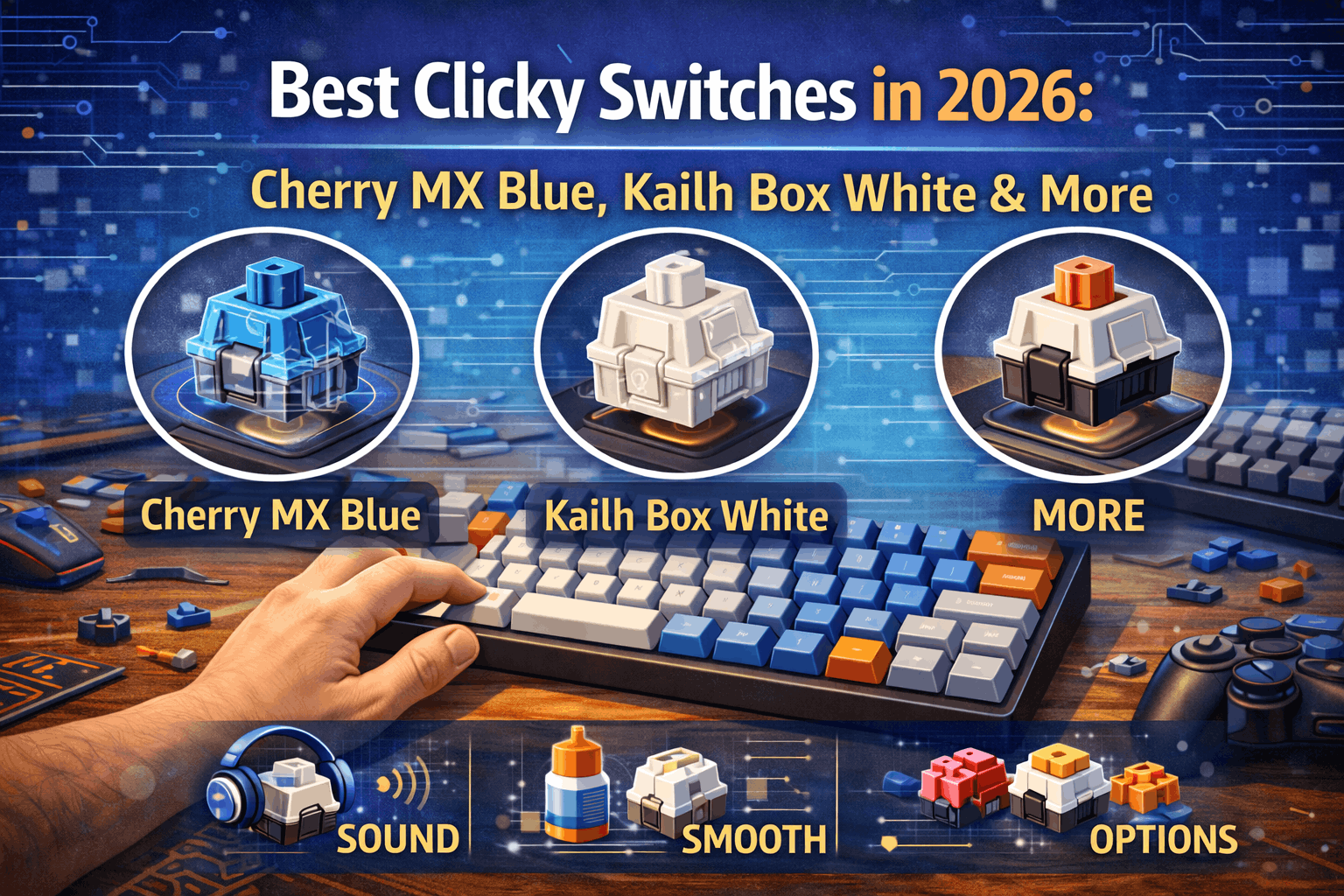
This guide ranks the best clicky switches available in 2026—from budget options like Outemu and Gateron Blue to enthusiast favorites like Kailh Box White and Kailh Box Jade. It explains what makes a clicky switch "good," compares sound and feel, and, most importantly, helps you decide whether clicky switches are right for your setup—or whether you should choose tactile or linear switches instead.
Market-wise, clicky switches have been losing share to quieter tactile and silent options, but the remaining user base is incredibly loyal. If you're exploring all switch types, start with our complete switch guide. If you want maximum feedback and you work in a solo environment, this guide will help you find the best clicky switches for your needs—or realize they're not the right choice.
Note: This guide contains affiliate links. If you purchase through our links, we may earn a commission at no extra cost to you. This helps support our testing and content creation.
Best Clicky Switches at a Glance
Best overall goes to Kailh Box White at roughly $0.35 per switch, delivering crisp click, sharp tactile bump, and more satisfying experience than Cherry MX Blue for most users. Classic choice remains Cherry MX Blue at roughly $0.60 per switch as the iconic clicky mechanical switch widely available in prebuilt keyboards. Loudest option belongs to Kailh Box Jade at roughly $0.40 per switch with thick, explosive click representing one of the loudest switches commonly available. Important warning: clicky switches are not recommended for offices, shared living spaces, or heavy gaming with voice chat.
What Are Clicky Switches?
Definition
Clicky switches are a type of mechanical keyboard switch that combine a tactile bump with an audible click sound. When you press a key, you both feel a noticeable bump and hear a click at the actuation point. This triple-feedback combination—motion, feel, and sound—is what makes clicky keyboard switches so distinctive.
How Clicky Switches Work
Most modern clicky switches use a click jacket mechanism. Inside the switch, a thin plastic component sits on the stem. As you press down, the stem pushes the click jacket over a ridge, which snaps into position and produces the click sound.
Key details of the click mechanism show the click jacket is separate from the tactile bump shape on the stem. It typically clicks once on the down-stroke and again on the up-stroke. The tactile bump and the audible click are synchronized around the actuation point.
Three-Stage Feedback in Clicky Switches
Every clicky switch press provides three distinct sensations. First, press down and experience tactile bump where your finger feels resistance, then a drop. Second, reach actuation point and hear clear CLICK as the click jacket snaps and produces a high-pitched sound. Third, bottom out creates clack as the keycap hits the switch housing or plate, producing a lower-pitched thud.
This combination creates a very rich sound profile combining "click" (sharp, higher-pitched, tied to actuation) with "clack" (lower-pitched, from bottoming out). Overall noise level for clicky switches typically sits in the 55–65 dB range depending on board, plate, and keycaps.
How Clicky Switches Compare to Other Types
| Switch Type | Tactile Bump | Click Sound | Noise Level |
|---|---|---|---|
| Clicky | ✅ Yes | ✅ Yes (loud) | Very high |
| Tactile | ✅ Yes | ❌ No | Moderate |
| Linear | ❌ No | ❌ No | Low–moderate |
If noise is a concern, our silent switches guide covers the quietest mechanical options available.
Why People Love Clicky Switches
Maximum feedback defines the primary appeal. You feel a strong bump and hear a clear click at the actuation point. This makes typing feel deliberate, precise, and satisfying. Many enthusiasts describe this as the "most communicative" switch type available.
Retro and vintage appeal resonates strongly. Clicky switches echo the feel and sound of vintage keyboards like the IBM Model M and early typewriters. If you grew up with or romanticize older computing hardware, the sound profile is deeply nostalgic.
Typing accuracy improves for many users. Because actuation is so clearly signaled, it's harder to accidentally press keys. For deliberate typists, this can improve accuracy and confidence.
Why People Hate Clicky Switches
Too loud becomes the primary complaint. Clicky mechanical switches are easily heard across rooms and on microphones. In offices, shared apartments, or on calls, they can be genuinely disruptive.
Not ideal for gaming creates friction in team environments. The loud spam-clicking in high APM games can bother teammates in voice chat. The pronounced bump can also slow down rapid key presses compared to linears.
Potential fatigue emerges over extended sessions. Clicky switches are typically heavier than linear switches. Combined with the tactile bump, long sessions can cause finger fatigue for some users.
Who Should Consider Clicky Switches
Solo home-office workers find clicky switches ideal for their isolated environments. Typing enthusiasts who prioritize feel and sound over quietness appreciate the expressive feedback. Retro and vintage keyboard fans seek the nostalgic acoustics. People who simply love loud, expressive keyboards embrace the character.
Who Should Avoid Clicky Switches
Office workers in shared or open-plan spaces will face complaints. Gamers who use voice chat often will annoy teammates. Late-night typers living with others will disturb sleep. Anyone bothered by loud, repetitive sound should stay away.
If you want strong feedback without the noise, tactile switches are usually the better choice—see our best tactile switches guide.
What Makes a Clicky Switch "Good"?
Not all clicky switches are equal. Some sound sharp and precise; others feel mushy or inconsistent. When evaluating the best clicky switches, five criteria matter most.
Click Sound Quality
The click is the defining characteristic, so its quality is critical. Crisp versus mushy defines the spectrum. Good clicky switches have a sharp, crisp click that feels synchronized with the tactile bump (like Kailh Box White and Box Jade). Poor clicky switches sound muted or rattly, which makes the typing experience feel cheap.
Volume varies by design intent. Some users want maximum loudness (Kailh Box Jade, Box Navy). Others prefer a more moderate click (Cherry MX Blue, Gateron Blue).
Pitch creates distinct character. High-pitch characterizes Cherry MX Blue with the classic, thinner click. Medium-pitch defines Kailh Box White with a more refined, slightly denser sound. Thick and deep describes Kailh Box Jade and Navies with very full, bar-style click.
Across most comparisons, Kailh Box clickies tend to sound cleaner and more defined than Cherry MX Blue, especially on modern boards. Our keyboard sound test guide explains how to evaluate these differences yourself.
Tactile Bump Quality
The tactile event and the click must feel aligned. Sharp bump enhances the sense of actuation and makes each press feel precise. Weak or mushy bump feels disconnected from the click, making the switch less satisfying.
The best clicky switches feature pronounced, well-timed bumps that line up with the click event.
Consistency Across Switches
A good clicky switch should sound the same on every keypress, feel identical across all switches in the batch, and avoid issues where some keys are louder or duller than others.
Cheaper clicky switches can suffer from inconsistency, where some switches lose click quality faster or ship with slight variances out of the box.
Spring Weight
Clicky switches are typically on the heavier side compared to linears. Light springs run 50–55 g (Cherry MX Blue, Kailh Box White). Medium springs hit 60–65 g (Kailh Box Jade). Heavy springs reach 70–80 g (Kailh Box Navy).
Heavier springs reduce accidental keypresses, make typing more deliberate, but can increase fatigue for long sessions if too heavy. Choosing the right weight is a balance between control and comfort.
Durability
Click mechanisms experience wear over time. Quality matters significantly. Cherry MX typically rated 50–100 million actuations. Kailh Box commonly rated 80–100 million actuations.
Higher-quality clicky switches maintain their sound and feel longer, while cheaper options may lose click sharpness or become scratchy sooner.
Top 6 Clicky Switches Ranked (2026)
Ranking methodology considers click sound quality, tactile feel, consistency, price and value, and availability.
1: Kailh Box White – ⭐ Best Overall Clicky Switch (~$0.35/switch)
Specs show actuation force at roughly 50 g, tactile feel delivering sharp and pronounced bump, click producing crisp medium–high pitch, and design using box housing (dust/moisture resistant, more stable).
Kailh Box White has become the reference point for modern clicky switches. Compared to Cherry MX Blue, it offers crisper click with less rattle and cleaner attack, sharper bump creating more defined tactile event, better consistency through tight manufacturing tolerances, and stronger value at roughly half the price of Cherry MX Blue per switch.
The box-style housing adds stability and helps keep out dust, which also contributes to long-term consistency.
Sound profile delivers medium-to-high pitch with very clean click, less "hollow" than many Cherry Blue implementations, and satisfying without being as extreme as Box Jade.
Best for first-time clicky switch buyers, enthusiasts upgrading from Cherry MX Blue, and users who want a balanced mix of volume, crispness, and comfort.
Verdict: Kailh Box White is simply the best clicky switch for most people in 2026.
👉 Check Current Price on Amazon
2: Cherry MX Blue – 🏆 Classic Icon (~$0.60/switch)
Specs include actuation force at roughly 50–60 g, tactile feel delivering medium bump, click using classic high-pitched click jacket, and legacy as industry standard since the mid-1990s.
Cherry MX Blue is the switch that defined mainstream clicky mechanical keyboards. It remains the most recognizable click sound and is widely available in prebuilt boards from major brands.
Strengths include proven reliability and durability, easily available in many prebuilt keyboards, "the" click sound many people expect, and strong brand reputation.
Weaknesses show slightly scratchy feel out of the box compared to modern competitors, click sound less crisp and more rattly than Kailh Box clickies, and commands a price premium mainly due to branding.
Best for users who want the classic Cherry experience, buyers of mainstream prebuilt keyboards that include MX Blue, and those who prioritize brand and legacy over pure value.
Reality check: objectively, Kailh Box White offers a better sound and feel per dollar. But Cherry MX Blue still holds emotional and historical value.
👉 Check Current Price on Amazon
3: Kailh Box Jade – 📢 Loudest Common Clicky (~$0.40/switch)
Specs show actuation force at roughly 60 g, bottom-out at roughly 70–80 g, click being VERY loud with thick click bar, and tactile feel delivering very sharp, aggressive bump.
Kailh Box Jade is infamous for being one of the loudest mainstream switches on the market. It uses a thicker click bar that produces an explosive, full-bodied click.
Sound profile creates thick, dense "CLACK" with every press, louder and fuller than Cherry MX Blue or Box White, and extremely audible even in another room.
Feel delivers strong, aggressive tactile bump with medium-heavy weight that encourages deliberate typing.
Best for enthusiasts who explicitly want maximum volume, retro keyboard fans chasing a modern equivalent to buckling-spring intensity, and users in isolated environments who won't disturb anyone.
Warning: not suitable for offices, apartments with thin walls, or shared rooms. Likely too loud for most streamers unless using aggressive noise gating.
👉 Check Current Price on Amazon
4: Kailh Box Navy – ⚓ Super Heavy Clicky (~$0.40/switch)
Specs include actuation force at roughly 70–75 g, bottom-out at roughly 90–95 g, click being loud and thick similar to Box Jade, and tactile feel delivering extremely strong bump.
Box Navy takes the Box Jade formula and increases the spring weight significantly. It's designed for users who want the heaviest, most tactile clicky experience.
Sound and feel show volume comparable to Box Jade as extremely loud, even more resistance before actuation, and ideal if you bottom out heavily and want to avoid accidental presses.
Best for fans of extremely heavy switches and users who want something closest in spirit to IBM Model M resistance.
Reality: too heavy for most people, can cause finger fatigue during long sessions, representing a niche but beloved choice among a small group of enthusiasts.
👉 Check Current Price on Amazon
5: Gateron Blue – 💰 Best Budget Clicky (~$0.25/switch)
Specs show actuation force at roughly 55 g, tactile feel delivering light–medium bump, click producing softer and less sharp sound than Kailh or Cherry, and price running very affordable.
Gateron Blue is a cost-effective alternative to Cherry MX Blue with a smoother travel, especially on budget-friendly boards.
Strengths include very good value for the price, smoother feel than many Cherry Blue implementations, and widely available on budget and prebuilt mechanical keyboards.
Weaknesses show click sound not as crisp or defined as Kailh Box switches, and less consistent sound between switches compared to higher-end options.
Best for budget builds, first-time mechanical keyboard buyers experimenting with clicky switches, and users willing to trade top-tier sound for low cost.
👉 Check Current Price on Amazon
6: Outemu Blue – 🎯 Ultra-Budget Clicky (~$0.20/switch)
Specs include actuation force at roughly 60 g, tactile feel delivering light bump, click producing acceptable but not refined sound, and price among the cheapest clicky switches.
Outemu Blue is ubiquitous in entry-level, ultra-budget mechanical keyboards. It's often the first clicky switch many users experience.
Strengths include extremely low cost, widely available in cheap boards, and sufficient for testing whether you like clicky switches at all.
Weaknesses show noticeable scratchiness, inconsistent click volume across some batches, and lower long-term durability compared to Cherry or Kailh.
Best for users with minimal budget, intro boards where expectations are modest, and short-term experimentation.
Reality: you get what you pay for. Outemu Blue is functional, but once you try higher-end clicky switches, the difference is obvious.
👉 Check Current Price on Amazon
6. Clicky Switch Comparison Table
| Switch | Approx. Price | Actuation Force | Click Quality | Loudness | Best For |
|---|---|---|---|---|---|
| Kailh Box White | ~$0.35 | ~50 g | ⭐⭐⭐⭐⭐ | High | Best overall clicky |
| Cherry MX Blue | ~$0.60 | ~50–60 g | ⭐⭐⭐⭐ | High | Classic, widely available |
| Kailh Box Jade | ~$0.40 | ~60 g | ⭐⭐⭐⭐⭐ | Very high | Loudest mainstream option |
| Kailh Box Navy | ~$0.40 | ~70–75 g | ⭐⭐⭐⭐⭐ | Very high | Heavy switch lovers |
| Gateron Blue | ~$0.25 | ~55 g | ⭐⭐⭐ | Medium–high | Budget builds |
| Outemu Blue | ~$0.20 | ~60 g | ⭐⭐ | Medium | Ultra-budget testing |
Key observations show sound quality with Kailh Box White, Jade, and Navy leading the pack for crisp, modern clicky sound while Cherry MX Blue remains iconic but slightly mushier. Price versus performance reveals Kailh Box White offering best overall value, Gateron Blue as budget choice, and Cherry MX Blue as premium classic with brand tax. Weight categories split light (Box White, Cherry Blue, Gateron Blue), medium (Box Jade), and heavy (Box Navy). Volume ranges from extreme (Box Jade, Box Navy), very loud (Box White, Cherry Blue), to loud (Gateron Blue, Outemu Blue).
Clicky vs Tactile Switches: The Real Decision
For most typists, the real choice isn't clicky versus linear—it's clicky versus tactile.
Sound Difference
Clicky switches produce distinct audible click on actuation, often measured in the 55–65 dB range (depending on board), very noticeable to others nearby.
Tactile switches provide a tactile bump but no click mechanism. Noise mainly comes from bottoming out. Typically quieter around 45–50 dB with similar setups.
When clicky switches are better: you work completely alone, you love sound and want expressive feedback, you value nostalgia and character over quietness.
When tactile switches are better: you share your workspace with others, you care about not disturbing roommates or family, you're on calls frequently.
For a deep dive into non-clicky tactile options, see the dedicated best tactile switches guide, which covers options that preserve tactile feedback while dramatically reducing noise.
Typing Experience
Clicky advantages deliver maximum multimodal feedback (feel plus sound), often perceived as more "fun" or "satisfying", and strong confirmation of each actuation.
Tactile advantages provide similar physical feedback without the volume, more socially acceptable in almost every environment, and easier to pair with office use or shared desks.
Performance & Gaming
For pure performance, especially gaming, linear switches tend to be best for rapid key presses and consistent feel. Tactile switches are a good compromise for gaming plus typing. Clicky switches are usually worst in shared gaming environments due to noise.
If gaming performance matters more than sound or feedback, linear switches remain the best option—see our best linear switches guide.
Honest take: tactile switches give you 90% of the feedback with a fraction of the noise. For most people, tactile or linear switches are more practical than clicky.
Who Should Buy Clicky Switches?
Clicky switches shine in specific use cases. If you match these profiles, they might be perfect.
Typing enthusiasts in a solo workspace who work from a dedicated home office, don't share space with colleagues or family, and type a lot of long-form content, code, or documentation find clicky switches deeply satisfying. You get loud, expressive feedback that turns typing into a sensory experience.
Vintage keyboard fans who love the sound and feel of IBM Model M or old typewriters and appreciate retro computing aesthetics and soundscapes find clicky switches the closest mainstream option. Heavy choices like Kailh Box Jade or Box Navy are especially suited for users chasing that vintage punch.
Sound and ASMR enthusiasts who enjoy listening to keyboard sounds and record typing tests, ASMR content, or keyboard reviews find clicky switches give highly characteristic sound signature that stands out from linear and tactile options.
Curious first-time enthusiasts with hot-swap boards find trying clicky switches at least once worthwhile. It helps you understand the full range of switch types and appreciate why many people eventually move toward tactile or linear switches. Hot-swap boards (see the hot-swap keyboards guide) let you experiment with small batches of clicky switches without committing to soldering.
Streamers with proper audio setup who use a good microphone with noise gating, have an audience that enjoys keyboard acoustics, and don't share physical space with others can make clicky switches become part of brand identity.
Who Should Avoid Clicky Switches?
For many people, clicky switches are simply not practical. Here's who should stay away.
Office workers and shared workspaces face immediate problems. Coworkers will hear every keypress. Open-plan offices amplify click sounds. Can be considered unprofessional or disruptive. If you work in an office, tactile or silent switches are far better choices. Many users who tried bringing clicky keyboards to the office ended up swapping them out after complaints.
Gamers with voice chat encounter multiple problems. Teammates hear your keyboard loudly through your mic. Repeated clicking during intense moments gets annoying fast. Some noise gates struggle to block fast, sharp clicks. For gaming—especially competitive titles—linear switches are generally recommended. They're smoother, quieter, and better for rapid repeated keypresses.
Late-night typers who live with roommates, family, or partners and type late at night or early morning will find clicky switches likely to disturb others. Even closed doors often don't block the sharp click sounds.
Video call–heavy professionals who spend hours per day on Zoom, Teams, or Meet discover clicky switches will be picked up by most microphones, distract others on the call, and come across as unprofessional in formal environments. Silent or tactile switches are significantly better here.
People in shared living situations should always consider others' tolerance. Clicky switches are easy to hear through thin walls or doors.
Conservative first-time mechanical keyboard buyers who are unsure should start with tactile switches (safer, more versatile) and try clicky later using a hot-swap board. This approach prevents buyer's remorse if you discover you dislike clicky noise.
Common Clicky Switch Mistakes
Buying clicky switches for office use creates the first major mistake. Problem: you bring a loud clicky keyboard to a shared office. Within days, coworkers complain. Fix: reserve clicky switches for home. Use tactile or silent switches at work.
Assuming all clicky switches sound the same ignores major differences. Cherry MX Blue, Kailh Box White, Kailh Box Jade, and Gateron Blue all sound very different. Volume, pitch, and thickness vary dramatically. Fix: listen to sound tests or buy a switch tester before committing.
Buying a full set before testing proves expensive. Buying 90 clicky switches and then discovering you hate the sound is an expensive mistake. Fix: get a switch tester that includes Cherry MX Blue, Kailh Box White, and a loud option like Box Jade. Test at your actual desk and microphone.
Choosing clicky for gaming performance misses the point. Clicky switches are not optimized for gaming speed or silence. Fix: if gaming is a primary use case, pick linear switches (for speed) or at least tactile switches (for a balance of feel and noise).
Ignoring your living situation creates social problems. If you live with others, clicky switches are a shared decision. Surprising roommates or partners with an extremely loud keyboard rarely ends well. Fix: discuss beforehand, or choose a quieter switch type.
Should You Lube Clicky Switches?
Short answer: generally, no.
Why Lubing Clicky Switches Is Risky
Lubing clicky switches can muffle or completely kill the click sound, interfere with the click jacket or click bar, and make the switch feel sluggish or inconsistent.
The click mechanism relies on friction and snap. Lube reduces friction, which is great for linears and tactiles but bad for clicky mechanisms.
When Limited Lubing Makes Sense
If you're experienced and a switch is particularly scratchy, you can lube springs only to reduce ping or apply very light lube to housing rails, avoiding the click parts completely.
What You Should Never Lube
Click jacket or click bar, stem tactile legs, or any surface directly responsible for the click sound should never be lubed.
For general lubing techniques (focused on linear and tactile switches), see the switch lubing guide. But for most people, clicky switches are best enjoyed stock.
Where to Buy Clicky Switches
Recommended retailers include specialist mechanical keyboard stores (like Divinikey, Kinetic Labs, etc.), Kailh and Gateron official distributors, and Amazon and major marketplaces for Cherry, Gateron, and Kailh.
Pricing and buying tips show Kailh Box White at roughly $31 for a pack of 90, Cherry MX Blue at roughly $54 for 90 (brand premium), Kailh Box Jade and Navies at roughly $36 for 90, Gateron Blue at roughly $22 for 90, and Outemu Blue even cheaper in bulk or prebuilt boards.
Always buy 10–20 extra switches for future replacements, consider a hot-swap keyboard so you can experiment without soldering, and start with a switch tester if you're unsure which clicky sound you'll enjoy.
FAQ: Clicky Switches
Are clicky switches good for typing?
Yes—if you work alone, clicky switches can be fantastic for typing. The combination of tactile bump and audible click gives excellent feedback and can improve typing satisfaction and accuracy. However, they are not recommended in shared spaces. If you want similar feedback with less noise, compare them with tactile switches for feedback without noise.
Are clicky switches too loud for gaming?
For gaming with voice chat, usually yes. Teammates will hear your keyboard clearly through your mic, especially with loud options like Box Jade or Box Navy. For gaming performance and team comfort, linear switches are better for gaming, with smoother and quieter operation.
What's the difference between Cherry MX Blue and Kailh Box White?
Cherry MX Blue is the classic clicky switch with a recognizable, high-pitched click and medium tactile bump, but it can feel slightly scratchy and commands a higher price. Kailh Box White offers a crisper click, sharper tactile bump, better consistency, and better value, making it the best clicky switch for most users.
Can I use clicky switches in an office?
Realistically, no. Clicky switches will annoy coworkers in shared spaces and may be considered unprofessional in quiet offices. For office-appropriate options, look at silent switches for office use or at least quieter tactile switches.
Should I lube clicky switches?
Generally no. Lubing the click mechanism can ruin the sound and feel that make clicky switches special. At most, lightly lube the springs to reduce ping. For detailed techniques focused on linear and tactile switches, see the lubing switches guide.
Conclusion
Clicky switches represent the most extreme, expressive side of mechanical keyboards. They combine a tactile bump with an audible click, delivering maximum feedback and a uniquely satisfying typing experience—if you're in the right environment.
In 2026, Kailh Box White stands out as the best overall clicky switch, offering crisp sound, sharp tactility, solid durability, and excellent value. Cherry MX Blue remains the classic, iconic choice, especially in prebuilt keyboards, while Kailh Box Jade and Box Navy serve enthusiasts who crave the loudest and heaviest clicky experiences available. Budget options like Gateron Blue and Outemu Blue make clicky switches accessible at nearly any price point.
However, clicky switches are a niche product in a world increasingly dominated by quieter tactile, linear, and silent switches. They are not ideal for offices, shared living spaces, or heavy gaming with voice chat. For most users, tactile switches provide nearly all the feedback benefits with far fewer drawbacks.
If you're drawn to the idea of clicky switches and have a suitable environment, they can be incredibly fun and satisfying. Just test before committing—switch testers and hot-swap keyboards make experimentation easy.
Final thought: clicky switches are for the bold. Make sure you can handle the volume—and that everyone around you can too.
Next steps: prefer quieter feedback? Explore tactile switches for feedback without noise. Want gaming performance and silence? Check out linear switches better for gaming. Need maximum discretion? Consider silent switches for office use as your main daily-driver choice.