Introduction
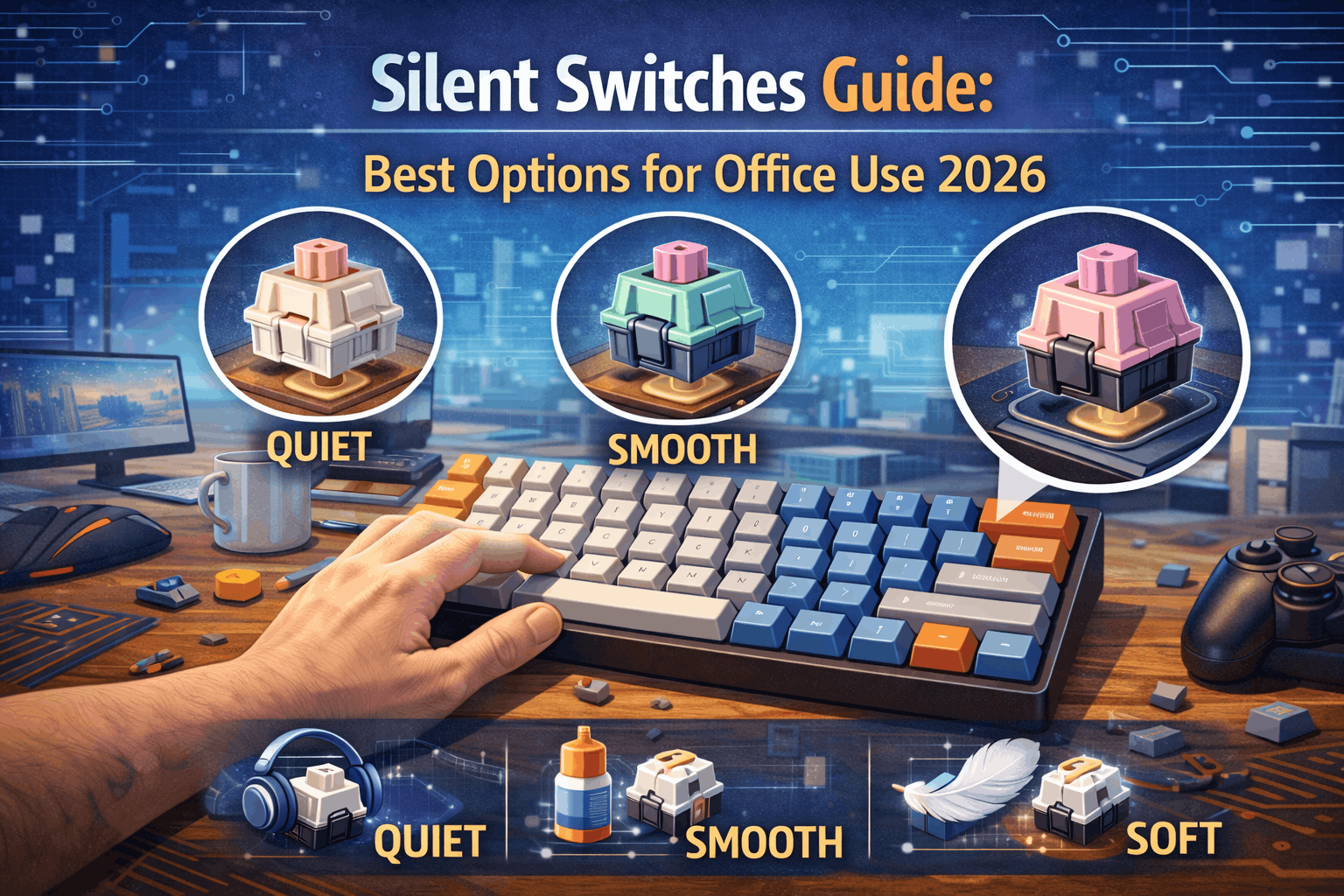
Mechanical keyboards in the office? Yes—with silent switches, coworkers won't hear a thing.
For years, mechanical keyboards were incompatible with office environments. The satisfying "clack" that gamers and enthusiasts loved was precisely what made them unsuitable for shared workspaces, home offices with sleeping family members, or late-night typing sessions. Then silent switches arrived, solving this dilemma entirely.
Silent switches use rubber dampeners to absorb the impact that creates noise in traditional mechanical switches. The result: 80–90% noise reduction while maintaining the satisfying tactile or smooth feel that makes mechanical keyboards superior to membrane keyboards.
But a common misconception persists: "Silent switches feel mushy and unsatisfying." This was true of early silent switches (2015–2018), but modern silent switches—especially premium options—have minimal mushiness while delivering exceptional quietness.
This guide explains exactly how silent switches work, ranks the best options from budget to premium, and helps you choose between silent tactile (for typing feedback) and silent linear (for maximum quietness). By the end, you'll have everything needed to build a mechanical keyboard that works anywhere without disturbing anyone.
Note: This guide contains affiliate links. If you purchase through our links, we may earn a commission at no extra cost to you. This helps support our testing and content creation.
Quick Overview
Silent switches work through rubber dampeners on switch stems that absorb impact noise, reducing total sound output by 80–90%. The best silent tactile option is Boba U4 at roughly $0.65 per switch, delivering excellent bump preservation, very quiet operation, and worth the premium pricing. Best silent linear goes to Gateron Silent Red at $0.35 per switch for smooth feel, quiet performance, and incredibly affordable cost. Reality check: silent switches still produce soft "thud" sound rather than complete silence, but they work perfectly for office and home environments. Modern silent switches feel much improved compared to early versions, with premium options feeling nearly normal.
How Silent Switches Work
The Noise Problem in Regular Mechanical Switches
Traditional mechanical switches create noise from multiple distinct sources. Bottom-out noise represents the loudest contributor, occurring when the stem hits the housing floor at full travel through hard plastic-on-plastic impact, creating that sharp "clack" sound on every single keypress. Top-out noise comes next in volume as the stem returns and contacts the housing top during key release, essentially reversing the bottom-out impact with less volume but still noticeably audible. Spring noise adds subtle contribution through spring compression and extension, creating metallic "ping" or ringing that varies by spring quality. Keycap noise provides final subtle layer as keycaps hit switch tops on return, producing secondary hollow sound that gets amplified by keycap material choice.
The combined effect means regular mechanical switches easily reach 60–70 decibels—louder than normal office conversation and disruptive in shared spaces.
The Silent Switch Solution
Rubber dampeners transform switch acoustics completely. Silent switches add soft rubber pads to the switch stem, typically positioned on both top and bottom where impact occurs. These pads compress on bottom-out instead of allowing hard contact, absorb kinetic energy throughout the keystroke, reduce both sound frequency and volume significantly, and create soft "thud" instead of sharp "clack" character.
Typical dampener design uses silicone or rubber compound materials in placement on top and bottom of switch stem. Thickness ranges from 0.5–1.0mm per pad, creating cushioning effect that absorbs sound energy effectively.
How Quiet Are They Actually?
Noise levels provide concrete comparison points. Normal conversation registers around 60 decibels. Regular mechanical keyboards produce 60–70 decibels—or higher if you prefer clicky switches. Silent mechanical keyboards drop to 45–50 decibels. Membrane keyboards sit at 40–45 decibels baseline. Silent switches with foam modifications can reach 42–45 decibels.
Translation: silent mechanical switches produce only slightly more sound than membrane keyboards but deliver vastly more satisfying typing experience. The noise reduction proves genuine and meaningful.
Important reality check establishes honest expectations. Silent switches aren't completely silent—they still produce soft "thud" sound. They run quieter than regular mechanical but louder than membrane keyboards. The volume level works perfectly for office and home use. Coworkers won't hear typing from 10+ feet away. Family sleeping nearby won't get disturbed by late-night typing sessions.
Sound Profile of Silent Switches
What you'll actually hear when typing changes dramatically. No sharp "clack" or "click" sounds emerge. Instead, soft and muted "thud" occurs on bottom-out. Spring sound remains barely audible. The overall character reads as cushioned rather than percussive, creating pleasing and genuinely quiet typing experience.
Comparison to other switches clarifies the differences. Regular linear switches produce sharp, crisp "clack" on every press. Regular tactile switches combine "clack" with tactile "snap" sound. Silent linear switches deliver only soft "thud" character. Silent tactile switches provide soft "thud" plus muted tactile sensation without acoustic feedback.
Silent Tactile vs Silent Linear Switches
Silent Tactile Switches
Silent tactile switches maintain the tactile bump at actuation point while rubber dampeners reduce noise on impact. Typing feedback gets preserved mostly intact, though slightly less quiet than silent linear alternatives.
Typing feedback defines the primary advantage, making silent tactile switches ideal for office typing—especially if you already enjoy regular tactile switches (see our best tactile switches guide). The tactile bump confirms actuation physically, improving typing accuracy measurably. Writers and programmers find this feedback more satisfying than pure linear smoothness. The switches deliver best of both worlds: mechanical keyboard feel combined with office-appropriate quietness and maintained typing satisfaction. Versatility extends across use cases, working well for both typing and gaming as true all-around choice.
The slightly less quiet character emerges because tactile "snap" adds subtle sound beyond pure impact noise. Not as quiet as silent linear alternatives, though still office-appropriate. Potential mushiness can soften the tactile bump feel, though premium switches minimize this issue substantially. Price typically runs $0.10–0.15 more than silent linear equivalents.
Best silent tactile switches include Boba U4 at $0.65 as best overall with minimal mushiness, Cherry MX Silent Red at $0.65 for Cherry quality and reliability, Gateron Silent Brown at $0.30 for budget friendly light bump, and Aliaz Silent at $0.60 offering heavy weight variants.
These switches work best for office typists prioritizing feedback, writers and programmers needing accuracy confirmation, people transitioning from regular tactile switches, and all-around use combining typing plus casual gaming.
Silent Linear Switches
Silent linear switches provide smooth travel without bump, rubber dampeners reducing impact noise, creating the quietest mechanical option available with consistent resistance throughout travel.
Maximum quietness defines the primary selling point, and silent linear switches feel very similar to regular linears—see our best linear switches guide for non-silent alternatives. The smoother overall sound signature delivers absolute minimum mechanical keyboard noise. This represents maximum achievable quietness in mechanical switches.
Smoothest feel emerges naturally since no bump interferes with dampener compression. Uninterrupted travel feels consistent throughout. Less mushiness perception occurs because smooth travel masks the dampener compression better than tactile alternatives.
Gaming suitability improves through smooth travel ideal for rapid keypresses. Works excellently in quiet environments where sound matters. More affordable options exist at budget tier compared to silent tactile alternatives.
The lack of typing feedback means you can't feel the actuation point physically. Requires bottoming out for confirmation of keypress registration. Some users perceive smoothness as "mushy" rather than pleasant. Less satisfying for pure typing compared to tactile feedback, though more suited to gaming than dedicated typing.
Best silent linear switches include Gateron Silent Red at $0.35 for best value and very affordable entry, Cherry MX Silent Black at $0.70 for premium quality and heavier weight, Cherry MX Silent Red at $0.65 for premium quality and lighter weight, and TTC Silent Linear at $0.40 providing good middle ground.
These switches excel for gaming in shared spaces, maximum quietness priority above all else, existing linear switch fans wanting quiet operation, budget-conscious builders seeking affordability, and late-night typing where silence matters most.
Top 7 Silent Switches Ranked
Ranking criteria include quietness level, feel quality, consistency across switches, and overall value proposition.
1: Boba U4 — $0.65/switch ⭐ BEST SILENT TACTILE
Boba U4 specifications show silent tactile design, 62g actuation force, excellent rubber pad dampening, and 4.0mm total travel distance.
Boba U4 represents the pinnacle of silent tactile switch performance in 2026. The dampeners get engineered specifically to preserve the tactile bump sensation while absorbing impact noise effectively. You experience clear and satisfying tactile bump—not the mushy sensation that plagued earlier silent tactile designs.
The sound quality proves exceptional: extremely quiet operation with only soft "thud" on bottoming out. The pre-bump and post-bump travel delivers smooth feel without any scratchiness. The overall typing experience rivals the regular Boba U4T while achieving genuine office-appropriate quietness.
Most critically, Boba U4 requires zero modification out of the box. No lubing needed for smooth operation. No O-rings required for noise reduction. Just install switches and enjoy immediately.
Sound comes through as extremely quiet with soft refined "thud" character. Feel preserves sharp tactile bump despite dampening with minimal mushiness perception. These switches work best for office typists wanting premium quiet plus tactile feedback combination, and serious typists refusing to compromise on feel quality.
Compared to competitors, Boba U4 delivers better tactile bump than Cherry Silent Red, quieter operation than most silent tactiles, premium feel rivaling regular Boba switches (compare to Boba U4T in tactile guide), and represents best silent switch specifically for pure typing focus.
The verdict: best overall silent switch for typing in office environments without question.
👉 Check Current Price on Amazon
2: Gateron Silent Red — $0.35/switch 💰 BEST VALUE
Gateron Silent Red specifications include silent linear design, 45g actuation force (very light), good quality rubber pads for dampening, and 4.0mm total travel.
Gateron Silent Red offers exceptional silence for incredibly low price point. Just $30 for complete 87-switch set creates obvious choice for budget-conscious builders or anyone testing silent switches before committing to premium options.
The switch itself delivers smooth linear feel with minimal gaming disadvantage. Rubber pads effectively absorb impact noise throughout travel. The lightness at 45g makes rapid typing effortless, proving ideal for gamers needing quiet operation without sacrificing speed.
Stock smoothness proves decent out of box. Lubing improves feel further but isn't strictly necessary. For this price point, compromises remain minimal and acceptable.
Sound registers as very quiet with acceptable thud character. Feel provides smooth linear travel with slight mushiness from dampeners that remains acceptable given the price. These switches work best for budget silent builds, gaming in shared spaces, and trying silent switches before premium investment.
Value proposition delivers 85% of premium silent linear performance at just 50% of the cost—genuinely impressive ratio.
👉 Check Current Price on Amazon
3: Cherry MX Silent Black — $0.70/switch 🏆 PREMIUM SILENT LINEAR
Cherry MX Silent Black specifications show silent linear design, 60g actuation force (heavier weight), Cherry-grade engineered dampening pads, and 4.0mm total travel.
Cherry MX Silent Black delivers heavier 60g actuation with exceptional dampening quality. The weight provides control and reduces accidental keypresses significantly, making this ideal for typists who prefer weighted switches over light actuation.
The dampening feels refined rather than overly soft. Linear travel maintains smoothness throughout. Overall, typing feels like using regular switch that happens to be very quiet—the ideal silent switch experience.
Cherry's manufacturing ensures consistency across every switch in production. Premium pricing reflects this reliability and quality control standards.
Sound comes through very quiet with refined thud character. Feel delivers firm linear travel with minimal mushiness—representing best silent linear feel available. These switches work best for premium typists who prefer heavier switches, and builds where feel quality matters more than budget constraints.
Compared to Silent Red, this switch runs heavier at 60g versus 45g, provides more controlled feel with fewer accidental presses, works better for typing while remaining acceptable for gaming, with premium pricing justified by superior feel quality.
👉 Check Current Price on Amazon
4: Cherry MX Silent Red — $0.65/switch 🎮 GAMING SILENT
Cherry MX Silent Red specifications include silent linear with slight tactile character, 45g actuation force, Cherry-grade dampening pads, and 4.0mm total travel.
Despite the "Red" name typically denoting pure linear, Cherry MX Silent Red features subtle tactile feel—essentially very light tactile bump. This makes the switch suitable for both gaming and light typing applications.
Light 45g actuation proves ideal for rapid gaming keypresses without fatigue. Cherry reliability ensures consistency across all switches. The dampening works effectively without excessive mushiness interfering with performance.
Sound registers as very quiet throughout use. Feel provides light linear character with barely perceptible tactile sensation (feels mostly linear in practice). These switches work best for gaming in shared spaces, light typists seeking speed, and fast-paced competitive gaming with noise constraints.
Important note: despite "Red" naming convention suggesting pure linear, this switch has slight tactile bump that isn't fully linear. Check product specifications carefully before purchasing to ensure this matches your expectations.
👉 Check Current Price on Amazon
5: Aliaz Silent — $0.60/switch 📝 HEAVY SILENT TACTILE
Aliaz Silent specifications show silent tactile design with 60g, 70g, 80g, and 100g weight variants available, good quality rubber pads, and 4.0mm total travel.
Aliaz Silent offers rare heavy weight options reaching up to 100g in the silent switch category. For typists preferring weighted switches who want tactical feedback in office-appropriate package, Aliaz delivers specialized solution.
The tactile bump reads clear and satisfying through the heavier spring resistance. Heavier weights at 70g and above provide exceptional control and reduce unintended keypresses dramatically. Quality ranks good overall, though not quite reaching Boba U4 premium tier.
Sound produces quiet operation, slightly more noticeable than Boba U4 but still office-appropriate. Feel delivers heavy tactile character with deliberate keypresses required. These switches work best for heavy-switch enthusiasts needing quiet operation, and typists wanting maximum control combined with tactile feedback.
Weight variants spanning 60g, 70g, 80g, and 100g enable precise preference matching for different hand sizes and typing styles.
👉 Check Current Price on Amazon
6: Gateron Silent Brown — $0.30/switch 🎯 BUDGET TACTILE
Gateron Silent Brown specifications include silent tactile design, 55g actuation force, basic rubber pad dampening, and 4.0mm total travel distance.
Gateron Silent Brown represents the cheapest silent tactile option available. Just $26 for complete 87-switch set creates accessible entry point for anyone trying silent tactiles without major budget commitment.
The tactile bump runs light, similar in character to regular Gateron Brown switches. Quietness proves effective for office use. Quality reaches acceptable level but doesn't compete with premium alternatives.
Sound produces quiet operation though not as refined as premium options. Feel delivers light tactile character with some mushiness perception. These switches work best for budget office keyboards, first-time silent switch testing, and price-sensitive buyers prioritizing affordability.
The catch: very light tactile bump similar to regular Gateron Brown. If bump feels too weak for your preference, upgrade path leads to Boba U4 for fuller tactile experience.
👉 Check Current Price on Amazon
7: TTC Silent Bluish White — $0.40/switch
TTC Silent Bluish White specifications show silent tactile design, 60g actuation force, good quality dampening pads, and 4.0mm total travel.
TTC Silent Bluish White offers middle-ground silent tactile option—performing better than Silent Brown while costing less than Boba U4. The tactile bump registers as noticeable and satisfying. Quietness level reaches good standard for office use.
This switch hits the sweet spot between budget and quality for users wanting tactile feedback without premium pricing tier. Best applications include mid-tier silent tactile needs and seeking good quality-to-price balance.
👉 Check Current Price on Amazon
Silent Switch Comparison Table
| Switch | Type | Price | Actuation | Quietness | Feel Quality | Best For |
|---|---|---|---|---|---|---|
| Boba U4 | Tactile | $0.65 | 62g | ⭐⭐⭐⭐⭐ | ⭐⭐⭐⭐⭐ | Office typing |
| Gateron Silent Red | Linear | $0.35 | 45g | ⭐⭐⭐⭐⭐ | ⭐⭐⭐⭐ | Budget/gaming |
| Cherry Silent Black | Linear | $0.70 | 60g | ⭐⭐⭐⭐⭐ | ⭐⭐⭐⭐⭐ | Premium typing |
| Cherry Silent Red | Linear | $0.65 | 45g | ⭐⭐⭐⭐⭐ | ⭐⭐⭐⭐ | Gaming quiet |
| Aliaz Silent | Tactile | $0.60 | 60-100g | ⭐⭐⭐⭐ | ⭐⭐⭐⭐ | Heavy tactile |
| Gateron Silent Brown | Tactile | $0.30 | 55g | ⭐⭐⭐⭐ | ⭐⭐⭐ | Budget tactile |
| TTC Silent Bluish | Tactile | $0.40 | 60g | ⭐⭐⭐⭐ | ⭐⭐⭐½ | Mid-tier |
Key Observations
Quietness hierarchy shows all silent switches achieving 80–90% noise reduction compared to regular mechanical switches. Silent linear variants run slightly quieter than silent tactile (no bump snap sound). Premium switches deliver more refined sound signature overall. Differences between models remain minor—all qualify as office-appropriate in practice.
Feel quality hierarchy ranks Boba U4 as least mushy tactile option, Cherry Silent Black as least mushy linear choice, Aliaz Silent as heavy but maintaining good feel, TTC Silent Bluish offering mid-tier quality, Gateron Silent Red providing budget linear performance, Cherry Silent Red focusing on gaming applications, and Gateron Silent Brown serving budget tactile needs.
Best value analysis shows Gateron Silent Red delivering best bang-for-buck at $0.35 per switch. Boba U4 proves worth premium pricing for typing focus at $0.65. Cherry options command brand reliability premium that gets justified by consistent quality.
Addressing the "Mushy" Concern
The Reputation
"Silent switches feel mushy and unsatisfying" represents the most common criticism heard about this switch category. This criticism carries partial validity—but reflects outdated information.
The Reality in 2026
Early silent switches from 2015–2018 genuinely felt very mushy. Thick rubber dampeners created significant travel cushioning. Feel got compromised substantially compared to regular switches. The criticism was entirely deserved during this era.
Modern silent switches from 2022–2026 show dramatic improvement. Engineered rubber compounds replace crude dampeners. Optimized dampener thickness reduces mushiness. Minimal feel compromise results from refined engineering.
Premium options like Boba U4 and Cherry Silent Black deliver minimal mushiness in practice. Feel runs nearly identical to regular switches for most users. Dampeners become imperceptible to typical users. The trade of quietness for acceptable feel compromise proves worthwhile.
What Causes the "Mushy" Sensation
The mechanics explain the sensation clearly. Rubber dampeners compress on impact rather than allowing hard stop. Soft landing replaces hard stop that regular switches provide. Travel feels "cushioned" rather than "crisp" in character. Less sharp tactile feedback occurs in tactile models specifically.
Reality check establishes honest expectations: mushiness is real phenomenon but varies dramatically by model quality. Premium switches minimize mushiness significantly through engineering. Budget switches accept more mushiness in exchange for lower cost. Expectation adjustment becomes necessary—quiet operation doesn't mean identical feel to regular switches.
Which Switches Minimize Mushiness
Least mushy options include Boba U4 with minimal mushiness and sharp bump preserved excellently, Cherry MX Silent Black maintaining firm feel despite dampeners, and Aliaz Silent where heavy weight masks mushiness perception effectively.
Moderate mushiness characterizes TTC Silent Bluish as acceptable compromise and Cherry MX Silent Red as light but reasonable in feel.
More mushy switches include Gateron Silent Brown with noticeable soft feel and various budget silent switches with compromised dampening quality.
How to Reduce Mushy Feeling
Technique adjustments help significantly. Avoid bottoming out hard since this defeats the silence purpose entirely. Light typing style works best with silent switch design. Apply gradual pressure rather than aggressive downstroke for optimal feel.
Equipment adjustments provide additional options. O-rings can help reduce impact but actually add more mushiness (counterproductive approach). Better stabilizers reduce overall mustiness perception across keyboard. Heavier switches mask softness more effectively than light variants.
Expectation management matters most. Silent switches will feel different from regular switches—this is necessary and unavoidable trade-off. Quietness cannot coexist with identical feel to regular switches. Not suitable for purists demanding identical feel without compromise. Acceptable for office and home users prioritizing quiet operation over absolute feel purity.
Try Before Buying Full Set
Critical recommendation: buy switch tester containing 6–10 silent switches before committing to full keyboard set. Feel quality proves genuinely polarizing between users. Some users love silent switch feel completely while others hate it intensely. Personal preference determines satisfaction more than any review can predict. Spending $15–20 on tester saves $50+ on mistaken full purchase.
Lubing Silent Switches
Should You Lube Silent Switches?
Considerations involve weighing potential benefits against risks. Potential benefits include reduced housing friction creating smoother feel, eliminated spring ping noise, slightly quieter overall operation, and potentially reduced perceived mushiness through improved smoothness.
Potential risks include over-lubing increasing mushiness perception, dampeners potentially interacting oddly with lube compounds, less benefit compared to lubing regular switches, and extra cost plus effort investment for minimal gain overall.
Correct Lubing Approach for Silent Switches
What to lube safely: housing rails with light application improving smoothness, springs to eliminate spring ping noise, and stem sides with very light application avoiding dampener area completely. What to absolutely avoid: rubber dampeners themselves since lube affects feel negatively.
Lube recommendation points specifically to thin lube like Tribosys 3203 rather than standard 205g0. Thin consistency preserves feel characteristics better than thick alternatives. Very conservative application using just 2–3 drops maximum per switch proves sufficient. Focus application on smoothness improvement rather than additional sound reduction.
Results vary significantly by switch type. Budget silent switches see noticeable feel improvement through lubing. Gateron Silent Brown transforms from 5/10 before to 7/10 after lubing—worth doing if patient with process. Premium silent switches like Boba U4 arrive already smooth with minimal benefit from lubing. Boba U4 improves from 9/10 before to just 9.3/10 after—skip lubing if concerned about feel changes.
Alternative: Buy Premium Stock
Recommendation: buy Boba U4 stock and skip lubing process entirely. These switches arrive already smooth and quiet out of box. No risk exists of ruining feel with improper lube application. Time saved versus benefit gained proves minimal in practice. Lubing cost of $3–5 doesn't justify the mere 0.3/10 improvement possible.
Office Use Considerations
Assessing Your Office Environment
Open office environments with multiple people and low walls demand very quiet switches like Boba U4 or Gateron Silent Red. Additionally require desk mat and lubed stabilizers as essential components. These spaces amplify sound more than any other configuration.
Cubicle setups with some isolation and neighboring desks allow moderate quiet operation. Any silent switch proves acceptable in these conditions. Desk mat remains recommended but less critical than open office scenarios.
Private offices with door closed and isolated positioning might work fine with regular switches if superior feel matters more. Recommendation still favors silent switches for appreciated quietness during calls and concentration times when door stays open.
Home offices in shared spaces with family nearby and different work hours demand silent switches as considerate choice. Partners sleeping during work hours and family activities nearby benefit from quiet operation. Desk mat helps significantly for late-night typing sessions.
Complete Silent Setup for Maximum Quietness
Silent switches alone aren't sufficient for truly office-friendly quietness. Achieving maximum quiet operation requires complete system approach.
Silent switches form the primary foundation, removing 80–90% of mechanical noise and creating the base for quiet setup. Lubed stabilizers prove critical since stabilizer rattle carries further than typing sound itself. Transparent stabilizers lubed with proper lubricant eliminate metallic pinging during spacebar, shift, and enter key usage.
PBT keycaps contribute significant improvement, as thicker PBT produces deeper and quieter sound compared to ABS (see our PBT vs ABS keycaps comparison). PBT material runs inherently quieter than ABS alternatives. Thicker profile produces less hollow sound character. Compare acoustics to ABS keycaps in our keycap material guide for detailed differences.
Desk mat dampens vibration transmission. Foam mat beneath keyboard absorbs vibration transmission to desk surface. Provides significant noise reduction by eliminating desk amplification effect that magnifies sound.
Mounting system creates moderate impact on noise, with gasket-mounted keyboards generally sounding quieter and less hollow than tray-mount designs. Gasket mount construction runs quieter than tray mount alternatives. Foam layers reduce vibration further. Less critical factor than components mentioned above.
Foam modifications reach enthusiast level optimization. PCB foam layer adds dampening. Case foam provides additional dampening throughout. Advanced customization achieves maximum possible silence.
Complete setup result: silent switches combined with lubed stabilizers, PBT keycaps, and desk mat creates very quiet and office-professional keyboard. Sufficient for most office and home environments without question. Additional foam modifications represent overkill for typical office use scenarios.
Silent Switches for Gaming
Gaming Performance
Critical question: do silent switches compromise gaming performance in measurable ways? Honest answer: no measurable difference exists in practice.
Actuation speed remains identical to regular switches. Response latency shows no difference whatsoever. Bottoming-out softness creates negligible impact on gaming performance. Polling rate and debounce timing stay the same as regular switch variants.
Best Silent Gaming Switches
Competitive FPS games like CS2 and Valorant work best with Gateron Silent Red at 45g for light actuation enabling rapid keypresses, or Cherry MX Silent Red at 45g for Cherry quality if budget allows premium pricing.
MOBA and strategy games including League and Dota 2 benefit from Cherry MX Silent Black at 60g for controlled feel with fewer accidental presses, or Boba U4 if tactile feedback preference exists with 62g weight.
Casual gaming scenarios work fine with any silent switch option. Gaming performance doesn't get affected by silent switch selection in non-competitive scenarios.
Gaming Considerations
Advantages of silent gaming switches become clear in social contexts. Game late without disturbing family members. Stream content without mechanical noise pickup in microphone. Shared living spaces stay friendly to all occupants. Play during quiet hours without guilt about noise levels.
Disadvantages include slightly less satisfying bottoming-out sensation (perception rather than performance). Missing keyboard "clacky" sound that some gamers genuinely enjoy. Cushioned landing requires brief adaptation period initially.
Verdict: Gaming-Appropriate
Silent switches prove fully viable for gaming applications with no performance disadvantage measurable. Gaming benefit operates entirely in social and environmental domains rather than mechanical performance improvement.
If noise isn't an issue (living alone, gaming room with door closed), regular switches offer marginally better feel. If gaming occurs in shared space, silent switches solve the problem elegantly without compromise.
Silent Switch Alternatives
If Silent Switches Aren't Your Solution
O-rings on regular switches represent alternative approach. These rubber rings get placed on keycap stems to dampen bottom-out impact, working with any switch type. Very cheap at $5–10 for full keyboard with easy installation. However, they reduce travel distance by roughly 0.4mm, don't silence top-out noise at all, can feel mushy in execution, and prove less effective than true silent switches overall. Verdict: budget option exists but true silent switches deliver superior results.
Silent pre-built keyboards offer plug-and-play convenience. Keyboards arrive pre-installed with silent switches from manufacturers. Examples include Logitech G Pro X 2 and Corsair silent models. Advantages include no building required, warranty coverage included, and professional support available. Disadvantages involve limited switch choice, more expensive than building custom keyboard, and inability to easily switch to different switches later. Verdict: convenient option for those not wanting to build from scratch.
Low-profile switches take alternative approach to quietness. Lower profile switches feature shorter travel distance, becoming naturally quieter than standard height switches (less travel equals less time for sound generation). Not truly silent but notably quieter than standard alternatives. Examples include Keychron low-profile keyboards and Logitech low-profile options. Verdict: compromise option running quieter than standard but louder than true silent switches.
Where to Buy Silent Switches
Recommended retailers in United States include Divinikey.com with good silent switch selection and fast shipping, Ringerkeys.com specializing in quality switches with Boba U4 availability, Amazon carrying Gateron and Cherry options with Prime shipping convenience, and MechanicalKeyboards.com stocking Cherry options with editorial reviews.
International options include Keychron.fr for France and European availability, Mech.land covering Asia-Pacific region, and AshKeebs.com serving Canadian customers.
Availability notes matter significantly. Silent switches get stocked less commonly than regular switches across retailers. Boba U4 frequently sells out due to high demand. Cherry MX Silent remains often available through multiple channels. Gateron Silent maintains wide availability. Order early if targeting specific model to avoid disappointment.
Purchase recommendations include buying 10–20 extra switches beyond keyboard count as spares for defects and experimentation. Budget 87 switches for standard TKL keyboard or consider lighter loads like 65 switches for 65% keyboard layouts.
Testing before committing proves critical. Switch tester costing $15–25 comes highly recommended. Try 6–10 silent switches before full keyboard commitment. This clarifies personal preference definitively. Enable easy switching through hot-swap keyboards (learn about hot-swap keyboards) allowing effortless switch testing without any soldering or desoldering required.
Price expectations for full 87-key sets: budget tier runs $26–35 for Gateron Silent Brown, mid-tier costs $35–50 for Gateron Silent Red or TTC Silent options, premium pricing reaches $50–65 for Boba U4 or Cherry MX Silent variants.
FAQ: Common Questions
Are silent switches actually silent?
Not completely silent—they're 80–90% quieter than regular mechanical switches. You'll hear soft "thud" when bottoming out keys, but volume stays much lower than standard keyboards and won't disturb coworkers or sleeping family members nearby. For office and home use, they're "silent enough" for practical purposes.
Do silent switches feel mushy?
Modern silent switches, especially Boba U4 and Cherry MX Silent Black, deliver minimal mushiness in practice. Budget silent switches feel noticeably softer overall. The trade-off proves necessary since quietness requires dampening by definition, but premium options feel nearly normal. Try before buying full keyboard set through switch testers or use hot-swappable keyboards to experiment without soldering.
Can I use silent switches for gaming?
Absolutely yes. Silent switches perform identically to regular switches for gaming applications—no latency difference exists, response times stay identical. Gateron Silent Red or Cherry MX Silent Red work great for gaming in shared spaces without any gaming disadvantage whatsoever.
Should I choose silent tactile or silent linear?
Silent tactile like Boba U4 works best if you want typing feedback and improved accuracy. Silent linear like Gateron Silent Red suits maximum quietness and smooth feel preference. Both work excellently for office use. Choice depends entirely on personal preference between feedback and pure smoothness.
Are silent switches worth the extra cost over regular switches?
If noise creates concern (office environment, shared home, late-night typing), absolutely worth the investment. Silent switches solve the problem completely and effectively. If noise isn't an issue in your situation, regular switches offer better feel and value. See our best linear switches and tactile switches guides for regular switch options.
Conclusion: Silent Mechanical Keyboards Work
Silent switches solve the mechanical keyboard's final barrier to universal adoption: noise pollution. They prove conclusively that mechanical keyboards can work anywhere—office environments, home spaces, shared areas—without compromise to peace.
Modern silent switches have evolved far beyond early mushy implementations from 2015–2018 era. Premium options like Boba U4 preserve tactile satisfaction while achieving genuine quietness. Budget options like Gateron Silent Red offer acceptable feel at incredible prices making entry accessible.
The trade-off remains real and honest: silent switches don't feel identical to regular switches. The cushioned landing feels slightly softer than hard bottom-out. But for office environments and shared spaces, this trade-off proves entirely worthwhile. Few things matter more than maintaining peaceful coexistence in shared work and home spaces.
Key Takeaways
Best silent tactile goes to Boba U4 for premium feel, excellent quietness, and worth the investment. Best value belongs to Gateron Silent Red for smooth linear feel, incredibly affordable pricing, and adequate feel quality. Best premium option remains Cherry MX Silent Black for refined feel, professional quality, and heavier weight preference.
Complete quiet setup requires silent switches plus lubed stabilizers plus PBT keycaps plus desk mat to achieve office-professional quietness level. Gaming applications work perfectly with silent switches showing no performance disadvantage—benefit operates entirely in social domain. Common mushiness concern gets addressed: modern silent switches show dramatic improvement with minimal mushiness in premium options.
Try before committing through switch tester to eliminate buying mistakes and clarify personal preference conclusively. Most important insight: silent switches aren't compromise—they're liberation that frees mechanical keyboards from noise constraints entirely.
Next Steps
Determine your specific needs across office, home, gaming, and shared space scenarios. Choose switch type between silent tactile versus silent linear based on feedback preference. Buy switch tester to try before committing to full keyboard purchase. Select your silent switch: Boba U4 for premium applications, Gateron Silent Red for budget builds. Build complete quiet setup including lubed stabilizers, PBT keycaps, and desk mat for maximum effect.
Ready to build your silent office keyboard? Learn about hot-swappable keyboards that make testing and changing switches effortless without soldering. Compare your switch options with our linear switches and tactile switches guides for comprehensive understanding.
Your silent mechanical keyboard awaits. Start typing quietly today.