Introduction
Mechanical keyboard enthusiasts have become obsessed with sound in a way that might seem bizarre to outsiders. Entire YouTube channels dedicate themselves to sound tests, forums debate the perfect “thock,” and people spend hundreds of euros modding keyboards to achieve specific acoustic profiles. If you’re shopping for a mechanical keyboard and watching sound test videos trying to figure out what you’re actually listening for, you’re not alone in feeling confused.
I spent my first month in this hobby thinking something was wrong with my ears because I couldn’t tell the difference between “thocky” and “clacky.” Turns out, nobody agrees on those definitions anyway.
Here’s the reality that should help you relax: keyboard sound preference is almost entirely subjective. The deep “thock” that enthusiasts chase isn’t objectively better than a crisp “clack” or a quiet “thud.” They’re just different, and which one you prefer depends on personal taste, your environment, and what you’re used to hearing. Someone who loves the sound of an IBM Model M clicky keyboard would find a silent tactile board disappointingly muted. Someone working in a quiet office would find that same Model M offensively loud.
That said, understanding what affects keyboard sound and how to evaluate it helps you make informed decisions. When you watch a sound test video, knowing what you’re hearing and why it sounds that way lets you predict whether you’d enjoy that keyboard. More importantly, understanding the components of keyboard sound means you can modify your own keyboard to sound how you want rather than accepting whatever it sounds like out of the box.
This guide breaks down everything that affects how keyboards sound, how to interpret sound test videos despite their limitations, what terms like “thocky” and “clacky” actually mean, and how to evaluate whether a keyboard’s sound will work for your situation. By the end, you’ll be able to listen to any keyboard and understand exactly what you’re hearing.
Note: This guide contains affiliate links. If you purchase through our links, we may earn a commission at no extra cost to you. This helps support our in-depth testing and content creation.
What Makes Keyboards Sound Different
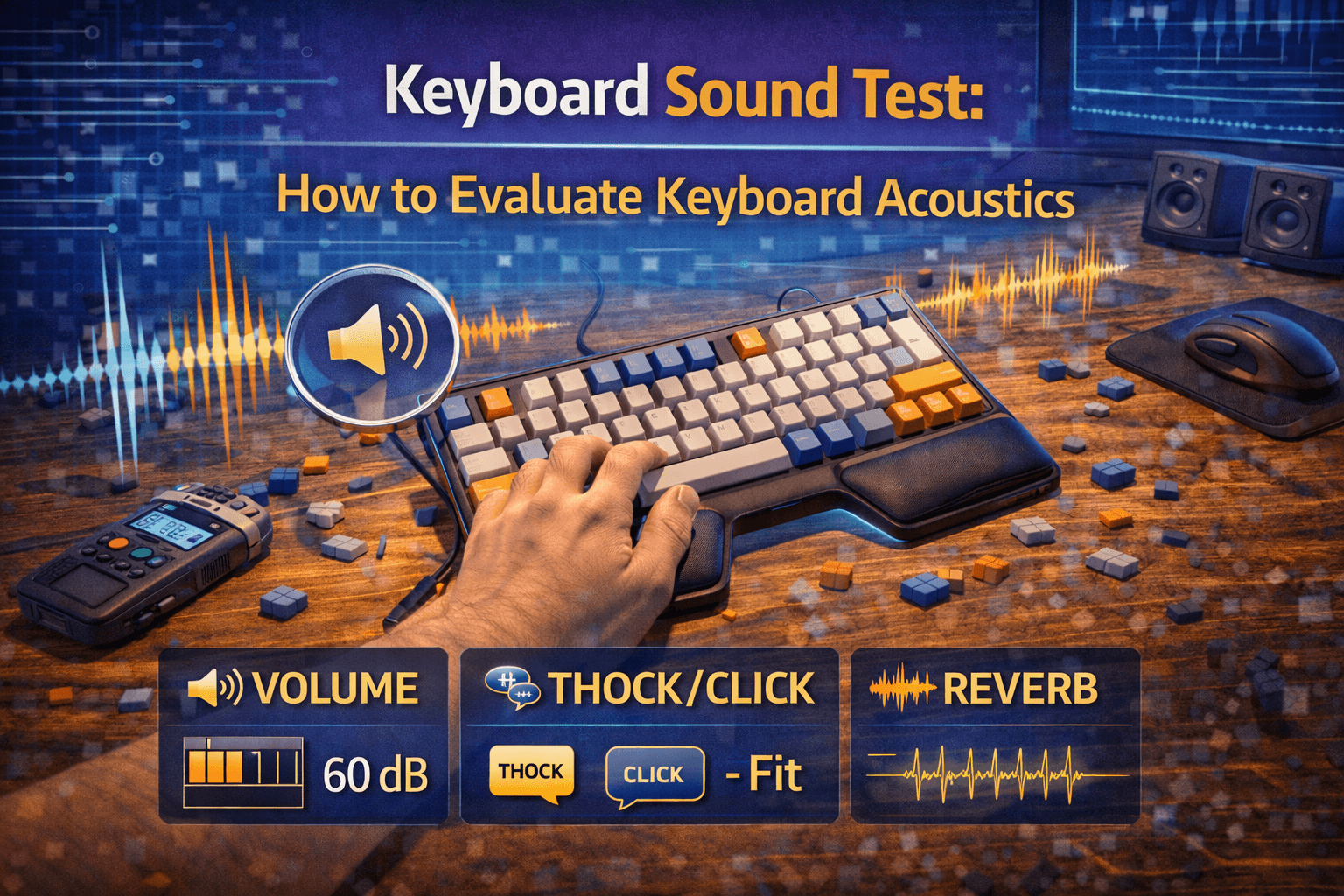
Keyboard sound comes from multiple components working together, and changing any one element shifts the entire acoustic profile. Understanding these factors helps you predict how a keyboard will sound and how to modify it if you want something different.
The switch itself is the foundation, generating sound through two mechanisms: the slider hitting the bottom of the housing when you bottom out the key, and the spring compressing and decompressing. Linear switches tend to produce cleaner, more consistent sounds because there’s no tactile mechanism adding complexity to the acoustics. Tactile switches introduce the tactile leaf clicking into position, which adds a subtle extra layer to the sound. Clicky switches deliberately create loud click sounds through a separate clicking mechanism entirely.
The material and construction of the switch housing affects sound significantly. Switches with full nylon housings sound deeper and more muted because the material dampens high-frequency vibrations. Switches with polycarbonate or other harder plastic housings sound higher-pitched and sharper. Some premium switches use different materials for top and bottom housings specifically to tune the acoustic properties.
Keycaps act as the final resonator that amplifies and colors the sound from switches. Thick PBT keycaps produce a deeper, more muted sound because the material dampens high-frequency vibrations. Thin ABS keycaps sound higher-pitched and sometimes hollow because they resonate more and don’t dampen vibrations as effectively. The keycap profile changes sound by affecting how mass is distributed and how much material there is to resonate. Tall profiles like SA have more plastic mass and typically sound deeper than low profiles like Cherry. See our PBT vs ABS keycaps guide for detailed comparison.
The way the keyboard plate attaches to the case dramatically affects sound. Tray mount keyboards, where the plate screws directly to the case, transfer all vibrations directly to the case, which amplifies and colors them. This typically creates a more hollow, resonant sound. Gasket mount keyboards use rubber gaskets to isolate the plate from the case, which dampens vibrations and creates a deeper, more controlled sound. The plate material itself matters too—polycarbonate plates produce a softer, deeper sound while aluminum plates are stiffer and slightly higher-pitched.
Case material plays a huge role. Plastic cases are lightweight and tend to resonate more, creating a more reverberant sound. Aluminum cases are heavier and dampen vibrations more effectively, producing a more solid, controlled sound. The case’s internal design matters too—keyboards with large empty cavities inside sound more hollow than keyboards with internal weights or foam filling.
Most modern keyboards include some form of dampening to control unwanted resonance. Foam between the PCB and the plate reduces the hollow sound from the empty space inside the case. Case foam at the bottom of the case dampens vibrations before they reach the desk. Some keyboards use silicone dampening pads or other materials at specific points to target particular resonances.
Stabilizers on larger keys like spacebar and shift create their own sounds that can dominate the keyboard’s overall acoustic profile. Rattly stabilizers produce a hollow ticking or rattling noise that’s universally considered unpleasant. Well-tuned stabilizers should sound similar to regular keys, just slightly deeper because of the larger keycap. Lubed stabilizers sound dramatically different from unlubed ones—without lube, metal wires hitting plastic housings create a sharp ticking sound, while proper lubing dampens that impact and creates a muted, controlled sound.
The surface your keyboard sits on affects sound more than most people realize. A keyboard on a wooden desk sounds different from one on a glass desk or a padded mat. Hard surfaces reflect sound and create more echo. Soft surfaces like desk mats absorb vibration and reduce resonance. The room itself matters too—small rooms with hard walls amplify keyboard sounds, large rooms with carpet and furniture absorb them. I actually A/B tested the same keyboard on bare wood versus a thick desk mat once — the mat alone dropped the pitch noticeably and killed the hollow echo I’d been fighting with foam mods.
Understanding Keyboard Sound Descriptors
The mechanical keyboard community has developed specific vocabulary for describing sound, but these terms are subjective and mean different things to different people. Understanding these descriptors helps you communicate about sound preferences, though it’s important to remember there’s no official definition for any of them.
Thocky or “thock” keyboards produce a deep, solid, bass-heavy sound with quick decay. Think of the sound a good drum makes—it has depth and weight without excessive resonance. People describe it as satisfying and premium-sounding. Gasket-mounted boards with PBT keycaps, foam dampening, and lubed switches and stabilizers often sound thocky. Getting a truly thocky sound requires everything working together. Deep-sounding switches, thick keycaps, good dampening, and a solid case all contribute. Light, hollow-sounding keyboards can’t achieve thock no matter how much you mod them because the fundamental structure isn’t there.
Clacky or “clack” keyboards sound sharp, crisp, and higher-pitched with quick attack and decay. The sound is clean and precise rather than deep and resonant. Some people love this sound for its clarity and energy, others find it harsh or cheap-sounding. Keyboards with polycarbonate plates, thin keycaps, and minimal dampening tend toward clacky. Clacky isn’t inferior to thocky despite what enthusiast forums might imply. It’s a different aesthetic that works better in some contexts. For fast typists, the crisp feedback of a clacky board can feel more responsive than a muted thocky board.
Creamy describes a sound that’s soft, muted, and pleasant without being particularly deep or sharp. The sound has rounded edges and gentle character. Heavily lubed linear switches often sound creamy, especially in well-dampened keyboards. Think of it as the audio equivalent of butter—smooth and pleasant but not particularly distinctive.
Poppy keyboards have a bouncy, energetic sound with strong mid-range frequencies. The sound is lively and dynamic rather than controlled and muted. Lighter switches with stiffer springs can sound poppy, as can certain mounting styles that allow more plate flex. The PE foam modification under switches creates this poppy, marbly sound effect.
Marbly or “marble” describes a very specific sound profile—deep and resonant like marbles clicking together. It’s similar to thock but with more sustain and a distinctive timbre. Certain switch and keycap combinations produce this sound, though it’s harder to achieve than standard thock.
Hollow or pingy keyboards sound like there’s excessive empty space inside creating echo. Pingy keyboards have unwanted spring noise or reverb that continues after the key is released. Both usually indicate poor dampening or case construction issues.
Here’s the uncomfortable truth: two people listening to the same keyboard will often describe it with different terms. What sounds thocky to one person sounds muted to another. What sounds clacky to one person sounds sharp to another. These aren’t precise technical terms—they’re subjective impressions that vary based on individual hearing and experience. This means sound test videos can guide you but won’t tell you definitively how a keyboard sounds to your ears.
How to Watch Sound Test Videos
Sound test videos are valuable but flawed tools for evaluating keyboards. Understanding their limitations helps you extract useful information despite the inherent problems with recording and transmitting keyboard sound.
The microphone recording the sound test colors everything you hear. Cheap microphones emphasize certain frequencies and miss others. Professional studio microphones capture more detail but may reveal flaws that don’t bother you in person. Microphone placement changes the sound drastically—close miking creates more bass and detail, distant miking creates a more natural room sound. Most sound test channels don’t use standardized recording setups, which means comparing keyboards across different videos is unreliable. Our switch sound test guide walks through how to record and compare switches yourself with consistent conditions. A keyboard that sounds amazing in one reviewer’s video might sound mediocre in another’s video purely because of recording differences.
In fact, research has shown that the same keyboard recorded through different microphones can sound dramatically different—one microphone might make it sound thocky while another makes it sound pingy, even with no changes to the keyboard itself. Broadcast-style microphones tend to be bass-heavy, which is why many sound test channels using these mics make keyboards sound thockier than they actually are in person.
You’re listening through your headphones, speakers, or phone speakers, all of which have their own frequency response curves that color the sound. Cheap earbuds emphasize bass and miss subtle details. High-end headphones reveal more nuance but might emphasize flaws. Laptop speakers make everything sound thin and tinny. This means the keyboard might sound completely different in person than in the video you watched. The video gives you a general sense of the acoustic character, but don’t expect it to sound identical when you actually buy the keyboard.
I learned this the hard way — ordered a board after watching five sound test videos, expecting that deep satisfying thock. When it arrived, it sounded completely different on my setup. Not bad, just nothing like the videos. That’s when I stopped trusting sound tests as gospel and started treating them as rough indicators.
Some YouTubers record in echo-prone rooms that make everything sound more reverberant. Others record in acoustically treated spaces that sound unnaturally dry. The desk surface, desk mat, and room characteristics all affect what gets recorded, and none of it will match your setup.
Despite these limitations, sound tests provide valuable information if you know what to listen for. You can hear the relative pitch of the keyboard—whether it sounds generally deep or high-pitched. You can identify obvious issues like rattly stabilizers or pingy springs. You can get a sense of whether the keyboard sounds controlled and dampened or hollow and resonant.
Compare multiple videos of the same keyboard from different reviewers to average out the recording differences. If five different videos all make the keyboard sound hollow and pingy, it probably actually sounds that way. If reviewers disagree dramatically, the keyboard’s sound is probably somewhere in the middle. Pay attention to typing rhythm and speed in sound tests. Slow, deliberate typing sounds different from fast, natural typing. Look for videos where people type at realistic speeds rather than carefully pressing one key at a time.
Factors That Affect Your Perception
How you perceive keyboard sound goes beyond the objective acoustic properties. Several subjective factors change how keyboards sound to you personally, which is why your experience often differs from what you expected based on reviews.
Everyone’s hearing is different. Some people are more sensitive to high frequencies, others to low frequencies. If you’ve spent years listening to music production or audio engineering, you’ll hear details that casual listeners miss. If you’ve worked in loud environments, you might have slight hearing loss that changes frequency perception.
Your expectations also color what you hear. If you’ve been told a keyboard is thocky and premium-sounding, you’re more likely to perceive it that way even if the objective sound doesn’t match. This isn’t being fooled—perception genuinely changes based on expectation.
When you first start using a mechanical keyboard, everything sounds interesting and new. After a few weeks, you adapt to your keyboard’s sound and stop noticing it. This is why people who’ve owned a keyboard for months can have completely different impressions than someone trying it for the first time.
Some sounds that seem annoying in a five-minute sound test become completely ignorable after daily use. Other sounds that seem fine initially start bothering you after extended exposure. I had a board with a slightly pingy spacebar that I didn’t notice in testing — after a week of daily use, it was all I could hear. Ended up relubing the stab and it fixed it, but the lesson stands: live with a keyboard before judging its sound. The only way to know is extended use, which is frustrating when you’re trying to make a purchase decision.
Your keyboard sounds different at midnight in a quiet house than at noon in a busy office. It sounds different on a wooden desk than on a glass desk with a thick desk mat. Your perception of whether the sound is “too loud” or “acceptable” depends entirely on context. What sounds pleasantly tactile in private might sound obnoxiously loud when you’re in a video call or someone’s trying to sleep nearby. Consider all the contexts where you’ll use the keyboard, not just your current setup.
Improving Your Keyboard’s Sound
If you’re unhappy with how your keyboard sounds, several modifications can dramatically change its acoustic profile. These mods range from simple and cheap to involved and expensive.
Swapping keycaps is the simplest modification that makes the biggest difference to sound. Moving from thin ABS keycaps to thick PBT keycaps immediately creates a deeper, more muted sound. The new keycaps also feel better, so you’re improving both sound and typing experience at the same time. Different keycap profiles have different sound signatures. If your current keycaps sound too sharp or hollow, trying a different profile might solve it. SA profile keycaps sound noticeably deeper than Cherry profile because of the extra mass and different shape.
Adding foam to your keyboard dampens unwanted resonance and usually makes the sound more controlled and deeper. Plate foam goes between the PCB and plate, case foam goes in the bottom of the case. Both reduce the hollow echoing sound that makes keyboards sound cheap. You can buy pre-cut foam for many popular keyboards, or cut your own from cheap craft foam or shelf liner. The mod takes fifteen minutes and costs under ten euros for materials. For other popular acoustic mods, check out the tape mod for a poppy sound signature or O-rings to reduce travel and soften the bottom-out noise. The difference is immediately noticeable on most keyboards. This was the single best mod I ever did on a budget board — five euros of shelf liner foam turned a hollow-sounding RK61 into something surprisingly decent.
Some people worry foam makes keyboards sound “dead” or muted. This can happen if you use too much foam or foam that’s too dense. Start with thinner foam in just one location (plate or case, not both) and see how it sounds before adding more. The purpose of foam is to minimize sound variance and create a clean canvas for your switches, not to eliminate all resonance.
Rattly stabilizers ruin keyboard sound more than any other single factor. That hollow ticking noise from your spacebar ruins an otherwise good keyboard. Learning to properly tune stabilizers—cleaning, lubing, and applying mods like the Band-Aid Mod or Holee Mod—transforms how larger keys sound. Stabilizer tuning requires taking the keyboard apart to access the stabilizers, which isn’t possible on all keyboards. Hot-swap keyboards usually make this easier.
Lubing switches creates a smoother, more muted sound by dampening the impact of plastic parts hitting each other. This is time-consuming—you’re lubing 60+ switches individually—but the acoustic change is significant alongside the improvement in feel. See our how to lube keyboard switches guide for detailed instructions. Switch films between the top and bottom housing can tighten up the sound by reducing housing wobble. The difference is subtle compared to lubing, but for people chasing specific sound profiles, films contribute to the overall result.
Some people swap switch springs to different weights, which changes the spring noise and the character of the bottom-out sound. Others use the force break mod to alter how switches feel and sound at the point of actuation. Heavier springs often sound cleaner because they don’t resonate as much as lighter springs. More extreme modifications exist, but they’re typically only worth pursuing if you’re really committed to achieving a specific sound profile.
Sound vs. Performance Tradeoffs
Chasing specific sound profiles sometimes compromises other aspects of keyboard performance. Understanding these tradeoffs helps you decide when sound modifications are worth it and when they’re not.
Adding foam dampening and heavy lubing creates a more muted, controlled sound, but it also reduces the tactile sharpness and feedback from switches. Some people find heavily dampened keyboards feel mushy or less responsive. This matters more for fast typists and gamers who rely on precise tactile feedback.
The trick is finding balance. Light dampening and moderate lubing can improve sound without killing the responsiveness. Heavy-handed modding that prioritizes sound above everything else might make the keyboard less pleasant to actually use.
Achieving truly deep, thocky sound usually requires heavy keyboards with thick cases and substantial internal construction. If you need a portable keyboard you can throw in a bag, those acoustic goals become harder to achieve. Lighter, more portable keyboards tend toward clackier sounds.
Premium sound often requires premium components. Gasket-mounted aluminum cases, thick PBT keycap sets, high-quality switches, and proper dampening all cost money. If you’re on a budget, chasing audiophile-grade keyboard sound means spending money that might be better allocated to other features. Budget keyboards have gotten much better at sound over the years, but they still can’t match the acoustic refinement of premium boards.
Do You Actually Need to Care About Sound?
Here’s a question that doesn’t get asked enough in mechanical keyboard communities: does keyboard sound actually matter for your use case? The honest answer is often “not as much as the internet makes you think.”
If you’re working in a quiet office or living with other people, your primary concern should be whether your keyboard is too loud and annoying, not whether it sounds thocky versus clacky. A silent tactile keyboard that’s productive and doesn’t bother anyone is better than a beautifully thocky board that makes your coworkers hate you.
For gaming, sound matters even less. You’re focused on the game, probably wearing headphones, and keyboard acoustics don’t affect your performance at all. A slightly pingy keyboard that feels great for gaming is better than a perfectly tuned thock monster that doesn’t respond how you need.
Sound becomes more important if you genuinely enjoy the acoustic experience of typing. Some people find a good-sounding keyboard makes writing and coding more pleasant, similar to how a good pen makes writing by hand more enjoyable. If that’s you, then yes, pursuing better keyboard sound is worthwhile. I’ll admit I’m in this camp — there’s something about a well-tuned board that makes long coding sessions genuinely more enjoyable. But I also know that’s a personal thing, not a performance thing.
But if you’re stressing about whether your keyboard is thocky enough based on what enthusiast forums say you should want, take a step back. If your keyboard sounds fine to you and works well for what you do, it doesn’t matter what anyone else thinks of its acoustic profile. The keyboard community sometimes loses perspective on the fact that these are tools for typing, not audiophile instruments.
Frequently Asked Questions
What makes a keyboard sound “thocky”?
Thocky sound comes from several factors working together: gasket or top mount construction, good case dampening, thick PBT keycaps, properly lubed switches and stabilizers, and solid case construction. No single component creates thock—it’s the combination. The contribution of each factor is estimated to shift pitch by 15-20% lower than un-dampened keyboards.
Can I make a cheap keyboard sound good?
Yes, to a point. Adding foam dampening and upgrading to better keycaps dramatically improves budget keyboard sound for under €50 total. Proper stabilizer lubing helps too. Budget boards won’t match premium boards because of case construction limitations, but they can sound much better than stock. Many people find that a modded budget keyboard sounds better than an unmodded mid-range keyboard.
Are sound test videos accurate?
Sound tests give you a general sense of a keyboard’s acoustic character but aren’t perfectly accurate because of microphone quality, recording environment, and your playback setup. The same keyboard recorded through different microphones can sound dramatically different. Use multiple videos from different reviewers to get a better picture. The keyboard will sound different in person than in videos.
Do different switches sound different?
Yes. Linear switches like Gateron Yellows sound different from tactile switches like Boba U4T, which sound different from clicky switches like Box Whites. Even within categories, switches sound different based on housing materials and construction. Hot-swap keyboards let you experiment with different switches to find what works for you. See our keyboard switches guide for detailed comparisons.
Is clacky sound bad?
No, clacky isn’t objectively worse than thocky despite what enthusiasts might say. It’s a different sound profile that some people prefer. Clacky keyboards can sound crisp and responsive rather than muted. Sound preference is subjective—choose what you enjoy, not what forums tell you to want.
Conclusion
Understanding keyboard sound helps you evaluate keyboards and make modifications, but it’s important to maintain perspective. Sound is one factor among many, and for most people it’s not the most important one. A keyboard that sounds mediocre but feels great to type on and works perfectly for your workflow is better than a keyboard with perfect acoustics that doesn’t fit your needs.
If you enjoy the process of tuning keyboard sound and find it satisfying to achieve specific acoustic goals, there’s nothing wrong with that hobby aspect. But if you’re just trying to find a good keyboard for work or gaming, don’t let analysis paralysis about sound prevent you from making a decision.
The mechanical keyboard community has developed sophisticated vocabulary and strong opinions about sound, but ultimately, you’re the one using the keyboard daily. If it sounds fine to you, it sounds fine. Trust your own ears over internet consensus, and remember that you can always modify the sound later if you change your mind about what you want to hear.
Ready to explore more about keyboard customization? Check out our how to lube keyboard switches guide, keyboard switches guide, or PBT vs ABS keycaps guide for deeper dives into each topic.