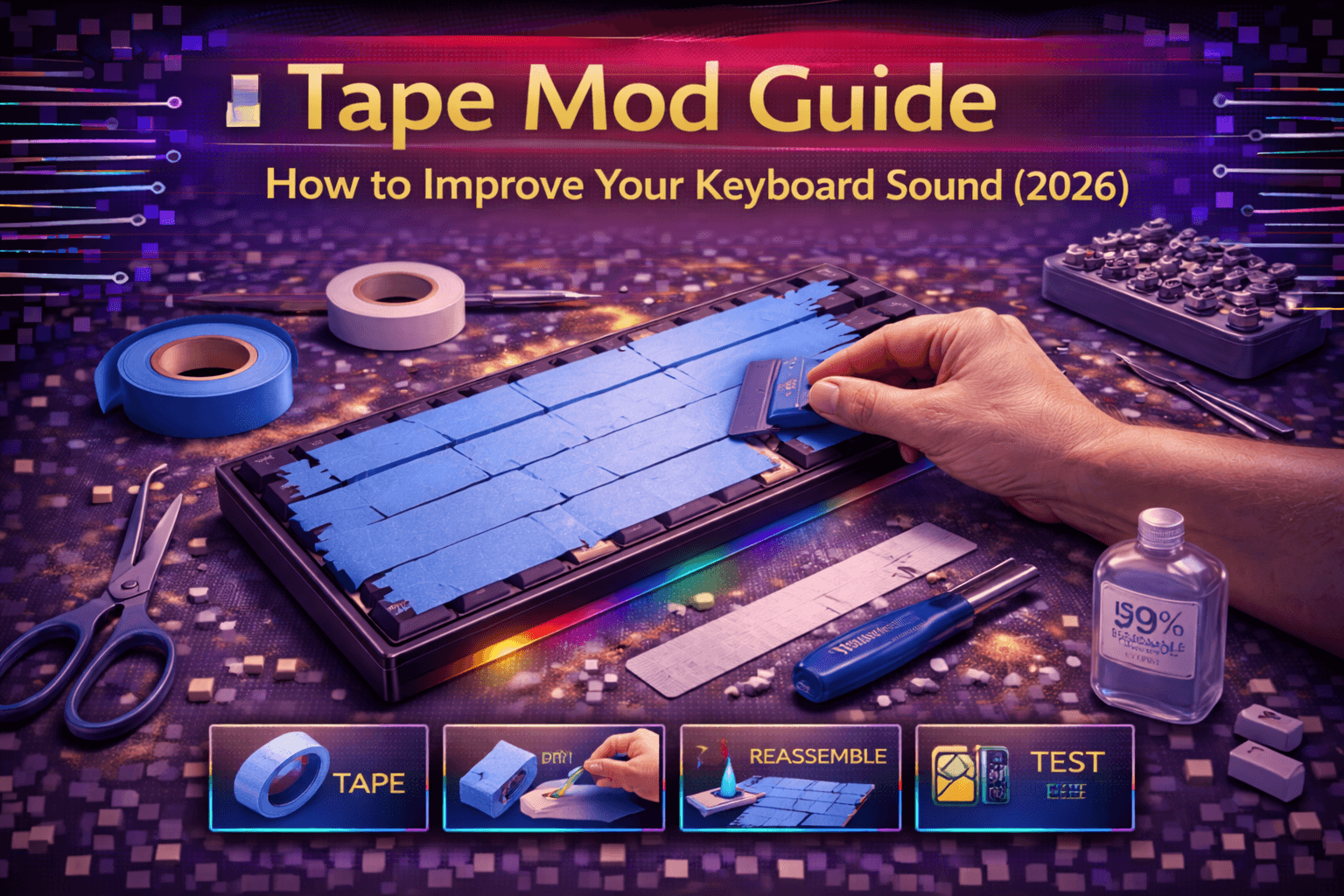
Tape mod transforms keyboard acoustics by applying layers of tape to PCB bottom surface, creating deeper fuller sound signature through strategic dampening. This remarkably simple modification gained massive popularity as one of easiest and most effective sound mods, requiring only common masking tape and 15-30 minutes installation time with dramatic acoustic results.
Understanding tape mod requires recognizing PCB's role in sound production—thin fiberglass board transmits vibrations from switches to case creating resonance and echo. Tape layers dampen these vibrations selectively, reducing high-frequency harshness and hollow resonance while emphasizing deeper satisfying tones enthusiasts describe as "thocky" or "creamy."
This comprehensive guide explains tape mod theory and acoustic principles, provides step-by-step installation procedures, discusses tape type selection and optimal layer counts, compares tape mod to other sound modifications, covers troubleshooting potential issues, and helps determine ideal tape configuration for different keyboards and preferences.
Whether seeking deeper thock, reducing case ping, or experimenting with keyboard acoustics on budget, tape mod offers accessible highly-effective sound modification requiring no permanent changes or specialized tools.
Note: This guide contains affiliate links. If you purchase through our links, we may earn a commission at no extra cost to you. This helps support our testing and content creation.
What Is Tape Mod
Definition and Acoustic Concept
Tape mod applies layers of common tape (typically masking tape or painter's tape) to keyboard PCB back surface, creating dampening layer altering vibration propagation. Tape acts as acoustic dampening material transforming how sound travels through keyboard structure affecting final acoustic signature.
Simple yet remarkably effective modification discovered through community experimentation. Masking tape's specific properties—thickness, adhesive composition, paper-based material—create ideal acoustic dampening characteristics resulting in distinctive deeper fuller sound.
How Tape Mod Works Acoustically
Normal keyboard sound production (stock):
- Switch actuation creates vibrations
- Vibrations travel through switch housing into PCB
- Thin rigid PCB transmits vibrations efficiently to case
- Empty case cavities create resonance and echo
- Results in bright sometimes hollow acoustic signature
With tape mod applied:
- Multiple tape layers on PCB back create dampening mass
- Tape absorbs vibration energy, especially high frequencies
- Reduces hollow resonance from empty case cavity
- Alters vibration transmission path to case
- Results in deeper, fuller, more controlled acoustic signature
- Emphasizes bass frequencies while reducing harsh highs
Mechanism: Tape's combination of mass (added weight), flexibility (conforms perfectly to PCB), adhesive layer (creates additional dampening interface), and thickness (multiple layers provide graduated dampening) creates ideal acoustic properties.
Sound Characteristics
Typical tape mod results:
Deeper pitch: Reduces high-frequency harshness. Emphasizes bass and mid frequencies. Creates "darker" overall tone.
Fuller sound: Less hollow, more substantial acoustic presence. Keyboard sounds less empty.
Reduced case ping: Dampens metallic ringing common in aluminum cases. Creates more controlled resonance.
Thockier character: Creates satisfying deep "thock" sound many enthusiasts find pleasing. More percussive response.
More controlled resonance: Reduces excessive echo and ringing. Sound feels more defined and intentional.
Perceived quality improvement: Deeper sound often perceived as higher quality. Psychological component contributes to satisfaction.
Why Tape Mod Works So Well
Tape's combination of properties creates ideal dampening layer:
- Mass: Added weight dampens vibrations effectively
- Flexibility: Conforms perfectly to PCB surface
- Adhesive: Creates additional dampening interface
- Thickness: Multiple thin layers better than single thick layer
- Availability: Inexpensive common material
- Reversibility: Completely non-permanent
Popularity and Community Adoption
Exploded in popularity 2021-2022 due to:
- Extreme simplicity (literally just apply tape)
- Incredibly cheap materials (~$3-5 tape roll lasting years)
- No permanent modifications or specialized tools
- Dramatic acoustic improvements
- Works effectively on virtually all keyboard types
Now considered essential fundamental modification alongside PE foam and case foam. Standard practice in custom keyboard community.
Tape Mod vs Other Sound Modifications
Tape mod (on PCB back): Dampens overall keyboard resonance, creates deeper tone, affects entire acoustic signature.
PE foam (between switches and PCB): Affects switch acoustic output directly, creates poppy character, less effect on overall keyboard tone.
Force break (between PCB and case): Strategic dampening affecting flex points, different acoustic profile than tape.
Case foam (fills case cavity): Reduces hollowness through cavity filling, less targeted than tape mod.
Stabilizer lubing: Affects stabilizer sound specifically, eliminates rattle.
Often combined: Tape mod works excellently with PE foam and other mods. Each addresses different acoustic aspects creating refined comprehensive result.
Materials and Tools
Tape Type Selection
Masking Tape (Recommended - Best Choice):
- Paper-based construction
- Consistent thickness (~0.12-0.15mm per layer)
- Good adhesive strength without excessive stickiness
- Easy to apply and remove cleanly
- Won't leave permanent residue
- Available everywhere (hardware stores, office supply)
- Cost: $3-5 per roll (lasts multiple keyboards)
- Best overall choice for most users
Painter's Tape (Good Alternative):
- Similar to masking tape
- Slightly lower adhesive strength (easier removal)
- Nearly identical acoustic properties
- Premium options available
- Cost: $5-8 per roll
- Excellent if masking tape unavailable
Duct Tape (Not Recommended):
- Too thick per layer (0.3-0.5mm)
- Very strong adhesive (difficult removal, residue risk)
- Creates excessive dampening (overly muted sound)
- Plastic-based different acoustic properties
- Can damage PCB removing
- Avoid for keyboard mods
Scotch Tape (Not Recommended):
- Too thin (minimal acoustic effect)
- Plastic-based (poor dampening characteristics)
- Less effective than paper-based tape
- Multiple layers needed (impractical)
- Avoid for serious mods
Electrical Tape (Possible but Not Ideal):
- Plastic/rubber base
- Stretches during application (inconsistent)
- Can leave residue or damage sensitive components
- Mixed results reported by users
- Not recommended for optimal results
Best option: 3M Masking Tape (standard beige/tan paper tape). Proven effective, widely available, affordable, optimal acoustic properties.
Tools Required
Scissors or craft knife: Cut tape to desired size and shape. Craft knife enables precise cutting.
Screwdriver set: Disassemble keyboard case and remove PCB. Phillips and flathead typically needed.
Cleaning cloth: Wipe PCB before tape application ensuring good adhesion.
Ruler (optional): Measure tape strips for neat organized application. Helps ensure consistent layer widths.
Tweezers (optional): Position tape carefully and precisely. Helps avoid air bubbles.
That's complete toolkit. Tape mod remarkably simple requiring minimal tools most users already possess.
Installation Process
Preparation Steps
Step 1: Record baseline sound
Record typing test before modification using consistent methodology:
- Same microphone and distance
- Standard typing pattern
- Same keycaps and switches
- Same location (consistent room acoustics)
Enables objective before/after comparison versus subjective memory.
Step 2: Disassemble keyboard carefully
- Remove all keycaps using proper keycap puller
- Unscrew keyboard case (note any mixed screw types)
- Separate top and bottom case gently
- Disconnect cable from PCB
- Lift PCB from case carefully
- Set aside keycaps and switches safely
Important: Switches can remain installed during tape application—tape applies to PCB back only.
Step 3: Clean PCB back surface
Wipe PCB back thoroughly with clean dry cloth:
- Removes dust and debris
- Clears any oils or residue
- Ensures excellent tape adhesion
- Critical for long-term tape staying power
Use compressed air if available for additional debris removal.
Tape Application Methods
Method 1: Full Coverage (Most Common - Recommended)
Provides best overall dampening. Most popular approach.
Procedure:
- Measure PCB width and height dimensions
- Cut masking tape strips slightly wider than PCB width
- Apply first strip along top edge of PCB back
- Smooth firmly pressing out any air bubbles
- Apply second strip overlapping previous ~5-10mm
- Continue applying strips working toward bottom
- Ensure complete coverage with no gaps
- Repeat entire process for additional layers (3-4 typical)
- Trim excess tape cleanly around edges
Tips for best results:
- Smooth each strip thoroughly eliminating air bubbles
- Maintain consistent overlap (5-10mm) creating even thickness
- Apply tape straight without wrinkles or folds
- Trim neatly around screw holes and USB connector area
- Press firmly ensuring good adhesive contact
Method 2: Selective Coverage (Advanced)
Apply tape only to specific PCB areas:
- Center section: Main typing area (letters, numbers)
- Around stabilizers: Where stabilizer noise originates
- Perimeter only: Edges dampening case vibrations
- Specific zones: Alphas separately from modifiers
Advantages: Less dampening allows tuning. Preserves some natural resonance.
Disadvantages: Less dramatic improvement. Requires more planning.
Method 3: Criss-Cross Pattern (Creative Approach)
Apply tape strips in grid pattern rather than full coverage:
- Horizontal strips 10-15mm apart
- Vertical strips creating grid/lattice
- Creates partial dampening effect
- Some users find this balances depth and natural character
Advantages: Visual organization. Potentially better balance.
Disadvantages: Less intuitive. Pattern visible if case transparent.
Layer Count Determination
Critical variable affecting results:
1-2 layers: Subtle effect. Slight deepening of tone. Good starting point for testing.
3-4 layers: Noticeable improvement. Most popular range. Balanced results. Recommended default.
5-6 layers: Significant dampening. Very deep thocky sound. Risk of over-dampening for some preferences.
7+ layers: Aggressive dampening. Very muted sound. Risk of "dead" sound lacking character and responsiveness.
Recommendation for most users: Start with 3 layers. Test results. If want deeper sound, add 1-2 more layers. If too muted, remove 1-2 layers.
Keyboard-dependent: Cheap hollow keyboards benefit from 4-5 layers. Premium keyboards prefer 2-3 layers preserving refined character.
Step 4: Reinstall PCB
- Carefully position taped PCB back into case
- Align screw holes ensuring tape doesn't block (trim around holes if needed)
- Verify proper cable routing
- Install all PCB mounting screws
- Don't overtighten screws—snug is sufficient
Critical: Tape adds thickness to PCB. Ensure case closes properly. Excessive layers may prevent case from closing completely.
Test fit before final installation if concerned about thickness.
Step 5: Reassemble Keyboard
- Route cable properly through case opening
- Close keyboard case carefully
- Install all case screws securely
- Replace all keycaps on switches
- Final test ensuring all keys work
Step 6: Sound Testing and Evaluation
Record typing test using identical methodology to pre-mod baseline:
- Same microphone and distance
- Standard typing pattern
- Same keycaps and switches
- Same location and time
Compare recordings objectively assessing whether tape mod achieved desired results. Tape mod completely reversible—can remove and adjust if unsatisfied.
Sound Comparison and Results
Before and After Acoustic Characteristics
Stock keyboard (before tape mod):
- Brighter higher-pitched acoustic character
- More hollow resonance from empty case space
- Potential metallic case ping (especially aluminum cases)
- Thinner sound lacking substance
- More echo and ringing
- Sometimes described as harsh or tinny
With tape mod (3-4 layers typical):
- Noticeably deeper pitch
- Fuller more substantial acoustic presence
- Reduced or eliminated case ping
- Thockier, deeper satisfying character
- Less hollow echo and ringing
- More controlled resonance
- Often described as warm or creamy
Effect magnitude varies significantly by:
- Keyboard case material
- Mounting style (tray vs gasket)
- PCB design and thickness
- Internal structure and case cavity size
- Total keyboard weight and construction quality
Best Results With Specific Keyboard Types
Tray mount keyboards: Most dramatic improvement. Tray mounting tends toward hollow resonance that tape mod effectively addresses. Transformation often dramatic.
Top mount keyboards: Good improvement. Benefits significantly from PCB dampening complementing top-mount characteristics.
Gasket mount keyboards: Moderate improvement. Gasket mounting already provides some dampening from rubber gasket, reducing relative tape mod benefit.
Not recommended: Plateless keyboards (tape on fully exposed PCB risky—electrical hazard) or keyboards with PCB very tightly compressed against case.
Case Material Influence
Aluminum cases: Benefit most dramatically. Aluminum efficiently transmits vibrations—tape mod effectively dampens. Reduces metallic ping significantly.
Plastic cases: Still benefit but improvement less dramatic. Plastic naturally dampens somewhat already.
Acrylic/polycarbonate cases: Results mixed. These materials have unique acoustic properties—tape may improve or detract depending on personal preference.
Wood cases: Moderate benefit. Wood has natural dampening properties. Tape adds to existing dampening.
Mounting Style Considerations
Most effective on keyboards featuring:
- Bottom-mounted PCB (not integrated with case)
- Tray mount or top mount configuration
- Air gap between PCB and case bottom
- Hollow case cavity (more resonance to dampen)
Less effective on:
- Gasket mount with extensive dampening
- Sandwich-mounted with PCB compressed
- Integrated designs with minimal air gap
Subjective Sound Preferences
Important reality: Some enthusiasts absolutely love deep thocky tape mod sound. Others prefer brighter natural acoustics. No objectively "better"—purely subjective preference.
Easy to test: Apply tape, use keyboard for several days assessing preference. Remove completely if dislike results. Modification fully reversible with no residual effects.
Optimal Configurations by Keyboard Type
By Keyboard Price Point
Budget keyboards (<$80):
- 4-5 layers recommended
- Budget keyboards typically hollow with poor acoustics
- Benefit significantly from aggressive dampening
- Tape mod often transforms cheap boards dramatically
- Creates impression of much more expensive keyboard
Mid-range keyboards ($80-150):
- 3-4 layers recommended
- Already have decent stock sound but improvable
- Moderate dampening enhances without over-muting
- Finds balance preserving character while deepening tone
Premium keyboards ($150+):
- 2-3 layers recommended
- Already have refined optimized acoustics
- Subtle enhancement preferred over aggressive change
- Over-dampening risks losing premium refined character
- Many users prefer no tape on premium boards
By Case Material
Aluminum cases: 3-5 layers (benefits most from dampening)
Plastic cases: 2-4 layers (already somewhat dampened naturally)
Wood cases: 2-3 layers (wood has natural dampening properties)
Acrylic/polycarbonate: 2-3 layers (test carefully for this material)
By Desired Sound Profile
Seeking maximum thock: 5-6 layers (aggressive dampening)
Balanced improvement: 3-4 layers (most common configuration)
Subtle enhancement: 2 layers (conservative approach)
Natural sound with refinement: 1 layer (minimal intervention)
By Switch Type
Clicky switches (Cherry Blue, Box White): 1-2 layers (preserves click clarity)
Tactile switches (Boba U4T, Zealios): 3-4 layers (enhances tactile character)
Linear switches (Gateron Yellow, Cherry Red): 4-5 layers (creates satisfying thock on bottom-out)
Personal Experimentation Encouraged
These guidelines serve as starting points. Acoustic preference highly subjective—experimentation finding ideal configuration personally rewarding and encouraged.
Combining Tape Mod With Other Modifications
Tape Mod + PE Foam Combination (Very Popular)
Comprehensive acoustic modification:
- Tape mod on PCB back (deepens overall tone)
- PE foam between switches and PCB (adds poppy character)
- Balances depth and clarity
- Many enthusiasts' preferred comprehensive setup
Synergistic effects: Each modification addresses different acoustic aspect. PE foam changes switch sound while tape deepens overall keyboard tone. Combined creates refined complex acoustic profile.
Result: Deep thocky sound with poppy character on actuation. Satisfying combination.
Tape Mod + Case Foam Combination
Comprehensive hollowness reduction:
- Tape mod: Dampens PCB and vibration transmission
- Case foam: Fills cavity reducing hollow resonance
- Both attack hollowness problem from different angles
- Very effective for cheap hollow keyboards
Very effective approach for budget keyboards.
Tape Mod + Force Break Combination
Layered dampening approach:
- Tape mod: PCB back dampening
- Force break: Strategic foam between PCB and case
- Complex multi-point dampening
- Advanced modding creating very refined acoustics
Overkill for most users but achieves excellent results.
Tape Mod + Lubed Switches + Stabilizers
Complete modification package:
- Tape mod: Acoustic improvement
- Lubed switches: Smooth responsive feel
- Lubed stabilizers: Eliminate rattle
- Transforms keyboard comprehensively
Recommended: Combine with PE foam and case foam for maximum effect.
Important note: Stacking multiple mods creates diminishing returns. Each additional modification produces less dramatic effect than previous. Find balance avoiding over-modification resulting in muddy or dead sound.
Troubleshooting Common Issues
Keyboard Case Won't Close
Cause: Too many tape layers preventing case from closing properly.
Diagnosis: Case won't snap or screw closed completely. Excessive resistance during assembly.
Fix: Remove 1-2 tape layers. Retry closing case. Find balance between dampening and mechanical fit.
Sound Too Muted or Dead
Cause: Excessive dampening eliminating all resonance and character.
Diagnosis: Keyboard sounds flat, lifeless, or overly muted. Lacks articulation and responsiveness.
Fix: Remove 2-3 layers. Sound should return liveliness while maintaining improved depth. Find balance.
Tape Peeling or Adhesion Issues
Cause: Poor adhesion from dirty PCB surface or low-quality tape.
Diagnosis: Tape loosening or peeling at edges or corners.
Fix:
- Thoroughly clean PCB before reapplication
- Use quality masking tape (3M recommended)
- Press firmly when applying ensuring good adhesion
- Avoid touching adhesive side (skin oils reduce adhesion)
Inconsistent Sound Across Keyboard
Cause: Uneven tape application creating thickness variations.
Diagnosis: Some keys sound different from others. Inconsistent acoustic response.
Fix: Remove tape and reapply more carefully ensuring completely even coverage and consistent number of layers throughout.
Keys Not Working After Tape Installation
Cause: Tape blocking switch contacts or electrical paths (extremely rare).
Diagnosis: Specific keys not responding. Electrical connection broken.
Fix: Remove keyboard, inspect tape doesn't cover any exposed electrical contacts. Tape should only cover solid PCB back surface, never electrical contact areas.
No Noticeable Sound Change
Cause: Some keyboard designs less responsive to tape mod, or insufficient tape layers.
Diagnosis: Applied tape but don't hear expected improvement.
Try:
- Add 1-2 additional tape layers
- Ensure tape covers entire PCB back completely
- Accept this particular keyboard design less responsive to tape mod
- Combine with other mods (PE foam, case foam) for combined effect
FAQ
Q: What is keyboard tape mod?
A: Applying layers of masking tape to PCB back surface. Creates deeper fuller sound by dampening vibrations. Simple highly effective modification. See explanation section above.
Q: How many layers of tape should I use?
A: 3-4 layers most common starting point. Start with 3, test results, add more for deeper sound, remove if too muted. Varies by keyboard and preference. See installation section above.
Q: What type of tape for keyboard tape mod?
A: Standard masking tape (paper-based) best choice. 3M masking tape ideal. Painter's tape good alternative. Avoid duct tape (too thick) or scotch tape (too thin). See materials section above.
Q: Does tape mod affect how keyboard feels to type on?
A: Minimal effect on typing feel. Primarily acoustic modification. Extremely thick tape (7+layers) may slightly affect bottom-out feel but typically imperceptible. See sound section above.
Q: Can I remove tape mod if I don't like it?
A: Yes, completely reversible. Peel off tape returning to stock sound. May leave minor adhesive residue (clean with isopropyl alcohol if needed). Non-permanent modification enabling risk-free experimentation. See installation section above.
Conclusion
Tape mod offers simplest, cheapest, most effective keyboard sound modification, creating deeper fuller acoustic signature through masking tape layers on PCB back. Installation requires only common tape and 15-30 minutes—disassemble keyboard, apply 3-4 tape layers to PCB back, reassemble. Completely reversible enabling risk-free experimentation.
Results vary significantly by keyboard construction—tray mount and aluminum cases benefit most dramatically showing transformation. Premium keyboards require fewer layers (2-3) preserving refined stock character. Budget keyboards transform dramatically with aggressive dampening (4-5 layers).
Combining tape mod with complementary modifications (PE foam for poppy character, case foam for hollowness reduction) creates comprehensive acoustic refinement addressing multiple sound aspects. Iterative layer count testing finds ideal balance between depth and natural resonance matching personal preferences.
Universal applicability, minimal cost (~$3-5 single roll lasting years), dramatic acoustic results, and complete reversibility make tape mod essential fundamental modification for virtually any mechanical keyboard enthusiast seeking improved keyboard acoustics without permanent changes or expensive equipment.