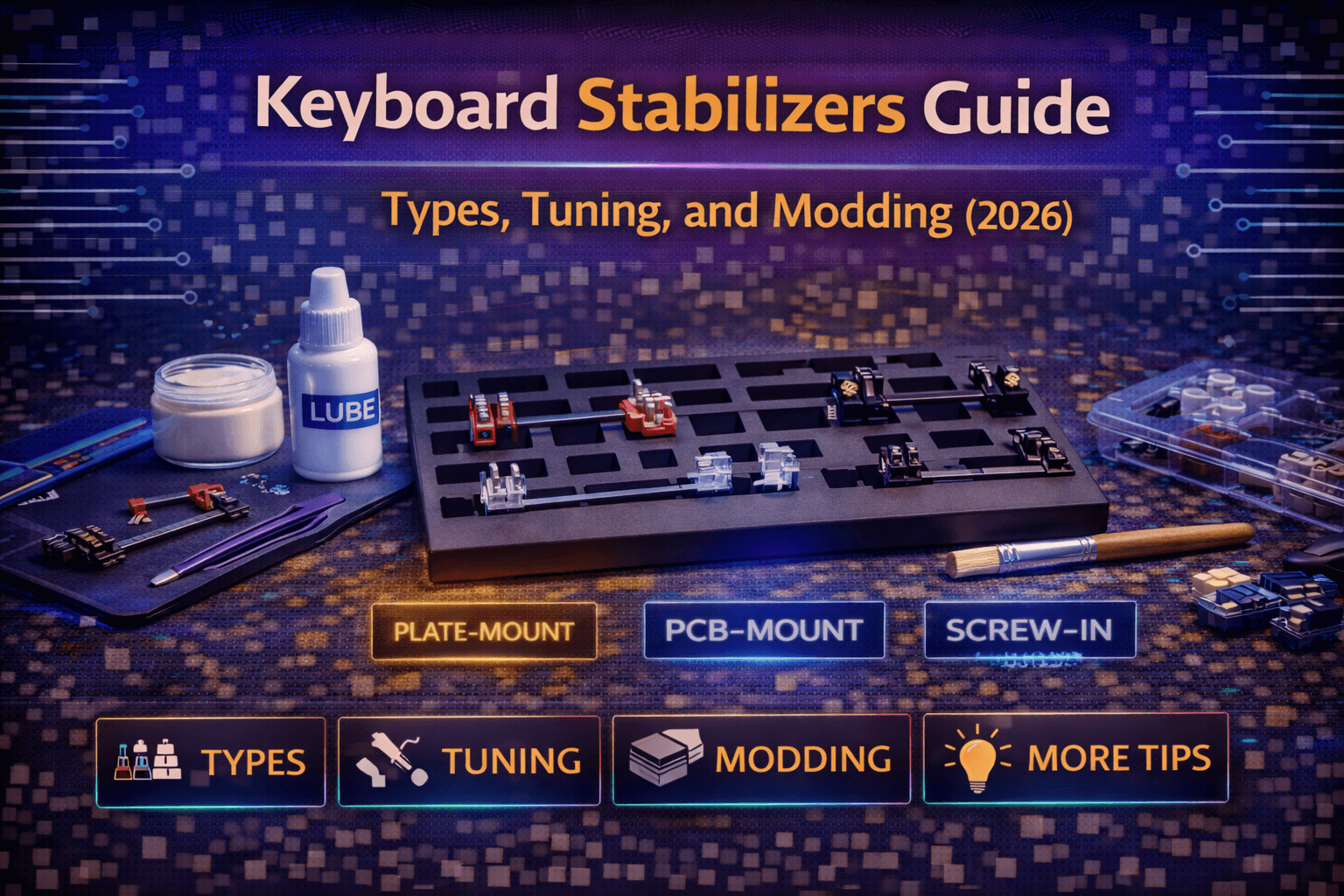
Introduction
Stabilizers are the wire mechanisms under large keys like spacebar, shift, enter, and backspace that keep the keys balanced and prevent wobbling when pressed off-center. Press the spacebar on any keyboard and you'll feel stabilizers working—they're what stops the spacebar from tilting when you press the left or right edge instead of center.
Despite being crucial components, stabilizers are often the worst-performing parts of keyboards. Even expensive keyboards sometimes ship with rattling, ticking, or mushy stabilizers that detract from otherwise excellent typing experience. The metallic rattle of poorly-lubed stabilizers or the scratchy tick of misaligned stems creates annoyance every time you hit spacebar or enter.
The good news is stabilizers are moddable. With proper lubing, tuning, and adjustment, even mediocre stabilizers can be transformed into smooth, quiet mechanisms. The process requires patience and some trial and error, but the improvement in sound and feel is substantial and immediately noticeable.
Understanding what stabilizers are, how they work, what problems commonly occur, and how to tune them properly helps you either fix problematic stabilizers on keyboards you own or choose keyboards with quality stabilizers from the start.
This guide explains stabilizer types and how they work, common problems like rattle and tick, step-by-step stabilizer tuning and lubing process, advanced modding techniques, and recommendations for best aftermarket stabilizers if you're building or modding keyboards in 2026.
Note: This guide contains affiliate links. If you purchase through our links, we may earn a commission at no extra cost to you. This helps support our in-depth testing and content creation.
How Stabilizers Work
Understanding stabilizer mechanics helps you diagnose and fix problems when they occur.
Why Stabilizers Exist
Large keys (2 units or wider—spacebar, shifts, enters, backspace) need support across their full width. If you used a switch only in the center, pressing the key's edge would create see-saw effect—the pressed edge would go down while the other edge would tilt up. Stabilizers prevent this tilting by providing additional support points across the key's width. They ensure the key travels straight down regardless of where you press.
Cherry-Style Stabilizers
Cherry-style stabilizers are the most common type in modern mechanical keyboards. They use plastic housings that clip into PCB or plate, with metal wire connecting the two housings. The wire provides the actual stabilization. When you press one side of the key, the wire transfers force to the other side, keeping the key level. The plastic housings guide the wire movement and attach to keycap stems.
Cherry stabilizers come in two mounting variants. PCB-mount (screw-in) stabilizers have housings that screw directly into PCB, creating very secure attachment. This is preferred design but requires PCB with screw holes. Plate-mount (clip-in) stabilizers have housings that clip into keyboard plate. Less secure than screw-in, prone to popping out during keycap removal, but works with any plate.
Costar Stabilizers
Costar stabilizers use different design with wire inserts that hook into keycaps. They're less common now but still found on some keyboards. Costar stabilizers create different feel—often more consistent across the key width but requiring special keycap compatibility. They're harder to mod and less popular in enthusiast community.
Other Designs
Some keyboards use alternative stabilizer designs, but Cherry-style dominates the market. When people discuss keyboard stabilizers, they're almost always referring to Cherry-style. See our keyboard switches guide for more on how switches and stabilizers work together.
Where Problems Occur
Stabilizers have many points where issues can occur: wire can rattle in housing slots, stems can scratch against housing walls, wire ends can tick against housings, housings can be loose in mounting points, and lubrication can be insufficient or excessive. Each of these creates different sounds and feels. Learning to identify specific issues helps you apply appropriate fixes.
Common Stabilizer Problems
Most stabilizer complaints fall into a few categories, each with specific causes and solutions.
Stabilizer Rattle
Stabilizer rattle is metallic rattling sound when pressing or releasing stabilized keys. It sounds like loose metal bouncing around inside the keyboard. Rattle comes from wire movement in housing—the wire has small amount of play in the slots, and unlubricated metal-on-plastic contact creates rattling noise. Rattle is most common stabilizer complaint. Even expensive keyboards ship with rattling stabilizers if factory hasn't properly lubed them. The sound is distinctly metallic and occurs primarily at bottom-out and key release.
Causes: insufficient or absent lubrication on wire contact points, wire not seated properly in housings, and low-quality housings with excessive tolerances.
Stabilizer Tick
Stabilizer tick is sharp click or snap sound during key travel, usually near bottom-out or top-out. It sounds like plastic snapping against plastic and occurs at specific point in travel rather than throughout. Tick typically comes from stem-to-housing contact—the stem scrapers against housing walls during movement. It can also come from wire ends hitting housing suddenly at travel extremes.
Causes: unlubricated stem contact surfaces, misaligned stems, housing defects, and wire ends not properly positioned.
Mushy or Sluggish Feel
Mushy or sluggish feel in stabilized keys means they should feel smooth and similar to non-stabilized keys, just slightly heavier. Mushy stabilizers feel soft, indistinct, and lacking crisp feedback. Sluggish stabilizers feel like they drag or stick during travel. Mushy feel typically indicates over-lubing—too much lubricant creating excessive resistance. Sluggish feel suggests friction from misalignment or insufficient lubrication.
Causes: over-lubing with thick lubricant, under-lubing causing friction, misaligned housings or wire, and poor quality housings.
Spacebar Wire Popping Out
Spacebar wire popping out particularly on plate-mount stabilizers means the wire can pop out of housing slots during keycap removal or heavy use. This renders the key non-functional until wire is reinserted. This happens more with plate-mount than screw-in stabilizers because plate-mount housings aren't as securely attached. Rough keycap removal can pull housings up enough for wire to escape.
Causes: plate-mount stabilizers being inherently less secure, forceful keycap removal, and loose housing attachment.
Uneven Feel Across Key
Uneven feel across key sometimes means stabilized keys feel different depending on where you press—center feels different from edges. This shouldn't be dramatic on well-tuned stabilizers. Excessive difference indicates wire tension imbalance, one housing binding more than the other, or asymmetric lubrication.
Identifying Your Problem
Identifying your problem accurately determines appropriate fix. Listen carefully to sound and feel: metallic rattling throughout key travel = wire rattle needing lubing; sharp tick at bottom or top = stem or wire contact needing lubing or alignment; mushy soft feel = over-lubed needing cleaning and re-lubing; popping out = plate-mount stability issue warranting screw-in upgrade; uneven feel = asymmetric issues requiring alignment and lubrication check.
Stabilizer Lubing and Tuning Tutorial
Proper stabilizer tuning dramatically improves feel and sound. Follow this process for each stabilizer.
Materials Needed
- Dielectric grease (Super Lube, Permatex) for wire contact points
- Krytox 205g0 or similar for stem/housing contact
- Small brush for applying lubricant
- Phillips screwdriver for screw-in stabilizers
- Paper towels for cleaning
- Patience
Step 1: Remove Keycaps and Access Stabilizers
Remove keycaps from stabilized keys. For keyboards with removable switches, removing switches from stabilized positions makes working on stabilizers easier. For screw-in stabilizers, unscrew the housings from PCB carefully. For plate-mount, gently pull housings out of plate—be gentle to avoid breaking clips.
Step 2: Disassemble Stabilizers
Remove wire from housings. The wire clips into slots in housing—gently pull outward on wire ends to release from slots. Note how wire sits in housings so you can reassemble correctly. Separate the two housings and note orientation and position of stems within housings.
Step 3: Clean Components
Wipe down wire, housings, and stems with paper towel to remove factory lubricant or dirt. Factory lube is often insufficient or incorrectly applied. Starting clean ensures your lubrication works properly.
Step 4: Lube Wire Contact Points
Apply dielectric grease to areas where wire contacts housings. This includes the slots where wire ends sit in housings and the curved sections where wire moves during key travel. Use generous amount of dielectric grease—unlike switch lubing where less is more, stabilizer wires benefit from substantial lubrication. The grease should be visible but not dripping. Coat wire ends and the curved sections that will contact housing thoroughly.
Step 5: Lube Stems and Housing
Apply Krytox 205g0 (or your switch lubricant) to stem sides and inside housing walls where stems travel. Use thin, even coat on contact surfaces. This eliminates tick from stem friction and creates smooth travel. Don't over-lube or stems will feel sluggish. See our switch lubing guide for lubricant application techniques.
Step 6: Reassemble Stabilizers
Insert stems into housings if they separated. Reinsert wire into housing slots—press firmly to ensure wire fully seats. The wire should click into place and sit securely. Verify wire moves smoothly in housings. Press and release to simulate key travel. Movement should be smooth without catching or excessive resistance.
Step 7: Install Stabilizers
Install housings back onto keyboard. For screw-in: align housings over PCB holes and screw down evenly. Don't overtighten—just snug enough to be secure. For plate-mount: snap housings into plate firmly, ensuring they're fully seated.
Step 8: Test Before Installing Keycaps
Press down on where keycap will sit. Listen for rattle, tick, or other noises. Feel for smooth travel. Check that wire stays in housings when pressing. If problems persist, disassemble and adjust lubrication or check alignment.
Step 9: Install Keycaps and Final Test
Install keycaps on stabilized keys. Test thoroughly by pressing different areas of each key, listening for any rattle or tick, comparing feel to non-stabilized keys (should be similar, just slightly heavier), and hitting keys firmly to test bottom-out sound.
Common Mistakes to Avoid
- Over-lubing stems creates mushy, slow feel. Use same amount as switch stems—thin coat.
- Under-lubing wire leaves rattle. Be generous with dielectric grease on wire.
- Wire not fully seated causes instability and potential popping out. Press firmly when inserting.
- Misaligned housings create uneven feel and potential binding. Ensure housings sit straight.
- Using wrong lubricant—don't use switch lubricant on wire contact points. Use dielectric grease.
- Rushing the process—stabilizer tuning requires patience for good results.
Advanced Stabilizer Modding
Beyond basic lubing, several modifications can further improve stabilizer performance.
Holee Mod
Holee Mod addresses specific rattle from wire hitting housing at bottom-out. It involves applying small pieces of bandage or fabric to housing points where wire contacts. The mod creates cushioned contact that dampens impact and eliminates bottom-out rattle. It's effective but finicky to implement correctly. Process: cut small pieces of bandage, apply to housing where wire contacts at bottom-out, reassemble. The padding absorbs impact without significantly affecting travel feel.
Force Break Mod
Force Break Mod reduces travel distance slightly by adding material to housing bottom, preventing stems from traveling too far. This can eliminate bottom-out sounds and create more controlled feel, but it changes typing feel noticeably. It's preference dependent.
Tape Mod
Tape Mod involves applying tape to wire ends where they sit in housings. Use very small pieces of masking tape or electrical tape. The tape fills tolerance gaps and prevents wire movement. Don't use so much tape that wire won't fit in slots.
Stabilizer Replacement
Stabilizer Replacement is sometimes better solution. If factory stabilizers are low quality, replacing them with premium aftermarket stabilizers often provides bigger improvement than extensive modding of cheap stabilizers. Quality screw-in stabilizers have tighter tolerances and better materials than budget plate-mount stabilizers. The upgrade cost ($20-30 for set) can be worthwhile. See our custom keyboard building guide for more on component selection.
Wire Balancing
Wire Balancing sometimes helps when stabilizer wires are slightly bent or unbalanced. Carefully bend wire to ensure symmetric tension on both sides creates more even feel across key width. This is advanced technique requiring careful attention to avoid making things worse. Only attempt if you notice significant left-right imbalance.
Choosing Stabilizers for Builds
When building custom keyboards or replacing stabilizers, knowing which options are best helps you avoid problematic stabilizers.
Screw-In Stabilizers (Strongly Recommended)
For keyboards that support them, screw-in stabilizers are always better choice than plate-mount. The secure attachment prevents popping out and provides stable platform.
TypePlus x YiKB — $25-30 — 🏆 Cutting Edge Performance
TypePlus x YiKB stabilizers feature patented reduced-contact wire design that minimizes wire-stem interaction. Crafted with precision tooling and premium POK material, they offer exceptional stability with minimal rattle. They require light lubing only and are forgiving to over-lubing. These represent cutting edge of stabilizer innovation with most consistent performance of 2026 options. They're premium choice but deliver on the promise.
Durock V3 — $20-25 — ⭐ Best Overall Value
Durock V3 features pre-clipped design, smaller wire gap, and elastic support base that minimizes wobble and noise. Less tuning required than previous versions with smoother out-of-box experience. Gold-plated wires resist oxidation. Widely available and reliable choice. These represent sweet spot of performance and value—good enough to need minimal tuning but tunable for best results.
Swagkeys Knight V2 — $15-20 — 💰 Best Budget Option
Knight V2 features silicon double-shot stem design with TPU inserts that essentially build in the Holee Mod benefits. No wire-balancing needed. Rounded stems minimize interference with housing. Available in full travel and long pole versions. Excellent value for money—premium features at budget price. These are fantastic for beginners.
Cherry Clip-In — $10-15 — 🎯 Budget Basic Option
Factory Cherry stabilizers are basic but serviceable option. Not amazing but work acceptably with proper lubing. Limited to plate-mount mounting. Available on most keyboards. These are starting point but upgrading to screw-in provides noticeable improvement.
What to Avoid
Avoid unnamed Chinese plate-mount stabilizers and extremely cheap stabilizers regardless of mounting type. The stabilizer cost is minimal portion of total keyboard cost. Don't save $10 on cheap stabilizers and ruin an otherwise good keyboard.
Frequently Asked Questions
Why do my stabilizers rattle?
Rattle comes from metal wire movement in housings. Fix by lubing wire contact points heavily with dielectric grease. Apply grease where wire sits in housing slots and where wire curves contact housing during travel. Be generous—stabilizer wires need more lube than switches. See our switch lubing guide for lubricant recommendations.
What's the best lubricant for stabilizers?
Use dielectric grease (Super Lube, Permatex) for wire contact points and Krytox 205g0 for stems and housing contact surfaces. Don't use switch lubricant on wire—it's too thin and won't prevent rattle.
Screw-in vs plate-mount stabilizers—which is better?
Screw-in (PCB-mount) is always better if your keyboard supports it. More secure attachment, less prone to popping out, generally better performance. Only use plate-mount if your keyboard doesn't have PCB screw holes for screw-in stabilizers.
How often should you lube stabilizers?
Once, properly. Good stabilizer lubing lasts years. Re-lube only if you notice performance degrading (return of rattle or tick) or after completely disassembling keyboard for other modifications.
Can bad stabilizers ruin a good keyboard?
Yes. Rattling, ticking stabilizers create annoying sounds every time you hit spacebar, shifts, or enter. Even excellent switches and keycaps can't overcome terrible stabilizers. Stabilizers are often most impactful single mod for keyboard sound quality.
Conclusion
Stabilizers are often-overlooked components that significantly affect keyboard sound and feel. Poorly-tuned stabilizers rattle, tick, and create mushy feel that detracts from typing experience. Properly-tuned stabilizers essentially disappear—you don't notice them because they work smoothly and quietly.
The stabilizer tuning process requires patience and proper materials, but it's not technically difficult. With dielectric grease, proper lubricant, and careful work, even mediocre stabilizers can be transformed into acceptable performers. Quality aftermarket stabilizers like Durock V3 or Knight V2 start from better baseline and tune even more easily.
For anyone building custom keyboard or experiencing stabilizer problems on existing keyboard, tuning stabilizers should be high priority. The improvement in sound quality and typing feel is immediate and substantial. Along with switch lubing, stabilizer tuning is most impactful keyboard modification available.
Don't overlook stabilizers. They're small components but they affect every spacebar press, every shift, every enter. Getting them right matters.
Ready to dive deeper into keyboard modding? Check our switch lubing guide for complete switch modification instructions, or see our custom keyboard building guide for full build tutorials.
Stabilizers still rattling after tuning? Our complete guide to fixing rattly stabilizers walks through every modding technique from band-aid mod to holee mod.

