Rattly stabilizers create annoying hollow sounds on large keys (spacebar, Enter, Shift, Backspace) disrupting otherwise satisfying typing experiences. New to stabilizers? Our keyboard stabilizers guide explains types and tuning fundamentals before you dive into fixes. Understanding stabilizer rattle causes and proven fixing methods—lubing, clipping, band-aid mod, holee mod—transforms rattly keyboards into smooth quiet typing experiences matching premium keyboards.
Stabilizer rattle results from poor factory lubing, loose tolerances, wire-to-housing contact, and stem-to-wire contact creating vibrations producing characteristic hollow rattling sounds. Even expensive keyboards suffer from rattly stabilizers unless manufacturers properly tune stabilizers during assembly.
This comprehensive guide explains what causes stabilizer rattle, provides systematic fixing approaches from simple to advanced, covers essential mods (band-aid mod, holee mod, clipping), discusses proper lubing techniques, and helps achieve rattle-free stabilizers matching premium keyboard standards.
Whether spacebar rattles annoyingly, Enter key sounds hollow, or all stabilized keys produce unsatisfying sounds, this guide provides solutions eliminating rattle and restoring typing satisfaction.
Note: This guide contains affiliate links. If you purchase through our links, we may earn a commission at no extra cost to you. This helps support our in-depth testing and content creation.
Understanding Stabilizer Rattle
What Are Stabilizers?
Large keys (2u width and wider) require stabilizers preventing unwanted key wobble and ensuring even actuation across entire keycap. Stabilizers consist of wire, housing, and stem creating scissor-like mechanism.
Plate-mounted (Cherry-style): Clip into keyboard plate. Most common type. Easier to access and modify.
PCB-mounted (screw-in): Screw directly into PCB. More stable overall but harder to access (requires removing case or desoldering switches).
What Causes Rattle?
Understanding rattle sources helps target fixes effectively.
Wire-to-housing contact: Stabilizer wire vibrates against plastic housing during keypress creating rattling noise. Most common rattle source (40% of cases).
Stem-to-wire contact: Stabilizer stem contacts wire producing hollow sound during upstroke. Second most common source (30% of cases).
Loose tolerances: Gap between components allows movement and vibration. Manufacturing variance means some stabilizers rattle more than others.
Lack of lubrication: Unlubed stabilizers have metal-on-plastic contact creating friction noise and rattle. Factory lube often inadequate or uneven.
Wire balance issues: Unbalanced or bent wire creates uneven contact producing inconsistent rattle.
Inadequate dampening: No cushioning between wire and housing allows full amplitude vibrations.
Types of Rattle Sounds
Hollow "thock" on downstroke: Wire slaps housing during keypress. Most annoying type.
Metallic "ticking" on upstroke: Stem releases wire creating tick sound. Common on spacebar, Enter.
Constant rattling during travel: Loose tolerances allow excessive movement throughout entire keypress.
One-sided rattle: Wire bent or housing damaged on one side. Uneven stabilizer installation.
Why Fixing Matters
Rattly stabilizers significantly degrade keyboard typing experience. Large keys used constantly (spacebar every word, Enter/Shift frequently). Persistent rattle annoying, unprofessional sounding, and frustrating. Fixed stabilizers make keyboards feel and sound premium. Investment worthwhile for daily-use keyboards.
Factory Stabilizers Usually Inadequate
Even expensive pre-built keyboards ($150-300+) ship with poorly-tuned stabilizers. Manufacturers prioritize cost over proper stabilizer tuning. Custom keyboard enthusiasts always mod stabilizers for optimal experience. If you're building a custom board, stabilizer tuning is a must. Proper tuning worth 1-2 hours effort for years of improved experience.
Required Tools and Materials
Essential Tools
Keycap puller: Remove keycaps accessing stabilizers — our keycap removal guide covers best practices. Wire pullers work best, plastic pullers acceptable.
Screwdriver (if needed): Phillips head for removing case screws or PCB screws (screw-in stabilizers only).
Tweezers: Handle small components, position band-aids, adjust wires.
Lubricant: Two-lubricant approach works best:
- Dielectric grease (Permatex, Super Lube): Thick, stays in place, dampens wire vibration
- Krytox 205g0 or Tribosys 3204: PTFE lubricant, smoother feel, better for stems
Cotton swabs/Microfiber cloth: Clean stabilizers before lubing.
Small brush: Apply lube precisely without excess. Size 000 brush ideal.
Optional but Recommended
Band-aids or medical tape: Band-aid mod reduces wire-to-housing contact. Fabric band-aids work best (avoid plastic band-aids).
Isopropyl alcohol 90%+: Clean old factory lube and debris before re-lubing.
Flush cutters: Remove legs from plate-mount stabilizers (clipping mod).
Small file or sandpaper: Smooth edges after cutting, straighten bent wires.
Stabilizer replacement kits: Durock V2, TX Stabilizers, C³Equalz recommended if replacing (~$15-25 per set). Pre-lubed versions available.
Material Costs
Complete stabilizer mod supplies: $30-50 total
- Dielectric grease: $5-8
- Krytox 205g0: $8-12
- Band-aids: $3-5
- Tools (if needed): $5-15
Replacement stabilizers: $15-25 per set (avoid if possible—modding usually sufficient)
Step-by-Step Stabilizer Fixing Process
Step 1: Remove Keycaps and Access Stabilizers
Remove all large keycaps (spacebar, Enter, Shift, Backspace) using keycap puller. Use gentle steady pulling—don't yank or bend wire.
Plate-mount stabilizers: Accessible immediately. No disassembly usually needed.
Screw-in stabilizers: May require removing keyboard case or desoldering switches for full access depending on keyboard design. Check if accessible from top first.
Step 2: Remove and Disassemble Stabilizers
Plate-mount removal:
- Remove keycap
- Pinch stabilizer housing clips gently
- Pull upward releasing from plate
- Repeat for both left and right sides
Screw-in removal (if accessible):
- Unscrew mounting screws on PCB bottom
- Lift stabilizer assembly from PCB
- Keep screws and washers together—easy to lose
Disassemble stabilizer:
- Remove stabilizer wire from housings (push wire inward on one end, pull out)
- Separate stems from housings gently
- Keep all components organized per key
- Lay out in order—helps reassembly
Step 3: Clean All Components
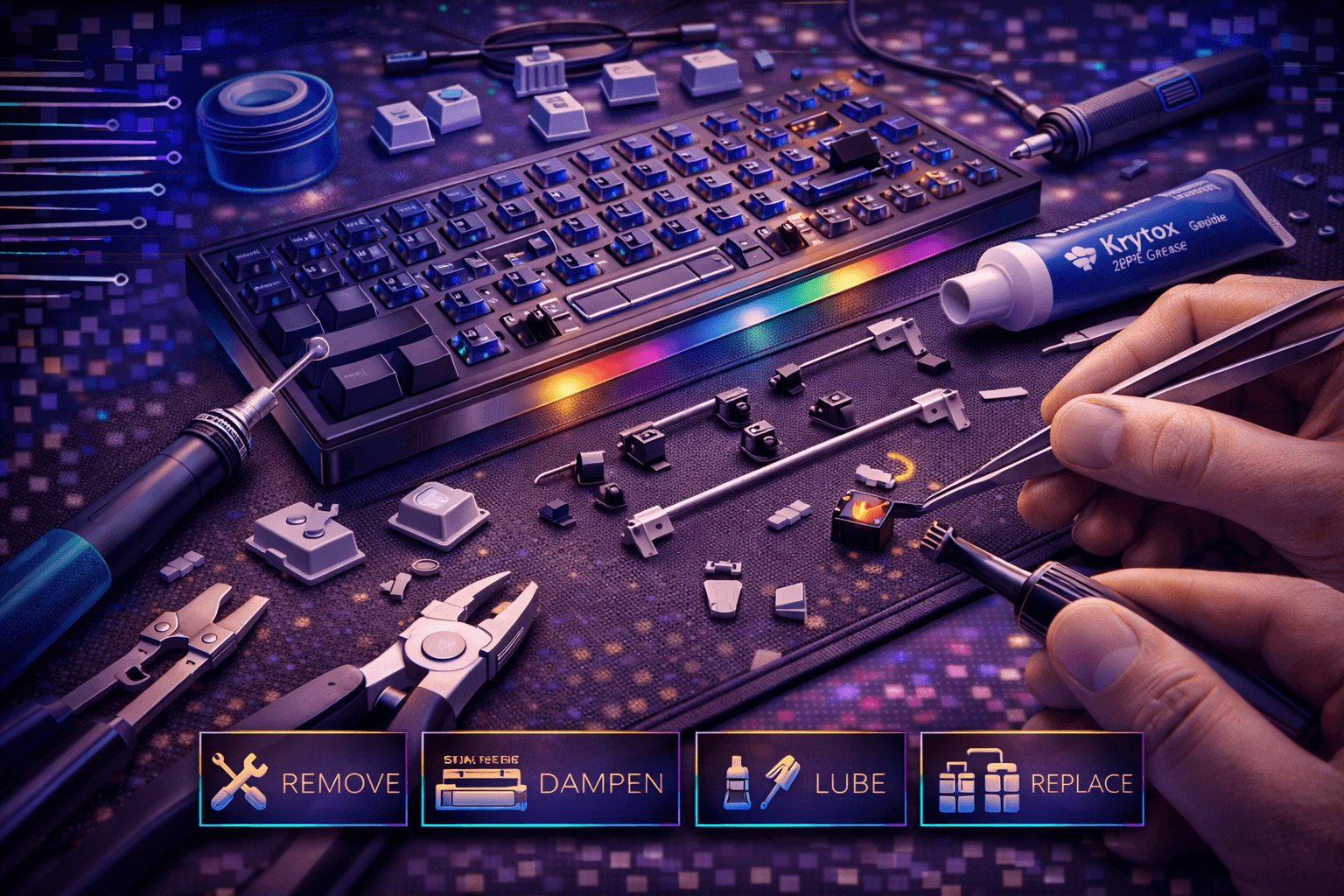
Wipe all stabilizer components with isopropyl alcohol removing factory lube (usually inadequate or uneven). Dry completely before proceeding.
Inspect wire carefully: Check for bends, cracks, or damage. Straighten if bent using fingers or pliers gently. Wire must be perfectly straight for smooth operation—bent wire rattles regardless of lubing.
Straightening technique: Place wire on flat surface. Apply gentle pressure bending back to straight. Don't force—can break wire.
Step 4: Clip Stabilizer Legs (Plate-Mount Only)
Clipping mod reduces rattle on plate-mount stabilizers.
Plate-mount stabilizers have two small plastic legs on bottom of housing. These create flex and contribute to rattle. Clipping them increases stability significantly.
Clipping procedure:
- Use flush cutters
- Cut legs flush with housing bottom
- File smooth any rough edges remaining
- Both housings, all stabilized keys
Safety note: Work over trash can—small plastic pieces fly when cutting.
Benefit: Reduces movement, makes stabilizer sit more solidly in plate. Simple mod with significant impact.
Step 5: Apply Band-Aid Mod (Plate-Mount)
Band-aid mod prevents wire slapping housing—most effective single rattle fix.
This cushions wire-to-housing contact eliminating hollow rattle sound.
Materials: Fabric band-aids or medical tape (not plastic band-aids)
Application:
- Cut band-aid strips 3-4mm wide, slightly longer than stabilizer housing contact area
- Place strips on plate or PCB where stabilizer housing bottom contacts surface
- Trim excess ensuring strips don't interfere with switch pins or stabilizer clips
- One strip per stabilizer housing (2 strips per key—left and right sides)
Positioning tip: Place band-aids where housing will rest when clipped in—band-aids cushion the contact point.
Benefit: Cushions wire-to-housing contact eliminating hollow rattle. Creates softer, quieter bottom-out sound.
Alternative: Dielectric grease can partially substitute but band-aids consistently more effective through dampening.
Step 6: Lubricate Stabilizer Components (Critical Step)
Proper lubing eliminates most rattle. Uses two-lubricant approach for best results.
Lubricant application strategy:
Wire ends where they contact housings (use dielectric grease):
- Apply generous dielectric grease to both wire ends
- Cover "hook" portion of wire completely
- This contact point creates most rattle—prioritize here
- Dielectric grease thickness stays in place during use
Inside housing where wire sits (use dielectric grease):
- Apply lube to channel where wire rests
- Coat both sides where wire contacts plastic
- Light even coat—avoid excess
Stabilizer stems (use Krytox 205g0):
- Lube stem sides where they contact housing walls
- Thin even coat on all four sides
- Avoid bottom of stem (affects switch actuation if lube migrates)
- PTFE lube provides smooth feel without mushiness
Housing interior walls (use Krytox 205g0):
- Thin coat on walls where stem travels
- Smooth movement without binding
- Light application prevents mushiness
Wire itself (optional, use dielectric grease):
- Light coat along entire wire
- Reduces any friction during travel
- Optional unless wire feels scratchy
Lubing technique tips:
- More lube on wire-to-housing contact points (primary rattle source)
- Less lube on stem and housing interior (affects feel if excessive)
- Dielectric grease thicker, stays in place, better for dampening
- PTFE lubes smoother, faster, requires less quantity
- Use small brush for precise application
- Avoid globs of grease—thin even coats work better
Golden ratio: Visible but not dripping. If you see white clumps, too much.
Step 7: Apply Holee Mod (Advanced/Optional)
Holee mod further reduces stem-to-wire ticking—optional advanced mod.
This cushions stem-to-wire contact eliminating upstroke tick sound.
Materials: Thin fabric strips (silky fabric ideal) or specialty holee mod material
Application:
- Cut fabric strip ~2-3mm wide, length to fit inside stabilizer stem
- Insert fabric into stabilizer stem slot (where wire sits)
- Fabric cushions stem-to-wire contact during upstroke
- Reassemble stabilizer with fabric in place
Positioning: Insert from side hole (single hole), position to cover ramp where wire contacts.
Benefit: Eliminates upstroke tick when stem releases wire. Particularly effective for spacebar and Enter.
Caution: Can make stabilizer feel mushy if fabric too thick. Use thin material. Band-aid works but medical tape better for thinness.
Note: Optional mod—band-aid mod plus proper lube usually sufficient. Advanced modification for perfectionists seeking maximum refinement.
Step 8: Reassemble Stabilizers
- Insert lubed wire into one housing first
- Insert lubed stem into housing (if holee mod, fabric already in place)
- Insert wire through stem carefully
- Attach second housing to wire
- Ensure wire fully seated in both housings—not partial insertion
Check assembly:
- Press stabilizer manually—smooth travel without binding
- Minimal rattle compared to before
- Stem moves freely without excessive resistance
- Wire doesn't slide out during operation
Step 9: Reinstall Stabilizers
Plate-mount installation:
- Push into plate clips with both sides simultaneously
- Push firmly until both sides "click" into place
- Ensure both sides seated properly
- Stabilizer shouldn't wobble or move side-to-side
Screw-in installation:
- Position on PCB correctly
- Insert screws through housing
- Tighten until snug (don't overtighten—can crack plastic housing)
- Ensure housing doesn't twist during tightening
Step 10: Test Before Replacing Keycaps
Press each stabilizer location manually confirming:
- Smooth travel without grinding or binding
- Minimal rattle compared to before modification
- Proper return (spring pushes stem back up)
- Both sides move together evenly
Compare to pre-modification rattle noting dramatic improvement.
Step 11: Replace Keycaps and Final Testing
Replace all large keycaps. Test typing on all stabilized keys (spacebar, Enter, Shift, Backspace). Rattle should be eliminated or dramatically reduced. Sound should be deeper, more solid, less hollow.
Type test sentence: "The quick brown fox jumps over the lazy dog." Multiple times noting sound quality and feel.
Troubleshooting Persistent Rattle
Rattle Still Present After Complete Modding?
Check wire installation: Wire may not be fully seated in housings. Remove, inspect, reseat. Wire ends must fully insert into housing channels.
Insufficient lubing: Apply more dielectric grease especially on wire ends and housing contact points. Rattle dampening requires adequate lubricant.
Bent wire: Straighten wire completely. Bent wire creates uneven contact and persistent rattle. Check against flat surface.
Loose plate-mount clips: Stabilizer not fully clipped into plate. Push firmly ensuring both sides secure.
Loose screw-in screws: Tighten screws appropriately. Loose screws allow movement and rattle.
Damaged housing: Crack or break in housing allows excess movement. Replace stabilizer if damaged.
Band-aid mod incorrectly applied: Ensure band-aids cushion actual contact point. Wrong positioning makes mod ineffective.
One Side Rattles More
Uneven lubing: Apply lube evenly to both sides.
Wire imbalance: Wire bent favoring one side. Straighten carefully ensuring perfect symmetry.
Housing damage: One housing cracked or damaged. Replace if necessary.
Stem misalignment: Stem not centered in housing. Disassemble and reassemble correctly.
Mushy Feeling After Modding
Too much lube: Wipe excess lubricant. Thin even coats better than thick globs.
Holee mod fabric too thick: Use thinner material (medical tape over band-aids). Thickness reduces tactile feedback.
Band-aid mod too thick: Use thinner medical tape or single-layer band-aids.
Over-modified: Skip holee mod if mushiness occurs. Band-aid mod plus lube usually sufficient.
Still Unsatisfied After Complete Modding?
Replace with premium stabilizers: Durock V2, TX Stabilizers, C³Equalz offer better tolerances, less stock rattle (~$15-25 per set). Worth investment if modding insufficient.
Pre-lubed options available: Some premium stabilizers ship pre-lubed and properly tuned, reducing modification needed.
Consider plate material: Some plates (polycarbonate, POM) dampen sound better than aluminum. Can't change easily but affects overall acoustic experience.
Maintenance and Relubing
How Often to Relube?
Usage-dependent:
- Heavy daily use (8+ hours, gaming): Every 6-12 months
- Moderate use (4-8 hours daily): Every 12-18 months
- Light use (casual typing): Every 18-24 months
Signs indicating relubing needed:
- Rattle returns or increases
- Stabilizers feel scratchy or sticky
- Sound changes (becomes rattlier or higher-pitched)
- Increased friction during travel
Preventive Maintenance
Regular cleaning: Clean keyboard monthly preventing debris entering stabilizers. Compressed air effective.
Avoid eating/drinking near keyboard: Spills damage lubrication and create sticky residue. Keep beverages far away.
Gentle typing: Avoid bottoming out aggressively. Gentle typing reduces wear and lube breakdown.
Protective cover: Use keyboard cover when not in use preventing dust accumulation.
Relubing Process (Simplified)
Relubing faster than initial modding since stabilizers already clipped and band-aided.
Process:
- Remove keycaps and stabilizers
- Clean old lube with isopropyl alcohol thoroughly
- Apply fresh dielectric grease on wire ends
- Apply Krytox 205g0 on stems
- Reassemble
Time required: 15-30 minutes versus 1-2 hours initial modding.
FAQ
Q: What's the best way to fix rattly stabilizers?
A: Combination approach: band-aid mod (cushions wire-to-housing), proper dielectric grease lubing (dampens vibration), clipping (plate-mount only), and optional holee mod (eliminates upstroke tick). This combination eliminates 90%+ of rattle. See step-by-step process above.
Q: What lube should I use for stabilizers?
A: Two-lubricant approach works best: dielectric grease (Permatex, Super Lube) for wire ends and channels—thicker, stays in place, dampens vibration. Krytox 205g0 for stems and housing walls—smoother feel, reduces friction. Apply dielectric generously on wire ends; apply 205g0 thinly on stems. See lubing section above.
Q: Do I need to do the holee mod?
A: Optional advanced mod. Band-aid mod plus proper lubing usually sufficient for most users. Holee mod eliminates upstroke tick but can make stabilizer mushy if applied incorrectly. Try band-aid mod and lube first. See holee mod section above.
Q: Can I fix stabilizers without removing them?
A: Partial fixes possible (adding lube from top, band-aids if accessible) but complete fix requires removal, cleaning, and proper modding. Worth disassembling completely for best results lasting years.
Q: Should I replace my stabilizers or fix them?
A: Fix factory stabilizers first (costs $5-10 for supplies versus $15-25 for replacement). Proper modding transforms even cheap stabilizers. If still unsatisfied after complete modding, upgrade to Durock V2 or TX Stabilizers. Premium stabilizers have better tolerances but still benefit from proper tuning. See materials section above.
Conclusion
Rattly stabilizers transform into smooth quiet premium-feeling components through systematic modding: band-aid mod eliminates hollow wire-to-housing rattle, proper dielectric grease lubing reduces friction and vibration, clipping mod (plate-mount) removes flex, and optional holee mod prevents upstroke tick.
The complete process takes 1-2 hours initially but dramatically improves keyboard typing experience. Large keys become satisfying to press, matching small key quality. Even expensive keyboards benefit from stabilizer tuning—factory stabilizers rarely properly assembled and tuned during manufacturing.
Essential approach: band-aid mod (critical) plus generous dielectric grease on wire ends plus Krytox 205g0 on stems. This combination eliminates 90%+ of rattle. Advanced holee mod provides incremental improvement for perfectionist typists.
Maintenance every 6-18 months keeps stabilizers feeling smooth. Relubing faster than initial modding since band-aid mod and clipping permanent. Fixed stabilizers elevate entire keyboard experience making 1-2 hour investment worthwhile for any mechanical keyboard user seeking premium feel and sound.
Want to take it further? Our keyboard stabilizers guide covers different stabilizer types and upgrades, the keyboard sound test guide helps you evaluate what the mod changed, and our switch lubing guide is the natural next step for a fully tuned keyboard.