Introduction
Choosing keyboard switches is like picking your coffee—everyone has a preference, but the basics are surprisingly simple. Mechanical keyboard switches are the individual components under each keycap that register your keystrokes. Unlike the mushy, uniform feel of membrane keyboards, mechanical switches offer distinct sensations: some are smooth and responsive, others provide tactile bumps, and some deliver satisfying audible clicks. The difference between switch types is dramatic and directly impacts how your keyboard feels, sounds, and performs.
Why do switches matter? Because you interact with them thousands of times daily. If you type or game for 2+ hours, a poor switch choice creates discomfort and frustration. A good choice makes every keystroke enjoyable. The mechanical keyboard market reached $2 billion in 2026 and continues growing at 5.7% annually, driven by professionals and gamers alike seeking the perfect typing or gaming experience.
This guide explains switches from absolute basics to actionable recommendations. By the end, you'll understand switches better than 90% of keyboard buyers, and you won't feel overwhelmed—it's simpler than it seems. Just three main types exist, and picking the right one is a straightforward decision framework.
Note: This guide contains affiliate links. If you purchase through our links, we may earn a commission at no extra cost to you. This helps support our in-depth testing and content creation.
Keyboard Switches 101
What they are: Mechanical components under each key that register keypresses (not the rubber domes of membrane keyboards).
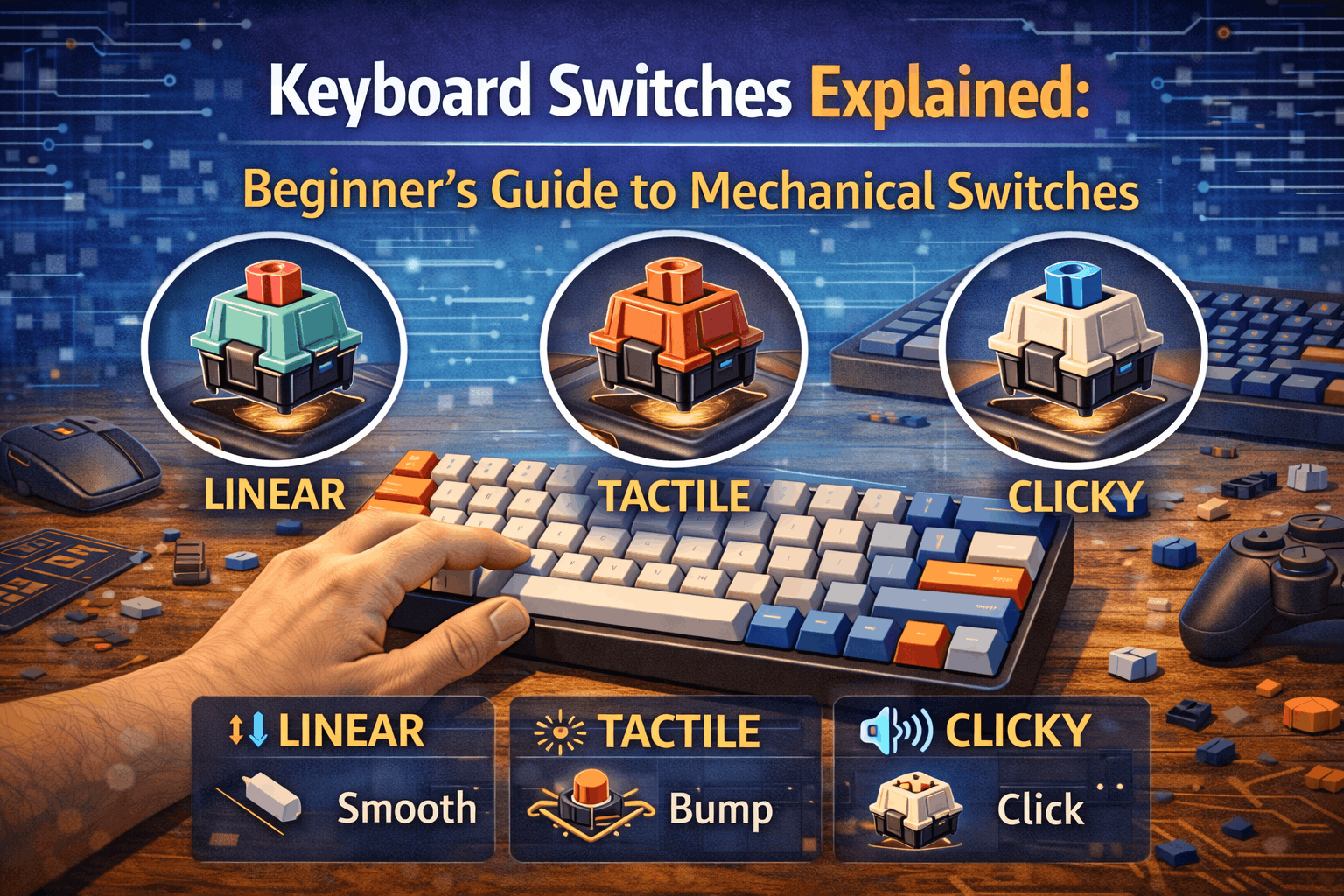
Three types: Linear (smooth, no bump), Tactile (bump feedback, no sound), Clicky (bump plus loud click).
Best for beginners: Tactile switches—specifically Cherry MX Brown or Gateron Brown.
How to choose: Buy a switch tester (roughly $15) to try different types before committing to a full keyboard.
What Are Mechanical Keyboard Switches?
The Definition
A mechanical keyboard switch is the individual mechanical component beneath each keycap that registers your keypress. Unlike membrane keyboards (which use a single rubber sheet under all keys), mechanical keyboards have individual switches for every key. Each switch is a small machine containing springs, stems, and contacts working together to detect and transmit your keystroke.
How They Work: Inside the Switch
Every mechanical switch contains the same basic components. The housing provides the plastic shell (top and bottom piece) that contains everything else. The stem acts as the moving part you press down that connects to your keycap. The spring returns the stem to its resting position after you release the key. Metal contacts close together when pressed to register the keystroke electronically.
The keystroke process follows five steps. At rest position, the switch is unpressed with the circuit open and no keystroke registered. As you press down, you push the stem and compress the spring. The actuation point happens when the contacts close and the keystroke registers electronically—typically at roughly 2mm down. Bottom out occurs as the stem hits the bottom of the housing at roughly 4mm total distance. Finally, on release, the spring pushes the stem back to rest and the circuit opens again.
Key Terms You'll See
Actuation Point represents the distance you must press before the switch registers—typically 2mm (halfway). Shorter actuation equals faster response.
Actuation Force measures the pressure needed to trigger a keystroke, measured in grams (g). Common range: 45-60g. Lighter switches (45g) press easily; heavier switches (65g+) require more deliberate contact and prevent accidental presses.
Travel Distance shows how far the stem travels total, usually 4mm. More travel equals more deliberate feel; shorter travel equals faster, lighter response.
Why Mechanical Switches Matter
Mechanical keyboards differ fundamentally from membrane keyboards. Membrane keyboards have one rubber sheet under all keys, creating a mushy, inconsistent feel that wears out quickly (2-3 years typically). Mechanical keyboards have individual switches delivering crisp, consistent feel that lasts 50-100 million presses (8-10+ years easily).
Real benefits emerge clearly. Better tactile feedback means you feel every keystroke distinctly. The 10x longer lifespan provides 50-100M presses per switch. Consistent performance ensures every press feels identical. The customizable nature allows swapping different switches on hot-swap keyboards, providing better performance for both typing and gaming through improved response and feel.
The trade-offs exist though. Mechanical keyboards have a more expensive starting point at $60+ versus $20 for membrane. They're louder, especially with clicky switches. There's a learning curve where choosing the right type matters significantly.
Worth it if you type 2+ hours daily, game competitively, care about typing experience, or want long-term durability.
The Three Main Switch Types
All mechanical switches fall into one of three categories: Linear, Tactile, or Clicky. Understanding these three is 90% of the knowledge you need.
Linear Switches: Smooth, No Feedback
What they feel like: A smooth press from top to bottom with no bumps or clicks. Like sliding a drawer closed—consistent resistance the entire way down.
Key characteristics show no tactile bump, no click sound, smooth consistent pressure throughout, quiet to moderate sound level, 45-65g typical actuation force, and a quiet "thock" noise at bottom-out when fully pressed.
Best for: Gamers (fastest response, smooth actuation), speed typing (no feedback interruption), quiet environments (minimal sound), and people who prefer smoothness over feedback.
NOT ideal for: People needing physical feedback to confirm keypresses, typing accuracy priority (no tactile confirmation), or first mechanical keyboard (easy to accidentally press with no feedback).
Popular linear switches:
- Cherry MX Red (light, 45g) – Gaming standard, widely available
- Gateron Yellow (smooth, 50g) – Best budget linear, ultra-smooth
- Cherry MX Black (heavy, 60g) – More deliberate feel
Learn more: See our best linear switches for gaming guide for detailed comparisons.
Tactile Switches: Bump Feedback, No Sound
What they feel like: A physical bump at the actuation point where you feel confirmation that the keystroke registered. Like clicking a pen—you feel the click without hearing it.
Key characteristics deliver a tactile bump (pronounced or gentle depending on model), no click sound, bump at actuation then smooth travel down, moderate sound level, 45-65g typical actuation force, and a moderate "thock" plus slight tactile feedback sound.
Best for: Typing (feedback improves confidence and accuracy), first mechanical keyboard (safest, most versatile choice), office use (quieter than clicky, doesn't disturb coworkers), hybrid users (gaming plus typing equally), and people who want physical feedback without noise.
Sound produces a moderate "thock" plus subtle tactile click—satisfying but professional.
The sweet spot: Tactile switches offer the best of both worlds. You get physical feedback confirming every keystroke plus relative quiet for shared spaces. Most versatile option available.
Popular tactile switches:
- Cherry MX Brown (pronounced bump, 55g) – Most popular tactile, proven reliability
- Gateron Brown (softer bump, 45g) – Smoother version, budget-friendly
- Gazzew Boba U4T (sharp bump, 62g) – Premium tactile experience, enthusiast favorite
Learn more: See our best tactile switches guide for detailed recommendations.
Clicky Switches: Bump + Loud Click
What they feel like: A tactile bump PLUS an audible click. You feel AND hear confirmation that the switch actuated. Like typing on a vintage typewriter—maximum feedback.
Key characteristics provide a tactile bump, loud click sound, bump mechanism plus click bar, very high sound level (can be annoying in shared spaces), 50-80g typical actuation force, and a LOUD "CLICK-CLACK" that's audible across rooms.
Best for: Typing enthusiasts who love mechanical sound, solo workspace only (won't disturb others), people wanting maximum feedback and confirmation, and nostalgia for vintage mechanical keyboards.
NOT for: Office environments (too loud, disruptive), gaming with voice chat (teammates will hear it constantly), shared apartments or households (will annoy roommates), or late-night typing (too disruptive).
Warning: Clicky switches are polarizing. People either love the satisfying click or find it annoying. Test before buying.
Popular clicky switches:
- Cherry MX Blue (classic click, 50g) – The original, iconic sound
- Kailh Box White (crisp click, 50g) – Lighter-feeling with cleaner click
- Kailh Box Jade (very loud, 60g) – Extreme clicky for enthusiasts only
Learn more: See our best clicky switches guide for detailed sound comparisons.
Comparison Table: All Three Types
| Feature | Linear | Tactile | Clicky |
|---|---|---|---|
| Tactile Bump | ❌ None | ✅ Yes | ✅ Yes |
| Click Sound | ❌ None | ❌ None | ✅ LOUD |
| Noise Level | Low-Moderate | Moderate | Very High |
| Best For | Gaming, Speed | Typing, Hybrid | Sound Enthusiasts |
| Office Use | ✅ Yes | ✅ Yes | ❌ No |
| Gaming | ⭐⭐⭐⭐⭐ | ⭐⭐⭐⭐ | ⭐⭐ |
| Typing | ⭐⭐⭐ | ⭐⭐⭐⭐⭐ | ⭐⭐⭐⭐⭐ |
| Beginner Friendly | ⭐⭐⭐ | ⭐⭐⭐⭐⭐ | ⭐⭐ |
| Feel | Smooth | Bumpy | Bumpy + Clicky |
| Speed | Fastest | Fast | Moderate |
| Typing Accuracy | Lower | Higher | Highest |
| Popular Examples | Cherry Red, Gateron Yellow | Cherry Brown, Boba U4T | Cherry Blue, Box White |
Quick Decision Guide
- Your priority is gaming: Choose Linear (fastest)
- Your priority is typing: Choose Tactile (feedback)
- Your priority is sound: Choose Clicky (if working alone)
- You can't decide: Choose Tactile (most versatile)
How to Choose Your First Switches
Picking switches doesn't require overthinking. Follow this four-step decision framework.
Step 1: Consider Your Use Case
Gaming (FPS, MOBA, competitive) calls for linear switches. Why: Fastest actuation, smooth travel, no feedback interruption. Top choice: Cherry MX Red or Gateron Yellow.
Typing (writing, coding, office work) benefits from tactile switches. Why: Feedback improves accuracy, not too loud for shared spaces. Top choice: Cherry MX Brown or Gateron Brown.
Hybrid use (gaming plus typing equally) suits tactile switches. Why: Versatile, good for both applications. Top choice: Cherry MX Brown. Alternative: Light linear (Cherry MX Red).
Sound preference (love the click) demands clicky switches. Warning: Only if you work alone. Top choice: Kailh Box White.
Step 2: Consider Your Environment
Shared workspace (office, open space) requires avoiding clicky switches (too loud) and choosing tactile or linear. Best option: Silent tactile switches.
Solo workspace (home office, alone) allows any switch type. Consider: Clicky if you enjoy the sound.
Living with others means avoiding clicky (very disruptive) and choosing tactile or linear. Late night typing: Consider silent switches.
Gaming with voice chat requires avoiding clicky (teammates hear it constantly) and choosing linear or tactile.
Step 3: Test Before Buying (This Is Critical)
Buy a switch tester at cost of $15-25. What you get: 6-12 different switches to try. Why essential: Prevents expensive mistakes ($60+ keyboard purchase).
Recommended switch testers:
9-Key Switch Tester at roughly $15 – Budget option with most popular switches.
12-Key Switch Tester at roughly $20 – More variety, includes premium switches.
How to test: Press each switch 20-30 times, type full sentences on each, close your eyes and focus on the feel, note which feels best and most natural.
Common tester switches include Linear (Cherry Red, Gateron Yellow, Cherry Black), Tactile (Cherry Brown, Gateron Brown, Boba U4T), and Clicky (Cherry Blue, Kailh Box White).
Step 4: Buy a Hot-Swap Keyboard (Safety Net)
What is hot-swap? Keyboards with sockets that let you swap switches without soldering. If you buy the wrong switch, you can easily try different types.
Why essential for beginners: You're not locked into one choice. Test, adjust, refine.
Hot-swap keyboard options:
Keychron V Series at roughly $80-100 – Excellent value, reliable quality.
GMMK Full-Size at roughly $110 – Solid hot-swap platform, customizable.
Keychron Q Series at roughly $170-200 – Premium hot-swap keyboards.
Beginner Recommendations by User Type
For Complete Beginners (No Preference Yet)
Recommended: Cherry MX Brown or Gateron Brown
Why these switches are perfect for beginners: Tactile feedback helps you learn keyboard feel, not too loud for office use, versatile (work well for both typing and gaming), widely available everywhere, safe choice you rarely regret.
Price: roughly $0.25-0.50 per switch (budget-friendly).
For Competitive Gamers
Recommended: Cherry MX Red or Gateron Yellow
Why these switches dominate gaming: Linear equals fastest actuation with smooth travel, smooth actuation without bumpy interruption, light spring (45-50g) for rapid repeated presses, preferred by professional esports players.
Alternative: Gateron Milky Yellow (budget, ultra-smooth).
For Typists and Writers
Recommended: Cherry MX Brown or Boba U4T
Why these switches improve typing: Tactile bump confirms every keystroke, feedback prevents accidental presses, satisfying and engaging feel, not too loud for shared spaces, comfortable for hours of typing.
Premium option: Boba U4T (sharper bump, better quality feedback).
For Office Workers
Recommended: Boba U4 Silent Tactile
Why silent tactiles are perfect for offices: Tactile feedback (still get that confirmation), 80% quieter than normal switches, won't annoy coworkers, professional and appropriate for any environment.
Alternative: TTC Frozen Silent V2 (excellent value).
For Enthusiasts (Want Best Feel)
Recommended: Boba U4T or Holy Panda
Why these are enthusiast favorites: Premium tactile experience, sharp and satisfying tactile bump, smooth travel despite pronounced bump, highly regarded by keyboard enthusiasts worldwide.
Price: roughly $0.65-0.85 per switch (premium).
For Budget-Conscious Builders
Recommended: Gateron Yellow (linear) or Gateron Brown (tactile)
Why Gateron dominates budget segment: Excellent value at $0.20-0.30 per switch, smooth feel equal to much more expensive switches, reliable quality despite low price, perfect for first builds or large keyboards.
90-switch pack cost: roughly $22-25. Market consensus: Best value switches available in 2026.
Understanding Actuation Force (Spring Weight)
Actuation force is the pressure needed to trigger a keystroke, measured in grams (g). Understanding spring weight helps you pick switches that feel right.
Light Springs (35-45g)
Examples: Cherry MX Red (45g), Gateron Clear (35g), Cherry MX Speed (45g).
Best for: Fast typing speed, gaming (quick repeated presses), light-touch typists.
Trade-offs: Easy accidental presses, less deliberate feel, potential fatigue from hovering fingers.
Medium Springs (45-60g) - The Goldilocks Zone
Examples: Cherry MX Brown (55g), Gateron Yellow (50g), most popular switches.
Best for: General use (gaming plus typing), balanced feel, most people.
Sweet spot: 50-55g gives comfortable, accurate feel without accidental presses.
Heavy Springs (60-80g)
Examples: Cherry MX Black (60g), Kailh Box Jade (60g), Cherry MX Clear (65g).
Best for: Heavy-handed typists, preventing accidental key presses, deliberate intentional typing, enthusiasts preferring resistance.
Trade-offs: Potential finger fatigue over long sessions, slower response time, not suited for everyone.
Which Weight Is Right for You?
- Light typer: 45-50g (easy to press)
- Average typer: 50-60g (balanced, most people)
- Heavy typer: 60-70g (more deliberate pressure)
- Very heavy typer: 70-80g+ (maximum resistance)
Pro tip: Use a switch tester to try different weights. Don't guess—feel the difference yourself.
Switch Brands Explained
Several manufacturers dominate the switch market. Understanding the differences helps you pick the best value for your budget.
Cherry MX: The Industry Standard
History: Original mechanical switch maker since the 1980s. Industry standard that most competitors copy.
Pros: Reliable and consistent performance, wide keycap compatibility, long lifespan (50-100 million presses), available everywhere globally.
Cons: More expensive than alternatives, slightly scratchy stock feel, brand premium adds cost.
Popular switches: Red (linear, light) as gaming standard, Brown (tactile, medium), Blue (clicky, medium), Black (linear, heavy).
Price: roughly $0.40-0.50 per switch (or more for premium variants).
Verdict: Brand prestige matters; Cherry is proven and reliable. Pay the premium if consistency is your priority.
Gateron: The Value Champion
Overview: Chinese manufacturer that clones Cherry design but improves smoothness. Dramatically cheaper.
Pros: Smoother out-of-box feel than Cherry, affordable ($0.25-0.35 per switch), Cherry compatible, factory pre-lubed, growing market leader in budget segment.
Cons: Less brand prestige than Cherry, slightly less consistent quality control, shorter proven track record.
Popular switches: Yellow (linear, smooth, budget king), Brown (tactile, smooth), Blue (clicky), G Pro series (improved consistency).
Price: roughly $0.25-0.40 per switch.
Verdict: Better bang-for-buck than Cherry. Most experts recommend Gateron for beginners. Gateron G Pro series matches Cherry quality at lower price. Real example: 87-key keyboard saves $6-14 with Gateron versus Cherry.
Kailh: The Innovation Leader
Overview: Known for Box switch design (dust-proof, unique sound) and creative options.
Pros: Box design provides better stability, crisp and satisfying clicks (Box White), innovative unique designs, good value for quality.
Popular switches: Box White (clicky, crisp), Box Jade (very clicky, heavy), Box Red (linear, smooth).
Price: roughly $0.35-0.45 per switch.
Verdict: Best for specialized needs. If you want the perfect clicky experience, Kailh Box Jade is worth the premium.
Specialty Brands: Premium Options
Gazzew (Boba brand) offers Boba U4T (considered the best tactile switch by enthusiasts), Boba U4 (silent tactile variant), excellent quality-to-price ratio. Price: roughly $0.65-0.85 per switch.
Zeal PC provides premium switches ($1+ per switch), Zealios and Tealios as enthusiast favorites, for advanced builders only.
TTC delivers Frozen Silent V2 (best budget silent option), premium smooth linears. Price: roughly $0.40-0.70 per switch.
Durock/JWK supplies smooth linears, quality tactiles, mid-premium range ($0.50-0.80).
Recommendation for Beginners
Start with Cherry or Gateron. Both are reliable, widely available, and you'll learn what characteristics you prefer. As you gain experience, explore specialty brands.
Advanced Switch Technology (Optional)
Modern switch innovations exist beyond standard mechanical. These are interesting but not necessary for beginners.
Hall Effect Magnetic Switches
What they are: Switches that use magnetic sensors instead of physical contacts. No metal-to-metal contact means infinite lifespan.
Brands: Wooting keyboards, Razer Huntsman V3 Pro.
Benefits: Adjustable actuation point (customize feel via software), Rapid Trigger technology for gaming, never wear out (theoretically infinite lifespan), consistent performance indefinitely.
Verdict: Emerging technology, expensive. Skip for beginners; explore later as you advance.
See: Our Hall Effect keyboard guide.
Optical Switches
What they are: Light beam actuation instead of mechanical contacts. Slightly faster response.
Brands: Razer Optical, Gateron Optical. See our optical vs mechanical switches comparison for a deeper look at the trade-offs.
Benefits: Faster response (roughly 0.2ms), very durable, unique feel.
Verdict: Niche segment. Standard mechanical is better for most users.
Silent Switches
What they are: Standard switches with silicone dampening rings to reduce noise.
Key options: Boba U4 Silent (tactile, 80% quieter), TTC Frozen Silent V2 (linear, whisper-quiet).
Best for: Office workers, shared spaces, late-night typing.
Verdict: Excellent for specific situations. Not necessary for most users.
Switch Modding Basics
Once you own switches, you can improve them further. Modding is optional but popular among enthusiasts.
Lubing Switches
What it does: Applying lubricant reduces friction, making switches smoother and quieter.
Difficulty: Moderate (requires time and care).
Benefits: Noticeably smoother feel, quieter sound.
See: Our how to lube switches guide for step-by-step instructions.
Switch Films
What they do: Thin films between stem and housing reduce wobble and improve sound.
Difficulty: Easy.
Benefits: Tighter feel, better sound profile.
Spring Swaps
What it does: Replace the spring with different weight for custom actuation force.
Difficulty: Easy.
Benefits: Customize how heavy or light switches feel.
For beginners: Use stock switches first. Mod later once you know your preferences.
Common Beginner Mistakes
Mistake 1: Buying Without Testing
Problem: Buy a keyboard with switches you hate, now stuck with $60+ mistake.
Reality: Everyone's preference is different; what works for reviewers might not work for you.
Fix: Buy a switch tester first ($15-20). Best investment you'll make.
Mistake 2: Choosing Clicky for Office
Problem: Buy clicky switches for office, coworkers complain immediately.
Reality: Clicky switches are LOUD. Audible across rooms, disruptive to others.
Fix: Use tactile or silent switches in shared spaces. Save clicky for solo workspace.
Mistake 3: Linear for First Keyboard
Problem: Buy linear switches, accidentally press keys constantly due to no feedback.
Reality: Linear has zero tactile confirmation; easy to press unintentionally.
Fix: Tactile switches are safer for beginners—you feel confirmation before bottom-out.
Mistake 4: Overthinking the Choice
Problem: Analysis paralysis; can't decide between dozens of options.
Reality: Most switches are good; picking "wrong" isn't catastrophic.
Fix: Cherry MX Brown is the safe bet that works for 80% of people. Refine later with hot-swap.
Mistake 5: Buying Soldered Keyboard
Problem: Can't change switches if you don't like them. Permanently stuck.
Reality: Desoldering is difficult, risky, and requires special equipment.
Fix: Always buy hot-swap keyboard for first purchase. Eliminates all switch regret.
Mistake 6: Not Considering Your Environment
Problem: Buy clicky switches without asking roommates or coworkers if it's okay.
Reality: Relationship problems. Your keyboard hobby shouldn't disrupt others.
Fix: Honestly assess your living situation. Shared space equals tactile or silent. Solo space equals any type.
FAQ: Switches Answered
What are the best keyboard switches for beginners?
Tactile switches—specifically Cherry MX Brown or Gateron Brown. They provide feedback without being too loud, work for both typing and gaming, and are available everywhere. Safe choice that beginners rarely regret.
What's the difference between linear, tactile, and clicky switches?
Linear equals smooth press with no bump (best for gaming, fastest response). Tactile equals physical bump with no sound (best for typing, good feedback). Clicky equals bump plus audible click (love-it-or-hate-it, only for solo workspace). Most people prefer tactile for versatility.
Are Cherry MX switches better than Gateron?
Cherry is more reliable and consistent, but costs 2x more. Gateron is smoother out-of-box and excellent value. For beginners, Gateron offers better bang-for-buck. For long-term reliability, Cherry's proven track record matters. Both are quality—choose based on budget and preference.
Do I need to buy a switch tester?
Highly recommended. $15-20 investment prevents expensive mistakes. Lets you try different switch types before committing $60+ to a full keyboard. Every enthusiast recommends testing first. Worth every dollar.
Can I change keyboard switches after buying?
Yes, if you buy hot-swap keyboard. Hot-swap lets you swap switches without soldering—easy and risk-free. Can't change on soldered keyboards without desoldering (difficult). Always buy hot-swap for first keyboard.
Conclusion
Mechanical keyboard switches boil down to three simple types: Linear (smooth), Tactile (bump feedback), and Clicky (bump plus sound). Linear switches are fastest for gaming. Tactile switches offer versatility and feedback for all uses. Clicky switches are for sound enthusiasts working alone.
The safest first choice is a tactile switch—Cherry MX Brown or Gateron Brown. Both are proven, available everywhere, and work for typing and gaming. But buying without testing is the biggest mistake. Spend $15-20 on a switch tester. Test linear, tactile, and clicky. Find which feels best. Your hands will thank you for the testing investment.
Never buy a soldered keyboard. Always buy hot-swap so you can change switches if needed. Gaming-focused? Linear switches are your friend — see our best gaming keyboards roundup for boards that ship with them. Office environment? Tactile or silent. Living with others? Absolutely avoid clicky.
Remember: switches are personal. What works for review sites might not work for you. Test before buying. That's the universal rule. Prefer smoothness? Gateron. Prefer proven reliability? Cherry. On a budget? Gateron offers better value. Want premium feel? Try Boba U4T.
Finally, don't overthink it. Cherry Brown is the safe bet. Build a hot-swap keyboard. Test switches. Refine over time. You'll find your perfect switch eventually, and the journey is part of the mechanical keyboard hobby.

