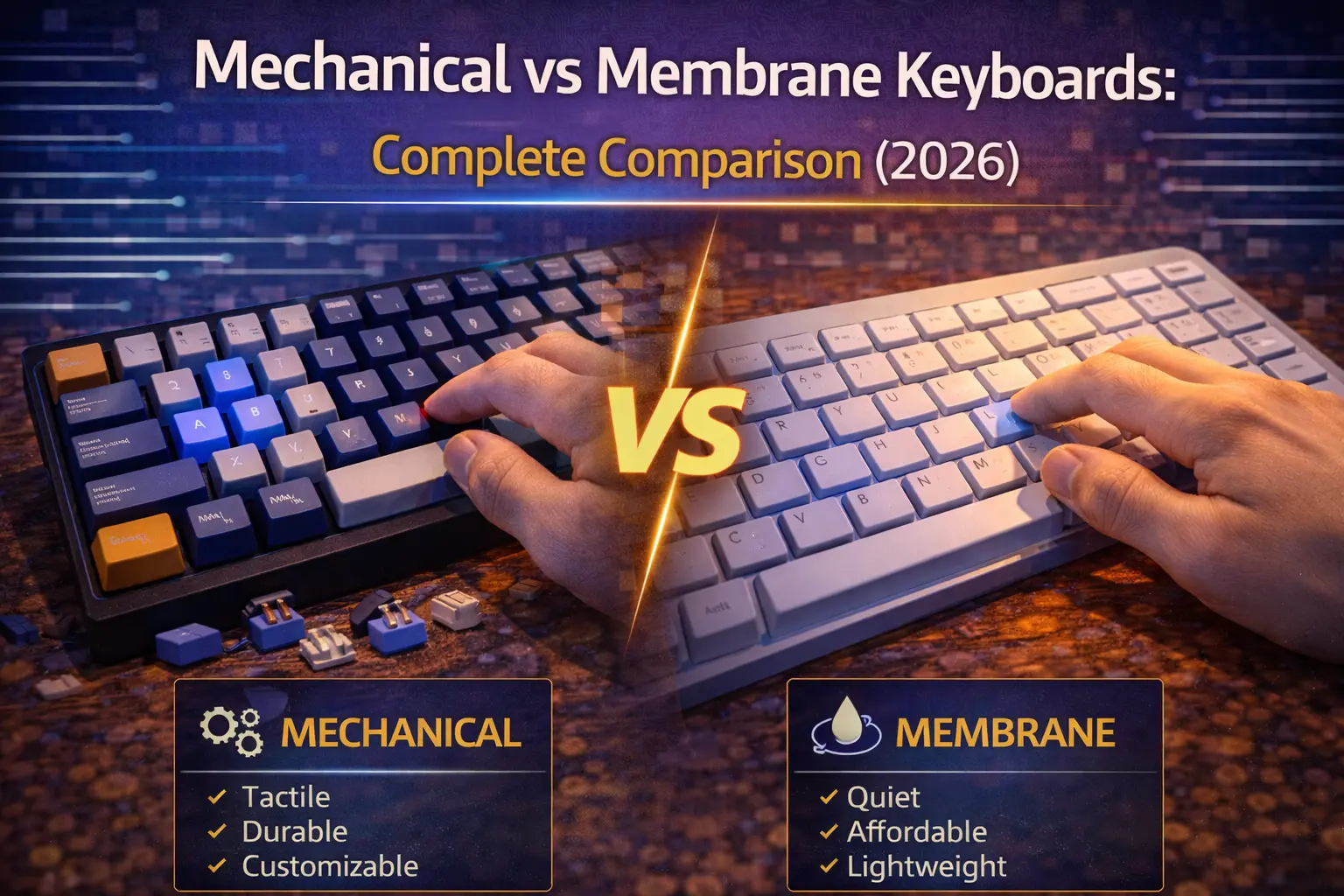
Every year, millions of people type "mechanical vs membrane keyboard" into Google. Every year, most of the articles they find either treat it like an obvious slam dunk for mechanical or refuse to take a stance at all. We're going to do neither.
Yes — this site is about mechanical keyboards. We obviously like them. But that doesn't mean membrane is always wrong, and we're going to be straight with you about when it makes sense. The goal here is simple: by the end of this article, you'll know exactly which type fits your situation, based on actual data, not hype.
Here's the short version: mechanical keyboards are better in the majority of use cases — feel, durability, gaming performance, and customization aren't even close. But membrane keyboards have three legitimate advantages (price, silence by default, and portability) that still matter in specific scenarios. We'll take them apart category by category, give honest verdicts, and point you toward concrete recommendations. Let's get into it.
Note: This guide contains affiliate links. If you purchase through our links, we may earn a commission at no extra cost to you. This helps support our in-depth testing and content creation.
How They Work: The Core Difference
Understanding why these keyboards feel so different starts with understanding what's actually happening under each keycap.
Membrane: One Sheet, Every Key
A membrane keyboard uses a three-layer sandwich of flexible plastic. The top layer carries conductive traces on its underside. A middle spacer layer has holes punched out at each key position. The bottom layer has a matching set of traces connected to the circuit board. At rest, the spacer layer keeps everything separated — circuit open, no signal sent.
When you press a key, a silicone rubber dome collapses. It pushes the top membrane down through the spacer hole until it touches the bottom membrane. The circuit closes, the controller sees it, and your keystroke registers. Let go, and the dome's elasticity pushes everything back up.
The key insight: all keys on a membrane keyboard share the same physical sheet of membrane. There's no individual mechanism per key. The feel you get — that soft, mushy, undefined sensation — comes directly from this design. The rubber dome collapses gradually, without a distinct actuation point. Over time, as domes wear out unevenly, keys feel different from each other on the same board.
Mechanical: One Switch Per Key
A mechanical keyboard puts a dedicated switch under every single keycap. Each switch contains five core components: a top housing, a stem with a cross-shaped mount for the keycap, a coil spring that provides resistance and pushes the key back up, two metal contact leaves, and a bottom housing connecting to the PCB.
When the stem travels downward, the contacts meet and close the circuit. The stem's geometry determines what the switch feels like: linear switches (like Cherry MX Red) have smooth, straight legs for a consistent, friction-free keystroke; tactile switches (Cherry MX Brown) add a physical bump at the actuation point so you can feel exactly where the keypress registers; clicky switches (Cherry MX Blue) add an audible snap on top of the tactile bump.
You can dig much deeper into the world of keyboard switches — there are hundreds of options — but the fundamental point is that each key behaves independently and predictably, every single time.
What's In Between
A few technologies sit between these two poles. Mecha-membrane (Razer Ornata) pairs a rubber dome with a mechanical click bar for simulated tactility. Scissor switches (Apple Magic Keyboard, most laptop keyboards) use interlocking X-shaped stabilizers over a rubber dome for a slimmer profile and reduced wobble. Optical switches and Hall Effect switches are variations of mechanical that replace physical contact with light or magnetic sensing — more on those in the hybrid section below.
Quick Comparison Table
| Category | Membrane | Mechanical | Winner |
|---|---|---|---|
| Typing Feel | Soft, mushy, inconsistent | Precise, distinct, varied | Mechanical |
| Durability | ~5–10M keystrokes | ~50–100M keystrokes | Mechanical |
| Noise (stock) | Quiet by default | Varies — often louder | Membrane |
| Price | $10–$70 | $30–$500+ | Membrane (barely) |
| Gaming Performance | Adequate for casual | Superior, especially HE | Mechanical |
| Customization | None | Full (switches, keycaps, mods) | Mechanical |
| Maintenance | Disposable | Cleanable, repairable | Mechanical |
| Portability | Thinner, lighter standard | Low-profile MKs close gap | Membrane |
| Switch Variety | One option | Hundreds | Mechanical |
Category-by-Category Comparison
Typing Feel & Comfort
This is where the gap is most immediately obvious. Press a key on a membrane keyboard and you're squishing a rubber dome — there's no defined moment where you know the keypress registered. The feedback is soft, gradual, and indistinct. On a new board this might feel fine. After six months of heavy use, as rubber domes wear unevenly, different keys start feeling different from each other, and the overall experience gets worse.
A mechanical keyboard gives you a completely different sensation. Every keypress has a distinct, predictable character. With linear switches, you get a smooth, uninterrupted travel with consistent spring resistance from top to bottom — popular for gaming and fast typists who want zero friction. Tactile switches add a physical bump you can feel at the exact moment of actuation, giving your fingers precise feedback without making any noise. Clicky switches layer an audible snap on top for maximum feedback — beloved by writers, disliked by anyone within earshot.
One honest caveat: some users genuinely prefer the quiet, soft feel of membrane for long typing sessions. If you've only ever used membrane and find heavy mechanical switches fatiguing, that's real feedback worth acknowledging. Starting with a lighter linear (45g actuation, like Cherry MX Red or Gateron Red) almost always resolves this. But it's worth noting that switching from membrane to mechanical does involve an adjustment period.
Verdict: Mechanical wins decisively. Precise, consistent, customizable feel vs a soft dome that degrades over time.
Durability & Longevity
The numbers here are stark. A typical consumer membrane keyboard is rated for somewhere around 5 to 10 million keystrokes per key — and that's an industry estimate, since most membrane manufacturers don't publish formal specs. Budget models may be lower.
Mechanical switches are a different class of product. Cherry guarantees their MX Red and Brown switches for over 100 million actuations. Their Blue and Black switches are rated at over 50 million. Gateron and Kailh switches are commonly cited at 50–70 million, and Razer's optical switches claim 100 million. These are individual switch ratings — the switches can often outlast the rest of the keyboard.
The practical implication: a good mechanical keyboard can last 10+ years of heavy daily use. A membrane keyboard is, functionally, a consumable. When a rubber dome fails, the entire keyboard goes in the trash. When a mechanical switch fails on a hot-swappable keyboard, you pull out the switch with a puller, press in a new one, and keep going. No soldering, no downtime.
The durability advantage compounds over time. A $50 mechanical keyboard that lasts 10 years costs less per year of use than a $15 membrane keyboard that needs replacing every 2–3 years. Mechanical is the long-term investment play.
Verdict: Mechanical wins by a wide margin.
Noise
Here's where we have to be honest, even if it's inconvenient for the mechanical side.
Out of the box, most stock mechanical keyboards are louder than membrane keyboards. Clicky switches like Cherry MX Blue or Kailh Box White produce an audible snap at around 50–60 dB — loud enough to be disruptive in open offices or shared spaces. Even linear switches make a noticeable "thock" sound when the stem bottoms out on the housing. Membrane keyboards, by contrast, are naturally quiet — the rubber dome absorbs impact, and there's no metallic ping or bottom-out clack.
That said, the narrative that "mechanical keyboards are loud" is increasingly outdated. Silent mechanical switches — Cherry MX Silent Red, Gateron Silent switches, Boba U4 — bring noise down to levels that can actually match or undercut a typing membrane. Add foam dampening or a gasket mount to the equation, and you can build a mechanical keyboard that's genuinely library-quiet while still delivering precise mechanical feedback. But — and this matters — getting there requires research and intentional choices. You can't just pick any mechanical keyboard and expect silence.
If silence with zero effort is the priority, membrane delivers it by default. If you're willing to choose the right mechanical for the job, you can get there too.
Verdict: Membrane wins on silence by default. Mechanical can match it, but requires deliberate selection.
Gaming Performance
For competitive gaming, the gap between mechanical and membrane is meaningful — and in 2026, it's getting wider, not narrower.
Keyboard latency and input lag are determined by several compounding factors: polling rate (how often the keyboard reports to the PC), debounce timing, and the switch's physical response speed. Consumer membrane keyboards typically run at 125Hz — meaning they report their state every 8ms, adding up to ~8ms of potential latency from polling alone. Most gaming mechanical keyboards run at 1,000Hz (1ms reporting interval), and 8,000Hz polling is now common on flagship boards.
Full N-key rollover and anti-ghosting — the ability to register every simultaneous keypress without errors — are standard on virtually all mechanical gaming keyboards. Membrane boards often limit simultaneous inputs, though higher-end gaming membranes like the Razer Cynosa V2 have improved here.
The real 2026 story is Hall Effect. Keyboards like the Wooting 60HE and Keychron Q1 HE use magnetic sensors that track key position continuously at 0.1mm precision. This enables Rapid Trigger — the key resets the instant it moves upward, eliminating fixed reset points that cost milliseconds in fast-paced scenarios. For FPS players, the performance advantage over standard mechanical is measurable; the advantage over membrane is decisive.
Verdict: Mechanical wins clearly. Hall Effect mechanical wins by an even wider margin for competitive gaming. See our roundup of best gaming keyboards under $100 for current recommendations.
Price
This is membrane's strongest argument — and even here, it's weakening.
Budget membrane keyboards start at $10–15 (Logitech K120, Amazon Basics). Decent gaming membrane boards with RGB land at $30–60. On the mechanical side, entry-level boards used to start at $60–80. In 2026, that's no longer true.
Budget mechanical keyboards now start at $30–35 — and at that price point, you're getting gasket mounts, hot-swappable switches, PBT keycaps, and QMK/VIA firmware support. The Keychron C3 Pro costs about $35 and offers features that were $150 territory two years ago. The price gap between a $15 membrane and a $35 mechanical is real, but the value-per-dollar comparison isn't even close anymore. Mid-range mechanical boards ($70–150) deliver wireless connectivity, premium sound dampening, and full customizability. High-end boards ($150–300+) go into CNC aluminum, complex gasket systems, and analog Hall Effect sensors.
For someone working with a strict $15 budget, membrane makes sense. For anyone who can stretch to $35, the case for spending more on a budget mechanical is compelling. Check our full guide to best budget mechanical keyboards under $50 for current picks.
Verdict: Membrane wins on absolute budget. The gap has nearly closed for anyone spending $30+.
Customization
This one isn't a competition.
Membrane keyboards offer essentially zero customization. You can't change the switches (there are none), you can't replace the keycaps (they're non-standard), and you can't meaningfully modify the typing experience. What you buy is what you get, forever.
Mechanical keyboards are a modular platform. Switches can be swapped if you have a hot-swap board — try different feels without buying a new keyboard. Keycaps come in hundreds of profiles, materials, and colorways. Mods like foam dampening, switch films, and lube dramatically alter the sound and feel. Firmware like QMK and VIA let you remap every key, create macros, and program layers. Our keyboard configurator can help you explore the space if you want to see how components combine.
Verdict: Mechanical wins with no contest.
Maintenance & Repairability
Membrane keyboards are essentially disposable. If something breaks — a key stops registering, the membrane tears, the PCB fails — the standard fix is to buy a new keyboard. The construction doesn't lend itself to user repair, and replacement parts don't exist for consumer-tier boards.
Mechanical keyboards are designed to be serviced. Keycaps can be pulled off and washed in soapy water. Switches can be cleaned, relubed, or replaced individually on hot-swap boards. Even the PCB, case, and stabilizers can often be disassembled and addressed separately. A good maintenance routine can extend a mechanical keyboard's lifespan indefinitely.
Verdict: Mechanical wins — it's a product you can maintain, not just replace.
Portability & Form Factor
Membrane keyboards have a genuine structural advantage here. Their flat, low-profile design means they're typically thinner and lighter than full-size mechanical boards, and they travel better in tight bags or on cramped desks.
That said, the gap is closing. Low-profile mechanical keyboards from Keychron (K3 Max, ~$89), NuPhy (Air75 V2, ~$110), and others offer standard mechanical switches in a laptop-like profile, barely thicker than many membrane boards. Compact keyboard layouts — 65%, TKL, 60% — also dramatically reduce the footprint of mechanical boards.
Still, a standard full-size membrane keyboard is thinner and lighter than a standard full-size mechanical keyboard. If raw portability is the criteria, membrane has a default edge.
Verdict: Membrane wins, though low-profile mechanicals have significantly closed the gap.
When Membrane Is Actually the Right Choice
We said we'd be honest, so here it is: membrane keyboards have legitimate use cases in 2026, even if they're narrower than they used to be.
Ultra-tight budget ($10–25). If $15 is the absolute ceiling, the Logitech K120 (Check price on Amazon) is a perfectly functional, spill-resistant, quiet board. No shame in it.
Absolute silence with zero research. If you're in a library, open-plan office, or shared bedroom and need quiet right now without researching silent switches, membrane delivers it out of the box.
Shared or high-abuse environments. A computer lab, shared workstation, or a desk that regularly sees spilled coffee is a rough environment for a keyboard you care about. A $15 membrane board that gets destroyed is a minor inconvenience. A $150 mechanical keyboard that gets destroyed is a painful loss.
Purely temporary use. Traveling for a month and need a keyboard for a hotel setup? Membrane is fine.
Being real about it: these scenarios cover a smaller percentage of people than they used to. Budget mechanicals have eroded the price argument; silent mechanical switches have eroded the noise argument; low-profile mechanical has eroded the portability argument. Membrane's moat is shrinking year by year.
When Mechanical Is the Right Choice
This covers the majority of people reading this article.
Any regular daily use. If you type for work, study, or content creation for more than a couple of hours a day, the improved typing feel and durability of a mechanical keyboard is worth the extra $20 over a budget membrane. Your hands spend thousands of hours on your keyboard — the quality of that experience compounds.
Gaming, at any level. For casual gaming, mechanical's superior anti-ghosting and faster response is a clear upgrade. For competitive gaming, there's no real argument for membrane. Hall Effect keyboards with Rapid Trigger are now available at budget price points.
Anyone who wants to personalize their setup. If you've ever thought about different keycap colors, clicky vs quiet switches, or a specific layout, mechanical is the only platform that gives you those options. If you want a lightweight linear switch that feels like butter for typing all day, you can get exactly that. With membrane, you get whatever came in the box.
Long-term investment thinking. A well-chosen mechanical keyboard can outlast three or four laptops. The first mechanical keyboard you buy doesn't have to be perfect — but it will likely serve you far longer than any membrane board ever could.
The 2026 entry point has never been lower. Budget mechanicals at $30–50 have made the financial barrier nearly irrelevant. There's never been a better time to make the switch.
The Hybrid Technologies: Where Do They Fit?
Mecha-Membrane (Razer Ornata V3)
Razer's mecha-membrane technology pairs a rubber dome membrane with a mechanical click bar underneath each keycap, producing an audible tactile click on a membrane foundation. The Ornata V3 (~$55–70, Check price on Amazon) is the most refined version: low-profile keys, 10-zone Chroma RGB, magnetic wrist rest, spill resistance, and 1,000Hz polling.
The verdict on mecha-membrane: interesting concept, limited execution. You get the noise of a clicky switch without the feel precision of a true mechanical. The click feedback is artificial — there's no actual mechanical actuation point you can feel distinctly. Most reviewers and enthusiasts describe it as the worst of both worlds: not quiet enough to be a good office board, not precise enough to replace a real mechanical. The SteelSeries Apex 5 and similar "hybrid" boards share the same fundamental limitation. If you want click feedback, a real mechanical clicky switch delivers it better.
Scissor Switches (Apple Magic Keyboard, Laptop Keyboards)
Scissor switches use two interlocking plastic arms in an X shape beneath each keycap, stabilizing the key against wobble and enabling a very shallow profile (1–2.5mm travel). This is the technology in virtually every laptop keyboard and Apple's Magic Keyboard ($99+). The travel is short and the feedback is clean compared to membrane — but there's no individual switch you can replace, no keycap compatibility with aftermarket sets, and the tactile experience doesn't rival a dedicated mechanical.
Scissors are a practical laptop solution, not a desktop keyboard choice. If your work involves a MacBook and Apple's ecosystem, the Magic Keyboard is excellent for what it is — just don't call it mechanical.
Low-Profile Mechanical: The Real Hybrid
Low-profile mechanical keyboards are the genuinely compelling middle ground. Switches like the Kailh Choc series compress travel to about 2.5–3.2mm while retaining full mechanical contact points, hot-swap sockets, and lubing/modding compatibility. Boards like the Keychron K3 Max ($89) and NuPhy Air75 V2 ($110) are close in thickness to many membrane boards but deliver real mechanical tactility and durability.
For laptop users transitioning to a desktop setup, or anyone who wants a slim, travel-friendly board without sacrificing mechanical quality, low-profile mechanical is the honest recommendation. In 2026, Hall Effect low-profile options like the NuPhy Air75 HE (~$103) bring Rapid Trigger to the compact tier — something no membrane keyboard can approach.
FAQ
Is a mechanical keyboard really worth it?
For most people, yes — especially in 2026. Budget mechanical keyboards now start around $35, narrowing the price gap with mid-range membrane boards. You get 10× the rated lifespan, full key rollover, better typing feedback, and the ability to swap switches and keycaps. The value argument for membrane only holds up below the $25 mark. If you spend $35 or more on a keyboard, a mechanical board gives you significantly more for the money.
Why are mechanical keyboards so expensive?
The high-end of the mechanical keyboard market is expensive because it can be: CNC-machined aluminum cases, custom PCBs, premium switches, and enthusiast keycap sets justify prices into the hundreds or thousands of dollars for limited-run products. But that's enthusiast territory, not a requirement. Excellent daily-driver mechanical keyboards — hot-swappable, well-built, with QMK support — cost $35–90 in 2026. The perception that mechanical keyboards are expensive is increasingly out of date.
Are mechanical keyboards better for typing?
Generally, yes. Tactile switches give you clear physical feedback at the actuation point, which many typists find reduces errors and fatigue compared to membrane's mushy, undefined keystroke. Cherry MX Brown, Gateron Brown, and tactile options like the Boba U4 are popular among writers and coders for this reason. That said, typing preference is subjective — some users prefer lighter linears, and a few do find heavy tactile switches more tiring than membrane. Our best keyboards for typing guide covers the top picks.
Are mechanical keyboards too loud for office use?
Not if you choose the right one. Clicky switches (MX Blue, Box White) are genuinely disruptive in open offices. But silent mechanical switches like Cherry MX Silent Red or Gateron Silent Brown bring noise down to levels comparable with membrane boards — around 30–40 dB depending on the keyboard. Combined with a gasket-mounted case and foam dampening, modern silent mechanical boards are genuinely office-friendly.
Can a membrane keyboard be good for gaming?
It can be adequate for casual gaming. Higher-end gaming membrane boards like the Razer Cynosa V2 offer per-key RGB, 1,000Hz polling, and basic anti-ghosting. But the limitations remain: slower response times than mechanical at equivalent polling rates, no N-key rollover on most models, and no upgrade path. For competitive gaming, Hall Effect mechanical keyboards with Rapid Trigger and 8,000Hz polling are in a completely different performance tier.
How long does a mechanical keyboard last vs membrane?
Cherry MX switches are rated for over 100 million actuations; most mechanical switches are rated at 50–100 million. Membrane rubber domes typically last 5–10 million keystrokes before noticeable degradation. In practical terms: a well-maintained mechanical keyboard can last 10–15 years of daily use. A budget membrane keyboard typically needs replacement every 2–4 years. The long-term cost of ownership often favors mechanical even at a higher upfront price.
The Verdict: Mechanical or Membrane?
Mechanical keyboards win the overall comparison — and it's not close.
The advantages compound on each other: better typing feel, a 10× durability edge, superior gaming performance, full customizability, and genuine repairability. In 2026, budget mechanical boards at $30–35 have also eroded membrane's last remaining strong argument. When a Keychron C3 Pro costs ~$35 and offers gasket mounting, QMK/VIA support, and hot-swappable switches, justifying membrane on price alone becomes very difficult.
Choose mechanical if: you type regularly, you game at any level of seriousness, you want to customize your experience, or you're thinking about a purchase you'll use for years rather than months.
Stick with membrane if: you're working within a strict $15–20 budget, you need absolute silence with zero research involved, or the keyboard will live in a shared or high-risk environment where loss wouldn't hurt.
For first-time buyers ready to make the switch, the Keychron C3 Pro (Check price on Amazon) is the entry point we recommend without hesitation — a legitimate mechanical keyboard at a price that leaves no room for debate. If you want to step up, the Keychron V1 Max (Check price on Amazon) at ~$84 adds tri-mode wireless, a premium gasket mount, and a build quality that will genuinely last a decade.
Not sure which layout or switch type to start with? Our buying guide for first-time mechanical keyboard buyers walks you through every decision, and our full mechanical keyboard buying guide covers the entire market. Or skip straight to hands-on exploration with our Keyboard Configurator — build your ideal setup from scratch and see exactly how the pieces fit together.