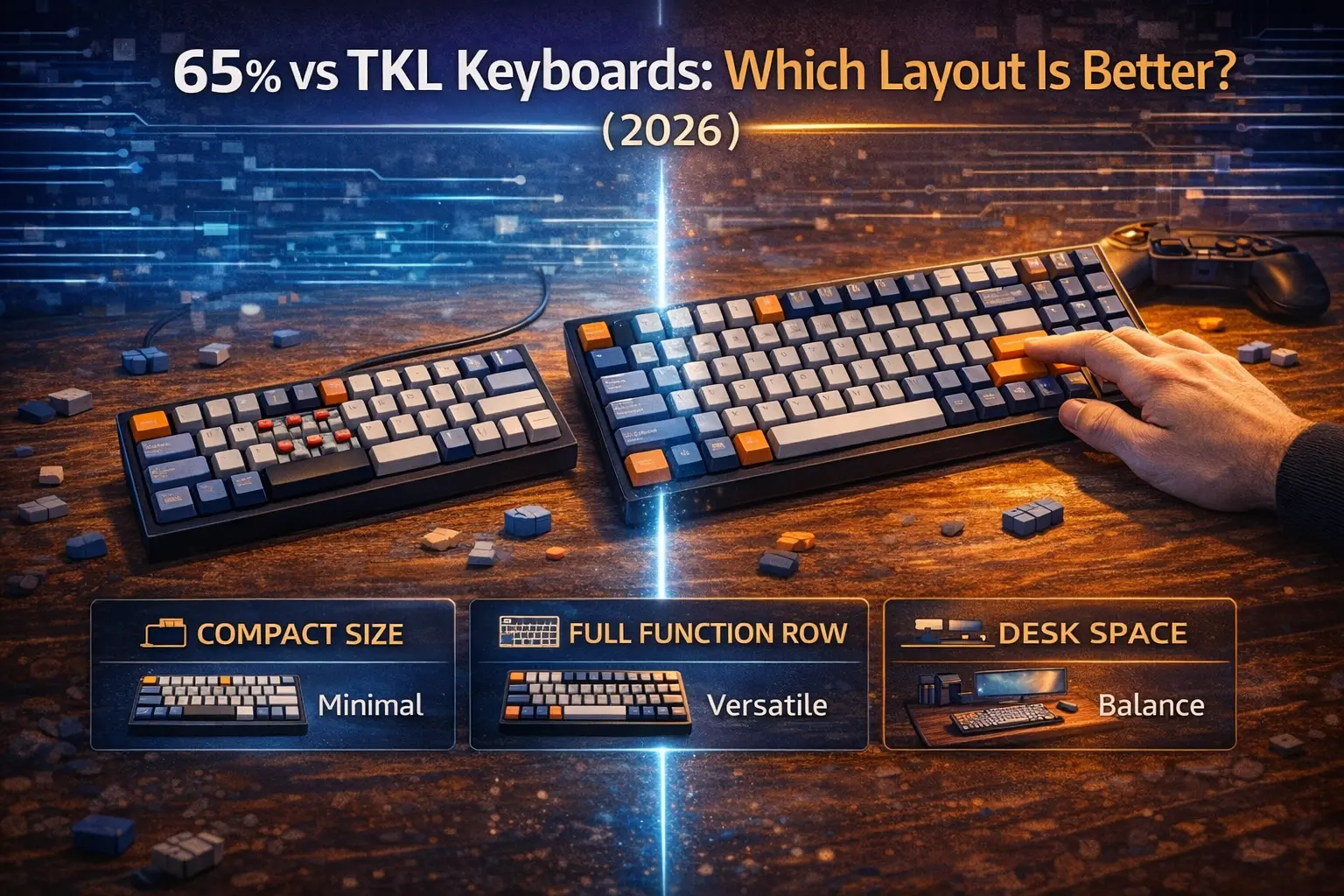
The 65% and TKL are the two most popular compact keyboard layouts in 2026 — and for good reason. Both drop the numpad and trim enough bulk to reclaim meaningful desk space. But that's where the similarities end.
The TKL is essentially a full-size keyboard with the numpad sawed off. You keep every other key: the F-row, the full navigation cluster, Insert, Delete, Home, End, Page Up, Page Down, Print Screen — all of it. The trade-off is minimal because you're only giving up a block most people barely touch.
The 65% goes further. It also removes the entire function row and nearly all of the navigation cluster. What you get instead is a genuinely compact board that fits more mouse on your desk — but at the cost of dedicated F-keys and most navigation shortcuts.
This distinction matters more than people realize. Whether you're a competitive FPS player who never touches F5, or a developer who hits F12 fifteen times a day, the right answer is different. This article breaks down 65% vs TKL across every relevant use case — gaming, productivity, coding, typing — and gives you a clear verdict for each one. If you want a broader overview of all keyboard sizes before diving in, start with our keyboard size guide.
Note: This guide contains affiliate links. If you purchase through our links, we may earn a commission at no extra cost to you. This helps support our testing and content creation.
65% vs TKL: At a Glance
| Feature | 65% Keyboard | TKL Keyboard |
|---|---|---|
| Key count | 66–68 keys | 87 keys (ANSI) |
| Width | ~31 cm / 12.2" | ~36 cm / 14" |
| Depth | ~10–11.5 cm / 4–4.5" | ~13.5–16.5 cm / 5.3–6.5" |
| F-row (F1–F12) | ❌ Fn layer only | ✅ Dedicated physical keys |
| Arrow keys | ✅ Dedicated | ✅ Dedicated |
| Delete | ✅ Dedicated | ✅ Dedicated |
| Home / End | ❌ Fn layer (most models) | ✅ Dedicated |
| Page Up / Page Down | ✅ Some models | ✅ Dedicated |
| Insert / Print Screen | ❌ Fn layer | ✅ Dedicated |
| Numpad | ❌ | ❌ |
| Space saved vs full-size | ~14 cm / 5.5" narrower | ~8 cm / 3.5" narrower |
| Pro FPS adoption | Rare (pros favor 60%) | ~65% of CS2 pros |
| Avg. price range | $$ | $$ |
| Custom/enthusiast market | Excellent selection | Excellent selection |
What Each Layout Actually Includes (and Excludes)
TKL: ~87 Keys
Think of the TKL as the "safe" compact. It removes exactly one thing from a full-size keyboard: the 17-key numpad. That's it. Everything else stays — the entire alphanumeric block, all modifiers, the complete F-row (F1–F12), the navigation cluster (Insert, Delete, Home, End, Page Up, Page Down), and even Print Screen, Scroll Lock, and Pause/Break as dedicated physical keys.
The result is a board that shrinks from ~44 cm to ~36 cm wide — saving roughly 8 cm on your desk — without asking you to give up a single key you might actually need. If you never use the numpad (and most people don't), the TKL is functionally identical to a full-size keyboard in a smaller package. For a full breakdown of the layout, see our TKL keyboard guide.
The mental model for TKL: full-size minus numpad. Zero functional compromise for anyone who doesn't need numeric input.
65%: ~67 Keys
The 65% is a different philosophy. It keeps what it considers the true essentials: the full alphanumeric block, all modifiers, dedicated arrow keys (the key advantage over a 60%), and a slim column on the right edge that typically includes Delete, Page Up, and Page Down. Some models squeeze in Home and End; many don't.
What the 65% removes is substantial: the entire F-row (F1–F12), Insert, Print Screen, Scroll Lock, Pause/Break, and usually Home and End as dedicated keys. That's 19–21 fewer physical keys than a TKL. All of those functions are still accessible — but only through an Fn layer, meaning you hold a modifier key and press a number or arrow key combination.
The result is a board that measures ~31 cm wide — saving 5 cm over a TKL and 13+ cm versus a full-size. It's compact without going to the extreme minimalism of a 60%, which also removes the arrow keys. For everything the 65% layout offers and sacrifices, our 65% keyboard layout guide covers it in full.
The mental model for 65%: the essentials plus arrow keys, nothing more. Compact with real trade-offs.
Category-by-Category Comparison
Desk Space & Portability
The numbers are clear. A 65% keyboard is ~5 cm (2 inches) narrower than a TKL, and ~3–5 cm shallower (one row fewer means a shorter footprint). That translates to roughly 75–100 cm² of additional desk and mousepad real estate — meaningful space that goes directly to your mouse.
For low-sensitivity FPS players, this matters. A competitive player running 800 DPI at CS2's average sensitivity might sweep 50+ cm per 360°, leaving very little margin on a standard 45 cm mousepad when a TKL sits on the left side. The 65% reclaims that buffer. For everyone else — office workers, casual gamers, people with standard desks — the 5 cm difference is noticeable but not game-changing.
On portability: both layouts fit in a standard laptop bag. The 65% is lighter (fewer keys, shorter chassis) and easier to place in cramped LAN setups or travel situations, but neither is a backpack keyboard. If you want truly toss-it-in-your-bag portability, look at the 60% layout instead.
Verdict: 65% wins clearly for desk space and portability. If a few extra centimeters of mousepad matter to you — and for FPS gamers they do — the 65% is the right answer.
Gaming
This is where the conversation gets interesting, because "gaming" means very different things depending on what you play.
FPS (CS2, Valorant, Apex Legends, Overwatch 2): F-keys are almost irrelevant here. Competitive FPS gameplay lives on WASD, surrounding keys, and mouse. The F-keys in these games typically bind to non-critical functions like scoreboards, buy menus, or screenshots — nothing you need at a moment's notice during a firefight. The extra desk space the 65% provides for your mouse is a real, tangible advantage. The wider elbow positioning enabled by a smaller board can also improve comfort and aim consistency over long sessions.
Gaming performance itself — input lag, polling rate, switch response — has nothing to do with layout. Both formats support 1000 Hz polling and modern low-latency switches equally. If you're debating linear switches for gaming, that matters more than whether you have a 65% or TKL.
MMO / Strategy (WoW, FFXIV, League of Legends, StarCraft): Here the TKL wins decisively. MMO players bind dozens of abilities across the F-row, and losing F1–F12 as dedicated keys forces constant Fn-layer use during time-critical rotations. Similarly, games like League of Legends use F1–F5 for camera controls, and strategy games rely on F5/F9 for quicksave/load cycles. These aren't background functions — they're core to gameplay.
Casual gaming (story games, RPGs, single-player): No meaningful difference. Play what fits your desk.
Verdict: 65% for competitive FPS. TKL for MMO, MOBA, and strategy games. For casual gaming, either works.
Productivity & Work
This is the TKL's strongest category, and it's not close.
F-keys power some of the most common productivity shortcuts: Alt+F4 to close windows, F2 to rename files in Explorer, F5 to refresh browsers and spreadsheets, F11 for fullscreen, F12 to open browser DevTools or save-as dialogs in most applications. In Excel, F4 repeats the last action — a function heavy users invoke hundreds of times per day. Windows snap and virtual desktop shortcuts frequently involve F-keys.
On a 65%, every one of these requires holding Fn simultaneously. After a few weeks, Fn+2 for F2 becomes muscle memory — but the friction is always there. It's two keystrokes where one used to live. The navigation cluster matters here too: Home/End for jumping to line beginnings and endings in documents and spreadsheets, Page Up/Page Down for scrolling through long files. Most 65% boards leave Home and End to Fn combos, which breaks document navigation flow.
For office workers who spend their day in Word, Excel, Outlook, or any suite of productivity tools, the TKL is simply the better tool. You should not have to fight your keyboard.
Verdict: TKL wins for productivity and office work, and it's not a close call.
Programming & Development
This one deserves nuance, because it depends heavily on your workflow and whether you're willing to invest in customization.
The honest list of what developers hit regularly: F5 (run/debug in VS Code, IntelliJ), F8/F9/F10 (step over, step into, step out in debuggers), F12 (Go to Definition — arguably the most-used shortcut in VS Code), F2 (rename symbol), F4 (toggle maximize in JetBrains), Home/End (line navigation), Page Up/Page Down (file scrolling). That's a significant Fn-layer burden on a 65%.
If your 65% keyboard runs QMK/VIA firmware, the situation improves considerably. You can program a dedicated layer where the arrow keys become Home/End/PgUp/PgDn, and map F-key combinations to positions that feel natural for your hands. Power users who have invested time into QMK can make a 65% genuinely efficient for coding. But this takes setup time and ongoing mental context-switching.
For developers who don't want to think about their keyboard — who want to grab it and code without a configuration project — the TKL wins. The 65% is workable; the TKL is effortless.
Verdict: TKL for most developers. 65% only if you're already comfortable with QMK/VIA and willing to build custom layers.
Typing & Writing
Typing long-form content is the category where the difference between 65% and TKL shrinks the most. Pure typing — letters, punctuation, numbers, sentences — uses the same keys on both boards. Neither layout has an advantage in feel, ergonomics, or speed for straight typing.
The gap appears in navigation. Writers who use Home/End constantly to jump to line beginnings and endings, or Page Up/Page Down to scroll manuscripts, will find the TKL more fluid. On a 65%, these become Fn combos (typically Fn+Arrow keys), which interrupts the flow slightly. For anyone who writes long documents, reports, or fiction, the TKL's dedicated nav cluster is a quality-of-life advantage worth having.
If you specifically prioritize the typing experience, visit our guide to the best keyboards for typing for switch and build recommendations that apply to both form factors.
Verdict: Essentially tied for pure typing. TKL edges ahead for document navigation.
Customization & Market Availability
Both layouts have outstanding enthusiast support in 2026. Keycap sets, custom cases, switch options, and aftermarket accessories are widely available for both. That said, the 65% has a slight edge in the custom keyboard enthusiast market — it's become the preferred format for many group buys and premium custom projects because it represents the compact sweet spot that enthusiasts love.
One practical note: some 65% keyboards use non-standard bottom rows (especially on the right side of the spacebar) that limit keycap compatibility. Always verify before buying a custom keycap set. TKL bottom rows are standard across virtually all boards, making keycap shopping simpler.
Both formats support hot-swappable boards across all price tiers. If you want wireless, both have excellent options. For wireless TKL specifically, see our best wireless gaming keyboards guide.
Verdict: Slight edge to 65% in enthusiast/custom market. TKL has better keycap compatibility standardization.
Price
Across both layouts, price scales with features and build quality rather than layout itself. Budget 65% boards start around $50; budget TKLs start slightly higher at $70–75, partly because there are more keys and more material. Premium options exist for both formats at $150–$250+.
In practice, comparable feature sets (hot-swap, QMK/VIA, aluminum frame, PBT keycaps) cost roughly $10–20 less on 65% boards than on TKLs at any given quality tier. This is a minor difference — not a deciding factor on its own — but the 65% does offer marginally better value at the budget and mid-range levels.
Verdict: 65% is modestly cheaper at comparable spec levels. Not a meaningful enough difference to decide on its own.
65% vs TKL for Gaming: What the Pros Actually Use
The pro scene data from ProSettings.net — tracking 2,237 professional players across CS2, Valorant, and other titles — tells a fascinating story that contradicts the common assumption that 65% is the "pro gaming layout."
Among CS2 professionals, TKL dominates at roughly 65% adoption. The most popular single keyboard is the Razer Huntsman V3 Pro TKL (used by players including NiKo and FalleN), followed by the Wooting 80HE TKL. The remaining ~28% of CS2 pros use 60% boards — the Wooting 60HE+ being the most common. The 65% layout is genuinely rare among CS2 professionals.
Valorant tells a different story. The 60% format is dominant there, driven largely by the extreme low sensitivities Valorant pros prefer (eDPIs frequently in the 250–400 range), which demand maximum mouse travel. The Wooting 60HE line accounts for roughly one in three Valorant pros.
What's striking is that 65% sits in an awkward spot for pros: too large for those who want maximum mouse space, and for those who don't care about size, a TKL with its dedicated F-keys is just more functional. As ProSettings.net themselves noted, the 65% being skipped in favor of either extreme is "interesting" — pros go either very small or keep the TKL.
What this means for you: the 65% isn't the optimal competitive layout by pro metrics. But pros play at sensitivities that most people will never run, on setups optimized to a degree far beyond typical use. If you play at moderate sensitivity and want a compact board, the 65% is excellent. The layout won't hold back your gameplay — the pro data is informative, not prescriptive.
Can You Compensate for the Missing Keys on a 65%?
Yes — and there are two distinct approaches depending on your keyboard.
Fn layer (all 65% boards): Every 65% keyboard ships with a built-in Fn layer. Hold the Fn key and press number row keys to send F1–F12 signals. Hold Fn and press arrow keys for Home/End/Page Up/Page Down. The OS receives genuine F-key inputs — there's no software dependency, and it works across every operating system. The hardware latency of this process is effectively zero; it's processed within the keyboard's standard polling cycle.
The real cost is biomechanical, not electronic. Pressing Fn+2 for F2 takes two fingers and roughly 50–100 ms of additional coordination compared to a dedicated key. Most users report a 2–4 week adjustment period before Fn layer combos become genuinely automatic.
QMK/VIA layers (supported boards only): If your 65% runs QMK or VIA firmware, you can build a fully custom navigation layer. A common setup maps the arrow keys to Home/End/PgUp/PgDn on a held layer, puts F-keys on the number row, and positions everything exactly where your hands naturally fall. VIA makes this configuration visual and instant — no firmware flashing. Once built, you can make a 65% function as well as or better than a TKL for navigation-heavy workflows.
The bottom line: Fn compensation works and becomes natural with practice. But if you're pressing F-keys dozens of times per hour — as a developer debugging or a productivity power user — that friction accumulates. It's not a dealbreaker for most people; it's a genuine daily inconvenience for a specific few.
Our Recommendations
Best 65% Keyboards in 2026
Best budget 65%: Royal Kludge RK68 Plus ($)
The RK68 Plus is the benchmark for budget 65% value. It delivers tri-mode connectivity (Bluetooth 5.0 to 3 devices simultaneously, 2.4 GHz wireless dongle, and wired USB-C), hot-swappable sockets that accept both 3-pin and 5-pin switches, and double-shot keycaps. The wireless implementation is solid, the battery lasts for weeks on Bluetooth, and the typing feel punches above its price point. If you're new to 65% keyboards and want to try the layout without spending serious money, this is the board to start with.
Best mid-range 65%: Keychron K6 Pro ($$)
The K6 Pro is one of the most feature-complete 65% keyboards at any price. Full QMK/VIA programmability means your Fn layers are completely customizable. Add Bluetooth 5.1, hot-swap sockets, an aluminum frame, pre-lubed switches, screw-in stabilizers, and PBT keycaps — nothing else touches this spec sheet. It's the keyboard we''d recommend to developers considering a 65% who want the flexibility to build proper navigation layers. If you''re considering the full Keychron lineup, our Keychron Q Series guide covers how their TKL options compare at the premium tier.
Best premium 65%: GMMK 2 Compact 65% ($$)
For enthusiasts who want an aluminum chassis with serious customization depth, the GMMK 2 Compact is the move. The anodized aluminum top shell gives it a premium feel and heft that plastic boards can't match. Pre-lubed Glorious Fox linear switches are smooth out of the box, the 5-pin hot-swap supports virtually any switch on the market, and per-key RGB looks great under a custom keycap set. It's wired-only, which is fine for a desk setup — and the barebones version is an excellent foundation for a switch and keycap build. A strong option for FPS players who want every advantage a premium board can offer alongside the best gaming keyboards under $100 tier.
Best TKL Keyboards in 2026
Best budget TKL: Keychron V3 ($)
The Keychron V3 is the easiest TKL recommendation in 2026. Full QMK/VIA support, hot-swap, double-shot PBT keycaps, screw-in stabilizers, pre-lubed switches, and an optional rotary knob — all wired. Tom's Guide described it as one of the best-feeling keyboards they've tested at this price. The only caveat is that it's wired-only; if wireless is essential, step up to the V3 Max.
Best mid-range TKL: Keychron V3 Max ($$)
The V3 Max adds everything the V3 lacks: tri-mode wireless (2.4 GHz + Bluetooth 5.1 + USB-C), a gasket mount for improved typing feel and sound, and upgraded Gateron Jupiter switches. Full QMK/VIA, hot-swap, PBT keycaps all carry over from the standard V3. It's the wireless TKL to beat — comfortable for an 8-hour work session and competitive enough for gaming.
Best premium TKL: SteelSeries Apex Pro TKL Gen 3 ($$$)
If you're a competitive FPS or tactical shooter player who wants the best possible keyboard performance in a TKL, the Apex Pro TKL Gen 3 is the benchmark. Its OmniPoint 3.0 Hall Effect magnetic switches support Rapid Trigger (adjustable reset points down to 0.1 mm) and Rapid Tap/SOCD for instant counter-strafing. Per-key actuation adjustment, dual actions per key, an OLED display, and triple-layer sound dampening round out a specification sheet that no other mainstream TKL matches. The wireless version adds dual-wireless connectivity. Worth every dollar if competitive performance is the priority.
FAQ
Is 65% or TKL better for gaming?
For competitive FPS games (CS2, Valorant, Apex), the 65% is the stronger choice purely because it saves ~5 cm of desk width for your mouse. For MMO, MOBA, and strategy games that rely on F-keys for abilities and shortcuts, TKL wins decisively. For casual gaming, both are equally good.
Is a 65% keyboard good for work?
It depends on your workflow. For general office use that frequently involves F-keys (Excel, file renaming with F2, browser refresh with F5, Alt+F4), the constant Fn-layer requirement becomes friction over a full workday. The TKL is the better productivity keyboard. That said, if your work is primarily typing and you rarely use F-keys or Home/End, a 65% works fine.
What keys are missing on a 65% keyboard?
The 65% removes the entire F-row (F1–F12), Insert, Print Screen, Scroll Lock, Pause/Break, and in most models Home and End as dedicated keys. All of these are still accessible through an Fn layer. The 65% keeps dedicated arrow keys (unlike a 60%), Delete, and usually Page Up and Page Down.
Is TKL too big for gaming?
No. TKL is the most popular gaming layout among CS2 professionals — roughly 65% of tracked pro players use a TKL. It gives you all F-key binds while still being ~8 cm narrower than a full-size keyboard. The only scenario where TKL size becomes a problem is if you play at extremely low sensitivity (very long mouse swipes) and need every centimeter of desk space.
Should I get a 65% or 75% instead of TKL?
If you want the F-row back but something smaller than a TKL, the 75% layout is worth considering. A 75% keeps F-keys and packs them tightly above the alphanumeric block, roughly matching 65% width. The trade-off is a cramped layout that some find awkward. Our 65% vs 75% comparison breaks this down in detail.
Can you use F-keys on a 65% keyboard?
Yes, always. On any 65% keyboard, Fn + number row sends F1–F12 inputs to your computer. The OS and applications receive a genuine F-key signal — it's not a shortcut workaround. On QMK/VIA keyboards, you can also remap your entire Fn layer to put F-keys exactly where you want them. The functional limitation is purely the two-handed key combination required rather than a single dedicated key press.
The Verdict: 65% or TKL?
These two layouts serve different masters, and the right answer genuinely depends on what you do with your keyboard.
Go 65% if:
- You play competitive FPS (CS2, Valorant, Apex) and want more mouse real estate
- Your desk space is tight and every centimeter matters
- You rarely use F-keys, Home, End, or Print Screen in your daily workflow
- You're a QMK power user willing to build efficient custom layers
Go TKL if:
- You're a developer who lives in a debugger (F5, F8, F9, F10, F12 all day)
- Your work involves Excel, Word, or any productivity tool with heavy F-key usage
- You play MMOs, MOBAs, or strategy games where F-keys bind abilities
- You're genuinely unsure — the TKL is the safer choice for people who don't know their usage patterns yet
The profile-by-profile verdict:
- Competitive FPS gamers → 65% (mouse space is a real advantage)
- MMO / Strategy gamers → TKL (F-key binds are non-negotiable)
- Developers / Programmers → TKL (unless you're already a QMK power user)
- Office / Productivity → TKL (F-keys matter daily)
- Limited desk space → 65% (meaningfully smaller footprint)
- Not sure? → TKL — you lose nothing compared to a full-size keyboard except the numpad
Both layouts have an excellent selection of quality boards across every price tier. Neither will limit your typing performance, switch options, or customization potential. The choice comes down to which trade-off fits your life: desk space and compactness, or zero friction with every key you might ever need.
Want to skip the guesswork entirely? Try our interactive keyboard builder at mkbguide.com/keyboard-builder — it walks you through layout, switches, and features based on your actual usage patterns and comes back with boards that match your profile.