Introduction
When you’re shopping for mechanical keyboards, you’ll encounter terms like “N-key rollover,” “NKRO,” “6KRO,” and “anti-ghosting” thrown around as important specifications. Gaming keyboards especially love to advertise full NKRO as a critical feature that separates serious gaming gear from inferior options. Understanding what these terms actually mean helps you figure out whether they matter for your use case or whether it’s just marketing noise.
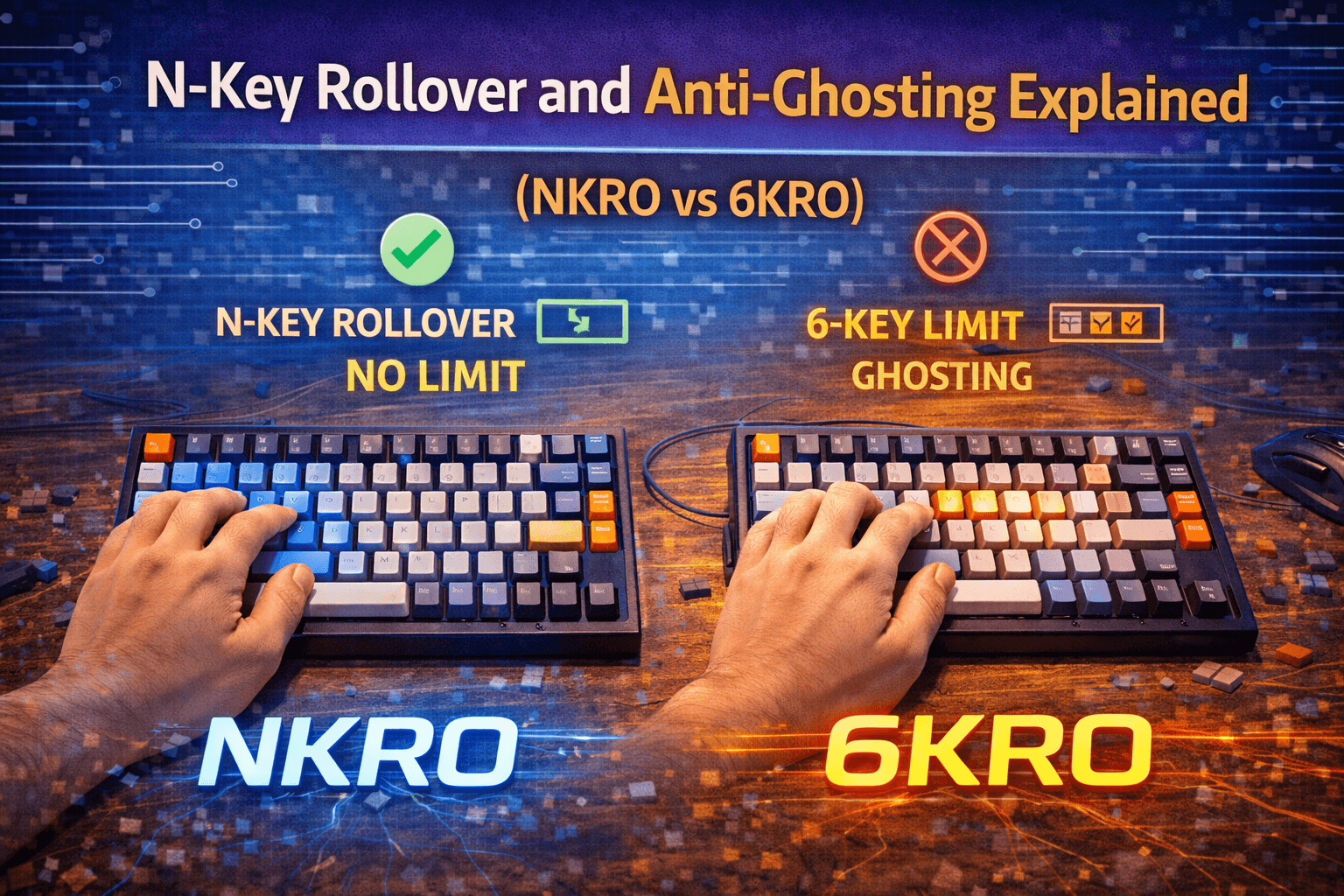
Key rollover refers to how many keys your keyboard can register simultaneously. A keyboard with 6-key rollover (6KRO) can detect six keys being pressed at the same time, while a keyboard with N-key rollover (NKRO) can detect every key being pressed simultaneously. That sounds like a massive difference until you ask yourself a simple question: when was the last time you pressed seven or more keys at exactly the same time?
For the vast majority of users—including competitive gamers, programmers, and fast typists—6KRO provides more than enough simultaneous key detection. The scenarios where you genuinely need full NKRO are rare and specific. Even professional esports players and fighting game competitors typically use only three to four keys simultaneously at most. Full NKRO is a nice feature to have, but calling it essential for gaming or typing is marketing hyperbole.
I’ll admit I fell for this marketing myself when I bought my first gaming keyboard — paid extra specifically for “full NKRO” thinking it would improve my gameplay. After months of use, I ran a rollover test and realized I’d never once pressed more than five keys at the same time, even during the most frantic moments.
This guide explains what key rollover and ghosting actually are, why these features exist, what the practical differences are between 6KRO and NKRO, and when each specification actually matters. By the end, you’ll understand whether you need to prioritize NKRO when shopping for keyboards or whether it’s just another spec you can ignore.
Note: This guide contains affiliate links. If you purchase through our links, we may earn a commission at no extra cost to you. This helps support our in-depth testing and content creation.
What Key Rollover Actually Is
Key rollover describes how many keys a keyboard can register when pressed simultaneously. Understanding why this limitation exists requires knowing a bit about how keyboards detect key presses using matrix scanning technology.
How Keyboard Matrices Work
Most keyboards use a key matrix to detect which keys are pressed. Instead of giving each key its own dedicated wire back to the controller (which would require over 100 wires), keyboards arrange keys in a grid with rows and columns. Each key sits at the intersection of one row and one column. When you press a key, it connects its row wire to its column wire. The keyboard controller scans through the rows rapidly, checking which columns are connected on each row. This matrix approach dramatically reduces wiring complexity—a 104-key keyboard might use just 18 wires (8 rows times 10 columns) instead of 104 dedicated wires.
The Ghosting Problem
The matrix design creates a problem called ghosting. If you press certain combinations of keys simultaneously, the keyboard can detect phantom key presses that didn’t actually happen. Imagine pressing keys at positions (row 1, column 1), (row 1, column 2), and (row 2, column 1) simultaneously. The electrical paths create a situation where the keyboard also sees a connection at (row 2, column 2) even though you didn’t press that key. This phantom detection is “ghosting”—the keyboard registers keys you didn’t press.
In some applications like gaming or fast typing, ghosting could cause incorrect inputs with serious consequences. Pressing WASD for movement plus Shift plus Space might ghost another key that opens your inventory mid-fight. This is why keyboards need solutions to prevent ghosting from happening.
How Keyboards Solve Ghosting
Keyboards solve ghosting through blocking or anti-ghosting circuitry. Blocking prevents ghosting by refusing to register certain key combinations—if pressing three specific keys would cause ghosting, the keyboard simply won’t register the third key. This prevents phantom inputs but limits simultaneous key detection.
Anti-ghosting circuitry adds diodes to each key switch, preventing the electrical paths that cause ghosting. Each key gets a diode that only allows current to flow in one direction, which eliminates the phantom connections that cause ghosting. This is more expensive but allows detecting many keys simultaneously without ghosting or blocking.
Understanding Rollover Specifications
“2-key rollover” means the keyboard can detect two keys pressed simultaneously without ghosting or blocking. “6-key rollover” guarantees six simultaneous keys. “N-key rollover” (where N means “any number”) guarantees all keys can be detected simultaneously. The specification isn’t about the absolute maximum the keyboard can detect—it’s about the guaranteed minimum. A 6KRO keyboard might actually detect eight or ten keys simultaneously in certain combinations, but it only guarantees six.
6KRO vs NKRO: Practical Differences
The technical difference between 6-key rollover and full N-key rollover is straightforward. The practical difference for most users is minimal. Understanding what each provides helps you decide what you actually need.
What 6KRO Provides
A keyboard with 6KRO guarantees that any six keys pressed simultaneously will register correctly without ghosting or blocking. This covers the vast majority of real-world use cases for both gaming and typing. In gaming, even complex actions rarely require six simultaneous keys. Moving with WASD, running with Shift, jumping with Space, and using an ability with a number key is six keys total. Most gaming scenarios use three to four simultaneous keys at most.
For typing, 6KRO is complete overkill. Fast typists might press two or three keys simultaneously during key transitions, but six simultaneous keys while typing would be unusual unless you’re intentionally mashing the keyboard. The limitation of 6KRO is that it only guarantees six keys. If you press seven or more keys simultaneously, the keyboard might detect all of them, some of them, or might exhibit ghosting or blocking depending on which specific keys you press.
What NKRO Provides
N-key rollover keyboards guarantee that every key on the keyboard can be detected simultaneously without ghosting or blocking. Press all 104 keys at once (somehow) and the keyboard will register all of them correctly. This sounds impressive and technically it is—implementing NKRO properly requires adding a diode to every single switch, increasing manufacturing cost. But the question is whether you’ll ever use this capability.
For normal computer use including gaming, you won’t press more than six keys simultaneously. The human hand can only comfortably press about three to five keys at once anyway. Using both hands, you might reach six to eight keys, but you’d be doing something unusual. NKRO becomes useful in specific scenarios: software that requires holding many modifier keys simultaneously, music production applications, or situations where you’re intentionally testing the limits. For everyday use including competitive gaming, NKRO provides no practical advantage over 6KRO.
The Blind Test Reality
In blind testing where users were given both 6KRO and NKRO keyboards without being told which was which, most people couldn’t identify which was which through use. The theoretical difference exists, but for practical use, they feel identical because you’re not pressing seven-plus keys simultaneously. The honest assessment is that 6KRO is sufficient for 99% of users. NKRO is a nice feature that future-proofs your keyboard against edge cases, but calling it essential or necessary is overstating its importance.
Gaming: Do You Actually Need NKRO?
Gaming keyboard marketing heavily emphasizes NKRO as essential for competitive gaming. The reality is that competitive gaming requires far fewer simultaneous keys than marketing suggests.
Typical Gaming Key Usage
Most games use relatively simple control schemes. First-person shooters typically involve WASD for movement, Shift for sprint, Space for jump, Control for crouch, and number keys for weapons. Even when performing complex actions, you’re rarely pressing more than four keys simultaneously. MMOs and MOBAs can have more complex keybindings, but even here, simultaneous key presses rarely exceed four or five. You might be moving with WASD while pressing Q for an ability and Tab to check stats, but you’re not holding down six-plus keys at once.
I tracked my own key presses during a week of Valorant sessions out of curiosity. Peak simultaneous keys during actual gameplay: five. That was W+A+Shift+Space+mouse click. Most of the time it hovered around three or four. Not once did I hit six.
Fighting games operate sequentially rather than simultaneously. You press keys in rapid succession, not all at once. Fighting game players on keyboards rarely need more than three or four simultaneous keys for combos. Even advanced players in games like Guilty Gear find that 6KRO handles their needs. Rhythm games are different—games like O2Jam and Stepmania can have charts requiring more than six simultaneous keys at once, making NKRO genuinely useful for that specific application.
What the Pros Actually Use
Professional esports players across FPS, MOBA, and fighting games are unconcerned about rollover specifications beyond basic anti-ghosting. When given the choice between identical keyboards with 6KRO versus NKRO, pros typically can’t articulate a performance difference because the limitation doesn’t affect their actual gameplay. Their performance is limited by skill, reaction time, and decision-making—not by how many simultaneous keys their keyboard can detect.
NKRO can be useful in specific gaming scenarios: games with extensive modifier key use, custom keybindings that create unusual combinations, or situations where you’re using many keys across both hands simultaneously. But these are edge cases, not representative of typical gaming. Most FPS, MOBA, and fighting game tournaments don’t mandate NKRO because it provides no competitive advantage. If high rollover provided meaningful performance gains, tournament rules would ensure all competitors had access to it.
The Bottom Line for Gamers
NKRO doesn’t hurt and might help in edge cases, but it’s not essential for gaming performance. If you’re choosing between two otherwise identical keyboards and one has NKRO, get that one. But don’t pay a significant premium for NKRO or choose an inferior keyboard just because it has NKRO when a better keyboard with 6KRO exists.
Typing and Productivity: Rollover Requirements
For typing and productivity work, key rollover requirements are even lower than gaming. Understanding what typing actually involves helps put the specifications in perspective. Even very fast typists rarely press more than two keys truly simultaneously. During key transitions when releasing one key and pressing the next, there’s brief overlap where both keys are down, but this is only two keys maximum for normal typing.
Modifier keys like Shift, Control, and Alt combine with other keys, but again, this is typically two keys—one modifier plus one alphanumeric. Even complex keyboard shortcuts like Control-Shift-S are three keys maximum. The scenarios where typing exceeds three simultaneous keys are unusual. Specific software applications with complex modifier combinations might use four or five keys, but this is rare in normal productivity work.
Older membrane keyboards often have 2-key rollover, which is generally adequate for typing. The limitation only becomes apparent when using multiple modifiers simultaneously or during very fast key transitions where three keys might overlap briefly. Mechanical keyboards typically provide at least 6KRO, which is complete overkill for typing purposes. Even 3KRO would handle typing needs for most people. If you’re buying a mechanical keyboard for typing, key rollover is not a specification you need to worry about.
If you’re buying a keyboard primarily for typing and productivity, key rollover is not a meaningful specification to prioritize. Any modern mechanical keyboard will have sufficient rollover for typing needs. Focus on switch type, layout, keycap quality, and typing comfort instead. Key rollover matters far less than ergonomics, sound, and feel for productivity work.
When NKRO Actually Matters
Despite NKRO being overkill for most users, some scenarios genuinely benefit from full key rollover beyond 6KRO.
Music Production and MIDI Input
Musicians using keyboards as MIDI input devices might play chords with both hands, pressing eight or more keys simultaneously. Virtual piano applications or music composition software can exceed 6KRO limitations if you’re playing complex chords. For musicians using keyboards as instruments rather than just typing interfaces, NKRO provides necessary functionality. This is one of the few use cases where full NKRO serves a clear purpose.
Specialized Professional Software
Some professional software uses very complex modifier combinations that might exceed 6KRO. Video editing software with custom shortcuts, 3D modeling applications, or specialized engineering tools might have obscure combinations that require many simultaneous keys. These are edge cases, but they exist. If your professional workflow involves software with known complex keybinding requirements, NKRO eliminates a potential limitation.
Stenography with Plover
Stenography using software like Plover genuinely requires NKRO. Stenographic typing uses keyboards to create “chords”—pressing multiple keys simultaneously to represent syllables. Plover documentation explicitly recommends NKRO keyboards because holding multiple keys simultaneously is fundamental to how stenography works. For anyone using Plover or similar stenography software, NKRO is not optional—it’s essential.
Rhythm Games
Rhythm games like O2Jam and Stepmania can require more than six simultaneous key presses on the hardest charts. Players report that missing notes because the keyboard only supports 6KRO makes clearing some charts impossible. NKRO makes timing more precise in rhythm games because you don’t need to completely release previously held keys to register new ones. For serious rhythm game players, NKRO provides genuine performance benefits.
Enthusiast Preference
Some people want NKRO because they appreciate having the technical capability even if they don’t use it. Keyboard enthusiasts often value features for their own sake, and NKRO is a specification that separates basic keyboards from premium keyboards. If you care about keyboards as technology and enjoy having full specifications regardless of practical need, NKRO makes sense. Not everything needs practical justification—wanting a fully-featured keyboard is reason enough.
Technical Limitations and Compatibility
Higher rollover specifications aren’t free—they come with trade-offs that manufacturers don’t emphasize.
USB Compatibility Issues
Not all systems properly support NKRO over USB. Some motherboards or USB controllers have issues with the non-standard HID reports that NKRO requires. This can cause keyboards to fall back to lower rates, fail to work entirely, or create intermittent connection problems. Early NKRO keyboards only worked over PS/2 connections, which is increasingly rare on modern computers. The compatibility issues are less common now than when NKRO keyboards first launched, but they still happen. Buying a 6KRO keyboard with good anti-ghosting eliminates this entire category of potential problems. I actually ran into this once — plugged an NKRO board into an older office PC and it wouldn’t register properly until I toggled it back to 6KRO mode in the firmware. Not a dealbreaker, but the kind of thing nobody warns you about.
Firmware Complexity
Supporting multiple rollover modes adds firmware complexity. More complex firmware means more potential for bugs, more difficult troubleshooting, and more variables when things go wrong. Simpler keyboards with standard 6KRO or basic NKRO have fewer things that can break.
Common Misconceptions
Several myths about key rollover persist in keyboard communities and marketing materials. Understanding what’s true helps you make informed decisions.
Myth: NKRO Is Essential for Gaming — Reality: 6KRO handles all normal gaming. Even competitive esports players perform identically on 6KRO and NKRO keyboards. The limitation on gaming performance is human skill and reaction time, not key rollover.
Myth: More Rollover Means Faster Response — Reality: Key rollover has nothing to do with response time or input lag. NKRO and 6KRO keyboards respond equally fast. Rollover only affects how many simultaneous keys register, not how quickly individual keys register.
Myth: NKRO Prevents All Ghosting — Reality: Both 6KRO and NKRO keyboards prevent ghosting within their specified key counts. 6KRO keyboards don’t ghost within six-key combinations. NKRO just extends the guarantee to all possible combinations. Physical interference like dust can still prevent key registration even in 100% anti-ghosting keyboards.
Myth: You Need NKRO for Fast Typing — Reality: Typing rarely exceeds two simultaneous keys. Even very fast typists don’t need 6KRO, let alone NKRO. This is pure marketing aimed at people who don’t understand typing mechanics.
Myth: NKRO Over USB Is Always Better — Reality: NKRO over USB can have compatibility issues on some systems. 6KRO works reliably everywhere. Unless you specifically need NKRO, the added complexity isn’t worth it.
Frequently Asked Questions
Do I need NKRO for gaming?
No. 6KRO is sufficient for all normal gaming including competitive esports. You rarely press more than four keys simultaneously even in complex games. NKRO is nice to have but not necessary. Professional players perform identically on 6KRO and NKRO keyboards. Focus on other factors like switch quality, build quality, and layout instead.
What’s the difference between 6KRO and NKRO?
6KRO guarantees six simultaneous keys register correctly. NKRO guarantees all keys work simultaneously. For practical use, both feel identical because you rarely press six-plus keys at once. 6KRO covers 99% of use cases including gaming and typing.
Can I test if my keyboard has 6KRO or NKRO?
Yes. Use online key rollover testing tools—search “keyboard rollover test.” Press multiple keys simultaneously and the tool shows how many register. Try pressing ten keys at once—if they all register, you have NKRO. If only six register, you have 6KRO.
Does key rollover affect typing speed?
No. Key rollover has nothing to do with typing speed or response time. NKRO only affects how many simultaneous keys register. Since typing rarely involves more than two simultaneous keys, rollover specification is irrelevant for typing performance.
Is NKRO worth paying extra for?
Usually no. If two keyboards are otherwise identical and one costs slightly more for NKRO, it might be worth getting. But don’t choose an inferior keyboard just for NKRO or pay significant premiums. 6KRO is sufficient for almost everyone. Focus on switch quality, build quality, and features that affect daily use instead.
Conclusion
N-key rollover and anti-ghosting are real technical specifications that affect how keyboards handle simultaneous key presses. Understanding what these terms mean helps you evaluate whether they matter for your specific use case.
For the vast majority of users—including gamers, typists, and productivity workers—6-key rollover provides more than sufficient simultaneous key detection. The scenarios where you genuinely need full NKRO are rare and specific, mostly involving music production, stenography, or rhythm games. Even professional esports players typically use only three to four keys simultaneously, making NKRO unnecessary for competitive gaming performance.
NKRO is a nice feature to have for future-proofing and edge cases, but calling it essential for gaming or necessary for any normal use is marketing hyperbole. If you’re choosing between keyboards and one has NKRO while the other has 6KRO, get the NKRO keyboard all else being equal. But don’t pay significant premiums or compromise on features that actually affect daily experience just to get NKRO.
Focus on what matters for your typing and gaming experience—switch quality, build quality, layout, and feel. Key rollover is a specification you can largely ignore when shopping for keyboards unless you have specific requirements like music production or stenography that genuinely need NKRO. Test your actual simultaneous key usage in your primary applications to determine whether you actually need NKRO or whether 6KRO will serve you just fine.
Looking for keyboards with great gaming performance? Check out our keyboard switches guide to find what truly affects your experience. If gaming is your main use, rapid trigger keyboards and keyboard latency are the specs that actually move the needle.