Introduction
Counter-strafing 40% faster. That's what Rapid Trigger enables.
In competitive first-person shooters, milliseconds determine outcomes — our keyboard latency guide covers exactly why. The difference between landing a headshot and getting outdueled comes down to movement precision and reaction time. For decades, mechanical keyboards set the standard. Then Rapid Trigger arrived.
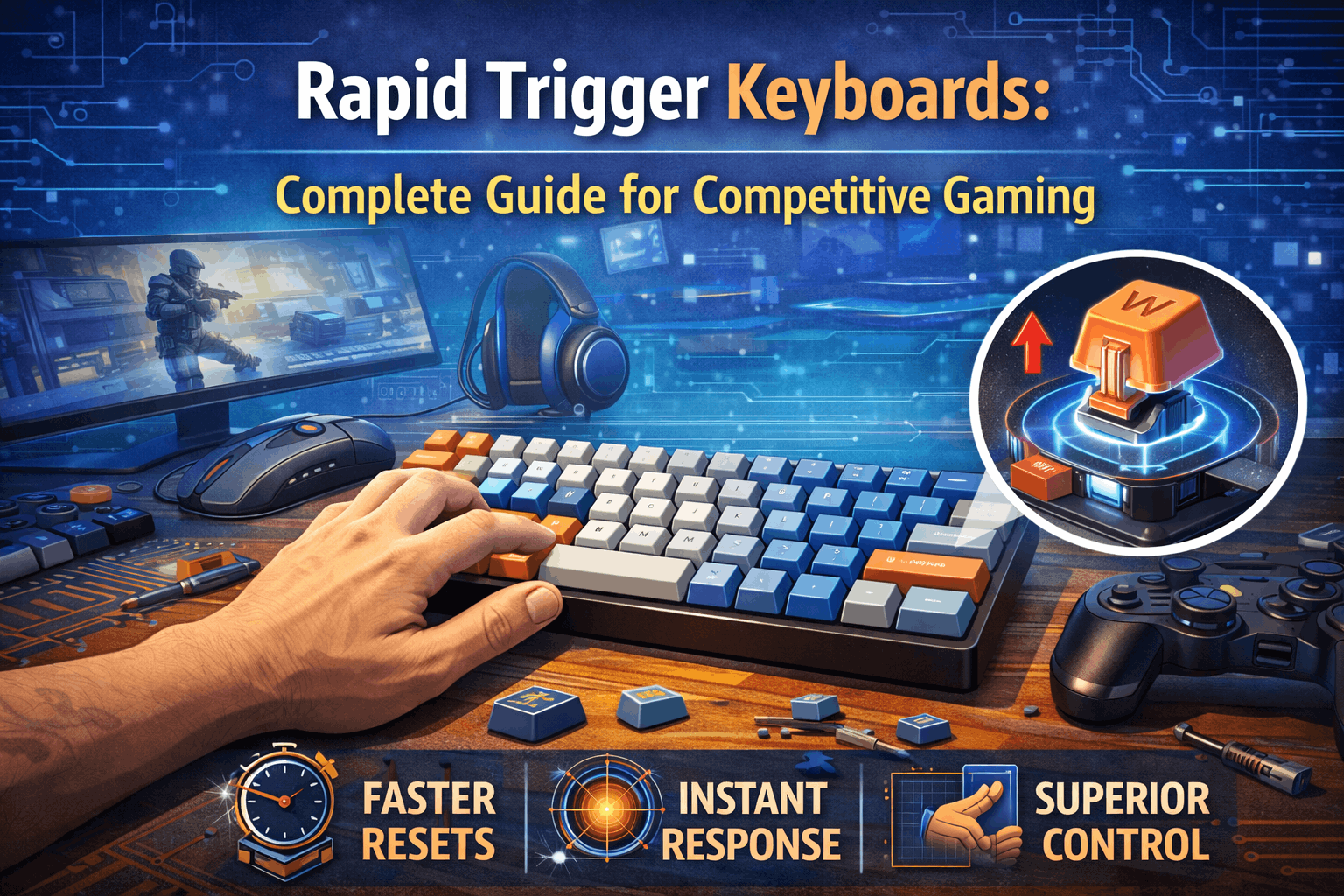
Rapid Trigger is a revolutionary feature that allows keys to reset instantly upon release—without requiring them to return to a fixed reset point. No more waiting for the mechanical switch to physically return. The moment you start releasing, the key deactivates and can reactivate immediately.
Wooting pioneered this technology in 2020 and spent years perfecting it. By 2024-2026, major brands adopted it. Now, top professional players in CS2, Valorant, and Apex Legends rely on Rapid Trigger keyboards as their competitive standard.
The question isn't whether Rapid Trigger is better anymore. It's whether the premium price ($150-300) is justified for your competitive level. This guide explains exactly how Rapid Trigger works, quantifies the competitive advantage, and helps you decide if you need this technology.
Note: This guide contains affiliate links. If you purchase through our links, we may earn a commission at no extra cost to you. This helps support our in-depth testing and content creation.
Quick Overview
Rapid Trigger allows keys to reset instantly on release without any minimum return distance. The main benefit manifests as 20-40% faster counter-strafing in FPS games like CS2, Valorant, and Apex. This competitive advantage becomes measurable at Diamond+ rank but remains negligible below that threshold. The technology works best for FPS players at high ranks, rhythm gamers playing osu!, and pro or streamer players. Cost runs $150-300, roughly 2-3x the price of mechanical keyboards. Reality check: Rapid Trigger doesn't make you better automatically—it removes the equipment ceiling holding you back. Your skill still matters most.
What Is Rapid Trigger?
Simple Definition
Rapid Trigger allows a key to activate on downstroke and deactivate immediately upon any upward movement, without requiring the key to return to a specific reset point. This fundamental change transforms how fast competitive inputs can happen.
The Traditional Problem
Normal mechanical switches have operated the same way for 30+ years. You press a key and it activates at its actuation point, typically 2.0mm of travel. When you release the key, it must travel back up to that same 2.0mm reset point before reactivation becomes possible. This creates time delay of roughly 10-30ms per complete keypress cycle.
Consider a concrete example of counter-strafing without Rapid Trigger. At 0ms you press the A key to move left. At 2ms the key activates after traveling 2.0mm. At 20ms you begin releasing the A key. At 30ms the key finally returns to the 2.0mm reset point and deactivates. At 35ms you press the D key to move right. At 37ms that key activates after traveling 2.0mm. Total time from starting the A press to D activation: 37ms. Wasted time just waiting for mechanical reset: 30-37ms of pure delay.
Rapid Trigger Solution
With Rapid Trigger, the process transforms completely. Press a key and it activates at your custom set point anywhere from 0.1-2.0mm. Release the key and it deactivates the instant you start releasing—any upward movement at all triggers deactivation. Press again and it activates immediately on the next downstroke without waiting.
The same counter-strafing scenario with Rapid Trigger runs dramatically faster. At 0ms you press A to move left. At 1ms the key activates after just 0.2mm of travel. At 20ms you start releasing A. At 20ms the key deactivates instantly from any upward movement. At 21ms you press D to move right. At 22ms that key activates after 0.2mm of travel. Total time from starting A to D activation: 22ms. Time saved: 15ms, representing 41% faster counter-strafe execution.
Key Insight
The advantage extends beyond simple speed. With Rapid Trigger you can change direction mid-keypress without fully releasing. Traditional switches force complete key return before reset. Rapid Trigger responds the moment you start releasing, making your intentions translate to game movement faster than your conscious thought.
Technical Requirement
This technology only works with analog switches. Hall Effect keyboards using magnetic detection support it fully. Learn more in our Hall Effect keyboards guide.
Optical analog switches also enable it. Traditional mechanical switches remain binary (on/off only) without the analog position tracking required for Rapid Trigger. Learn more about how Hall Effect technology enables this feature.
How Rapid Trigger Works
The Technology Behind It
Analog position tracking forms the foundation. Hall Effect sensors (the most common Rapid Trigger platform) track key position continuously across the full 4mm travel range. The sensor knows exact position at all times with 0.01mm precision, reading position over 1000 times per second — your keyboard polling rate determines how fast this data reaches your PC.
This continuous position data enables Rapid Trigger's magic through sophisticated logic. Instead of simple "key is at position X, so it's on or off" thinking, Rapid Trigger employs direction awareness (is the key moving up or down?), travel history (how far has the key moved since last check?), and continuous activation and deactivation states.
Traditional switch logic operates simply: if position exceeds 2.0mm then key equals ON, if position drops below 2.0mm then key equals OFF. Rapid Trigger logic adds complexity: if moving DOWN and position exceeds actuation point then key equals ON, if moving UP then key equals OFF regardless of position, if moving DOWN again then key equals ON regardless of position. This directional awareness changes everything.
Customization: The Power of Rapid Trigger
Most Rapid Trigger keyboards allow granular customization that transforms the experience. Actuation distance (when the key activates) ranges from 0.1mm to 4.0mm, where lower settings create more sensitive and faster response while higher settings reduce sensitivity to prevent accidental presses. Release distance (when the key deactivates) spans 0.1mm to 2.0mm, with lower values providing instant deactivation and higher values offering more forgiving, less twitchy behavior.
Different use cases demand different settings. Ultra-competitive pro CS2 players might use 0.1mm actuation with 0.15mm release for instant response and millisecond precision, though this requires steady hands and high skill. Competitive Diamond+ FPS players typically settle on 0.5-0.8mm actuation with 0.2-0.3mm release, achieving fast response without excessive twitchiness—this represents the sweet spot for most skilled players. Balanced settings for learning or intermediate players run 1.0-1.5mm actuation with 0.5mm release, providing comfortable feel with fewer accidental presses and serving as good starting point for adaptation. Rhythm gamers playing osu! typically prefer 0.3-0.5mm actuation with 0.1-0.2mm release for instant response during rapid note patterns.
Gaming Advantages by Genre
FPS Games (PRIMARY USE CASE)
Counter-Strafing Advantage (The Killer Feature)
Counter-strafing defines the fundamental technique that separates competitive players from casuals. You're moving left with A key pressed, then instantly press right with D key to stop all momentum. This technique proves critical for maintaining accuracy while moving. Faster counter-strafe execution means faster aimed shots become possible. The speed difference separates pros from amateur players in measurable ways.
Traditional mechanical timing forces this sequence: A press, A held, A release (wait 20-40ms for reset), D press, then finally you can take your accurate shot. Rapid Trigger timing transforms this completely: A press, A held, A release (instant), D press, accurate shot 20-40ms earlier than mechanical switches allow.
The competitive impact shows up everywhere in high-level play. Peeking around corners happens 20-40% faster with tighter execution. Return to cover becomes faster during mid-fight repositioning. Accuracy improves because you have more time for that critical first shot when stopped. Jiggle peeking (rapid left-right movement for information gathering) becomes more responsive and consistent.
Real-world game examples demonstrate the advantage clearly. In Counter-Strike 2, professional players use 0.1-0.3mm actuation with Rapid Trigger enabled. Counter-strafing executes 40%+ faster than mechanical switches allow. This enables techniques literally impossible on mechanical keyboards like certain tap-strafe patterns. Most professional teams now use Wooting or Razer Hall Effect keyboards as standard equipment.
Valorant benefits similarly. Faster stop-and-shoot transitions give you first shot advantage. Stutter-stepping becomes more responsive for movement while maintaining accuracy. Rounding corners with micro-adjustments happens more precisely. Top Radiant players almost exclusively use Rapid Trigger technology now.
Apex Legends shows advantages in movement tech. Super glide success rates increase because timing windows become more forgiving. Strafe-strafing (rapid alternating direction) responds more precisely to inputs. Bunny hopping consistency improves through better timing control.
Jiggle Peeking (Rapid Movement Technique)
Jiggle peeking involves rapid left-right key tapping to gather information without exposing yourself long. Traditional mechanical switches limit your speed through reset point requirements. Rapid Trigger eliminates this limitation entirely, enabling true rapid tapping without mechanical constraints.
Stutter Stepping (Movement Control)
Maintaining accuracy while moving requires constant micro-adjustments. Rapid Trigger provides more responsive control for these subtle movements, making the technique more effective and consistent.
Rhythm Games (SIGNIFICANT BENEFIT)
Rhythm games see substantial improvements from Rapid Trigger. Games like osu! for competitive play, Beat Saber for expert+ custom songs, Friday Night Funkin' expert modes, and Stepmania or ITG arcade rhythm games all benefit measurably.
Fast note patterns become more achievable. Streaming (consecutive notes on the same key) gets limited by reset point on traditional switches but faces no mechanical limitation with Rapid Trigger. Higher BPM songs become possible to play. More complex patterns become achievable. This creates competitive advantage on public leaderboards.
Reduced fatigue emerges as another benefit. Less finger travel becomes necessary for each note. Quicker key recovery reduces strain. Long play sessions cause less physical strain on your hands.
Accuracy improvement shows up in scores. Instant key reset helps hit precise timings more consistently. Less chance of choked streams during difficult sections. Higher combo potential on challenging songs.
The result: players reach higher star ratings in osu! or complete harder custom songs in Beat Saber with Rapid Trigger compared to mechanical switches. The advantage proves real and measurable in competitive rhythm gaming.
Bunny Hopping / Movement Tech
Games like CS2, Apex Legends, Titanfall 2, and Quake feature advanced movement techniques. Bunny hopping requires precise jump timing, rapid directional changes mid-air, and consistent key release timing.
Rapid Trigger provides more consistent jump timing through instant response. Faster direction changes mid-air become possible. Higher success rate for difficult movement tech emerges from better control. The improvement remains marginal for most players but enables higher skill ceiling for dedicated movement tech specialists.
Racing / Simulation (MINOR BENEFIT)
Racing games can use WASD steering with analog input plus gradual throttle and brake control. Reality check: most sim racers prefer dedicated wheels or controllers anyway. Rapid Trigger's advantage here proves minimal compared to FPS applications. Benefit comes mainly from analog capability itself, not Rapid Trigger specifically.
MOBA / Strategy Games (NO BENEFIT)
Games like League of Legends, Dota 2, and Starcraft see no meaningful advantage. These games don't require rapid directional changes like FPS counter-strafing. APM (actions per minute) helps but Rapid Trigger doesn't improve it. Key presses tend to be deliberate rather than rapid-fire. No counter-strafing equivalent exists in these genres. Verdict: save your money and use quality mechanical switches instead. Learn more about switch types for these games.
Typing / Office Use (NO BENEFIT)
Typing doesn't require rapid re-pressing of keys. Rapid Trigger can actually feel overly sensitive for normal typing workflows. Over-actuation becomes annoying rather than helpful in office use cases. Better choice: mechanical switches with tactile or clicky options designed for typing comfort.
Rapid Trigger vs Traditional Mechanical Switches
Performance Comparison Table
| Metric | Rapid Trigger | Traditional Mechanical |
|---|---|---|
| Actuation Speed | 0.2-0.5ms | 1-5ms |
| Reset Speed | Instant (0ms) | 15-30ms |
| Counter-strafe Time | 15-25ms per cycle | 35-55ms per cycle |
| Key Travel for Rapid Tap | 0.4mm total possible | 4mm+ minimum |
| Direction Changes/Sec | 20+ rapid changes | 10-15 changes |
| Customization | Per-key software | Switch replacement |
| Price per Keyboard | $150-300 | $50-150 |
| Typing Feel | Linear only | Tactile/Clicky variety |
When Traditional Mechanical is Better
Typing feel remains superior on mechanical switches. The variety encompasses tactile and clicky options with more personality and established user preferences. Mechanical switches offer proven reliability through simpler technology with fewer potential failure points. No software dependency exists—mechanical keyboards just work. The 30+ year track record inspires confidence.
Value favors mechanical switches dramatically. They cost 50-70% less than Rapid Trigger alternatives while delivering excellent performance for 90% of gamers. Quality mechanical keyboards work perfectly well for casual competitive play. Compatibility extends wider with more keyboard options available, easier replacement switch sourcing, and broader ecosystem support.
When Rapid Trigger is Better
Competitive FPS advantage becomes measurable at high ranks. The technology has become industry standard among professional players. Customization through software-adjustable sensitivity enables per-game profiles and future-proof feature sets. Movement games benefit enormously—rhythm games see objective advantage while movement tech games enable higher skill ceilings.
Who Should Use Rapid Trigger?
Strong Recommendations
Competitive FPS players form the primary audience, but minimum rank thresholds determine when advantage matters. In CS2, you need Global Elite or Faceit Level 8+ rank (top 2% of players). Valorant players should be Immortal+ (top 1%). Apex Legends requires Master+ rank (top 1%) before advantages manifest clearly. Below these ranks, focus on aim and game sense development first. Rapid Trigger won't fix fundamental skill gaps that exist at lower ranks.
Why this matters at high rank becomes clear through competitive realities. Opponents at these levels have excellent aim, making movement speed critical for survival. Every millisecond matters in high-level duels. Rapid Trigger has become industry standard among professional players. Your skill ceiling raises noticeably with proper equipment. The professional environment increasingly expects this technology.
Real-world impact shows in matchmaking. You're playing against other Rapid Trigger users at pro levels regularly. Mechanical keyboards genuinely feel "slow" once you adapt to Rapid Trigger. You simply can't compete at peak level without equivalent equipment when opponents have it.
Rhythm game enthusiasts represent another strong candidate group. Target players include those playing osu! 4-star+ beatmaps with streaming patterns, Beat Saber expert+ custom songs, Friday Night Funkin' expert modes, and anyone with competitive leaderboard focus. The advantage proves objective and measurable on public leaderboards, enabling higher difficulties than mechanical switches allow.
Pro gamers, esports players, and content creators need Rapid Trigger for professional reasons. Competitive advantage becomes essential at this level. Industry standard equipment expectations from sponsors and organizations matter. Streaming and professional credibility require top-tier equipment. Sponsor alignment often demands specific brands. Audience expectations assume professional equipment standards.
Movement tech enthusiasts form a niche but passionate group. Bunny hop practice communities, speedrunning communities, movement tech specialists, and those focused on raising skill ceiling all benefit from Rapid Trigger's precision.
The best Rapid Trigger keyboards available include the Wooting 60HE+ and 80HE at $200-220, representing the industry gold standard with most refined software (Wootility) and best customization options. Razer Huntsman V3 Pro at roughly $250 offers excellent build quality with mature Razer Synapse software and wide availability. DrunkDeer A75 at $180 provides great price-to-performance ratio with solid Rapid Trigger implementation and growing software support. Keychron K2 HE at $200-220 combines wireless capability with Rapid Trigger plus QMK/VIA support for enthusiasts.
Not Recommended
Casual FPS players won't benefit meaningfully. If you're Gold or Platinum rank (below top 10%), playing for fun rather than serious competition, or not prioritizing climbing rank, skip Rapid Trigger. You won't notice the difference at casual skill levels. Skill gaps far exceed equipment gaps at this level. Your money gets better returns investing in aim training tools instead.
MOBA and RTS players see zero advantage. Games like League, Dota 2, and Starcraft don't feature counter-strafing equivalents. APM helps but Rapid Trigger doesn't specifically improve it. These games involve deliberate presses rather than rapid-fire inputs. Better choice: standard gaming mechanical keyboard that costs half as much.
Single-player gamers gain nothing from Rapid Trigger. Story games and exploration-focused titles create no competitive pressure or advantage scenarios. The premium technology serves no purpose here.
Budget-conscious builders face tough math. Rapid Trigger keyboards cost $150-300 while mechanical alternatives run $50-100. That difference of $100-200 raises important ROI questions. Is 20-40% faster counter-strafing worth $100-200 premium if you're Gold rank? The honest answer: no, probably not.
Typing-focused users see zero advantage and potential downsides. No typing improvement occurs with Rapid Trigger. The sensitivity can feel excessive for office work. Only linear switches exist (no variety available). Better choice: tactile or clicky mechanical switches designed for typing comfort.
Learning Curve & Adaptation Timeline
Week-by-Week Progression
Week one brings disorientation that feels like the keyboard is broken. Keys feel overly sensitive to the slightest touch. Counter-strafe attempts overshoot their targets. Your aim may actually worsen temporarily during adjustment. Frustration peaks during this initial phase.
What's happening beneath the surface: muscle memory still expects mechanical switch behavior. Your brain hasn't adapted to instant reset response yet. Your initial settings might be too aggressive for your current skill level. The solution involves starting with 1.5mm actuation for more forgiving feel. Don't expect miracles yet—give the adaptation time. Practice in deathmatch or casual modes rather than ranked. Adjust settings if things feel too twitchy.
Week two brings calibration improvements. The feel improves noticeably as things feel less weird. You're adjusting actuation settings to find your sweet spot. Muscle memory begins adapting to the new response characteristics. Performance returns to your mechanical keyboard baseline as adaptation progresses.
What to do during this phase: lower actuation to 1.0mm as you adapt. Practice counter-strafing specifically in aim trainers. Start noticing moments where Rapid Trigger helps execution. Use Aim Lab or Kovaak's strafing scenarios for focused practice.
Weeks three through four bring integration of skills. Counter-strafing becomes noticeably faster in execution. Movement feels fluid and natural. Confidence builds in rapid directional changes. You're approaching full benefit realization as muscle memory solidifies.
Actions for this phase: continue lowering actuation toward 0.5-0.8mm. Integrate Rapid Trigger into competitive play confidently. Create profile settings customized by game. You're starting to feel clear advantage versus mechanical switches.
Month two and beyond delivers mastery. You can't go back to mechanical—it feels genuinely slow now. Full advantage gets realized in gameplay. Higher skill ceiling unlocks through better control. Muscle memory has fully adapted to Rapid Trigger behavior.
Training Recommendations
Aim trainers become essential for adaptation. Kovaak's offers strafing scenarios specifically designed for counter-strafe practice. Aim Lab provides counter-strafe movement tasks. CS2 has custom prefire practice maps perfect for this training.
Sensitivity progression should follow this timeline. Week one: start at 1.5mm actuation as your baseline. Week two: lower to 1.0mm actuation. Week three: drop to 0.5-0.8mm actuation. Month and beyond: reach 0.2-0.4mm for pro-level response.
Things to avoid during adaptation: don't start at 0.1mm on day one (too aggressive for beginners). Don't expect instant rank improvement without practice. Don't give up during challenging week one. Don't stop practicing mechanical fundamentals. Don't blame Rapid Trigger for bad aim—work on fundamentals first.
Rapid Trigger Implementations (Different Brands)
Wooting (The Original - Best Software)
Wooting pioneered Rapid Trigger technology back in 2020, establishing the standard others now follow. Their Wootility software provides the most granular customization available with per-key settings, comprehensive profile management, active ongoing development, and excellent documentation. The company has earned industry benchmark status for quality. They offer the best software experience in the category with most customization options and active community support.
The downsides include premium pricing starting at $200+, occasional shipping delays depending on location, and smaller brand presence meaning less retail availability compared to mainstream alternatives. Despite these limitations, the majority of top professional players globally choose Wooting keyboards.
Razer (Mainstream - Very Good)
Razer's Huntsman V3 Pro keyboards use mature Razer Synapse software that's reliable and easy to setup. Cloud profile sync works seamlessly across devices. Performance proves excellent for competitive needs. The keyboards enjoy wide retail availability with premium build quality, reliable brand support, and multiple layout options for different preferences.
Downsides involve Razer ecosystem lock-in if you prefer avoiding brand-specific software. The software occasionally feels bloated with extra features. Customization proves less granular compared to Wooting's offerings. Despite these compromises, Razer's market position as mainstream adoption leader makes these keyboards easier to buy than Wooting alternatives.
DrunkDeer (Budget - Solid)
DrunkDeer keyboards like the A75 use proprietary driver software with decent customization options and growing feature sets, though the polish remains less refined than Razer or Wooting implementations. The value proposition leads the market. Rapid Trigger performance works well. Gasket mount options provide premium typing feel.
The software remains less mature than established brands. Smaller brand support network means less community resources. Less proven performance at professional level compared to Wooting or Razer. But for budget-conscious competitive players, DrunkDeer delivers impressive performance per dollar.
Keychron (Enthusiast - Promising)
Keychron's K2 HE, K4 HE, and related models use QMK/VIA-based software offering open-source customization with deep enthusiast appeal and future-proof flexibility. Wireless capability combined with Rapid Trigger creates unique offering. Enthusiast-friendly design philosophy resonates with custom keyboard community. Future customization potential remains enormous.
The implementation continues maturing as newer technology. Community-driven support means less official manufacturer assistance. Less proven performance at professional level compared to Wooting. But for enthusiasts who value open-source and wireless, Keychron offers compelling options.
Performance Differences Between Brands
Objective specifications remain similar across brands. Polling rate runs 1000Hz universally. Latency stays under 1ms variance between implementations. Real-world difference proves minimal when configured properly. What matters more than raw specs: software quality and your personal settings optimization.
Rapid Trigger Settings Guide
By Skill Level / Use Case
Pro level settings use 0.1-0.3mm ranges. Set actuation point to 0.1mm, release distance to 0.15mm, and polling rate to 1000Hz. This configuration works best for Global Elite, Immortal+, and professional players. The feel becomes extremely responsive with microsecond precision. This requires steady hands, high existing skill, and weeks of dedicated adaptation. Top players like TenZ (Valorant pro) use 0.1mm actuation with 0.15mm release. S1mple (CS2 pro) similarly uses 0.1mm actuation with Rapid Trigger maxed.
Competitive high-rank settings run 0.5-0.8mm. Set actuation point between 0.5-0.8mm, release distance to 0.2-0.3mm, and polling rate to 1000Hz. This works best for Diamond+, Faceit Level 6-8, and serious ranked players. The feel stays fast without excessive sensitivity. This represents the sweet spot for most skilled players balancing speed with control.
Learning and intermediate settings use 1.0-1.5mm ranges. Set actuation point between 1.0-1.5mm, release distance to 0.5mm, and polling rate to 1000Hz. Best for Platinum and below ranks or players in the learning phase. The feel remains comfortable with fewer accidental presses. This serves as good starting point for adaptation before gradually lowering sensitivity.
Rhythm game settings for osu! and Beat Saber run 0.3-0.5mm actuation with 0.1-0.2mm release distance. This configuration works best for streaming patterns and competitive leaderboard play, delivering instant response with minimal travel needed.
Per-Key Customization Example
Advanced Rapid Trigger keyboards allow different settings per individual key. Movement keys (WASD) benefit from 0.3mm actuation with 0.1mm release for ultra-responsive strafing and instant deactivation for fastest possible directional changes. Ability keys (Q/E/R) should use 1.5mm actuation with 0.5mm release to prevent accidental casts while moving, ensuring intentional ability usage only. Weapon keys (1-5) work best at 2.0mm actuation with 1.0mm release for deliberate weapon selection, preventing accidental switches during combat. Interact key (F) needs 2.0mm actuation with 1.0mm release for intentional usage that prevents spam.
Common Problems & Solutions
Too Sensitive / Accidental Presses
When keys activate from just resting fingers or create unintended movements, the sensitivity needs adjustment. Increase actuation point to 1.0-1.5mm for more forgiving feel. Increase release distance to 0.5mm to reduce twitchiness. Practice lighter finger resting technique on keys. Use a wrist rest to prevent palm contact triggering keys. Remember you can customize per-key settings to solve specific problem areas.
Not Feeling the Benefit
If Rapid Trigger doesn't feel different from mechanical switches or produces no performance improvement, verify Rapid Trigger stays enabled in software (sometimes resets). Lower actuation point to try 0.5mm. Lower release distance to try 0.2mm. Practice counter-strafing specifically in aim trainers. Accept that 2-4 weeks total adaptation may be necessary. Watch professional player settings for reference points.
Inconsistent Behavior
When keys don't register consistently or show sporadic performance, update keyboard firmware immediately (often critical). Verify polling rate runs at 1000Hz. Confirm software settings actually saved properly. Clean switches as dust can interfere with magnetic sensors. Restart your PC since software sometimes needs refresh to work properly.
Too Fast / Overshooting Movements
If you can't control rapid changes and your aim suffers, start with higher actuation at 1.5mm. Gradually lower over weeks rather than rushing the process. Practice in deathmatch first before ranked play. Accept that learning curve is normal—expect 2-4 weeks for adaptation. Consider switching back to mechanical temporarily to retrain muscle memory if needed.
Rapid Trigger Alternatives
If Rapid Trigger Seems Overkill
High-quality linear mechanical switches like Gateron Yellow Pro or Cherry MX Red (see our Cherry MX vs Gateron guide) provide smooth, consistent feel at one-third the price of Rapid Trigger keyboards with no learning curve required. The downside: no Rapid Trigger capability and no customizable actuation. This works perfectly for 90% of gamers as a good value alternative.
Optical mechanical switches from Razer Optical or Bloody LK Optical lines offer fast sub-1ms response with no debounce delay at lower cost than Rapid Trigger. However, you lose analog capability and Rapid Trigger precision. This works for speed without the premium price.
Practice and skill development costs nothing. Just improve at counter-strafing through dedicated training. Reality check: Rapid Trigger doesn't replace skill—it removes the ceiling. Focus on aim training, positioning, and game sense which matter more at most ranks. Honest assessment: unless you're Diamond+ rank in competitive FPS, invest in a good mechanical keyboard and spend the difference on aim training or better monitor. You'll see more improvement from practice than equipment upgrades.
FAQ: Common Questions
Does Rapid Trigger work on mechanical switches?
No, Rapid Trigger requires analog position tracking which mechanical switches don't provide. Mechanical switches operate as binary (on or off) without continuous position awareness. Only Hall Effect keyboards with magnetic switches and optical analog switches support Rapid Trigger functionality. Learn more about Hall Effect technology that enables this feature.
Will Rapid Trigger improve my rank?
Not directly through simple ownership. Rapid Trigger raises your skill ceiling by enabling faster counter-strafing, but you still need the underlying skill to exploit that advantage. Expect 2-4 weeks of focused training before seeing tangible results. Skill, aim, and game sense matter far more than equipment at most skill levels.
Can you turn Rapid Trigger off?
Yes, all Rapid Trigger keyboards allow disabling it through software to use standard actuation behavior instead. This proves useful for typing or games where standard response feels more appropriate than ultra-fast reset.
Is Rapid Trigger legal in esports tournaments?
Yes, Rapid Trigger technology is widely accepted in professional esports competitions. Many professional players use Wooting or Razer Hall Effect keyboards with Rapid Trigger enabled in official tournament matches. Major tournament organizers approve this technology as standard equipment.
How much faster is Rapid Trigger really?
Approximately 20-40% faster counter-strafing execution compared to traditional mechanical switches. This translates to 15-25ms per cycle with Rapid Trigger versus 35-55ms with mechanical switches. The difference proves measurable but only becomes impactful at high skill levels where milliseconds determine round outcomes.
What if I'm not good enough to notice the difference?
You're probably right about your assessment. Below Diamond or Immortal rank, other factors like aim, positioning, and game sense matter vastly more than equipment specifications. Focus on those fundamentals first. Rapid Trigger represents a pro and high-rank luxury, not a tool that improves beginner performance.
Conclusion: Is Rapid Trigger Worth It?
Rapid Trigger represents revolutionary technology that fundamentally changes how fast-paced gaming works. Instant key reset eliminates mechanical lag. Adjustable actuation provides unprecedented control. The technology genuinely impresses from engineering perspective.
But here's the honest truth that matters most: Rapid Trigger doesn't automatically make you better at gaming. It removes the equipment ceiling that holds back already-skilled players who have mastered fundamentals.
Decision Framework
Get Rapid Trigger if you're Diamond+ rank in competitive FPS games like CS2, Valorant, or Apex. Serious rhythm game players in osu! expert+ territory benefit measurably. Professional esports players need this as industry standard equipment. Movement tech specialists focused on advanced techniques gain advantages. Budget isn't a concern and you can afford the premium pricing.
Skip Rapid Trigger if you're below Diamond rank in FPS games. Playing for fun rather than serious competition means the advantage won't manifest. MOBA or strategy game focus provides zero benefit. Budget constraints make the $150-300 price steep compared to alternatives. Typing or office focus gains nothing from this gaming-oriented technology. Single-player games create no scenarios where advantages matter.
Real Impact Summary
Competitive advantage at high rank delivers 20-40% faster counter-strafing that proves measurable in gameplay outcomes. Skill requirement to exploit this advantage sits at Diamond+ rank (top 1-2% of players). Learning curve demands 2-4 weeks of adaptation and focused practice. Price premium runs $150-300 above mechanical alternatives. Durability becomes theoretically infinite with no physical contact wear. Best use cases remain professional competitive gaming and rhythm games.
Final Thought
Rapid Trigger keyboards don't automatically make you a professional player. They remove the ceiling holding back players who are already excellent at fundamentals. If you're Diamond+ rank struggling against Rapid Trigger users while using mechanical switches, yes—upgrade makes sense. You'll notice the difference immediately and wonder why you didn't switch sooner.
If you're Platinum and below, learn counter-strafing properly on mechanical switches first. Your fundamentals will improve more than your equipment ever could at current skill level. Master the basics before investing in advanced equipment.
Skill exceeds equipment importance. Always remember this fundamental truth.
Ready to choose? Our Hall Effect keyboards guide covers the best Rapid Trigger implementations. See also our best keyboards for FPS games for curated picks. See also our mechanical keyboards gaming guide for broader performance analysis and our keyboard polling rate guide to understand the other half of input speed.