Introduction
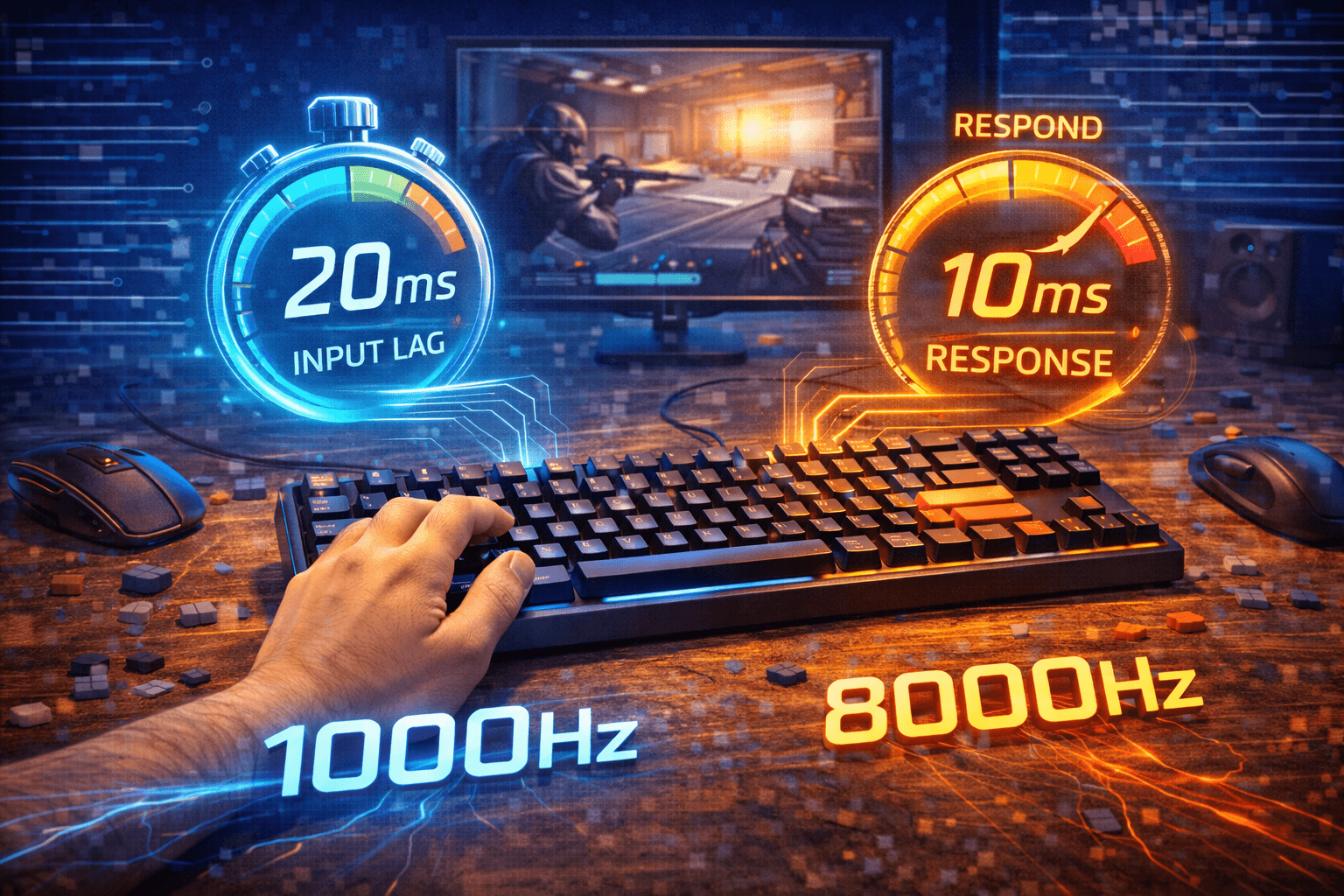
Keyboard latency is the delay between pressing a key and your computer registering that input. In the competitive gaming world, manufacturers market low-latency keyboards as providing crucial advantages measured in milliseconds. Understanding what latency actually is, where it comes from, and whether those milliseconds genuinely matter helps you separate meaningful improvements from marketing exaggeration.
Total latency from pressing a key to seeing the result on screen involves multiple stages—switch actuation, keyboard controller processing, USB transmission, operating system handling, application processing, and finally display rendering. Keyboard manufacturers focus on the parts they control—switch speed and controller processing—but these represent only a portion of total latency.
Here’s the reality that should provide perspective: modern mechanical keyboards typically have 3-8 milliseconds of total keyboard latency from physical key press to USB signal transmission. The variation between a budget mechanical keyboard and an expensive low-latency gaming keyboard might be 2-3 milliseconds. Meanwhile, human reaction time to visual stimuli averages 200-250 milliseconds with natural variability of 20-50 milliseconds even for trained individuals.
I tested this myself — ran hundreds of reaction time trials across three different keyboards (a stock RK61, a Keychron Q with speed switches, and a Wooting with Hall effect). My average reaction time varied more between well-rested mornings and tired evenings than it did between any of those keyboards.
This doesn’t mean latency is irrelevant—reducing total system latency from 50ms to 30ms creates noticeable improvement in responsiveness. But obsessing over 2ms differences in keyboard latency when your reaction time varies by 30ms is missing the forest for the trees. This guide explains all components of keyboard latency, typical latency numbers for different keyboard types, how latency interacts with other system components, and whether expensive low-latency keyboards justify their cost for your specific use case.
Note: This guide contains affiliate links. If you purchase through our links, we may earn a commission at no extra cost to you. This helps support our in-depth testing and content creation.
Components of Keyboard Latency
Understanding keyboard latency requires breaking down the complete signal path from physical key press to computer registration. Each stage adds delay, and total keyboard latency is the sum of all these components.
Switch Actuation Time
The first delay occurs inside the switch itself. When you press a key, the switch mechanism must travel far enough to create electrical contact. This travel distance and the time it takes creates switch actuation latency. Standard mechanical switches actuate around 2mm of travel. At typical pressing speeds, this takes 2-4 milliseconds from initial press to switch closure. The exact time depends on how hard and fast you press—a light, deliberate press takes longer than a forceful slam.
Speed switches with shorter actuation distances (1-1.5mm) reduce this time to 1-2 milliseconds. Optical switches can actuate even faster because they detect light interruption rather than waiting for metal contacts to touch. Hall effect keyboards with adjustable actuation points let you minimize this delay by setting extremely shallow actuation if desired. This is the most variable component of keyboard latency because it depends on your pressing technique. Two people using the same keyboard will have different switch actuation times based on their typing or gaming style.
Debounce Processing
After the switch closes, keyboards implement debounce algorithms to prevent single presses from registering multiple times. Mechanical contacts physically bounce when they close—making and breaking contact several times in rapid succession before settling. Without debouncing, one key press might register as two or three presses. Debounce delay typically ranges from 5-15 milliseconds on most keyboards. Gaming keyboards often use aggressive debouncing with 5ms delays, while office keyboards might use conservative 10-15ms delays to ensure reliability.
This delay is necessary evil—you can reduce it for faster response, but too little debouncing causes chattering where keys register multiple times. Finding the right balance matters, and some programmable keyboards let you adjust debounce settings to your preference.
Controller Scan Rate
The keyboard controller must scan the key matrix to detect which keys are pressed, then process this information into USB signals. Modern keyboard controllers scan at 1000Hz or faster, adding less than 1 millisecond of delay for this step. Some budget keyboards use slower scan rates—125Hz or 250Hz—which can add 4-8ms of delay. This is one area where budget keyboards genuinely lag behind gaming keyboards, though most modern keyboards regardless of price use at least 500Hz scan rates.
Controller processing also involves encoding the scan results into USB HID reports. On modern controllers this is nearly instantaneous, adding less than 0.5ms. Older or very cheap controllers might add 1-2ms here.
USB Polling Delay
After the controller prepares the USB report, it must wait for the next polling cycle to transmit. At 1000Hz polling (standard for gaming keyboards), maximum delay is 1ms, average is 0.5ms. At 125Hz polling (old budget keyboards), maximum delay is 8ms, average is 4ms. Higher polling rates like 8000Hz provide minimal additional benefit compared to 1000Hz.
Total Keyboard Latency
Adding up all components, typical keyboard latency breaks down as: Switch actuation 2-4ms (standard switches) or 1-2ms (speed switches), debounce 5-10ms, scan and processing 0.5-1ms, polling delay 0.5-1ms at 1000Hz. Total keyboard latency ranges from 8-16ms for standard keyboards, 7-14ms for gaming keyboards, and 3-6ms for optimized low-latency keyboards. The difference between a decent keyboard and an expensive low-latency gaming keyboard is typically 3-5 milliseconds.
System Latency Beyond the Keyboard
Keyboard latency is only one piece of total input-to-display latency. Understanding the complete system helps you prioritize where improvements actually matter.
OS Input Processing
After the keyboard sends its USB report, the operating system must receive and process it. USB transmission itself is nearly instant—signals travel at close to the speed of light through copper. But OS input handling adds 1-4 milliseconds depending on system load and OS efficiency. Windows input handling typically adds 2-3ms. These delays increase if your system is under heavy load—background processes or high CPU usage can add several additional milliseconds to input processing.
Game Engine Processing
After the OS delivers the input to your application or game, the application must process it and prepare the next frame. Game engines add 1-10 milliseconds depending on optimization and complexity. Well-optimized competitive games like Counter-Strike 2 or Valorant minimize this, while complex open-world games might add more delay.
Frame Rate Impact
Frame rate directly affects this component. At 60 FPS, each frame takes 16.7ms to render. Your input might arrive just after a frame starts rendering, forcing it to wait for the next frame—adding up to 16.7ms of delay. At 144 FPS, maximum frame delay drops to 6.9ms. At 240 FPS, it’s 4.2ms. This is why high refresh rate monitors matter for competitive gaming—not primarily because motion looks smoother, but because frame delay decreases dramatically.
Display Latency
After your GPU renders a frame, the monitor must display it. Monitor input lag (signal processing delay) ranges from 1-20ms depending on monitor quality. Gaming monitors typically have 1-5ms input lag, while office monitors might have 10-20ms. Pixel response time—how fast pixels change color—adds another 1-5ms on gaming monitors. VA panels are slower (4-8ms), IPS is faster (2-4ms), TN is fastest (1-2ms).
The Complete Picture
Adding everything together reveals the importance of system balance. A budget setup with a 60Hz monitor and standard keyboard produces approximately 44ms of total latency. A gaming setup with a 144Hz monitor and gaming keyboard achieves approximately 23ms total latency. An optimized competitive setup with a 240Hz monitor and low-latency keyboard reaches approximately 14ms total latency.
Notice that keyboard latency represents 10-30% of total latency depending on setup. Upgrading just the keyboard provides limited improvement if other components remain slow. When I upgraded from a 60Hz to a 144Hz monitor, the responsiveness difference was immediately obvious. When I swapped from a standard mechanical to a low-latency board on the same setup, I genuinely couldn’t tell the difference without measuring it. That tells you where your money should go first.
Measuring Keyboard Latency
Understanding how latency is measured helps you interpret manufacturer specifications and reviews that test keyboard latency.
Marketing vs Reality
When keyboard companies advertise latency numbers, they’re typically measuring from switch closure to USB report transmission. This is the portion they control, but it excludes switch actuation time (which varies by user) and everything downstream of the keyboard. Advertised latency numbers of “1ms” or “sub-1ms” refer specifically to polling delay at 1000Hz, not total keyboard latency. It’s technically accurate but misleading because it ignores debouncing, scan rate, and switch actuation.
Be skeptical of marketing claims that focus on single components rather than end-to-end keyboard latency. The meaningful measurement is from physical key press to USB transmission, not just the final polling stage.
Independent Testing Methods
Reviewers test keyboard latency using high-speed cameras and oscilloscopes. A common method involves filming a key press at 1000+ FPS while monitoring the USB signal electrically. Frame-by-frame analysis shows exactly when the key starts moving and when the USB signal appears. These tests reveal total keyboard latency including switch actuation, debouncing, and all processing stages. Results from independent testing are more reliable than manufacturer specifications because they measure the complete keyboard performance.
Typical results from independent testing show most mechanical keyboards fall between 6-12ms for total latency. Gaming keyboards optimized for latency achieve 3-6ms. The very best can reach 2-4ms with optimal settings. For comparison, real-world measurements from 2025-2026 show: ATK RS6 at 0.16ms, Wooting 80HE at 0.42ms, FUN60 Ultra at 0.5ms, Corsair K65 RGB Mini at 1.17ms, and Logitech G515 at 3.3ms wired latency.
Self-Testing Latency Perception
You can test latency perception using online reaction time tests. Run multiple tests on your current keyboard and record results, then test with a different keyboard if available. If latency differences are meaningful to you, your reaction times should show consistent patterns. Most people find that keyboard latency differences below 5-8ms are imperceptible in actual use.
Latency vs Human Performance
Understanding human performance limitations provides essential context for evaluating whether keyboard latency differences matter.
Human Reaction Time
Human visual reaction time—the delay between seeing a stimulus and responding to it—averages 200-250 milliseconds for simple reactions. Complex reactions requiring decision-making take 250-400ms or more. This is much larger than any keyboard latency. Even adding 10ms of keyboard delay (a lot) increases total reaction time from 200ms to 210ms—a 5% increase that’s difficult to detect.
Natural Variability
Human performance isn’t consistent. Your reaction time on any given attempt varies by 20-50ms around your average. You might react in 180ms one time and 240ms the next time to identical stimuli. This natural variability is an order of magnitude larger than keyboard latency differences. When your performance varies by 40ms naturally, worrying about 3ms of keyboard latency is focusing on the wrong thing.
Perception Threshold
Studies on input lag perception show that people start reliably detecting delays around 20-30ms. Below that threshold, detection becomes unreliable and largely based on expectation rather than actual perception. The difference between an 8ms keyboard and a 3ms keyboard is 5ms—well below perception threshold and buried in the noise of other latency sources and human variability.
Professional gamers and highly trained individuals can develop sensitivity to smaller delays through extensive practice. Some claim to detect differences around 10-15ms in specific scenarios. Even accepting these claims, they’re detecting total system latency differences, not keyboard-specific latency. If total system latency is 25ms, upgrading to a keyboard that’s 5ms faster only reduces total latency to 20ms—a change that’s still near the perception threshold.
The Placebo Effect
Believing your equipment is faster can improve performance through increased confidence and reduced anxiety about limitations. This placebo effect is real and valuable even if the technical improvement is imperceptible. If buying a low-latency keyboard makes you more confident and less worried about equipment holding you back, that psychological benefit might justify the cost. But you should understand you’re paying for peace of mind rather than measurable performance advantage.
Keyboard Types and Typical Latency
Different keyboard technologies and designs create different latency characteristics. Understanding these helps you choose keyboards based on actual performance rather than marketing claims.
Membrane Keyboards
Traditional membrane keyboards typically have 15-30ms of latency due to rubber dome actuation time, slow scan rates, and conservative debouncing. The mushy feel compounds the latency issue—you can’t press them quickly even if you want to. Gaming membrane keyboards with better controllers and faster scan rates can achieve 10-15ms, but they still lag behind mechanical keyboards. If latency matters, membrane keyboards aren’t competitive.
Standard Mechanical Keyboards
Most mechanical keyboards with standard switches and 1000Hz polling have 8-12ms of total latency. This includes switch actuation (3-4ms), debouncing (5ms), and processing/polling (1-2ms). This is perfectly adequate for all normal use including competitive gaming. The vast majority of mechanical keyboards fall into this category, and performance differences within this range are imperceptible. Check our keyboard switches guide for more on switch characteristics.
Gaming Mechanical Keyboards
Gaming mechanical keyboards typically achieve 6-9ms through faster scan rates, optimized debouncing, and sometimes speed switches. The improvement over standard mechanical keyboards is 2-4ms. This is measurable but unlikely to affect actual performance. The real benefits of gaming keyboards are usually other features—better build quality, hot-swap, software customization—rather than the marginal latency improvement.
Optical and Hall Effect Keyboards
Optical switches eliminate metal contact bounce, removing the need for debouncing entirely. Combined with fast actuation and optimized controllers, optical keyboards can achieve 3-5ms total latency. Hall effect keyboards with magnetic switches provide similar performance and add the benefit of adjustable actuation points. Setting extremely shallow actuation points (0.1-0.4mm) can reduce switch actuation time to under 1ms. I’ve been daily-driving a Hall effect board for a few months now, and the adjustable actuation is genuinely useful — not for the latency advantage, but because I can set different actuation depths for gaming versus typing and switch between profiles.
Wireless Keyboards
Modern wireless keyboards using 2.4GHz dongles achieve latency equivalent to wired keyboards—8-12ms total including wireless transmission. The wireless component itself adds less than 2ms. Bluetooth keyboards have higher latency—15-30ms typically—making them unsuitable for scenarios where latency matters. This isn’t a limitation of wireless technology but rather Bluetooth protocol overhead. See our wireless vs wired keyboard guide for more details.
Optimizing Keyboard Latency
If you want to minimize keyboard latency without buying new hardware, several optimizations can help.
Switch Selection
Choose switches with shorter actuation distances if available. Speed switches (1-1.5mm actuation) reduce switch latency by 1-2ms compared to standard switches (2mm actuation). This is one of the larger single improvements available. Consider optical or Hall effect switches if building custom keyboards. The elimination of debouncing and extremely fast actuation provides measurable latency reduction.
Debounce Tuning
If your keyboard allows debounce adjustment, experiment with lower values. Start at default settings and reduce gradually until you notice any key chattering, then increase slightly. Be conservative—unreliable key registration is worse than an extra millisecond of latency. Most keyboards use 5-8ms debounce which is reasonable.
System Optimization
Use game mode or dedicated gaming software to reduce OS-level input processing. Disable unnecessary background processes. Keep your system clean and avoid excessive CPU load during gaming. Ensure USB ports are running at full speed without power-saving modes—some systems throttle USB ports for power conservation, adding latency.
Polling Rate
If your keyboard supports multiple polling rates, use 1000Hz. Higher rates provide negligible benefit. Lower rates add unnecessary latency. Disable mouse acceleration and use raw input where available. While these affect mouse more than keyboard, reducing total input processing helps overall system responsiveness.
Prioritize Bigger Gains
Remember that keyboard latency is one component among many. If you’re serious about minimizing total latency, focus on the biggest contributors first: monitor (upgrade to 144Hz+ with low input lag), GPU (maintain high frame rates), network (for online gaming), and keyboard (meaningful but smaller impact).
Do You Actually Need Low-Latency Keyboards?
The honest answer for most people is no. Understanding when low latency matters helps you make informed purchasing decisions.
For Competitive Gaming
Professional esports players use low-latency keyboards, but they also have every other component optimized. Their total system latency is minimized across all elements. In that context, reducing keyboard latency by 3-5ms contributes to overall optimization. For casual or even serious competitive gamers below professional level, keyboard latency isn’t the limiting factor on performance. Skill, practice, game knowledge, and strategy matter far more.
A mediocre player on a 3ms keyboard won’t beat a good player on a 10ms keyboard. If you’re already performing at very high levels with optimized monitor, GPU, and network, then yes, low-latency keyboards make sense as part of complete optimization. For everyone else, they’re optional.
For Typing and Productivity
Keyboard latency is completely irrelevant for typing and office work. The difference between 5ms and 15ms of latency is imperceptible when you’re writing documents or coding. I spend most of my day coding, and I’ve never once thought “this keystroke registered too slowly.” Focus on typing comfort, switch feel, and ergonomics instead. These factors affect productivity and comfort far more than latency.
For Rhythm Games
Rhythm games with precise timing requirements benefit from low latency keyboards more than most gaming genres. Every millisecond of latency affects timing accuracy in games like OSU or StepMania. For rhythm game specialists, low-latency keyboards make sense. Combined with low-latency monitors and minimal system latency, they help achieve the precise timing these games require.
Value Consideration
Low-latency keyboards cost more than standard keyboards. That premium buys you 3-5ms less latency. You could spend that money on a better monitor (reducing latency by 10-20ms) or better GPU (reducing frame time significantly) and get much larger performance improvements.
Frequently Asked Questions
What is good keyboard latency?
Below 10ms total keyboard latency is good. Below 6ms is excellent. Most modern mechanical keyboards at 1000Hz polling achieve 8-12ms, which is perfectly adequate for all use including competitive gaming. The difference between 6ms and 10ms is imperceptible to humans. Focus on other latency sources like monitor and GPU first.
Does keyboard latency affect gaming performance?
Minimally. Keyboard latency is one small component of total system latency. Human reaction time (200ms average) and variability (20-50ms) dwarf keyboard latency differences (2-5ms between keyboards). Upgrading your monitor or GPU provides much larger performance improvements than reducing keyboard latency.
Are optical switches lower latency than mechanical?
Yes, slightly. Optical switches eliminate debouncing delay, achieving 3-5ms total latency versus 8-12ms for standard mechanical switches. This 3-7ms difference is measurable but imperceptible in actual use. Choose optical switches for their unique feel and potential latency advantage, not as your primary latency optimization.
How can I test my keyboard latency?
Independent reviews use high-speed cameras and oscilloscopes for accurate measurement. For subjective testing, try online reaction time tests with your keyboard and compare results. Differences below 5ms are difficult to detect reliably. Total system latency matters more than keyboard latency alone.
Does wireless increase keyboard latency?
Modern 2.4GHz wireless adds less than 2ms—imperceptible. Bluetooth adds 10-30ms and isn’t suitable for latency-sensitive applications. 2.4GHz wireless gaming keyboards perform equivalently to wired keyboards. If latency matters, 2.4GHz wireless is fine, but avoid Bluetooth.
Conclusion
Keyboard latency is real, measurable, and varies between keyboard types. Modern mechanical keyboards typically achieve 8-12ms total latency, gaming keyboards reach 6-9ms, and optimized low-latency keyboards hit 3-6ms. These differences are measurable with instruments but difficult or impossible to perceive in actual use.
The limitation on your gaming or typing performance isn’t keyboard latency—it’s human reaction time, skill, practice, and the many other components of total system latency that contribute more than keyboards. A 3ms keyboard won’t make you a better gamer if your monitor has 15ms input lag, your GPU struggles to maintain frame rate, or your skills need improvement.
If you’re building an optimized competitive setup and have already addressed monitor, GPU, network, and other major latency sources, low-latency keyboards make sense as part of complete optimization. For everyone else, any modern mechanical keyboard with 1000Hz polling provides perfectly adequate latency. Focus on features that affect daily experience—switch quality, build quality, layout, comfort. Keyboard latency is a specification you can largely ignore unless you’re pursuing absolute optimization across all system components.
Want to focus on what actually matters? Check out our keyboard switches guide.

