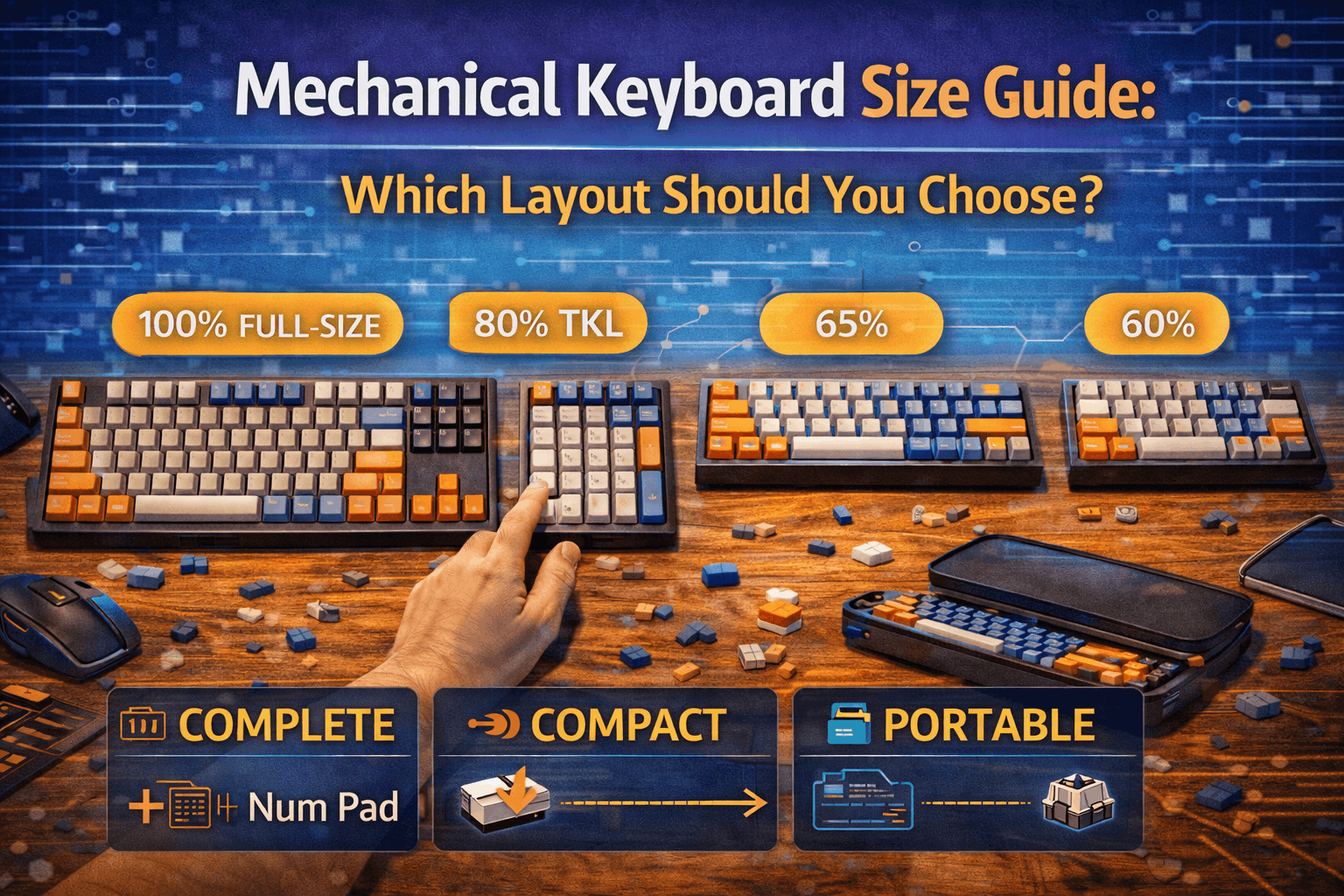
Introduction
Choosing a keyboard size is like choosing a car—a compact sedan versus an SUV. Each has trade-offs. The sedan (compact keyboard) saves space and improves mobility but requires you to sacrifice some features. The SUV (full-size keyboard) has everything but takes up half your desk.
I’ve personally owned and daily-driven five different sizes over the past three years — full-size, TKL, 75%, 65%, and 60%. Returned the 60% after two weeks. Still switch between 65% and TKL depending on what I’m doing.
In 2026, seven main keyboard sizes dominate the market, from extreme minimalists (40% with 47 keys) to traditional full-size (104 keys). Most people overthink this decision. The truth is simpler: start with TKL (87 keys) if unsure. It has no learning curve, all essential keys, and good mouse space for gaming. Or choose 65% if you want modern and compact. Everything else is fine-tuning.
This guide explains every keyboard size, shows you the trade-offs, and gives you a decision framework to find your perfect match.
Note: This guide contains affiliate links. If you purchase through our links, we may earn a commission at no extra cost to you. This helps support our in-depth testing and content creation.
TL;DR: Quick Keyboard Size Recommendations
First keyboard: TKL (87-key) as safest choice with all essential keys and good mouse space. Want compact: 65% (68-key) offering best size/function balance including arrow keys. Heavy F-key user: 75% (84-key) providing compact with F-row intact as emerging popular choice. Number entry essential: Full-size (104-key) or TKL with external numpad.
The 7 Main Keyboard Sizes Overview
Keyboard sizes typically range from 40% (extreme minimalist) to 100% full-size (traditional). Here’s the complete landscape:
| Size | Keys | Width | Market Share | Best For |
|---|---|---|---|---|
| Full-Size (100%) | 104 | 17-18” | 40% | Data entry, numpad users |
| TKL (87) | 87 | 14” | 30% | Gaming, balanced approach |
| 75% | 84 | 13” | 10% | Programmers, modern aesthetic |
| 65% | 68 | 12.5” | 15% | Best balance, fastest growing |
| 60% | 61 | 11.5” | 3% | Minimalists, enthusiasts only |
| 1800/96% | 96 | 15” | 1% | Numpad + compact (rare) |
| 40% | 47 | 9-10” | <1% | Extreme enthusiasts only |
Market trends 2026: Compact layouts (65%, 75%) are growing. Full-size is declining. Most people will eventually settle in the TKL → 65% → 75% range.
Full-Size Keyboards (104-108 keys)
What It Is
The traditional, complete keyboard with every standard key. 17-18” wide. Includes numpad, F-row, navigation cluster, arrows. The baseline.
What You Get
What you receive with full-size proves comprehensive. Every key in standard position means no learning curve and familiar layout. Numpad for number entry remains essential for accounting and Excel power users. Full function row (F1-F12) provides complete IDE shortcut access. Complete navigation cluster includes home, end, page up/down all present. Abundant desk real estate looks impressive but takes up half your desk.
Who Should Buy
Heavy number entry suits accounting, data entry, and Excel power users. Traditional office environments expect full-size. People with decades of full-size muscle memory benefit from consistency. Anyone who uses numpad 20+ times daily needs full functionality. CAD/engineering work requiring function keys demands full-size.
Who Should Avoid
Gamers waste critical mouse space with full-size. I used a full-size for gaming for years before switching to TKL — the difference in mouse freedom was night and day. Limited desk space (<48” width) can’t accommodate full-size comfortably. Rarely use numpad (most people overestimate this). Want modern aesthetic favors compact layouts.
Pros & Cons
Pros deliver zero compromise on functionality, familiar to everyone, best for number-heavy workflows, and no Fn layers or learning curve.
Cons show takes significant desk space (17-18 inches), bad for gaming (cramped mouse positioning), looks dated in 2026, heavier and less portable, and 40% market share declining.
Price Range: $60-250
Popular models: Keychron Q6 (roughly $190), Ducky One 3 Full (roughly $140), Leopold FC900R (roughly $140).
TKL Keyboards (87-88 keys)
What It Is
Full-size minus the numpad. 14” wide. All the essential keys without numpad waste.
What You Get
What TKL provides proves comprehensive. Full function row (F1-F12) means all IDE shortcuts and gaming binds accessible. Complete navigation cluster includes home, end, page up/down, and arrows. Dedicated arrow keys remain essential for most users. All modifiers including shift, control, alt, and windows all present. Better mouse space than full-size (3-4 inches saved). No numpad exists but external numpad solves this ($20).
Who Should Buy
Gamers (all levels) benefit as 70% of professional players use TKL. First compact keyboard buyers face zero learning curve. Office workers (modern) follow standard for contemporary offices. Anyone who rarely uses numpad fits perfectly. Hybrid gaming plus typing users get best of both worlds.
Who Should Avoid
Only if you use numpad 20+ times daily (and won’t buy external). Otherwise, no real reason to avoid.
Pros & Cons
Pros include zero learning curve (just numpad removed), all gaming keys present, 3-4 inches narrower than full-size (meaningful mouse space), most popular after full-size (30% market), wide availability with massive keycap compatibility, and professional gaming standard.
Cons show no numpad (though external one solves this), only 3-4 inches narrower than full-size, and 75% almost same functionality but only 1” larger and more compact.
Market Position
TKL is the industry standard for gaming. Proven, reliable, safe. 70% of professional esports players use TKL. If you’re unsure, this is the answer. It’s the size I recommend to literally everyone who asks me “what should I get first?”
Price Range: $60-250
Popular models: Keychron Q3 (roughly $170), Leopold FC750R (roughly $140), RK87 (roughly $60).
Read full guide: See our TKL keyboard guide for detailed review.
75% Keyboards (80-84 keys)
What It Is
TKL compressed. 13” wide. Same keys, no gaps. Compressed layout requires adjustment.
What You Get
What 75% delivers proves complete but tight. Full function row (F1-F12) exists but compressed/tight. Arrow keys included (tight/compressed). Some navigation keys compressed on right side. Most functional keys include everything TKL has, squeezed. Compressed layout creates tighter spacing with learning curve. No numpad exists like TKL.
Who Should Buy
Programmers need F-keys essential for IDE. Want compact WITH F-row (Fn layer workaround). Modern aesthetic preference matters. Can adapt to compressed layout. Desktop plus laptop users benefit from portability.
Who Should Avoid
Prefer traditional spacing. First compact keyboard (TKL or 65% safer). Concerned about muscle memory disruption.
Pros & Cons
Pros deliver all functional keys present, more compact than TKL (only 1 inch less, but meaningful), modern clean aesthetic, growing availability, F-row accessible directly (no Fn layer), and emerging market favorite.
Cons show compressed layout requires adaptation (1-2 weeks), less intuitive spacing than TKL, limited availability versus TKL, and slightly more expensive.
Market Position
Fastest growing category 2024-2026. Taking market share from both TKL and 65%. 75% becoming 2026 favorite for programmers and productivity users who want compactness with function.
Price Range: $80-250
Popular models: Keychron Q1 (roughly $170), Epomaker TH80 (roughly $95), GMMK Pro (roughly $170).
65% Keyboards (66-69 keys)
What It Is
Extreme compact with arrow keys included. 12.5” wide. The sweet spot for modern users.
What You Get
What 65% provides proves essential. Arrow keys (DEDICATED) represent the key difference from 60%. Some navigation keys include delete, page up/down, home, and end. All alphanumeric keys provide full typing capability. Minimal size measures 12.5 inches wide. No function row means accessible via Fn layer (1-2 week adaptation). No numpad exists like all compacts.
Who Should Buy
First compact keyboard (arrow keys solve 60% compromise). Gamers need compact with arrows essential. Want maximum compactness with arrows retained. Modern aesthetic priority matters. Portable setup needs (laptop plus desktop). Clean desk enthusiasts benefit.
Who Should Avoid
Heavy IDE F-key users find Fn layer annoying. Need full function row without layer. Heavy numeric work (use external numpad).
Pros & Cons
Pros include arrow keys included (huge versus 60%), best size/function balance, most compact with arrows, huge market selection, enthusiast favorite for customs, perfect portability, clean modern aesthetic, and best seller 2026.
Cons show no function row (Fn layer required), 2-3 week adaptation period for F-keys, and limited navigation cluster (versus TKL/75%).
The 65% vs 60% Reality
This is the size that made me stop recommending 60% to anyone. When I switched from 60% to 65%, having dedicated arrow keys back felt like a relief I didn’t know I needed. The 0.5” width difference is invisible on your desk, but the usability gap is massive.
Market Position
Most popular enthusiast size. Fastest growing mainstream. 15% market share and climbing. Perfect modern compromise—compact but arrow keys don’t require layering.
Price Range: $60-300
Popular models: Keychron Q2 (roughly $170), RK68 (roughly $60), Mode Sixty-Five (roughly $380 custom).
Read full guide: See our 65% keyboard guide for complete analysis.
60% Keyboards (58-65 keys)
What It Is
Extreme minimalist. 11.5” wide. Everything except alphanumeric is Fn-layered.
What You Lose
What 60% removes proves substantial. No function row means all via Fn layer. No arrow keys means all via Fn layer. No navigation cluster means all via Fn layer. No numpad exists like all compacts. Heavy Fn layer reliance shows 20%+ of keys need layer access.
Who Should Buy
Extreme minimalists appreciate maximum compactness. Vim/Emacs programmers (already use layers). Ultra-portable needs (ultra-compact only). Want smallest possible keyboard. Mechanical keyboard enthusiasts who love customization.
Who Should Avoid
First mechanical keyboard finds arrow keys deal-breaker. Need arrow keys frequently (most users). Office work requires standard layout. Gaming (for most people) needs arrows. Casual users face steep learning curve. Most people regret buying 60% (seriously).
Reality Check
I’ll be blunt: I bought a 60% thinking I’d love the minimalism. Returned it after two weeks. Every time I needed an arrow key during code editing, the Fn+IJKL combo broke my flow. If you’re not a Vim user or a dedicated layer enthusiast, save yourself the frustration and get a 65%.
60% not objectively better than TKL or 65%. Just different. 60% optimizes for extreme compactness and aesthetic. But arrow keys hidden on Fn layer equals deal-breaker for 90% of users.
Pros & Cons
Pros include most compact standard size, huge enthusiast community, maximum portability, very clean aesthetic, massive customization scene, and lots of keycap options.
Cons show no arrow keys (not ideal), heavy Fn layer dependency, 2-4 week learning curve (steep), most people regret purchase, not for casual users, and not recommended.
Market Position
Niche enthusiast size. 3% market share. Declining. 65% replacing 60% for most users (arrows included). 60% only for dedicated customizers.
Price Range: $60-350
Popular models: Pok3r (roughly $140), Anne Pro 2 (roughly $90), DZ60 custom builds.
40% Keyboards (40-47 keys)
What It Is
Extreme ultra-compact. 9-10” wide. Every key except alphanumerics requires Fn layers or combinations.
Reality Check
Not for beginners (months of adaptation). Not for normal users (too extreme). Only for dedicated enthusiasts (people who LOVE keyboard customization).
Extreme Fn layer dependency. Even numbers Fn-layered. Not practical for most workflows.
Market Position
<1% market share. Extreme enthusiast only. Not recommended for general users.
Popular Models
Planck (roughly $100), Vortex Core (roughly $110).
1800 Compact / 96% (96-100 keys)
What It Is
Full-size compressed. 15” wide. Numpad squeezed in, F-row present, but layout is tight.
What You Get
What 1800 provides proves complete but compressed. Numpad included remains essential for number entry. Function row includes all F-keys present. Compact measures 2-3 inches narrower than full-size. Squeezed spacing creates tighter than standard layout.
Who Should Buy
Need numpad but want some space savings. Can adapt to compressed key spacing. Niche but practical need.
Who Should Avoid
Prefer traditional spacing. Can use external numpad instead. Majority of users find better alternatives.
Market Position
Niche. 1% market share. Not widely available. Better alternatives exist (TKL plus external numpad, or full-size).
Popular Models
Keychron Q5 (roughly $190), Leopold FC980C (roughly $280).
Comprehensive Keyboard Size Comparison
| Metric | Full | TKL | 75% | 65% | 60% | 1800 | 40% |
|---|---|---|---|---|---|---|---|
| Keys | 104 | 87 | 84 | 68 | 61 | 96 | 47 |
| Width | 17.5” | 14” | 13” | 12.5” | 11.5” | 15” | 9-10” |
| F-Row | ✅ | ✅ | ✅ | ❌ Fn | ❌ Fn | ✅ | ❌ Fn |
| Arrows | ✅ | ✅ | ✅ | ✅ | ❌ Fn | ✅ | ❌ Fn |
| Numpad | ✅ | ❌ | ❌ | ❌ | ❌ | ✅ | ❌ |
| Gaming | Poor | ✅ Pro | ✅ Good | ✅ Good | ⚠️ | ⚠️ | ❌ |
| Programming | ✅ | ✅ | ✅ Best | ⚠️ | ⚠️ | ✅ | ❌ |
| Office | ✅ Best | ✅ | ✅ | ⚠️ | ❌ | ✅ | ❌ |
| Portability | ❌ | ⚠️ | ✅ | ✅ | ✅✅ | ❌ | ✅✅✅ |
| Learning Curve | None | None | 1-2 weeks | 1-2 weeks | 2-4 weeks | 1-2 weeks | Months |
Decision Framework: Which Size Should YOU Choose?
Step 1: Assess Numpad Usage
How often do you use the numpad? Never: Skip full-size (TKL or smaller is fine). Rarely (<5 times/day): TKL or smaller plus external numpad ($20). Occasionally: TKL plus external numpad. Frequently (20+ times/day): Full-size or 1800 compact.
Reality: Most people overestimate numpad usage. I tracked my own usage for a week before switching — turns out I used it maybe twice a day. You probably use it less than you think.
Step 2: Consider Arrow Key Importance
How critical are dedicated arrow keys to you? Essential: 65%, 75%, TKL, or full-size. Important: 65% minimum (no Fn layer). Flexible: 60% with Fn acceptable (if willing to adapt). Never used: 60% or 40% acceptable (unlikely).
Reality: 90% of users need arrow keys. 60% not having dedicated arrows equals deal-breaker for most.
Step 3: Function Row Assessment
How often do you use F-keys (F1-F12)? Daily (IDE shortcuts, debugging): 75% or TKL (direct keys). Occasionally: 65% with Fn layer acceptable. Rarely: 60% fine. Gaming priority: 65% or TKL ideal (F-keys less critical).
Step 4: Desk Space Available
How wide is your desk? <36” wide: Consider 65% or 75%. 36-48” wide: TKL perfect (14 inches comfortable). 48”+: Any size works.
Gaming consideration: Low-sensitivity FPS players need mouse space. TKL or 65% better.
Step 5: First Keyboard vs Experienced User
Is this your first mechanical keyboard?
First keyboard should start with TKL (safest, zero learning curve). Or 65% if confident (includes arrows, modern). Avoid 60% (too extreme for beginners).
Experienced user knows preferences, can go smaller if desired, and 60% acceptable if customization interests you.
Common Progression Paths
Safe beginner path: Full-size → TKL → 65% (over years).
Modern user path: TKL or 65% (start here, stay here).
Enthusiast path: TKL → 65% → 60% → Custom 40% (eventual extreme).
My own path went full-size for years → TKL (instant improvement) → 65% (loved the compactness) → 60% (regretted it) → back to 65% as my daily and TKL for long typing sessions. Most people land somewhere between TKL and 65%.
Keyboard Size Myths Debunked
Myth #1: “Smaller Is Always Better”
Reality: Smaller equals trade-offs. 60% not objectively better than TKL. Best size equals matches YOUR needs, not trends. Bigger isn’t worse if you use the keys.
Myth #2: “You’ll Get Used to Any Layout”
Reality: Adaptation varies. Some people never adapt to 60% (arrows frustrating). Fn layers annoying for some workflows. 65% better compromise (arrows included).
Myth #3: “Competitive Gaming Requires 60%”
Reality: TKL most popular for gaming. 70% of professional players use TKL. 20% use 65%. 10% use 75%. Almost 0% use 60% or full-size. Compact doesn’t mean better.
Myth #4: “Full-Size Is Obsolete”
Reality: Still essential for some. Accounting, data entry, Excel power users still need it. 40% market share (huge). Not going anywhere. Just declining.
Myth #5: “75% Just Better TKL”
Reality: Different preferences. TKL has better spacing. 75% more compact. Both valid. 75% emerging favorite (growth trend). But TKL more available.
FAQ: Keyboard Sizes
What keyboard size should I buy for my first mechanical keyboard?
TKL (87-key) is safest. Zero learning curve, all essential keys, good mouse space, 30% market share for good reason. Alternative: 65% if you want compact and don’t mind Fn layer for F-keys (includes arrow keys, which 60% lacks). Avoid 60% as first keyboard. See our TKL keyboard guide for detailed recommendations.
Is 60% or 65% better?
65% better for most people. Includes dedicated arrow keys (essential for 90% of users). 60% only if you’re extreme minimalist or vim programmer. Most people regret buying 60%. 65% better compromise.
Do I really need a full-size keyboard?
Only if you enter numbers 20+ times daily (accounting, Excel power user, data entry). 80% of people better served by TKL or smaller. Can always use external numpad ($20) if occasional numbering needed.
What’s the difference between 75% and TKL?
75% is compressed TKL—same keys, no gaps, 1 inch narrower. TKL has traditional spacing. Both have F-row and arrows. Choose TKL for familiar feel, 75% for compactness. 75% emerging favorite (growth trend). See our 75% versus 65% comparison for detailed breakdown.
Is 40% keyboard practical?
No, not for most people. 40% requires extreme Fn layer usage (even for numbers). Only for dedicated enthusiasts and programmers who love customization. Start with 60% minimum, preferably 65% or TKL.
Conclusion
Seven main keyboard sizes exist. TKL is the safest, most popular, best all-around choice for most people. 65% is the modern compact favorite—includes arrow keys (critical difference from 60%). 75% emerging favorite for programmers and productivity users. Full-size only if numpad essential.
Key decisions: First keyboard goes to TKL (safest). Want compact chooses 65% (arrow keys included). Need F-keys selects 75% (compact with F-row). Use numpad daily picks full-size.
Market trending toward compact (65%, 75% growing). Full-size declining. Most people eventually settle between TKL and 65%.
Don’t overthink this. TKL or 65% covers 95% of users. Everything else fine-tuning for preferences.
Ready to dive deeper? Explore our detailed layout guides: TKL keyboard guide, 65% keyboard guide, 75% comparison, keyboard switches guide, or our best travel keyboards if portability is what drives your size choice.

