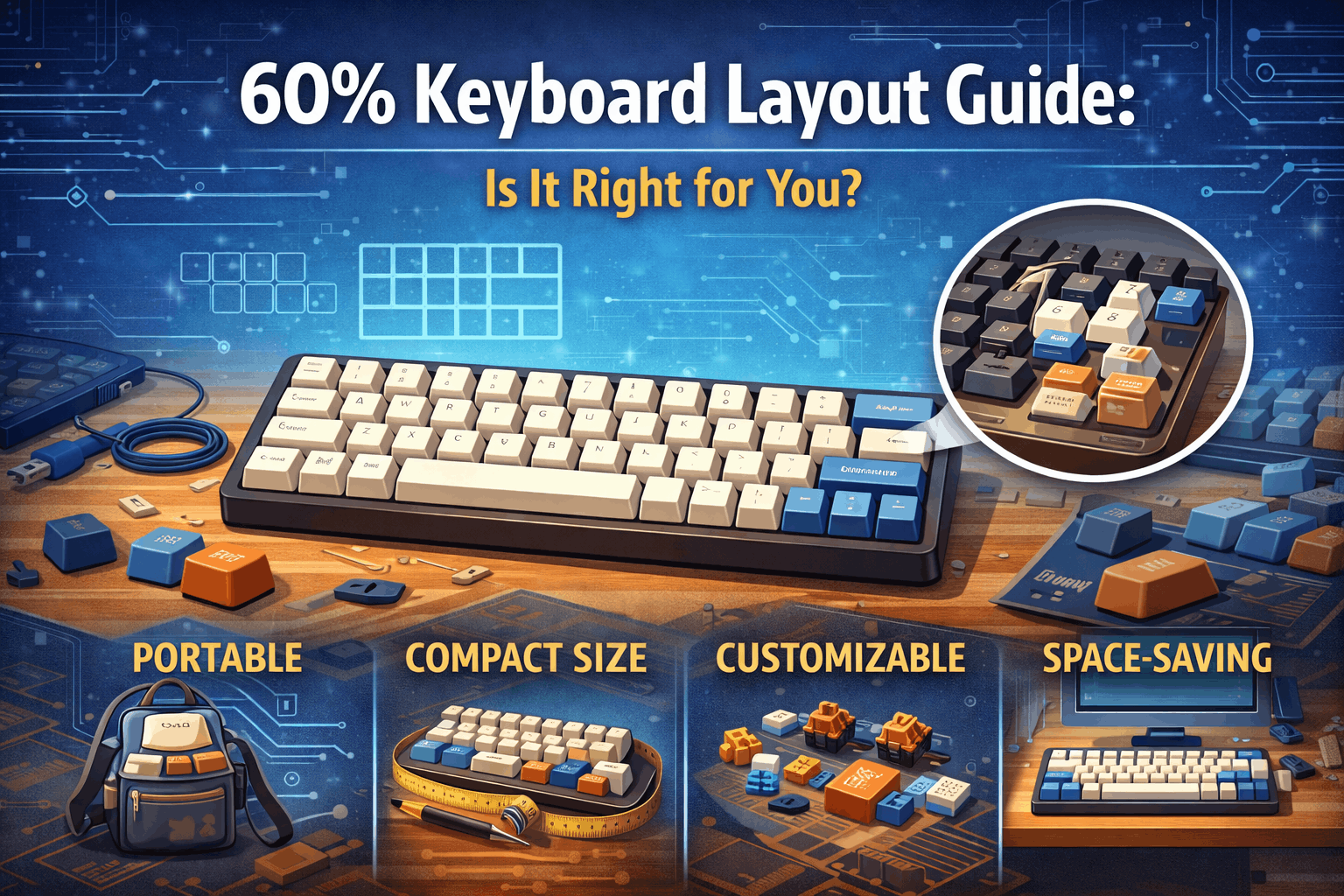
Introduction
65% keyboards are the Goldilocks layout—not too big, not too small, just right. If you've spent time researching mechanical keyboards, you've likely encountered this term, but what exactly does it mean?
A 65% keyboard includes all the essential keys you need for everyday typing and gaming: the full alphanumeric section, dedicated arrow keys, and critical navigation keys like Delete and Page Up/Down. Yet it eliminates the bulk of a full-size keyboard by removing the F-row and numpad, keeping the overall footprint remarkably compact.
Why has 65% exploded in popularity? Because it solves the fundamental problem with 60% keyboards (no arrow keys) while remaining significantly more portable than 75% or TKL layouts. In 2026, 65% represents the fastest-growing keyboard size category, commanding approximately 35% of the compact keyboard market. If you're still deciding between all available keyboard sizes, our keyboard size guide covers every layout from full-size to 40% in one place.
This article will break down exactly what makes 65% special, compare it to other popular layouts, and help you determine whether it's the right choice for your setup.
Note: This guide contains affiliate links. If you purchase through our links, we may earn a commission at no extra cost to you. This helps support our in-depth testing and content creation.
65% Keyboards at a Glance
What it is: roughly 68 keys total including full alphanumerics plus arrow keys, Delete, and Page Up/Down, with no F-row or numpad. Size measures approximately 12.5 inches wide—about 1 inch wider than 60% keyboards and roughly 1.5 inches narrower than TKL layouts.
Best for 90% of compact keyboard buyers, this layout is ideal for gaming, typing, and hybrid use cases. The main trade-off is no dedicated F-row (accessed via Fn layer), but it retains dedicated arrow keys—the feature that 60% keyboards lack and the reason why 65% has become the dominant compact layout.
What Is a 65% Keyboard?
Definition and Key Count
A 65% keyboard includes the standard alphanumeric keys, arrow key cluster, and a few essential navigation keys—specifically Delete, Page Up, and Page Down—while omitting the F-row (F1-F12) and the numpad. The name "65%" derives from the fact that these keyboards contain approximately 65% of the keys found on a standard full-size keyboard, typically totaling 67–68 keys depending on the specific layout variant.
What You GET (Compared to 60%)
Compared to 60% keyboards, 65% layouts provide several critical advantages. The most important is dedicated arrow keys, which represent the defining feature that makes 65% so much more practical. You also get a separate Delete key that doesn't require the Fn layer, Page Up and Page Down as standard on most layouts, Home and End keys on many variants, and 1–2 additional modifier keys depending on the configuration.
What You LOSE (Compared to 75% and TKL)
The trade-off compared to larger layouts is straightforward. You lose the F-row (F1–F12), which must be accessed via the Fn layer (Fn+1 = F1, etc.). You also lose the full navigation cluster including Insert, Print Screen, and Scroll Lock, and obviously the numpad—though you can use an external numpad or Fn layer alternatives if needed.
Physical Dimensions
A typical 65% keyboard measures 12–12.5 inches (305–318 mm) wide and 4.5 inches (114 mm) deep. To put this in perspective, that's approximately 1 inch wider than 60% keyboards and roughly 1.5 inches narrower than TKL layouts. These dimensions make 65% keyboards surprisingly easy to fit into laptop bags while still providing a comfortable typing experience that doesn't feel cramped.
Why This Layout Dominates
The arrow key difference explains everything. The single most important factor behind 65%'s popularity is arrow key accessibility.
60% keyboards force users to access arrow keys through a Fn layer—holding Fn+W, A, S, D or Fn+I, J, K, L to navigate. This demands constant mental switching and two-handed operation, fundamentally interrupting your workflow. For anyone who writes code, edits documents, browses terminals, or plays games with menu navigation, dedicated arrow keys represent a massive quality-of-life improvement.
Here's the brilliance of 65%: adding these four arrow keys increases width by only approximately one inch compared to 60%. That marginal size increase buys back an enormous amount of practical usability. This positioning—significantly more practical than 60%, yet far more compact than 75%—explains why 65% has become the most recommended compact layout for first-time buyers.
The market dominance in 2026 shows clearly in sales distribution. Among compact keyboards, 65% captures roughly 35% of sales and continues growing, while 75% takes roughly 25% and has been gaining momentum from 2024–2026. Meanwhile, 60% holds roughly 20% but is declining as users recognize arrow key importance, and TKL maintains roughly 20% with stable share in the professional segment.
For a detailed analysis of how 65% compares to 75%, which has been gaining ground in the compact market, see our detailed 65% vs 75% comparison.
65% Layout Variants
Not all 65% keyboards follow identical key arrangements. Understanding these variants helps you choose exactly what you need.
Standard 65% (Most Common)
The standard 65% layout includes alphanumerics (47 keys), modifiers (15 keys), arrow key cluster (4 keys), and the navigation trio of Delete, Page Up, and Page Down (3 keys), totaling approximately 67–68 keys.
Popular examples include the Keychron Q2, GMMK Pro Compact, and Mode Sixty-Five. This is the variant you'll encounter most frequently and the one we recommend for newcomers to compact keyboards.
65% with Blocker (Aesthetic Variant)
A blocker is empty space positioned between the arrow keys and the right modifier keys. This design choice serves no functional purpose—it's purely aesthetic. The blocker creates visual separation and a distinctive look that many enthusiasts prefer, particularly in custom builds.
Some users argue it improves the keyboard's visual balance; others simply like the modern, asymmetrical aesthetic. Functional impact? None whatsoever. It's a styling choice, not a usability feature.
65% Extended (Extra Navigation Keys)
Extended variants add Home and End keys on the standard row, sometimes Insert as well, totaling up to 70 keys. The trade-off is a slightly wider footprint and less common availability in the market. These variants target spreadsheet power users or those who heavily rely on Home/End navigation and may benefit from having these keys readily accessible.
HHKB-Style 65% (Enthusiast Niche)
This variant follows a different layout philosophy, positioning the Control key in place of Caps Lock for programmer-friendly operation, moving Backspace to the left side, and integrating Delete differently to create a significantly different aesthetic.
Caution: HHKB layouts require significant adaptation time and aren't recommended for first-time compact keyboard users. This variant appeals primarily to programmers familiar with the original Happy Hacking Keyboard layout.
Choosing Your Variant
For 95% of users, standard 65% is the best choice. It offers a proven layout with a massive accessory ecosystem. Choose the blocker variant if aesthetics strongly matter to you and you want a distinctive look. The extended variant only makes sense if you rely on Home/End keys multiple times daily. The HHKB variant suits only experienced enthusiasts seeking maximum specialization.
65% vs Other Keyboard Layouts
65% vs 60%: The Critical Comparison
This is the comparison that matters most for compact keyboard buyers. The difference between these layouts comes down to just four keys, but the practical impact is massive.
| Feature | 60% Keyboard | 65% Keyboard |
|---|---|---|
| Arrow Keys | Via Fn layer (Fn+WASD or Fn+IJKL) | Dedicated, direct access |
| Delete Key | Via Fn layer | Dedicated |
| Page Up/Down | Not available | Available |
| Width | 11.5 inches | 12.5 inches |
| Learning Curve | Steep (significant adaptation) | Gentle (familiar layout) |
| Arrow Access Speed | Slower, requires two hands | Fast, one-handed |
| Portability | Maximum (tiny) | Excellent (still very compact) |
Why 65% wins for most users becomes clear when you consider arrow key usage. Arrow keys are used constantly—for navigating documents, moving through code line-by-line, browsing terminal history, and gaming menu navigation. On a 60% keyboard, this requires holding Fn and using WASD or IJKL, which creates constant friction. You either type one-handed while holding Fn with the other hand, or you must reprogram your muscle memory to use an alternative arrow location.
The width increase from 60% to 65% is marginal—just one inch—yet the practical improvement is enormous. This explains why 65% outsells 60% by approximately 2:1 in the current market.
When 60% proves better: You want the absolute most minimal aesthetic, you need maximum mouse space for low-sensitivity gaming, you're a Vim user already using hjkl for navigation, or you're willing to embrace a steep learning curve.
Verdict: For first-time compact keyboard buyers, 65% is almost always the superior choice. See our complete 60% keyboard guide to understand the full trade-offs.
65% vs 75%: The Growing Debate
The competition between 65% and 75% has been intensifying. 75% has gained approximately 8–10% market share from 2024–2026, suggesting users are reconsidering what "essential" means.
The F-row difference matters more than many expect:
| Feature | 65% Keyboard | 75% Keyboard |
|---|---|---|
| F-Row (F1–F12) | Via Fn layer | Dedicated |
| Width | 12.5 inches | 13 inches |
| Aesthetic | Minimalist, clean | Slightly busier, functional |
| F-Key Access Speed | Slower (two-step: Fn+number) | Instant |
| Compactness | Maximum for functionality | Slightly compromised |
Why 75% has been gaining ground reveals interesting trends. F-keys matter more than traditional keyboard design suggests. Developers using IDEs constantly access F5 (run), F9 (breakpoint), F10 (step over), and F11 (step into). Excel power users rely on F2 (edit cell), F4 (repeat), and Ctrl+F5 (recalculate). Musicians using Pro Tools or Ableton depend on F-keys for transport controls.
The difference between pressing Fn+5 and directly pressing F5 seems minor in theory—but when you're doing it 50+ times daily, it becomes a genuine usability bottleneck.
The 75% layout adds only 0.5 inches of width compared to 65%, a negligible increase for many desks. This marginal difference has convinced productivity-focused users that F-row accessibility justifies the tiny size trade-off.
When 65% remains better: Aesthetics and minimalism are priorities, you rarely use F-keys (casual gaming, writing), you want maximum compactness, or you're already comfortable with Fn layers.
When 75% makes more sense: You debug code frequently, you use Excel or similar spreadsheet software heavily, you work with DAWs or music production software, or you want to avoid Fn layer requirements for common shortcuts.
The trend shows 75% genuinely gaining ground as users recognize that F-keys aren't luxuries—they're regularly used tools. The question isn't whether 75% is "too big," but rather whether the marginal size increase justifies the functionality gain. For many modern knowledge workers, the answer is yes.
See our comprehensive 65% vs 75% analysis for deeper exploration of this evolving choice.
65% vs TKL: A Size Leap
Tenkeyless (TKL) keyboards, at approximately 87 keys and 14 inches wide, represent a different category entirely. The key differences show a substantial size gap:
| Aspect | 65% Keyboard | TKL Keyboard |
|---|---|---|
| Width | 12.5 inches | 14 inches |
| F-Row | Fn layer | Dedicated |
| Navigation Cluster | Partial (Delete, Pg Up/Down) | Full (Insert, Print Screen, etc.) |
| Numpad | Via Fn layer | Not present |
| Portability | Excellent | Good (but noticeably larger) |
Why 65% wins for compact-focused users emerges clearly when you consider the size difference. TKL is 1.5 inches wider than 65%—for gaming, that extra width means less mouse space; for travel, it's noticeably bulkier; for desk aesthetics, 65%'s minimal profile is significantly more striking.
When TKL makes sense: Office environments expecting traditional keyboard layouts, conservative workplaces where a "normal" keyboard matters socially, heavy Excel and data entry workflows, or users who want full navigation cluster and F-row without Fn layers.
Reality check: TKL and 65% don't truly compete. TKL serves different use cases (office-traditional, data-entry-heavy). For gaming, gaming-adjacent workflows, and travel, 65% is almost always superior.
65% vs Full-Size: Not Really a Comparison
Full-size keyboards (104–108 keys) exist for a different purpose entirely—they're designed for number entry, maximum functionality, and traditional office environments. This isn't a meaningful competition with 65%.
If you need a numpad regularly, full-size is the right choice. If you want compactness with arrow keys, 65% is incomparably better.
Who Should Buy a 65% Keyboard?
Perfect Choice For:
First-Time Compact Keyboard Buyers
If you're transitioning from full-size layouts and want an introduction to mechanical keyboards, 65% is ideal. The arrow keys provide a crucial safety net—you get most essential keys without the learning curve of a 60% keyboard. Users consistently report that 65% feels "comfortable from day one," unlike 60% layouts which require 2–3 weeks of adaptation.
Recommendation: Start with 65%, not 60%. The marginal size difference is worth the usability gain.
Gamers Across Multiple Genres
Whether you play FPS, MOBA, strategy games, or most other genres, 65% keyboards align perfectly with gaming priorities. You get arrow keys for menu navigation without the Fn layer, a compact footprint that maximizes mouse space on your desk, and all gaming keys present (WASD, number row for abilities, modifiers for sprinting/switching). The Delete key is handy for quick inventory clearing or other functions, and there's no unnecessary bulk from a numpad or excessive keys.
95% of gaming scenarios work excellently with 65%. The only exception might be extremely low-sensitivity mouse players who need maximum desk space, where 60% keyboards provide marginal additional room.
For comprehensive looks at gaming keyboard technology, see our guides on hall effect keyboards, rapid trigger switches, and hall effect vs mechanical switches.
Hybrid Users
If you split your time between work (writing, coding, emails) and gaming, 65% truly shines. Arrow keys work perfectly for coding and document navigation, the compact size provides gaming mouse space, and the Delete key is essential for both work and play. No major compromises exist—it's the all-around champion layout.
Programmers
For most development workflows, 65% keyboards work exceptionally well. Arrow key navigation is essential for single-line movement through code, the Delete key gets used constantly when refactoring, and the compact desk footprint leaves space for multiple monitors. The Fn layer for F-keys is acceptable for most workflows (F5 to run code, F9 for breakpoints).
Exception: Debuggers and IDE-heavy developers might prefer 75% keyboards to avoid constant Fn layer access for F-keys. If you use F-keys 50+ times daily, evaluate 75% carefully.
Portable Setup Users
For remote work and travel, 65% keyboards check all the boxes for portability. They fit easily into laptop bags and backpacks, with lightweight construction typically running 700–1000 grams. You get a full typing experience without extreme minimalism, and wireless options are available (explore our wireless vs wired keyboards guide) for cable-free travel. There's no unnecessary bulk from a numpad or full-size dimensions.
Clean Desk Enthusiasts
Aesthetically, 65% represents modern keyboard design at its best: minimalist, purposeful, and visually striking. The compact profile pairs beautifully with a wireless mouse and clean desk setup. The absence of a numpad and F-row creates a sleek, uncluttered appearance that appeals to users prioritizing visual design alongside function.
Recommended 65% Keyboards (2026)
Budget Tier ($60–$120)
RK68 at roughly $60 offers the best value proposition with a wireless option available, acceptable build quality, and serves as a great way to test if the 65% layout fits your needs.
Keychron K6 at roughly $80 provides a solid wireless option with good typing experience, reliable build quality, and represents a perfect entry point.
Mid-Range Tier ($150–$200)
Keychron Q2 at roughly $170 delivers excellent all-around build quality, hot-swap compatibility (see our hot-swappable keyboards guide for switch-testing benefits), good stabilizer implementation, and a strong default typing experience.
GMMK Pro Compact at roughly $170 provides a highly customizable platform with quality stabilizers, a hot-swap PCB for switch experimentation, and popularity among enthusiasts.
Premium Tier ($250–$400+)
Mode Sixty-Five at roughly $380 offers enthusiast-grade construction, premium gasket mounting for superior typing feel, highly sought-after status in the custom keyboard community, and uncompromising quality.
Salvation Keyboard at roughly $300 delivers high-end build quality with excellent acoustics, premium materials and finish, and represents a serious investment piece.
Who Should Avoid 65%?
Not Ideal For:
Heavy F-Key Users
If you use F-keys constantly throughout your workflow, 65% creates genuine friction. This particularly affects IDE developers using F5 run, F9 breakpoint, and F10/F11 stepping constantly, Excel power users relying on F2 edit, F4 repeat, and Ctrl+F5 recalculate repeatedly, Pro Tools and DAW musicians depending on F-key heavy transport and mixing controls, and Photoshop users with heavy shortcut usage throughout their work.
The problem: accessing F-keys via the Fn layer (Fn+1 for F1, Fn+2 for F2, etc.) becomes annoying when you need F-keys 50+ times daily. It's not impossible—it works fine—but it creates constant micro-friction.
Better choice: A 75% keyboard provides a dedicated F-row without the Fn layer. The 0.5-inch width difference is worth the convenience for F-key-heavy workflows. See our 65% vs 75% detailed comparison.
Traditional Office Workers
In traditional office environments, 65% keyboards can create social challenges. Coworkers may not understand the Fn layer concept, shared keyboard environments become problematic when others can't navigate your keyboard, conservative workplaces may interpret "unusual" keyboards negatively, and others can't easily use your keyboard if needed for collaboration.
Better choice: TKL or full-size keyboards maintain traditional expectations and keyboard universality. Shared office keyboards should be conventional for team functionality.
Number Entry Heavy Users
Accountants, data entry specialists, spreadsheet-heavy roles, and financial analysts face major productivity issues with 65% keyboards. The problem: there's no numpad, and accessing numbers via the Fn layer is impractical for high-volume entry.
Better choices: A full-size keyboard with integrated numpad, or a 65% keyboard paired with a separate external numpad for data entry sessions.
Extreme Minimalism Seekers
If you don't use arrow keys and want the smallest possible keyboard, 65% doesn't serve your actual goal. In reality, 60% keyboards are actually smaller than 65%. If minimalism supersedes practical usability, 60% sacrifices arrow keys for maximum compactness.
Users Needing All Keys Easily Accessible
If you want the F-row present (no Fn layer), want the full navigation cluster (Insert, Print Screen, Scroll Lock), want Delete and other keys immediately accessible, and don't want to think about modifier layers, 65% will frustrate you.
Better choices: A 75% keyboard adds the F-row with minimal size increase, or TKL provides the full traditional layout.
The F-Row Question: Living Without Dedicated F-Keys
For many users considering 65%, the elephant in the room is F-key accessibility. Let's address this comprehensively.
What F-Keys Are Used For
Common F-key applications include F1 for help documentation (somewhat outdated in 2026), F2 for renaming files (Windows) and editing cells (Excel), F4 for repeat action (Office) and Alt+F4 (close window), F5 for refreshing browsers, running code (IDE), and recalculating (Excel), F9, F10, and F11 for debugging shortcuts (IDEs), F11 for fullscreen applications, and F12 for developer tools (browsers).
The Fn Layer Solution
On 65% keyboards, F-keys are accessed via the Fn layer: Fn+1 = F1, Fn+2 = F2, Fn+3 = F3, and so on through Fn+0 = F10, Fn+- = F11, and Fn+= = F12.
The adaptation timeline follows a predictable pattern. Week 1 is noticeably annoying and requires conscious thought. Weeks 2–3 see muscle memory beginning to form with speed improving. After month 1+, the operation becomes automatic and barely conscious.
Who Adjusts Fine to Fn Layer Access
These user profiles manage comfortably: casual F-key users with occasional refresh and rare F11 fullscreen, gamers with minimal F-key usage except occasional menu functions, writers and content creators with virtually no F-key dependence, and light productivity users browsing, emailing, and documenting.
Reality for casual users: You'll adapt within 2–3 weeks and quickly forget the Fn layer exists.
Who Struggles with Fn Layer Access
These workflows rely on F-keys heavily: debuggers using F5 (run), F9 (breakpoint), and F10/F11 (step) dozens of times per debugging session, Excel users employing F2 (edit), F4 (repeat), and Ctrl+F5 (recalculate) constantly, Pro Tools musicians controlling transport, metering, and mixing operations via F-keys, and Photoshop designers relying on heavy F-key shortcut usage for tools and operations.
Real friction point: If you use F-keys 20+ times daily, the Fn layer creates genuine workflow interruption. You're constantly context-switching between typing and Fn+key combinations.
The Decision Point
Ask yourself honestly: How many times daily do you press F-keys?
- 0–5 times: 65% works perfectly fine—you'll forget about the limitation
- 5–15 times: 65% proves workable with minimal adaptation needed
- 15–30 times: 65% remains manageable but you'll notice friction
- 30+ times: Strongly consider 75% instead; the 0.5-inch size increase buys enormous convenience
The Arrow Key Importance: Why 65% Beats 60%
If one feature defines 65%'s market dominance, it's arrow key accessibility. Let's explain why this matters so profoundly.
Daily Arrow Key Use Cases
Navigation in documents involves paragraph navigation (up/down arrows), line-by-line code movement (up/down arrows), character-by-character text editing (left/right arrows), and selecting text (Shift+arrows).
Terminal and shell commands demand history navigation (up/down arrows through previous commands) and autocomplete selection (up/down arrows through suggestions).
Gaming menu navigation requires menu item selection (up/down arrows), and some games use arrows for alternative movement.
File browsing needs directory navigation (up/down arrows) and file selection.
Frequency Statistics
The average user presses arrows 50–100 times daily. Programmers press arrows 200–500 times daily through constant code navigation. Writers and content creators press arrows 100–300 times daily during document editing.
Arrow keys aren't occasional functions—they're constant, integral operations throughout daily computer use.
The 60% vs 65% Accessibility Difference
60% keyboard arrow access requires holding Fn + WASD or holding Fn + IJKL. This demands two-handed operation (one hand on Fn, one navigating), creates cognitive load through remembering which keys equal arrows, interrupts flow through mental context switching, and results in slower overall speed.
65% keyboard arrow access provides a dedicated arrow key cluster with one-handed operation requiring no Fn key. Direct and intuitive access creates zero cognitive load with immediate response happening naturally.
The quality-of-life gap is substantial. Using a 65% keyboard after being accustomed to 60% feels revelatory. Thousands of users report this exact experience: "I didn't realize how much I missed dedicated arrows until I tried 65%." This isn't hyperbole—it's the difference between constant micro-friction (60%) and frictionless operation (65%).
This is precisely why 65% outsells 60% by 2:1 despite both being "compact." Arrow key accessibility is the critical usability feature that justifies the modest one-inch size increase.
Portability & Travel: 65% as the Travel Keyboard
For users who work remotely, travel frequently, or move between locations, keyboard portability matters. 65% strikes an excellent balance.
Size & Weight Specifications
Typical 65% keyboards measure 12.5 inches (318 mm) wide, 4.5 inches (114 mm) deep, and weigh 700–1,000 grams (varies by material and construction). Portability score: 9/10.
Comparative portability shows 60% at 10/10 (slightly smaller, negligible difference), 65% at 9/10 (excellent, perfect balance), 75% at 8/10 (noticeably larger), and TKL at 6/10 (considerably bulkier).
Travel Advantages
65% keyboards fit comfortably into standard laptop bags and most laptop backpacks and messenger bags without requiring specialized cases. They're light enough for daily carry at 700–1,000 grams—lighter than most laptops and barely noticeable in a backpack.
You get a full typing experience without the compromises of 60% keyboards —complete functionality with no constant Fn layer access during travel work. Wireless options are available through multiple excellent wireless 65% keyboards, eliminating cable management headaches in coffee shops and shared spaces.
Travel-Specific Recommendations
Best travel 65% keyboards:
Keychron K6 Pro at roughly $110 offers Bluetooth wireless, lightweight design, solid battery life, and easy connection switching between devices.
NuPhy Air60 at roughly $140 provides extremely lightweight construction, excellent low-profile design, beautiful portable aesthetic, and quiet operation that won't disturb coffee shop neighbors (also check out our silent switches guide for more quiet typing options).
RK68 Wireless at roughly $60 offers a budget option with adequate travel performance, wireless Bluetooth, and acceptable typing experience.
Pro travel tips: Always verify Bluetooth compatibility before purchasing. Low-profile 65% variants are easiest to pack efficiently. Wireless eliminates cable management hassles completely. A 65% keyboard plus wireless mouse combination creates an ideal travel setup.
Customization & Market Availability: 65% as the Enthusiast Standard
In 2026, 65% keyboards have achieved something remarkable: they're simultaneously the most popular compact size among casual users AND the most customizable size in the mechanical keyboard enthusiast community.
Availability in Every Price Range
The massive market presence spans all tiers. The budget tier ($50–$100) includes 20+ legitimate options like RK68 and Keychron K6. The mid-range tier ($150–$250) offers 50+ quality options like Keychron Q2 and GMMK Pro Compact. The premium tier ($250–$500+) provides 100+ options from Mode, Salvation, and custom boutique builders. Ultra-premium and custom builds offer essentially unlimited options through group buys, artisans, and specialists.
Why such selection exists: 65% has become the de facto standard for both consumer manufacturers and the enthusiast community. This creates a virtuous cycle where more keyboards attract more users, which attracts more accessory makers and customizers.
Keycap Compatibility: Standard Layouts
Most 65% keyboards follow standard key sizing, meaning keycap compatibility is excellent. Standard keycap sets include 65% support explicitly. Cherry profile keycaps work universally, specialty keycap artisans frequently design 65%-specific sculpts, and no unusual key sizes exist (everything uses standard 1u sizing).
Pro tip: Before purchasing specialty keycaps, verify they explicitly support 65% layouts. 99% of modern sets do, but confirm to be certain. Learn more about keycap materials and profiles to find your perfect match.
Hot-Swap Availability & Customization
Most modern 65% keyboards feature hot-swap PCBs, meaning switches can be changed without soldering. This dramatically opens customization possibilities through easy switch testing (no soldering commitment), trying different tactile profiles (see our tactile switches guideand linear switches guide), swapping switches for specific games or work modes, and perfecting the experience for beginners wanting to experiment.
For even better performance, consider lubing your switches to achieve buttery-smooth keystrokes that transform your typing experience.
Custom Keyboard Scene Dominance
The mechanical keyboard enthusiast community essentially revolves around 65% boards. Why 65% dominates custom builds: it has the largest community interest, which equals the most GB (group buy) options. Most PCB manufacturers support the 65% format (DZ65, Bakeneko65, QK65, Sangeo65), there's the widest case selection (wood, aluminum, polycarbonate), the most gasket mount options are available, and it has the strongest aftermarket support.
Popular custom 65% PCBs include DZ65 as the established standard, Bakeneko65 as the premium enthusiast choice, QK65 as the modern high-end option, and Sangeo65 as the specialized gaming focus.
If customization and community involvement appeal to you, 65% is the category with the most extensive ecosystem available.
Common 65% Keyboard Mistakes
Learning from others' mistakes accelerates your decision-making process. Here are the most frequent errors 65% keyboard buyers encounter.
Not Verifying Exact Key Layout
Some 65% variants omit Page Up/Down or include unconventional key arrangements. You might purchase expecting a standard layout and receive something different.
Solution: Always check the actual layout diagram before purchasing. Don't assume—verify. Look for Page Up/Down presence and placement, Delete key position, Home/End key inclusion (if important to you), and any unusual key arrangements.
Assuming All 65% Keyboards Are Identical in Size
While all 65% keyboards are roughly similar, variants exist: standard 65% with blocker maintains standard width, 65% extended runs slightly wider, and some boutique 65% keyboards show minor dimension variations.
Solution: Check exact measurements (millimeters) before purchasing. Measure your desk space first—a half-inch difference might matter in tight spaces.
Expecting Easy F-Key Access Without Adaptation
Purchasing a 65% while heavily dependent on F-keys, then discovering Fn layer access is slower than expected.
Reality: 2–3 weeks minimum adaptation required. If you use F-keys 40+ times daily, reconsider 75% before purchasing to save regret later.
Solution: Honestly assess your F-key usage frequency. Consider 75% if appropriate for your workflow.
Buying 65% Chasing Extreme Minimalism
Wanting the absolute smallest keyboard but choosing 65%, then discovering 60% exists and wishing you'd bought that instead.
Reality: If maximum compactness is the goal, 60% is objectively smaller.
Solution: Be honest about your priorities. If compactness supersedes arrow key convenience, get 60%. If you want practical usability, 65% is the better choice.
Office Use Without Testing Others' Ability to Use Keyboard
Your workplace requires shared keyboard access, but your coworkers can't navigate the Fn layer effectively.
Reality: Shared office keyboards should be conventional (TKL, full-size, or standard ergonomic).
Solution: Reserve 65% for personal use. Keep a traditional keyboard at the office for shared access.
FAQ Section
Is 65% good for gaming?
Absolutely yes. 65% keyboards are excellent for gaming across virtually all genres. You get dedicated arrow keys for menu navigation, all essential gaming keys (WASD, number row for abilities, modifiers for sprinting), and a compact footprint that provides mouse space without sacrificing functionality. It works perfectly for FPS, MOBA, strategy games, and most playstyles.
For deeper gaming keyboard technology insights, see our guides on hall effect keyboards, rapid trigger switches, and hall effect vs mechanical switches.
What's the difference between 65% and 60% keyboards?
The fundamental difference is arrow key accessibility. 65% includes dedicated arrow keys and Delete/Page keys, while 60% keyboards require accessing arrows through the Fn layer (Fn+WASD or Fn+IJKL). 65% is approximately one inch wider—a negligible size increase that buys enormous practical benefit.
We recommend 65% for first-time compact keyboard buyers because arrow key accessibility matters far more than the marginal size difference.
Do 65% keyboards have F-keys?
65% keyboards don't have a dedicated F-row. F1–F12 are accessed via the Fn layer (Fn+1=F1, Fn+2=F2, etc.). This takes 2–3 weeks to adapt to, and most users adjust seamlessly.
However, if you use F-keys 40+ times daily (heavy debugging, Excel work, music production), the Fn layer creates friction. Consider a 75% keyboard instead, which adds a dedicated F-row with only 0.5 inches of additional width. See our detailed 65% vs 75% comparison.
Is 65% better than 75%?
It depends on your specific workflow. 65% provides more compactness and cleaner aesthetics, while 75% adds a dedicated F-row and remains remarkably portable. For most gaming and typing users, 65% is ideal. For productivity-heavy workflows with frequent F-key usage, 75% makes sense.
The difference is only 0.5 inches in width—if F-key accessibility matters to you, 75% is worth considering. See our comprehensive 65% vs 75% analysis.
Can I use any keycaps on a 65% keyboard?
Most modern keycap sets support 65% layouts explicitly. Standard 65% keyboards use conventional key sizing (1u modifiers, standard bottom row), making compatibility excellent. However, always verify keycap set compatibility before purchasing.
Learn more about keycap options in our guides on PBT vs ABS keycaps and keycap profiles for deeper material and profile understanding.
Conclusion
The 65% keyboard has earned its position as the market-dominant compact size because it represents keyboard design done right. It includes what matters (arrow keys, Delete, essential navigation), removes what clutters (F-row, numpad), and maintains portability while preserving usability. At approximately 12.5 inches wide, it occupies the perfect middle ground—approximately one inch wider than 60% keyboards but 1.5 inches narrower than TKL layouts (we break down the trade-offs in our 65% vs TKL comparison).
For 90% of compact keyboard buyers in 2026, 65% is the optimal choice. It works excellently for gaming and typing hybrid use cases. Arrow key accessibility provides an enormous practical advantage over 60% keyboards, while the marginal size increase remains negligible. The only meaningful sacrifice is F-key dedication, a trade-off most users manage comfortably through adaptation to the Fn layer.
The market reflects this reality: 65% commands approximately 35% of the compact keyboard segment and continues growing, particularly as gamers and hybrid users recognize arrow key importance. The enthusiast community has made 65% the standard for custom builds, meaning the accessory ecosystem, keycap compatibility, and customization options are unmatched by any competing layout.
Whether you're upgrading from a full-size keyboard, exploring your first mechanical keyboard, or optimizing a gaming setup, 65% delivers the practical balance that other sizes struggle to achieve. The only real questions are: which specific variant appeals to you aesthetically (standard, blocker, extended)? And are F-keys important enough to reconsider 75% instead?

