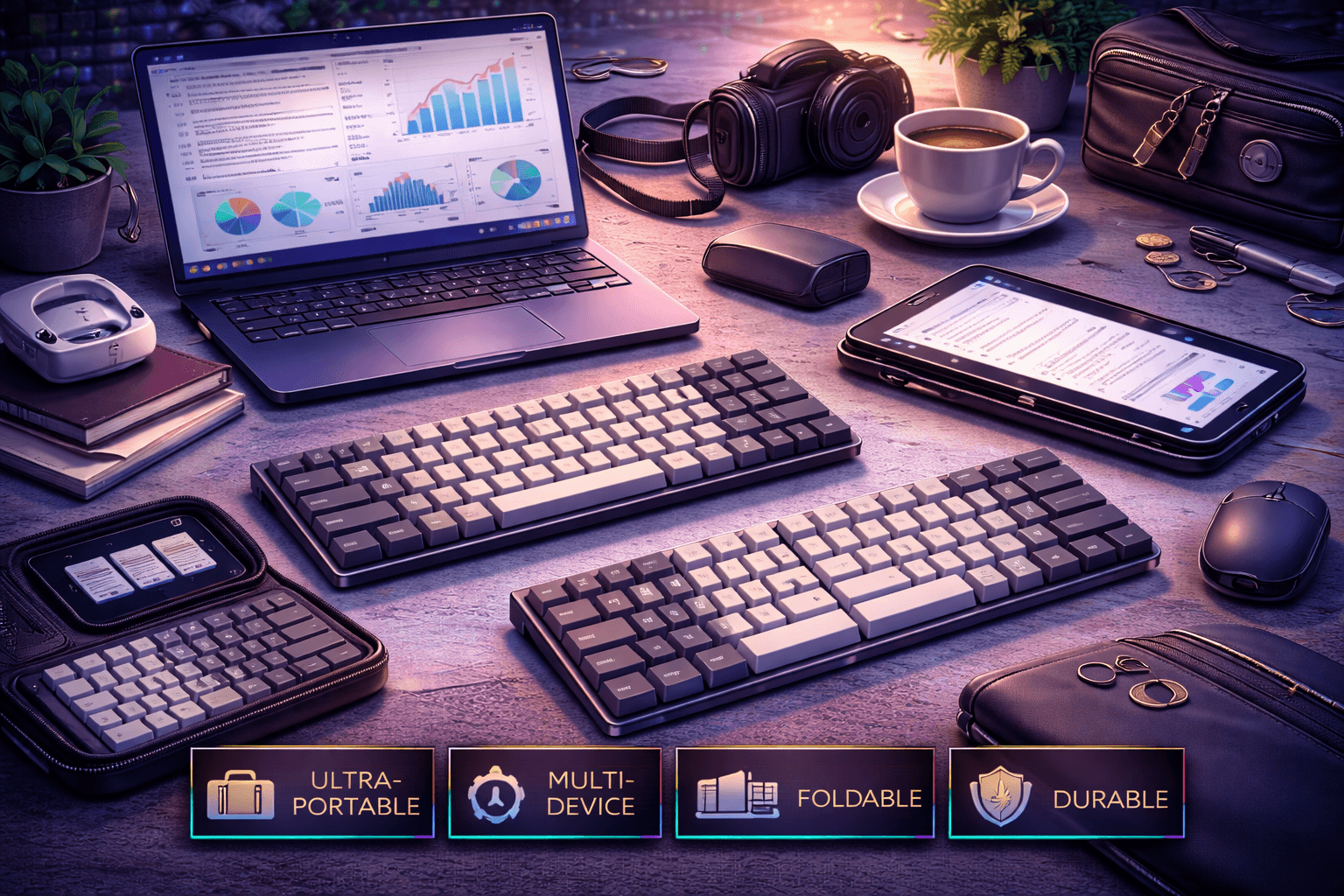
Digital nomads, business travelers, and mobile workers need keyboards balancing extreme portability with comfortable typing quality that doesn't compromise productivity. The best travel keyboards combine compact lightweight designs fitting easily in laptop bags, wireless connectivity eliminating cable management hassles, durable construction withstanding daily transport and airport security, and battery life lasting weeks between charges enabling worry-free travel without charging anxiety.
Understanding travel keyboard requirements means recognizing competing priorities. Smaller keyboards more portable but sacrifice keys requiring function layer access. Wireless eliminates cables but requires periodic charging. Ultra-compact saves space but reduces typing comfort during extended work sessions. The ideal travel keyboard balances these trade-offs matching individual travel patterns and specific typing needs.
The best travel keyboards range from ultra-portable 60% layouts fitting in any bag corner to balanced 75% designs retaining function keys while staying compact. Wireless Bluetooth essential for clean travel setups across airports, coffee shops, co-working spaces. Detachable cables better than permanently attached—less likely to break during transport and baggage handling. Quality protective cases protect keyboards during harsh airport security screening. Battery life measured in weeks not days prevents charging anxiety during extended travel.
This comprehensive guide ranks best keyboards for travel and mobile work, explains portability versus functionality trade-offs, provides recommendations by travel intensity and typing needs, discusses durability and protection strategies, covers wireless battery life considerations, and helps match keyboards to digital nomad lifestyles and business travel requirements.
Note: This guide contains affiliate links. If you purchase through our links, we may earn a commission at no extra cost to you. This helps support our in-depth testing and content creation.
Travel Keyboard Requirements
Portability - Primary Priority
Travel keyboards must fit easily in laptop bags without consuming excessive space or weight. Compact layouts (60%, 65%, 75%) significantly smaller and lighter than full-size keyboards. Every inch and ounce matters when traveling frequently.
Size comparison by layout:
- 60%: ~11.6" × 4.1" (~295mm × 104mm)
- 65%: ~12.2" × 4.3" (~310mm × 109mm)
- 75%: ~12.6" × 5.0" (~320mm × 127mm)
- TKL: ~14.2" × 5.3" (~361mm × 135mm)
- Full-size: ~17.3" × 5.3" (~440mm × 135mm)
60% and 65% layouts fit easily even in packed laptop bags. 75% still very portable for laptop travelers. TKL acceptable but bulkier. Full-size keyboards impractical for travel.
Weight considerations:
Aluminum construction heavier but more durable during transport. Plastic lighter but less protective. Low-profile keyboards naturally lighter—Keychron K3 only 17 ounces despite aluminum frame. Balance weight versus protection based on travel frequency and intensity.
Wireless Connectivity - Essential Feature
Wireless keyboards eliminate cable management headaches during travel. No tangled cables in laptop bags. No forgetting cables in hotel rooms. Clean setup in airports, coffee shops, co-working spaces, airplanes.
Bluetooth universal—works with all laptops, tablets, phones across all operating systems. Multi-device switching enables seamless workflow between multiple devices. Critical for travelers using laptop plus tablet plus phone workflow.
2.4GHz dongles less universal but provide more reliable connectivity in interference-heavy airport environments. Some keyboards offer tri-mode (Bluetooth + 2.4GHz + Wired) maximum flexibility.
Battery Life - Critical for Worry-Free Travel
Long battery life essential for extended trips. Frequent charging annoying and inconvenient during travel. Best travel keyboards last weeks between charges even with moderate backlighting use.
Excellent battery life expectations:
- 2-4 weeks with RGB backlighting enabled
- Months without backlighting
- Examples: Keychron K3 (weeks moderate use), K380 (2 years with AAA batteries)
Battery optimization for travel:
Disable RGB backlighting (biggest battery drain)
Lower RGB brightness if aesthetic needed
Use white backlighting only (less drain than rainbow RGB)
Enable auto-sleep settings conserving power during travel
Bring USB-C cable as emergency backup
Durability - Withstands Transport Stress
Travel keyboards endure harsh conditions: daily backpack transport, TSA airport security bins, cramped airplane armrest seats, coffee shop tables, hotel desks. Durable construction essential for reliability.
Aluminum cases provide maximum protection. Detachable cables prevent cable damage during transport. Quality switches withstand intensive use without degradation. Solid construction prevents flex and warping.
Protective cases or sleeves protect keyboards in bags. Hard cases essential for frequent travelers. Soft sleeves adequate for occasional trips. Keychron offers $25 travel pouch for K3.
Layout Trade-Offs
60% layouts: Maximum portability but require function (Fn) layers for arrows and function keys. Adaptation period 1-2 weeks needed. Best for experienced mechanical keyboard users comfortable with layer access.
65% layouts: Adds dedicated arrow keys. Still very compact. Minimal adaptation needed. Good balance portability and essential functionality.
75% layouts: Retains function row. Compressed spacing but maintains essential keys. Very portable while keeping function keys. Best for users needing function keys for application shortcuts.
TKL layouts: Compact enough for travel but larger than 60/65/75%. Good for users wanting standard layout in portable form factor.
Features That Matter for Travel
✅ Multi-device Bluetooth (seamlessly switch between laptop/tablet/phone)
✅ Excellent battery life (weeks between charges)
✅ Detachable USB-C cable (won't break during transport)
✅ Durable construction (aluminum or quality plastic)
✅ Hot-swap switches (replace damaged switches during trips)
✅ Protective case or sleeve included
✅ Quiet switches (respects others in planes, libraries, co-working spaces)
✅ Ultra-slim design (saves backpack space)
Features That DON'T Matter for Travel
❌ RGB excess (drains battery, unnecessary)
❌ Premium materials beyond durability (adds weight)
❌ Full-size layout (too large for travel)
❌ Wired-only keyboards (cable management nightmare)
❌ Gaming features (irrelevant for travel work)
Top Travel Keyboards Ranked
#1 - Keychron K3 ($84) - Best Overall Travel Keyboard
Keychron K3 represents ideal travel keyboard through ultra-slim low-profile design, exceptional portability, reliable wireless Bluetooth, and weeks of battery life enabling worry-free travel. 75% layout retains function row in compact form. Low-profile mechanical switches provide mechanical tactility in slim package. Hot-swap version (+$10) enables switch replacement during travel if needed.
Ultra-slim design advantage: Only 0.9 inches (22mm) high—thinnest mechanical keyboard available. Fits easily in laptop sleeve alongside laptop. Low-profile switches provide mechanical feel without full mechanical keyboard bulk. Weighs only 17 ounces (560g) despite aluminum frame. Extremely portable for backpack carry.
Wireless and battery strength: Bluetooth 5.1 reliable connectivity. Multi-device support switches between laptop, tablet, phone seamlessly. Battery life excellent—weeks even with white backlighting. Disable RGB and lasts even longer. USB-C charging convenient—use same cable as laptop. Mac and Windows compatible with dedicated key modes included.
Build quality solid: Aluminum frame provides durability despite slim design. Hot-swap version enables replacing damaged switches during travel. Compact 75% layout includes function row essential for laptop workflows. Detachable USB-C cable won't break during transport.
Travel advantages: Ultra-slim fits anywhere. Weeks battery life prevents charging anxiety. Wireless Bluetooth universal. Multi-device switching. Durable aluminum. Hot-swap flexibility. Mac/Windows compatibility. Proven travel reliability.
Specifications: 75% layout (84 keys), ultra-slim low-profile, wireless Bluetooth, 1550mAh battery, hot-swap optional, $84 price point.
Best for: Most business and leisure travelers. Digital nomads balancing portability and functionality. Laptop users wanting portable mechanical keyboard. Those valuing balance between compact size and usable layout.
#2 - Royal Kludge RK61 ($50) - Best Budget Ultra-Portable
Royal Kludge RK61 delivers unbeatable travel value at $50. Compact 60% layout extremely portable. Tri-mode connectivity (2.4GHz + Bluetooth + Wired) provides maximum flexibility. Hot-swap switches enable choosing quiet switches appropriate for travel. Weeks of battery life. All essential travel features at budget price.
Extreme portability: 60% layout smallest practical mechanical keyboard. Fits in smallest laptop bag compartments. Weighs only 450g (1.0 lb). Detachable USB-C cable convenient. Tri-mode connectivity provides flexibility—Bluetooth for universal compatibility, 2.4GHz for reliability in interference-heavy environments, wired as emergency backup.
Budget strength: $50 price point unbeatable. Hot-swap enables choosing quiet switches (Gateron Brown) appropriate for travel environments. Build quality adequate for price—plastic construction solid enough for travel. Battery life excellent—weeks without RGB, days with full RGB.
Limitation: 60% layout requires adapting to function (Fn) layers for arrows and function keys. Learning curve 1-2 weeks but becomes natural. Worth trade-off for maximum portability at budget price.
Travel advantages: Extremely portable 60% size. Budget-friendly $50 exceptional value. Tri-mode connectivity maximum flexibility. Hot-swap quiet switch options. Long battery life. Detachable cable. Proven budget reliability.
Specifications: 60% layout (61 keys), tri-mode wireless/wired, hot-swap capable, plastic construction, $50 price point.
Best for: Budget travelers. Maximum portability priority. Digital nomads on tight budgets. Experienced mechanical keyboard users comfortable with 60% layers. Those wanting excellent value for occasional travel.
#3 - Logitech K380 ($40) - Best Ultra-Portable Non-Mechanical
Logitech K380 represents ultimate ultra-portable keyboard. Not mechanical (scissor switches) but exceptional for extreme portability needs. Tiny compact design. Multi-device Bluetooth (3 devices). Extraordinary 2-year battery life (AAA batteries). Very quiet operation. Perfect for maximum travel minimalism.
Smallest functional option: Smallest truly functional keyboard available. Lighter than any mechanical keyboard. Only 10.2" length. Multi-device switching seamless—laptop, tablet, phone via dedicated buttons. Battery life measured in years not weeks—2 AAA batteries last approximately 2 years. No charging ever needed during normal travel.
Quiet operation: Scissor switches very quiet operation perfect for planes, libraries, coffee shops. Won't disturb fellow travelers or sleeping seatmates. Extremely considerate for shared spaces.
Practicality: Despite non-mechanical switches, comfortable typing feel after brief adaptation. Round keycaps unusual but functional. Various colors (blue, pink, gray, black) match personal style. Professional enough for business travel.
Travel advantages: Smallest keyboard available. Lightest option (under 1 lb). No charging needed (AAA batteries last 2 years). Multi-device switching instant. Very quiet operation. Budget-friendly $40. Proven reliability for nomads.
Specifications: Low-profile scissor switches, wireless Bluetooth multi-device, 2-year battery life, ultra-compact form, $40 price point.
Best for: Extreme portability priority. Ultra-light travel priority. Multi-device workflow essential. Don't need mechanical switches. Longest effective battery life wanted. Budget conscious travelers.
#4 - Anne Pro 2 ($90) - Premium Compact Travel Quality
Anne Pro 2 delivers premium 60% wireless keyboard experience. Superior build quality versus budget 60% keyboards. Reliable Bluetooth connectivity. Smooth Gateron switches. PBT doubleshot keycaps durable. Tap arrow feature (tap Shift for arrows). Proven reliable travel companion.
Quality construction: Better build quality than RK61. PBT doubleshot keycaps resist wear during travel. Gateron switches smoother than budget options. Bluetooth stable and reliable. Battery life good—week+ even with moderate backlighting use.
Tap arrow feature: Clever implementation—tap Shift/Ctrl/Fn for arrows, hold for normal function. Reduces need for dedicated arrow cluster. Makes 60% layout more accessible for those uncomfortable with full Fn layers.
Software flexibility: ObinsKit software enables customization (Windows/Mac optional). Keyboard works perfectly without software—on-board profiles store customization. Travel doesn't require Windows VM or driver installation.
Travel advantages: Quality construction withstands travel wear. PBT keycaps durable. Reliable Bluetooth. Proven 60% travel reliability. Tap arrows clever feature. Better quality than budget alternatives. Reasonable $90 price.
Specifications: 60% layout, wireless Bluetooth, Gateron switches, PBT keycaps, tap arrow feature, $90 price point.
Best for: Travelers wanting quality 60% keyboard. Budget allows $90. Appreciate construction quality better than RK61. Want proven reliable 60% travel keyboard. Interested in tap arrow feature.
#5 - Keychron K8 ($80) - Balanced Portable Professional
Keychron K8 balances portability and functionality for business travelers. 75% layout compact while retaining function row essential for work. Wireless Bluetooth. Hot-swap version (+$20). Mac/Windows compatible. Good battery life. Versatile professional travel keyboard.
Balanced layout: 75% larger than 60% but includes dedicated function row essential for many professional workflows. Compact enough for travel bags. Wireless Bluetooth convenient for mobile work. Multi-device switching between laptop, tablet, phone.
Professional features: Hot-swap version enables switch customization. Choose quiet switches for travel environments. Replace switches if damaged during trip. Aluminum frame version available for enhanced durability. Proven reliable keyboard in professional use.
Battery and compatibility: Battery life good—weeks without RGB backlighting. Build quality solid for price. Mac/Windows compatibility with dedicated key modes. Multi-device Bluetooth support.
Travel advantages: Function row included (important for many professionals). Still compact portable. Wireless Bluetooth. Hot-swap flexibility for customization. Mac/Windows compatible. Proven professional reliability. Reasonable $80 price.
Specifications: 75% layout (84 keys), wireless Bluetooth, hot-swap optional, multi-device support, $80 price point.
Best for: Business travelers needing function keys. Balance portability and functionality priority. Don't want 60% adaptation. Professional portable keyboard needed. Mac/Windows dual-use travelers.
#6 - Vortex Pok3r ($120) - Durable Premium 60% Travel
Vortex Pok3r delivers premium 60% portable keyboard. Aluminum case extremely durable withstanding harsh travel conditions. Cherry MX switches proven reliability over years. On-board programmable layers via keyboard (zero software needed). Tournament-proven design used by competitive typists worldwide.
Maximum durability: Aluminum case provides maximum protection during harsh transport. Withstands airport security bins, backpack compression, accidental drops. Cherry MX switches legendary reliability. Build quality exceptional—solid aluminum, quality switches, professional construction.
On-board programming: Programmable layers via keyboard shortcuts (no Windows software required). Program via keyboard combinations. Excellent for travelers without access to Windows machines. Durable approach to customization.
Premium travel choice: 60% compact portable. Detachable mini-USB cable (older standard but functional). PBT keycaps option available. Proven reliability over years of heavy travel use by professionals.
Travel advantages: Aluminum case maximum durability. Cherry MX proven reliability. On-board programming (no software needed). Compact 60% size. Tournament-proven design. Professional-grade quality. Worth premium for serious travelers.
Specifications: 60% layout, aluminum case, Cherry MX switches, on-board programming, detachable cable, $120 price point.
Best for: Frequent international travelers. Prioritize durability over budget. Maximum protection desired. Cherry MX preference. On-board programming valued. Professional-grade quality wanted.
Layout Trade-Offs Analyzed
Portability vs. Functionality Balance
60% layout:
- Maximum portability (11.6" × 4.1")
- Lightest weight (450-900g)
- Requires function layers for arrows/function keys
- Learning curve 1-2 weeks
- Best for: Experienced users, maximum portability needed
65% layout:
- Very portable (12.2" × 4.3")
- Adds dedicated arrow keys
- Less layer access required
- Minimal adaptation needed
- Best for: Balance portability and usability
75% layout:
- Portable (12.6" × 5.0")
- Retains function row
- Compressed spacing maintained
- Familiar for most users
- Best for: Most travelers, function keys important
TKL layout:
- Compact (14.2" × 5.3")
- Standard layout familiar
- Larger but manageable
- No layer adaptation needed
- Best for: Occasional travelers, familiar layout priority
Bag Fit Considerations
Laptop sleeves: Only 60%, 65%, slim 75% fit alongside laptop comfortably
Laptop bag compartments: Most compact keyboards fit dedicated pockets easily
Backpacks: All keyboard sizes fit in main compartment but consume space
Carry-on only travel: Compact keyboards essential for restricted carry-on space
Material Impact on Portability
Plastic construction: Lighter (450-650g typical) but less durable
Aluminum construction: Heavier (650-900g typical) but more protective
Low-profile designs: Lighter despite aluminum (K3: 560g aluminum frame)
Wireless Connectivity and Battery Life
Wireless Technologies Compared
Bluetooth: Universal compatibility across all devices. Works with laptops, tablets, phones. Multi-device pairing seamless. Slightly higher latency imperceptible for typing. Standard for travel keyboards. Preferred for multi-device workflows.
2.4GHz wireless: Lower latency, more reliable in crowded wireless environments. Requires USB dongle (occupies laptop port, easy to lose). Less common in compact keyboards. Better for interference-heavy areas (crowded conferences).
Tri-mode (Bluetooth + 2.4GHz + Wired): Maximum flexibility. RK61 offers this rare combination. Works via Bluetooth for convenience, 2.4GHz backup for reliability, wired as emergency fallback.
Wired-only: Avoid for travel keyboards. Cable management nightmare. Modern laptops have limited USB ports. Creates cable entanglement in bags.
Battery Life Expectations
Excellent (2-4 weeks with RGB, months without):
- Keychron K3: 3-4 weeks moderate use with backlighting
- RK61: 2-3 weeks with RGB off
- Logitech K380: 2 years effective (AAA batteries)
Good (1-2 weeks with RGB, weeks without):
- Anne Pro 2: 1-2 weeks typical use
- Keychron K8: 1-2 weeks without RGB
Acceptable (days to week):
- Budget keyboards with small batteries
- RGB-heavy use without optimization
Battery Optimization Strategies
Disable RGB backlighting entirely (biggest drain, 50%+ reduction)
Lower RGB brightness if aesthetic needed
Use white backlighting only (less drain than rainbow)
Enable auto-sleep settings (conserve power during travel)
Bring USB-C charging cable (emergency backup)
Charge in hotel rooms before extended travel days
Multi-Device Connectivity
Critical for modern travelers using multiple devices:
- Work laptop + personal laptop
- Laptop + iPad/Android tablet
- Computer + smartphone
- Keyboard + multiple devices simultaneously
Seamless switching via Bluetooth profiles. Dedicated buttons (Logitech K380) or key combinations (most keyboards) switch devices instantly without reconnection delays.
Durability and Protection Strategies
Construction Durability
Aluminum cases: Maximum protection. Withstand drops, pressure from packed luggage, airport security screening. Heavier but worth weight for frequent travelers. Examples: Keychron K3, Vortex Pok3r.
Plastic construction: Lighter but less protective. Adequate for careful travelers. Budget-friendly. Avoid high-impact travel. Examples: RK61, Anne Pro 2.
Low-profile designs: Less vulnerable to damage from slim profile. Fewer protruding components to damage. Keychron K3 excellent example.
Cable Protection Strategies
Detachable cables: Best for travel. Won't break during transport. Easy replacement if damaged. USB-C standard ideal. Modern keyboards standard feature.
Permanently attached cables: Vulnerable to cable damage. Avoid for travel keyboards. Repair impossible during trips.
Wireless-only operation: No cables to damage. Ideal for travel. Logitech K380 wireless-only removes cable concerns entirely.
Protective Cases and Sleeves
Hard cases: Maximum protection. Prevent crushing in luggage. Prevent TSA damage during security screening. Worth investment for expensive keyboards or frequent international travel. Cost: ~$20-40.
Soft sleeves: Adequate protection from scratches and minor impacts. Lighter weight. Good for careful travelers. Cost: ~$10-20.
No protection: Risky approach. Only use for ultra-durable keyboards (aluminum Vortex Pok3r) or extremely careful transport practices.
TSA and Airport Security
Keyboards pass through X-ray security easily—no issues. Compact keyboards easier to remove from bags for screening. Some TSA agents unfamiliar with mechanical keyboards may want closer inspection but no problems. Hard cases may require opening for inspection. Prepare for brief extra screening at security.
Travel Damage Prevention Checklist
✅ Pack keyboard in padded laptop compartment
✅ Use protective case or sleeve
✅ Detachable cables prevent damage
✅ Avoid extreme compression in luggage
✅ Hard case for checked luggage if necessary
✅ Inspect for damage after arrival
Switch Recommendations for Travel
Best Switches for Travel Environments
Gateron Brown (55g) - Versatile Quiet Tactile
Comfortable tactile feedback. Quiet enough for planes, coffee shops, hotels. 55g balanced weight. Smooth typing. Available in most travel keyboards. Good all-around travel choice. Respects fellow travelers.
Cherry MX Silent Red/Brown - Quietest Mechanical
Near-silent operation for absolutely quiet travel environments. Dampened switches prevent disturbing others on planes, libraries, quiet hotels. Premium option for considerate travelers. Perfect for business class or quiet coworking.
Gateron Yellow (50g) - Smooth Budget Linear
Linear smooth switches. Quiet enough for most travel. 50g light comfortable. Budget-friendly. Available in hot-swap keyboards. Good value option.
Logitech Low-Profile Scissor - K380 Switches
Very quiet scissor switches. Not mechanical but comfortable. Perfect for K380 ultra-portable. Quietest option available. Zero disturbance in any environment.
Keychron Low-Profile Switches - K3 Options
Low-profile mechanical switches. Tactile or linear options available. Quiet enough for travel. Slim profile fits K3 ultra-slim design perfectly. Good compromise mechanical feel in travel package.
Avoid for Travel
Clicky switches (Cherry MX Blue): Too loud for planes, coffee shops, hotels. Disturbs others. Will generate complaints from fellow travelers.
Ultra-light gaming switches: Not necessary. Medium weight (50-62g) better for accurate typing in varied travel environments. Lighter weight increases accidental presses.
Loud tactile switches: Loud switches inappropriate for shared spaces. Choose quiet tactile (Gateron Brown) instead.
Travel Switch Priority Ranking
- Quiet operation (respect others in shared travel spaces)
- Comfortable weight (medium 50-62g for extended typing)
- Reliable durability (withstand intensive travel conditions)
- Hot-swap option (replace if damaged during travel)
FAQ
Q: What's the best keyboard for travel?
A: Keychron K3 ($84) best overall—ultra-slim, wireless, excellent battery life, 75% layout balance. RK61 ($50) best budget option. Logitech K380 ($40) most portable non-mechanical. See rankings above.
Q: What size keyboard is best for travel?
A: 60% or 65% most portable. 75% balances portability with function row. TKL acceptable but bulkier. Full-size too large for travel. See portability analysis above.
Q: Should travel keyboards be wireless?
A: Yes, strongly recommended. Wireless eliminates cable management nightmare, enables multi-device switching, provides clean travel setups everywhere. Battery life weeks on good keyboards. See wireless section above.
Q: How do I protect keyboard while traveling?
A: Use protective case or sleeve. Hard cases best for frequent travel. Pack in laptop compartment. Choose durable construction (aluminum). Detachable cables prevent damage. See protection section above.
Q: What switches for travel keyboards?
A: Gateron Brown (quiet tactile) or Gateron Yellow (smooth linear) best for most. Cherry Silent quietest for shared spaces. Avoid clicky switches entirely (disturb others). See switch recommendations above.
Conclusion
Best travel keyboards balance extreme portability with comfortable typing through compact wireless designs, weeks of battery life, and durable construction surviving harsh travel conditions. Keychron K3 ($84) represents ideal travel keyboard through ultra-slim low-profile design fitting anywhere, reliable Bluetooth wireless, weeks of battery life, and 75% layout retaining essential function keys.
Royal Kludge RK61 ($50) delivers maximum portability at exceptional budget price through compact 60% size and tri-mode connectivity. Logitech K380 ($40) provides ultimate ultra-portable option for extreme minimalists prioritizing smallest size and longest battery life.
For switches, Gateron Brown or Yellow provide quiet comfortable typing for varied travel environments. Wireless Bluetooth essential—multi-device switching enables seamless workflow across laptops, tablets, phones during travel.
The straightforward recommendation: Keychron K3 for most travelers (balance portability, functionality, battery), RK61 for budget-conscious digital nomads (maximum portability, minimal cost), Logitech K380 for extreme minimalists (smallest, lightest, never needs charging).
Quality travel keyboards enhance mobile productivity while respecting space and weight constraints. Compact wireless keyboards enable comfortable typing anywhere—planes, coffee shops, hotel rooms, co-working spaces, airports—supporting digital nomad lifestyles and frequent business travel without compromise.

