Introduction
Keychron's Q Series represents their premium mechanical keyboard lineup, delivering custom keyboard quality at pre-built prices. Launched in 2021, the Q Series quickly became enthusiast favorites by providing gasket-mount construction, full aluminum cases, complete QMK/VIA programmability, and hot-swap switches at prices ($170-230) where competitors offer plastic keyboards with significantly fewer features. The Q Series proves premium mechanical keyboards don't require $300-500 custom builds or specialist knowledge to assemble.
Understanding which Q Series keyboard suits your needs requires knowing what makes the line special and how models differ. All Q keyboards share core DNA—double-gasket mount for premium typing feel, CNC-machined aluminum cases for zero flex and premium aesthetics, south-facing RGB with per-key customization, screw-in stabilizers factory-lubed from Keychron's factory, and complete QMK/VIA programmability enabling unlimited customization. The differences are primarily size and layout rather than quality tiers—choosing Q1 versus Q3 versus Q5 is about finding your preferred size, not optimizing for quality levels that differ only in footprint.
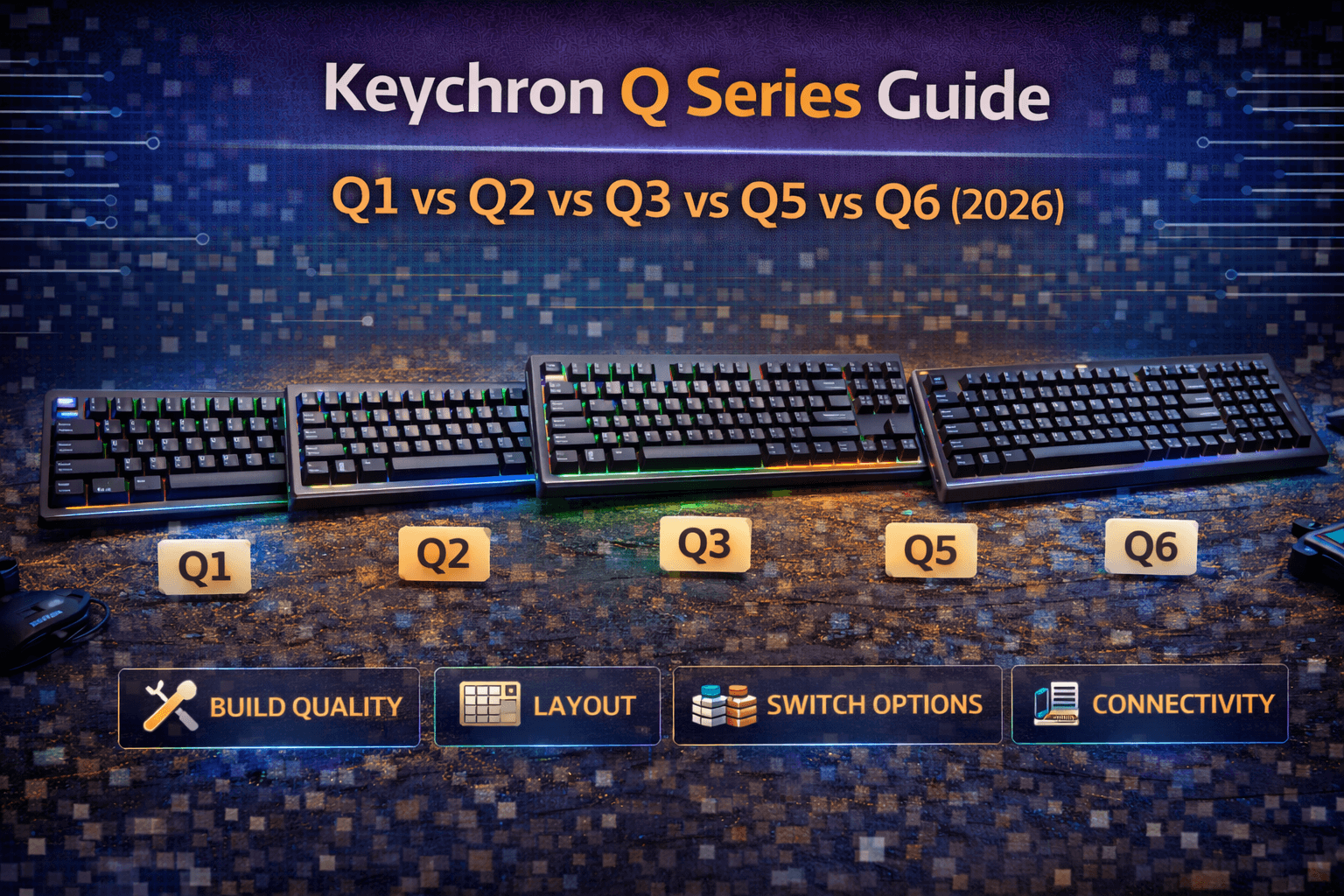
The Q Series lineup covers most popular sizes: Q2 (65% ultra-compact), Q1 (75% compact with function row), Q3 (TKL standard professional), Q5 (96% compact full-size), and Q6 (full-size traditional). Variants include standard wired models, Pro models adding wireless (2.4GHz + Bluetooth), Max models adding enhanced features, and HE (Hall Effect) models enabling switch customization. Every model delivers the same premium quality—choosing is about finding your preferred size rather than quality optimization. This comprehensive guide covers what makes Q Series special, detailed breakdowns of each model, direct comparisons helping you choose, specific recommendations by use case, and answers to common questions about Keychron's premium lineup.
Note: This guide contains affiliate links. If you purchase through our links, we may earn a commission at no extra cost to you. This helps support our in-depth testing and content creation.
What Makes Q Series Special
Gasket Mount Construction
Q Series keyboards use gasket mounting—the PCB and plate suspend on gaskets rather than screwing directly to case. This creates softer, more refined typing feel by isolating plate from case, dampening vibrations, and allowing subtle flex. Gasket mount is the signature feature of premium customs costing $300-500. Keychron brings this to $170-230 keyboards.
Why this matters: The typing feel difference is immediately noticeable. Gasket-mounted keyboards feel more refined, less harsh, delivering premium sensation with every keystroke. The "cushioned" typing feel described by users is direct result of gasket technology. Implementation quality is excellent across Q models—Poron gaskets, well-executed design. Not quite boutique custom perfection but excellent for price and rival keyboards costing significantly more.
Full Aluminum Construction
Entire Q Series uses CNC-machined aluminum cases. No plastic, no compromises. Thick aluminum creates rigid typing platform with zero flex, premium aesthetics, and substantial weight (1.7-2.2kg depending on model). This immediately differentiates Q Series from competitors at these prices using plastic.
Why this matters: Aluminum provides absolute rigidity (no flex), premium visual presentation, excellent acoustics, and luxurious heft. Most keyboards at these prices use plastic cases. Full aluminum immediately communicates quality through feel and appearance. Finish quality is excellent—professional anodization, tight tolerances, multiple color options (usually charcoal, silver, occasional special editions).
QMK/VIA Programmability
Full QMK firmware with VIA configuration support standard on all Q Series. This enables complete programmability—layers, macros, tap-dance, any feature QMK enables. QMK is the enthusiast standard for programmability. Having full QMK at this price point is exceptional. Most pre-builts use proprietary software with limited capabilities. See our keyboard firmware guide for more on QMK capabilities.
Why this matters: VIA web-based configurator makes QMK accessible without firmware compilation. Program keyboard through browser without technical knowledge. Powerful yet approachable. This transforms Q Series keyboards into platforms for personal customization rather than fixed devices.
Hot-Swap Switches
Kailh hot-swap sockets standard across Q Series. Change switches without soldering. Experiment freely and upgrade over years. MX-style switch compatibility enables Gateron, Cherry, Durock, or any MX-compatible switches. See our hot-swap keyboards guide for more on hot-swap benefits.
Why this matters: Hot-swap transforms keyboards into platforms. Try different switches, upgrade over time, customize per-key. This flexibility justifies itself immediately for enthusiasts. Start with stock switches, upgrade when budget allows.
Premium Stabilizers
Screw-in stabilizers, factory lubed. Keychron significantly improved stabilizer tuning over product lifetime—modern Q keyboards have excellent stabilizers from factory. Good stabilizers are crucial for large keys like spacebar, shifts, enters.
Why this matters: Keychron's stabilizers rival premium customs. Large keys feel smooth and refined. Factory lube means no stabilizer rattle from day one.
South-Facing RGB
Per-key RGB with south-facing LEDs (vs north-facing on most keyboards). Better keycap compatibility with Cherry-profile keycaps—prevents interference and maintains compatibility.
Why this matters: South-facing shows Keychron understands enthusiast priorities. RGB quality is bright, customizable per-key, can be disabled. Tasteful implementation rather than excessive gaming styling.
Included Accessories
Every Q keyboard includes tools (switch puller, keycap puller), extra gaskets, extra screws, hex keys. This attention to enthusiast needs shows. Nothing like opening premium keyboard box and discovering you need tools.
Q Series Value Proposition
The combination—gasket mount + aluminum + QMK/VIA + hot-swap + good stabilizers—typically costs $300-500 in custom keyboards. Keychron delivers this at $170-230. That's the Q Series magic: custom keyboard quality at pre-built prices. Accessibility is key to Q Series philosophy.
Q Series Model Breakdown
Keychron Q2 (65% Ultra-Compact)
Layout & Specs:
- 65% layout with 67 keys
- Dimensions approximately 12.2 inches wide, 4.8 inches deep
- Weight around 1.5kg—lightest Q model
- Retains arrow keys and essential navigation despite compact footprint
Variants: Q2 (wired), Q2 Pro (wireless), Q2 Max (wireless with enhanced features)
Key Features:
- Most compact Q with arrows
- Extremely clean desk footprint
- Same premium quality as all Q models
- Popular among minimalists wanting smallest premium keyboard
Who It's For: Minimalists, compact enthusiasts, gamers wanting maximum mouse space, people with small desks, travelers. Clean desk setups where every millimeter matters. Anyone willing to adapt to no function row.
Verdict: Best compact Q. Tiny footprint while retaining essential keys and full Q quality. Excellent first compact premium keyboard.
Keychron Q1 (75% Compact With Function Row)
Layout & Specs:
- 75% layout with 82 keys
- Dimensions approximately 12.9 inches wide, 5.7 inches deep
- Weight around 1.7kg
- Retains function row while maintaining compact footprint
Variants: Q1 (wired), Q1 Pro (wireless), Q1 Max (wireless with knob), Q1 HE (Hall Effect switches)
Key Features:
- Most popular Q Series model
- Perfect balance between compact and functionality
- Knob version available for volume/media control
- Excellent for enthusiasts and programmers
- Retains F1-F12 function keys
Who It's For: Enthusiasts, programmers, anyone wanting premium compact keyboard while retaining function keys. Gamers, writers, developers. Most versatile compact option. For writing-focused alternatives across brands, see our best keyboards for writers and authors.
Verdict: Best Q for most buyers. Perfect balance compact size with functionality. Ideal first Q keyboard for enthusiasts.
Keychron Q3 (TKL Standard Professional)
Layout & Specs:
- TKL/80% layout with 87 keys
- Dimensions approximately 14.4 inches wide, 5.4 inches deep
- Weight around 1.9kg
- Classic layout missing only numpad
Variants: Q3 (wired), Q3 Pro (wireless), Q3 Max (wireless with knob), Q3 HE (Hall Effect switches)
Key Features:
- Classic TKL layout
- Most versatile size
- Familiar to everyone
- Professional appearance
- Everything you need without excess
- Optimal for productivity and gaming balance
Who It's For: Most users seeking versatility. Professionals, programmers, gamers, office workers. Anyone wanting familiar layout with no adaptation. Safe choice for first premium keyboard if compact feels risky.
Verdict: Most versatile Q. Standard layout everyone knows. Safe choice for first premium keyboard or anyone uncertain about size preferences.
Keychron Q5 (96% Compact Full-Functionality)
Layout & Specs:
- 1800/96% compact full-size layout with 103 keys
- Dimensions approximately 15.4 inches wide, 5.3 inches deep
- Weight around 2.0kg
- Includes numpad and full-size functionality in more compact layout than traditional full-size
Variants: Q5 (wired), Q5 Pro (wireless), Q5 Max (wireless with knob), Q5 HE (Hall Effect switches)
Key Features:
- Full-size functionality in more compact footprint
- Numpad included (essential for productivity/data entry)
- Navigation cluster slightly compressed
- Knob version available
- RTINGS recommends as "best Keychron overall"
Who It's For: People needing numpad while preferring compact layout, accountants, data entry specialists (see our best keyboards for accountants and finance professionals for cross-brand picks), office workers needing productivity features, people wanting everything without traditional full-size width. Productivity professionals.
Verdict: Best for productivity and data entry. Full functionality, more compact than traditional full-size. Numpad without massive footprint.
Keychron Q6 (Full-Size Traditional)
Layout & Specs:
- Full-size/100% traditional layout with 108 keys
- Dimensions approximately 17.5 inches wide, 5.9 inches deep
- Weight around 2.2kg—heaviest Q model
- Complete traditional layout, everything in standard positions
Variants: Q6 (wired), Q6 Pro (wireless), Q6 Max (wireless with knob)
Key Features:
- Traditional full-size spacing
- Maximum numpad and navigation room
- Heaviest Q model for substantial feel
- Professional office appearance
- Complete traditional layout
- Excellent for data entry
Who It's For: Office workers, accountants, people requiring full-size layout, traditional keyboard preference, anyone needing maximum keys. Those for whom function outweighs space savings.
Verdict: Best premium full-size. Traditional layout with Q quality. Substantial feel, complete functionality.
Standard vs Pro vs Max: What's the Difference?
Standard Q Models (Wired Only)
Specifications: Gasket mount, aluminum case, QMK/VIA, hot-swap switches, south-facing RGB, PBT keycaps. Wired USB-C connectivity only.
Price: Entry-level within Q Series. Q2 ~$169, Q1 ~$170, Q3 ~$185, Q5 ~$200, Q6 ~$210 (barebones).
When to buy: Budget-conscious, don't need wireless, wired preferred or desktop location enables USB-C cable.
Q Pro Models (Wireless Added)
Specifications: Everything from Standard PLUS 2.4GHz wireless and Bluetooth dual-mode connectivity. Rechargeable battery, 180+ hours wireless battery life (RGB off), approximately 100 hours with RGB on. Polling rate 1000 Hz wired/2.4GHz, 90 Hz Bluetooth.
Price: ~$20-40 premium over standard models.
When to buy: Value wireless freedom, clean desk aesthetic, frequently moving between devices, willing to pay premium for connectivity.
Q Max Models (Wireless + Enhanced)
Specifications: Everything from Pro PLUS enhanced acoustic foam layers, double-gasket mount design (vs standard gasket), premium switch options, rotary knob (on select models for volume/media), occasional special color editions.
Hall Effect variants available in Max line—Gateron Double-Rail Magnetic switches enabling per-switch actuation customization.
Price: ~$30-50+ premium over standard models. Wireless + enhancements justify premium.
When to buy: Wireless + customization desired, want maximum features, knob for content creation, willing to invest in most complete offering, enthusiasts wanting everything available.
Size Comparison and Recommendations
Q2 vs Q1 vs Q3
Q2 (65%) is most compact but sacrifices function row. Requires layer access for F1-F12 and secondary functions. Best for minimalists and those not needing function keys frequently.
Q1 (75%) balances compact footprint with retained function row. Handles gaming, programming, writing equally well. Best compromise for most buyers—compact without sacrificing daily utility.
Q3 (TKL) is standard size, zero adaptation needed. Larger desk footprint than Q1 but familiar to everyone. Best for professionals and those valuing instant familiarity over space savings.
Q5 vs Q6
Q5 (96%) includes numpad in more compact layout—navigation cluster somewhat compressed. Excellent for productivity and data entry without massive footprint.
Q6 (full-size) retains full traditional spacing, everything in standard positions. Maximum numpad and navigation room. Better for office environments where space less critical and traditional layout essential.
Specific Recommendations by Use Case
| Use Case | Best Q Model | Notes |
|---|---|---|
| Gaming | Q2 or Q1 | Compact mouse space advantage. Q3 acceptable for less competitive gaming. |
| Programming | Q1 or Q3 | Function keys important. Q2 workable but requires layer switching for F-keys. |
| Writing | Q1 or Q3 | Most practical. Q2 acceptable for dedicated writing. |
| Office/Productivity | Q3, Q5, or Q6 | Q3 standard, Q5 if numpad essential, Q6 if traditional full-size required. |
| Data Entry | Q5 or Q6 | Numpad crucial. Full-size advantage makes difference for data work. |
| Travel/Mobile | Q2 | Most portable, Q1 acceptable, nothing larger practical. |
| First Q Keyboard | Q1 or Q3 | Balanced choice. Q1 if compact appeals, Q3 if security of familiar layout important. |
Features Comparison
Core Features (All Models)
- Gasket mount construction ✓
- Full aluminum CNC case ✓
- QMK/VIA programmability ✓
- Hot-swap Kailh sockets ✓
- Screw-in stabilizers (pre-lubed) ✓
- South-facing per-key RGB ✓
- PBT doubleshot or OSA keycaps ✓
- Mac/Windows/Linux compatible ✓
- Includes tools and accessories ✓
Model-Specific Differences
Wireless capability: Standard (none), Pro (2.4GHz + Bluetooth), Max (same as Pro).
Knob availability: Q1, Q3, Q5 available with rotary encoder for volume/media. Q2, Q6 no knob option.
Weight progression: Q2 (1.5kg lightest) → Q1 (1.7kg) → Q3 (1.9kg) → Q5 (2.0kg) → Q6 (2.2kg heaviest).
Price range: Q2 ($149-189) ≈ Q1 ($150-190) < Q3 ($165-205) < Q5 ($180-220) < Q6 ($190-230). Pricing reflects size/layout.
Switches: Standard models use Gateron Red/Brown/Blue. Max models use premium Gateron Jupiter switches. HE models use Gateron Double-Rail Magnetic Hall Effect.
Which Q Keyboard Should You Buy?
Best Q for Most Buyers: Q1 or Q3
Keychron Q1 ($170 barebones, $190+ assembled) is best balance compact plus functionality. 75% layout retains function row while saving desk space from Q3. Perfect for enthusiasts, programmers, anyone wanting premium compact without sacrifice. Knob version available if volume control desired.
Keychron Q3 ($185 barebones, $205+ assembled) is most versatile size. TKL layout familiar to everyone, professional appearance, works equally well for gaming and productivity. Safe choice for first premium keyboard if compact feels risky. Standard layout confidence.
Recommendation: Q1 if you want compact quality, Q3 if you want standard professional size. Both excellent choices, differences are minimal.
Best Compact Q: Q2
Keychron Q2 ($169 barebones, $189+ assembled) most compact Q with arrows. Perfect for minimalists, gamers wanting maximum mouse space, travelers, clean desk enthusiasts. Same quality as larger Q models in smallest package. Function row via layer access (minor inconvenience for daily use).
Best for: Clean desk lovers, competitive gamers, travelers, space-constrained setups.
Best Full-Functionality Q: Q5
Keychron Q5 ($200 barebones, $220+ assembled) everything you need more compactly. Numpad included, saves space versus full-size. Great for productivity and data entry without massive footprint. RTINGS recommends Q5 Max as "best Keychron overall" for balanced features and functionality.
Best for: Office workers, accountants, people needing numpad, productivity professionals, anyone valuing function over footprint.
Best Traditional Q: Q6
Keychron Q6 ($210 barebones, $230+ assembled) traditional full-size with Q quality. Familiar layout, everything in standard positions, complete traditional spacing. Maximum numpad and navigation room.
Best for: Traditional preferences, office environments, anyone requiring full-size layout, data entry specialists where function paramount.
Best Wireless Q: Pro or Max Models
Q1 Pro, Q2 Pro, Q3 Pro, Q5 Pro, Q6 Pro add wireless (2.4GHz + Bluetooth) worth ~$20-40 premium for clean desk setup flexibility and cable-free experience. Battery life excellent—180+ hours RGB off, ~100 hours with RGB.
If budget allows: Pro models recommended for wireless freedom. Excellent battery life, tri-mode connectivity (wired/2.4GHz/Bluetooth), clean desk aesthetic.
Best Budget Entry: Q2 or Q1 Barebones
Q2 Barebones ($149) or Q1 Barebones ($150) cheapest entry to Q quality. Add own switches ($20-30) and keycaps ($30-50). Total ~$200-230 with exactly what you want. Good for enthusiasts with switch preferences, budget-conscious buyers wanting customization.
Best for: Enthusiasts with preferred switches/keycaps, budget optimization, people valuing customization from start.
Best Value: Q1
Keychron Q1 ($170) provides best balance features, size, and value. Perfect compact with functionality, gasket quality, aluminum build, QMK/VIA programmability. Most popular Q for good reason—hits sweet spot for most buyers.
Q Series vs Alternatives
Keychron Q Series competes with GMMK Pro (similar feature set, ~$170), Mode Keyboards (more expensive $250-350, slightly more refined), Drop CTRL ($220, established community), and custom builds ($300-500, unlimited customization).
Q Series positioning: Best value custom-quality keyboards at pre-built prices. Custom keyboards require assembly knowledge, component selection, and long lead times. Q Series delivers finished product with premium quality immediately.
Q Series delivers what enthusiasts want—gasket mount, aluminum, QMK/VIA, hot-swap—at prices making premium keyboards accessible without custom knowledge or assembly effort. No other brand at $170-230 prices delivers comparable quality and features.
Frequently Asked Questions
Which Keychron Q keyboard is best?
Q1 (75%) or Q3 (TKL) for most buyers. Q1 best compact balance, Q3 most versatile standard size. Q2 if you want smallest, Q5/Q6 if you need numpad. All Q keyboards share same quality—choose by size preference. Q1 $170, Q3 $185 assembled. See model recommendations above.
Is Keychron Q Series worth the money?
Absolutely. Q Series delivers gasket mount, aluminum construction, QMK/VIA, hot-swap at $170-230—features typically costing $300-500 in custom keyboards. Best value in enthusiast keyboards. See value proposition section above.
Should I get Q Series standard or Pro (wireless)?
Pro if budget allows (+$20-40). Wireless adds significant value through clean desk setup and connectivity flexibility. Battery life excellent (180+ hours). Standard fine if wired doesn't bother you or budget tight.
What's the difference between Q1, Q2, Q3, Q5, Q6?
Size/layout only. Q2 = 65% (compact), Q1 = 75% (compact + function row), Q3 = TKL (standard), Q5 = 96% (compact full), Q6 = full-size. Same gasket mount, aluminum, quality across all. Choose by preferred size.
Should I buy assembled or barebones Q Series?
Assembled if you don't have switches/keycaps or want convenience. Barebones saves $20-30, lets you choose exact switches/keycaps. Both same keyboard quality. See recommendations section above.
Conclusion
Keychron Q Series represents exceptional value in enthusiast mechanical keyboards, delivering custom keyboard quality—gasket mount, aluminum construction, QMK/VIA, hot-swap—at accessible prices of $170-230. Every Q keyboard shares this premium DNA; choosing is about finding your preferred size rather than quality tiers.
Keychron Q1 (75%) and Keychron Q3 (TKL) serve most buyers excellently through balanced sizes and versatile functionality. Q1 provides compact perfection retaining function row. Q3 offers familiar professional TKL layout working everywhere. Both are safe, excellent choices for first premium keyboard or enthusiast upgrade.
Q2 (65%) suits minimalists and gamers wanting smallest premium option. Keychron Q5 (96%) and Q6 (full-size) serve users needing numpads through compact-full and traditional-full layouts respectively.
Pro models add wireless connectivity worth the $20-40 premium for clean desk setups and flexibility. Max models enhance further with acoustic foam and knobs for content creators.
The straightforward recommendation is Q1 ($170) for most enthusiasts wanting compact quality or Q3 ($185) for most users wanting standard professional keyboard. Both deliver custom-tier typing experience at prices making premium keyboards accessible. Q Series proves premium mechanical keyboards don't require $300+ budgets or custom assembly knowledge. Keychron successfully democratized enthusiast keyboard quality. Choose your preferred size confidently knowing every Q keyboard delivers exceptional value and custom-tier performance.
Ready to explore more Keychron options? Check our Keychron vs GMMK vs Drop comparison for how Q Series compares to competitors.

