Introduction
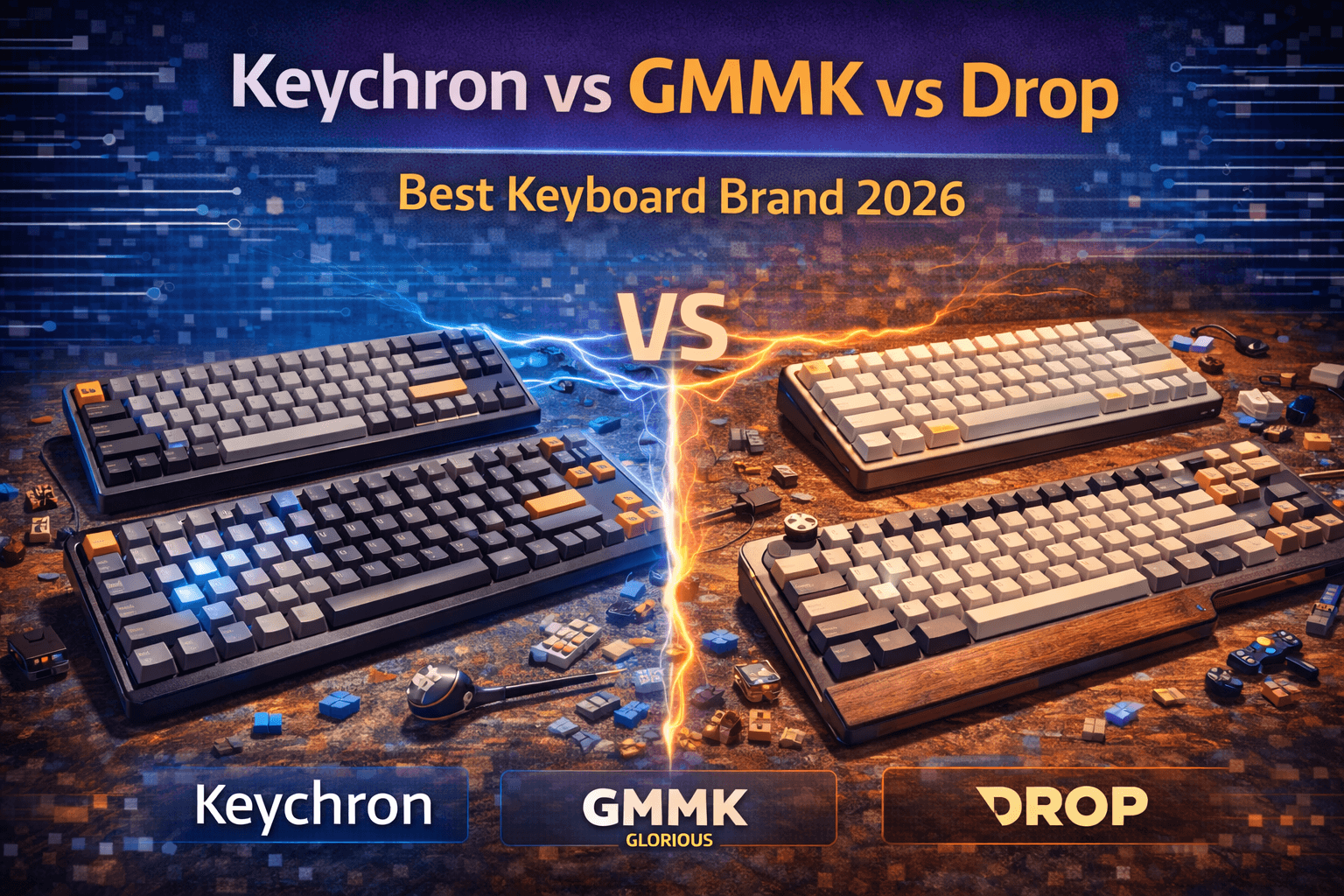
Keychron, GMMK (Glorious), and Drop represent three dominant forces in enthusiast mechanical keyboards, each approaching the market with distinctly different philosophies and targeting somewhat different audiences. Understanding what each brand prioritizes helps you identify which aligns with your needs and budget.
Keychron built its reputation on making enthusiast keyboard features accessible at reasonable prices. They've democratized hot-swap switches, wireless connectivity, and QMK/VIA programmability—features that were previously expensive or niche. Keychron keyboards deliver exceptional value, bringing professional-grade features to mainstream buyers without the custom keyboard price tag.
GMMK (Glorious) emphasizes modular customization and gaming performance. Their approach provides building blocks—hot-swap sockets, barebones options, extensive configuration choices—allowing users to create keyboards matching exact preferences without requiring full custom-building expertise. GMMK positions itself as the bridge between gaming keyboards and true enthusiast customs.
Drop (formerly Massdrop) operates as a community-driven curator of premium keyboards. Through collaborations with designers and limited production runs, Drop emphasizes quality and exclusivity over accessibility. They target experienced enthusiasts willing to pay premiums for refined execution and unique designs that won't appear in everyone's setup.
The fundamental insight is that no universally "best" brand exists—each excels in different areas. If you value accessibility and feature density, Keychron wins decisively. If customization and modularity matter most, GMMK delivers. If absolute build quality is the priority and budget permits, Drop provides consistency you can rely on.
This guide compares these brands across build quality, pricing and value, feature sets, switch options, software, customer support, and specific product recommendations, helping you identify which brand matches your priorities and typing philosophy.
Note: This guide contains affiliate links. If you purchase through our links, we may earn a commission at no extra cost to you. This helps support our in-depth testing and content creation.
Brand Overview and Philosophy
Understanding each brand's core approach and target audience contextualizes their product decisions and trade-offs.
Keychron: Accessible Enthusiast Features
Keychron emerged around 2017 with a focused mission: create quality wireless mechanical keyboards for Mac users, an underserved market at the time. They've since expanded to a comprehensive lineup serving broader audiences while maintaining their core philosophy of accessibility.
Brand philosophy: Democratize enthusiast keyboard features at mainstream prices. Make hot-swap, wireless, QMK/VIA, and premium build quality available to people upgrading from gaming keyboards, not just experienced hobbyists.
Target audience: People stepping up from gaming keyboards, Mac users wanting quality mechanical keyboards, budget-conscious enthusiasts, professionals wanting wireless reliability with quality switches, users exploring the hobby without major financial commitment.
Strengths: Outstanding price-to-feature ratio, wireless implementations that actually work, dedicated Mac compatibility, extensive product range from budget to premium, consistent quality across product tiers, QMK/VIA support on Q and V series.
Weaknesses: Aesthetics somewhat generic (function over form), not cutting-edge in any single category, less extensive aftermarket ecosystem than competitors, base K series uses proprietary software instead of QMK.
GMMK (Glorious): Modular Customization
Glorious PC Gaming Race started as a gaming peripheral manufacturer before launching the GMMK line. Their modular keyboard strategy lets users configure keyboards extensively, serving the segment between gaming keyboards and full customs.
Brand philosophy: Provide customization building blocks. Let users choose components and create keyboards matching exact preferences without the complexity of full custom building or the limitations of prebuilt gaming keyboards.
Target audience: Gamers wanting enthusiast-quality keyboards, customization enthusiasts who enjoy configuration and experimentation, users wanting to try different switches easily, people interested in entry-level keyboard building without soldering.
Strengths: Modularity and hot-swap across entire lineup, competitive pricing with extensive configuration options, strong gaming heritage and features (RGB, rotary knobs), barebones options give users cost control, good software customization with Glorious Core.
Weaknesses: Build quality variable across models, customer service inconsistent (some excellent experiences, some frustrating), quality control issues reported on GMMK Pro (stabilizers, gasket mounting), fewer options than GMMK 3 in newer releases, wired-only (no wireless options).
Drop: Premium Curated Enthusiast
Drop operates as a community-driven platform for premium enthusiast products. Their keyboard strategy focuses on collaborations with designers and limited production runs of refined keyboards, intentionally avoiding mass-market commodification.
Brand philosophy: Curate exceptional keyboards through collaboration with designers. Emphasize quality and unique designs over mass appeal. Build community around exclusive product access.
Target audience: Experienced enthusiasts, keyboard collectors, people willing to pay premium for quality and exclusivity, users seeking unique designs and limited editions, professionals valuing refined aesthetics.
Strengths: Consistently exceptional build quality across lineup, unique designs through designer collaborations, strong enthusiast community, premium materials and finishes, excellent stabilizers from factory, QMK/VIA support on compatible models.
Weaknesses: Premium pricing (often 20-30% above competitors for similar specs), limited availability (group buy model historically, some inventory scarcity), longer shipping times due to group buy/limited run model, fewer budget options, wired-only (no wireless), smaller product range than competitors.
Market Positioning Summary
Keychron occupies the value-focused enthusiast position—sweet spot for most buyers entering or exploring the hobby. GMMK bridges gaming and enthusiast markets with modularity. Drop targets premium enthusiasts prioritizing quality and exclusivity over value.
Build Quality Comparison
Build quality determines typing feel, durability, and long-term satisfaction. These brands take noticeably different approaches.
Keychron Build Quality Tier System
Keychron uses a clear tiered approach to build quality, which helps set expectations.
K Series (Budget tier - $70-100): Plastic cases, acceptable construction, some flex under pressure. Stabilizers adequate but sometimes rattly. These represent true value plays—functional and decent for the price but not premium. Most users report good typing experience but acknowledge quality ceiling. Suitable for users exploring the hobby or wanting wireless on a budget.
V Series (Mid-tier - $100-140): Aluminum frames with some plastic components, better than K Series but not quite premium. Improved stabilizer mounting. Good middle ground for users wanting quality without premium pricing. These rarely disappoint—they perform above expectations for price point.
Q Series (Premium - $154-230): Aluminum cases with CNC machining, gasket-mount construction, zero flex under pressure, premium typing feel. Stabilizers come well-tuned from factory. Paint and anodizing quality exceptional. Weight substantial (2000g typical), communicating quality immediately. The Q3 specifically impressed the enthusiast community, with many comparing it favorably to keyboards costing $100-150 more.
Keychron Consistency: Quality remains predictable within tiers. Budget models reliably decent, premium models reliably excellent. The Q series represents outstanding value engineering—Keychron clearly invested significant effort achieving premium feel at enthusiast (not collector) prices. Users consistently report the Q3 as best value in the premium keyboard market.
GMMK Build Quality: Variable by Model
GMMK quality varies more between models than Keychron's structured approach, reflecting different design philosophies and evolution over time.
GMMK v1 (original - wired only): Plastic tray-mount construction, basic build quality. Served its purpose as affordable hot-swap platform but nothing special. Functional but lacks refinement. This model is now outdated.
GMMK Pro (75% - $170 barebones): Aluminum construction, gasket-mount design, premium aesthetics. Initial batches had significant issues—stiff gasket mounting that didn't provide intended flex, stabilizers often overlubed making them sticky, poor plate fitment causing switches to eject when removing keycaps. Quality improved through iterations as Glorious responded to community feedback, but this required user advocacy and time. Improved versions now compete well with premium customs when properly modded. Current units much better than launch batches but some QC variability remains. The learning curve means more user intervention required to achieve premium results compared to competitors.
GMMK 2 (96% and 65% - $60-110): Improved construction over original. Solid build quality for price point. Better stabilizers and mounting than GMMK v1. Feels more refined than budget alternatives. Good value tier that rarely disappoints.
GMMK 3 Series: Latest GMMK offerings show improved QC and design. Wireless options recently introduced. Represents evolution toward quality parity with competitors.
GMMK Consistency: More variable than Keychron. GMMK Pro required community feedback and improvements to reach premium quality. Shows responsiveness but also indicates initial execution gaps. Newer GMMK 2 and 3 series more consistent. Overall trend toward improving quality.
Drop Build Quality: Premium Consistency
Drop maintains premium build quality as differentiating strategy, justifying higher prices through reliable execution.
Drop ALT vs CTRL vs ENTR (65% compact - $180-230): Aluminum anodized frame, solid construction with no flex, excellent stabilizers from factory (Cherry-style, well-lubed). Tolerances tight throughout. Weight and feel communicate quality. 696g weight feels right for compact form factor. Minimal modding needed—the board performs well stock. Finish quality exceptional with smooth anodizing and precise tolerances.
Drop CTRL (87% TKL - $200-250): Premium TKL construction, larger version of ALT philosophy. Same commitment to quality, similar excellent stabilizers.
Drop Collaborations (Holy Panda keyboards, designer editions - $200-350+): Premium builds matching or exceeding Drop's baseline quality standards. Often feature special switches or unique keycaps collaboratively designed. Build quality never compromises.
Drop Consistency: Very consistent. Drop rarely disappoints on build quality. Premium prices reliably buy premium construction. Different from GMMK—no learning curve or modding required to achieve advertised quality.
Build Quality Verdict
- Best overall build quality: Drop (premium across lineup, minimal variation, no modding needed)
- Best value premium build: Keychron Q Series (achieves 80-90% of Drop's quality at $50-75 less)
- Most variable quality: GMMK (ranging from basic to premium depending on model and batch)
- Best budget build: Keychron K Series (decent quality at lowest prices)
- Most modding-friendly (if you enjoy it): GMMK Pro (responsive to mods, good aftermarket support)
For most buyers, the practical implication is clear: Keychron Q Series offers premium build quality at enthusiast (not premium) prices. Drop commands premium prices but delivers premium consistency. GMMK Pro can match premium builds but requires user effort and knowledge.
Pricing and Value Comparison
Understanding value propositions helps match budget to the right brand.
Keychron Pricing Strategy
Budget Tier (K Series - $70-100): Hot-swap, wireless, decent switches, Mac/Windows keycaps, quality sufficient for enthusiasts entering hobby. Exceptional value for features included. Where else do you get wireless hot-swap at sub-$100?
Mid-Tier (V Series - $100-140): Improved materials and construction, better stabilizer mounting. Maintains strong value while stepping up quality. Wired-only (no wireless premium).
Premium Tier (Q Series - $154-230): Gasket-mount aluminum construction, premium materials throughout, competes with $300+ customs on specifications and feel. Represents outstanding value engineering. The Q3 at $164-190 is most price-efficient premium keyboard on market.
Keychron Value Proposition: More features per dollar than competitors. Wireless at no premium. QMK/VIA on mid-tier and above. Hot-swap throughout. You get enthusiast features at mainstream prices—the core Keychron mission.
GMMK Pricing Strategy
Entry (GMMK 2 - $60-110 depending on configuration): Hot-swap, modularity, good switches included or customizable. Competitive with Keychron budget tier but slightly more expensive for similar base specs. Where GMMK wins: barebones options let you skip paying for prebuilt switches/caps you'll replace.
Premium (GMMK Pro - $170 barebones, $200+ with switches/keycaps): Priced similarly to Keychron Q Series. GMMK Pro cheaper barebones ($170 vs $164-190) but lacks complete keyboard cost comparison since you need to add switches and keycaps. Modular approach gives choice but can quickly exceed Keychron's all-in pricing if you want quality components.
GMMK 3 Series (newer): Latest offerings include wireless option, improving value proposition. Pricing remains competitive.
GMMK Value Proposition: Modularity and choice. Barebones options let cost-conscious users avoid paying for switches/caps they'll replace. Extensive customization options. Less value-per-dollar than Keychron due to premium on modular approach.
Drop Pricing Strategy
Budget (ENTR - $80-120): Entry-level maintaining Drop quality standards. More expensive than Keychron K Series for similar features, but reflects Drop's premium positioning.
Mid-Tier (ALT/CTRL - $180-250): Premium pricing for premium build. Noticeably expensive compared to Keychron Q3 with similar features, but Drop justifies through build quality consistency and unique designs.
Premium (Collaborations - $200-350+): Top-tier pricing for top-tier builds and exclusive designs. Purchasing limited edition or collaboration keyboard commands premium. Clear positioning: exclusivity and quality over value.
Drop Value Proposition: Premium quality justifies premium pricing. You pay for refined execution and unique designs. Not maximum features per dollar—you're buying into quality and community.
Value Analysis by Priority
| Priority | Winner | Why |
|---|---|---|
| Maximum features per dollar | Keychron | Wireless, hot-swap, QMK/VIA at best prices |
| Budget customization | GMMK | Barebones options reduce wasted spending |
| Premium quality | Drop | Justifies premium with consistent excellence |
| Best overall value | Keychron Q Series | Premium quality at enthusiast (not collector) prices |
| Gaming focus | GMMK | Strong RGB, rotary knobs, gaming heritage |
| Mac user | Keychron | Only brand with Mac-specific features |
Price-to-Performance Winner: Keychron provides the best value proposition for most buyers. Drop offers better quality but at significant price premium. GMMK competes on customization and modularity rather than value.
Feature Comparison
Features affect usability, flexibility, and how keyboards serve different use cases.
Wireless Connectivity
Keychron: Wireless is core to brand identity. K Series offers 2.4GHz + Bluetooth simultaneously. Q Series now offers wireless versions. Battery life excellent—weeks to months depending on RGB usage and model. Bluetooth 5.1 for reliability. Connection stability proven through thousands of user reviews. This is where Keychron truly differentiates.
GMMK: Limited wireless options until recently. GMMK 2 and 3 series now include wireless models. Wireless clearly not historical priority, but recent shift shows commitment to addressing user requests.
Drop: Wired-only. No wireless options in main lineup. Premium cables included but no wireless capability.
Wireless Winner: Keychron exclusively among these three. If wireless matters, Keychron is the only real option.
Hot-Swap Switches
Keychron: Hot-swap across nearly entire lineup, from K Series through Q Series. Kailh socket implementation, reliable and compatible with most switches. Enables endless customization without soldering. See our hot-swap keyboards guide for more on hot-swap benefits.
GMMK: Hot-swap is brand foundation. Every GMMK keyboard features hot-swap sockets. Excellent implementation, 5-pin support on Pro. This is GMMK's core strength.
Drop: Hot-swap on ALT, CTRL, and newer models. Compatible implementation when present. Not universal across lineup.
Hot-Swap Winner: Tie between Keychron and GMMK (both prioritize it across lineups). Drop selective but quality when implemented.
Programmability (QMK/VIA vs Proprietary)
Keychron:
- Q/V Series: Full QMK/VIA support via web-based VIA. This is standard enthusiast software—powerful, flexible, immediate changes. Community documentation extensive.
- K Series: Proprietary Keychron software. Basic remapping and macros, less powerful than VIA but simpler for beginners.
GMMK:
- Proprietary Glorious Core software. Clean interface, intuitive for beginners, less intimidating than QMK/VIA. Capable of key remapping, macros, lighting control, profiles.
- Also supports QMK/VIA on newer models.
- Limitation: Less flexible than QMK/VIA for complex layer configurations.
Drop: Full QMK/VIA support on compatible models (ALT, CTRL). Excellent implementation with drop.com providing configuration files and community support. Standard enthusiast tool with full capabilities.
Programmability Winner:
- Maximum power: QMK/VIA (Keychron Q/V, Drop) - tie
- Easiest for beginners: Glorious Core (GMMK) - simpler but less capable
- Best balance: Keychron Q Series (both proprietary and QMK options)
If programmability is crucial, choose Keychron Q/V or Drop. If simplicity matters, GMMK's proprietary software works well.
RGB and Lighting
Keychron: Per-key RGB on most models. South-facing LEDs (better keycap compatibility—shine-through caps show light better). Clean implementation, not excessive. Customizable effects without overwhelming options.
GMMK: Extensive per-key RGB with sophisticated software control. Gaming-focused lighting effects. North-facing LEDs on some models (limits keycap shine-through compatibility). Bright, vibrant implementation appealing to gaming audience.
Drop: RGB present but understated. Premium aesthetic over gaming excess. Quality implementation matching brand's refined positioning. Less flashy than GMMK but cleaner visually.
RGB Winner:
- For RGB enthusiasts: GMMK (most extensive, gaming-focused)
- For balanced approach: Keychron (functional, good compatibility)
- For minimalist aesthetic: Drop (subtle, premium feel)
macOS Compatibility
Keychron: Excellent macOS optimization. Keycap legends include Mac symbols (⌘, ⌥). System toggle switch lets you switch between macOS and Windows layouts. Keychron Pro keycap set includes both Mac and Windows legends. Truly designed with Mac users in mind.
GMMK: Works with macOS but not optimized. No Mac-specific features or keycap legends. Standard Windows-centric design.
Drop: Works with macOS but Windows-focused. No special Mac considerations.
macOS Winner: Keychron (only brand truly prioritizing Mac compatibility). For Mac users, this is major advantage.
Feature Priority Summary
| Use Case | Best Choice |
|---|---|
| Wireless essential | Keychron exclusively |
| Maximum customization | GMMK (modularity + ecosystem) |
| Mac user | Keychron (only real Mac support) |
| Maximum programmability | Keychron Q/V or Drop (QMK/VIA) |
| RGB enthusiast | GMMK (extensive, gaming-focused) |
| Minimalist aesthetic | Drop (refined, understated) |
| Beginner-friendly software | GMMK (Glorious Core simplicity) |
Switch Options and Customization
Switch availability and customization flexibility determine typing feel options and personalization potential.
Keychron Switch Options
Stock Options: Gateron G Pro switches (well-regarded), Keychron K Pro switches (proprietary, competitive with Cherry MX), sometimes Gateron variants. Selection covers linear/tactile/clicky basics. Adequate variety but not extensive.
Quality: Gateron G Pro and K Pro switches are good quality, competitive with Cherry MX. Stock switches perform well, so users don't feel forced to upgrade immediately.
Hot-Swap Advantage: Easy to swap into any MX-compatible switches regardless of stock options. Any switch in market works. This unlimited choice exceeds what stock options provide.
Customization Assessment: Adequate stock options with hot-swap providing unlimited flexibility. You're not locked into stock switches—the hot-swap socket enables total choice.
GMMK Switch Options
Stock Options: Glorious Panda switches (well-regarded, tactile), Glorious Lynx (linear), Glorious Fox (linear), Gateron options. Gaming-focused selection emphasizing smooth, responsive switches.
Proprietary Switches: Glorious designs its own switches (Panda, Fox, etc.). Community generally views these positively—they compete well against established brands.
Quality: Good quality across board. Glorious proprietary switches perform well, no cheap components.
Modular Approach: Barebones options let you skip stock switches entirely and install your chosen switches immediately. Maximum control over what you pay for.
Customization Assessment: Good stock options with strong modular approach. Barebones option eliminates paying for switches you'll replace. Extensive aftermarket switch ecosystem due to gaming heritage.
Drop Switch Options
Stock Options: Drop Holy Panda (well-regarded tactile), various collaborations, Cherry MX, premium options curated by Drop. Selection curated for quality over variety.
Collaboration Switches: Often feature unique designs or limited runs. Special status appeals to collectors and enthusiasts.
Quality: Premium quality as brand standard. Holy Panda widely praised. Collaboration switches often exceed expectations.
Philosophy: Fewer options but higher average quality. Emphasis on quality over variety. You're getting curated selections, not maximum choice.
Customization Assessment: Fewer options than competitors but premium quality. Collaboration exclusivity appeals to enthusiasts. Still hot-swap compatible with any switch despite limited stock options.
Customization Winner
| Category | Winner | Why |
|---|---|---|
| Maximum choice | GMMK barebones | Skip paying for stock, unlimited options |
| Best stock switches | Drop | Curated premium options |
| Best value switches | Keychron | Gateron G Pro/K Pro good quality at reasonable cost |
| Most flexibility | Tie (Keychron/GMMK) | All offer hot-swap + unlimited switch compatibility |
All three brands enable comprehensive customization through hot-swap. Differences lie in stock options quality and approach to choice. See our keyboard switches guide for detailed switch information.
Software and User Experience
Software affects how easily you can program keyboards and personalize behavior.
Keychron Software Experience
Q/V Series: Web-based VIA configurator. Powerful and flexible—full layer support, complex macros, remapping, LED customization. Learning curve exists but provides maximum capability. Community documentation extensive. This is professional enthusiast tool used across hobby.
K Series: Keychron proprietary software. Basic remapping, simple macros, RGB control. Easier for beginners but less powerful than VIA. Suitable for users wanting simplicity over capability.
Dual Approach: Interesting that Keychron offers both simple (K Series) and powerful (Q/V VIA) options. Users can choose based on their needs and comfort level.
User Experience: VIA has steeper learning curve initially but pays off with capability. Proprietary software simpler but limited. Good for beginners stepping up from gaming keyboards.
GMMK Software: Glorious Core
Capabilities: Key remapping, macros, RGB lighting customization, profile management, polling rate adjustment. Profile storage on keyboard (3 profiles standard).
User Experience: Clean, intuitive interface. Designed for accessibility rather than power users. Menu structure clear, options presented logically. Beginner-friendly.
Limitations: Less flexible than QMK/VIA for advanced configurations. Can't implement complex layer systems or conditional logic. Suitable for customization up to intermediate level.
QMK/VIA Support: Newer GMMK models support QMK/VIA, giving users option to upgrade to professional tool if needed.
Assessment: Good for intended audience (gamers and customization beginners). Works well for remapping, macros, and lighting. Limitation becomes apparent only for advanced users wanting complex behavior.
Drop Software: QMK/VIA
Implementation: Full QMK/VIA support on compatible models. drop.com provides configuration files and community support. Standard enthusiast tool with full capabilities.
User Experience: Same QMK/VIA learning curve as Keychron Q Series. Professional tool for experienced users. Community documentation extensive.
Support: Drop provides good documentation and support for firmware customization. Community active in helping users.
Assessment: Excellent implementation for enthusiasts wanting professional tool.
Software Verdict
- Maximum Power: QMK/VIA (Keychron Q/V, Drop) - tie. Professional tools with unlimited capability.
- Easiest for Beginners: Glorious Core (GMMK). Intuitive interface, simpler but sufficient for most needs.
- Best Balance: Keychron Q Series. Full QMK/VIA power for those wanting it, simpler Keychron software for others.
If software is crucial: Choose Keychron Q/V or Drop for QMK/VIA power. Choose GMMK if simplicity and intuitiveness matter more than advanced capability.
Customer Support and Warranty
Support quality affects ownership experience, especially if issues arise.
Keychron Support
Warranty: 1 year on most models. Standard for enthusiast keyboards.
Response Time: Generally responsive within 1-2 business days. Not industry-leading but adequate.
Community: Strong Reddit (r/Keychron) and Discord communities provide peer support. Often more helpful than direct support for technical questions.
Quality: Adequate but not exceptional. Support mostly handles warranty claims and basic troubleshooting effectively. Not cutting-edge support but reliable.
Reputation: Generally positive. Some shipping delays to certain regions but product quality rarely requires support.
GMMK Support
Warranty: 1 year standard. Same as competitors.
Response Time: Variable. Ranges from quick responses to slow depending on volume and season.
Quality: Mixed reviews. Some users report excellent support experiences; others frustration with slow responses or difficult RMA processes. Inconsistency is notable pattern.
Community: Good Discord and Reddit communities provide peer support when official support is slow.
Reputation: Inconsistent. Depends on luck with support rep and timing. Product quality generally good so support rarely needed.
Drop Support
Warranty: 1-2 years depending on product. Extended warranty options available (3-year with accidental coverage for additional cost).
Response Time: Generally good. Professional support experience typical of premium brands.
Quality: Professional support. Drop staff trained and responsive. Better than Keychron or GMMK baseline.
Community: Engaged community on Discord provides good peer support. Drop staff sometimes participates.
Extended Warranty: Unique offering among these three. Can add 3-year coverage with accidental damage protection (drops, spills).
Reputation: Better than Keychron or GMMK. Premium pricing includes better support experience.
Support Verdict
| Category | Best |
|---|---|
| Best overall support | Drop (professional experience) |
| Most community support | Keychron (large active community) |
| Most consistent | Drop (reliably good) |
| Most variable | GMMK (good or frustrating) |
| Extended warranty options | Drop (3-year available) |
Practical note: For most users, community support and strong product quality matter more than direct customer service since issues are relatively rare with these brands. Choose support quality as tiebreaker if other factors equal.
Specific Product Recommendations
Which keyboards from each brand represent best value and performance?
Best Keychron Keyboards
Budget Champion: Keychron K8 Pro ($99-134)
- Hot-swap, wireless, TKL layout, QMK/VIA support
- Exceptional entry to enthusiast keyboards
- Best value in entire comparison for features included
- 4000 mAh battery, 290+ hours wireless battery life (backlight off)
- South-facing RGB (better keycap compatibility)
- Gateron G Pro switches included
- Verdict: Best wireless budget keyboard on market
Premium Value: Keychron Q3 ($154-204)
- 80% TKL gasket-mount aluminum
- CNC machined construction, 2000g weight
- Exceptional build quality for price
- QMK/VIA support, screw-in stabilizers
- Competes with keyboards costing $300+ on feel and materials
- Includes Mac and Windows keycaps
- Verdict: Best price-efficiency premium keyboard available
Compact Premium: Keychron Q1 ($140-170)
- 75% form factor gasket-mount
- Perfect for enthusiasts wanting compact quality keyboard
- Improved stabilizers over earlier versions
- Well-regarded by community for out-of-box performance
- Verdict: Best compact premium option
Wireless Compact: Keychron K3 Pro ($67-95)
- Low-profile wireless
- Unique offering in market
- Battery life exceptional due to low-profile design
- Good for minimalist desk setup
- Verdict: Only low-profile wireless option among major brands
Keychron Recommendation: Most buyers should choose Keychron Q3 for premium builds or K8 Pro for wireless enthusiasts. Q3 provides best value in premium segment. K8 Pro dominates budget wireless.
Best GMMK Keyboards
Entry-Level: GMMK 2 65% ($60-110)
- Hot-swap, modular, good switches included
- Good entry point for customization-focused users
- Available in multiple sizes (65%, 96%)
- Solid build quality for price
- Verdict: Good value gaming-focused option
Premium Value: GMMK Pro 75% ($170 barebones)
- Gasket-mount aluminum (when properly tuned)
- Rotary knob (gaming feature advantage)
- Extensive RGB (gaming focus)
- Requires modding to achieve full potential
- Better stock stabilizers in recent batches
- Verdict: Best for users who enjoy modding
Full-Size Gaming: GMMK 2 Full-Size ($80-130)
- Hot-swap full-size with number pad
- Good for gaming requiring number pad access
- Solid construction, good RGB
- Verdict: Best gaming full-size option
GMMK Recommendation: GMMK 2 for entry-level gaming keyboards. GMMK Pro for enthusiasts willing to mod. Newer GMMK 3 series worth considering if available in your region.
Best Drop Keyboards
Entry Point: Drop ENTR ($80-120)
- Budget Drop maintaining quality standards
- Good typing experience
- Solid construction at accessible price
- Verdict: Best budget Drop option
Compact Premium: Drop ALT 65% ($180-230)
- Premium build quality, compact form
- Excellent stabilizers from factory
- QMK/VIA support, minimal modding needed
- Magnetic feet, clean aesthetic
- 696g weight appropriate for size
- Verdict: Best compact Drop keyboard
TKL Premium: Drop CTRL 87% ($200-250)
- Premium TKL construction
- Same quality philosophy as ALT
- Full-size layout with quality commitment
- Verdict: Best TKL Drop option
Enthusiast Editions: Drop + Holy Panda keyboards ($200-300+)
- Premium switches and builds
- Collaboration appeal
- Limited editions for collectors
- Verdict: For enthusiasts valuing refinement and exclusivity
Drop Recommendation: ALT for compact premium users. CTRL for TKL preference. Collaboration editions for collectors and enthusiasts.
Direct Price Comparisons
$100-120 Budget:
- Keychron K8 Pro (~$100-120 wireless)
- GMMK 2 (~$80-110 wired)
- Drop ENTR (~$110-120)
Winner: Keychron K8 Pro (wireless + QMK/VIA combination unbeatable)
$160-190 Premium:
- Keychron Q3 ($154-190)
- GMMK Pro ($170 barebones + switches/caps = $220+)
- Drop ALT ($180-230)
Winner: Keychron Q3 (best value premium build)
Compact Enthusiast:
- Keychron Q1 ($140-170)
- GMMK Pro 75% ($170 barebones)
- Drop ALT ($180-230)
Winner: Keychron Q1 (better out-of-box, fewer mods needed)
Mac User Specific:
- Keychron Q3 or K8 Pro (Mac-optimized, toggle switch, Mac keycaps)
- GMMK (works but not optimized)
- Drop (works but not optimized)
Winner: Keychron exclusively (only real option for Mac users)
Who Should Buy Which Brand?
Matching brand to user priorities determines satisfaction.
Buy Keychron If:
- You want best features per dollar—wireless, hot-swap, QMK/VIA at accessible prices
- Wireless is important—Keychron is only brand offering it
- You're a Mac user—Keychron designed specifically for macOS
- You want enthusiast features without premium pricing
- You're stepping up from gaming keyboards—lower barrier to entry
- You value consistent quality across product range
- Budget is $70-230
- You want reliability and proven community support
Keychron Best For: Most buyers entering enthusiast keyboards. Sweet spot of features, quality, and price. Mac users seeking quality keyboards. Budget-conscious enthusiasts wanting wireless.
Buy GMMK If:
- Customization and modularity matter most
- You enjoy tinkering and modding keyboards
- You want to experiment with many different switches
- You're a gamer wanting enthusiast-quality keyboard
- You prefer barebones options to control exact costs
- You value gaming features (RGB intensity, rotary knobs)
- You enjoy configuration process
- Budget is $80-220
- You're transitioning from gaming keyboards
GMMK Best For: Customization enthusiasts and gamers bridging to enthusiast keyboards. Users who enjoy building/modding process. People wanting extensive switch experimentation.
Buy Drop If:
- Build quality is absolute priority
- You're willing to pay premium for refinement
- You want exclusive or collaboration designs
- You're experienced enthusiast, not newcomer
- You value curated selection over maximum choice
- You don't need wireless
- Budget is $180-350+
- You appreciate aesthetic refinement
Drop Best For: Enthusiasts prioritizing quality over value. Collectors wanting exclusive designs. Users valuing refined execution. People building aesthetic-focused setups.
Priority-Based Decision Matrix
| Priority | First Choice | Second Choice | Third Choice |
|---|---|---|---|
| Best Value | Keychron | GMMK | Drop |
| Wireless | Keychron | None | None |
| Customization | GMMK | Keychron | Drop |
| Premium Quality | Drop | Keychron Q | GMMK |
| Mac Support | Keychron | GMMK | Drop |
| Gaming Focus | GMMK | Keychron | Drop |
| Budget Conscious | Keychron | GMMK | Drop |
| Beginner Friendly | Keychron | GMMK | Drop |
| Modding Enthusiast | GMMK | Keychron | Drop |
| Collector Mentality | Drop | Keychron | GMMK |
Frequently Asked Questions
Which is better, Keychron or GMMK?
Depends on priorities. Keychron offers better value with more features per dollar, wireless capability, and Mac optimization. Q Series provides premium quality at enthusiast prices. GMMK offers superior customization ecosystem and modularity. For most buyers, Keychron provides better all-around package. GMMK excels if customization and gaming features matter most. See detailed comparison sections for specific use cases.
Is Drop worth the extra money over Keychron?
Depends on priorities. Drop keyboards have better build quality and refinement. Keychron Q Series provides 80-90% of Drop's quality at $50-75 less. If you value absolute best build and exclusive designs, Drop justifies premium. For value-conscious buyers, Keychron Q Series delivers nearly identical performance at lower cost. Try both if possible—the quality difference is real but less dramatic than price difference suggests.
Which brand has best wireless keyboards?
Keychron exclusively. Neither GMMK nor Drop prioritizes wireless. Keychron K and Q Series wireless implementation is excellent, reliable, and battery-efficient. If wireless matters, Keychron is only real option among these brands. Not even close.
Should I buy GMMK Pro or Keychron Q3?
Keychron Q3 provides better out-of-box experience and value ($164-190 fully assembled vs $170 GMMK Pro barebones alone). GMMK Pro can match Q3 with modding but requires user effort and knowledge. For most buyers, Q3 is better choice—performs excellently stock, less modding needed, wireless option available. GMMK Pro for people who enjoy modding process and want rotary knob.
Which brand is best for Mac users?
Keychron designed specifically for macOS. System toggle switches enable Mac/Windows switching. Keycap legends include Mac symbols. Keychron Pro set includes both Mac and Windows legends. GMMK and Drop work with Mac but provide no Mac-specific features. For Mac users, Keychron is clear choice.
Conclusion
Keychron, GMMK, and Drop each excel in different areas, making universal "best brand" determination impossible. The correct choice depends entirely on honest assessment of your priorities.
Keychron delivers the best value proposition, providing enthusiast features at accessible prices. Their Q Series particularly impresses, offering premium build quality at prices where competitors provide less refined products. Wireless implementation and Mac optimization are additional Keychron strengths. For most buyers entering or exploring the enthusiast keyboard hobby, Keychron represents the smart choice combining quality, features, and reasonable pricing.
GMMK emphasizes customization and modularity. Their ecosystem supports experimentation and personalization well. The GMMK Pro can achieve premium results but requires more user investment than competitors' offerings. Best suited for tinkerers and customization enthusiasts who enjoy the modding process and appreciate gaming-focused features.
Drop curates premium keyboards justifying higher prices through superior build quality and exclusive designs. For experienced enthusiasts willing to pay premium for refinement and community access, Drop delivers consistently excellent products. Less suitable for budget-conscious buyers or those wanting maximum features per dollar.
The straightforward recommendation for most readers is Keychron Q Series for premium builds without premium pricing or K Series for budget wireless entry. GMMK serves customization enthusiasts well. Drop targets premium market effectively but at significant price premium over Keychron's comparable offerings.
Choose based on honest assessment of priorities—value (Keychron), customization (GMMK), or premium quality (Drop). All three brands produce quality keyboards; they simply target different audiences and priorities. There is no wrong choice, only the choice that best matches your needs and budget. Test keyboards if possible before committing—typing feel is personal, and what serves one person perfectly may not serve another equally well.
Ready to explore more keyboard options? Check our mechanical keyboard buying guide for complete purchase guidance. Prefer pre-built premium brands instead? See our Ducky vs Leopold vs Varmilo comparison or the Vortex keyboards guide for compact enthusiast options.