Introduction
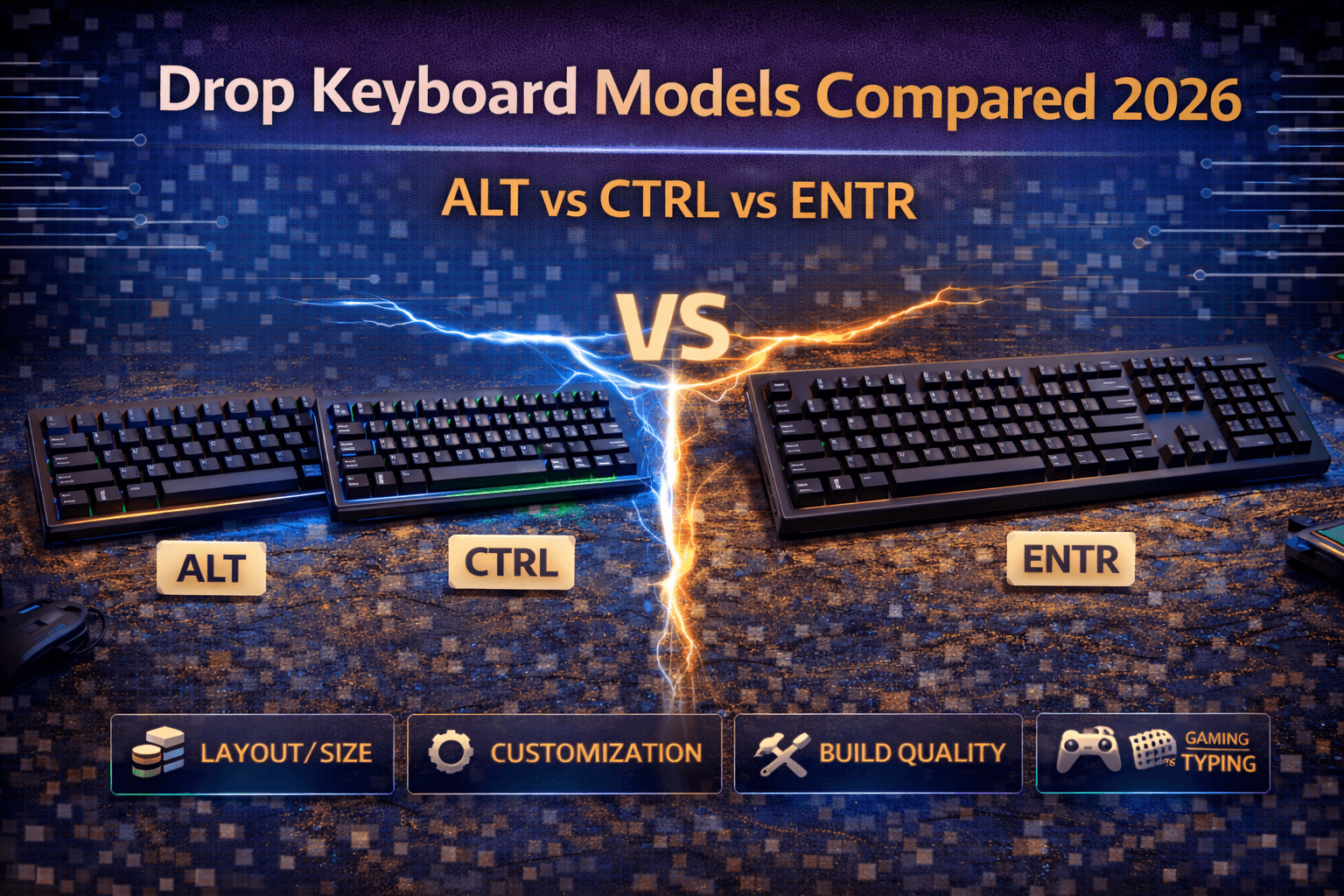
Drop's keyboard lineup centers on three main models—ALT (65%), CTRL (TKL), and ENTR (TKL budget)—representing Drop's approach to enthusiast mechanical keyboards accessible without custom building expertise. These keyboards emerged from Drop's community-driven development process, incorporating feedback from thousands of enthusiasts into refined, accessible designs that became favorites among mechanical keyboard enthusiasts since their launches. For another enthusiast-favorite lineup with distinctive layouts and a strong cult following, see our Vortex Core vs Race 3 vs Pok3r guide.
Understanding which Drop keyboard suits your needs requires knowing what Drop prioritizes and how models differ. Drop emphasizes build quality, proven designs, and community collaboration rather than cutting-edge features or lowest prices. Their keyboards cost more than mainstream gaming options but deliver premium construction and typing experiences that satisfy enthusiasts looking for accessibility without full custom involvement. The ALT and CTRL launched as Drop's flagship keyboards—compact and standard premium boards with aluminum cases, hot-swap switches, and quality components—becoming enthusiast favorites through solid execution of fundamentals. If you want a similarly compact format on a tighter budget, our Anne Pro 2 vs RK61 vs GK61 comparison covers the best 60% options under $80. The ENTR later joined as budget entry to Drop quality, offering similar build standards at lower prices through material and feature compromises.
All three keyboards share Drop's quality standards and attention to detail. Choosing between them involves matching size preferences, feature priorities, and budget to the right model. ALT suits compact enthusiasts wanting premium small boards. CTRL serves professionals and standard-size users wanting premium TKL quality. ENTR enables budget access to Drop quality without premium prices. This guide compares these keyboards across design and build quality, features and functionality, pricing and value, typing experiences, and provides clear recommendations helping you choose the right Drop keyboard for your situation.
Note: This guide contains affiliate links. Purchases through these links support the site at no extra cost to you.
Drop Brand Philosophy
Community-Driven Development
Drop (formerly Massdrop) operates as community platform connecting enthusiasts with manufacturers. Their keyboards emerge from community input, group buys, and collaborative development rather than top-down product decisions. Philosophy is straightforward: build what enthusiasts actually want rather than chasing trends or marketing gimmicks. Listen to community, refine designs, execute well.
This approach's strengths include products reflecting real enthusiast priorities, refinement through community feedback, focus on fundamentals over gimmicks, and proven, battle-tested designs. Weaknesses include slower development cycles, limited product range, group buy model creating availability issues, and higher prices reflecting quality and small production volumes.
Drop Quality Standards
Drop maintains consistent quality across their lineup. Premium materials appear standard—aluminum on flagship models. Quality components including good switches and stabilizers throughout. Thorough testing and refinement ensures products meet community expectations. Professional manufacturing standards apply across all models.
Market Position
Drop occupies premium enthusiast space below boutique customs ($300-500) but above mainstream gaming keyboards ($100-150). They're "accessible premium"—quality satisfying enthusiasts at prices avoiding custom build investment. They've positioned themselves between mass-market and full custom, serving enthusiasts willing to pay more for proven quality and community backing.
Target Audience
Enthusiasts wanting quality without full custom building, people upgrading from mainstream keyboards, buyers valuing community-vetted designs, users willing to pay premium for proven excellence.
Drop ALT (65% Compact Premium)
Overview
Drop ALT is 65% keyboard launched in 2018 that became enthusiast favorite. Compact layout with arrows and all essential keys, CNC-machined aluminum case, hot-swap switches, premium build quality. It represents Drop's successful approach to accessible premium compacts.
Specifications
Layout: 65% compact keyboard with 67 keys. Size approximately 12.6 inches wide by 4.7 inches deep by 1.5 inches tall. Weight around 1.2kg—lightweight aluminum construction. Case is CNC-machined anodized aluminum. Plate aluminum or steel depending on model version. Switches use Kailh hot-swap sockets enabling Cherry MX, Halo, Kaihua, or other MX-compatible switches at purchase time. Stabilizers are plate-mounted Cherry-style, factory lubed. Keycaps are doubleshot PBT with shine-through design. PCB features per-key RGB lighting with light pipes optimized for maximum brightness, 100Hz refresh rate eliminating flicker. Dual USB-C wired connectivity. QMK programmable firmware. Price ranges $180-220 depending on switch selection.
Build Quality
Case is CNC-machined aluminum delivering rigid construction with zero flex. Professional anodization and tight tolerances. Described as "solid aluminum frame that doesn't flex at all." Aluminum construction immediately communicates quality. Plate is solid typing platform. Stabilizers are adequate Cherry-style, factory lubed, minimal rattle. Overall construction is excellent with professional assembly and quality standards.
Features
Hot-swap Kailh sockets enable easy switch changes without soldering. Switch options at purchase include Cherry MX, Halo True/Clear, Kaihua, and other MX types. Per-key RGB lighting is bright and customizable. QMK programmability enables unlimited customization—all keys programmable, unlimited layers, macros. See our keyboard firmware guide for more on QMK capabilities. Keycaps are quality PBT doubleshot with multiple colorway options. Magnetic feet enable multiple positioning angles. USB passthrough on some models. Works Windows, macOS, Linux. For Linux-specific recommendations and compatibility notes, see our best keyboards for Linux users.
Typing Experience
Solid, refined typing feel. Aluminum case creates firm platform with good acoustics. Hot-swap enables switch experimentation freely. Stabilizers are adequate, functional, though benefit from owner tuning. Sound signature somewhat high-pitched and clean depending on switch choice. Users describe it as "excellent typing quality" with "outstanding RGB lighting."
Strengths
Excellent build quality delivering premium feel. Perfect 65% size for compact enthusiasts while retaining arrows. Hot-swap flexibility enabling switch experimentation. Proven design with strong community support—many ALT users with years of experience. Quality PBT keycaps included. Professional construction quality.
Weaknesses
Expensive at $180-220 entry price. Stabilizers adequate but not exceptional—benefit from owner tuning for best results. Limited availability—Drop drops sell out, sometimes difficult to purchase. Tray mount construction rather than gasket mount (vs modern Keychron models). No dedicated software for programming (requires web-based tools).
Best For
Enthusiasts wanting proven premium compact keyboard. People needing arrows in small footprint. Buyers wanting hot-swap aluminum keyboard without custom building. Users valuing community-vetted design with strong reputation. Compact preference with premium quality.
Verdict
Excellent 65% premium keyboard justifying higher price through build quality and proven design. One of highest-quality pre-built compacts available. Strong community following confirms quality.
Drop CTRL (TKL Professional)
Overview
Drop CTRL is TKL version of ALT philosophy—premium aluminum, hot-swap, proven design in professional standard size. CTRL V2 (2023-2024) updated the original with improved stabilizers and 5-pin switch support. Professional size with same quality standards as ALT.
Specifications
Layout: TKL/80% with 87 keys. Size approximately 14.4 inches wide by 5.1 inches deep by 1.5 inches tall. Weight around 1.4kg. Case is CNC-machined aluminum. Plate is aluminum or steel. Switches use hot-swap (V2 upgraded to support both 3-pin and 5-pin switches vs original 3-pin only). Stabilizers are cherry-style plate-mount with improvements on V2 model. Keycaps are PBT doubleshot included. Per-key RGB lighting. USB-C wired connectivity. QMK programmable. Price $200-240 (V2 approximately $200).
Versions
Original CTRL launched years ago, still available but showing age compared to modern competitors. CTRL V2 released 2023-2024 with significant improvements: enhanced stabilizers, 5-pin switch compatibility, upgraded PCB, better software compatibility. V2 represents current recommendation.
Build Quality
CNC aluminum case delivers excellent build quality matching ALT in larger form factor. Rigid construction, premium finish. V2 improvements enhanced stabilizers significantly. Described as delivering "sturdy construction" and "precise and fast typing experience." Professional build standards throughout.
Features
Hot-swap switches (V2 accepts both 3-pin and 5-pin). Switch selection at purchase. Per-key RGB lighting. QMK programmability with all keys macro-programmable. Cherry-style stabilizers (improved on V2). PBT keycaps included. 1000Hz polling rate. USB passthrough on some versions. Magnetic feet. Works all platforms.
Typing Experience
Similar to ALT—solid, refined, aluminum firmness with good acoustics. TKL size provides full professional layout without numpad. Hot-swap enables customization. Sound signature clean, somewhat high-pitched depending on switches. V2 improvements made typing feel even better through stabilizer enhancements.
Strengths
Excellent build quality in professional TKL size. Proven community-favorite design. V2 significantly improved from original. Hot-swap flexibility. QMK programmability. Professional appearance and layout. Quality construction.
Weaknesses
Expensive at $200-240. Stabilizers adequate, improved on V2 but not exceptional. Limited availability through group buy model. Tray mount not gasket. No dedicated software. V2 still newer so less real-world experience vs original.
Best For
Professionals wanting premium TKL keyboard. Gamers needing full standard layout. Office workers wanting quality keyboard without gaming aesthetics. Buyers preferring standard sizes to compacts. Users wanting proven, stable design.
Verdict
Most professional Drop offering. V2 improvements make it competitive again. Excellent TKL quality justifying premium pricing through build and community backing.
Drop ENTR (Budget Entry)
Overview
Drop ENTR launched as accessible entry to Drop quality. Full TKL keyboard with Drop build standards at lower price through intelligent compromises on materials and features. PCMag named it Editors' Choice for budget mechanical keyboards.
Specifications
Layout: TKL/80% with 87 keys. Size approximately 14 inches wide by 5.1 inches deep. Weight 1.1kg. Case is anodized aluminum base with matte plastic top panel (not full aluminum like ALT/CTRL). Plate is sturdy metal. Switches are Cherry MX varieties, NOT hot-swappable (soldered to PCB). Stabilizers are basic cherry-style plate-mount. Keycaps are PBT included. No RGB lighting (feature compromise for price). Wired USB-C connectivity. Limited programmability (not full QMK). Price $90-99 for standard, special editions $199.
Build Quality
Case uses aluminum base with plastic top panel—not full aluminum but solid construction. Described as "finely crafted keyboard" delivering "best typing experience at its $90 price." Surprisingly heavy for price. PCMag assessment: "far and away the best pure typing experience you'll find for less than $100."
Features
No hot-swap—switches soldered to PCB. Feature compromise for lower cost. No RGB lighting—no backlighting (cost saving). Limited programmability vs ALT/CTRL (not full QMK). Full TKL layout (87 keys, everything except numpad). PBT keycaps included. Simple, clean design without complexity. Professional appearance.
Typing Experience
Solid typing feel despite plastic elements. Metal plate creates firm platform. Good acoustics. Professional sound signature. Described as excellent for budget. No RGB but clean aesthetics. Users report satisfaction with typing experience given price.
Strengths
Exceptional value—Drop quality at accessible $90-99 price. PCMag Editors' Choice for budget keyboards. Excellent pure typing experience for price. Good build quality despite budget materials. Professional appearance. Full TKL layout with numpad excluded.
Weaknesses
No hot-swap—switches soldered, cannot change without desoldering. No RGB lighting. Limited programmability (major feature reduction). Plastic top panel (not aluminum). Basic stabilizers. Cannot be customized like ALT/CTRL.
Best For
Budget-conscious buyers wanting Drop quality. Office workers needing full-size TKL. People unconcerned with hot-swap or RGB. First Drop keyboard on tight budget. Users prioritizing typing feel over customization features.
Verdict
Best budget mechanical keyboard available. Delivers 70-80% of ALT/CTRL experience at 50% of price. Smart compromises justify lower cost while maintaining quality standards.
Direct Comparison
Size and Layout
Most compact: ALT (65%, 12.6 inches). Professional standard: CTRL (TKL, 14.4 inches). Budget TKL: ENTR (TKL, 14 inches, same layout as CTRL).
Build Quality Ranking
Top tier: CTRL V2 and ALT (both excellent aluminum). Good: ENTR (aluminum base + plastic top, still solid).
All three maintain Drop quality standards. ALT and CTRL premium aluminum. ENTR good for price but uses plastic.
Features Comparison
| Aspect | ALT | CTRL | ENTR |
|---|---|---|---|
| Layout | 65% compact | TKL standard | TKL standard |
| Hot-Swap | Yes | Yes (both pin types on V2) | No |
| RGB | Yes | Yes | No |
| QMK | Full | Full (V2) | Limited |
| Case | Full aluminum | Full aluminum | Aluminum + plastic |
| Stabilizers | Adequate | Good (improved V2) | Basic |
| Price | $180-220 | $200-240 (V2 ~$200) | $90-99 |
Typing Feel
ALT and CTRL deliver nearly identical typing experiences—choose by size preference. Both premium aluminum feel. ENTR delivers good typing for price despite budget materials.
Value Assessment
ENTR delivers best value—70-80% of ALT/CTRL experience at 50% price. ALT provides premium compact at reasonable premium ($180-220). CTRL most professional at premium price ($200-240), especially V2.
Which Drop Keyboard Should You Buy?
Buy Drop ALT If
You want premium compact keyboard (65%). Need arrows in small footprint. Value hot-swap switches for experimentation. Budget allows $180-220. Want aluminum construction. Prefer compact layout. Community-backed design appeals.
ALT Best For: Compact enthusiasts, premium seekers, switch customization enthusiasts.
Buy Drop CTRL If
You want premium TKL (professional standard size). Need full traditional layout without numpad. Value hot-swap switches. Budget allows $200-240. Want aluminum construction. Prefer TKL standard size. Professional appearance important.
CTRL Best For: Professionals, standard-size preference, versatile needs, office workers.
Buy Drop ENTR If
Budget is tight ($90-99). Need TKL with professional appearance. Don't need hot-swap or RGB. Want Drop quality affordably. First Drop keyboard. Office/professional use priority.
ENTR Best For: Budget buyers, office workers, typists, first Drop keyboard.
Direct Recommendations
Best Drop keyboard overall: ALT—perfect balance size, quality, features. Best for most buyers: CTRL V2—versatile professional TKL with updated quality. Best value: ENTR—Drop quality at accessible price. Best compact: ALT—only compact option, excellent execution. Best for office: ENTR or CTRL—professional appearance, functional. Best for gaming: ALT or CTRL—hot-swap with quality build. Best for switching to Drop: ENTR—lowest financial commitment.
The Honest Assessment
ALT and CTRL are excellent keyboards justifying premium prices through aluminum construction, hot-swap, and proven designs with strong community backing. However, Keychron Q Series offers better value through gasket mount construction and lower prices with comparable or superior features. See our Keychron vs GMMK vs Drop comparison for detailed analysis.
ENTR provides excellent value—best budget mechanical keyboard available at $90-99. Sacrifices customization (no hot-swap, no RGB, limited programming) but maintains quality standards and delivers excellent typing experience for price.
Most enthusiasts should choose ALT (compact preference) or CTRL (standard preference). Budget buyers should choose ENTR confidently—excellent quality at price.
Drop vs Alternatives
Drop ALT ($180-220) vs Keychron Q2 ($169)
Drop advantages: Proven design, strong community support. Keychron advantages: Gasket mount (superior typing feel), lower price, hot-swap flexibility.
Verdict: Q2 better value and typing feel. ALT for proven reputation.
Drop CTRL ($200-240) vs Keychron Q3 ($185)
Drop advantages: Professional TKL reputation, aluminum quality, proven design. Keychron advantages: Gasket mount, lower price, better features/value ratio.
Verdict: Q3 better value and features. CTRL for Drop ecosystem.
Drop ENTR ($90-99) vs Keychron C1 ($65)
Drop advantages: Better build quality, professional appearance, full TKL. Keychron advantages: Hot-swap, much cheaper, superior features.
Verdict: C1 better value with features. ENTR for professional builds.
Drop Positioning
Drop keyboards compete more on proven designs and community backing than value or features. Keychron Q Series delivers better value and features. Drop appeals to buyers wanting community-vetted keyboards with strong reputations. Choose Drop for proven designs and community support. Choose Keychron for value and features. See our mechanical keyboard buying guide for more options.
Frequently Asked Questions
Q: Which is better, Drop ALT or Drop CTRL?
Neither is "better"—choose by size preference. ALT = 65% compact with arrows, great for small desks and portable use. CTRL = TKL professional standard, great for office and versatile use. Both have identical build quality, same features, similar typing feel. Choose ALT for compact, CTRL for professional standard. See comparison above.
Q: Is Drop ENTR worth buying or should I get ALT/CTRL?
ENTR worth it for budget or full-size needs. Gets you Drop quality for $90-99 vs $180-240 for ALT/CTRL. But lacks hot-swap, RGB, and programming capabilities. Buy ENTR if budget is tight or you need TKL without customization. Buy ALT/CTRL if you want premium features and can afford $180-240. See ENTR section above.
Q: Are Drop keyboards worth the price?
Depends on priorities. Build quality excellent, proven designs strong, but expensive vs alternatives like Keychron Q Series. Worth it if you value community backing and proven refinement. Better pure value exists elsewhere (Keychron). See alternatives comparison above.
Q: Can I get Drop keyboards easily or are they always sold out?
Availability variable. Drop does periodic releases and group buys through their website. Sometimes in stock, sometimes sold out for weeks or months. Check Drop website regularly for availability. Limited production numbers create scarcity. Alternative: check r/mechmarket for used options.
Q: Should I buy Drop keyboard or Keychron Q Series?
Keychron Q Series offers better value and features (gasket mount, lower prices, hot-swap standard). Drop offers proven community-backed designs with strong reputation. Buy Q Series for value and features. Buy Drop for community reputation and proven designs. Most buyers better served by Q Series for value, Drop for reputation.
Conclusion
Drop's keyboard lineup—ALT, CTRL, and ENTR—represents community-driven approach to enthusiast keyboards. ALT and CTRL deliver premium aluminum construction, hot-swap switches, and proven designs at $180-240. ENTR provides accessible entry to Drop quality at $90-99 through intelligent material and feature compromises.
Drop ALT excels as premium compact (65%) with arrows, perfect for enthusiasts wanting proven quality in small footprint. Drop CTRL provides professional TKL with same premium build, especially improved V2 model, suited for versatile use and offices. Drop ENTR enables budget access to Drop quality and PCMag praises it as "Editors' Choice for budget keyboards."
All three maintain Drop's quality standards and benefit from community refinement. However, competitors like Keychron Q Series offer superior value through gasket mount construction and lower prices at similar or higher quality levels.
Choose Drop keyboards for proven community-backed designs and reputation. Choose ALT for premium compact, CTRL for premium TKL (especially V2), ENTR for budget entry. But consider Keychron Q Series as potentially better value alternative delivering comparable or superior features at similar or lower prices. Drop keyboards are good but no longer best value propositions in enthusiast space. Buy for community backing and proven designs rather than pure value or cutting-edge features.