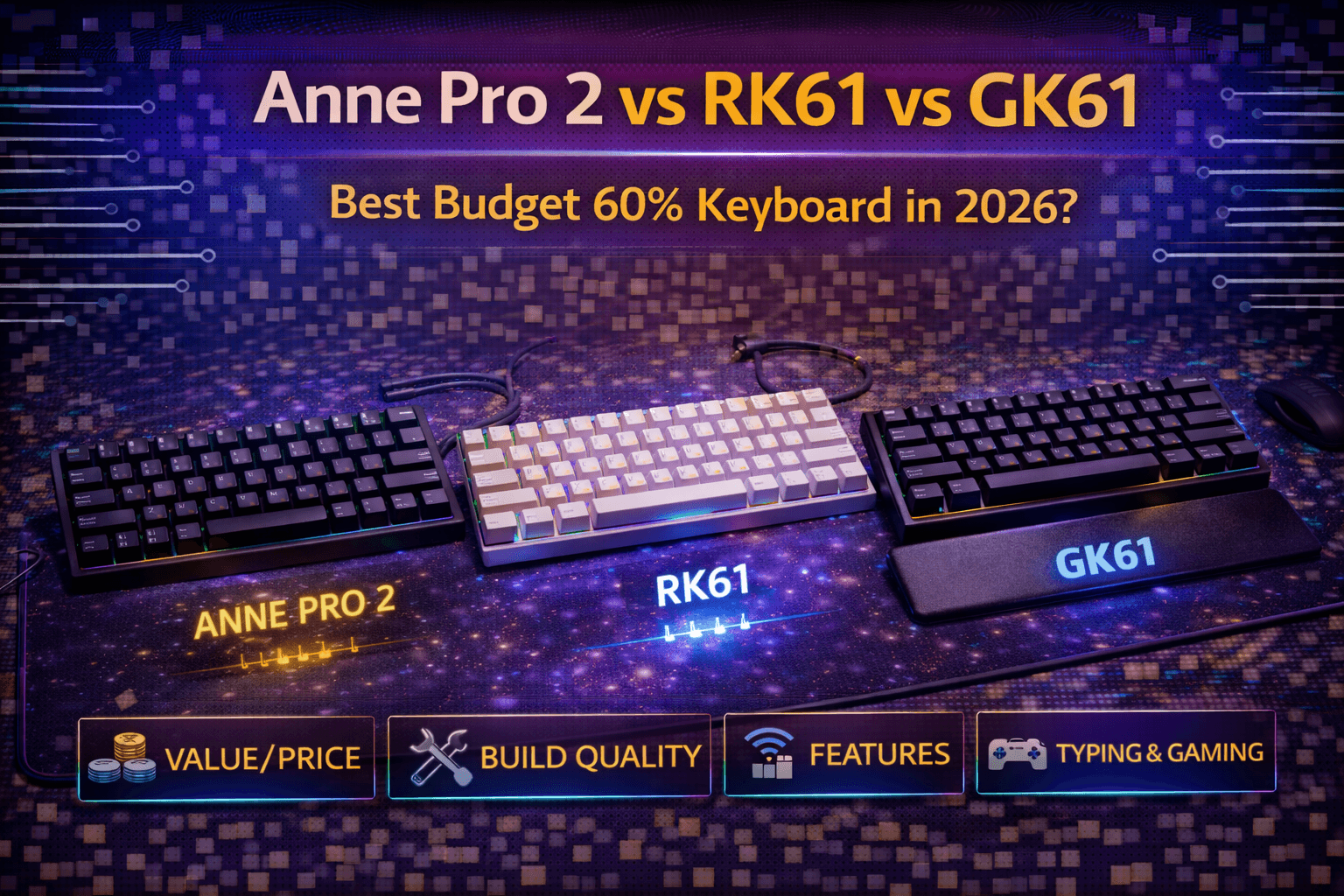
Anne Pro 2, Royal Kludge RK61, and GK61 represent the budget wireless 60% keyboard revolution—feature-packed compact keyboards at prices ($50-110) that seemed impossible just years ago. All three deliver hot-swappable switches (RK61/GK61), wireless connectivity, RGB lighting, and compact form factors at prices where you previously got basic membrane keyboards or wireless keyboards that performed poorly. This revolution democratized wireless mechanical keyboards, bringing legitimate quality to budget prices.
Understanding which suits your needs requires appreciating that these keyboards are remarkably similar in core features but differ in execution details. Anne Pro 2 emphasizes software quality and refined build with PBT keycaps. RK61 prioritizes maximum value—hot-swap and tri-mode wireless at $50. GK61 focuses on switch variety and optical gaming options. All three provide satisfying typing experiences and legitimate wireless performance at budget prices.
The comparison isn't about finding objectively superior keyboard—at $50-110, all three deliver exceptional value for budget buyers, students, and anyone wanting compact wireless quality. It's about matching subtle differences to your priorities: refined typing experience (Anne Pro 2), maximum value (RK61), or gaming performance with optical switches (GK61).
These keyboards accomplished what seemed impossible—wireless mechanical keyboards with hot-swap and RGB at prices accessible to everyone. Five years ago, wireless mechanical keyboards cost $150+ and often performed poorly. Today, these three deliver excellent wireless performance, hot-swap flexibility (RK61/GK61), and quality construction at prices accessible to students, budget buyers, and anyone wanting compact wireless quality without premium investment.
This guide compares these budget 60% keyboard legends across build quality, features, wireless performance, software, typing experience, pricing, and provides clear recommendations helping you choose the right budget 60% keyboard for your needs.
Note: This guide contains affiliate links. If you purchase through our links, we may earn a commission at no extra cost to you. This helps support our in-depth testing and content creation.
Anne Pro 2 (Refined Budget 60%)
Overview
Anne Pro 2 launched around 2018 as revolutionary budget wireless mechanical keyboard proving wireless mechanical keyboards could work well at accessible prices. It pioneered category and remains respected choice for refined budget 60% typing experience.
Specifications
Layout is 60% compact with 61 keys. Size approximately 11.4 inches wide by 3.9 inches deep by 1.5 inches tall. Weight around 550g. Case is plastic with matte finish (clean aesthetic, no fingerprints). Switches include Gateron options (Brown, Blue, Red) or Kailh Box switches (White, Red, Brown) at purchase. Switch choice crucial since switches are soldered, not swappable. Stabilizers are plate-mount Cherry-style, adequate quality. Keycaps are thick PBT doubleshot—significant advantage over budget competitors. Wireless connectivity via Bluetooth 4.0 only (no 2.4GHz). USB-C wired mode (modern, fast charging). RGB per-key with bright implementation. Software includes ObinsKit/ObinsLab software with clean interface and good functionality. Battery life 8-10 hours with RGB on, weeks with RGB off. Unique feature: Tap arrow keys—Shift/Ctrl/Alt/Caps Lock keys become arrows when tapped, modifiers when held. Multiple device connection (up to 4). Price $90-110.
Build Quality
Build quality is best among budget trio. Plastic case with matte finish feels refined. Excellent tolerances. Keycaps are thick PBT doubleshot (not thin ABS like competitors), delivering premium feel. Matte finish resists fingerprints and dust unlike glossy finishes. USB-C port more refined than micro-USB on older competitors. Stabilizers adequate but benefit from owner tuning for perfection.
Overall: Most refined budget 60% construction. Anne Pro 2 feels more expensive than actual price.
Features
Tap arrow keys feature is clever—Shift becomes Up, Ctrl becomes Down, Alt becomes Left, Caps becomes Right when tapped. Requires learning but elegant 60% solution once mastered. Magic Fn key enables comfortable layer access. Software integration excellent—ObinsKit is cleanest budget 60% software. Can set macros (something RK61 couldn't do in testing). RGB customizable through software. Per-key programmable keys. Keyboard connects to up to 4 devices simultaneously (better than RK61's 3).
Wireless Performance
Bluetooth 4.0 provides excellent wireless connection stability. Zero noticeable lag in gaming or typing. Connection reliable between devices. Battery life excellent—8-10 hours with RGB, weeks without RGB. USB-C wired mode fast and convenient. Latency low enough for gaming though not competitive FPS tier.
Typing Experience
Solid, refined 60% typing. Gateron switches (especially Brown, Blue options) deliver smooth, tactile feel. PBT keycaps provide textured typing surface with satisfying sound. Tap arrows feature requires adaptation but clever once mastered. Matte finish case feels premium. Stabilizers adequate but sometimes benefit from owner tuning for quietness.
Most refined typing among budget trio due to PBT keycaps and quality stabilizers.
Strengths
Best build quality among budget 60%—matte case, PBT keycaps included, USB-C. Tap arrow keys feature clever and elegant. Best software (ObinsKit) with good functionality and macro support. Bright RGB customizable. Mature product with established reputation. Multiple device connectivity (4). Clean, professional aesthetic appeals to office and gaming. Excellent wireless performance.
Weaknesses
Soldered switches (not hot-swap)—cannot change switches after purchase. Must choose carefully at buy time. No 2.4GHz wireless (Bluetooth only, though performs well). Most expensive ($90-110) versus RK61 ($50). Software occasionally reported buggy. Less customization options due to non-hot-swap.
Best For
Budget buyers wanting most refined budget 60% typing experience. People prioritizing build quality and keycaps over customization. Users comfortable with soldered switches and wireless-only connectivity. Office/productivity focus with wireless convenience. First mechanical keyboard seekers wanting proven, stable option.
Verdict
Most refined budget 60% keyboard justifying $90-110 premium through PBT keycaps, matte case, and clean software. Best choice for buyers prioritizing typing feel and build quality over hot-swap customization. Proven track record and established reputation since 2018.
Royal Kludge RK61 (Maximum Value Budget)
Overview
RK61 is legendary budget value keyboard that defined wireless mechanical keyboard value proposition. Wireless, hot-swap, RGB, 60% for $50 seems impossible but RK61 delivers. Most popular budget 60% keyboard due to exceptional value.
Specifications
Layout is 60% with 61 keys. Size approximately 11.4 inches wide by 4.0 inches deep by 1.5 inches tall. Weight around 500g—lightweight. Case is plastic with glossy finish (attracts fingerprints). Switches include RK switches (proprietary, Brown/Blue/Red) or Gateron optional—choose at purchase. BUT switches are hot-swappable (Kailh sockets)—can change switches anytime using any 3-pin or 5-pin MX-compatible switch. This flexibility is huge value add. Stabilizers are plate-mount Cherry-style, better quality than reputation suggests. Keycaps are thin ABS doubleshot—will shine quickly with use. Wireless includes tri-mode connectivity: 2.4GHz wireless via dongle (most stable), Bluetooth 5.1, and USB-C wired mode. This tri-mode at $50 is unbeatable. RGB per-key. Software is basic RK software (functional but not polished). Battery life 10-12 hours with RGB. Price $50-60—incredibly accessible.
Build Quality
Build quality is budget—glossy plastic case, lightweight. Adequate rigidity but some flex under pressure. Keycaps thin ABS (common budget complaint). Glossy finish attracts fingerprints and dust. However, adequacy at $50 price is remarkable. Stabilizers surprisingly decent—better than many keyboards at this price (not as good as Anne Pro 2 or GK61). Overall construction adequate for price with clear compromises on materials.
Features
Hot-swap is game-changing—Kailh sockets accept any 3-pin or 5-pin switch, enabling experimentation and future upgrades. This feature at $50 is absurd value. Tri-mode wireless is killer feature—2.4GHz dongle (stable gaming wireless), Bluetooth 5.1 (device flexibility), USB-C wired (backup). Can connect to 3 devices (good but Anne Pro 2 does 4). LED spacebar shows charging status. FN arrow key access. Multiple RK/Gateron switch options at purchase. RGB customizable but limited vs Anne Pro 2.
Wireless Performance
Excellent wireless performance across all three modes. 2.4GHz dongle most stable for gaming/competitive use. Bluetooth 5.1 excellent for device switching. Wired USB-C mode always available. Polling rate 1000Hz wired (not as good as gaming-focused keyboards but adequate). Latency reasonable but not low enough for competitive FPS.
Typing Experience
Solid budget 60% typing. RK Brown switches deliver decent tactile feel (smooth, adequate). But switches are lighter and feel a touch mushier than premium alternatives. Thin ABS keycaps affect feel—typing less refined than Anne Pro 2 PBT keycaps. However, hot-swap enables upgrading switches later—buy RK61 with basic switches, upgrade to Gateron Yellows ($0.30 each) or premium switches later as budget allows. This upgrade path transforms keyboard.
Stabilizers better than expected—not as good as GK61 or Anne Pro 2 but functional.
Strengths
Unbeatable value at $50—hot-swap + tri-mode wireless + RGB equals absurd value. Hot-swap switches (game-changer for customization). Tri-mode wireless (2.4GHz + Bluetooth + Wired—killer feature at price). Lightweight and portable. Multiple switch options. Bright RGB. Great first wireless mechanical keyboard. Can upgrade switches/keycaps later as budget allows.
Weaknesses
Budget build quality—glossy finish, plastic case, lightweight. Thin ABS keycaps will shine quickly. Stabilizers adequate but not refined. Software basic (functional but not polished). Glossy finish attracts fingerprints. Higher-pitched sound reported annoying some users. Key wobble noticeable due to plastic. Less refined out-of-box than Anne Pro 2.
Best For
Maximum budget value priority ($50). Hot-swap enthusiasts wanting lowest cost entry. Users planning to upgrade switches/keycaps later. Gamers wanting 2.4GHz wireless. First wireless mechanical keyboard on extreme budget. People comfortable with budget materials for lowest price.
RK61 Value Proposition
At $50, RK61 is absurd value. Hot-swap + tri-mode wireless + RGB for less than fast food meal is remarkable. Build quality is clearly budget but adequate and functional. Perfect for budget buyers, students, and anyone wanting wireless mechanical keyboard at entry price. Upgrade potential transforms keyboard over time.
GK61 (Customization & Gaming Focus)
Overview
GK61 emphasizes switch variety and gaming performance through optical switch options. Budget 60% with hot-swap (mechanical or optical), extensive switch choices, and gaming optimizations. Good middle ground between Anne Pro 2 and RK61.
Specifications
Layout is 60% with 61 keys. Size approximately 11.4 inches wide by 3.9 inches deep by 1.5 inches tall. Weight around 550g. Case is plastic (quality varies by version). Switches vary by model—mechanical versions with Gateron/Outemu, optical versions with optical switches. Hot-swap sockets support mechanical or optical depending on version. This variety enables choosing preferred switch type. Keycaps are ABS thin (standard budget) but varies by model. Stabilizers are plate-mount, quality varies. Wireless connectivity varies—some versions Bluetooth, others wired-only. Verify specific model for wireless capability. RGB per-key. Software GK software (basic, similar to RK61). Price $60-80.
Features
Hot-swap flexibility crucial—mechanical hot-swap or optical hot-swap depending on version. Switch variety is extensive—Gateron, Outemu, optical switches available. Optical switch option unique among budget 60%—opticals marketed as faster actuation for gaming (debatable). Barebones versions available enabling complete customization. This customization focus sets GK61 apart.
Optical versions deliver "extremely smooth" typing experience. Stabilizers better quality than RK61 (though model-dependent). Per-key RGB with good implementation. Software functional but basic.
Wireless Performance
Model-dependent—some versions have Bluetooth, others wired-only. Verify before purchasing. Optical versions sometimes wired-only. Some newer versions include 2.4GHz (but less common than RK61 tri-mode).
Typing Experience
Varies significantly by switch choice. Optical versions feel faster, lighter, smoother than mechanical. Mechanical versions feel standard. Stabilizers better than RK61. ABS keycaps thin but adequate. Gaming focus makes optical switches appeal for speed/responsiveness.
Strengths
Extensive switch variety (Gateron, Outemu, optical). Hot-swap flexibility (mechanical or optical). Optical switch option unique among budget 60%. Best stabilizers of budget trio. Good RGB implementation. Barebones customization options. Gaming-optimized optical variants.
Weaknesses
Build quality budget (varies by version). Some versions wired-only (verify before buying). Wireless not standard. Software basic. Less established than Anne Pro 2 or RK61. Slightly higher price ($60-80) than RK61.
Best For
Gaming enthusiasts wanting optical switch speed. Customization enthusiasts maximizing switch options. Users interested in optical switches. Barebones builders. Mechanical-optional keyboard seekers.
Verdict
Good customization platform with gaming focus. Optical switches unique feature for gaming. Better stabilizers than RK61. But wireless capability model-dependent. Price point ($60-80) between RK61 ($50) and Anne Pro 2 ($90-110).
Direct Comparison
Build Quality Ranking
- Anne Pro 2 (best—matte case, PBT keycaps, refinement)
- GK61 (solid, varies by model)
- RK61 (budget, lightest, glossy)
Best Wireless
RK61 wins—tri-mode (2.4GHz + Bluetooth + Wired) unbeatable at $50.
Anne Pro 2 Bluetooth-only but excellent performance.
GK61 varies by model (some wired-only).
Best for Hot-Swap
RK61 and GK61 both hot-swap. RK61 cheaper entry ($50). GK61 offers optical option.
Software Winner
Anne Pro 2 clear winner with ObinsKit polish. RK61/GK61 basic.
Keycaps Quality
Anne Pro 2 PBT (thick, durable). RK61/GK61 ABS (thin, will shine).
Value Winner
RK61 at $50 unbeatable. Hot-swap + tri-mode wireless = absurd value.
Typing Feel Winner
Anne Pro 2 most refined (PBT keycaps). GK61 optical smooth. RK61 decent but thin keycaps.
Which Budget 60% to Buy?
Buy Anne Pro 2 ($90-110) If
You want most refined budget 60% typing experience. Build quality and keycaps matter more than hot-swap. Proven wireless performance with software polish important. Office/professional aesthetics desired. Don't need hot-swap (satisfied with purchase switches). Budget allows $90-110.
Anne Pro 2 Best For: Budget buyers wanting best typing quality, office workers, proven wireless seekers.
Buy RK61 ($50) If
Maximum value priority. Hot-swap essential. Tri-mode wireless important (2.4GHz + Bluetooth + Wired). Budget extremely tight. Plan to upgrade switches/keycaps later. Want to experiment with different switches. First wireless mechanical keyboard.
RK61 Best For: Value seekers, hot-swap enthusiasts, extreme budget, customization-minded.
Buy GK61 ($60-80) If
Gaming performance priority. Optical switches appeal (faster actuation claims). Maximum switch variety wanted. Barebones customization desired. Interested in customization platform. Optical switch experimentation.
[GK61] (https://www.amazon.com/s?k=GK61+hot+swap+optical+keyboard&tag=mkbguide-20)**Best For**: Gamers, customization enthusiasts, optical switch curious.
Honest Recommendations
Most buyers: RK61 ($50)—unbeatable value with hot-swap and tri-mode wireless. Perfect budget wireless 60%.
Best typing experience: Anne Pro 2 ($90-110)—refined build, PBT keycaps, polished software worth premium.
Gaming focus: GK61 ($60-80)—optical switches for speed, good middle ground.
Budget absolute priority: RK61 ($50) clearly best.
Quality priority: Anne Pro 2 ($90-110) worth premium for refinement.
All three excellent—can't choose wrong. Budget 60% keyboard never better.
Upgrading Budget 60% Keyboards
Budget keyboards have compromises. Strategic upgrades dramatically improve typing experience.
Essential Upgrades
Stabilizers: Replace stock rattly stabilizers with Durock V2 or TX stabilizers ($15-25). Lube them. Transforms spacebar and large keys. Most impactful upgrade. Highly recommended.
Keycaps (for RK61/GK61): Upgrade thin ABS to quality PBT ($30-60). Improves feel, sound, durability. Huge difference for RK61/GK61. Anne Pro 2 already includes PBT so less critical.
Better switches (hot-swap models only): RK61/GK61 hot-swap enables trying premium switches. Gateron Yellows ($0.30 each) or premium tactiles ($0.80-1.00 each). Massive improvement for $20-40 investment.
Optional Upgrades
Case foam ($10-20): Adds dampening, improves sound signature.
Switch films ($5-10): Reduces switch wobble, minor improvement.
Lube ($15-25): Lubes switches and stabilizers, time-intensive but significant improvement.
Upgrade Priority
- Stabilizers (most impact on typing, essential)
- Keycaps (huge feel improvement for RK61/GK61)
- Switches (if hot-swap, upgrade to better switches)
- Foam/lube (sound improvement, optional)
Total Investment
$50-100 in upgrades transforms budget 60% keyboards into quality typing experiences rivaling $150-200 keyboards. This upgrade path makes RK61 even better value.
Frequently Asked Questions
Q: Which is better, Anne Pro 2 or RK61?
A: RK61 better value ($50 vs $90-110) with hot-swap and tri-mode wireless. Anne Pro 2 better build quality and refinement. Buy RK61 for value and hot-swap flexibility. Buy Anne Pro 2 for best budget typing experience and proven software. See comparison above.
Q: Is RK61 actually good or just cheap?
A: RK61 is legitimately good, not just cheap. Hot-swap + tri-mode wireless + RGB for $50 is absurd value. Build quality is clearly budget but adequate and functional. Typing satisfying despite thin keycaps. Best value budget 60% available. Upgrade potential transforms keyboard. See RK61 section above.
Q: Does Anne Pro 2 have hot-swap switches?
A: No. Anne Pro 2 uses soldered switches. This is major disadvantage versus RK61/GK61. Must choose switches carefully at purchase since cannot change them later. This limitation drives premium to Anne Pro 2—you're paying for refined build, not hot-swap flexibility. See Anne Pro 2 weaknesses above.
Q: Should I get GK61 optical or mechanical version?
A: Mechanical for standard typing feel and wider switch compatibility. Optical for faster actuation (marketed for gaming) and unique smooth feel. Most users should choose mechanical—more switch options, familiar feel, broader switch ecosystem. Choose optical for gaming speed preference or curiosity. See GK61 section above.
Q: Can I upgrade budget 60% keyboards to rival expensive ones?
A: With strategic upgrades, yes. $50-100 investment in stabilizers, keycaps, and switches (hot-swap models) transforms RK61/GK61 to rival $150-200 keyboards in typing feel. Anne Pro 2 with upgraded stabilizers also improves. Upgrade path especially valuable for RK61 since hot-swap enables switch changes anytime. See upgrade section above.
Conclusion
Anne Pro 2, RK61, and GK61 represent budget wireless 60% keyboard revolution—delivering hot-swap (RK61/GK61), wireless, RGB, and quality typing at $50-110 prices unimaginable five years ago. This democratized wireless mechanical keyboards, making quality accessible to students, budget buyers, and anyone wanting compact wireless without premium investment.
RK61 provides best value at $50 with hot-swap and tri-mode wireless. For budget priority or hot-swap focus, RK61 is clear choice. Legendary budget keyboard for good reason. Upgrade potential makes it even better investment.
Anne Pro 2 delivers most refined budget 60% experience at $90-110 through better build quality, PBT keycaps, and polished software. Worth premium if budget allows and hot-swap not essential. Best all-around budget 60% experience.
GK61 serves gaming enthusiasts and customization focus at $60-80 with optical switch options and extensive switch variety. Good middle ground with gaming optimizations.
All three provide satisfying budget 60% typing experiences. Straightforward recommendation: RK61 ($50) for most buyers—hot-swap and tri-mode wireless unbeatable value. Anne Pro 2 ($90-110) for refined experience if budget allows. GK61 ($60-80) for gaming/customization focus.
Budget wireless mechanical keyboards have never been better. Any of these three satisfies budget 60% needs excellently. Budget 60% revolution transformed affordable keyboard market.