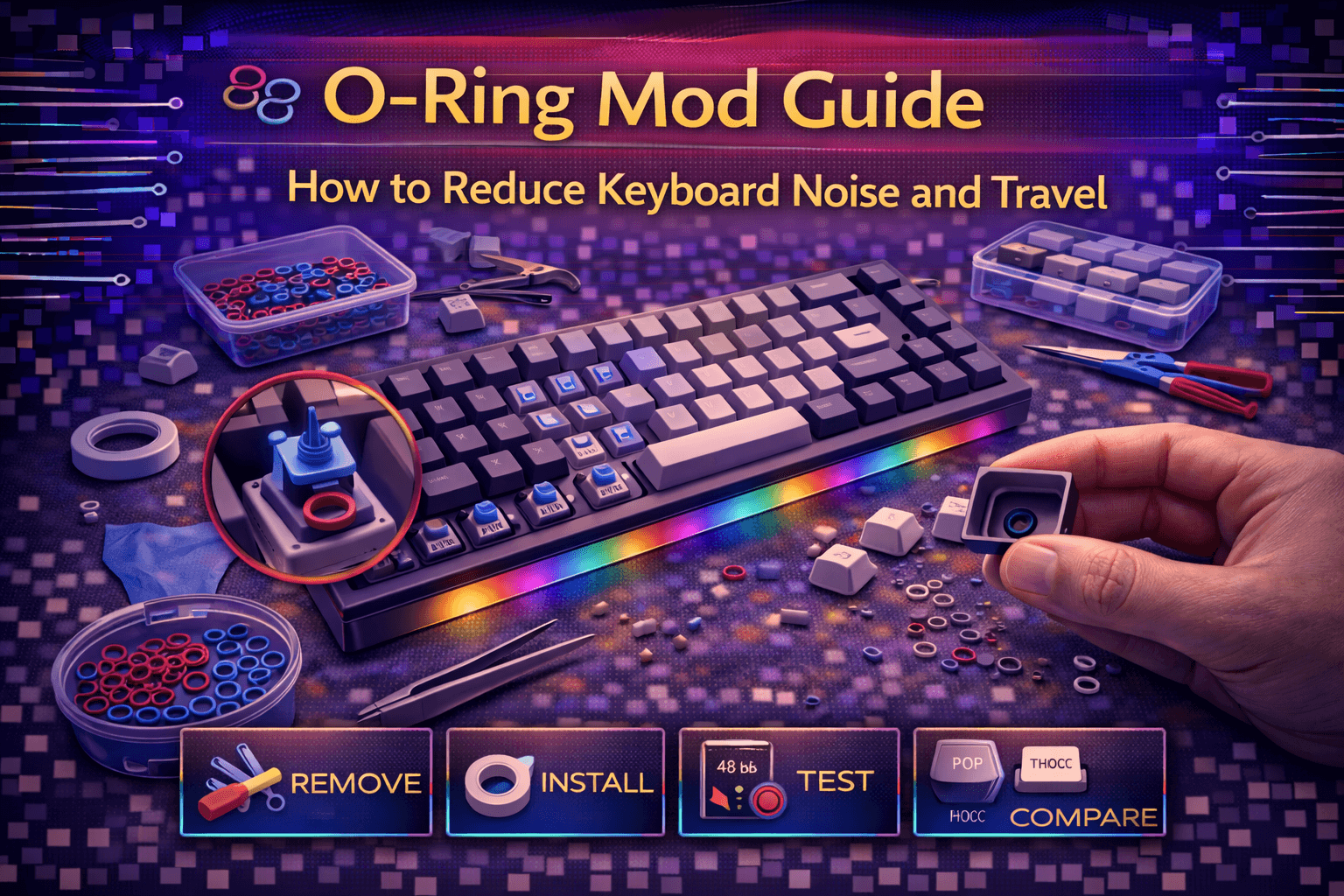
O-ring mod quiets mechanical keyboards by placing small rubber o-rings on keycap stems, cushioning bottom-out impact reducing both volume and travel distance. This classic modification predates modern custom keyboard culture, offering simple accessible noise reduction solution particularly valuable for office environments, shared spaces, or late-night typing sessions requiring quiet operation.
Understanding o-ring mod requires recognizing mechanical keyboard noise sources—switch click mechanism, stem-on-housing contact, and most significantly bottom-out impact when key pressed fully creating loud clack. O-rings absorb bottom-out impact dramatically reducing volume while slightly shortening travel distance creating softer typing experience.
This comprehensive guide explains o-ring mod mechanics and effectiveness, provides sizing specifications and material selection, covers step-by-step installation procedures, discusses pros and cons honestly addressing common complaints, compares o-rings to modern alternatives, and helps determine whether o-rings suit your keyboard and noise reduction needs.
Whether seeking office-appropriate noise levels, respecting roommates during late-night gaming, or preferring softer typing feel, understanding o-ring mod enables informed decisions about this straightforward but divisive modification.
Note: This guide contains affiliate links. If you purchase through our links, we may earn a commission at no extra cost to you. This helps support our testing and content creation.
What Are Keyboard O-Rings
Definition and Basic Concept
Small rubber rings (typically measuring 1-3mm in various dimensions) installed on mechanical keyboard keycap stems. Each keycap receives one o-ring creating cushioning barrier between keycap bottom and switch top housing, absorbing impact energy.
O-rings modify bottom-out experience fundamentally—transforming hard plastic-on-plastic impact into soft rubber-dampened contact reducing noise generation significantly.
How O-Rings Work Acoustically and Mechanically
Without o-rings (stock configuration):
- Key pressed fully traveling complete distance (bottom-out)
- Hard plastic keycap base slams directly into hard plastic switch housing
- Creates loud distinctive clack sound
- Full travel distance maintained (4mm standard for MX switches)
- Abrupt stop without cushioning
With o-rings installed:
- Key pressed fully traveling complete distance
- Rubber o-ring contacts switch housing first
- O-ring compresses absorbing kinetic energy
- Sound dampened significantly through rubber absorption
- Travel distance reduced depending on o-ring thickness
- Soft cushioned stop replacing hard impact
Mechanism: Rubber o-ring's elasticity and specific properties absorb vibration energy preventing hard plastic impact while returning to original shape for repeated use.
Historical Context and Development
O-ring mod existed since early mechanical keyboard adoption—predating modern custom keyboard culture by years. Originated when office workers discovered inexpensive hardware store rubber o-rings effectively dampened keyboard noise without requiring switch replacement.
Initially practical solution for noise reduction before mechanical keyboards became enthusiast hobby. Keyboard manufacturers later recognized market demand, producing specialized o-rings specifically sized and formulated for mechanical keyboard applications.
As custom keyboard culture evolved emphasizing acoustics and premium builds, o-ring mod declined in popularity among enthusiasts. Modern sound mods (tape mod, PE foam) and silent switches offered more sophisticated solutions without feel compromise. O-rings remain relevant for budget-conscious and practical users.
Effectiveness and Realistic Expectations
What o-ring mod accomplishes well:
- Reduces bottom-out volume significantly (30-50% quieter typical)
- Makes clacky keyboards office-appropriate for shared environments
- Softens typing feel for those preferring softer landing
- Immediately noticeable effect upon installation
- Works universally on any MX-style mechanical keyboard
What o-ring mod doesn't affect:
- Switch click mechanism (clicky switches remain equally loud)
- Switch internal tactile feedback (tactile bump still audible)
- Key upstroke sound (release noise unchanged)
- Stabilizer rattle (separate issue requiring stabilizer mods)
- Keycap material sound properties
Important limitation: O-rings only dampen bottom-out impact noise—most significant single noise source but not only source. Partial solution not comprehensive noise elimination.
Modern Perspective and Community Opinions
Custom keyboard enthusiast community generally moved away from o-rings toward:
- Silent switches with built-in dampening
- Modern acoustic sound mods (tape, PE foam, force break)
- Premium materials and refined construction
- Preserving mechanical feel while improving acoustics
O-rings remain valuable for:
- Budget-constrained noise reduction needs
- Office workers prioritizing silence over feel
- Existing keyboards unable to modify otherwise
- Users preferring shorter travel distance sensation
Highly controversial and divisive mod—enthusiasts either love softer feel and quieter operation, or strongly dislike "mushy" feel o-rings produce. Subjective preference determines satisfaction.
O-Ring Specifications and Selection
Sizing Dimensions (Critical for Proper Fit)
Three critical measurements determine o-ring compatibility and performance:
Inner Diameter (ID) - Most Critical:
Standard sizes: 5mm or 5.5mm most common for Cherry MX keycaps
Function: Must fit over keycap stem post snugly without excessive clearance or restriction
Too large: O-ring slides off during use, rendering modification ineffective
Too small: O-ring won't fit over stem or causes stress on stem material
5mm standard: Compatible with 99% of Cherry MX profile keycaps
5.5mm option: Some profile variations require slightly larger inner diameter
Measurement critical: Verify keycap stem diameter before purchasing o-rings
Outer Diameter (OD):
Typical range: 7-9mm depending on thickness
Function: Determines contact surface area with keycap bottom
Less critical than inner diameter: ID ensures fit, OD affects feel slightly
General guideline: Larger OD distributes force more evenly, smaller OD concentrates force
Thickness (Cross-Section) - Most Important for Feel:
Most significant specification affecting typing experience and travel reduction
Common thickness options:
0.2mm (ultra-thin): Minimal travel reduction (~3-5%). Subtle dampening effect. Barely noticeable feel change. Good starting point for testing.
0.4mm (thin): Slight travel reduction (~10-15%). Moderate dampening. Noticeable feel change but maintains crispness reasonably. Balanced compromise.
1.0mm (medium): Noticeable travel reduction (~25-30%). Good dampening effectiveness. Meaningful feel softening. Popular thickness balancing noise reduction and feel.
1.5mm (thick): Significant travel reduction (~35-40%). Excellent dampening. Very noticeable feel change. Maximum effectiveness for office environments. Risk of mushiness for some.
2.0mm (very thick): Extreme travel reduction (~50%+). Maximum dampening possible. Very mushy feel, very short travel. Compromises mechanical feel significantly.
Thickness recommendations by use case:
First-time users: 0.4mm recommended. Minimal feel change, noticeable noise reduction. Test before committing to thicker options.
Maximum noise reduction: 1.5mm provides best balance. Effective dampening without excessive mushiness.
Prefer minimal feel impact: 0.2mm subtle dampening maintaining mechanical character.
Aggressive dampening needed: 2.0mm extreme reduction but risks unpleasant mushy feel.
Material Types and Properties
Silicone (Most Common - Recommended):
- Durable material resisting degradation over time
- Good compression properties
- Comfortable feel against fingers
- Majority of keyboard-specific o-rings manufactured from silicone
- Cost: Standard option
- Lifespan: 1-2 years heavy use before compression
Rubber (Natural Rubber Alternative):
- Similar properties to silicone
- Sometimes slightly cheaper than silicone
- May degrade faster with age and UV exposure
- Less consistent quality across manufacturers
TPU (Thermoplastic Polyurethane - Premium):
- Superior durability and consistency
- Excellent compression retention
- Maintains properties longer than silicone
- More expensive option
- Worth investment for frequent users
Avoid: Very hard materials (poor dampening effect) or excessively soft materials (compress permanently, feel unstable).
Hardness Rating (Durometer Scale)
Measured in Shore A scale (0-100):
40A-50A (soft): Excellent dampening properties, comfortable feel, may compress faster
60A-70A (medium - most common): Balanced dampening and durability. Recommended for most users. Good compromise.
80A+ (hard): Less effective dampening, longer lasting. Reduced feel benefit.
Most keyboard-specific o-rings manufactured at 50A-70A Shore A hardness providing optimal balance.
Color and Aesthetic Considerations
Purely aesthetic—no performance difference between colors
Common options:
- Clear (invisible, disappears visually)
- Black (understated, common)
- Red, blue, white (accent colors)
- Matches keycap colors (coordinated appearance)
Choose based on:
- Visibility through keycaps (translucent keycaps show o-ring color)
- Personal aesthetic preference
- Keyboard color scheme coordination
No functional difference—select based purely on appearance preference.
Installation Process
Tools and Materials Required
Essential:
- O-ring set (requires 104+ o-rings for full keyboard)
- Keycap puller (for safe keycap removal)
Optional but helpful:
- Magnifying glass (ensuring proper seating)
- Clean surface (organized workspace)
That's complete toolkit—simplest modification possible.
Step-by-Step Installation
Step 1: Remove all keycaps carefully
- Use proper keycap puller (not fingernails or tools)
- Remove keycaps systematically (row by row prevents confusion)
- Photograph keyboard layout (especially important for unusual layouts)
- Arrange removed keycaps on clean surface matching layout
- Set aside safely preventing loss or damage
Step 2: Install o-rings on keycap stems
Per individual keycap:
- Take single o-ring from set
- Stretch gently opening the ring
- Slide o-ring over keycap stem from bottom
- Push o-ring up stem until seated against keycap bottom
- Ensure o-ring sits evenly around entire stem circumference
- Verify proper seating (not twisted, tilted, or loose)
- Repeat procedure for every keycap systematically
Installation tips for best results:
- Work systematically (row by row, left to right)
- Ensure o-rings fully seated (not loose or twisted)
- Check each o-ring positioned evenly around stem
- Don't overstretch (can damage or deform o-ring)
- Organize keycaps logically preventing confusion during reinstallation
Large stabilized keys (Spacebar, Shift, Enter):
Optional: Install o-rings on stabilizer stems as well. Technically unnecessary—stabilizers don't bottom out same way as regular switches, producing minimal additional noise. Up to personal preference. Some users install for consistency, others skip for simplicity.
Step 3: Reinstall all keycaps
- Begin replacing keycaps using layout photograph for reference
- Press keycap firmly onto switch stem ensuring full seating
- O-rings shouldn't prevent normal keycap installation or create excessive resistance
- If keycap won't seat properly, verify o-ring positioned correctly
- Continue until all keycaps replaced
Step 4: Test and evaluate results
Type test all keys systematically:
- Feel should be noticeably different (softer landing)
- Sound should be noticeably quieter (less sharp clack)
- Travel distance reduced slightly
- Overall acoustic character changed
Adjustment if needed:
- Too mushy or travel too short: Try thinner o-rings (0.4mm instead of 1.0mm)
- Insufficient dampening: Try thicker o-rings (1.5mm instead of 1.0mm)
- Iterative process: Find ideal thickness matching preferences
Installation time: Entire process typically 15-30 minutes depending on keyboard size and experience level.
Reversibility and Adjustment
O-ring mod completely reversible—easily removed by:
- Removing keycaps
- Sliding o-rings off stems
- Returning keyboard to stock condition
O-rings reusable if stored properly. No permanent changes or damage to keyboard.
Sound Comparison and User Experience
Acoustic Changes
Stock keyboard (without o-rings):
- Sharp audible bottom-out clack
- Bright high-frequency emphasis
- Crisp distinct keypresses
- Full resonance from keyboard structure
- Sometimes perceived as harsh or loud
With o-rings installed (typical 1.0mm):
- Significantly quieter bottom-out (30-50% reduction)
- Softer sound character
- Mushy quality to some ears
- Reduced high-frequency harshness
- Fuller rounder acoustic signature
Typing Feel Changes
Travel distance modification:
- Stock MX switches: 4mm travel to bottom-out
- With 1.0mm o-rings: ~2.75mm effective travel (~31% reduction)
- With 1.5mm o-rings: ~2.25mm effective travel (~44% reduction)
Feel characteristics:
- Softer landing without hard impact
- Cushioned bottom-out sensation
- Reduced rebound/snappiness
- Some describe as "mushy" or "spongy"
- Others prefer softer landing on wrists
Individual Perception Varies Dramatically
Some users report:
- Positive: Prefer softer feel, quieter typing, less wrist impact
- Negative: Hate mushy feel, dislike reduced travel, feel less crisp and responsive
Highly subjective modification—satisfaction depends entirely on personal preferences and typing style.
Pros and Cons Analysis
Advantages
Noise Reduction:
- 30-50% quieter bottom-out impact
- Transforms clacky keyboards into office-appropriate quiet typing
- Valuable for shared living spaces and offices
- Late-night typing less disturbing to others
Simplicity:
- No keyboard disassembly required
- No soldering or technical skills needed
- 15-30 minute installation time
- Beginner-friendly modification
- No tools beyond keycap puller
Affordability:
- $5-10 for full keyboard set
- Cheapest sound modification available
- Makes modifications accessible to budget users
Reversibility:
- Completely reversible, no permanent changes
- Test risk-free
- Can remove if dislike results
Travel Reduction Preference:
- Some users prefer shorter travel distance
- Can reduce finger fatigue for light touch typists
- Enables faster typing for some users
Universal Compatibility:
- Works with any MX-style mechanical switch
- Compatible with all keyboard types using MX switches
- Doesn't require switch replacement
Disadvantages
Mushy Typing Feel:
- Most common complaint
- Rubber cushioning creates less crisp tactile response
- Reduces tactile feedback definition
- Many mechanical keyboard enthusiasts strongly dislike
- Divisive aspect determining user satisfaction
Reduced Travel Distance:
- Can't fully bottom out switches
- Some find shortened travel unsatisfying
- Affects typing rhythm for users accustomed to full travel
- Changed muscle memory adjustment required
Incomplete Noise Solution:
- Only dampens bottom-out impact
- Doesn't affect upstroke noise
- Doesn't eliminate switch click (clicky switches)
- Leaves other noise sources unchanged
- Partial solution not comprehensive
Visual Appearance:
- O-rings visible on translucent or light keycaps
- Can appear unprofessional or messy
- Varies significantly by keycap profile and color
- Aesthetic consideration for some users
Durability and Maintenance:
- Rubber compresses permanently over time
- May require replacement after 1-2 years heavy use
- Continuous compression reduces effectiveness
- Cheap replacement ($5-10) but requires reapplication
Significant Feel Alteration:
- Changes typing experience dramatically
- Not universally appreciated change
- Personal preference divides users strongly
- May require adjustment period
Modern Better Alternatives:
- Silent mechanical switches quieter without feel compromise
- Modern sound mods more sophisticated
- Better options exist for serious enthusiasts
Who Benefits Most From O-Rings
Good candidates:
- Office workers needing quiet solution
- Budget-constrained users requiring cheap modification
- Can't replace switches (non-hot-swap keyboards)
- Prefer softer bottoming sensation
- Living with roommates or family
- Late-night typists needing consideration for others
Poor candidates:
- Mechanical keyboard enthusiasts (usually dislike mushy feel)
- Premium custom keyboard owners (have better alternatives)
- Those valuing crisp tactile response
- Clicky switch users (won't help much)
- Typists requiring full feedback
- Competitive gamers (travel reduction affects performance)
Alternatives to O-Rings
Silent Mechanical Switches (Best Solution)
Most effective noise reduction alternative:
Silent switch options:
- Cherry MX Silent Red, Black, Brown
- Gateron Silent switches
- Boba U4 Silent
- Akko Silent switches
Advantages:
- Built-in dampening eliminates bottom-out noise
- Quieter than o-rings without mushiness
- No feel compromise compared to o-rings
- Maintains mechanical switch characteristics
- Professional appearance
Disadvantages:
- $0.50-0.75 per switch (~$50-80 full keyboard)
- Requires hot-swap keyboard or soldering skills
- Higher initial investment than o-rings
- May feel slightly different internally
Verdict: Better solution than o-rings for users able to swap switches. Eliminates noise without feel compromise.
Keyboard Dampening Mods (Comprehensive Acoustics)
Tape mod: Multiple tape layers on PCB back deepening sound, reducing harshness
Case foam: Fills empty case cavity reducing hollowness
PE foam: Between switches and PCB alters overall acoustics
Force break: Strategic foam placement affecting vibration paths
Advantages: Address different acoustic aspects than bottom-out impact alone
Can combine: With o-rings for comprehensive approach or use instead for better results
QMX Clips (Premium Alternative)
Plastic clips fitting inside MX switch reducing wobble and dampening sound.
Considerations:
- Very expensive ($1-2 per switch = $100-200 full keyboard)
- Tedious installation requiring switch removal
- Mixed user results and reviews
- Less popular than o-rings despite premium positioning
- Installation labor-intensive
Keycap Material Changes (Comprehensive)
PBT keycaps naturally produce deeper quieter sound than ABS without compromising feel.
Advantages:
- No feel compromise
- Subtle overall sound improvement
- Better durability and texture
- Professional appearance
Disadvantages:
- $40-80 for quality keycap set
- Changes entire keyboard appearance
- Not dramatic noise reduction
Desk Mat Solutions (Environmental)
Large desk mats under keyboard dampen sound transmission to desk surface.
Advantages:
- Reduces amplification through desk material
- Comfortable wrist rest
- No keyboard modification
- Improves overall typing experience
Disadvantages:
- Doesn't reduce keyboard itself noise
- Addresses symptom not root cause
- Additional cost ($20-50)
Comprehensive Budget Hierarchy
$5-10: O-rings (cheapest, feel compromise)
$20-40: Desk mat + case foam (no feel compromise, moderate reduction)
$50-100: Silent switches (best solution, requires switching capability)
$100+: Premium silent keyboard or complete modding (ultimate solution)
Specific Use Cases and Recommendations
Office Environments
Why o-rings valuable:
- Reduces complaints from colleagues
- Maintains mechanical keyboard benefits
- Budget-friendly for workplace peripherals
- Simple to explain to management/coworkers
Recommendation: 1.0-1.5mm thickness providing good noise reduction while accepting feel compromise for productivity.
Shared Living Spaces
For roommates or family:
- Late-night gaming/work less disturbing
- Maintains mechanical keyboard compared to alternatives
- Cheaper than buying separate quiet keyboard
Recommendation: 1.5mm maximum dampening for minimal disturbance to others.
Content Creation and Streaming
For microphone interference:
- Reduces keyboard noise captured in audio
- Improves stream/video quality
- Better than noise gates cutting keyboard entirely
Recommendation: 1.0mm o-rings providing good noise reduction combined with software noise gate.
Not Recommended For
Competitive gaming: Travel reduction affects rapid keypresses, potentially impacting performance.
Enthusiast builds: Custom keyboard community prefers sound mods and silent switches. O-rings considered compromise.
Clicky switches: O-rings don't dampen switch click mechanism. Still loud despite modification.
Typing professionals: Those appreciating mechanical feedback usually dislike mushy feel o-rings produce.
FAQ
Q: Do keyboard o-rings actually reduce noise effectively?
A: Yes, for bottom-out impact. Reduce volume 30-50% making keyboards noticeably quieter. Don't eliminate all noise. Change typing feel making it softer and mushier. Effectiveness subjective based on feel tolerance. See pros/cons section above.
Q: What size o-rings do I need for mechanical keyboards?
A: 5mm inner diameter most common for Cherry MX keycaps. Thickness critical: 0.4mm subtle effect, 1.0-1.5mm good noise reduction, 2.0mm extreme reduction. Start with 0.4mm testing before committing to thicker options. See specifications section above.
Q: Will o-rings make my keyboard feel mushy?
A: Yes, somewhat. Rubber cushioning creates softer less crisp feel. Thicker o-rings more mushy. Highly subjective—some love softer feel, many enthusiasts dislike it strongly. Personal preference determines satisfaction. See disadvantages section above.
Q: Can I put o-rings on any mechanical keyboard?
A: Yes, any MX-style mechanical keyboard compatible. Universal application. Won't work on membrane keyboards (different construction) or other switch types. See installation section above.
Q: Are o-rings better than silent switches?
A: No. Silent switches quieter and don't compromise feel. O-rings cheaper and simpler (no switch replacement). Choose o-rings for budget/convenience, silent switches for best results without feel compromise. See alternatives section above.
Conclusion
O-ring mod provides accessible budget-friendly keyboard noise reduction through rubber dampeners cushioning bottom-out impact. Installation simple—15-30 minutes installing rings on keycap stems. Results immediately noticeable—30-50% quieter with softer typing feel.
Trade-offs significant—mushier feel and reduced travel distance divisive. Many mechanical keyboard enthusiasts dislike feel compromise preferring silent switches or modern sound mods. O-rings remain valuable for budget-constrained users, office workers, or those unable to replace switches.
Proper sizing critical—0.4mm minimal feel change, 1.0-1.5mm balanced dampening, 2.0mm maximum reduction. Start thin, add thickness if needed. Completely reversible enabling risk-free testing.
Modern alternatives (silent switches, tape mod, case foam) often superior but require more investment or modification. O-rings fill practical niche: cheapest simplest noise reduction accepting feel compromise for volume reduction and office-appropriate operation.