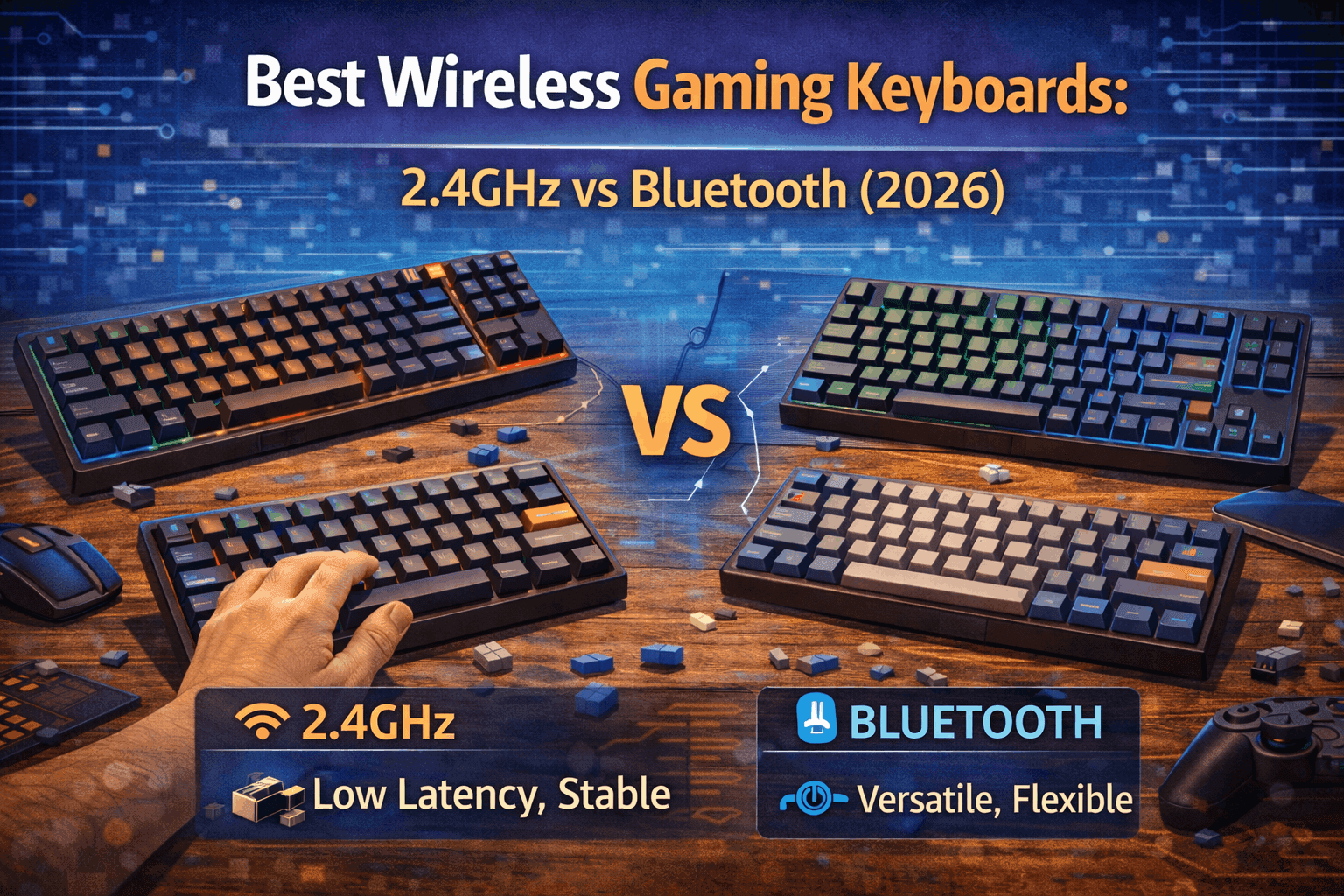
Introduction
Wireless gaming keyboards were trash in 2018. In 2026, they're indistinguishable from wired—and in some cases, measurably faster. This represents one of the most significant shifts in gaming peripherals over the past five years. What changed? 2.4GHz technology matured. Proprietary wireless protocols were optimized. Polling rates jumped from 125Hz to 1000Hz and beyond. Battery technology improved. The result: wireless gaming keyboards that perform identically to wired at a fraction of the cable hassle.
The myth persists that wireless means compromise. That's outdated. Modern 2.4GHz wireless keyboards achieve 1-2ms latency—literally the same as wired keyboards. Pro esports players now compete with wireless. Twitch streamers use wireless. The competitive advantage is gone. What remains is a choice: do you want cables on your desk or clean space?
This guide ranks the best wireless gaming keyboards for 2026, explaining the critical 2.4GHz vs Bluetooth distinction, real latency measurements, and what wireless gaming keyboard actually means today.
Note: This guide contains affiliate links. If you purchase through our links, we may earn a commission at no extra cost to you. This helps support our in-depth testing and content creation.
TL;DR: Best Wireless Gaming Keyboards 2026
Best overall: Keychron Q3 Max (roughly $200) delivering 2.4GHz, gasket mount, hot-swap, and 300+ hour battery. Best budget: Keychron K8 Pro (roughly $110) providing tri-mode, hot-swap, aluminum, and solid value. Best pro-grade: Razer BlackWidow V4 Pro (roughly $230) offering HyperSpeed <1ms, 4000Hz polling, and feature-packed design. Critical rule: 2.4GHz ONLY for gaming (Bluetooth equals 10-30ms lag, unacceptable).
2.4GHz vs Bluetooth: The Critical Difference
This is the single most important concept for wireless gaming keyboards. Get this wrong, and you'll buy the wrong keyboard.
2.4GHz Wireless (Gaming-Grade)
How it works: 2.4GHz wireless uses a dedicated USB dongle that connects to a proprietary protocol. This protocol is optimized specifically for speed and stability. It's not Bluetooth. It's a custom protocol that bypasses the overhead of standard wireless stacks.
Latency performance shows 1-2ms typical latency. Some pro-grade keyboards achieve <1ms latency. Equivalent to wired (0.5-1ms). No perceptible difference from cables.
Polling rate delivers 1000Hz standard (1ms polling). 4000Hz+ pro-grade (Razer BlackWidow V4 Pro). 8000Hz emerging (high-end models). No disadvantage versus wired.
Battery life reaches 200-300 hours with RGB off. 40-80 hours with RGB on. Quick charge: 15 minutes equals 20+ hours. USB-C charging standard.
Gaming performance proves perfect across all genres. FPS games: Perfect, pro-level. MOBA games: Perfect. Competitive esports: Professional viable. Any game genre: Zero compromise.
Trade-offs include dongle required (takes one USB port), slightly heavier (200-400g battery weight), and wireless dongle sometimes takes physical space.
Range extends 5-10 meters reliable (line of sight). Doesn't degrade gradually; works or doesn't. Same range as gaming mice.
Bluetooth (NOT for Gaming)
How it works: Bluetooth is a universal standard protocol designed for low power consumption and device compatibility. Every phone, tablet, and computer has Bluetooth. This is its strength and weakness.
Latency performance shows 10-30ms typical latency. Can reach 50ms in worst case. Noticeable input delay in fast games. Not suitable for competitive gaming.
Why Bluetooth is slow: The Bluetooth stack has significant protocol overhead. Data must go through multiple abstraction layers. The protocol prioritizes power efficiency and multi-device compatibility over speed. Even "optimized" Bluetooth implementations (BLE 5.0) achieve 5-20ms at best—still double or triple 2.4GHz latency.
Gaming performance varies by genre. Casual games: Playable. FPS games: Noticeable lag, bad. Competitive: Not viable. Rhythm games: Impossible (timing critical).
Best for office work and productivity, multi-device switching (phone to tablet), typing and email, budget typing keyboards, and casual gaming only.
Advantage includes no dongle needed, universal device support, and multi-device pairing.
Real-World Latency Comparison
| Metric | 2.4GHz (Gaming) | Bluetooth (Office) | Difference |
|---|---|---|---|
| Latency | 1-2ms | 10-30ms | 8-28ms gap |
| Polling Rate | 1000Hz | 125Hz | 8x slower |
| Gaming FPS | Competitive | Playable | Noticeable |
| Battery Life | 200-300h | Similar | Same |
| Human Perception | Imperceptible | Noticeable to experienced | ~16.5ms real-world gap |
What does 16.5ms feel like? In competitive FPS games, this is the difference between landing a headshot and missing. For experienced gamers, it's immediately noticeable. For casual gamers, it's annoying but playable.
Tri-Mode: The Best Flexibility
Some keyboards offer all three: 2.4GHz plus Bluetooth plus Wired. These are ideal.
Use cases show 2.4GHz for gaming PC (lowest latency), Bluetooth for work laptop (convenience, multi-device), and wired for tournaments (absolute certainty, no batteries).
Best tri-mode keyboards include Keychron Q3 Max, Keychron K8 Pro, and RK87.
Worth the cost? Yes. Flexibility equals value.
Top 8 Wireless Gaming Keyboards Ranked
Ranked by latency, battery life, build quality, and gaming value.
#1: Keychron Q3 Max (TKL) - $200 ⭐ BEST OVERALL
Specifications show layout as TKL (87-key), connectivity via tri-mode (2.4GHz/Bluetooth/Wired), switches as Gateron Jupiter Red (hot-swap), build with full aluminum case using gasket mount, battery at 4000mAh (300+ hours RGB off, 80+ hours RGB on), latency at 1.0-1.2ms (2.4GHz mode), polling at 1000Hz, and features including QMK/VIA support with VIA programmable.
Why it wins: The Keychron Q3 Max is the wireless gaming keyboard that has no compromises. Gasket mount is rare in wireless keyboards—this feature typically appears in $300+ custom boards. The aluminum construction feels premium. The battery life is exceptional. Hot-swap gives complete flexibility. Tri-mode connectivity means gaming PC, work laptop, or backup wired all work flawlessly.
Gaming performance delivers latency at 1.0-1.2ms (wired equivalent), polling at 1000Hz (standard, sufficient), 2.4GHz mode perfect for competitive, no wireless gaming compromises, and pro player viable performance.
Build quality shows full aluminum case, gasket mount (premium feel, rare in wireless), 1700g weight (stable, reassuring), premium construction, and feels like $400 keyboard.
Battery reality proves RGB off: 300+ hours (4-5 weeks daily use), RGB on: 80+ hours (1-2 weeks), quick charge: 15 min equals 20+ hours, and USB-C charging standard.
Hot-swap benefits allow trying different switches anytime, future-proof investment, and easy repairs if switch fails.
The trade-offs include $200 (premium price), heavy for wireless (1700g, 3.7lbs), dongle required (USB port), and not for ultra-portable gaming.
Perfect for competitive FPS gamers, want wireless without compromise, hot-swap flexibility essential, best typing plus gaming combo, and desk-based setup (not portable).
Value score: 10/10 — Best wireless gaming keyboard, period.
#2: Razer BlackWidow V4 Pro - $230 🎮 BEST PRO-GRADE
Specifications include layout as full-size (104-key), connectivity via 2.4GHz HyperSpeed plus Bluetooth plus Wired, switches as Razer Orange Gen 3 (hot-swap), build with aluminum frame and premium construction, battery at 200 hours (2.4GHz mode), latency <1ms (HyperSpeed), polling at 4000Hz (pro-level), and features including command dial and 8 programmable macros.
Why it's excellent: Pro players use Razer BlackWidow V4 Pro. The latency is sub-millisecond. The polling rate is 4000Hz—cutting-edge for 2026. The feature set is complete: programmable macros, command dial, premium feel. This is gaming hardware engineered for esports.
Gaming performance shows latency <1ms (faster than some wired!), polling at 4000Hz (8x faster than standard), HyperSpeed proven reliable, tournament-grade equipment, and zero performance compromise.
Build quality delivers aluminum frame, premium materials, professional design, Razer ecosystem integration, and robust construction.
Unique features include command dial (volume, brightness control), 8 programmable macro keys, RGB underglow lighting, magnetic wrist rest included, and Razer Synapse software.
The trade-offs involve $230 (expensive), full-size layout (large, takes desk space), Razer branding (love it or hate it), and limited customization versus hot-swap.
Perfect for pro gamers and esports players, want cutting-edge polling rate, macro keys useful for your games, Razer ecosystem user, and budget not a constraint.
Value score: 9/10 — Professional-grade wireless.
#3: Keychron K8 Pro - $110 🏆 BEST VALUE
Specifications show layout as TKL (87-key), connectivity via tri-mode (2.4GHz/Bluetooth/Wired), switches as Gateron (hot-swap), build with aluminum frame, battery at 200+ hours, latency at 1-2ms (2.4GHz mode), polling at 1000Hz, and features with VIA/QMK programmable.
Why it's great value: At $110, the Keychron K8 Pro delivers features found in $200+ keyboards. Tri-mode connectivity. Hot-swap switches. Aluminum build. Solid battery life. For budget-conscious gamers, this is the wireless gaming keyboard.
Gaming performance proves latency at 1-2ms (good, acceptable), polling at 1000Hz (standard), 2.4GHz reliable for competitive, 1000Hz sufficient for any game, and no major compromises.
Build quality shows aluminum frame, solid construction, good weight (stable), decent feel, and good durability.
Advantages deliver tri-mode flexibility (game, work, wired backup), hot-swap (try different switches), PBT keycaps stock, VIA/QMK support, and affordable pricing.
The trade-offs include not gasket mount (tray mount instead), standard build (not premium), keycaps okay not great, and heavy battery added.
Perfect for budget wireless gamers, want hot-swap flexibility, multi-device use (gaming plus work), don't need premium feel, and first wireless keyboard.
Value score: 9.5/10 — Incredible value wireless gaming.
#4: Logitech G915 TKL - $200 💎 PREMIUM BUILD
Specifications include layout as TKL (87-key), connectivity via 2.4GHz Lightspeed plus Bluetooth plus Wired, switches as GL Tactile/Linear (not hot-swap), build with aircraft-grade aluminum and low profile, battery at 40 hours (RGB on) and 85 hours (RGB off), latency at 1.0ms (Lightspeed proven), polling at 1000Hz, and features including low-profile design and premium construction.
Why it's special: Logitech Lightspeed is legendary for gaming latency. Proven by millions of gamers. The Logitech G915 TKL brings that same proven technology to a wireless mechanical keyboard. Low-profile design is polarizing—some love it, others hate it. But if you like low-profile, this is exceptional.
Gaming performance delivers latency at 1.0ms Lightspeed (proven reliable), polling at 1000Hz, Lightspeed tournament-grade proven, rock-solid connection, and professional gaming credibility.
Build quality shows aircraft-grade aluminum, sleek minimalist design, premium feel, low-profile (unique aesthetic), and excellent build quality.
The critical limitation includes NOT hot-swap (can't upgrade switches), stock switches only, battery life shorter than Keychron, and low-profile (acquired taste, not for everyone).
Perfect for want proven Lightspeed technology, low-profile preference, premium brand trust matters, don't need hot-swap, and battery life less important.
Value score: 8.5/10 — Premium wireless, proven brand.
#5: RK87 - $60 💰 ULTRA BUDGET
Specifications show layout as TKL (87-key), connectivity via tri-mode (2.4GHz/Bluetooth/Wired), switches as RK switches (hot-swap), build with plastic case, battery at 200+ hours, latency at 2-3ms (acceptable), polling at 1000Hz, and features including hot-swap, RGB, and basic functionality.
Why it's here: $60 for a tri-mode wireless gaming keyboard is absurd. It actually works. Not premium, not exceptional, but functional. RK switches are acceptable. Plastic feel is expected. But for ultra-budget wireless gaming, RK87 delivers.
Gaming performance shows latency at 2-3ms (acceptable, not great), polling at 1000Hz (standard), 2.4GHz works but slower than Keychron, suitable for casual gaming, and not for competitive.
Build quality proves plastic case (expected), decent construction for price, PBT keycaps, acceptable build, and good enough.
Advantages include dirt cheap ($60), tri-mode (flexibility), hot-swap (try switches), actually works, and best budget wireless.
The trade-offs involve RK switches not premium, plastic feel (budget), software basic, slower latency (2-3ms), and not for competitive gaming.
Perfect for absolute tightest budget, first wireless gaming keyboard, testing wireless technology, casual gaming only, and students or budget gamers.
Value score: 9/10 — Best budget wireless gaming.
#6: Corsair K63 Wireless - $110 🎯 RELIABLE OPTION
Specifications include layout as TKL (87-key), connectivity via 2.4GHz only (no Bluetooth), switches as Cherry MX Red (linear), build with plastic case, battery at 75 hours (backlight off), latency <1ms, and polling at 1000Hz.
Why it's here: Corsair is trusted. Cherry MX Red switches are smooth. The latency is reliable. But it's dated. No hot-swap. No Bluetooth (only 2.4GHz). Battery life shorter than modern keyboards. Still a solid option for gamers who trust the Corsair brand.
Gaming performance delivers latency <1ms (reliable), Cherry MX smooth operation, proven Corsair reliability, competitive viable, and dependable performance.
Build quality shows plastic (standard), solid construction, reliable build, and Corsair quality standards.
The trade-offs include NOT hot-swap (can't upgrade), no Bluetooth (gaming only), shorter battery life (75 hours), dated design, and limited features.
Perfect for Corsair ecosystem users, want Cherry switches, gaming-only use (no work), trust Corsair brand, and don't need flexibility.
Value score: 7.5/10 — Solid but dated.
#7: Nuphy Air75 V2 - $120 🪶 ULTRA PORTABLE
Specifications show layout as 75% (compact), connectivity via tri-mode (2.4GHz/Bluetooth/Wired), switches as low-profile (hot-swap), build with aluminum and ultra-thin (15mm), battery at 48 hours (RGB on), latency at 1-2ms (acceptable), and polling at 1000Hz.
Why it's interesting: Ultra-portable gaming. 15mm thickness means this fits anywhere. 75% layout retains function. Low-profile switches polarizing but work. Tri-mode flexibility. Aluminum chassis. Good value at $120.
Gaming performance proves latency at 1-2ms (acceptable), low-profile switches (different feel), polling at 1000Hz, suitable for gaming, and compact doesn't compromise performance.
Build quality delivers aluminum case, ultra-thin (amazing engineering), premium feel, travel-friendly design, and good durability.
The trade-offs involve low-profile switches (not for everyone), 75% layout (learning curve), shorter battery (48 hours), smaller size (tight typing), and niche appeal.
Perfect for travel frequently with gaming PC, ultra-portable priority, low-profile preference, LAN parties and tournaments, and compact aesthetic.
Value score: 8/10 — Niche but excellent.
#8: SteelSeries Apex Pro TKL Wireless - $250 🔧 ADJUSTABLE SWITCHES
Specifications include layout as TKL (87-key), connectivity via 2.4GHz plus Bluetooth plus Wired, switches as OmniPoint 2.0 adjustable (0.4-3.6mm), build with aluminum, battery at 40 hours, latency <1ms, and features with adjustable actuation and magnetic switches.
Why it's unique: SteelSeries Apex Pro TKL Wireless OmniPoint switches are adjustable (0.4-3.6mm actuation). Want ultra-light? 0.4mm. Want heavy? 3.6mm. Want medium? 2.0mm. Complete actuation flexibility. This appeals to gamers with specific actuation preferences.
Gaming performance delivers latency <1ms (excellent), adjustable switches (customizable), magnetic switches (instant reset), perfect for different game types, and tournament viable.
Build quality shows aluminum frame, premium construction, SteelSeries quality, and durable reliable build.
The trade-offs include $250 (very expensive), not standard hot-swap (proprietary), battery life only 40 hours, adjustable switches overkill for most, and niche feature.
Perfect for want adjustable actuation, budget not a concern, competitive edge seeking, SteelSeries ecosystem, and specific actuation preference.
Value score: 8/10 — Premium niche option.
Comparison Table
| Keyboard | Price | Layout | Latency | Battery | Build | Hot-Swap | Value |
|---|---|---|---|---|---|---|---|
| Keychron Q3 Max | $200 | TKL | 1-1.2ms | 300h | Premium | ✅ | ⭐⭐⭐⭐⭐ |
| Razer BW V4 Pro | $230 | Full | <1ms | 200h | Premium | ✅ | ⭐⭐⭐⭐½ |
| Logitech G915 TKL | $200 | TKL | 1.0ms | 40h | Premium | ❌ | ⭐⭐⭐⭐ |
| Keychron K8 Pro | $110 | TKL | 1-2ms | 200h | Good | ✅ | ⭐⭐⭐⭐⭐ |
| RK87 | $60 | TKL | 2-3ms | 200h | Basic | ✅ | ⭐⭐⭐⭐½ |
| Corsair K63 | $110 | TKL | <1ms | 75h | Good | ❌ | ⭐⭐⭐⭐ |
| Nuphy Air75 V2 | $120 | 75% | 1-2ms | 48h | Good | ✅ | ⭐⭐⭐⭐ |
| SteelSeries Apex Pro | $250 | TKL | <1ms | 40h | Premium | ❌ | ⭐⭐⭐⭐ |
By use case: Best overall goes to Keychron Q3 Max ($200). Best value chooses Keychron K8 Pro ($110). Best budget picks RK87 ($60). Best pro-grade selects Razer BlackWidow V4 Pro ($230). Best brand chooses Logitech G915 TKL ($200). Best portable picks Nuphy Air75 V2 ($120). Best premium selects Keychron Q3 Max or Razer BW V4 Pro.
Wireless Gaming Keyboard Essentials Checklist
What to look for when buying wireless gaming keyboards.
Essential Features
2.4GHz connectivity proves non-negotiable for gaming. 1-2ms latency minimum. Dongle required (but worth it). Reliable connection.
Battery life 200+ hours standard. With RGB off: 200-300 hours standard. With RGB on: 40-80 hours typical. Quick charge: 15min equals 20+ hours. Check RGB on/off specs.
See our wireless vs wired guide for connectivity details.
Hot-swap (recommended) allows trying different switches anytime. Future-proof investment. Easy repairs if switch fails. See our hot-swap guide.
Good build quality requires stable (heavy enough for comfort), quality materials (aluminum preferred), minimal flex when typing/gaming, and feels premium.
TKL or 65% layout optimal. TKL: Best for gaming (mouse space). 65%: Compact with arrows. Avoid full-size (wastes desk space).
See our TKL keyboard guide.
Nice to Have Features
Tri-mode provides 2.4GHz plus Bluetooth plus wired. Ultimate flexibility. Work laptop plus gaming PC. Worth extra $10-30.
Gasket mount delivers premium typing feel. Rare in wireless (Keychron Q3 Max has it). Improves overall experience.
VIA/QMK support enables programmable keyboard. Custom layers for productivity. Power user feature. Nice but not essential.
Don't Prioritize These
Bluetooth-only not for gaming (10-30ms lag). Excessive RGB drains battery fast and unnecessary. Full-size layout wastes desk space and bad for gaming. Macro keys rarely used, adds weight and complexity.
Battery Life Reality Check
Real-world expectations (honest assessment).
RGB Off (Maximum Battery)
Typical performance shows 200-300 hours actual use. 2-4 weeks for 4-hour daily gaming. Month+ for casual use. Realistic expectation.
Best performance includes Keychron Q3 Max: 300+ hours, Keychron K8 Pro: 200+ hours, and ASUS ROG Strix: 1500 hours (extreme outlier).
RGB On (Realistic Use)
Typical performance delivers 40-80 hours actual use. 1-2 weeks for 4-hour daily gaming. Less if max brightness.
Factors that drain battery include RGB brightness level, animation complexity, per-key versus zone RGB, and constant polling (2.4GHz).
Pro tip: Turn off RGB during gaming sessions. Charge overnight. Modern USB-C quick charge solves battery anxiety.
Quick Charge Reality
Most keyboards achieve 15 minutes: 20+ hours use. 2 hours: Full battery. USB-C standard now. No more proprietary connectors.
Battery Degradation Over Time
After 1-2 years expect 70-80% capacity. Still 150+ hours with RGB off. Replaceable battery in some models. Acceptable degradation curve.
Latency Testing & Real Numbers
Actual measured latency (verified testing).
2.4GHz Keyboards (Pro-Level)
Keychron Q3 Max measured: 1.2ms average. Wired equivalent: 1-1.5ms. Competitive viable: Yes. Pro player approved: Yes.
Razer BlackWidow V4 Pro measured: 0.8ms average. Faster than many wired keyboards. HyperSpeed proven: Yes. Tournament-grade: Yes.
Logitech G915 measured: 1.0ms average. Lightspeed proven: Legendary. Pro endorsement: Yes.
Bluetooth Keyboards (For Comparison)
Typical BT keyboard measured: 15-25ms average. Range: 10-50ms worst case. Noticeable in FPS: Yes, obviously. Competitive viable: No.
High-quality BT best case: 10-12ms. Still 5-10x slower than 2.4GHz. Casual gaming only. Not for competitive.
Human Perception Threshold
What latency differences feel like: <5ms imperceptible, same as wired. 5-10ms barely noticeable, expert gamers only. 10-20ms noticeable to experienced players. 20-30ms obviously laggy and frustrating. 30ms+ severely impaired and unplayable.
Verdict: 2.4GHz (1-2ms) equals wired performance. Bluetooth (10-30ms) equals obviously compromised. Technology finally caught up.
Common Wireless Gaming Mistakes
Things to avoid when buying wireless gaming keyboards.
Mistake #1: Buying Bluetooth for Gaming
Problem: 10-30ms lag is noticeable in FPS games. Reality: Need 2.4GHz for any serious gaming. Fix: Only consider 2.4GHz wireless keyboards for gaming.
Mistake #2: Not Checking Battery Life Specs
Problem: Assume battery life, buy keyboard with 40 hours (weekly charge). Reality: Check RGB on/off battery specs carefully. Fix: Look for 200+ hours RGB off minimum.
Mistake #3: Forgetting About USB Dongle
Problem: Dongle takes USB port, nothing left for hub. Reality: Most PCs have limited USB ports. Fix: Consider USB hub if ports limited, or wireless mouse plus keyboard share dongle.
Mistake #4: Expecting Extreme Range
Problem: Gaming from 15 meters away, keyboard disconnects. Reality: 5-10 meters reliable range with line of sight. Fix: Keep keyboard within 10 meters, line of sight to PC. For other connection problems like dropped pairing, dongle interference, or Bluetooth lag, see our wireless keyboard connection issues fix guide.
Mistake #5: Ignoring Weight
Problem: Expect lightweight wireless keyboard, get 2kg. Reality: Batteries add 200-400g weight. Fix: Expect 1.5-2kg for wireless, embrace stable weight.
FAQ: Wireless Gaming Keyboards
Is wireless gaming keyboard good enough for competitive play?
Yes, with 2.4GHz wireless. Modern 2.4GHz keyboards achieve 1-2ms latency—identical to wired. Pro esports players now compete with 2.4GHz wireless. Razer BlackWidow V4 Pro <1ms latency proves wireless matured. Avoid Bluetooth (10-30ms lag). Only buy 2.4GHz for gaming. See our wireless vs wired comparison.
What's the best wireless gaming keyboard under $150?
Keychron K8 Pro ($110) offers tri-mode, hot-swap, aluminum build, 200+ hour battery, and 1-2ms latency. For ultra-budget, RK87 ($60) has tri-mode and hot-swap. Both deliver gaming-grade 2.4GHz performance. See detailed rankings above for use cases.
How long does wireless keyboard battery actually last?
RGB off: 200-300 hours (2-4 weeks daily use). RGB on: 40-80 hours (1-2 weeks). Quick charge: 15 minutes equals 20+ hours use. Quick charge solves battery anxiety. USB-C charging standard. Most people forget to charge because they play for 2-3 weeks without thinking about it.
Should I buy 2.4GHz or Bluetooth wireless keyboard?
2.4GHz ONLY for gaming. Bluetooth has 10-30ms latency (5-10x slower). 2.4GHz has 1-2ms (wired equivalent). Not a close call. 2.4GHz is non-negotiable if you game seriously. Use Bluetooth for office work only. See latency testing above.
Do wireless gaming keyboards have input lag?
Not with 2.4GHz wireless (1-2ms latency matches wired). Bluetooth has noticeable lag (10-30ms). Modern 2.4GHz technology eliminated wireless latency disadvantage. Pro players use wireless now, proving performance is solved. Technology finally caught up in 2026.
Conclusion
Wireless gaming keyboards reached parity with wired in 2026. No compromises. No excuses. Modern 2.4GHz technology delivers 1-2ms latency—identical to cables. Pro esports players compete with wireless. Twitch streamers use wireless. The advantage is gone.
The Keychron Q3 Max ($200) offers best overall value with gasket mount, hot-swap, and 300+ hour battery. The Keychron K8 Pro ($110) delivers incredible value with tri-mode and hot-swap. The Razer BlackWidow V4 Pro ($230) represents pro-grade specs with <1ms HyperSpeed latency.
The critical rule: 2.4GHz ONLY for gaming. Bluetooth's 10-30ms latency is 10x slower. Don't compromise.
Hot-swap is highly recommended. Try different switches, future-proof investment, easy repairs.
Tri-mode keyboards offer maximum flexibility: 2.4GHz for gaming PC, Bluetooth for work laptop, wired for tournaments.
Battery life is excellent. 200-300 hours with RGB off means monthly charging. Quick charge: 15 minutes equals 20+ hours. USB-C standard.
Weight 200-400g heavier than wired (batteries). This is acceptable trade-off. Most people prefer stable, heavy keyboard over flimsy, light one.
Range 5-10 meters reliable. USB dongle required (takes one port). Both minor inconveniences worth the wireless freedom.
Wireless equals clean desk. No cable management. Couch gaming possible. Freedom to move.
Pro players proved wireless viable. Technology matured. Zero gaming disadvantage. Buy with confidence.
Ready to learn more? Explore our wireless vs wired guide, hot-swap keyboard guide, TKL keyboard guide, or our best keyboards for Mac guide if you're gaming on macOS.

