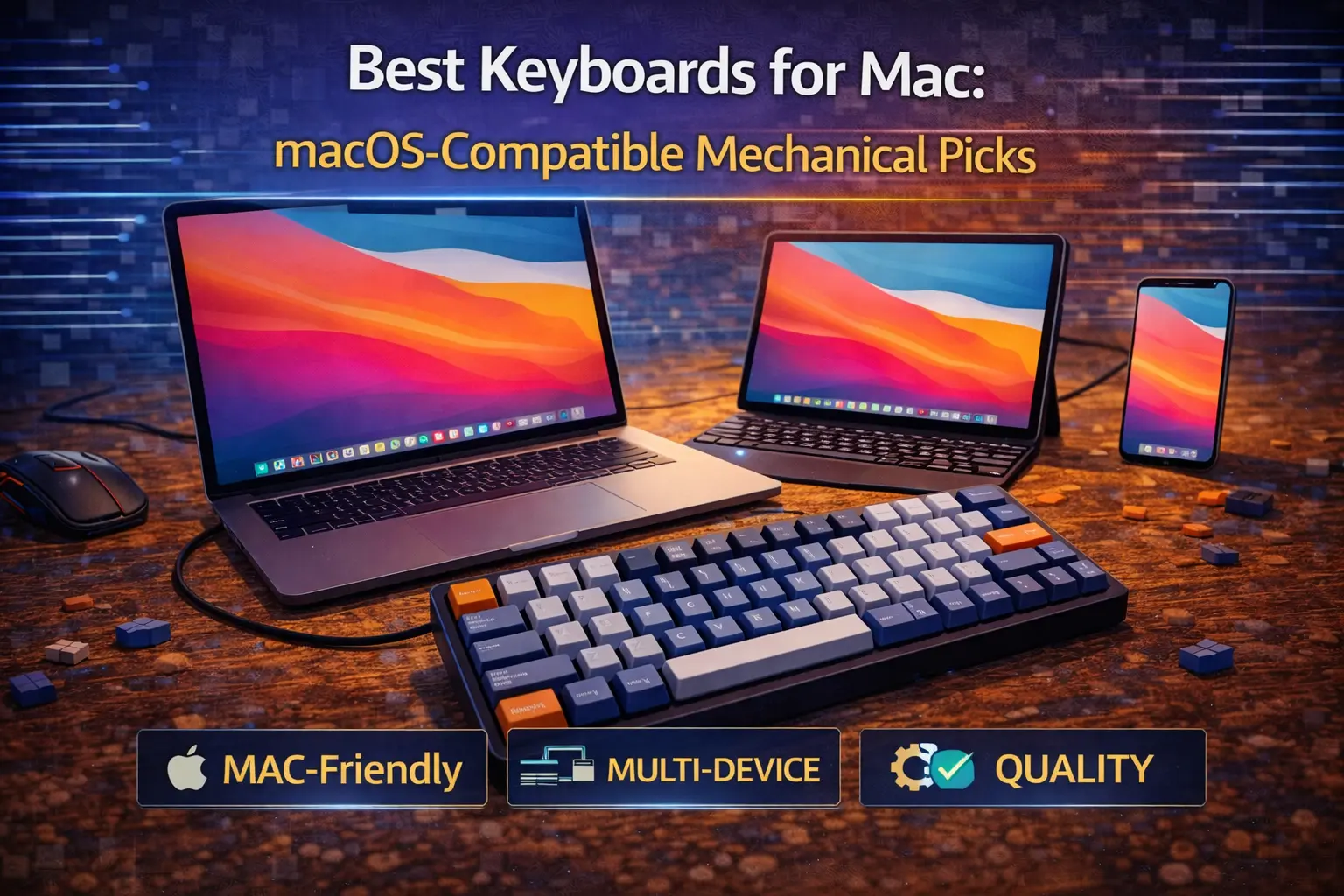
If you've ever plugged in a new keyboard and immediately hit ⌥ Option where ⌘ Command should be, you know the pain. Most mechanical keyboards are engineered for Windows first — Windows legends, Windows modifier layout, and macOS support treated as a footnote. The result is an experience that ranges from mildly annoying to genuinely hostile: function keys that do nothing useful, Caps Lock where Control belongs, and Bluetooth that drops its connection at random.
This guide exists so you never deal with that again.
Every keyboard we recommend here passes a strict Mac compatibility standard: Mac-specific keycaps included in the box (not stickers, not remapping instructions — actual ⌘ Command, ⌥ Option, ⌃ Control legends), a physical or dedicated Mac/Windows toggle, native macOS function key support (brightness, Mission Control, Spotlight, Dictation, volume, media), and stable Bluetooth on macOS. Boards that technically "work" on Mac but require 20 minutes of setup are not on this list.
The good news is that 2026 is the best time in history to buy a mechanical keyboard for Mac. Keychron has essentially solved the problem for the mainstream, NuPhy has emerged as a genuine alternative, and the new Ultra 8K wireless generation has made the "wireless vs. wired" debate almost moot. Let's get into it.
Note: This guide contains affiliate links. If you purchase through our links, we may earn a commission at no extra cost to you. This helps support our in-depth testing and content creation.
What Actually Makes a Keyboard "Mac Compatible"
Not all Mac compatibility claims are created equal. Here's what we actually check before recommending a keyboard to Mac users.
⌘ Mac Keycaps
The baseline requirement. A genuinely Mac-compatible keyboard ships with ⌘ Command, ⌥ Option, and ⌃ Control legends on the correct keycaps — pre-installed as the default layout, not buried in an accessory bag. This matters because most people don't swap keycaps, and staring at a key labeled "Alt" that behaves as Option is a persistent cognitive annoyance. The best Mac-first boards, like every Keychron, install Mac keycaps from the factory and include Windows extras in the box — the opposite of almost every other brand. For a deep dive on keycap materials and legend quality, see our PBT vs. ABS keycaps guide.
Physical Mac/Windows Toggle
A software-only toggle (configured through VIA or a key combo) is acceptable, but a physical switch on the keyboard body is the correct implementation. It makes the mode change unambiguous, survives firmware updates, and requires zero software. Every Keychron, every NuPhy board on this list has one.
Native macOS Function Key Support
The F1–F12 row should map to actual Apple functions without requiring any configuration: screen brightness up/down, Mission Control, Launchpad, Spotlight, Dictation, Do Not Disturb, volume, and media playback. If a keyboard sends generic F-keys to macOS, you can remap them — but it's setup work that Mac-first keyboards eliminate entirely.
Stable Bluetooth
Bluetooth stability on macOS is surprisingly variable. Some keyboards drop connections after sleep, others introduce lag, others just pair inconsistently. We flag any known Bluetooth issues below. One universal caveat worth knowing upfront: if you use FileVault full-disk encryption (you should), no Bluetooth keyboard can unlock your Mac at the login screen. Keep a USB-C cable accessible for those moments. For a full breakdown of wireless tradeoffs, see our wireless vs. wired keyboards guide.
What We Exclude
Keyboards that require Karabiner-Elements remapping to achieve basic functionality. Keyboards marketed as "Mac compatible" whose only Mac feature is a software key combo to swap modifiers. Keyboards with Windows-only configuration software. If the Mac experience requires more than a toggle switch, it doesn't make this list.
Quick Picks: Best Keyboards for Mac at a Glance
| Category | Keyboard | Price | Layout | Mac Keycaps | Wireless | QMK/VIA |
|---|---|---|---|---|---|---|
| Best Overall | NuPhy Halo75 V2 | $$ | 75% | ✅ | ✅ Tri-mode | ✅ |
| Best Budget | Keychron V1 | $ | 75% | ✅ | ❌ Wired | ✅ |
| Best Wireless | Keychron Q1 Ultra 8K | $$$ | 75% | ✅ | ✅ 2.4GHz+BT | ZMK |
| Best Compact (65%) | Keychron Q2 Max | $$$ | 65% | ✅ | ✅ Tri-mode | ✅ |
| Best TKL | Keychron V3 Max | $$ | TKL | ✅ | ✅ Tri-mode | ✅ |
| Best Full-Size | Keychron Q5 Max | $$$ | 96% | ✅ | ✅ Tri-mode | ✅ |
| Best Enthusiast | HHKB Professional Hybrid Type-S | $$$ | 60% | ⚠️ | ✅ BT only | ❌ |
| Best Low-Profile | NuPhy Air75 V2 | $$ | 75% LP | ✅ | ✅ Tri-mode | ✅ |
Best Overall for Mac — NuPhy Halo75 V2 🏆
Specs: 75% layout · 83 keys · Mac keycaps pre-installed · Physical Mac/Windows toggle · Full macOS function key support · Tri-mode (Bluetooth 5.1 + 2.4GHz + USB-C) · QMK/VIA · Hot-swap (3-pin/5-pin MX) · PCB gasket mount · POM plate · Aluminum top + ABS bottom · 4,000mAh battery (up to 307 hours, backlight off) · Check price on Amazon
The Halo75 V2 earns the top spot because it nails every dimension of the Mac experience simultaneously — something surprisingly rare. Mac keycaps come pre-installed as the default (⌘ Command, ⌥ Option in the right positions). A dedicated physical toggle on the keyboard body switches between Mac and Windows modes in one click. Every macOS function key works out of the box: screen brightness, Mission Control, Spotlight, Dictation, Do Not Disturb, volume, all of it. NuPhy designed this board with Mac users in mind from the first decision, and it shows.
The typing experience is legitimately excellent for the price. The PCB gasket mount with POM plate delivers a bouncy, cushioned keystroke that punches well above its price. The silicon-dampened spacebar — what iMore called the best spacebar they'd ever typed on — eliminates the hollow, rattling thock that plagues most keyboards at this price point. Add QMK/VIA programmability, hot-swap support for any MX switch, and the distinctive halo RGB light ring that gives the board its name, and you have a package that would be competitive at a far higher price.
This board is for Mac users who want a premium typing experience without paying Keychron Q-series aluminum prices. The 2.4GHz dongle keeps latency tight for users who game or need responsive input. Battery life of 307 hours (backlight off) means weekly charging is a distant memory.
The caveats are real but manageable. Bluetooth on macOS can occasionally exhibit minor lag or instability — the 2.4GHz connection is more reliable for daily use. The board is on the heavier and chunkier side for a 75%. ANSI layout only; no ISO option. If those aren't dealbreakers — and for most Mac users they won't be — this is the pick.
Best Budget for Mac — Keychron V1 💰
Specs: 75% layout · 81 keys · Mac keycaps pre-installed · Physical Mac/Windows toggle · Full macOS function key support · USB-C wired · QMK/VIA · Hot-swap (south-facing MX) · Tray mount · ABS case · No battery (wired) · Screw-in stabilizers · Check price on Amazon
If budget is the constraint, the Keychron V1 is the answer, and it isn't close. For its budget price, you get full QMK/VIA programmability, hot-swap support, proper Mac keycaps, a physical Mac/Windows toggle, and native macOS function key support. That feature set was reserved for far pricier keyboards two years ago. The V1 democratized enthusiast-grade Mac compatibility.
The 75% layout hits the sweet spot for Mac users specifically: you keep the dedicated function row (essential for native brightness and Mission Control shortcuts), navigation keys, and a compact footprint. The optional rotary knob version adds hardware volume and brightness control, which integrates naturally into macOS workflows. For a deep dive into how the 75% compares to other sizes, see our keyboard size guide.
Hot-swap means you're not locked into Keychron's stock switches. If you want to try tactile switches beloved by Mac typists, or silent switches for an open-plan office, you can pull the stock switches and install any MX-compatible option without soldering. That's the real value here: the V1 is a platform, not just a keyboard. Read our hot-swappable keyboards explainer to understand why this matters long-term.
The obvious limitation is the wired-only connection — no Bluetooth, no 2.4GHz. For a desktop Mac setup, this is a complete non-issue. For MacBook users who value desk cleanliness or couch usage, look at the Keychron V1 Max ($$) which adds 2.4GHz and Bluetooth 5.1 to the same platform. Curious how the V1 compares to other popular brands? Our Keychron vs. GMMK vs. Drop breakdown covers the competitive landscape.
Best Wireless for Mac — Keychron Q1 Ultra 8K 📡
Specs: 75% layout · 82 keys · Mac keycaps pre-installed · Physical Mac/Windows toggle · Full macOS function key support · Tri-mode (2.4GHz 8K polling + Bluetooth 5.3 + USB-C 8K polling) · ZMK firmware (Keychron Launcher web configurator) · Hot-swap (south-facing MX) · Double gasket mount · Full CNC aluminum · 4,000mAh battery (up to 660 hours backlight off) · Programmable aluminum rotary knob · Check price on Amazon
The Q1 Ultra 8K is the single most significant Mac keyboard development of 2026. Announced at CES and shipping now, it changes the wireless keyboard calculus entirely — and it does so by combining two things that previously seemed mutually exclusive: enthusiast-grade 8,000Hz polling over wireless and 660 hours of battery life on a single charge.
That battery figure deserves emphasis. Most wireless keyboards get 50–100 hours with backlighting off. The Q1 Ultra's ZMK open-source firmware, combined with the new power architecture, delivers more than 27 days of continuous use at 8K polling without touching a charging cable. With the RGB backlight on, the number drops significantly, but it's still category-leading. If you currently deal with your wireless keyboard dying at inopportune moments, the Q1 Ultra ends that permanently.
The 8K polling rate matters most for users who also game or need zero perceptible input latency in real-time tasks. For pure typing, 1,000Hz is fine — but the 8K wireless spec means there's genuinely no argument for preferring a wired connection on latency grounds. The full CNC aluminum chassis, in black or white/orange colorways, matches the aesthetic language of Apple hardware. The double gasket mount delivers a soft, dampened typing feel that the original Q series wired boards made famous. Mac keycaps are pre-installed, the physical toggle is there, all macOS shortcuts work natively.
The firmware transition from QMK/VIA to ZMK is the main adjustment for enthusiasts. ZMK is configured through Keychron's Launcher web app rather than VIA configurator — it covers key remapping, macros, and layer configuration competently, though the QMK ecosystem has broader community support. For a deep dive into how these firmware options work, see our keyboard firmware QMK/VIA guide. The fixed typing angle (no adjustable legs) and premium price are the other honest caveats. But if you want the definitive wireless Mac keyboard of 2026, this is it.
Best Compact (65%) for Mac — Keychron Q2 Max
Specs: 65% layout · Optional rotary knob · Mac keycaps pre-installed · Physical Mac/Windows toggle · macOS function keys via Fn layer · Tri-mode (2.4GHz + Bluetooth 5.1 + USB-C) · QMK/VIA + Keychron Launcher · Hot-swap (south-facing MX) · Double gasket mount · Full CNC aluminum · 4,000mAh battery (~200+ hours backlight off) · Check price on Amazon
The 65% layout is the most polarizing size in mechanical keyboards, and choosing it for Mac requires one conscious trade-off: you lose the dedicated function row, which means brightness, Mission Control, and Spotlight shortcuts require Fn combinations. If you can accept that (or remap critical shortcuts to keys you do have), the Q2 Max rewards you with the smallest premium aluminum wireless Mac keyboard available.
The full CNC aluminum chassis is the star. At a form factor where most competitors offer plastic, the Q2 Max's machined case gives it a rigidity and acoustic signature that feels genuinely premium — closer to Apple's own hardware than anything else in this price range. The double gasket mount absorbs keystroke impact and produces a muted, cushioned typing sound that's well-suited to quiet environments. The programmable metal rotary knob on the upper-right doubles as a volume control for Mac users — a natural fit for media workflows.
This board is best suited to Mac users who prioritize desk space above all else and are comfortable operating without a visible function row. The QMK/VIA support means you can program Fn+key combinations to trigger Mission Control or Spotlight with muscle memory over time. For Mac developers and programmers who already use modifier-heavy shortcuts, the transition is relatively seamless — see our best keyboards for programming piece for more context on what that audience needs. If you decide you miss the function row, step up to the V1 Max or Q1 Ultra.
Best TKL for Mac — Keychron V3 Max 🥇
Specs: TKL (80%) · 87 keys · Rotary knob · Mac keycaps pre-installed (Windows extras included) · Physical Mac/Windows toggle · Full macOS function key support · Tri-mode (2.4GHz 1,000Hz + Bluetooth 5.1 + USB-C) · QMK/VIA + Keychron Launcher · Hot-swap (south-facing MX) · Gasket mount (Poron foam) · ABS plastic case · 4,000mAh battery (~200+ hours backlight off) · Check price on Amazon
Wirecutter named the V3 Max their overall top mechanical keyboard pick, and it's easy to see why: it checks every meaningful box at a price that makes premium features feel accessible. For Mac users specifically, it delivers the TKL layout most professionals actually need — function row intact for macOS shortcuts, navigation cluster present, numpad absent — with the complete Mac compatibility package.
The V3 Max includes features that competitors charge far more for: gasket mounting (Poron foam pads provide genuine cushioning), QMK/VIA programmability, 2.4GHz wireless, hot-swap MX sockets, and 4,000mAh battery. Every macOS function key works natively without configuration. Both Mac and Windows keycap sets ship in the box — you don't even have to choose at purchase. For users who want to experiment with switches, the keyboard switches explained guide is the right starting point before committing.
The honest limitation is the ABS plastic case. It's perfectly functional and the gasket mount compensates meaningfully for what you lose in material rigidity, but it won't match the heft of an aluminum board when you pick it up. The board is only available in black. If you need aluminum and a bigger budget isn't a constraint, the Keychron Q3 Max ($$$) delivers the same Mac experience in a full CNC chassis. For most Mac users upgrading from a membrane keyboard or an Apple Magic Keyboard, the V3 Max is the recommendation — it's the most value-efficient best keyboard for Mac that exists right now.
Best Full-Size for Mac — Keychron Q5 Max
Specs: 96% compact full-size with numpad · Mac keycaps pre-installed · Physical Mac/Windows toggle · Full macOS function key support · Tri-mode (2.4GHz + Bluetooth 5.1 + USB-C) · QMK/VIA + Keychron Launcher · Hot-swap (south-facing MX) · Double gasket mount · Full CNC aluminum · Programmable metal rotary knob · 4,000mAh battery (~4 weeks typical) · Check price on Amazon
For Mac users who genuinely need a number pad — accountants, financial analysts, spreadsheet-heavy workflows in Numbers or Excel for Mac — the Q5 Max is the only premium recommendation worth making. Most full-size Mac keyboards are either cheap membrane boards or Windows gaming keyboards with a Mac layout mode bolted on. The Q5 Max is neither: it's a full CNC aluminum enthusiast board with proper Mac DNA, in a 96% layout that packs numpad functionality into a smaller footprint than traditional full-size keyboards.
The 96% format condenses the gap between the main cluster and the numpad, keeping the total width manageable for Mac desktop setups. All Mac function keys work natively. The programmable metal rotary knob adds hardware control for volume, brightness, or any custom macro — useful for Mac video editors or musicians running Logic Pro. Gasket mounting and QMK/VIA support bring the same customization depth as the rest of the Q series.
This board is not for Mac users who can live without a numpad — the V3 Max or Q1 Ultra are better fits and more portable. But for those who need the number keys every day, no other board on this list offers the same combination of full-size functionality, native Mac support, and aluminum build quality at this price. If you're unsure whether you need a numpad at all, our keyboard size guide will help clarify.
Best Premium/Enthusiast for Mac — HHKB Professional Hybrid Type-S 👑
Specs: 60% layout · 60 keys · No Mac-printed keycaps (DIP switch enables Mac mode) · DIP switch Mac/HHK/Windows mode · macOS functions via Fn layer · Bluetooth 5.1 (4 devices) + USB-C wired · Topre 45g electrostatic capacitive switches (silenced, Type-S dampeners) · PBT keycaps (dye-sublimated legends) · AA battery powered (months per set) · No hot-swap · Check price on Amazon
The Happy Hacking Keyboard has been the programmer's keyboard of choice among Unix and Mac developers since 1996. In 2026, it remains the only keyboard on this list that Mac developers will recognize by reputation before they ever touch it — and that reputation is earned.
The Type-S uses Topre electrostatic capacitive switches, not MX mechanicals. They're not interchangeable, not hot-swappable, and they feel like nothing else in keyboards. The switch action is smooth and silenced (the Type-S adds dampening rings on top of the already subdued Topre mechanism), landing somewhere between a quality membrane and a polished mechanical — a kind of thocky, cushioned keystroke that long-term users describe as deeply satisfying and impossible to go back from. If you've never tried Topre, the HHKB is the benchmark.
The Mac experience here is different from every other board on this list. There are no ⌘ Command legends printed on the keycaps — the HHKB layout predates the need, and enthusiasts generally prefer blank or dye-sublimated legends without OS-specific symbols. What the HHKB does offer in Mac mode (set via DIP switches on the bottom) is a layout designed around Unix/Mac modifier positions, with ⌃ Control placed where Caps Lock normally sits — exactly where terminal users, Vim operators, and Emacs devotees want it. Once you internalize this layout, working on any other keyboard feels like a regression.
Bluetooth stability on macOS is excellent — one of the best among any keyboard we've tested. The board connects to four devices simultaneously and switches cleanly. The AA battery system is idiosyncratic but practical: a good set of rechargeable NiMH batteries lasts months, and you'll never be stranded by a depleted LiPo during a deadline.
The honest truth about the HHKB: it's not for everyone. The 60% layout with no arrow keys and no F-row requires genuine relearning. The programming software (HHKB Keymap Tool) currently requires Windows to run. And at its premium price before any discount, it demands commitment. But for Mac developers and power users who spend eight or more hours at a keyboard and type for a living, the HHKB Professional Hybrid Type-S is in a category by itself.
Best Low-Profile for Mac — NuPhy Air75 V2
Specs: 75% layout (low-profile) · 84 keys · Mac keycaps pre-installed · Physical Mac/Windows toggle · Full macOS function key support · Tri-mode (2.4GHz 1,000Hz + Bluetooth 5.1 125Hz + USB-C 1,000Hz) · QMK/VIA · Hot-swap (Gateron LP KS-33 sockets) · Aluminum top + ABS translucent bottom · 4,000mAh battery (up to 220 hours backlight off, 35–57 hours RGB on) · Check price on Amazon
The Air75 V2 answers a specific question that a lot of Mac users have: "Can I get the slim form factor I love from my MacBook keyboard but with actual mechanical switches and customization?" The answer is yes, and the Air75 V2 is the best version of that answer currently available.
Low-profile mechanical keyboards occupy an unusual space — they use shorter switches (Gateron KS-33 here, with a 3mm total travel vs. the standard 4mm) to achieve a slim chassis that feels familiar to laptop keyboard users while delivering mechanical tactility. The Air75 V2 ships with Mac keycaps as default, a physical Mac/Windows toggle, and native macOS function key support across the full top row. Bluetooth connects to four devices. QMK/VIA support is genuinely rare in the low-profile category — most competitors lock you into proprietary configuration apps — and it means you can program any macOS-specific macro or shortcut directly into the keyboard's onboard memory.
For MacBook users who dock at a desk and want a keyboard that matches their laptop's aesthetic and feel while offering mechanical switches and proper Mac key legends, the Air75 V2 is the natural choice. The slim aluminum top frame is attractively designed. The 2.4GHz wireless keeps latency low. Battery life of 220 hours with backlight off means infrequent charging. The 75% layout preserves the function row, keeping all macOS shortcuts accessible without any Fn combinations.
The low-profile switches won't satisfy users who want a deep, clacky mechanical experience — that's not what this keyboard is for. Bluetooth polling rate is only 125Hz (vs. 1,000Hz for wired/2.4GHz), which is fine for typing but worth noting. The non-foldable rubber feet work but feel slightly flimsy. If you want the next step up in this category, the Lofree Flow 2 ($$$) offers a CNC aluminum chassis and VIA support with an Apple-like aesthetic, though Tom's Guide noted acoustics issues and stabilizer rattle at that price. For the combination of QMK/VIA, low-profile design, and genuine Mac-first keycaps at its price point, the Air75 V2 is the clear recommendation.
Keychron: The Mac-First Mechanical Keyboard Brand
Keychron launched in 2017 on Kickstarter, founded by a small team of keyboard enthusiasts in Hong Kong who were frustrated by the same problem this article addresses: every good mechanical keyboard was designed for Windows. Their debut board raised roughly 3,200% of their funding goal — because they'd identified a genuine gap in the market and filled it properly. Since then, Keychron has become the definitive answer to "what keyboard should I buy for my Mac?"
What distinguishes Keychron from competitors isn't any single feature — it's the consistent, deliberate Mac-first design philosophy applied across every board they ship. Mac keycaps are always default, never optional. The physical Mac/Windows toggle is on every keyboard. macOS function key support is verified at launch, not patched in after complaints. When Mac-focused publications like 9to5Mac, iMore, AppleInsider, and Macworld test mechanical keyboards, Keychron boards consistently dominate their recommendations — not because of editorial partnerships, but because the Mac experience is genuinely better.
The 2026 lineup is the strongest yet. For a detailed breakdown of the Q series lineup specifically, our Keychron Q series guide covers every model across the Q1 through Q6 in depth.
K series (entry-level): Consumer-focused boards with Mac keycaps, BT, and straightforward functionality. The K2, K3, and K8 are the flagship models. "Pro" variants add QMK/VIA; "Max" variants add 2.4GHz. Best for users who want reliable Mac compatibility without enthusiast-level complexity.
Q series (premium): Full aluminum custom keyboards with QMK/VIA, gasket mounting, and premium acoustics. The Q series is where Mac professionals who care about typing feel live. The Q Ultra 8K generation (Q1, Q3, Q6 Ultra) debuts ZMK firmware and 660-hour wireless battery life — the biggest hardware advancement in the Mac mechanical keyboard space in years.
V series (budget): Budget gasket-mount boards with QMK/VIA but plastic cases. The V1 is the best budget keyboard for Mac available anywhere. The V Ultra 8K brings the same ZMK firmware and 660-hour battery as the Q Ultra to a more affordable plastic chassis — potentially the best value wireless keyboard for Mac in 2026.
When to choose Keychron vs. alternatives: choose Keychron when you want guaranteed Mac compatibility verified by the community, good value across budget tiers, and straightforward access to Mac-specific keycap sets and accessories. Choose NuPhy when you specifically want the gasket-mount typing experience of the Halo75 V2, the slim laptop-like feel of the Air75 V2, or a more distinctive visual design than Keychron's utilitarian aesthetic. For a comprehensive brand comparison, see our Keychron vs. GMMK vs. Drop guide.
How to Configure Any Keyboard for macOS
Sometimes you inherit a Windows keyboard, or you find a great deal on a board that lacks dedicated Mac keycaps. Here's how to make it work on Mac — with an honest caveat: the legends on your keycaps will still show Windows labels, and muscle memory for modifier positions takes time to rebuild.
macOS Built-In Modifier Key Remapping
Go to System Settings → Keyboard → Keyboard Shortcuts → Modifier Keys. macOS lets you swap any of the five modifier keys — Caps Lock, Control, Option, Command, Globe/Fn — independently per connected keyboard. The most common fix for Windows keyboards: set Option to Command and Command to Option. This takes 30 seconds and covers 90% of what most Mac users need from a non-Mac keyboard.
Karabiner-Elements
For anything more sophisticated, Karabiner-Elements is the free, open-source standard on macOS. It runs as a system daemon and intercepts keystrokes at the HID level, giving you device-specific remapping (remap only your external keyboard, not the MacBook's built-in), complex modification rules (tap vs. hold, conditional key behavior), and hundreds of community presets for common scenarios. Current version 15.9.0 supports macOS Ventura through macOS 26 Tahoe on both Intel and Apple Silicon. It's the right tool for power users who want to fully customize a Windows keyboard for Mac without buying a new board.
VIA and QMK for Programmable Keyboards
If your keyboard supports QMK/VIA — all Keychron Q and V series do — you can program macOS-specific shortcuts directly into the keyboard's onboard memory using the VIA web configurator (works in Chrome via WebHID). No software runs on your Mac after configuration. You can program Cmd+Space for Spotlight, Shift+Cmd+3 for screenshots, Ctrl+Up for Mission Control, or any other shortcut directly onto a key. Changes persist across computers, which means your Mac shortcuts follow you when you plug into a different machine.
The key limitation with all of these workarounds: your keycap legends will be wrong. If ⌘ Command is printed where Alt actually sends Command, you'll always be working from memory rather than visual reference. It works — many enthusiasts prefer blank keycaps anyway — but it's a real inconvenience for most users. The keyboards on this list exist so you don't have to make that trade-off.
FAQ
Can I use a Windows keyboard on Mac?
Yes, any USB or Bluetooth keyboard will work on Mac at a basic level. The problem is that the modifier key positions will be wrong — Windows keyboards place Alt next to the spacebar, which corresponds to Mac's ⌥ Option key, but Mac users expect ⌘ Command in that position. You can fix this in macOS System Settings → Modifier Keys in about 30 seconds, but your keycap legends will still show Windows symbols. For casual use, it works. For daily professional use, the cognitive friction adds up.
What's the best Keychron for Mac?
It depends on what you prioritize. For the best overall Mac experience without compromise, the Keychron Q1 Ultra 8K ($$$) is the current flagship — aluminum, 660-hour wireless battery, 8K polling, full Mac layout. For the best value, the Keychron V3 Max ($$) is Wirecutter's overall top pick and delivers gasket mount, QMK/VIA, and wireless at a fraction of the Q series price. For the budget floor, the Keychron V1 ($) is the entry point. Our Keychron Q series guide has the full comparison.
Do I need Bluetooth for a Mac keyboard?
Not necessarily. Wired USB-C keyboards work perfectly on Mac and eliminate Bluetooth instability entirely. For desktop iMac or Mac Studio setups where cable management is straightforward, wired is simpler. For MacBook users at a desk who want a clean wireless setup, Bluetooth or 2.4GHz wireless makes the workflow significantly more pleasant. One important note: even with a wireless keyboard, keep a USB-C cable accessible — Bluetooth keyboards cannot unlock a Mac protected by FileVault at the login screen.
Does the Apple Magic Keyboard compare to a mechanical keyboard?
They serve genuinely different needs. The Magic Keyboard is excellent for what it is: a slim, quiet, low-latency keyboard with flawless macOS integration, Touch ID, and Apple's own switch mechanism. If you prefer a light keystroke and minimal key travel, it's hard to beat for Mac use. Mechanical keyboards offer significantly more tactile feedback, deeper customization, longer lifespan (mechanical switches are rated for 50–100 million keystrokes vs. roughly 5–10 million for Apple's mechanism), and a typing experience that many professionals find less fatiguing over long sessions. They're better for typing-intensive work. The trade-off is size, weight, and noise. Both are legitimate choices depending on your preferences.
Are mechanical keyboards compatible with iPad?
Yes. Any Bluetooth mechanical keyboard that works with macOS will pair with iPadOS. The modifier key behavior translates correctly — ⌘ Command on your Mac keyboard acts as Command in iPadOS shortcuts (Cmd+Tab for app switching, Cmd+Space for Spotlight search, etc.). The same physical Mac/Windows toggle that sets up your Mac layout will make your keyboard work naturally on iPad. For Apple Pencil workflows and Sidecar users who pair an iPad with a Mac, a Mac-compatible mechanical keyboard works seamlessly across both devices.
How do I remap keys on macOS without third-party software?
macOS has built-in modifier key remapping at System Settings → Keyboard → Keyboard Shortcuts → Modifier Keys. This covers the five modifier keys per connected device. For remapping regular keys (swapping Escape and Caps Lock, for example) or creating macros, macOS doesn't offer built-in tools beyond modifier keys — that's where Karabiner-Elements or VIA (for supported keyboards) become necessary. If your keyboard supports QMK, you can also use the QMK Toolbox on Mac to flash custom firmware that carries your layout remapping independent of any software on the host machine.
Conclusion
The best keyboard for Mac in 2026 is no longer a question you need to compromise on. For most Mac users, the NuPhy Halo75 V2 ($$) is the clear recommendation — Mac keycaps by default, native macOS shortcuts, QMK/VIA, hot-swap, gasket mount typing feel, and tri-mode wireless in one cohesive package. If wireless battery life is the priority and budget isn't a concern, the Keychron Q1 Ultra 8K ($$$) is in a class of its own with its 660-hour ZMK-powered wireless. And if the budget is the constraint, the Keychron V1 ($) delivers more genuine Mac compatibility per dollar than anything else on the market.
Not sure which size or switch type is right for your workflow? Try our interactive keyboard configurator — it walks through your needs and recommends the right combination of layout, switches, and connectivity for how you actually work.