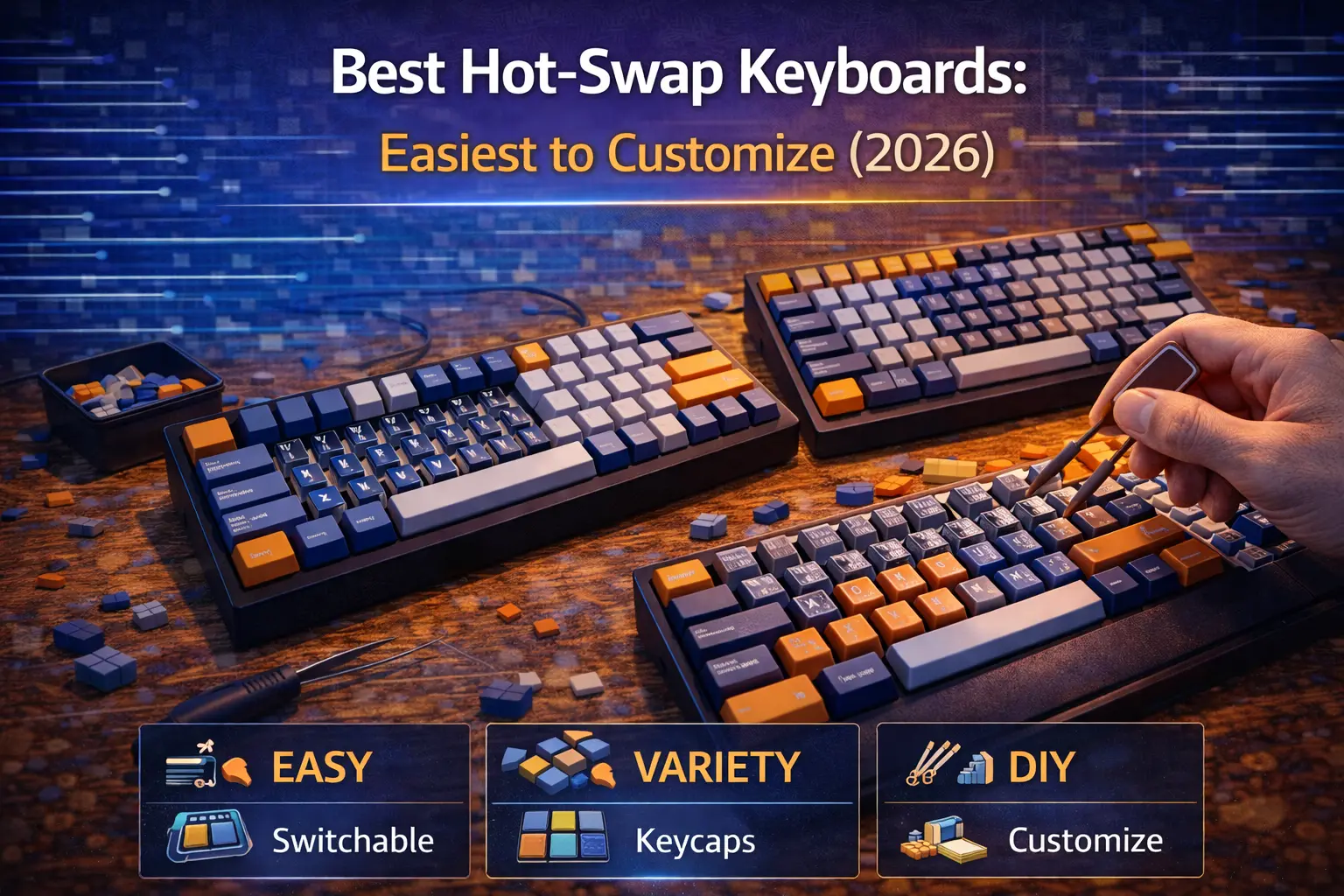
Hot-swap turned the mechanical keyboard hobby from "commit to one switch forever" to "try everything and keep what you love" — and that's genuinely exciting. A few years ago, swapping switches meant soldering iron, flux fumes, and the very real risk of trashing your PCB. Today, the best hot-swap keyboards let you pull a switch and drop in a new one in under thirty seconds, no tools required.
By 2026, hot-swap is essentially table stakes on any keyboard priced above $60. But not all hot-swap implementations are created equal. There's a massive difference between a keyboard with high-quality Kailh or Gateron sockets that accept any MX-style switch on the market, and a budget board whose proprietary Outemu sockets lock you into a handful of switch options. There's also the question of 3-pin versus 5-pin compatibility, north-facing versus south-facing LEDs, and how the mounting style affects what that switch swap will actually sound and feel like.
This guide covers the best hot-swap keyboards across every size and budget in 2026 — with verified socket specs, honest compatibility notes, and concrete switch pairing suggestions for each pick. For a deeper dive into the technology itself, our hot-swappable keyboards explained guide covers everything from the PCB level up.
Note: This guide contains affiliate links. If you purchase through our links, we may earn a commission at no extra cost to you. This helps support our in-depth testing and content creation.
What Is Hot-Swap and Why Does It Change Everything?
The concept is elegantly simple. Instead of soldering switch pins directly to the PCB, hot-swap keyboards add small spring-loaded sockets — most commonly made by Kailh or Gateron — that grip the switch pins through mechanical tension. Insert the switch, it clicks in. Use a switch puller to remove it, it comes right out. The PCB and its circuit remain entirely untouched.
The practical implications are significant. You can test a batch of tactile switches this week, swap to linears next month, and go back to your original switches if you miss them — all without damaging anything. A single defective switch can be replaced in under a minute instead of requiring a desoldering station and thirty minutes of careful work. You can even mix switch types across the board: light linears on your most-used keys, heavier tactiles on modifiers for deliberate presses. Hot-swap makes that kind of experimentation frictionless.
There are a few things worth understanding before you buy. 3-pin switches (also called plate-mount) have three metal pins. 5-pin switches (PCB-mount) have those same three pins plus two additional plastic alignment legs for stability. A keyboard with 5-pin sockets accepts both types — 3-pin switches simply leave the two outer holes empty. A keyboard with 3-pin-only sockets requires clipping those plastic legs off your 5-pin switches before installation. This is reversible but a mildly annoying extra step.
LED orientation matters more than most buyers realize. South-facing LEDs point toward the user and don't interfere with any keycap profile. North-facing LEDs point toward the top of the board, producing brighter shine-through on transparent keycaps — but physically colliding with the inner wall of Cherry profile keycaps on the home row, causing scratchy, inconsistent bottom-out. Since most quality keycap sets use Cherry profile (including all GMK sets), north-facing LEDs are a genuine compatibility concern, not just an aesthetic preference.
Finally, the Outemu socket trap. Certain budget keyboards — particularly from Redragon and Tecware — use older Outemu copper-sleeve sockets that accept only switches with thinner-than-standard pins (Outemu switches, Boba switches, and a handful of others). If you see a sub-$50 keyboard marketed as "hot-swappable" without specifying socket type, this is the first thing to verify. Spending $30 on a locked board defeats the entire purpose of going hot-swap. We flag every compatible and incompatible socket type in each recommendation below. For a broader look at keyboard switches explained, we've covered switch anatomy in detail separately.
Quick Picks: Best Hot-Swap Keyboards in 2026
| Category | Pick | Price |
|---|---|---|
| Best Overall | Keychron Q1 Pro | $$$ |
| Best Budget | Keychron V1 | $ |
| Best Premium | GMMK Pro | $$$ |
| Best 60% | GMMK 2 65% Barebones | $ |
| Best 65% | Akko 5075B Plus | $ |
| Best 75% | NuPhy Halo75 V2 | $$ |
| Best TKL | Keychron K8 Pro | $$ |
| Best Full-Size | Keychron V6 | $ |
| Best Barebones Kit | Monsgeek M1 V5 | $$ |
Best Hot-Swap Keyboards: Detailed Reviews
Keychron Q1 Pro — Best Overall Hot-Swap Keyboard
Socket type: Kailh-style hot-swap | Compatibility: 3-pin + 5-pin MX universal | LEDs: South-facing | Mount: Double gasket | Layout: 75% (84 keys) | QMK/VIA: Yes | Connectivity: Bluetooth 5.1 + USB-C | Price: $$$
The Keychron Q1 Pro is the keyboard that most consistently appears at the top of every "best hot-swap" list in 2025–2026, and for good reason: it makes almost no compromises. The full CNC 6063 aluminum case with double-gasket mounting system delivers a premium typing feel that costs twice as much to replicate with a true custom build. Kailh-style sockets support both 3-pin and 5-pin MX-style switches universally — Cherry, Gateron, Kailh, Boba, Durock, any of them work without modification. South-facing LEDs ensure complete keycap profile compatibility.
The Q1 Pro added Bluetooth 5.1 and a 4000 mAh battery on top of the already-excellent wired Q1, giving you a keyboard that works at the office, at home, and anywhere in between. QMK and VIA support means the firmware is as customizable as the switches themselves — you can remap every key, set up complex macros, and adjust RGB to your exact preferences without touching a line of code. For a full comparison of the Q series lineup, our Keychron Q series guide breaks down every variant side by side.
What makes the Q1 Pro exceptional for customization isn't any single feature — it's the combination. A premium aluminum case means the keyboard won't flex or rattle when you push in switches. The double gasket mount provides enough cushion that the switch change actually has an audible and tactile effect on the typing feel. When you drop in a new switch on a cheap tray-mount board, you might wonder if it changed anything. On the Q1 Pro, the difference is immediately obvious.
For who it's made: Anyone who wants a single keyboard they can swap switches on indefinitely, wants wireless, and doesn't want to think about whether their board is compatible with the next keycap set they buy. Not for: Anyone on a strict budget, or who wants a very compact 60% or 65% layout.
Switch recommendation: Pair it with Gateron Oil Kings for a deep, smooth linear that matches the Q1 Pro's premium sound profile, or Gazzew Boba U4Ts for a strong tactile with a satisfying thock that the aluminum case amplifies beautifully.
Keychron V1 — Best Budget Hot-Swap Keyboard
Socket type: Kailh-style hot-swap | Compatibility: 3-pin + 5-pin MX universal | LEDs: South-facing | Mount: Tray mount + silicone pad | Layout: 75% (84 keys) | QMK/VIA: Yes | Connectivity: Wired USB-C | Price: $
The Keychron V1 is the closest thing the keyboard hobby has to a perfect entry point. Depending on configuration, you get Kailh-style sockets supporting all 3-pin and 5-pin MX switches, south-facing LEDs for full keycap compatibility, and complete QMK/VIA firmware support — features that cost $150–200 on premium boards a few years ago. The ABS plastic case won't win awards for acoustics, but Keychron added a silicone dampening pad under the PCB that absorbs a meaningful amount of case resonance. This is a tray mount board, not a gasket mount, so don't expect the springy, cushioned keystroke of the Q series — but for the price, the typing feel is genuinely impressive.
South-facing LEDs on a board this affordable deserve specific mention. At this price point, many competitors cut corners by going north-facing for brighter RGB in photos and spec sheets. Keychron kept them south-facing, which means any Cherry profile keycap set you buy — GMK, Signature Plastics, Domikey — will work without interference. That's a meaningful long-term investment in compatibility. The V1 Max variant upgrades to wireless connectivity and a true gasket mount for those who want the next step up without reaching Q-series prices.
If the 75% layout doesn't suit you, the V series covers almost every size: V3 for TKL, V5 for 96%, V6 for full-size — all with the same socket, LED orientation, and firmware support. The V series is one of the most straightforward product lines in the hobby, which is part of what makes it easy to recommend without reservation. Pairing it with quality switches immediately reveals how much of a board's character comes from the switches themselves rather than the case. You can get a look at how the V1 compares to other Keychron options in our brand comparison guide.
For who it's made: First-time hot-swap buyers, anyone who wants to experiment with switches without spending $200 on the chassis, and writers or office workers who want QMK programmability at a reasonable price. Not for: Anyone who insists on wireless, or who wants the premium acoustic feel of a gasket mount.
Switch recommendation: This is the perfect board to pair with budget switches. Akko V3 Cream Yellow Pro switches deliver a warm, thocky linear that far outperforms their affordable price. For tactile fans on a budget, check out our best budget linear switches guide for more options.
GMMK Pro — Best Premium Hot-Swap Barebones
Socket type: Kailh-style hot-swap | Compatibility: 3-pin + 5-pin MX universal | LEDs: South-facing | Mount: Gasket (Poron strips) | Layout: 75% (84 keys) | QMK/VIA: Yes | Connectivity: Wired USB-C | Price: $$$ barebones
The GMMK Pro is the keyboard that proved the enthusiast-grade hot-swap experience didn't have to cost $500. When it launched, a CNC aluminum chassis with gasket mounting and 5-pin hot-swap at a barebones price was genuinely revolutionary. Several years on, it remains one of the best customization platforms available — and the price has only become more competitive as the market matured.
Kailh-style sockets support the full MX switch ecosystem, and the south-facing LED configuration (a notable advantage over the later GMMK 2) means Cherry profile keycaps seat perfectly. The gasket system uses Poron dampening strips rather than the multi-layer silicone gaskets of the Keychron Q series, producing a slightly firmer feel with less bounce — some typists prefer this, particularly those who find heavily gasket-mounted boards too mushy. Being sold barebones means you bring your own switches and keycaps, which drives down the entry price while giving you complete control over the final sound and feel. For anyone interested in the full modding potential of a build like this, pairing it with well-lubed switches makes an enormous difference — our how to lube switches guide covers the technique from start to finish.
The GMMK Pro's one significant gap is wireless — it's wired-only, which the Keychron Q1 Pro addresses directly. If you type at a fixed desk and never move the keyboard, this is irrelevant. The GMMK Pro also benefits from a large modding community and wide third-party support for replacement plates (PC, FR4, brass) that meaningfully change the acoustic profile. For a detailed comparison between Glorious, Keychron, and Drop as brands, see our Keychron vs GMMK vs Drop guide.
For who it's made: Enthusiasts who want a premium modding platform and plan to install their own switches and keycaps, and don't need wireless. Not for: Beginners who want a ready-to-use keyboard out of the box.
Switch recommendation: The GMMK Pro's aluminum case amplifies switch character more than a plastic board. Gateron Oil Kings give you a deep, polished linear. For tactile, Boba U4Ts are an exceptional match — the strong bump and thocky return reward the gasket mount's cushioning.
Akko 5075B Plus — Best 65% Hot-Swap Keyboard
Socket type: Standard MX hot-swap | Compatibility: 3-pin + 5-pin MX universal | LEDs: South-facing | Mount: Gasket (silicone gaskets + IXPE pads) | Layout: 75% (81 keys) | QMK/VIA: No (Akko Cloud Driver) | Connectivity: Tri-mode wireless | Price: $
The Akko 5075B Plus represents the best value-to-feature ratio in the current hot-swap market, and it isn't particularly close. You get gasket mounting with silicone gaskets and IXPE switch pads, tri-mode wireless (Bluetooth 5.0, 2.4 GHz, USB-C), a 3000 mAh battery, south-facing LEDs, and MX hot-swap sockets that accept both 3-pin and 5-pin switches — a feature set that commanded $150+ just a couple of years ago. The double-shot ASA profile PBT keycaps included are genuinely good for the price, and a volume knob adds functional utility that most budget boards skip.
The only meaningful compromise is firmware: the 5075B Plus does not support QMK or VIA, relying instead on Akko's proprietary Cloud Driver software. For most users this won't matter — the software covers all standard remapping and macro functionality. But if you're planning to run complex QMK features, custom lighting effects beyond what Akko's app supports, or need a specific firmware compatibility, look at the Keychron V1 Max instead. The 3000 mAh battery also delivers more modest wireless endurance than competitors — expect two to three weeks of typical use on 2.4 GHz rather than the month-plus figures some competitors quote.
What Akko has built here is a genuinely no-excuses recommendation for anyone who wants to understand what hot-swap and switch customization actually feel like without committing serious money to a first board. The gasket mount means that when you swap from the included switches to something with more tactility or a different sound signature, you'll actually hear and feel the difference — which is the whole point. Understanding keyboard size differences can help you decide between the 5075B Plus and a smaller or larger layout.
For who it's made: Budget-conscious buyers who want wireless and gasket mounting, complete beginners, and anyone upgrading from a membrane board who wants to experiment with switches. Not for: Firmware enthusiasts who need QMK, or anyone who needs more than ~3 weeks of wireless battery life.
Switch recommendation: The ASA profile keycaps that ship with the 5075B Plus are on the taller side, which rewards switches with a slightly heavier tactile bump. Try Akko CS Matcha Green linears for a smooth, quick feel, or Akko V3 Cream Blue Pro for a satisfying clicky experience. Our best clicky switches guide has more options if that's your direction.
NuPhy Halo75 V2 — Best 75% Wireless Hot-Swap
Socket type: Standard MX hot-swap | Compatibility: 3-pin + 5-pin MX universal | LEDs: South-facing | Mount: PCB gasket | Layout: 75% (83 keys) | QMK/VIA: Yes | Connectivity: Tri-mode wireless | Price: $$
The NuPhy Halo75 V2 is the board for buyers who want the Keychron Q1 Pro's premium feature set at a meaningfully lower price. Full PCB gasket mount, south-facing LEDs, universal 3-pin and 5-pin MX hot-swap sockets, QMK and VIA firmware support, and tri-mode wireless (Bluetooth, 2.4 GHz, USB-C) in an aluminum top case with ABS bottom. Several major reviews, including Tom's Guide and Tom's Hardware, noted that the Halo75 V2 outperforms the GMMK Pro on acoustic quality despite costing less.
The NuPhy signature design includes the "halo" RGB underglow ring visible through the frosted bottom case, which gives the board a distinctive aesthetic that justifies recommending it to buyers who care about how a keyboard looks as much as how it types. The six-piece sound dampening stack — PCB foam, plate foam, switch pad, and case foam working together — produces a quiet, full sound profile even with relatively inexpensive switches. This is a board where the sum of the acoustic engineering is noticeably greater than the individual parts.
QMK and VIA support is full and uncompromised, which separates the Halo75 V2 from similarly-priced competitors like the Akko 5075B Plus. If you're planning to do anything interesting with keyboard firmware and remapping, the Halo75 V2 doesn't limit you. The mounting style — PCB gasket rather than the top-mounted or case-mounted gasket designs on some competitors — provides excellent flex consistency and a satisfying, consistent keystroke regardless of where you press on the board.
For who it's made: Buyers who want wireless, QMK, and a premium acoustic experience under $150 — the sweet spot between the Keychron V series and the Q Pro series. Not for: Anyone who needs a compact layout (60% or 65%), or who prefers typing on a harder, less flexible surface.
Switch recommendation: The Halo75 V2's dampening stack is forgiving enough to make almost any switch sound good, but it particularly rewards tactile switches with a pronounced bump. Boba U4Ts are the obvious recommendation — the U4T's thocky bottom-out pairs beautifully with the foam dampening. For linear lovers, see our best linear switches guide for current top picks.
Keychron K8 Pro — Best Hot-Swap TKL
Socket type: Kailh-style hot-swap | Compatibility: 3-pin + 5-pin MX universal | LEDs: South-facing | Mount: Tray mount | Layout: TKL (87 keys) | QMK/VIA: Yes | Connectivity: Bluetooth 5.1 + USB-C | Price: $$
For anyone who relies on the function row and number pad for work but doesn't want a full-size board, the tenkeyless layout remains the practical sweet spot — and the Keychron K8 Pro is the best hot-swap TKL available without venturing into $200+ premium territory. Kailh-style sockets supporting all 3-pin and 5-pin MX switches, south-facing LEDs, Bluetooth 5.1 with a 4000 mAh battery, and full QMK/VIA support cover every meaningful checkbox on a hot-swap shopping list.
The K8 Pro comes in both ABS plastic and aluminum frame variants, with the aluminum frame adding weight and rigidity that noticeably improves typing feel. One important purchasing note: the K8 Pro is available in both hot-swappable and soldered versions — the product listings are visually similar, so verify you're selecting the hot-swappable SKU before checkout. The layout itself is standard TKL ANSI, meaning keycap compatibility is essentially universal — any full keycap set will fit without modification. Our keyboard size guide has more context on TKL versus other layouts if you're deciding between sizes.
The tray mount delivers a firmer, crisper keystroke than a gasket board — some typists, particularly those who prefer a snappier tactile feel, actively prefer this. If gasket mount is a priority at TKL size, the Keychron Q3 Pro SE steps up to the same double-gasket design as the Q1 Pro at a higher price, but for most buyers the K8 Pro's tray mount is a perfectly reasonable typing experience, especially when paired with well-chosen switches.
For who it's made: TKL loyalists who want wireless and full QMK customization under $110. Not for: Anyone who wants a gasket mount at TKL size without the Q3 Pro's higher price tag.
Switch recommendation: Tray mount boards tend to produce a higher-pitched sound than gasket boards. Counter this with a heavier, deeper switch. Gateron Oil Kings drop the pitch significantly, or try Gateron Yellow as a budget-friendly linear if you want the same direction at a lower cost. For quiet office use, our silent switches guide covers the best options for the K8 Pro.
Keychron V6 — Best Full-Size Hot-Swap Keyboard
Socket type: Kailh-style hot-swap | Compatibility: 3-pin + 5-pin MX universal | LEDs: South-facing | Mount: Tray mount + silicone pad | Layout: Full-size (108 keys) | QMK/VIA: Yes | Connectivity: Wired USB-C | Price: $
Full-size hot-swap keyboards with good socket compatibility are surprisingly rare — most brands prioritize compact layouts for their premium lines. The Keychron V6 delivers the full 108-key layout with Kailh-style sockets accepting all 3-pin and 5-pin MX switches, south-facing LEDs, and QMK/VIA support, at a price point that undercuts nearly every competitor in its category. The fact that the knob-less version still includes all of these features at such a low price is frankly remarkable.
The V6 is unambiguously a budget board — ABS plastic case, tray mount, and a silicone dampening pad as the primary acoustic treatment. But if you need a numpad and can't tolerate the compromises of a smaller layout, this is the correct recommendation. It handles the hot-swap fundamentals correctly, supports any switch on the market, and the QMK firmware means you're not trading away programmability for the full layout. The full-size layout also means keycap sets are readily available at every price point, and stabilizer modding is straightforward given the open board design.
For who it's made: Power users who need a numpad and won't compromise on it, data entry professionals, and anyone who wants a hot-swap full-size keyboard without spending $150+. Not for: Anyone who wants wireless, gasket mounting, or premium build quality on a full-size layout (the options are much more limited and expensive in that category).
Switch recommendation: On a full-size board, comfort matters over long typing sessions. Consider Akko V3 Cream Yellow Pro for a light, low-fatigue linear, or explore our best tactile switches guide if you prefer feedback on each keypress.
Monsgeek M1 V5 — Best Hot-Swap Barebones Custom Kit
Socket type: Standard MX hot-swap | Compatibility: 3-pin + 5-pin MX universal | LEDs: South-facing | Mount: Gasket | Layout: 75% (84 keys) | QMK/VIA: Yes (VIA version) | Connectivity: Wired + wireless options | Price: $$ barebones
Monsgeek is KBDfans' consumer brand, and the M1 V5 is the most compelling barebones hot-swap value in the 2025–2026 market. Full CNC aluminum case, gasket mounting, polycarbonate plate, south-facing LEDs, and MX hot-swap sockets accepting all 3-pin and 5-pin switches — at an affordable barebones price. For context, keyboards with these specs from most brands start at $150. The V5 revision added tool-free rapid disassembly (the top and bottom snap apart without a screwdriver), making switch testing and plate swaps genuinely faster than on any other board in this price range.
Being sold barebones means you're buying the case, PCB, and plate — no switches, no keycaps. This requires purchasing those separately, which adds $15–50 to your total cost depending on switch choice. But it also means the board you end up with is entirely your own specification: you pick the exact switch and keycap combination rather than accepting whatever a brand chose to bundle. This is the correct starting point for a custom mechanical keyboard build on a limited budget. The M1 V5's aluminum case and gasket mount also serve as a revealing test bed — when you swap between switch types, the acoustic difference is immediately obvious in a way that cheaper plastic boards can obscure. Our gasket mount vs tray mount guide explains why mounting style has such a pronounced effect on how switch changes are perceived.
The TMR variant of the M1 V5 is worth mentioning for gaming-focused buyers: it adds Hall Effect magnetic switch compatibility alongside standard MX sockets, enabling rapid trigger and adjustable actuation features that traditional mechanical switches don't support.
For who it's made: Enthusiasts who want to build their own keyboard from the switch and keycap level up, without the $200+ cost of premium custom options. Not for: Anyone who wants a ready-to-use keyboard — barebones means finishing the build yourself.
Switch recommendation: The aluminum case and gasket mount on the M1 V5 make it an excellent platform for audio experimentation. Akko Rosewood switches (40gf linear, ultra-light) have become a community favorite specifically on Monsgeek builds for their warm, thocky character. For tactile, Boba U4Ts reward the gasket mount flex beautifully.
GMMK 2 (65%) — Best Budget 65% Hot-Swap
Socket type: Kailh-style hot-swap | Compatibility: 3-pin + 5-pin MX universal | LEDs: North-facing ⚠️ | Mount: Tray mount | Layout: 65% (68 keys) | QMK/VIA: Yes | Connectivity: Wired USB-C | Price: $$
The GMMK 2 is the most accessible entry point into a proper aluminum-accented hot-swap 65% keyboard, and the Kailh-style sockets that accept all 3-pin and 5-pin MX switches are exactly what you want at this price. QMK and VIA support is full and unrestricted. The included switches and double-shot keycaps bring it to a usable state out of the box, which the barebones GMMK Pro doesn't.
One critical caveat that must be understood before purchasing: the GMMK 2 uses north-facing LEDs. This means Cherry profile keycaps — including all GMK sets, most Signature Plastics sets, and the majority of popular enthusiast keycap options — will physically interfere with the switch housing on the home row. If your plan is to eventually replace the stock keycaps with a premium Cherry profile set, the GMMK 2 will disappoint you. The workaround exists (switches with long poles, box-style switches, or simple O-rings under keycaps) but it's an annoying limitation that the GMMK Pro, Q series, and V series don't impose. If Cherry profile keycap compatibility is important to you, the Keychron V1 costs less and uses south-facing LEDs. The GMMK 2 is the right call specifically if: you want a 65% layout, you plan to keep the stock keycaps or use XDA/SA profile sets that don't experience north-facing interference, and you want to take advantage of the switch hot-swap at a budget price.
For who it's made: 65% layout enthusiasts who plan to primarily swap switches rather than keycaps, and who value QMK access at a budget price. Not for: Anyone planning to install Cherry profile keycap sets, or anyone who needs wireless connectivity.
Switch recommendation: Given the north-facing LED limitation, lean into switches where the LED shines directly through the transparent stem housing for best effect. Gateron Milky Yellow V3 linears let RGB through beautifully and deliver an excellent smooth feel for gaming.
Epomaker TH80 Pro — Best Budget Wireless Barebones
Socket type: Standard MX hot-swap | Compatibility: 3-pin + 5-pin MX universal | LEDs: South-facing | Mount: Gasket (limited flex) | Layout: 75% (80 keys) | QMK/VIA: No (proprietary driver) | Connectivity: Tri-mode wireless | Price: $ (barebones)
If you want a wireless barebones hot-swap platform under $90 and the Akko 5075B Plus doesn't appeal (it ships pre-assembled), the Epomaker TH80 Pro is the answer. South-facing LEDs, standard MX hot-swap sockets for all 3-pin and 5-pin switches, a 4000 mAh battery with tri-mode wireless, and gasket mounting in a compact 75% footprint — all at a price that most wireless barebones can't match. The gasket mounting is present but reviews note it's less flexible than the Q series or Monsgeek M1 V5, delivering more of a "gasket-adjacent" feel than true bounce.
The firmware is the compromise: Epomaker uses its own proprietary driver rather than QMK or VIA. This covers standard remapping and lighting control but can't run complex QMK features. For most buyers this won't be a dealbreaker — the reason you're buying a hot-swap barebones is to experiment with switches, not to write custom firmware. The newer TH80 V2 Pro adds VIA support alongside a 10,000 mAh battery upgrade and a small display, which is worth considering if these additions justify the price step for your use case. This board is an excellent starting point for anyone building their first hot-swap keyboard with a focus on choosing the right switches from scratch.
For who it's made: Budget-conscious builders who want a wireless barebones platform to customize with their own switches, and who don't require QMK/VIA. Not for: Firmware enthusiasts, or anyone who wants the maximum gasket flex in this price range.
Switch recommendation: South-facing LEDs mean you have total freedom here. Gateron Milky Yellow Pro is the classic budget linear pairing, delivering excellent smoothness at a budget-friendly per-switch price. For silent office use, see our silent switches guide for the top picks.
How to Change Switches on a Hot-Swap Keyboard
Swapping switches is one of the most satisfying things you can do in this hobby, and it genuinely takes less than five minutes once you've done it once. Here's what you need and how to do it.
What you'll need: A switch puller (usually included with the keyboard, or inexpensive on Amazon) and a keycap puller to access the switches. That's it. No screwdrivers, no soldering equipment, no technical experience required.
The process, step by step: Start by pulling the keycap off the switch you want to change using the keycap puller. Place the two metal prongs of the switch puller into the small notches on either side of the switch — these are specifically designed for this purpose. Squeeze the puller to compress the latch clips and pull straight up with steady, even force. The switch will release cleanly. Take your new switch and inspect the pins: if it's a 5-pin switch and your board has 3-pin sockets, clip the two plastic legs with flush cutters before inserting. Insert the new switch straight down, aligning the pins with the socket holes, and press firmly until you feel it click into place. Reinstall the keycap.
The critical mistakes to avoid: Never insert a switch at an angle — this is how you bend pins and, worse, rip a socket off the PCB. Always support the PCB from behind when pressing in switches if you can access it. Never force a switch that isn't aligning — remove it, check the pins, straighten any bent ones, and try again. A bent pin inserted under force will damage the socket. For a 5-pin switch that won't seat in a 3-pin socket: cut the plastic legs, don't try to force them in.
This guide intentionally keeps the how-to brief. For a full visual walkthrough with photos of the switch puller technique and common error cases, link to a dedicated tutorial for deeper guidance.
Hot-Swap Sockets: Understanding Compatibility
Not every hot-swap socket is equal, and understanding the differences protects you from the most common mistake in the hobby: buying a budget board that locks out 90% of the switch market.
Kailh sockets (model CPG151101S11) are the industry standard, used by Keychron, Drop, Glorious, and most quality boards. The leaf-spring design grips any standard MX switch pins with consistent force. First-generation Kailh sockets are rated for approximately 100 insertion cycles — a number that sounds alarming until you do the math. At five full switch swaps per year, that's a 20-year lifespan. Newer second-generation Kailh sockets extend this significantly. Kailh sockets are compatible with all MX-style 3-pin and 5-pin switches universally.
Gateron sockets work on the same principle as Kailh and are fully compatible with the same switch ecosystem. The original Gateron socket matches Kailh's rating, but the Gateron 2.0 socket is a genuine advancement — rated for 50,000+ cycles with a four-point elastic connection system, lower contact resistance, and improved structural rigidity. As Gateron 2.0 sockets appear in more boards, they're worth looking for specifically.
The Outemu socket problem. Older Outemu copper-sleeve sockets use narrow circular tubes instead of leaf springs. Because Cherry, Gateron, and Kailh switches have slightly wider metal pins than Outemu switches, they physically cannot enter these sockets without damaging them. Keyboards with old-style Outemu sockets — primarily cheap Redragon and Tecware boards — are essentially locked to Outemu switches and the handful of other brands (Boba, certain Akko models) that use compatible thin pins. Newer-generation Outemu MX sockets use a universal design that resolves this, but the old copper-sleeve type is still prevalent in sub-$40 boards. If the socket type isn't specified on a budget board's product page, treat it as an Outemu-only risk until verified.
3-pin vs. 5-pin: The two extra legs on 5-pin switches are plastic, carry no signal, and exist only for mechanical stability in the socket. A 5-pin switch in a 5-pin PCB won't wobble or rotate; a 3-pin switch in the same PCB works fine but has marginally more play. Converting a 5-pin switch to function in a 3-pin PCB requires clipping the plastic legs — an irreversible but harmless modification. All keyboards in this roundup support both formats.
South-facing vs. north-facing LEDs aren't a switch compatibility issue — they affect keycap compatibility. On north-facing boards, the LED housing physically collides with the inner edge of Cherry profile keycap stems on the home row, preventing full keystroke travel and causing inconsistent feel. South-facing boards have no such issue. If you're spending money on premium PBT keycaps or Cherry profile keycap sets, verify your board is south-facing first.
Barebones vs. Pre-Assembled: Which Should You Choose?
Barebones keyboards ship with the case, PCB, and plate. No switches, no keycaps — you source those separately. The advantages are real: lower upfront cost on the chassis, complete control over the switch and keycap choice, and the ability to optimize for exactly the sound and feel profile you want. The tradeoff is that you need to understand what switches and keycaps you're buying, which requires a modest amount of research. Total cost is usually $80–150 for a barebones board plus switches and keycaps, versus $100–200 for a comparable pre-built. The custom mechanical keyboard guide covers the full build process in detail.
Pre-assembled keyboards include switches and keycaps, ready to use immediately. You can still swap the switches whenever you want — that's the point of hot-swap. The included switches are rarely the most exciting options on the market, but they're typically functional enough to get started while you research what you actually want to install. Pre-assembled boards also give beginners a useful baseline: you know exactly what stock feels like before you start changing things.
The verdict: If you're new to the hobby and aren't sure what kind of switch you'll prefer, go pre-assembled. You'll have something to type on while you learn. If you already know your switch preference — or if you want a premium chassis at the lowest possible price — go barebones and build it exactly the way you want. The hot-swap socket makes the choice reversible either way.
FAQ
What does hot-swap mean on a keyboard?
Hot-swap means the keyboard's PCB has spring-loaded sockets instead of soldered switch pins. This lets you insert and remove switches by hand without any soldering equipment — the socket mechanically grips the switch pins through tension. The term comes from server hardware terminology (hot-swapping components while a system is running), but in keyboard context it simply means tool-free switch replacement.
Can I put any switch in a hot-swap keyboard?
On a keyboard with Kailh or Gateron sockets that support 3-pin and 5-pin switches — which describes every board in this roundup — yes, you can use any MX-style switch on the market. Cherry, Gateron, Kailh, Boba, Durock, Novelkeys, Akko, Gazzew, and hundreds of others are all compatible. The exception is if you have a board with old-style Outemu copper-sleeve sockets, which accept only switches with thinner-than-standard pins. Always verify socket type before purchasing a budget board.
Are hot-swap keyboards good for gaming?
Yes, and arguably better than soldered keyboards for gaming specifically. The ability to swap to a lighter linear switch for faster actuation — or to a heavier switch if you're prone to accidental keypresses — without replacing the entire keyboard is a meaningful advantage. Gasket-mounted hot-swap boards also tend to produce a softer landing that reduces finger fatigue during long sessions. The only gaming-specific caveat is that Hall Effect magnetic switches (for rapid trigger features) require a compatible HE PCB — standard MX hot-swap sockets don't support magnetic switches.
How many times can you swap switches on a hot-swap keyboard?
First-generation Kailh and original Gateron sockets are rated for approximately 100 insertion cycles per socket. At five full switch swaps per year, that's 20 years per socket. In practice, the solder joint holding the socket to the PCB typically fails before the spring mechanism does, and this usually results from incorrect insertion technique (angling the switch, forcing misaligned pins) rather than normal use. Gateron 2.0 sockets raise the rating to 50,000+ cycles, essentially eliminating durability as a concern.
Is hot-swap better than soldered?
For most users in 2026, yes. The ability to change switches without desoldering outweighs any marginal electrical connection advantage that soldered switches theoretically provide. Direct solder joints are more secure and have zero insertion play, but in practice, a properly inserted switch in a quality Kailh or Gateron socket performs identically for typing and gaming purposes. The only scenario where soldered is definitively better is if you've finalized your exact switch choice forever and want to eliminate any theoretical instability — which is a very small category of users.
What are the best switches to put in a hot-swap keyboard?
It depends on your preference, but the community consensus picks for 2026 are: Gateron Oil Kings for premium linear (deep, smooth, pre-lubed), Gazzew Boba U4T for best-in-class tactile (strong bump, excellent sound), and Akko V3 Cream Yellow Pro for best budget linear (warm, thocky, and very affordable per switch). For a comprehensive breakdown, see our guides on best linear switches, best tactile switches, and best clicky switches.
Conclusion
Hot-swap is no longer a premium feature — it's the baseline expectation for any keyboard worth buying in 2026. But the quality of the implementation matters enormously, and socket type, LED orientation, and mounting style are the specs that actually determine whether your customization experience is great or frustrating.
If we had to pick one board for most people, it's the Keychron Q1 Pro. It gets every detail right: universal 5-pin MX sockets, south-facing LEDs, double gasket mount, wireless, and QMK/VIA. For budget buyers, the Keychron V1 or Akko 5075B Plus deliver the core hot-swap experience without the premium price. And for enthusiasts who want to build from scratch, the Monsgeek M1 V5 barebones remains the best aluminum-to-dollar ratio in the market.
The best part of owning a hot-swap keyboard isn't the first switch swap — it's the tenth one, when you've learned enough about your own preferences to know exactly what you want. Ready to start? Use our keyboard configurator to find the combination of board, switches, and keycaps that matches your typing style.