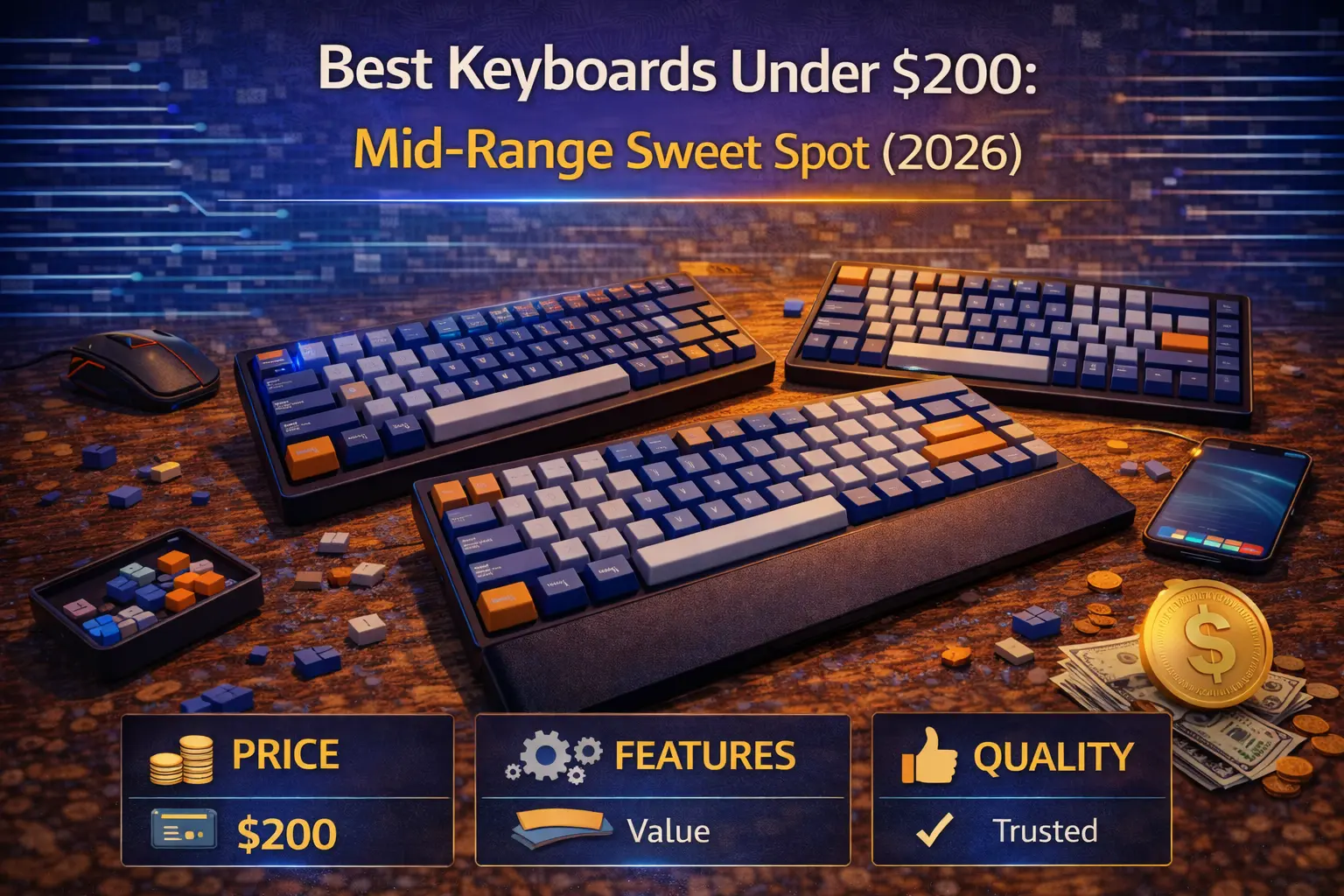
The $100–$200 price range is the mechanical keyboard sweet spot in 2026. Boards in this bracket now deliver features that demanded $300 or more just three years ago: CNC aluminum cases, gasket mounting, universal hot-swap sockets, QMK/VIA programmability, and south-facing LEDs — all in one box, ready to type on out of the gate.
Spend less than $100 and you'll find impressive budget boards, but they still cut corners on case materials, mounting systems, and software. Spend more than $200 and you enter the land of diminishing returns — beautiful CNC finishes and limited-run group buys that look exquisite but don't type meaningfully better. The mid-range is where smart money goes.
Competition between Keychron, Monsgeek, NuPhy, and others means the $200 you spend today buys dramatically more than it did even two years ago. Features are trickling down fast, and the arms race benefits you directly. We researched every major contender to identify the best keyboard under $200 across every layout and use case. Whether you type code all day, game competitively, or want a gorgeous 65% for your desk setup, this guide names a clear winner in each category — with verified prices and real specs. Need help choosing a keyboard size first? Start with our mechanical keyboard buying guide for the fundamentals.
Note: This guide contains affiliate links. If you purchase through our links, we may earn a commission at no extra cost to you. This helps support our in-depth testing and content creation.
What your $200 should actually buy in 2026
The mid-range keyboard market has matured fast. Here is what your money should deliver — and what you should refuse to settle for — between $100 and $200.
Build quality means aluminum. A CNC-machined aluminum case transforms sound, adds desk-anchoring weight, and lasts for years. At this price, expect a full metal body — not just an aluminum top plate screwed onto a plastic tub. If a keyboard above $150 ships in all-plastic, skip it.
Gasket mounting is non-negotiable. A gasket mount isolates the typing plate from the case using silicone or Poron gaskets, producing a softer, more even keystroke across the entire board. Tray mount creates stiff, pingy typing with uneven flex. It's acceptable under $80. Above that, it's a dealbreaker.
Hot-swap must be universal. Your board should accept any standard MX switch through 5-pin hot-swap sockets. If it only supports Outemu or a proprietary format, your upgrade path is limited. Swapping switches is half the fun of the hobby.
Open-source firmware is a must. QMK/VIA support lets you remap every key, create layers, set macros, and customize RGB through community-maintained tools — not proprietary software that may be abandoned next year. This is standard at $150 and you should demand it.
South-facing LEDs prevent interference with Cherry-profile keycaps, the most popular aftermarket profile. North-facing LEDs cause the keycap stem to collide with the switch housing on bottom-out, creating an unpleasant clack and limiting keycap compatibility.
PBT keycaps are baseline. Double-shot PBT resists shine and feels textured under your fingers. Thin ABS is a budget compromise you should not accept above $100.
Bonus features now common under $200 include tri-mode wireless connectivity (Bluetooth, 2.4 GHz, USB-C), rotary encoders, multi-layer foam dampening, and polycarbonate plates tuned for a deeper, softer sound signature.
Quick comparison of every pick
| Category | Keyboard | Layout | Price | Hot-Swap | QMK/VIA | Wireless |
|---|---|---|---|---|---|---|
| Best Overall | Keychron Q1 Pro | 75% | $$$ | Yes (5-pin) | Yes | Bluetooth 5.1 |
| Best Gaming | Keychron K2 HE | 75% | $$ | Hall Effect | Yes (Launcher) | Tri-mode |
| Best Typing | Keychron Q3 Pro SE | TKL+ | $$$ | Yes (5-pin) | Yes | Bluetooth 5.1 |
| Best 65% | Keychron Q2 Pro | 65% | $$ | Yes (5-pin) | Yes | Bluetooth 5.1 |
| Best 75% | NuPhy Halo75 V2 | 75% | $$ | Yes (5-pin) | Yes | Tri-mode |
| Best TKL | Monsgeek M3W | TKL | $$ | Yes (5-pin) | VIA | Tri-mode |
| Best Wireless | Monsgeek M1W V3 VIA | 75% | $$ | Yes (5-pin) | VIA | Tri-mode |
| Best Value | Monsgeek M1W V3 VIA | 75% | $$ | Yes (5-pin) | VIA | Tri-mode |
Yes, Keychron dominates this list. That's because no other brand matches their combination of aluminum construction, double-gasket mounting, and QMK/VIA support across 65%, 75%, and TKL layouts — all under $200. Monsgeek and NuPhy earn their spots by offering exceptional alternatives that beat Keychron on wireless and value. When comparing brands at this price, these three consistently outperform the competition.
Keychron Q1 Pro — Best overall under $200
Layout: 75% (82 keys) | Switches: Keychron K Pro Red/Brown/Banana | Mount: Double-gasket | Case: CNC 6063 aluminum | Hot-swap: Yes, universal 5-pin | QMK/VIA: Yes | LEDs: South-facing RGB | Keycaps: KSA double-shot PBT | Connectivity: Bluetooth 5.1 + USB-C | Weight: 1.74 kg | Budget: $$$
The Keychron Q1 Pro is the best keyboard under $200 — full stop. It packages a full CNC 6063 aluminum body with Keychron's double-gasket mounting system, which places silicone pads between the plate and the case and between the top and bottom housing. The result is a typing experience with genuine flex and cushion that no tray-mount board can replicate. For a full breakdown of how this model fits within the lineup, see our Keychron Q Series guide.
What elevates the Q1 Pro beyond other aluminum 75% boards is the flexible polycarbonate plate. Where aluminum plates produce a sharper, stiffer keystroke, the PC plate creates a deeper, softer sound signature that reviewers consistently describe as "bouncy." PCWorld called it "simply unbeatable," and Windows Central asked, "Why would you buy anything else?" We agree. The included KSA-profile PBT keycaps feel sculpted and textured, and the aluminum rotary knob handles volume, brightness, or any custom function you assign through VIA.
Compared to an $80 keyboard, the Q1 Pro delivers dramatically superior build quality, sound dampening, and customization potential. The gasket mount, south-facing LEDs, and QMK/VIA support are features budget boards simply don't offer together. Against $300+ custom builds, you sacrifice only top-tier CNC precision and exotic materials like brass weights — the actual typing and sound quality sits within striking distance of boards costing twice as much.
The only real compromise is wireless: Bluetooth 5.1 handles productivity well but lacks the 2.4 GHz low-latency connection gamers prefer. If wireless gaming performance matters, look further down this list. For everyone else — writers, programmers, enthusiasts who value tactile switches and a premium typing feel — this is the keyboard we'd buy with our own money.
Keychron K2 HE — Best for gaming under $200
Layout: 75% (84 keys) | Switches: Gateron Double-Rail Hall Effect | Mount: Tray mount | Case: Aluminum frame + plastic core | Hot-swap: Yes (magnetic Hall Effect) | QMK/VIA: Yes (Keychron Launcher) | LEDs: South-facing RGB | Keycaps: Cherry-profile double-shot PBT | Connectivity: Bluetooth 5.2 + 2.4 GHz + USB-C | Weight: 965 g | Budget: $$
Hall Effect switches are the single biggest competitive gaming upgrade in 2026, and the Keychron K2 HE brings them to the mid-range — far below what most magnetic-switch keyboards command.
The Gateron double-rail Hall Effect switches support adjustable actuation from 0.2 mm to 3.8 mm with 0.1 mm precision, plus Rapid Trigger for instant key release. Faster counter-strafing in shooters, more responsive movement in any fast-paced game, and the ability to tune each key's sensitivity to your play style. For understanding how these differ from traditional mechanical switches, the difference is like going from a fixed-speed bicycle to one with full gearing — same basic input, dramatically more control.
The K2 HE makes smart trade-offs to hit its price. The case uses an aluminum frame around a plastic core — necessary for strong wireless signal transmission — and the mounting is tray-style rather than gasket. You won't get the same premium sound or flex as the Q1 Pro. But for gaming, switch performance matters more than case resonance, and the K2 HE delivers 1,000 Hz polling over both wired USB-C and its 2.4 GHz connection with a 4,000 mAh battery rated at up to 240 hours.
An $80 gaming keyboard gives you standard mechanical switches with fixed actuation points. The K2 HE's adjustable actuation and Rapid Trigger are genuine competitive advantages that budget boards cannot replicate. Meanwhile, $300+ Hall Effect boards like the Wooting 80HE offer marginally better build quality but fundamentally identical switch technology. If fast linear switches and rapid response are your priority, the K2 HE is the value king of competitive gaming.
Keychron Q3 Pro SE — Best for typing under $200
Layout: TKL with 4 macro keys (87+ keys) | Switches: Keychron K Pro Red/Brown/Banana | Mount: Double-gasket | Case: CNC 6063 aluminum | Hot-swap: Yes, universal 5-pin | QMK/VIA: Yes | LEDs: South-facing RGB | Keycaps: KSA double-shot PBT | Connectivity: Bluetooth 5.1 + USB-C | Weight: 1.9 kg | Budget: $$$
The TKL layout has been the typist's standard for decades — full navigation cluster, dedicated function row, and enough desk space for comfortable mouse placement. The Keychron Q3 Pro SE takes that classic layout and wraps it in the same premium double-gasket aluminum construction that makes the Q1 Pro outstanding, then adds dedicated macro keys for productivity.
The "SE" (Special Edition) places four programmable keys on the left side and repositions the rotary knob to the upper left. For writers, coders, and productivity users, those macro keys become layer toggles, app launchers, or media controls — quality-of-life shortcuts that make a keyboard feel purpose-built for your workflow. Full QMK/VIA programmability means every single key does exactly what you need.
Typing feel is where the Q3 Pro SE earns its category win. The double-gasket system combined with the polycarbonate plate produces a softened, even keystroke across the entire typing surface. At nearly 2 kg, this board plants itself on your desk. The KSA-profile double-shot PBT keycaps have a sculpted, textured feel that rewards long typing sessions — pair them with the included K Pro Banana tactile switches for a satisfying bump on every keystroke.
Against budget TKL options, the Q3 Pro SE offers vastly superior sound dampening, build rigidity, and programmability. Compared to $300+ typing boards, you sacrifice exotic plate materials and boutique-level CNC tolerances — differences only a handful of people would notice during a blind typing test. If you prefer a 75% layout over TKL to save desk space, the Q1 Pro delivers the same core typing experience in a smaller footprint.
Keychron Q2 Pro — Best 65% under $200
Layout: 65% (68 keys) | Switches: Keychron K Pro Red/Brown/Banana | Mount: Double-gasket | Case: CNC 6063 aluminum | Hot-swap: Yes, universal 5-pin | QMK/VIA: Yes | LEDs: South-facing RGB | Keycaps: KSA double-shot PBT | Connectivity: Bluetooth 5.1 + USB-C | Weight: 1.56 kg | Budget: $$
The 65% layout strips away the function row and numpad while keeping dedicated arrow keys and a slim navigation column. It is the smallest layout that still feels complete for everyday use, and the Keychron Q2 Pro is the best way to get it under $200.
You're getting the exact same double-gasket aluminum construction, polycarbonate plate, QMK/VIA support, and KSA PBT keycaps as the Q1 Pro — just in a more compact 68-key package. The aluminum rotary knob sits in the upper-right corner, handling volume control, brightness, or any function you map through VIA. At 1.56 kg, the Q2 Pro feels dense and premium despite its smaller footprint.
For anyone considering a compact build, the Q2 Pro eliminates the usual compromises. Budget 65% boards cut costs with plastic cases and tray mounts. The Q2 Pro cuts nothing. Compared to the Meletrix Zoom65 V3, which ships as a barebones kit without switches or keycaps, the Q2 Pro arrives fully assembled with quality switches and keycaps. You'd spend considerably more to fully build a Zoom65 to match the Q2 Pro's complete spec sheet.
The 65% layout isn't ideal for everyone. If you rely on the function row for gaming or shortcuts, step up to a 75% board. If you need a numpad for data entry, the Keychron Q5 Pro offers the same quality in a 96% layout. But if compact elegance and a clean desk are your goals, the Q2 Pro delivers both without compromise. When comparing brands at this size, Keychron's Q series consistently leads.
NuPhy Halo75 V2 — Best 75% under $200
Layout: 75% (83 keys) | Switches: NuPhy × Gateron Mint/Raspberry/Lemon | Mount: PCB gasket | Case: Aluminum alloy top + frosted ABS bottom | Hot-swap: Yes, universal 5-pin MX | QMK/VIA: Yes | LEDs: South-facing RGB | Keycaps: mSA double-shot PBT | Connectivity: Bluetooth 5.1 + 2.4 GHz + USB-C | Weight: 1,020 g | Budget: $$
The NuPhy Halo75 V2 answers a question many buyers face: can you get a gasket-mount, QMK-compatible, tri-mode wireless 75% keyboard without spending Keychron Q-series money? Yes — and it even brings a few features the Q1 Pro lacks.
The standout advantage is tri-mode wireless with 2.4 GHz support, which the entire Keychron Q Pro lineup omits. This makes the Halo75 V2 a stronger wireless performer for gaming and situations where Bluetooth latency is noticeable. The 4,000 mAh battery delivers up to 307 hours with backlighting off. NuPhy's six-layer dampening stack — plate foam, switch pad, sound damper, PCB foam, bottom silicone, and spacebar silicone — produces a refined sound profile that punches well above its price.
The case is the main trade-off. NuPhy uses an aluminum alloy top shell over a frosted ABS plastic bottom, which doubles as a translucent window for the signature "Halolight" underglow RGB. It looks great, but it isn't the full aluminum construction you get from the Q1 Pro or Monsgeek boards. At 1,020 g, the Halo75 V2 feels solid but noticeably lighter than the Q1 Pro's 1.74 kg.
Compared to budget 75% boards under $80, the Halo75 V2 offers genuine gasket mounting, QMK/VIA firmware, and higher-quality NuPhy × Gateron switches. Compared to the Q1 Pro, you trade full aluminum and double-gasket refinement for 2.4 GHz wireless and a real cost savings — a smart trade for many users. If your budget is tighter, this is the 75% keyboard to buy.
Monsgeek M3W — Best TKL under $200
Layout: TKL (87 keys) | Switches: Akko V3 Pro (pre-installed on assembled) | Mount: Gasket | Case: CNC aluminum | Hot-swap: Yes, universal 5-pin | QMK/VIA: VIA (V3 revision) | LEDs: South-facing RGB | Keycaps: OEM double-shot PBT | Connectivity: Bluetooth 5.0 + 2.4 GHz + USB-C | Weight: ~1,950 g | Budget: $$
A full CNC aluminum, gasket-mounted, tri-mode wireless TKL keyboard at this price sounds like a pricing error. It isn't. The Monsgeek M3W delivers exactly that, making it the strongest value in the TKL category by a wide margin.
The aluminum construction is immediately apparent when you pick it up. At nearly 2 kg, the M3W is heavier than many $200 boards and has the same rigid, resonance-free feel. Gasket mounting with a polycarbonate plate produces a softer keystroke than typical budget TKLs, and the multi-layer foam stack — PORON plate foam, PORON case foam, and VHB insulation — keeps acoustics clean and free of hollow resonance. The V3 revision added VIA support, which means full key remapping without relying on the MonsGeek Driver software alone.
Tri-mode wireless with a massive 6,000 mAh battery is the cherry on top. Monsgeek rates it at roughly 150 days of use without backlighting, meaning you can essentially forget about charging for months. For the case materials and construction quality alone, the M3W punches two weight classes above its price.
The M3W does lack a rotary knob, and it's primarily sold through monsgeek.com rather than Amazon, which makes returns slightly less convenient. Its stock stabilizers are decent but benefit from a basic lube job — a minor five-minute effort that dramatically improves sound. Compared to the Q3 Pro SE, you sacrifice Keychron's refined double-gasket tuning and premium KSA keycaps, but you save nearly $100 and gain 2.4 GHz wireless. For most TKL buyers, that trade makes sense.
Monsgeek M1W V3 VIA — Best wireless and best value under $200
Layout: 75% (82 keys) | Switches: Akko V3 Piano Pro or Rosewood (pre-installed) | Mount: Gasket | Case: CNC aluminum | Hot-swap: Yes, universal 5-pin | QMK/VIA: VIA | LEDs: South-facing RGB | Keycaps: OEM double-shot PBT | Connectivity: Bluetooth 5.0 + 2.4 GHz + USB-C | Weight: ~1,800 g | Budget: $$
The Monsgeek M1W V3 VIA wins two categories in this guide, and it deserves both. It delivers a feature set that directly competes with keyboards costing far more — and in some areas surpasses them.
Start with the spec sheet: full CNC aluminum case, gasket mount, 5-pin universal hot-swap, VIA programmability, south-facing LEDs, double-shot PBT keycaps, polycarbonate plate, and tri-mode wireless including 2.4 GHz. It also includes a levitating rotary knob and a five-layer dampening system with PORON foam, an IXPE switch pad, and VHB insulation. Monsgeek even throws in a coiled USB-C cable. This is essentially the same feature list as the Keychron Q1 Pro — with 2.4 GHz wireless added — at roughly half the price. Dollar for dollar, no other keyboard in 2026 comes close.
The 6,000 mAh battery is massive for a keyboard. Monsgeek rates it at approximately 150 days without backlighting. With RGB active, expect about eight days — still more than most competitors. For wireless performance specifically, the combination of 2.4 GHz low-latency connection, huge battery, and aluminum construction makes this the strongest wireless package under $200 that also checks every enthusiast box. The Keychron Q Pro series only offers Bluetooth, and the NuPhy Halo75 V2 uses a partial-plastic case.
The trade-offs are minor but real. Monsgeek is a younger brand than Keychron, and VIA support arrived only with the V3 revision — older M1W models use proprietary software, so verify you're buying the V3 VIA variant. Quality control is generally solid but not quite as consistently praised as Keychron's. The stock Akko switches are smooth out of the box, though enthusiasts will want to swap in aftermarket linear or tactile switches for a personalized feel. If you want the most keyboard for the least money in 2026, this is it — no contest.
What the extra $100 gets you over budget keyboards
If you're coming from a sub-$100 board — or considering whether to save money with one — here's what the step up to $100–$200 actually buys. Budget keyboards from brands covered in our best budget keyboard brands under $100 roundup have gotten remarkably good. Hot-swap sockets, tri-mode wireless, and PBT keycaps now appear on boards as cheap as $50. You can find a solid daily driver at that price, and our best budget mechanical keyboards under $50 guide proves it.
But the gap between budget and mid-range remains meaningful. Case material is the most obvious upgrade — plastic to aluminum changes how a keyboard sounds, feels, and anchors to your desk. Budget boards resonate and ping; aluminum boards thud with authority. Mounting systems jump from stiff tray mount to gasket designs that distribute force evenly, producing a softer and more comfortable typing experience over long sessions.
Sound quality improves dramatically. Mid-range boards include multi-layer foam stacks (PORON, IXPE, silicone) that budget boards omit, eliminating hollow reverb and stabilizer rattle. Programmability levels up from proprietary apps to open-source QMK/VIA firmware, giving you full control over every key without depending on a manufacturer's software team. And LED orientation shifts from north-facing to south-facing, unlocking compatibility with Cherry-profile aftermarket keycaps — the most popular upgrade in the hobby.
Even solid gaming keyboards under $100 can't match the build density and sound engineering of the mid-range. Is the upgrade worth it? For anyone who types more than an hour a day, absolutely. The mid-range boards in this guide will last for years and remain relevant through multiple switch and keycap swaps. Budget boards get you in the door. The $100–$200 range is where you stay.
Diminishing returns above $200
Spend more than $200 and you enter the world of premium custom keyboards — boards from brands like Keycult, Mode, and boutique group-buy designers that command $300, $500, or even $1,000+. What do you actually get for the extra money?
Materials improve incrementally. Thicker aluminum walls, tighter CNC tolerances, brass or stainless steel weights, cerakote finishes, and PVD-coated accent pieces. These are genuinely beautiful, but the functional difference between a mid-range Keychron Q1 Pro and a premium custom board is smaller than most people expect. Mounting innovations like leaf-spring systems and multi-material gasket stacks offer marginally more refined flex, though the gasket mounting already available under $200 gets you 90% of the way there.
The premium tier also unlocks exclusivity — limited-run colorways, designer collaborations, and aftermarket resale value. If you view keyboards as collectible objects, this matters. If you view them as tools, it probably doesn't. And you'll likely invest in GMK keycap sets ($100–$200 per set) and hand-lubed switches — labor and materials that push total build cost well past the board itself. For those drawn to the craft, our custom mechanical keyboard guide covers the full journey.
Here's what you do not gain above $200: hot-swap sockets, gasket mounting, QMK/VIA firmware, PBT keycaps, and wireless connectivity all exist in the $100–$200 range already. The core features that define a great typing experience are fully accessible at mid-range prices. Multiple reviewers and community members consistently place the point of diminishing returns at roughly $200–$250. For the vast majority of users — including experienced enthusiasts — staying under $200 is the rational choice.
Frequently asked questions
What's the best mechanical keyboard under $200?
The Keychron Q1 Pro is our top overall pick. It offers a CNC aluminum case, double-gasket mounting, QMK/VIA support, hot-swap sockets, south-facing LEDs, PBT keycaps, and Bluetooth 5.1 connectivity. No other keyboard in this price range matches its combination of build quality, typing feel, and customization potential. If you're on a tighter budget, the Monsgeek M1W V3 VIA delivers a remarkably similar feature set for roughly half the price.
Is $200 too much for a keyboard?
Not if you type regularly. A $200 mechanical keyboard lasts for years, supports switch and keycap upgrades without replacing the entire board, and provides a typing experience that budget boards can't match. It's a one-time investment that pays off daily. That said, going above $200 yields diminishing returns for most people — the mid-range sweet spot exists for a reason.
What should I look for in a $200 keyboard?
At this price, insist on an aluminum case, gasket or equivalent mounting, universal 5-pin hot-swap sockets, QMK/VIA (or comparable open-source) firmware, south-facing LEDs, and double-shot PBT keycaps. Wireless connectivity, a rotary encoder, and pre-installed foam dampening are common bonus features. Any board missing the core six requirements at $150+ is overcharging you for what it delivers.
Are expensive keyboards worth it over budget ones?
The jump from sub-$100 to $100–$200 is absolutely worth it for most users — you gain aluminum construction, gasket mounting, better acoustics, and open-source programmability. The jump from $200 to $300+ is harder to justify. You gain premium finishes and exclusivity, but not meaningfully better typing or gaming performance. The biggest quality-of-life leap happens in the mid-range.
What's the best brand for keyboards under $200?
Keychron dominates this segment with the Q Pro series, offering the widest range of layouts with consistent aluminum, gasket-mount, QMK/VIA builds. Monsgeek is the best value alternative, delivering similar specs at significantly lower prices. NuPhy excels in wireless and portability. All three brands outperform legacy gaming brands like Corsair and Razer at this price point when measured by build quality, programmability, and long-term customization potential.
The mid-range is where keyboards get great
The best keyboard under $200 in 2026 is the Keychron Q1 Pro — the most complete package of aluminum construction, double-gasket feel, QMK/VIA programmability, and premium keycaps available at any price below $200. For gamers, the Keychron K2 HE brings Hall Effect switches and Rapid Trigger to the mid-range. And for pure value, the Monsgeek M1W V3 VIA delivers a spec sheet that embarrasses boards costing twice as much.
This is the price range where you stop compromising and start customizing. Every keyboard in this guide supports hot-swap switches, open-source firmware, and high-quality PBT keycaps — meaning your board grows with you as your preferences evolve. Invest here, and you won't need to upgrade for years. Ready to start building your ideal setup? Try our keyboard configurator to match your layout, switches, and budget.