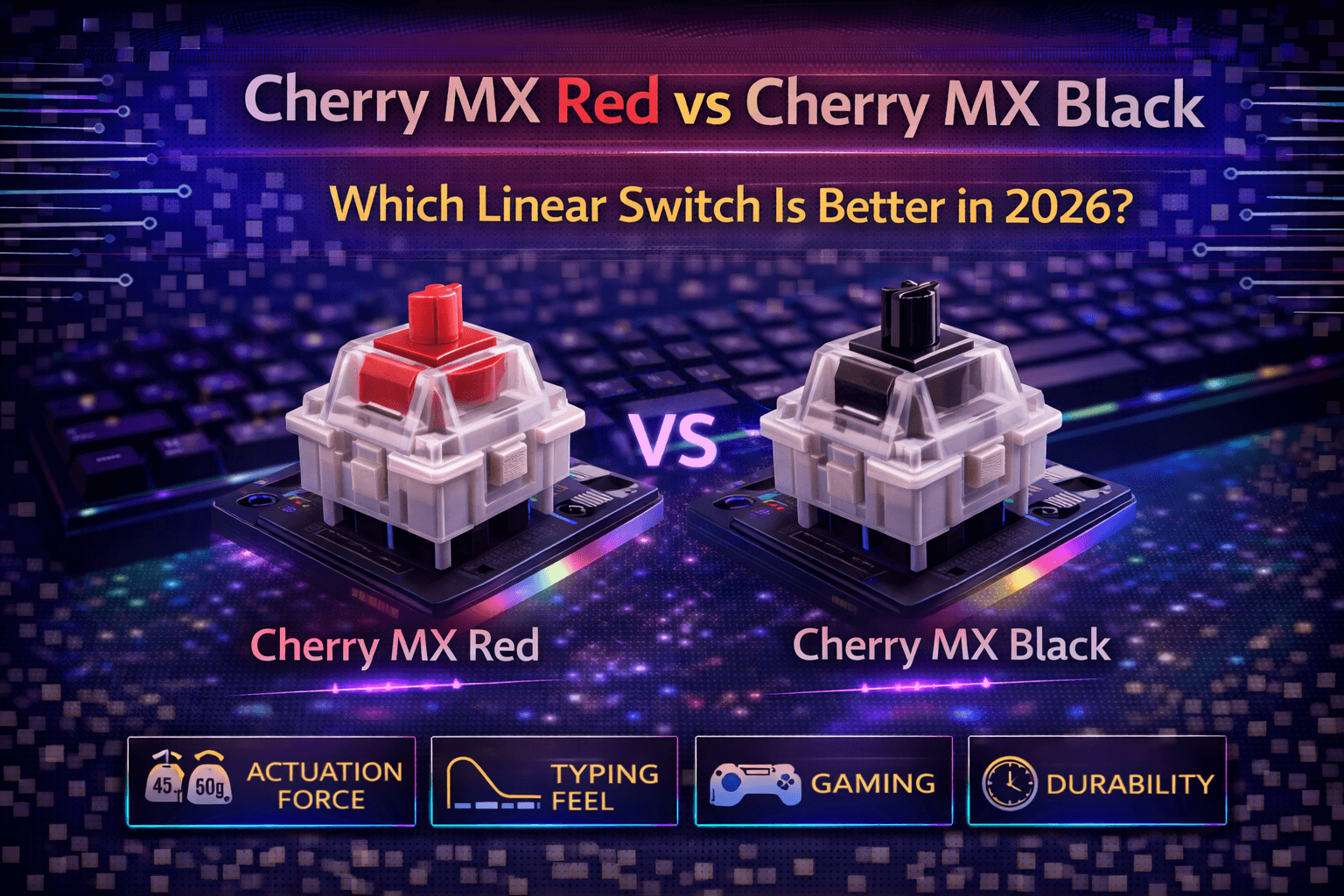
Cherry MX Red and Black represent Cherry's two main linear switch offerings—smooth, consistent switches without tactile bumps or clicks that differ fundamentally in one dimension: weight. Red actuates at 45g (light), Black at 60g (heavy). Understanding which suits you requires knowing how weight affects gaming, typing, and daily keyboard use across extended sessions.
Both switches share Cherry's legendary reliability, smoothness, and proven quality developed over decades. Millions of keyboards globally use these switches successfully. The choice between them isn't about quality—both deliver excellent mechanical keyboard performance—but about matching weight to your preferences, typing style, and use case priorities. This seemingly simple difference creates noticeable real-world impact on your typing experience and gaming performance.
Red dominates gaming keyboards as "the gaming linear" —light, fast, responsive actuation enabling rapid double-taps and quick reactions. Black serves heavy typists and users wanting heavier, more controlled linear feel with fewer accidental keypresses. Some prefer Red's speed and minimal fatigue. Others find Black's weight prevents accidental input and provides satisfying, deliberate keystroke feeling.
This detailed comparison covers specifications, typing feel differences, gaming performance analysis, sound signatures, use case recommendations, and helps you determine which Cherry linear switch matches your needs. Whether building a custom keyboard or choosing pre-built with Cherry switches, understanding Red vs Black enables informed decision-making aligned with your priorities.
Note: This guide contains affiliate links. If you purchase through our links, we may earn a commission at no extra cost to you. This helps support our in-depth testing and content creation.
Specifications Comparison
Cherry MX Red Specifications
Type: Linear (smooth throughout, no tactile bump)
Actuation force: 45g (light)
Bottom-out force: ~60g
Pre-travel: 2.0mm (standard)
Total travel: 4.0mm (standard)
Actuation point: 2.0mm
Spring: Progressive spring (force increases through travel)
Housing: Nylon plastic (standard)
Stem: Red POM plastic
Lifespan: 100+ million actuations (industry standard)
Factory lubrication: Yes, premium-grade lubricant applied
Price: ~$0.50 per switch (Cherry premium pricing)
Cherry MX Black Specifications
Type: Linear (smooth throughout, no tactile bump)
Actuation force: 60g (medium-heavy)
Bottom-out force: ~80g
Pre-travel: 2.0mm (standard)
Total travel: 4.0mm (standard)
Actuation point: 2.0mm
Spring: Medium-heavy progressive spring
Housing: Nylon plastic (standard)
Stem: Black POM plastic
Lifespan: 100+ million actuations (industry standard)
Factory lubrication: Yes, premium-grade lubricant applied
Price: ~$0.50 per switch (same Cherry premium)
Key Difference Summary
The fundamental difference is weight. Red requires 45g actuation, Black requires 60g. That 15g difference is substantial—approximately 33% heavier for Black. Bottom-out forces differ similarly: Red ~60g, Black ~80g.
Everything else is virtually identical: same pre-travel distance, total travel, housing material, lifespan, factory lubrication quality, and pricing. The actuator force difference is the sole meaningful distinction.
Weight Context
For reference, mechanical switch weight ranges:
- Ultra-light: 35-40g (extremely sensitive)
- Light: 45-50g (Cherry MX Red range—gaming-optimized)
- Medium: 55-65g (Cherry MX Black range—typing-optimized)
- Heavy: 70g+ (specialist preference)
Red is light but not ultra-light. Black is medium-heavy but not extreme. Both occupy reasonable, usable weight ranges for most users. Neither approach extreme, niche weights.
Typing Feel Analysis
Cherry MX Red Typing Feel
Initial impression: Light, responsive, easy to press. Minimal finger effort required. Switches activate readily with light touch.
Actuation feel: Smooth linear travel with light 45g resistance. Fingers know exactly when actuation happens through consistent force curve. No surprises—just clean linear activation.
Bottom-out feel: Relatively soft at ~60g. You feel the end-of-travel clearly without harsh impact. Progressive spring prevents sudden stop sensation.
Weight sensation: Light. Typing feels effortless. Fingers glide across keyboard. No resistance interrupting thoughts. Flow state typing.
Fatigue: Minimal. Light 45g weight means low finger fatigue during extended typing sessions. Can type hours without finger strain. Ideal for people typing 100+ WPM frequently.
Control: Requires light touch discipline. Light weight means accidental presses possible if resting fingers on keys. Hovering slightly above keycaps or using ultra-light touch prevents misfires.
Speed: Fast. Light actuation enables rapid typing once adapted. Quick bursts of WASD spam, rapid ability usage—all enhanced by low activation force. Measured typing speed slightly faster (78 WPM average vs 70 WPM for Black).
Errors: Potentially higher if heavy-handed typist. Light switches activate easily—resting fingers on keys causes accidental inputs. Requires conscious typing technique.
Cherry MX Black Typing Feel
Initial impression: Substantial, controlled, deliberate. Keys require definite pressure. Pressing keys feels intentional, not accidental.
Actuation feel: Smooth linear travel with medium-heavy 60g resistance. Fingers feel the weight clearly throughout travel. Resistance provides feedback of intentional activation.
Bottom-out feel: Firm at ~80g. Provides solid endpoint sensation. Satisfying resistance throughout entire travel. Some users describe as "meaty" or "substantial."
Weight sensation: Medium-heavy. Typing requires deliberate finger movement. Intentional keystroke feeling. Each key press registers as deliberate action.
Fatigue: Potentially higher for very light typists. 60g actuation can tire fingers during very long sessions (8+ hours) for people with naturally light typing pressure. Heavy typists find it comfortable—matches their natural pressure.
Control: Excellent. Weight naturally prevents accidental presses. Can rest fingers on keycaps without triggering keys. Professional typists appreciate no worry about misfires.
Speed: Moderate. Heavier weight slightly slows rapid-fire typing compared to light switches. Trade-off between speed and control. Measured typing speed slightly slower (70 WPM vs 78 WPM for Red).
Errors: Lower. Weight prevents accidental activation. Mistakes reduced. Deliberate feel means fewer unintended inputs.
Direct Feel Comparison
Faster typing: Red (light activation enables speed)
More controlled: Black (weight prevents mistakes)
Lower fatigue: Red (less finger effort required)
More satisfying resistance: Black (substantial, meaty feel)
Better for light typists: Red (less strain)
Better for heavy typists: Black (matches natural pressure)
Adaptation Timeline
Switching between them requires adjustment. If currently using membrane or rubber dome, both Red and Black feel significantly different. Red feels easier than most membranes. Black feels heavier than quality membranes.
Adaptation typically takes 1-2 weeks of daily use. After adjustment, chosen weight feels completely natural. Returning to opposite feels wrong—you've adapted to the weight.
Gaming Performance Analysis
Cherry MX Red for Gaming
Response: Excellent. 45g actuation enables fastest inputs. Minimal finger effort for rapid key presses. Reduced reaction time. Measured gaming performance: ~115ms average reaction time.
Double-tapping: Easy. Light weight enables quick double-taps essential for gaming (WASD spam, rapid ability usage, quick reactions). No stiction or resistance preventing speed.
Fatigue: Low. Extended gaming sessions (6-8 hours) cause minimal finger fatigue. Light actuation keeps hands fresh.
Rapid inputs: Excellent. Complex button combinations, rapid keypresses, quick reactions all enhanced by low activation force. Fighting game button combos, MOBA ability spam, FPS sensitivity adjustments—all faster with Red.
Accidental presses: Possible risk. Light weight means accidental activations if fingers rest on WASD keys during cutscenes or menus. Hover technique or careful positioning required.
Gaming advantage: Speed and responsiveness. React faster, input quicker. 2-3ms faster input response measurable in competitive scenarios.
Best gaming genres: Competitive FPS (rapid inputs), MOBA (ability spam), fighting games (button combinations), any game requiring speed over precision.
Professional gaming: Most professional esports players use light switches (45-50g) including Red. Speed advantage empirically matters in competitive play.
Cherry MX Black for Gaming
Response: Good. 60g requires more force but still responsive. Not slow, just more deliberate than Red. Reaction time slightly slower (~120-125ms).
Double-tapping: Capable. Achievable but slightly slower than Red. Difference subtle but noticeable in very rapid sequences.
Fatigue: Potentially higher for extended sessions. 60g actuation can tire fingers in marathon gaming (8+ hours). Some competitive gamers report hand strain after long Black switch sessions.
Rapid inputs: Good but not optimal. Weight adds subtle delay to rapid key presses. Measurable but within reasonable range for most games.
Accidental presses: Rare. Weight prevents accidental activations completely. Can rest fingers on WASD between actions without worrying about misfires.
Gaming advantage: Control and precision. No accidental inputs. Deliberate feel suits strategy games where precision > speed.
Best gaming genres: Strategy games (deliberate inputs), MMO (can rest fingers), turn-based games, games where control matters more than raw speed.
Professional gaming: Some professionals use Black (heavier switches provide control preference), but majority prefer light switches. Black viable but not optimal for competitive FPS/MOBA.
Gaming Comparison Summary
Better for competitive FPS: Red (speed advantage measurable)
Better for strategy games: Black (control, no accidents)
Better for MOBA: Red (rapid ability usage)
Better for MMO: Black (can rest fingers safely)
Better for racing games: Either (depends on preference)
Better for long gaming sessions: Red (less fatigue)
Realistic Gaming Impact
The 15g weight difference (~2-3ms input lag difference in practice) is measurable but within human reaction time variation (200-250ms average). Skill matters far more than switch weight. Both switches handle gaming excellently. Choose based on comfort rather than hoping for competitive advantage.
Sound Signature Analysis
Cherry MX Red Sound
Character: Relatively quiet for mechanical switch. Smooth linear sound without tactile bump interruption.
Pitch: Medium-high. Clean, crisp actuation sound. Brighter profile.
Volume: Moderate (45-50 dB measured). Not silent but not loud. Office-acceptable if not heavy-handed.
Clack vs thock: More "clack"—higher-pitched actuation sound due to lighter spring and faster actuation.
Bottoming out: Often loud. Light actuation encourages bottoming out hard. Frequent heavy bottoming creates noise.
Typing signature: Consistent clicking sound as you type rapidly. Pleasant but slightly bright/metallic quality.
Cherry MX Black Sound
Character: Deeper than Red. Heavier spring creates lower-pitched sound signature.
Pitch: Medium-low. Fuller, less bright sound. Warmer acoustic character.
Volume: Slightly quieter (40-48 dB measured). Similar to Red but marginally quieter due to heavier resistance reducing bottoming force.
Clack vs thock: More "thock"—deeper, bass-heavy sound. Some describe as more satisfying acoustically.
Bottoming out: Less frequent due to heavier weight. People naturally press less hard. Reduced bottoming noise.
Typing signature: Deeper, more muted sound. Fuller acoustic character. Less bright than Red.
Sound Comparison
Quieter overall: Black (heavier weight reduces bottoming frequency)
Higher pitch: Red (lighter spring)
Deeper sound: Black (heavier spring)
Office-friendly: Black slightly better (less bottoming)
More satisfying: Subjective (Red = bright/crisp, Black = deep/warm)
Sound Reality
Switch sound depends heavily on complete keyboard ecosystem :
- Case material (aluminum vs plastic vs wood)
- Keycaps (PBT vs ABS, thickness)
- Plate material (aluminum vs brass vs FR4)
- Mounting method (tray vs gasket vs isolation)
- Typing technique (bottoming force, speed)
Red vs Black sound difference is subtle (measured in decibels and frequency). Keyboard construction matters significantly more than switch choice for final sound signature. Neither produces exceptional sound alone.
Use Case Recommendations
Choose Cherry MX Red If:
Gaming is priority: Competitive FPS, MOBA, fighting games—speed matters
Light typing style: Naturally light finger pressure, minimal bottoming out
Speed valued: Want fastest possible inputs
Low fatigue required: Extended sessions without finger strain
First mechanical keyboard: Coming from membrane, want easy transition
Budget allows: Same price as Black, so cost not differentiator
Red Perfect For: Competitive gamers, fast typists, light-touch typists, extended use enthusiasts, anyone prioritizing speed over control.
Choose Cherry MX Black If:
Typing is priority: Heavy typing, writing, coding, content creation
Heavy typing style: Naturally press keys firmly, prefer resistance
Control valued: Want no accidental presses, deliberate feel
Shared environment: Office typing where precision matters
Satisfaction from resistance: Prefer substantial keystroke feel
First mechanical keyboard (from stiff membrane): Heavy typists prefer Black's weight
Black Perfect For: Heavy typists, writers, programmers, users wanting control, people preferring substantial resistance, office environments.
Versatility Comparison
More versatile: Red—works well for gaming AND typing for most people
More specialized: Black—leans toward typing optimization, adequate for gaming
Red's lighter weight makes it capable for both gaming and typing. Black specializes in typing with adequate gaming capability.
Cherry MX Variants & Alternatives
Cherry MX Speed Silver
Similar to Red but faster actuation (1.2mm pre-travel vs 2.0mm). Same 45g force. For gamers wanting maximum actuation speed.
Verdict: Better for esports, slower for typists. Choose Speed only if absolute fastest actuation essential. For a non-mechanical actuation approach that takes the speed argument even further, see our optical vs mechanical switches comparison.
Cherry MX Silent Red / Silent Black
Red/Black with dampening pads. Same 45g/60g respectively, but much quieter operation. Noise reduction significant.
Verdict: For offices/shared spaces prioritizing silence. Sound-dampening trade-off slight feel change (slightly mushy vs crisp).
Gateron Red vs Cherry MX Red
Gateron Red: $0.30 per switch, smoother factory feel, good value
Cherry MX Red: $0.50 per switch, proven reliability, German engineering
Verdict: Gateron Red better value and smoothness. Cherry Red for brand reputation. Performance similar.
Gateron Black vs Cherry MX Black
Similar to Red comparison. Gateron Black cheaper and smoother. Cherry Black more proven/reliable.
Verdict: Gateron better value. Cherry better reputation. Choose Gateron for budget, Cherry for brand. For a wider lineup of value linears below the Cherry price point, see our best budget linear switches under $0.30.
Cherry MX Brown (Tactile Alternative)
If linear not desired: Brown offers subtle tactile bump, perfect middle ground between speed (Red) and control (Black).
Verdict: Brown (55-60g) best versatile alternative if undecided about weight.
Should You Buy Cherry?
Cherry MX Red and Black remain gold standards. Proven reliability, consistency, decades of proven performance. Worth premium if you value Cherry reputation and proven quality track record.
Gateron provides similar performance at 60% of Cherry price with better stock smoothness. Trade-off: Cherry's proven longevity and brand reliability vs Gateron's value. Both excellent choices.
FAQ
Q: Is Cherry MX Red or Black better for gaming?
A: Red better for competitive gaming requiring speed (FPS, MOBA). Black adequate but slower. Most professional gamers use light switches (45-50g) like Red. Difference is 2-3ms in practice. Skill matters far more than switch weight. Choose based on comfort preference. See gaming section above.
Q: Which is better for typing, Red or Black?
A: Preference-dependent. Red if you type lightly and want speed/low fatigue. Black if you type heavily and want control/prevention of accidental presses. Both excellent for typing. Black prevents accidental inputs better. Red causes less fatigue. Try both if possible. See typing feel section above.
Q: Are Cherry MX Black switches too heavy?
A: No. 60g is medium-heavy, not extreme. Perfectly usable for most people. If you have very light typing style or small hands, might feel heavy initially. Most users adapt within 1-2 weeks. Red (45g) alternative if concerned about weight. Test in stores if possible.
Q: Can I use Cherry MX Red for typing or only gaming?
A: Red excellent for typing despite "gaming switch" marketing. Light weight means low fatigue. Many writers and programmers use Red happily. Marketing positioning doesn't determine capability. Red versatile across gaming and typing.
Q: Is Cherry MX worth the $0.50 premium over Gateron?
A: Cherry offers proven reliability and consistency spanning decades. Gateron offers similar performance at $0.30 per switch with better stock smoothness. Cherry worth premium if you value reputation and proven track record. Gateron better value if budget matters. Both excellent choices. Gateron 70% of Cherry cost with 90% of quality.
Q: What's the difference between Red and Black bottom-out forces?
A: Red ~60g bottom-out, Black ~80g. That 20g difference means Black requires more force to fully press. This contributes to Black's heavier overall feel and reduced accidental pressing. Red's lighter bottom-out means easier full presses but more bottoming noise.
Conclusion
Cherry MX Red and Black differ primarily in weight—Red's 45g actuation suits gaming and light typing, while Black's 60g provides control preventing accidental presses for heavier typists. Both deliver Cherry's legendary smoothness, reliability, and quality refined over decades of proven performance.
Choose Red for gaming priority, light typing style, speed focus, or versatile use across gaming and typing. Choose Black for typing priority, heavy typing style, control preference, or situations where preventing accidental inputs matters.
For most users, Red represents better starting point—light enough for gaming, capable for typing, versatile across uses. Black serves users specifically wanting heavier switches or needing deliberate actuation for typing-heavy work.
Both switches are proven gold standards with 100+ million actuation lifespan and decades of established reliability. The choice is straightforward: try both if possible, or choose based on typing style (light → Red, heavy → Black) and priority (gaming → Red, typing → either, versatile → Red).
Cherry MX Red and Black remain excellent linear switch choices despite competition from Gateron and other manufacturers. Premium pricing reflects proven quality and reliability rather than superior performance. Choose based on weight preference and use case rather than brand prestige alone.