Introduction
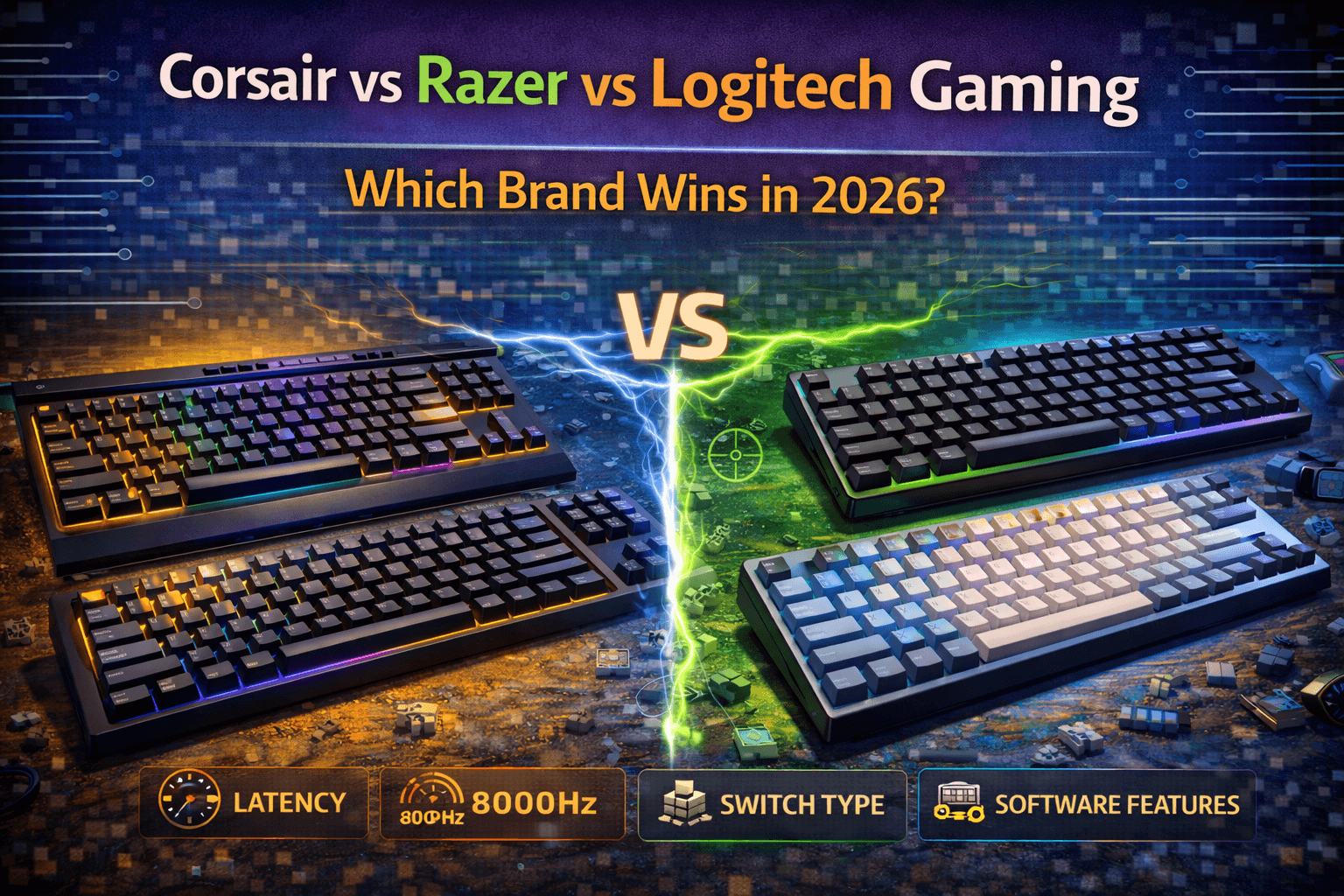
Corsair, Razer, and Logitech represent the big three of gaming peripherals, commanding majority market share in gaming keyboards through extensive marketing, retail presence, and ecosystem integration. For most gamers, their first mechanical keyboard comes from one of these brands—they're available at Best Buy, heavily marketed across streaming platforms, and trusted for gaming performance. Understanding what distinguishes these brands helps you choose which aligns with your priorities rather than defaulting to brand loyalty or marketing hype.
Despite similar gaming focus, they approach keyboards differently. Corsair emphasizes build quality and premium materials, creating keyboards that feel substantial on desk and last years through rigorous construction standards. Razer pioneered gaming-specific switch technologies and ecosystem integration, focusing on proprietary innovations and competitive advantages. Logitech focuses on wireless performance and broad compatibility, having invested most heavily in wireless gaming technology and accessibility across platforms.
The comparison isn't purely about which brand makes objectively superior keyboards—at similar price points, performance differences are marginal for gaming purposes. Instead, it's about understanding brand philosophies, ecosystem considerations, software experiences, and which specific models represent best values within each brand's lineup. All three brands produce competent gaming keyboards that work well for their intended purpose. None are preferred by keyboard enthusiasts (who typically choose Keychron, Ducky, or custom builds), but these mainstream brands serve gaming market effectively through wide availability, gaming-focused features, and comprehensive software ecosystems.
The reality is that these brands compete more on marketing, aesthetics, and ecosystem than on pure keyboard performance. RGB implementation quality, software user experience, build materials, and specific model execution matter more than brand allegiance alone. This guide compares these gaming giants across build quality and durability, switch technologies and options, software ecosystems and features, RGB lighting implementation, wireless performance, pricing and value, specific product recommendations, and helps you identify which brand suits your gaming needs and budget.
Note: This guide contains affiliate links. If you purchase through our links, we may earn a commission at no extra cost to you. This helps support our in-depth testing and content creation.
Brand Overview and Gaming Philosophy
Understanding each brand's approach to gaming peripherals contextualizes their keyboards and explains strategic product choices.
Corsair: Premium Gaming Build Quality
Corsair emerged from PC component manufacturing (RAM, power supplies, cooling) before expanding into gaming peripherals around 2014. This component manufacturing background distinctly influences keyboard design philosophy—they prioritize materials and longevity. Corsair keyboards feel premium because they're built premium.
Brand philosophy: Delivering premium materials and build quality in gaming keyboards. Aluminum construction, quality switches, and solid engineering create keyboards that command premium prices but justify them through durability.
Target audience: PC gamers wanting premium peripherals, enthusiasts who game, users valuing build quality alongside gaming features, and people building complete Corsair gaming ecosystems where RGB and software control matter.
Strengths: Excellent build quality with aluminum frames standard, quality Cherry MX switches or proprietary options, good durability with keyboards lasting years, premium feel and tactile quality, and extensive RGB ecosystem integration through iCUE software.
Weaknesses: Expensive pricing compared to competitors (often 20-30% premium), proprietary switch designs on some models limiting compatibility, software that can be bloated and complex, and non-standard bottom row complicating aftermarket keycap replacement.
Market position: Premium gaming. Their keyboards cost more but deliver better build quality than budget gaming brands. They compete on materials and longevity rather than features or innovation. For more affordable alternatives outside the gaming brand ecosystem, see our best budget keyboard brands under $100.
Razer: Gaming Ecosystem Integration
Razer focused exclusively on gaming peripherals since founding in 1998. They're a pure-play gaming brand with deep gaming culture integration and esports partnerships.
Brand philosophy: Gaming-optimized technology and ecosystem integration. They develop proprietary switches, lighting systems, and software specifically for gaming advantages and ecosystem synergy.
Target audience: Competitive gamers and esports players, users wanting complete Razer ecosystem, people prioritizing gaming performance above all else, and RGB enthusiasts.
Strengths: Proprietary switch innovations (optical, analog optical), Razer Synapse software ecosystem, extensive Chroma RGB integration across products and partners, strong esports partnerships and credibility, and genuine innovations like analog optical switches.
Weaknesses: Variable build quality across models, higher failure rates reported than competitors, premium pricing without matching premium materials, and proprietary switches limiting experimentation (can't use Cherry MX or other brands).
Market position: Gaming ecosystem leader. They compete on technology innovation and ecosystem integration rather than pure build quality or value.
Logitech: Wireless Gaming Innovation
Logitech (gaming division Logitech G) has computer peripheral heritage dating to 1981. For a model-by-model breakdown of their gaming keyboard lineup, see our Logitech G series keyboards comparison. They entered gaming seriously in the 2000s with focus on wireless performance and broad platform compatibility.
Brand philosophy: Innovation in wireless gaming technology and broad compatibility. They make wireless gaming peripherals perform like wired while maintaining compatibility across Windows, Mac, PlayStation, and Xbox.
Target audience: Gamers wanting wireless freedom, console gamers (PlayStation/Xbox compatibility), users wanting clean desk setups without cables, and people prioritizing wireless performance.
Strengths: Best wireless gaming implementations with Lightspeed technology, excellent battery life (40-70 hours typical), broad platform compatibility, reliable build quality across lineup, and good value across price range.
Weaknesses: Less exciting designs than competitors, conservative aesthetics, limited switch variety (historically), and less extensive RGB ecosystem.
Market position: Wireless gaming specialist and mainstream value. They compete on wireless performance, accessibility, and value rather than premium feel or ecosystem dominance.
Philosophy Summary
Corsair delivers premium materials at premium prices. Razer innovates gaming technology at high cost. Logitech provides accessible wireless at competitive prices. These philosophies manifest in product lineups, pricing, software, and target markets.
Build Quality and Durability
Build quality affects longevity, user satisfaction, and real-world gaming experience. Gaming brands take different approaches reflecting their philosophies.
Corsair Build Quality
Corsair keyboards emphasize construction quality more than competitors. Aluminum frames are standard across K-series keyboards with brushed aluminum top plates creating solid, premium construction. Rigid frames deliver zero flex during typing. Keyboards are heavy (1-1.5kg typical), communicating quality through substantial desktop presence.
Keycaps: Thick PBT on premium models, ABS on budget models. Doubleshot legends on quality models resist shine from extensive use.
Stabilizers: Generally good but not enthusiast-grade. Cherry-style plate-mount stabilizers are factory-lubed with minimal rattle on premium models and acceptable rattle on budget models.
Durability: Excellent. Aluminum construction protects internal components from spills and environmental damage. Switches are rated 50-100 million actuations. Quality control is generally reliable with occasional issues but consistent baseline quality.
Assessment: Best build quality among gaming brands. Corsair justifies premium pricing through superior materials and construction.
Razer Build Quality
Razer build quality varies significantly by model and price point. Budget models use plastic construction feeling cheaper than competitor alternatives. Premium models feature aluminum cases delivering solid construction. The BlackWidow V4 Low-Profile demonstrates excellent build quality with aluminum top case, dual sound-dampening foam layers, and high-quality doubleshot PBT keycaps. Weight is lighter than Corsair typically, adequate for stability but lacking premium-heavy feel.
Keycaps: ABS doubleshot standard, thin on budget models, better quality on premium. PBT available as aftermarket upgrade.
Stabilizers: Acceptable but not exceptional. Cherry-style with adequate lubing deliver some rattle on larger keys—common complaint.
Durability: Variable. Premium Razer keyboards last years; budget models have higher failure rates reported. Quality control is less consistent than Corsair. Some users report excellent experiences; others report failures within warranty period.
Assessment: Quality matches pricing. Premium Razer keyboards are well-built; budget models cut corners. Less consistent than Corsair's baseline quality.
Logitech Build Quality
Logitech maintains reliable quality across price range without premium materials. Plastic cases are predominantly used, with solid engineering creating rigid keyboards despite plastic construction. Some premium models incorporate aluminum elements. Weight is moderate—adequate stability without premium-heavy feel. Wireless models are lighter than wired alternatives.
Keycaps: ABS on most models, adequate quality without premium feel. Some premium models offer PBT. Durable legends through pad printing or doubleshot.
Stabilizers: Good quality for gaming keyboards, better than Razer average, approaching (but not matching) Corsair quality.
Durability: Excellent. Logitech keyboards have excellent reliability record, consistently lasting years. Lower failure rates than Razer, comparable to Corsair despite non-premium construction.
Assessment: Reliable build quality without premium materials. Best reliability record among three brands despite simpler construction.
Build Quality Verdict
- Want premium materials: Corsair (aluminum standard, substantial build)
- Want reliability: Logitech (most consistent quality over time)
- Want gaming aesthetics accepting variable quality: Razer (depends on model)
- Want best durability: Corsair or Logitech (both excellent)
- Best warranty support: All three offer 2-year standard warranties
Switch Technologies and Options
Switches define typing and gaming feel, and gaming brands take distinctly different approaches. See our keyboard switches guide for detailed information on switch types.
Corsair Switch Options
Corsair standardizes on Cherry MX across most keyboards (Red, Brown, Blue, Black, Silent Red, Speed Silver widely available). Premium quality implements standard specifications reliably. K100 and some premium models offer Corsair OPX optical switches—1mm actuation, light 45g force, fast response. Cherry MX Speed options provide 1.2mm actuation for marketing emphasis on speed (actual 1-2ms advantage imperceptible in gaming context).
Switch variety: Excellent across Cherry MX lineup, making it easy to find preferred switch type.
Hot-swap: Offered on some models (K70 Pro hot-swap versions) but not universal across lineup.
Quality: Reliable with proven Cherry MX track record.
Assessment: Conservative, proven switch selection. Cherry MX reliability over proprietary innovation. OPX optical is interesting but niche.
Razer Switch Options
Razer develops proprietary switches exclusively: Green (Clicky), Yellow (Linear), Orange (Tactile), Optical (multiple variants), and innovative Analog Optical switches with adjustable actuation points.
- Green: 50g tactile clicky with 1.9mm actuation
- Yellow: Smooth linear 45g with 1.2mm actuation marketed for gaming speed
- Orange: 45g tactile 1.9mm actuation, quieter than Green
- Optical switches: Light-based actuation claimed to be faster
- Analog Optical switches: Genuinely innovative, enabling adjustable actuation like controller triggers—providing actual gaming advantages in games supporting analog input (some games, not all)
Switch variety: Good within Razer ecosystem but proprietary design prevents experimentation. Can't use Cherry MX or other brands. Some models offer hot-swap within Razer switches only.
Assessment: Innovative switches (especially analog) but proprietary ecosystem limits choice. Analog Optical provides genuine gaming advantages.
Logitech Switch Options
Logitech historically used proprietary Romer-G switches (45g actuation, 1.5mm point), divisive among users. Newer models transition to GX switches—Cherry MX equivalent (Red linear, Brown tactile, Blue clicky). Low-profile GL switches available for slim keyboards.
Switch variety: Improving as they transition from exclusive Romer-G to GX standard compatibility.
- Romer-G: Reliable but feeling is controversial—shorter travel than Cherry, 1.5mm actuation point
- GX switches: Solid implementations of Cherry equivalents
- GL switches: For low-profile form factor
Hot-swap: Generally not available (though newer models being evaluated).
Assessment: Transitioning from proprietary Romer-G to more standard GX switches. Better compatibility now than previously.
Gaming Performance Reality
Marketing claims about faster switches creating competitive advantages are mostly exaggerated. 1mm vs 2mm actuation difference creates 1-2ms advantage—imperceptible within human reaction time context (200-250ms average). Razer's Analog Optical provides genuine advantage through analog input enabling controller-like gradual presses in supporting games. Other "gaming optimizations" provide minimal real-world advantage. Choose switches based on feel preference rather than supposed speed advantages. See our gaming keyboards guide for more on this topic.
Switch Recommendation by Brand
- Corsair: Cherry MX Red (linear gaming) or Brown (tactile versatility)
- Razer: Yellow (linear gaming) or Analog Optical (genuine innovation)
- Logitech: GX Red/Brown (avoiding older Romer-G if possible)
Software Ecosystems
Software affects customization depth, user experience, and how you interact with peripherals daily.
Corsair iCUE
iCUE (version 5.x in 2026) offers powerful capabilities: RGB control, macro programming, key remapping, lighting effects, hardware monitoring, and system integration. Controls all Corsair peripherals and compatible components (RAM RGB, fans, coolers, etc.) creating comprehensive ecosystem control. Users can coordinate peripheral settings with Elgato Stream Deck and integrate third-party products (Govee, Nanoleaf, Philips Hue) for smart home ecosystem.
Complexity: Powerful but complex interface overwhelms beginners. Steep learning curve for advanced features. Direct Device Mode (hardware profiles saved to keyboard) works without software running. Profile management improved in version 5 with consolidated interface.
Resource usage: Can be significant—iCUE is active background process requiring system resources.
Reliability: Mixed. Some users report excellent experience; others report device detection issues or software glitches.
Assessment: Most powerful software among three brands but also most complex. Great for enthusiasts building Corsair ecosystems; overwhelming for casual users.
Razer Synapse 4
Synapse 4 offers RGB control (Chroma technology), macro programming, key remapping, and Chroma ecosystem integration across Razer peripherals and partner products. Cleaner interface than iCUE, more accessible for beginners while maintaining comprehensive features. Cloud-sync profiles (requires Razer account) sync settings across computers automatically. Extensive game integrations with native Chroma support for lighting reactions.
Performance impact: Moderate—lighter than iCUE but still active background process.
Reliability: Mixed—improved from Synapse 3 but reported issues exist. Some users report excellent stability; others report FPS degradation or device control issues. Can revert to Synapse 3 if problems occur (though future compatibility uncertain).
Assessment: Best balance of features and usability among three brands. Chroma ecosystem integration is impressive. Stability improved recently but still has detractors.
Logitech G HUB
G HUB offers RGB control (LIGHTSYNC technology), macro programming, key remapping, and game library integration (new Games feature in 2025). Simplest interface most straightforward. New Games feature unifies game library across platforms (Epic, Steam, GOG, WeGame) with automatic profile switching. Per-game profile management is clean and intuitive.
Resource usage: Minimal—lightest of three brands.
Reliability: Highly stable and reliable across updates. Easy for beginners without sacrificing power for advanced users. Profiles are cloud-synced with option for local storage. LIGHTSYNC integrations with some games for reactive lighting (less extensive than Razer Chroma but functional).
Assessment: Most accessible software with least complexity. Best for users wanting straightforward control without deep customization.
Software Comparison
| Aspect | iCUE | Synapse 4 | G HUB |
|---|---|---|---|
| Power | Most | High | Good |
| Complexity | Very High | Medium | Low |
| Ease of Use | Difficult | Balanced | Easy |
| Resource Usage | High | Medium | Low |
| Reliability | Mixed | Improving | Excellent |
| Game Integration | Limited | Extensive | Growing |
| Ecosystem | Corsair + partners | Razer + partners | Logitech |
Choose software based on priorities: maximum control (iCUE), balanced features/usability (Synapse 4), simple lightweight (G Hub).
RGB Lighting Implementation
RGB is major selling point for gaming keyboards. Quality and features vary significantly.
Corsair RGB
Per-key RGB standard across most keyboards with extensive lighting zones. Very bright LEDs visible in daylight. Extensive effects library with custom effects possible through iCUE. Hardware lighting profiles save to keyboard for offline operation. Excellent ecosystem sync with Corsair components (RAM, coolers, fans, etc.) creating unified RGB experience. High-quality implementation with even diffusion and no significant light bleed.
Assessment: Best RGB for people building Corsair ecosystems. Very bright, very customizable, excellent integration.
Razer RGB (Chroma)
Per-key RGB with Chroma technology supporting 16.8 million colors. Bright LEDs with excellent visibility. Massive effects library with Chroma Studio for custom effects. Game integrations with native Chroma support—unique advantage where games have native support for reactive RGB lighting. Excellent ecosystem integration through Chroma partnerships with third-party RGB products. High-quality RGB implementation with even lighting and reliability.
Assessment: Best RGB ecosystem through Chroma partnerships. Unique advantage with game integrations where supported.
Logitech RGB (LIGHTSYNC)
Per-key RGB on premium models, zone lighting on budget models. Good brightness and visibility. Decent effects library with some game integrations. LIGHTSYNC works across Logitech products. Reliable implementation without issues.
Assessment: Adequate RGB without exceptional features. Works well but less impressive than competitors.
RGB Verdict
- Brightest: Corsair
- Best ecosystem: Razer Chroma (third-party integration)
- Best game integration: Razer Chroma
- Most understated: Logitech
- Best for RGB enthusiasts: Corsair or Razer
RGB is personal preference. For ecosystem enthusiasts, Corsair or Razer excel. For users just wanting decent RGB, all three work.
Wireless Performance
Wireless gaming keyboards have improved dramatically. Gaming brands approach wireless differently based on strategic priorities.
Corsair Wireless
SLIPSTREAM wireless on wireless models claims 1ms latency, functionally equivalent to wired. Battery life 200+ hours without RGB, 30-40 hours with RGB depending on model. Reliable connection stability with rare dropouts. Wireless models include K57, K63 Wireless, K100 Air (premium wireless option).
Assessment: Solid wireless implementation when offered, but Corsair offers fewer wireless models than Logitech. Not primary strategic focus for Corsair.
Razer Wireless
Razer HyperSpeed wireless on wireless models with 1ms claimed latency and excellent performance for gaming. Battery life 200+ hours without RGB, 40-50 hours with RGB typical. Reliable connection stability improving with newer models. Wireless models include BlackWidow V3 Pro, DeathStalker V2 Pro, Huntsman Mini Wireless. Growing wireless lineup.
Assessment: Good wireless offerings improving over time. HyperSpeed technology performs well. Wireless becoming more central to Razer strategy.
Logitech Wireless
Lightspeed wireless—industry-leading gaming wireless technology. Sub-1ms latency claimed, genuinely feels indistinguishable from wired in practice. Battery life exceptional: 200+ hours without RGB, 50-70 hours with RGB typical. Battery life leader among three brands. Industry-best connection stability with very rare disconnection issues. Extensive wireless lineup: G915, G915 TKL, G713, Pro X TKL (wireless options), G535.
Assessment: Best wireless gaming keyboards category. Lightspeed technology proven leader. Most extensive wireless lineup. Battery life exceptional.
Wireless Verdict
- Best wireless: Logitech Lightspeed (proven leader)
- Best battery life: Logitech (exceptional longevity)
- Most wireless options: Logitech (extensive lineup)
- Best wireless value: Logitech (competitive pricing)
- Premium wireless: Corsair K100 Air (excellent but expensive)
If wireless is priority, Logitech is clear choice. They've invested most in wireless technology and it shows through proven performance and extensive offerings. Corsair and Razer wireless work adequately but represent smaller portions of their lineups.
Pricing and Value Analysis
Understanding value propositions across price tiers helps identify best options for your budget.
Corsair Pricing
- Budget tier ($60-90): K55, K60 models offer entry gaming experience with plastic construction
- Mid-range ($100-150): K70 series provide excellent build quality, Cherry MX switches, good features at reasonable premium prices
- Premium ($180-250+): K100 RGB and K100 Air represent top-tier with aluminum construction, extensive features, maximum customization
Value proposition: Premium materials and build quality justify higher prices. Aluminum construction costs more but lasts longer. Mid-range K70 ($100-130) offers best Corsair value—excellent build at reasonable price. Premium models justify prices through superior materials and features. Budget Corsair keyboards less compelling; better options exist at same price elsewhere.
Assessment: Expensive compared to competitors, but justified through quality. Budget models poor value; mid-range and premium tiers offer good value-to-quality ratios.
Razer Pricing
- Budget tier ($50-80): Entry keyboards (Ornata) offer basic gaming experience
- Mid-range ($100-150): Huntsman standard, BlackWidow V4 provide solid gaming keyboards with proprietary switches
- Premium ($180-250+): Huntsman V3 Pro, BlackWidow V4 Pro with innovations like analog optical switches
Value proposition: Gaming ecosystem and technology innovation justify pricing. Proprietary switches and Chroma ecosystem are main value adds. Not primarily about materials (unlike Corsair). Gaming-focused features and ecosystem integration matter more than build quality.
Assessment: Premium pricing without matching premium materials. Better value in mid-range models. Budget models often poor value—better options from Logitech at same prices.
Logitech Pricing
- Budget tier ($50-80): G413 offers reliable budget gaming keyboard at competitive price
- Mid-range ($130-150): G Pro X offers exceptional value with hot-swap switches, proven tournament pedigree
- Premium wireless ($180-250): G915 X TKL and full-size represent best wireless gaming keyboards available
Value proposition: Reliability and wireless technology justify pricing. Excellent value across price range. Competitive pricing with good quality. Wireless models justify premium pricing through Lightspeed technology and battery life.
Assessment: Best value across price range. Competitive pricing at each tier with good quality. Best wireless value (G915 X justifies premium through exceptional wireless).
Price-to-Performance Comparison
| Category | Best Value | Price | Notes |
|---|---|---|---|
| Budget | Logitech G413 | $70 | Best entry gaming keyboard |
| Mid-Range | Logitech G Pro X or Corsair K70 | $130 | G Pro X edges through hot-swap |
| Premium | Logitech G915 TKL | $180 | Best wireless gaming keyboard |
| Absolute Premium | Corsair K100 RGB | $200 | Premium materials justify price |
Value Verdict
- Best overall value: Logitech (competitive across all tiers)
- Best premium value: Corsair (materials justify prices)
- Worst value: Razer budget models (better options elsewhere)
- Best wireless value: Logitech (exceptional technology at competitive price)
Specific Product Recommendations
Which specific keyboards from each brand represent best values for different use cases?
Best Corsair Keyboards
Best Overall: Corsair K70 RGB ($100-130)
- Aluminum frame delivering premium feel
- Cherry MX switches with wide variety
- Per-key RGB with excellent customization
- Excellent build quality for price
- Best balance of features and price within Corsair lineup
Best Premium: Corsair K100 RGB ($200-230)
- Top-tier aluminum construction
- OPX optical or Cherry MX options
- Extensive features (volume wheel, dedicated macro keys)
- Maximum customization and ecosystem integration
- Premium Corsair experience
Best Wireless: Corsair K100 Air ($250)
- Ultra-slim aluminum construction
- SLIPSTREAM wireless with excellent performance
- Premium feel with wireless freedom
- Exceptional typing experience
- Expensive but excellent
Corsair Recommendation: K70 RGB for most gamers ($100-130) represents best Corsair value. Premium build quality at reasonable price without extreme premium.
Best Razer Keyboards
Best Balance: Razer Huntsman V2 ($150)
- Optical switches (fast response)
- Good build quality
- Chroma RGB ecosystem
- Balanced gaming keyboard without bleeding-edge premium
- Excellent value in Razer lineup
Best Innovation: Razer Huntsman V3 Pro ($200-250)
- Analog optical switches (genuinely innovative)
- Adjustable actuation points, analog input
- For gamers wanting cutting-edge technology
- Impressive but niche advantage
- Expensive premium for innovation
Best Quality: Razer BlackWidow V4 Low-Profile ($180-220)
- Aluminum top case with premium feel
- Dual sound-dampening foam
- Excellent build quality
- Responsive switches
- Underrated quality option
Razer Recommendation: Huntsman V2 for balance ($150), Huntsman V3 Pro for innovation ($250+). Budget Razer models generally poor value compared to Logitech alternatives.
Best Logitech Keyboards
Best Value: Logitech G Pro X TKL ($130)
- Hot-swappable switches (huge value)
- Proven tournament keyboard pedigree
- Compact TKL for gaming performance
- Excellent all-around choice
- Best gaming keyboard value available
Best Wireless: Logitech G915 X TKL ($180-220)
- Industry-best Lightspeed wireless
- Exceptional battery life (40-70 hours)
- Excellent typing experience
- Low-profile mechanical switches
- Best wireless gaming keyboard available
Best Full-Size: Logitech G915 X ($200-250)
- Wireless with full numpad
- Same excellent Lightspeed as TKL
- Complete layout for gamers needing numpad
- Premium wireless experience
Logitech Recommendation: G Pro X TKL for value ($130), G915 X TKL for wireless ($180-220). Most gamers should start with G Pro X.
Head-to-Head Value Comparisons
Best $130 Gaming Keyboard:
Logitech G Pro X TKL > Corsair K70 RGB > Razer Huntsman
G Pro X's hot-swap capability edges others in long-term value.
Best Wireless Gaming:
Logitech G915 X TKL > Razer BlackWidow V3 Pro > Corsair K100 Air
Logitech wireless dominance clear. Best battery life, proven performance.
Best Premium ($200+):
Razer Huntsman V3 Pro (innovation) > Corsair K100 RGB (build) > Logitech G915 X (wireless)
Depends on priority: innovation, build, or wireless.
Best for Competitive FPS:
Logitech G Pro X TKL > Razer Huntsman V2 > Corsair K70
Compact TKL benefits FPS gamers. G Pro X hot-swap edges others.
Best for MMO Gaming:
Corsair K100 RGB > Razer BlackWidow V4 Pro > Logitech G915
Macro keys and customization matter for MMO. Corsair/Razer have advantages.
Who Should Buy Which Brand?
Matching brand to gamer priorities and needs clarifies decision-making.
Buy Corsair If:
- You want premium build quality in gaming keyboards
- Aluminum construction appeals to you
- You're building Corsair RGB ecosystem with other components (RAM, fans, coolers)
- Budget allows $100-200
- You value materials and durability above features
- You want Cherry MX switches reliably
Corsair best for: Gamers wanting premium-feeling peripherals, PC builders using Corsair components, users prioritizing build quality and longevity.
Buy Razer If:
- You want cutting-edge gaming technology
- Chroma RGB ecosystem appeals to you
- You're competitive gamer interested in innovations like analog optical switches
- You want game-integrated lighting effects
- You want comprehensive gaming ecosystem
- Budget allows $120-250
Razer best for: Competitive gamers, RGB enthusiasts, people wanting latest gaming tech, Razer ecosystem builders.
Buy Logitech If:
- You want wireless gaming keyboards
- You value reliability and proven quality
- Budget consciousness matters ($70-180)
- You play on multiple platforms (PC, console compatibility)
- You want straightforward software experience without overwhelming options
- You prioritize value over premium aesthetics
Logitech best for: Most gamers. Best value, best wireless, broad compatibility, proven reliability.
The Honest Recommendation
- Most gamers: Logitech G Pro X TKL ($130)—best value with hot-swap customization and proven gaming pedigree
- Premium gamers: Corsair K100 RGB ($200) for superior build quality OR Logitech G915 X TKL ($180) for wireless gaming perfection
- Competitive/innovation gamers: Razer Huntsman V3 Pro ($250) for analog optical switches
- Budget-conscious gamers: Logitech G413 ($70) for excellent entry gaming keyboard
Brand Recommendation by Priority
| Priority | Brand | Model | Price |
|---|---|---|---|
| Best Value | Logitech | G Pro X TKL | $130 |
| Best Build | Corsair | K100 RGB | $200 |
| Best Wireless | Logitech | G915 X TKL | $180 |
| Best Innovation | Razer | Huntsman V3 Pro | $250 |
| Budget Pick | Logitech | G413 | $70 |
| Best Reliability | Logitech | Any model | $70-250 |
| Most Features | Corsair | K100 RGB | $200 |
Frequently Asked Questions
Which is better for gaming, Corsair or Razer?
For pure gaming performance, minimal difference. Razer offers innovative switches (optical, analog) providing slight theoretical advantages. Corsair offers better build quality and reliability. Choose Razer for cutting-edge tech, Corsair for premium build. Most gamers will perform identically on either. See gaming-focused section above—actuation point differences create imperceptible advantages in actual gameplay.
Is Logitech better than Corsair for keyboards?
Better value and wireless: yes. Better build quality: no. Logitech provides excellent gaming keyboards at competitive prices with industry-best wireless. Corsair provides premium materials and construction at higher prices. Choose Logitech for value/wireless, Corsair for premium build. See build quality and pricing sections above.
Are Razer keyboards worth the money?
Depends on what you value. Premium Razer keyboards with innovations like analog optical switches justify prices through genuine gaming advantages. Budget Razer keyboards often poor value—better options exist from Logitech at same prices. Buy Razer premium for innovation, avoid Razer budget unless ecosystem matters.
Which brand has best wireless gaming keyboards?
Logitech definitively. Lightspeed wireless technology is industry-leading with sub-1ms latency, exceptional battery life, and proven reliability. G915 X TKL is best wireless gaming keyboard available. Corsair and Razer offer decent wireless but Logitech owns this category. See wireless section above.
Do I need gaming keyboard or can I use enthusiast keyboards for gaming?
Enthusiast keyboards (Keychron, Ducky, Leopold) work excellently for gaming despite lacking "gaming" marketing. Gaming-specific features (RGB, macros, faster switches) provide minimal competitive advantage. Choose gaming brands for ecosystems and aesthetics, enthusiast brands for typing quality. See our mechanical keyboard buying guide for more context.
Conclusion
Corsair, Razer, and Logitech dominate gaming keyboard market through different strengths and philosophies. Choosing between them depends on prioritizing build quality (Corsair), gaming innovation (Razer), or value and wireless performance (Logitech).
Corsair justifies premium pricing through superior materials and construction. Aluminum frames, quality switches, and excellent build standards create keyboards that feel premium and last years. For gamers wanting best-built gaming peripherals willing to pay for quality, Corsair delivers. Corsair K70 RGB ($100-130) represents best Corsair value. Corsair K100 RGB ($200-230) for ultimate premium experience.
Razer competes on gaming ecosystem integration and proprietary technology. Chroma RGB, optical switches, and innovations like analog optical switches provide genuine gaming advantages alongside extensive ecosystem. For competitive gamers wanting cutting-edge technology, Razer offers unique features unavailable elsewhere. Razer Huntsman V2 ($150) for balanced option, Razer Huntsman V3 Pro ($250) for innovation.
Logitech provides best value and wireless performance. Excellent reliability, industry-best Lightspeed wireless, competitive pricing, and straightforward software make Logitech smart choice for most gamers. Logitech G Pro X TKL ($130) offers exceptional value with hot-swap capability. Logitech G915 X TKL ($180-220) for wireless gaming perfection.
The straightforward recommendation for most gamers: Logitech G Pro X TKL ($130) for exceptional value and proven gaming performance. Gamers wanting premium build: Corsair K100 RGB ($200). Gamers wanting wireless: Logitech G915 X TKL ($180-220). Competitive gamers interested in innovations: Razer Huntsman V3 Pro ($250). For title-specific picks tuned to tac-shooters, our best keyboards for Valorant and CS2 roundup breaks down the pro favorites.
All three brands produce competent gaming keyboards. Match your choice to priorities: value and wireless (Logitech), premium build (Corsair), or gaming innovation (Razer). Gaming performance differences between brands are minimal—software, aesthetics, and ecosystem matter more than marginal performance claims.