Introduction
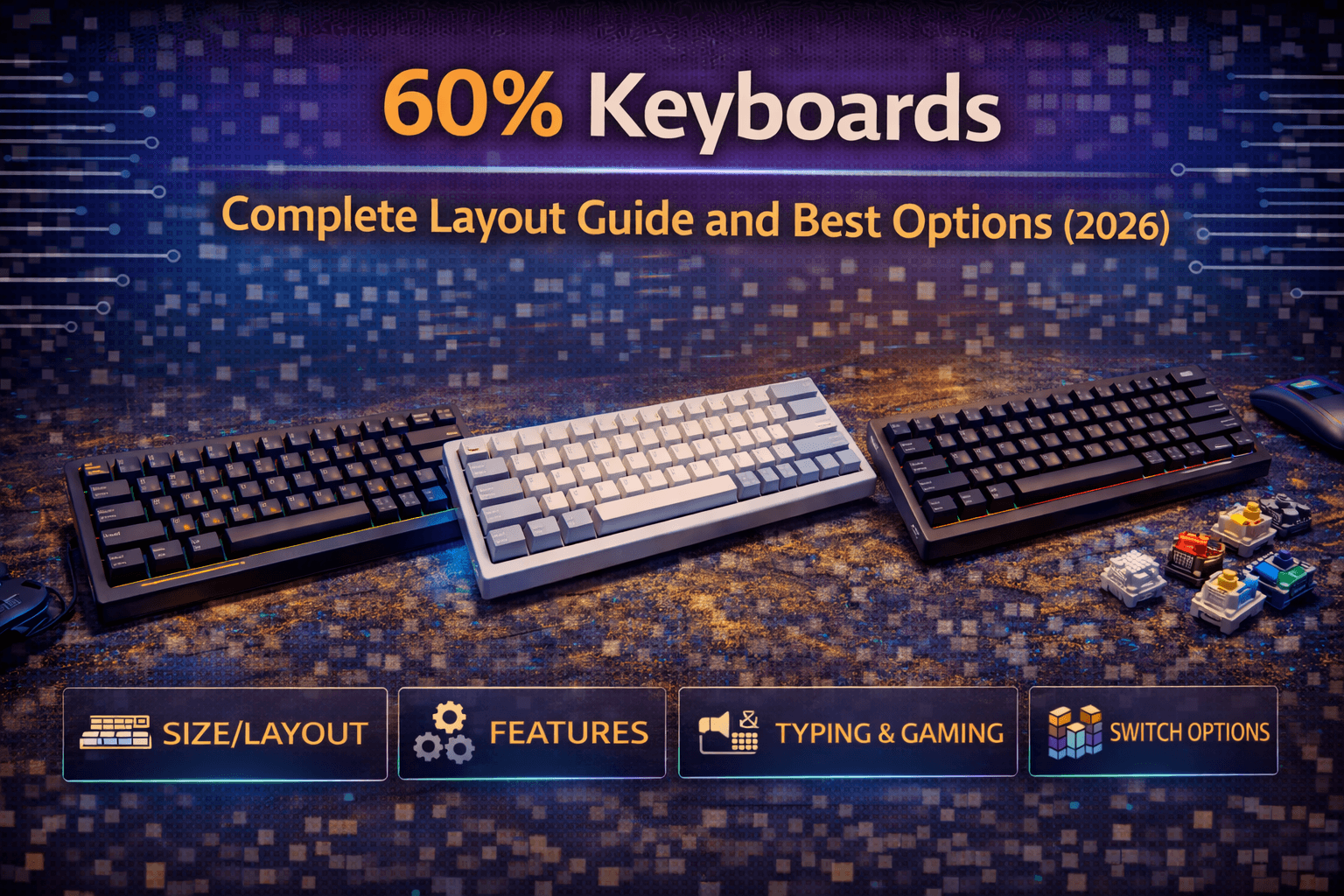
Sixty percent keyboards remove about 40% of the keys from standard full-size keyboards, keeping only the alphanumeric keys, modifiers, and some punctuation. No function row, no arrow keys, no number pad, no navigation cluster. What remains fits in a compact footprint roughly the size of a sheet of paper, creating a minimalist aesthetic and maximizing desk space.
The 60% layout has become the iconic size in mechanical keyboard enthusiast communities. It’s instantly recognizable, space-efficient, and forces you to rethink how you interact with your keyboard. Accessing removed keys requires holding function keys to activate layers—pressing Fn+WASD for arrows, Fn+numbers for F-keys, and so on. This layer system is either brilliant efficiency or frustrating limitation depending on your perspective and use case.
Enthusiasts love 60% keyboards for their compactness, portability, and the reduced hand movement required during typing and gaming. People who need dedicated keys for specific workflows often find 60% keyboards too restrictive. Understanding whether 60% keyboards work for you requires honest assessment of which keys you actually use and whether you’re willing to adapt to layer-based access for removed functionality. Some people transition seamlessly and never want to return to larger keyboards. Others try 60% layouts and immediately recognize they need more keys physically present.
This guide explains exactly what 60% keyboards are, which keys are removed and how to access them, the practical advantages and disadvantages, how to adapt if you’re coming from larger keyboards, and recommendations for the best 60% keyboards available in 2026.
Note: This guide contains affiliate links. If you purchase through our links, we may earn a commission at no extra cost to you. This helps support our in-depth testing and content creation.
What Is a 60% Keyboard Layout?
The 60% layout removes everything except the main typing area—letters, numbers, and essential modifiers. Understanding exactly what’s present and what’s missing helps you evaluate whether this layout suits your needs.
Keys You Keep
A standard 60% keyboard has 61 keys. You get all letter keys, number row, Tab, Caps Lock, both Shift keys, Control, Alt, Win/Cmd keys, Space bar, Backspace, and Enter. Essential punctuation and symbols remain—brackets, semicolon, quote, comma, period, slash, backslash, equals, and minus. The layout retains everything needed for typing text. You can write documents, code, chat, and browse without missing keys interfering with normal typing workflow. The core typing experience is identical to full-size keyboards.
Keys You Lose
Function keys (F1-F12) are gone. Arrow keys are missing. The navigation cluster (Home, End, Page Up/Down, Insert, Delete) disappears. The number pad doesn’t exist. Print Screen, Scroll Lock, and Pause Break are absent. These removed keys aren’t deleted entirely—they’re accessible through function layers. Most 60% keyboards use the right-side modifier keys (usually right Alt, right Win, right Ctrl, or Menu key) as Fn keys. Holding Fn transforms other keys temporarily.
The Layer System
The layer system is how 60% keyboards provide access to removed keys. Holding Fn activates a second layer where keys have alternate functions. Common mappings include Fn+WASD for arrow keys, Fn+numbers for F-keys, and Fn+other keys for navigation functions. The specific layer mapping varies by keyboard manufacturer. Some use intuitive positions (arrows on WASD), others choose different arrangements. Many 60% keyboards are programmable, letting you customize layer mappings to your preferences.
Physical Dimensions
Sixty percent keyboards measure approximately 11.5 inches wide by 4 inches deep (29cm x 10cm). They weigh 600-900g depending on materials. The compact size leaves substantial desk space for mouse movement—particularly valuable for gamers with low sensitivity. The small footprint makes 60% keyboards portable. They fit easily in backpacks, and the lighter weight makes transport comfortable. For people who move keyboards between locations, 60% size provides practical advantages.
Layout Compatibility
Most 60% keyboards use standard ANSI or ISO layouts for the keys that remain. The bottom row follows standard sizing, making keycap replacement straightforward. This compatibility matters for customization and keycap upgrades. Some 60% keyboards use non-standard layouts with unusual key sizes or positions. These keyboards are harder to customize because finding compatible keycaps becomes difficult. See our keyboard layouts guide for more on layout standards.
Advantages of 60% Keyboards
Understanding the benefits of 60% keyboards helps you evaluate whether they’re worth the compromises required.
Desk Space Liberation
Desk space liberation is the most obvious advantage. Removing 40% of the keyboard creates room for large mouse pads, documents, drinks, or just cleaner desk aesthetics. Gamers appreciate the space for low-sensitivity mouse movements. Small desk users gain desperately needed room. The compact footprint also creates more ergonomic positioning. With the keyboard taking less space, you can center it in front of you while keeping your mouse closer. This reduces shoulder strain from reaching for the mouse positioned far to the right of full-size keyboards.
Reduced Hand Movement
With a 60% keyboard, your hands travel less distance to reach any key. You’re never extending fingers far from home row to hit function keys or reaching for a number pad. This reduction in movement can reduce fatigue during long typing or gaming sessions. For touch typists who rarely look at the keyboard, having fewer keys means less searching when you need to find specific keys by feel. The compact layout creates muscle memory faster because everything is within a smaller area.
Portability
Sixty percent keyboards are genuinely portable. They fit in laptop bags, backpacks, and travel cases without dominating space. The lighter weight makes carrying them comfortable. For people who work from multiple locations or travel frequently, having a high-quality portable keyboard improves the experience at every location. The 60% size is portable enough to actually bring places where larger keyboards stay home.
Aesthetic Appeal
Many people find 60% keyboards simply look better on desks. The minimalist aesthetic appeals to those who value clean, uncluttered spaces. The compact keyboard doesn’t dominate the desk visually. Keyboard enthusiasts often choose 60% as their preferred size for custom builds because the compact form factor showcases keycaps and case designs effectively. The smaller canvas creates cohesive aesthetic more easily than sprawling full-size keyboards.
Gaming Benefits
Gamers often prefer 60% keyboards because the space savings allow larger mouse pads and more comfortable arm positioning. The compact size also means your keyboard doesn’t interfere with sweeping mouse movements. Most games use relatively few keys. WASD, Space, Shift, Control, Tab, and numbers cover most actions. The missing keys on 60% keyboards are rarely crucial for gaming. Layer access to F-keys suffices for the occasional need.
Cost and Customization
Sixty percent keyboards often cost less than larger keyboards with similar quality. Fewer switches, smaller PCB, and less material in the case all reduce manufacturing costs. Premium 60% keyboards exist, but the baseline cost is typically lower than equivalent full-size keyboards. The 60% layout has become the enthusiast standard in custom keyboard communities. More custom parts, keycap sets, and cases exist for 60% than any other size. If you want to explore custom keyboards, 60% provides the most options.
Disadvantages and Challenges
Being honest about 60% keyboard limitations helps you avoid buying a layout that frustrates rather than helps you.
No Dedicated Arrow Keys
The absence of dedicated arrow keys is the most common deal-breaker. If you use arrows frequently for text editing, spreadsheet navigation, or any other task, accessing them through Fn layers becomes tedious quickly. Some people adapt easily to Fn+WASD or Fn+IJKL for arrows. Others find the extra keystroke infuriating, especially during tasks requiring frequent arrow use. The annoyance doesn’t diminish over time—if it bothers you initially, it will likely continue bothering you. I say this from experience — I used a 60% for about two weeks before the arrow key situation drove me back to a 65%. Coding with Fn+WASD arrows for eight hours a day was manageable but never stopped feeling like friction. Some people genuinely don’t mind it. I wasn’t one of them.
For gaming, missing arrows usually doesn’t matter since most games use WASD. But menu navigation in some games requires arrows, creating awkward situations where you need Fn combinations.
Function Key Access
Accessing F1-F12 through layers is problematic for workflows that use function keys frequently. Shortcuts like Alt+F4, Ctrl+F5, or dedicated F-key functions in specific software require two-handed operations or uncomfortable finger contortions. Some professions rely heavily on function keys. CAD software, video editing applications, IDEs, and many productivity tools use F-keys extensively. For these workflows, 60% keyboards create constant friction.
Missing Navigation Cluster
Missing Home, End, Page Up, and Page Down keys affects anyone who navigates documents, code, or web pages with these keys. Layer access exists but requires memorizing new key combinations and adding extra keypresses. Delete key absence is particularly annoying for some users. While backspace handles most deletion, forward delete is genuinely useful. Accessing it through layers feels inefficient.
Learning Curve
Adapting to 60% layouts requires conscious effort. You need to memorize layer mappings, retrain muscle memory, and accept temporary productivity loss during transition. This investment might be worthwhile for long-term benefits, but the initial period frustrates many people. The learning curve varies by person. Some adapt within days. Others struggle for weeks and ultimately give up. There’s no way to know in advance which category you’ll fall into.
Workflow Incompatibility
Certain work genuinely requires keys that 60% keyboards remove. Accounting and data entry need number pads. Programming might need easy access to brackets, which can be awkward on some 60% layouts. Video editing uses function keys extensively. If your primary keyboard use is work-related, carefully assess whether 60% layout supports your workflow before committing. The space savings and aesthetics don’t matter if the keyboard hampers productivity.
Complex Shortcuts
Some key combinations become difficult or impossible on 60% keyboards. Three-key shortcuts that include removed keys might require gymnastic finger positions. Certain gaming macros or productivity shortcuts might not be feasible. To make 60% keyboards truly comfortable, you often need programmable firmware to customize layers. This adds complexity and requires technical comfort that not everyone possesses. Pre-programmed 60% keyboards might not map layers the way you’d prefer.
Who Should Use 60% Keyboards
Understanding whether 60% keyboards suit your use case prevents buying layouts that frustrate rather than help.
Good Candidates
Gamers who primarily play FPS, MOBA, or MMO games where arrow keys aren’t essential are ideal candidates. Writers and content creators who type more than they navigate work excellently on 60% keyboards. People with small desks who genuinely need space savings benefit significantly. Keyboard enthusiasts who want to explore compact layouts and custom builds thrive with 60% options. Travelers who need portable quality keyboards find 60% keyboards invaluable.
If you’re comfortable with keyboard shortcuts, adaptable to new workflows, and willing to invest time learning layers, 60% keyboards can work beautifully. The key is accepting that adaptation period is real and benefits come after adjustment.
Poor Candidates
Anyone who uses arrow keys constantly for work should reconsider. Programmers who rely on function keys and navigation clusters may struggle. Data entry workers who need number pads should look elsewhere. People who prefer straightforward, no-learning-curve equipment aren’t good fits. Users who multitask heavily across many applications with complex shortcuts should consider larger layouts.
If your reaction to missing keys is immediate frustration rather than “I could adapt to that,” trust that instinct. 60% keyboards are niche products that work wonderfully for their target audience but poorly for everyone else.
Testing Before Committing
If you’re curious about 60% keyboards but uncertain, buy affordable options first. Budget 60% keyboards like the RK61 or GK61 cost $40-60 and let you test the layout without major financial commitment. If you adapt well, upgrade to premium options. If you hate it, you learned without expensive mistake. This is exactly what I did — grabbed an RK61 for around $45 to test the layout. Glad I didn’t spend $200 on a premium 60% only to discover I needed arrow keys back after two weeks. The cheap board told me everything I needed to know.
Some people keep both 60% and larger keyboards, using 60% for gaming or travel and larger keyboards for work. This flexibility lets you enjoy 60% advantages when appropriate while having full keyboards when needed.
Ask yourself honestly: do I value desk space and portability enough to accept reduced key access? If yes, 60% might work. If the question generates hesitation, stick with larger layouts. The keyboard market offers plenty of options—there’s no reason to force yourself into layouts that don’t suit you. Consider our 65% keyboard guide if you want compact with dedicated arrow keys.
Top 60% Keyboards Ranked
Based on build quality, features, value, and popularity, here are the best 60% keyboards available in 2026.
Anne Pro 2 — $79-99 — ⭐ Best Wireless 60%
The Anne Pro 2 has remained popular for years because it balances features, quality, and price effectively. Wireless connectivity via Bluetooth to multiple devices makes it versatile. Hot-swappable switches (on newer versions) allow easy customization. RGB lighting is bright and customizable. Build quality is good for the price with solid plastic case and stable typing experience. The Gateron switches feel smooth and stabilizers are decent though not exceptional. Battery life reaches 8-10 hours of continuous use, longer with lighting disabled. Software allows customization of layers, lighting, and macros. The interface isn’t the most intuitive but it’s functional. At under $100, the Anne Pro 2 delivers excellent value for wireless 60% keyboards that prioritize connectivity and ease of use.
Ducky One 2 Mini — $90-120 — 🏆 Best Pre-Built Quality
Ducky One 2 Mini keyboards are known for exceptional build quality and the One 2 Mini maintains that reputation. The plastic case feels premium with no flex or creaking. PBT keycaps are thick and durable with crisp legends. Stabilizers are well-tuned with minimal rattle. Cherry MX switches provide the classic mechanical experience with various options available. The RGB lighting is bright and programmable. Macro recording works via onboard controls without software required. At this price point, the One 2 Mini costs more than budget options but the quality justifies the investment. It’s a reliable, well-built 60% keyboard that just works, making it excellent for users who want quality without customization complexity.
GK61 — $50-60 — 💰 Best Ultra-Budget
For people who want to try 60% layout without financial commitment, the GK61 delivers functional keyboards at rock-bottom prices. Hot-swap sockets, RGB lighting, and programmable firmware provide features usually found on pricier keyboards. Build quality matches the price—plastic case, okay stabilizers, decent Gateron switches. It’s not premium but it works reliably. For $50-60, the GK61 lets you test 60% layout to see if you want to invest in better keyboards. The ultra-low price makes this an excellent entry point for anyone curious about compact layouts without risk of expensive disappointment.
Keychron K6 — $70-80 — 🎯 Practical Compact Alternative
While technically a 65% keyboard (not true 60%), the Keychron K6 deserves mention for budget-conscious users wanting compact layout with arrow key retention. This avoids the main frustration point of 60% keyboards. Wireless connectivity, hot-swap options, and multiple switch choices make it versatile. Build quality is acceptable for the price though not premium. Plastic case is fine, keycaps are decent ABS. At $70-80, it provides great entry point to compact keyboards without full 60% layout restrictions. The inclusion of dedicated arrow keys dramatically improves usability compared to true 60% boards while maintaining most of the space-saving benefits.
Razer Huntsman Mini — $119-120 — 🎮 Best Gaming-Focused 60%
Razer’s entry into 60% keyboards brings gaming-specific optimizations with their optical switches that provide lightning-fast actuation and satisfying feel. Premium doubleshot PBT keycaps provide durability and consistent typing experience. The aluminum construction feels solid and premium compared to plastic budget keyboards. Five onboard memory profiles and Razer Synapse software support extensive customization and macro creation. The gaming focus and premium feel justify the higher price compared to budget options. For gamers willing to invest more, the Razer Huntsman Mini delivers premium experience in 60% form factor.
HHKB Professional Hybrid Type-S — $259-357 — 💼 Best for Programming
The Happy Hacking Keyboard is legendary in programming communities for its efficient layout and Topre switches. The layout moves Control to Caps Lock position and optimizes for programming workflows. Topre switches provide unique feel—tactile but smooth, quiet but satisfying. The typing experience is distinctive and beloved by many programmers. Wireless connectivity and onboard programming support modern workflows. At this premium price, it reflects the cult status and unique Topre switches more than objective superiority. For programmers who want to try the HHKB experience, it delivers on its promises, but budget keyboards work fine for most uses.
Custom 60% Keyboard — $200-400+ — 🛠️ Best for Enthusiasts
Building custom 60% keyboards from parts provides ultimate control over every aspect. Choose case material, PCB features, switches, keycaps, and stabilizers independently. Popular options include Tofu60 cases ($80-120) and DZ60 PCBs ($40-60), allowing you to build complete keyboards with chosen components. Custom builds require research and assembly but result in keyboards tailored exactly to your preferences. For enthusiasts who want perfect personalized keyboards, custom 60% builds are the answer. The investment in learning and assembly pays off through keyboards that feel uniquely yours. See our custom keyboard building guide for detailed instructions.
Adapting to 60% Layout
If you’ve decided to try 60% keyboards, these strategies help smooth the transition.
Learn Layers Before Switching
Before fully switching, spend time learning where removed keys are located in layers. Practice Fn combinations for arrows, F-keys, and navigation. Muscle memory develops faster with conscious practice than hoping to figure it out gradually. Many 60% keyboards let you customize layers. Set up arrow access in a comfortable position—Fn+WASD, Fn+IJKL, or whatever feels natural to you. Programmability is powerful but requires upfront investment learning the tools.
Gradual Transition
Keep your old keyboard available during initial weeks. Use 60% keyboard for tasks that don’t require removed keys frequently, switching to full keyboard for arrow-heavy or function-key work. Gradually increase 60% usage as comfort improves. This approach prevents productivity crashes. You’re learning new layout without destroying your ability to work efficiently when needed.
Start with Gaming
If you’re primarily gaming, start using 60% keyboard for games where arrow keys don’t matter. FPS games, MOBAs, and most online games work perfectly on 60% layouts. Gaming provides hours of practice with the compact layout in low-stakes environment. After comfortable gaming on 60%, transition to work use becomes easier.
Learn Keyboard Shortcuts
Learning keyboard shortcuts for common navigation tasks reduces reliance on arrow keys and navigation cluster. Shortcuts often work better than repeatedly pressing arrows anyway. Home/End, Ctrl+arrows for word jumping, and Page Up/Down all have shortcut equivalents.
Expect Adjustment Period
The first few days on 60% keyboards are frustrating for most people. Accept temporary inefficiency as cost of adaptation. If after two weeks you still hate the layout, that’s legitimate feedback. But give it genuine chance before deciding. A 60% keyboard typically requires 2-3 weeks of consistent use before new key combinations become natural. During this period, your typing speed may drop by 20-30%, and you’ll make frequent mistakes reaching for missing keys. Consider whether this adjustment period fits your work deadlines and patience level.
Frequently Asked Questions
Are 60% keyboards good for gaming?
Yes, excellent for gaming. Most games don’t use arrow keys or function keys heavily. The compact size provides more mouse space and comfortable arm positioning. Many professional gamers use 60% keyboards for competitive play in FPS and MOBA titles. The extra desk space for mouse movement often translates to better accuracy in games requiring precise aiming.
Can you use 60% keyboards for programming?
Depends on your coding style. If you use lots of function keys or navigation shortcuts, 60% might frustrate you. If you’re keyboard-shortcut focused and willing to customize layers, 60% can work well. Many programmers love 60% keyboards and appreciate reduced hand movement, while others find layer access too inefficient. Testing before committing helps determine your personal preference.
What’s the difference between 60% and 65% keyboards?
65% keyboards add dedicated arrow keys and usually Delete key while remaining quite compact. The extra keys reduce learning curve significantly. If arrow keys matter to you, 65% might be better compromise than 60%. You maintain most space savings while avoiding the main frustration point that prevents many people from adopting 60% layouts successfully. See our 75% vs 65% comparison for detailed analysis.
How do you use arrow keys on a 60% keyboard?
Hold Fn key and press designated arrow keys (usually WASD or IJKL). Most 60% keyboards are programmable, letting you customize arrow position to your preferences. After adaptation, the process becomes automatic like using keyboard shortcuts. The muscle memory development happens faster than many people expect when using the same layout consistently.
Are 60% keyboards worth it?
Worth it if you value desk space, portability, and minimalist aesthetics, and you don’t rely heavily on arrow keys or function keys. Not worth it if missing keys would frustrate your workflow. The layout is polarizing—right for some people, wrong for others. The best approach is testing with budget keyboards before investing in premium options.
Conclusion
Sixty percent keyboards remove 40% of keys from standard keyboards, keeping only essentials and requiring layer access to removed functionality. This creates compact, portable keyboards that maximize desk space and reduce hand movement. The layout appeals strongly to enthusiasts, gamers, and minimalists while frustrating people who need dedicated arrow keys or function keys.
Whether 60% keyboards work for you depends entirely on your specific use case and adaptability. Gaming-focused users often love them. Heavy arrow-key users usually hate them. Writers and content creators often adapt successfully. Programmers are split depending on workflow.
The best approach is testing before committing. Budget 60% keyboards cost $40-70 and let you experience the layout without major investment. If you adapt well and want to upgrade, premium options provide excellent quality. If you discover you need more keys, you learned that lesson inexpensively.
The keyboard market offers choices from 40% to full-size layouts. There’s no objectively best size—different layouts serve different needs. Choose based on your actual requirements rather than following trends or enthusiast recommendations that might not match your situation. Honest assessment of your needs and willingness to adapt are the only reliable guides for finding your perfect keyboard layout.
Ready to explore your options? Check our keyboard layouts guide for complete size comparisons, or see our 65% keyboard guide if you want compact with dedicated arrow keys, or jump straight to our best 60% gaming keyboards roundup if you're shopping now.

