Introduction
Mechanical keyboards attract accessories the way sports cars attract modifications. Walk into keyboard enthusiast spaces and you'll find elaborate desk setups featuring custom cables, premium deskmats, artisan keycaps, and carefully coordinated aesthetics. Some accessories provide genuine functional benefits. Others are purely aesthetic indulgences. Many fall somewhere between—not essential but genuinely nice to have.
Understanding which accessories solve real problems versus which satisfy aesthetic preferences helps you spend money effectively. A wrist rest might prevent repetitive strain injury—that's money well spent. A custom coiled cable looks beautiful but functions identically to the included cable—that's aesthetic spending you choose based on budget and priorities.
The keyboard accessories market ranges from affordable essential maintenance tools to luxury aesthetic upgrades costing hundreds. Quality varies dramatically. Some accessories deliver excellent value, providing meaningful improvements at reasonable prices. Others are overpriced aesthetic items trading on enthusiast community trends.
This guide categorizes accessories by function and value, helping you distinguish between must-haves, nice-to-haves, and aesthetic luxuries. You'll understand what deskmats actually do beyond looking nice, when wrist rests help versus when they're unnecessary, which tools every keyboard owner needs, and how to evaluate whether aesthetic accessories justify their costs.
Whether you're setting up your first mechanical keyboard or optimizing an established setup, understanding the accessories landscape helps you make informed choices about where to invest and where to save.
Note: This guide contains affiliate links. If you purchase through our links, we may earn a commission at no extra cost to you. This helps support our in-depth testing and content creation.
Deskmats (Functional + Aesthetic)
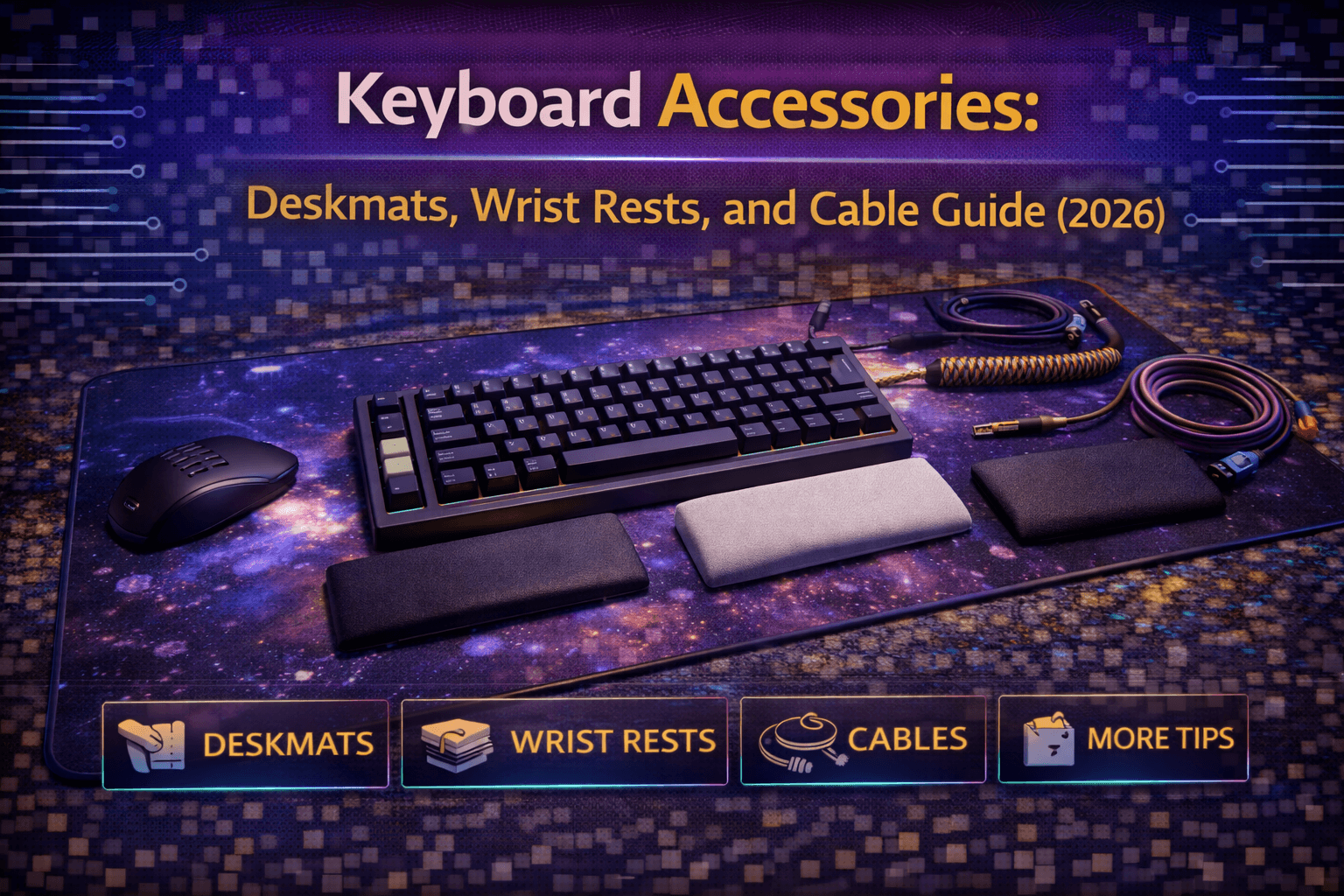
Deskmats serve both practical and aesthetic purposes. Understanding both helps you evaluate whether they're worth buying.
What Deskmats Do
Deskmats are large fabric or rubber pads that sit under keyboards and mice. They protect desk surfaces from scratches and wear, provide consistent texture for mouse tracking, dampen keyboard sounds by absorbing vibrations, prevent keyboard sliding during use, and create defined workspace boundaries.
The sound dampening benefit surprises many people. Keyboards sitting on hard desk surfaces create resonant acoustic reflections. Thick deskmats absorb these reflections, making keyboards sound deeper and more refined. The effect is subtle but real—especially noticeable with louder keyboards. Even budget keyboards benefit from deskmat sound absorption. See our keyboard sound guide for more on acoustics.
Mouse Tracking
Mouse tracking consistency matters for gaming and precision work. Deskmats provide uniform surface texture that optical sensors track reliably. Hard desks can have inconsistent textures or reflective spots that confuse sensors. This consistency becomes more important when using low sensitivity mouse settings common in gaming.
Materials and Construction
Most deskmats use cloth top surface (polyester or microfiber) over rubber or foam backing. The cloth provides smooth mouse gliding and comfortable wrist contact. Rubber backing prevents sliding and provides cushioning.
Premium deskmats use thicker rubber bases (3-5mm) for better sound dampening and more substantial feel. Budget deskmats use thin bases (2mm) that provide less cushioning but cost less. Stitched edges prevent fraying and extend deskmat life. Non-stitched edges fray over time. Stitched edges cost slightly more but last years longer.
Sizes
Deskmats come in multiple sizes to accommodate different workspace constraints:
- Small deskmats (~35x30cm): cover just keyboard area, providing minimal mouse space
- Medium deskmats (~60x30cm): fit TKL or smaller keyboards plus moderate mouse space—the standard size for most users
- Large deskmats (~90x40cm): fit full-size keyboards and large mouse areas, popular for gaming setups
- Desk-sized mats (120x60cm+): cover entire desk surfaces, providing maximum protection and aesthetic impact but costing significantly more
Most people benefit from medium or large sizes. Small deskmats save money but compromise mouse space. Desk-sized mats are luxury purchases justified by aesthetics more than function.
Designs and Pricing
Deskmats range from minimal black or gray designs to elaborate artwork and graphics. The design is purely aesthetic preference—it doesn't affect functionality. Simple designs work in professional environments. Elaborate designs appeal to enthusiasts who prioritize aesthetics. Choose based on your environment and preferences.
Quality deskmats are affordable depending on size. They provide genuine functional benefits: sound dampening, surface protection, mouse consistency, and keyboard stability. For these prices, deskmats represent good value even before considering aesthetics. Premium deskmats with elaborate designs or special features deliver diminishing returns. You're paying for aesthetics and brand rather than meaningful functional improvements.
Recommendations
For budget option: choose a basic black cloth deskmat from mainstream brands. This provides all functional benefits without aesthetic premium.
For best value: mid-tier deskmats ($) with stitched edges and 3-4mm thickness offer quality construction lasting years.
For enthusiast option: premium deskmats ($) with custom artwork work if aesthetics matter to your setup.
Wrist Rests (Ergonomic)
Wrist rests are controversial in ergonomic communities. Understanding their purpose and limitations helps you decide if you need one.
What Wrist Rests Do
Wrist rests provide elevated platform that reduces wrist extension—the upward bend required to reach keys on elevated keyboards. They create more neutral wrist position by raising your wrists to keyboard height.
The name "wrist rest" is misleading—you shouldn't rest wrist weight on them during typing. Doing so creates pressure on carpal tunnel area. Instead, wrist rests support hand position between typing bursts while your hands naturally rest.
Who Benefits
Wrist rests benefit people who:
- Type on tall keyboards (mechanical keyboards with cases creating significant height)
- Experience wrist pain from excessive extension
- Have desks positioned slightly low relative to keyboard height
- Type for extended periods
The benefit comes from improved wrist angle, not from resting weight on the wrist rest during active typing. If you maintain good floating hand position while typing, wrist rests primarily help during pauses. See our ergonomic keyboards guide for more on typing ergonomics.
Who Doesn't Need Them
Wrist rests don't help people who:
- Type on low-profile keyboards already at neutral height
- Have properly positioned desks and chairs creating natural wrist alignment
- Actively rest wrist weight on wrist rests during typing (this creates different ergonomic problems)
If you're not experiencing wrist discomfort, you probably don't need wrist rests. They're solutions to specific problems, not universal improvements. The most important ergonomic practice remains proper desk and chair positioning combined with taking regular typing breaks.
Materials
Material choice affects comfort and durability significantly:
- Memory foam: soft and comfortable, conforming to wrist shape, providing cushioning, but can flatten over time
- Solid foam: firmer than memory foam, maintains shape better, less conforming but more durable
- Wood: solid and premium-feeling with excellent aesthetics but provides no give or cushioning—works well for people wanting elevation without softness
- Gel: very soft and cool to touch but can feel too soft for some users
- Leather or leatherette: premium appearance and wipeable surface with padding underneath determining comfort
Sizing
Wrist rest height and width must match keyboard specifications:
- Full-size keyboards need approximately 17-18 inch wrist rests
- TKL needs about 14 inches
- 65% needs about 12 inches
Mismatched sizes look awkward and may not provide proper support. Height should match keyboard front height—too tall creates upward wrist bend, too short provides inadequate elevation. Most wrist rests are 15-25mm tall, matching standard mechanical keyboard heights.
Pricing and Recommendations
Wrist rests range from budget foam options to premium wood or leather models. The functional benefit—wrist elevation—works identically across price ranges. Premium materials provide better aesthetics and potentially better durability but not better ergonomics. If you need wrist support, budget options work fine. Premium options ($) are aesthetic choices.
Important caveat: wrist rests don't solve fundamental ergonomic problems from poor desk/chair positioning or bad typing posture. If experiencing wrist pain, address root causes first: desk height, chair height, monitor position, typing angle. Wrist rests are supplementary solutions, not primary fixes.
For budget: choose a basic foam option matching keyboard size to test whether they help you.
For best value: memory foam with washable cover ($) offers comfort and hygiene.
For premium: wooden wrist rest ($) works if you know you want one and value aesthetics and durability.
Custom Cables (Aesthetic)
Custom cables are purely aesthetic accessories. Understanding this helps set appropriate expectations and budget.
What Custom Cables Are
Custom keyboard cables replace standard USB cables with elaborately designed alternatives. They feature coiled sections (like vintage telephone cords), aviator connectors (detachable metal connectors), colorful sleeving (paracord or techflex), and coordinated color schemes matching keyboard aesthetics.
Functionally, custom cables do exactly what included cables do—transmit data and power. They don't improve latency, increase polling rates, or enhance performance. The entire value proposition is aesthetic.
Coiled Sections
Coiled sections create vintage aesthetic while providing strain relief and cable management. The coils compress and extend, preventing cable tension from pulling keyboard. They also look distinctive and premium. Coils are hand-wrapped, requiring labor that drives costs. Quality coils maintain shape and tension. Cheap coils may lose springiness over time.
Aviator Connectors
Aviator connectors let you disconnect cable mid-length, separating keyboard section from computer section. This simplifies storage and transportation, allows swapping different cable colors/styles while keeping keyboard portion, and creates distinctive visual break in cable. The mechanical connector adds to cable cost. It's jewelry for cables—nice to have but functionally unnecessary.
Color Coordination
Custom cables coordinate colors with keyboard, keycaps, or desk setup. Enthusiasts match cable colors to keycap accent colors, desk themes, or seasonal aesthetics. This level of coordination is pure hobby territory. It makes setups look cohesive and intentional but provides zero functional benefit.
Pricing Reality
Pricing reality for custom cables in 2026:
- Basic custom cables: affordable
- Premium cables with aviators: mid-range
- Elaborate custom designs: high-end
These prices are for cables that functionally match free stock cables. You're paying for handcrafted aesthetics, not performance.
Honest Assessment
Custom cables are the definition of optional luxury. If you enjoy aesthetics and have budget for hobbies, they add character to setups. If you're budget-conscious or prioritize function, stock cables work identically.
The honest assessment: custom cables are fun indulgences for people who enjoy the hobby aspects of mechanical keyboards. They're terrible value if evaluated purely functionally.
Only buy custom cables if: you've already invested in quality keyboard and keycaps, you enjoy aesthetic coordination, you have discretionary hobby budget, and you understand you're buying jewelry, not performance.
Skip custom cables if: you're building first keyboard, you're budget-limited, or aesthetics aren't priorities.
Essential Tools (Must-Have)
Unlike aesthetic accessories, these tools provide genuine functional value. Every keyboard owner should have them.
Keycap Pullers
Wire keycap pullers are essential for cleaning, customizing, or maintaining keyboards. They remove keycaps safely without damaging switches or keycaps. The wire design grips keycaps from underneath, distributing pressure evenly. Plastic pullers can damage keycap stems. Invest in a quality wire puller—it lasts forever and becomes indispensable for keyboard maintenance.
Switch Pullers
If you have hot-swap keyboard, switch pullers let you swap switches without tools or soldering. They're essential for customization and replacing failed switches. Even if you don't plan to swap switches regularly, having puller available for troubleshooting makes it worthwhile purchase.
Cleaning Supplies
Regular dusting maintains keyboard cleanliness and prevents buildup. Compressed air cans or electric air dusters ($) blow debris from between keys. Electric dusters cost more initially but eliminate ongoing can purchases. They're worthwhile investment for multiple keyboards or frequent cleaning. See our keyboard cleaning guide for complete instructions.
Microfiber Cloths
Quality microfiber cloths clean keyboards without scratching or leaving lint. They're essential for wipe-downs and maintenance. These become standard part of keyboard care routine.
Lubricants and Modding Tools
If you build or modify keyboards, you'll need lubricants and tools. Krytox 205g0, dielectric grease, and precision brushes are standard supplies. These are specialized tools for people who lube switches or tune stabilizers. Casual users don't need them. See our switch lubing guide for detailed instructions.
Total Investment
Total essential tool investment is modest and covers keycap puller, switch puller (if applicable), compressed air, and cleaning supplies. This is reasonable investment protecting keyboards worth $100-500.
Nice-to-Have Accessories (Optional)
These accessories provide value but aren't essential.
Switch Testers
Switch testers let you test multiple switch types before buying keyboards or switches. They prevent buying keyboards with switches you dislike. If you're new to mechanical keyboards, switch tester is smart investment. If you already know your switch preferences, skip it.
Carrying Cases
If you transport keyboards regularly, padded carrying cases ($) protect during travel. They're essential for portable setups, unnecessary for stationary keyboards.
Artisan Keycaps
Artisan keycaps are handcrafted decorative keycaps for accent keys. They're pure aesthetic/collectible items with no functional purpose. Hobby purchases for enthusiasts. See our keycaps guide for more on keycap options.
Cable Management
Cable organizers, clips, and sleeves create clean desk aesthetics. Nice for organized setups but not necessary for function.
O-Rings
Rubber O-rings dampen bottom-out sound on mechanical switches. They make keyboards quieter but change typing feel. Niche solution for specific noise reduction needs. See our keyboard sound guide for more on sound dampening.
What's Actually Worth Buying
Prioritizing accessories based on value and needs helps maximize budget efficiency.
$50 Budget
If you have $50 for accessories, choose:
- Quality deskmat ($)
- Wire keycap puller
- Cleaning supplies
This covers functional bases with items that improve experience without waste.
$100 Budget
If you have $100 for accessories, add:
- Quality deskmat ($)
- Wrist rest if needed ($)
- Essential tools ($)
- Switch tester ($)
This adds ergonomic support and exploration tools for understanding preferences.
$200+ Budget
If you have $200+ for accessories, you can add aesthetic items:
- Custom cable ($)
- Premium wrist rest ($)
- Carrying case ($)
- Artisan keycaps
This creates cohesive setup while maintaining solid functional foundation.
Skip Unless Specific Needs
Skip unless specific needs: custom cables (unless you value aesthetics), artisan keycaps (pure collectibles), premium deskmats beyond $40 (diminishing returns), multiple wrist rests, elaborate cable management.
Always Buy
Always buy: keycap puller, basic cleaning supplies, switch puller if hot-swap keyboard.
Frequently Asked Questions
Do I need a deskmat for my keyboard?
Not strictly necessary, but deskmats provide real benefits: sound dampening, desk protection, mouse surface consistency, keyboard stability. Quality deskmats are affordable and deliver good value. Skip if budget is very tight or desk space limited.
Are wrist rests good for ergonomics?
Wrist rests help if you need wrist elevation to reduce extension on tall keyboards. They should support hands during pauses, not bear weight during active typing. Don't buy wrist rests expecting them to solve poor posture or desk positioning. Proper desk height and chair positioning matter more than wrist rests.
Why are custom cables so expensive?
Custom cables are handcrafted with coiling, aviator connectors, and premium sleeving. The labor and materials cost more than mass-produced cables. You're paying for aesthetics, not performance—custom cables work identically to stock cables functionally. Only buy if you value aesthetic coordination.
What tools do I need for keyboard maintenance?
Essential: wire keycap puller, cleaning supplies. Nice to have: switch puller if hot-swap keyboard, compressed air. For building/modding: lubricants ($), precision tools. See our cleaning guide for complete instructions.
Are expensive deskmats worth it over cheap ones?
Functional benefits plateau at the mid-range. More expensive deskmats primarily offer aesthetic designs rather than better sound dampening or durability. Buy premium deskmats for aesthetics, not expecting functional superiority. Quality mid-range deskmats work excellently.
Conclusion
Keyboard accessories range from affordable essential tools to aesthetic luxuries costing hundreds. Prioritizing wisely maximizes value and satisfaction.
Essential accessories—keycap puller, cleaning supplies, and switch puller for hot-swap keyboards—cost minimal money but provide maximum utility. Every keyboard owner should have these. Functional accessories—quality deskmats and appropriate wrist rests—provide genuine benefits at reasonable costs. They're worthwhile investments if they address specific needs or preferences.
Aesthetic accessories—custom cables, artisan keycaps, premium materials—are hobby purchases. They're fun and create beautiful setups but don't improve functionality. Buy them if you enjoy the aesthetic hobby aspects of keyboards and have appropriate budget.
The key is honest assessment of what you value. If ergonomics matter, invest in wrist rests and ergonomic tools. If aesthetics drive you, custom cables and premium deskmats make sense. If function dominates, stick with essential tools and skip luxury accessories. Your keyboard accessory spending should reflect your priorities and budget, not keyboard community trends or pressure to coordinate aesthetics.
Ready to explore more keyboard topics? Check our keyboard cleaning guide for maintenance tips, or see our keycaps guide for upgrade options.