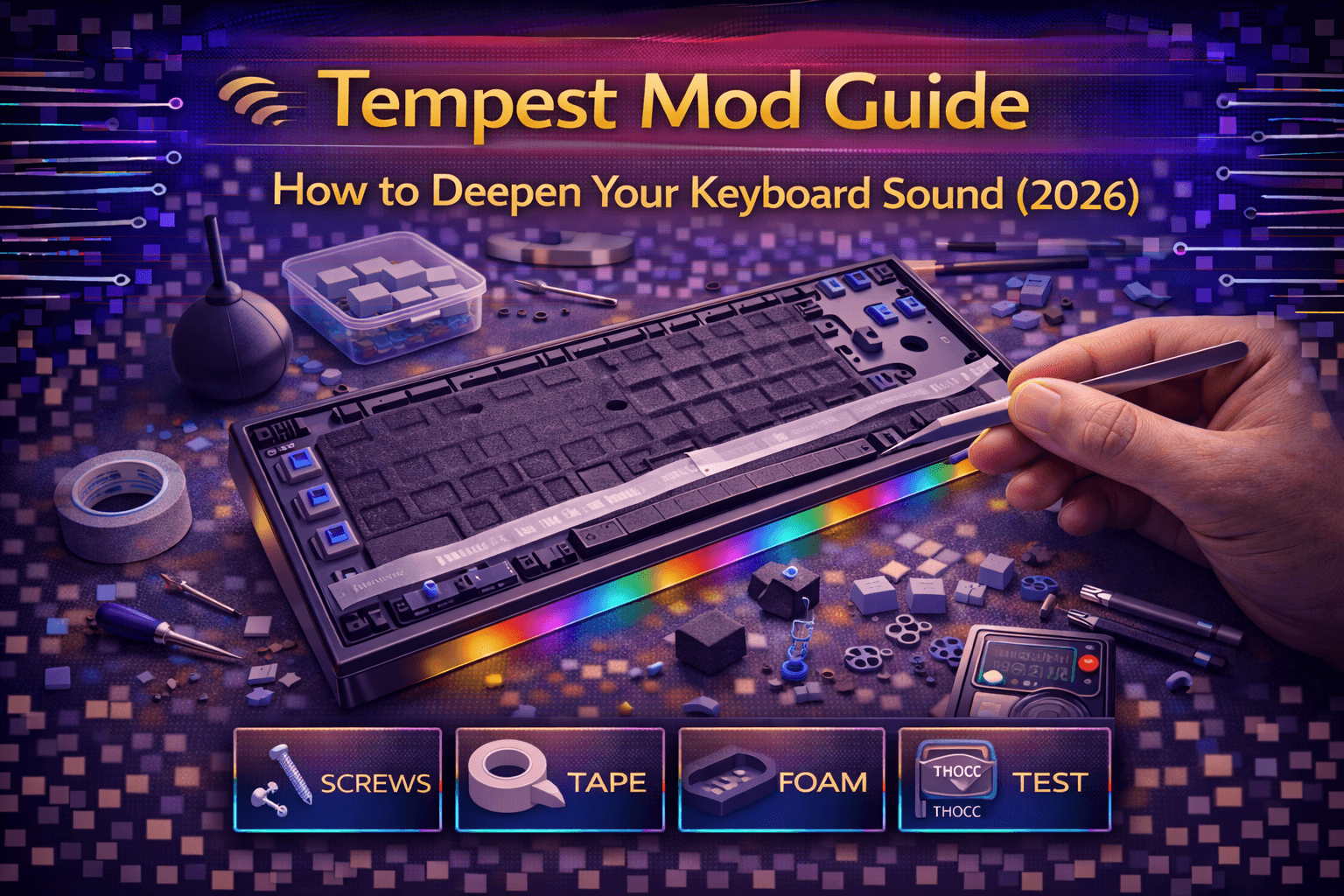
Tempest mod (also called plate tape mod) transforms keyboard acoustics by applying tape between keyboard plate and PCB rather than PCB back, creating unique sound signature distinct from traditional tape mod. This relatively newer modification gained traction 2022-2023 as enthusiasts experimented with tape placement variations discovering plate-to-PCB position produced particularly desirable acoustic characteristics.
Understanding Tempest mod requires recognizing plate's acoustic role—metal or polycarbonate plate holds switches creating rigid structure transmitting vibrations differently than flexible PCB. Tape between plate and PCB dampens specific vibration pathways while allowing others, resulting in deeper more refined sound many describe as "creamy" or "marbly."
This comprehensive guide explains Tempest mod theory and differences from traditional tape mod, provides step-by-step installation procedures, discusses material selection and application techniques, compares results to other sound modifications, covers switch and keyboard compatibility, and helps determine whether Tempest mod suits your keyboard and sound preferences.
Whether seeking alternatives to standard tape mod, refining acoustics of gasket-mount keyboards, or experimenting with advanced sound modification, understanding Tempest mod enables informed decisions about this sophisticated acoustic enhancement.
Note: This guide contains affiliate links. If you purchase through our links, we may earn a commission at no extra cost to you. This helps support our testing and content creation.
What Is Tempest Mod
Definition and Origins
Tempest mod applies tape (typically masking tape or painter's tape) between keyboard plate top surface and PCB bottom surface. Unlike traditional tape mod which applies tape to PCB back, Tempest positions tape in gap between plate and PCB where switches mount creating fundamentally different acoustic effect.
Name origin: "Tempest" derives from Tempest keyboard design by Percent Studio, though modification not exclusive to that keyboard design. Custom keyboard community adopted Tempest name for plate-to-PCB tape application distinguishing from standard tape mod on PCB back.
Historical development: Emerged 2022-2023 as enthusiasts explored tape mod variations experimenting with different tape placements. Community discovered plate-to-PCB tape position created distinct acoustic profile particularly effective in certain keyboard designs and mounting styles.
How Tempest Mod Differs From Traditional Tape Mod
Traditional tape mod (PCB back application):
- Tape applied to bottom surface of PCB
- Dampens vibration transmission from PCB to case
- Creates deeper overall keyboard tone
- Affects entire keyboard resonance and character
- Broader acoustic impact
Tempest mod (plate-to-PCB application):
- Tape applied between plate top surface and PCB bottom surface
- Dampens vibration transmission between plate and PCB
- Creates creamy marbly refined sound signature
- More localized effect relative to individual switches
- Affects typing acoustics and switch sound more than case resonance
Fundamentally different acoustic characteristics despite using identical technique and materials. Tape placement location produces dramatically different sonic results.
Sound Characteristics and Acoustic Profile
Typical Tempest mod results:
"Creamy" or "marbly" sound: Smooth refined acoustic signature. Less harsh than stock configuration. Rounded tone quality emphasizing mid frequencies.
Reduced plate ping: Metal plates often create metallic ringing from vibrations. Tempest dampens this characteristic effectively creating controlled sound.
Deeper switch-level sound: Emphasizes lower frequencies originating from switch actuation and bottom-out.
More controlled resonance: Reduces excessive vibration between plate and PCB. Vibrations stay more localized rather than propagating freely.
Enhanced bottom-out sensation: Fuller more satisfying keypress landing feeling and acoustic feedback.
Refined typing character: Less harsh treble, more present midrange, maintained bass response.
Why Tempest Mod Works Acoustically
Plate and PCB normally have small air gap or minimal contact through standoffs only. Tempest mod fills this gap creating:
Dampening layer: Tape absorbs and redirects vibration energy between plate and PCB
Changed vibration transmission: Alters how vibrations propagate from switches through plate-PCB interface
Modified resonance characteristics: Plate-PCB resonance behavior fundamentally changes with tape layer
More controlled acoustic behavior: Reduces excessive ringing and metallic character
Interface mass: Added tape thickness and material mass dampens vibration frequencies
Keyboard Compatibility and Best Applications
Best suited for:
- Keyboards with significant plate-to-PCB gap (ideally 1-2mm)
- Top-mount keyboard designs
- Gasket-mount keyboards (results controversial—some love, others feel defeats gasket purpose)
- Tray-mount keyboards with hollow character
- Hot-swap keyboards (easiest installation)
Not ideal for:
- Plateless keyboards (no plate structure for tape application)
- Keyboards with very tight plate-to-PCB clearance (<0.5mm)
- Sandwich-mount keyboards with PCB compressed
- Keyboards where plate-PCB gap completely filled with stabilizer mounting
Materials and Installation Process
Materials Required
Tape (identical to traditional tape mod):
- Masking tape (recommended): Paper-based, good adhesion, optimal acoustic properties. 3M brand preferred. $3-5 per roll.
- Painter's tape (alternative): Similar properties, slightly lower adhesion. $5-8 per roll.
- Avoid duct tape (too thick) and scotch tape (too thin).
Tools:
- Scissors or craft knife (cutting tape precisely)
- Screwdriver set (disassembly)
- Tweezers (helping position tape)
- Ruler (optional, measuring and alignment)
- Keycap puller (safe keycap removal)
- Switch puller (if hot-swap—safe switch removal)
Critical Preparation Considerations
Tempest mod requires switch removal for most keyboard types. This fundamentally more involved than PCB-back tape mod.
Compatible keyboards:
- Hot-swap keyboards (ideal): Switches remove easily without desoldering. 45-90 minute installation typical.
- Soldered keyboards (very involved): Requires desoldering all switches. 3-5+ hours typical. Only recommended if already planning switch replacement.
Most enthusiasts choose Tempest on hot-swap keyboards due to ease and reversibility.
Step-by-Step Installation Process
Step 1: Disassemble keyboard completely
- Remove all keycaps using proper keycap puller
- Remove all switches from hot-swap sockets using switch puller (or desolder if soldered)
- Unscrew keyboard case completely
- Disconnect cable from PCB carefully
- Remove PCB from case
- Separate plate from PCB if they're attached or integrated
Organizing: Photograph layout or arrange switches/keycaps logically preventing confusion during reassembly.
Step 2: Clean surfaces thoroughly
Wipe both plate top surface and PCB bottom surface with clean dry cloth:
- Removes dust, debris, oils
- Ensures excellent tape adhesion
- Critical for long-term tape stability
- Use compressed air if available for additional cleaning
Step 3: Plan tape application strategy
Decide which application method suits your keyboard and goals.
Tape Application Strategies
Strategy A: Full Plate Coverage (Most Common)
Provides best overall dampening. Most comprehensive approach.
Procedure:
- Measure plate dimensions (length and width)
- Cut tape strips covering entire plate width
- Apply first strip along one plate edge
- Smooth firmly pressing out all air bubbles
- Overlap next strip approximately 5-10mm
- Continue applying strips working across plate
- Complete coverage with no gaps or exposed plate areas
- After full coverage, mark and cut precise holes for each switch mounting point
- Use craft knife or hole punch creating holes large enough for switches
- Trim excess tape cleanly around plate perimeter
Critical element: Hole cutting must be precise and aligned. Switches must pass through tape mounting through plate holes into PCB hot-swap sockets.
Hole positioning: Reference keycap layout or plate dimensions ensuring each hole positioned exactly where switch should mount.
Strategy B: Grid Pattern Application
Apply tape strips in grid pattern leaving gaps:
- Apply horizontal tape strips spaced 10-15mm apart
- Apply vertical strips creating grid/lattice pattern
- Switches mount in grid gaps between tape strips
- Less comprehensive coverage but easier installation
- No precise hole cutting required
- Less dampening effect than full coverage
Advantages: Simpler installation, easier testing thickness variations, preserves some natural resonance
Disadvantages: Inconsistent dampening, not comprehensive application
Strategy C: Perimeter-Only Application
Tape around plate edges only:
- Apply tape strips around plate perimeter (edges only)
- Leave plate center uncovered
- Dampens edge vibrations and plate ringing
- Easiest installation (no switch hole cutting)
- Least dramatic effect
- Good starting point for testing Tempest mod
Advantages: Minimal application, quick installation, less aggressive dampening
Disadvantages: Limited effectiveness, may not achieve desired Tempest sound character
Layer Count Determination
Similar to traditional tape mod, layer count significantly affects results:
1-2 layers: Subtle effect, minimal feel change, good initial testing point
3-4 layers: Noticeable dampening, most common configuration, balanced results
5-6 layers: Significant dampening, aggressive creamy sound, risk of over-muting
7+ layers: Extreme dampening, very muted/dead sound, usually undesirable
Recommendation: Start with 3 layers as baseline. Test results. Add additional layers if want more dampening. Remove layers if sound becomes too muted or switches feel mushy.
Layer count more critical with Tempest than traditional tape mod because proximity to switches affects feel more directly.
Step 4: Reinstall switches into keyboard
- Carefully align plate with PCB ensuring tape positioned correctly
- Install switches one by one through tape into hot-swap sockets
- Push firmly until switches click into sockets
- Tape compresses slightly during installation—normal and expected
- Ensure all switches fully seated in sockets
- Verify switch pins reached electrical contacts
Installation note: Switches may require slightly more downward force pushing through tape layers. Normal—tape compresses. Should not require excessive force.
If excessive resistance encountered: Check switch holes properly sized and aligned. Enlarge if necessary.
Step 5: Verify functionality before reassembly
Critical testing before case closure:
- Plug keyboard into computer
- Use keyboard tester website testing every single key
- Verify all keys register electrical signal
- Identify any non-responsive or intermittent keys
- Test switch feel—should feel normal albeit possibly slightly different
If keys not working: Tape interfering with switch electrical contacts or switch pins. Remove switches, adjust tape placement, reinstall testing again.
Do not proceed with case assembly until all switches tested working properly.
Step 6: Reassemble keyboard
- Route cable through case properly
- Place PCB assembly back into keyboard case
- Install all case screws (snug but not overtightened)
- Replace all keycaps on switches
- Perform final functionality test with fully assembled keyboard
- Type test ensuring all keys responsive
Step 7: Sound evaluation and optimization
Record typing test using identical methodology to pre-mod baseline:
- Same microphone and distance
- Standard typing pattern
- Same keycaps and switches
- Same location and room acoustics
Compare recordings objectively. Tempest mod completely reversible—remove tape returning to stock if unsatisfied.
Time investment summary:
- Hot-swap keyboard: 45-90 minutes (switch removal, tape application with holes, reinstallation, testing)
- Soldered keyboard: 3-5+ hours (desoldering, tape application, resoldering, testing)
Significantly more involved than PCB-back tape mod due to switch removal requirement.
Sound Comparison and Acoustic Results
Tempest Mod vs Standard Tape Mod
Standard tape mod (PCB back application):
- Deeper overall keyboard tone
- Reduces hollow resonance broadly
- Affects entire keyboard resonance behavior
- Creates thocky characteristic sound
- Emphasizes bass frequencies
Tempest mod (plate-to-PCB application):
- Creamy marbly refined sound
- Enhanced switch-level acoustics
- More localized per-switch dampening effect
- Smoother refined character
- Emphasizes midrange frequencies
Fundamentally different sonic profiles. Not interchangeable—each serves different acoustic goals and preferences.
Important note: Can combine both mods simultaneously for comprehensive dampening addressing multiple acoustic aspects (plate-to-PCB plus PCB-to-case).
Keyboard Design Influence on Results
Gasket-mount keyboards (controversial results):
- Tempest often produces excellent results
- Tape adds controlled dampening to flexible gasket system
- Creates refined creamy sound many enjoy
- Some enthusiasts feel tape defeats gasket mount purpose
- Subjective whether improvement or degradation
- Test personally to determine preference
Top-mount keyboards (very good results):
- Plate-to-PCB gap ideal for Tempest application
- Consistent good results across most designs
- Benefits significantly from dampening
- Plate movement already more limited—tape doesn't reduce flexibility problematically
Tray-mount keyboards (good results):
- Benefits from any dampening due to hollow nature
- Plate-to-PCB dampening addresses vibration issues
- Effective but less dramatic than gasket-mount
- Safe application without concern for mounting feel
Sandwich-mount keyboards (difficult application):
- Tight plate-to-PCB clearance limits effectiveness
- Installation challenging or impossible on tight designs
- Not recommended for sandwich-mount keyboards
Plate Material Influence on Acoustic Results
Aluminum plates (benefit most):
- Aluminum efficiently transmits vibrations
- Tempest dampening very effective
- Reduces metallic ping characteristic of aluminum
- Dramatic acoustic transformation typical
- Best results with metal plates
Brass plates (excellent results):
- Heavy brass with inherent dampening properties
- Combined with Tempest creates very deep satisfying sound
- Responsive to tape modification
- Excellent pairing for enthusiast builds
Polycarbonate (PC) plates (moderate benefit):
- Already somewhat flexible and self-dampening
- Tempest still beneficial but less dramatic than metal
- Refinement rather than transformation
- Good for those preferring balanced result
FR4 plates (moderate improvement):
- FR4 material naturally dampens vibrations somewhat
- Tempest adds refinement and control
- Less dramatic effect than aluminum
- Good for balanced acoustic profiles
Carbon fiber plates (mixed results):
- Carbon fiber has unique acoustic properties
- Results less predictable than other materials
- Test carefully before committing
- Some enthusiasts report excellent results, others minimal
Switch Type Influence
Linear switches (Gateron Yellow, Cherry Red):
- Benefit significantly from Tempest dampening
- Creates smooth creamy bottoming out sound
- Switch character refined without harshness
- Best overall results with linear switches
Tactile switches (Boba U4T, Zealios):
- Tactile bump character preserved
- Sound refined and creamy
- Bottom-out improved
- Effective pairing
Clicky switches (minimal effect on click):
- Tempest doesn't affect click mechanism
- Bottom-out improved but click unchanged
- Clicky character preserved while lower frequencies refined
- Good if want to keep click while improving overall sound
Subjective Nature of Results
As with all keyboard sound modifications, results highly subjective and preference-dependent. Some enthusiasts absolutely adore creamy Tempest sound profile. Others prefer brighter natural plate acoustics or traditional tape mod depth.
Completely reversible—test risk-free. Remove tape returning to stock without permanent changes.
Combining Tempest With Other Modifications
Tempest + Standard Tape Mod (Popular Combination)
Comprehensive tape dampening approach:
- Tempest (plate-to-PCB): Creates creamy switch sound
- Standard tape mod (PCB-back): Creates deep overall tone
- Addresses multiple acoustic aspects simultaneously
- Very popular combination among enthusiasts
Synergistic effects: Each modification targets different vibration pathway and resonance behavior. Tempest handles plate-PCB interface while tape mod handles PCB-case transmission. Combined creates refined complex acoustic profile.
Results: Deep creamy sound combining benefits of both approaches.
Tempest + PE Foam Combination
Layered dampening approach:
- PE foam (between switches and PCB): Creates poppy crisp character
- Tempest (plate-to-PCB): Creates creamy refinement
- Balances pop and smoothness
- Advanced modification setup creating sophisticated sound
Acoustic synergy: PE foam adds pop/articulation while Tempest adds creaminess/smoothness. Combined achieves balanced refined result.
Tempest + Case Foam Combination
Maximum hollowness reduction approach:
- Tempest: Dampens plate-PCB interface
- Case foam: Fills internal cavity reducing hollow resonance
- Eliminates hollow acoustic character comprehensively
- Particularly good for budget keyboards with inherent hollowness
Tempest + Lubed Switches and Stabilizers
Complete acoustic and mechanical refinement:
- Tempest: Sound dampening and refinement
- Lubed switches: Smooth responsive typing feel
- Lubed stabilizers: Eliminates rattle and noise
- Creates premium typing experience
- Combined addresses acoustic and tactile aspects
Diminishing Returns Warning
Important consideration: Stacking too many mods simultaneously can over-dampen keyboard creating "dead" muted sound lacking character and responsiveness.
Balance principle: Balance dampening modifications with natural acoustic qualities maintaining keyboard personality.
Finding balance: Through experimentation rather than applying every available mod. Some users prefer minimal modifications, others comprehensive approach. Personal preference determines ideal configuration.
Advanced Tempest Techniques
Selective Tempest Application
Apply Tempest only to specific keyboard sections creating acoustic variation:
- Alphas section only (letter/number keys)
- Modifiers section separately (Shift, Ctrl, Alt, Enter)
- Creates different acoustic character for different key types
- Some users prefer variation across keyboard zones
Advantage: Customized acoustic profile tailored to preferences
Disadvantage: Very tedious application requiring precise planning
Variable Layer Count Approach
Use different tape thickness for different plate areas:
- Thicker tape in alpha region (more dampening)
- Thinner tape in modifier region (lighter dampening)
- Creates nuanced sound variation
- Advanced technique requiring careful execution
Material Experimentation
Beyond standard masking tape:
- Electrical tape (stretchy material, inconsistent but some report good results)
- Duct tape (generally too thick but experimental)
- Multiple tape types layered (combining different acoustic properties)
- Foam sheets instead of tape (different material properties)
- Specialty dampening materials
Most successful: Masking tape remains most consistent and reliable. Experimentation can produce interesting results but success less predictable.
Complex Application Patterns
Mix Tempest application methods:
- Full coverage in center region
- Grid pattern in edges
- Perimeter-only approach in specific areas
- Creates complex multi-frequency dampening profile
Troubleshooting Common Issues
Switches Won't Install Properly
Cause: Tape too thick or switch mounting holes not cut properly.
Diagnosis: Switch won't enter hole smoothly or gets stuck.
Solutions:
- Remove switches and tape
- Use fewer tape layers reducing overall thickness
- Cut larger switch holes or ensure holes properly aligned
- Ensure holes positioned exactly at switch mounting points
- Reinstall testing fit
Keys Not Registering Electrically
Cause: Tape interfering with electrical contacts or switch pins not reaching PCB electrical pads.
Diagnosis: Specific keys not responding or intermittent connection issues.
Solutions:
- Remove switches and inspect tape placement
- Verify tape only on plate top surface (not covering PCB contacts)
- Ensure switches fully seated through tape into hot-swap sockets
- Inspect PCB electrical contact areas not covered by tape
- Reinstall testing functionality
- May need thinner tape reducing thickness
Uneven Sound Across Keyboard
Cause: Inconsistent tape application or varying layer count across plate.
Diagnosis: Some keys sound different from others creating uneven acoustic character.
Solutions:
- Remove tape carefully preserving if possible
- Reapply more carefully ensuring even tape layers
- Ensure consistent overlap and coverage throughout
- Replace tape if damaged or worn
Sound Too Muted or Dead
Cause: Excessive tape layers over-dampening keyboard.
Diagnosis: Sound lacks liveliness or character. Feels dead/muted.
Solutions:
- Remove 2-3 tape layers reducing dampening
- Find balance between acoustic refinement and liveliness
- Test with fewer layers
Plate Feels Mushy or Unstable
Cause: Excessive tape thickness or uneven support creating instability.
Solutions:
- Reduce tape layers
- Ensure even tape application
- Check that tape not causing flex issues
- Verify plate properly aligned
Gasket Mount Feel Compromised
Cause: Tempest tape reducing gasket mounting flexibility.
Note: Controversial and subjective. Some enjoy result, others feel defeats gasket purpose.
Solutions:
- Use fewer tape layers
- Try grid pattern instead of full coverage
- Consider whether Tempest aligns with your mounting preference
- Accept trade-off between dampening and gasket feel
FAQ
Q: What exactly is Tempest mod?
A: Tape applied between keyboard plate and PCB (not on PCB back). Creates creamy marbly sound signature. Different from standard tape mod. Requires switch removal for installation. More involved than traditional tape mod. See explanation section above.
Q: Is Tempest mod better than regular tape mod?
A: Different acoustic profiles, not objectively better. Tempest creates creamy switch sound. Regular tape mod creates deep overall tone. Can combine both for comprehensive dampening. Choose based on desired acoustic characteristics. See comparison section above.
Q: Can I apply Tempest mod on soldered keyboard?
A: Technically possible but requires desoldering all switches. Very involved (3-5+ hours). Only practical if already planning switch replacement for other reasons. Hot-swap keyboards much easier and recommended. See installation section above.
Q: How many tape layers should I use for Tempest mod?
A: Start with 3 layers as baseline. Add more for increased dampening (up to 5-6 maximum). Too many layers (7+) risk over-muting and mushy feel. Test and adjust based on preference. See installation section above.
Q: Does Tempest mod work well on gasket mount keyboards?
A: Yes, controversial but effective. Results divisive—some enthusiasts love resulting sound, others feel tape defeats gasket mounting purpose. Test personally to decide if you prefer the combination. See compatibility section above.
Conclusion
Tempest mod offers sophisticated advanced acoustic refinement through tape placement between plate and PCB creating distinctive creamy marbly sound signature clearly different from traditional tape mod. Installation more involved than PCB-back tape mod—requires switch removal making hot-swap keyboards ideal candidates. Soldered keyboards practical only if already desoldering for other purposes.
Results highly keyboard-dependent with gasket-mount and top-mount designs particularly responsive. Plate material significantly influences outcome with metal plates (aluminum, brass) benefiting most dramatically from Tempest dampening properties.
Combining Tempest with complementary modifications (standard tape mod for bass depth, PE foam for pop character) creates comprehensive acoustic profiles addressing multiple sound aspects. Starting with 3 tape layers enables testing before committing to thicker applications increasing dampening.
Completely reversible nature (tape removal returns to stock) enables risk-free experimentation despite involved installation process. Understanding differences between Tempest and traditional tape mod enables selecting appropriate modification matching specific desired acoustic characteristics and keyboard design.