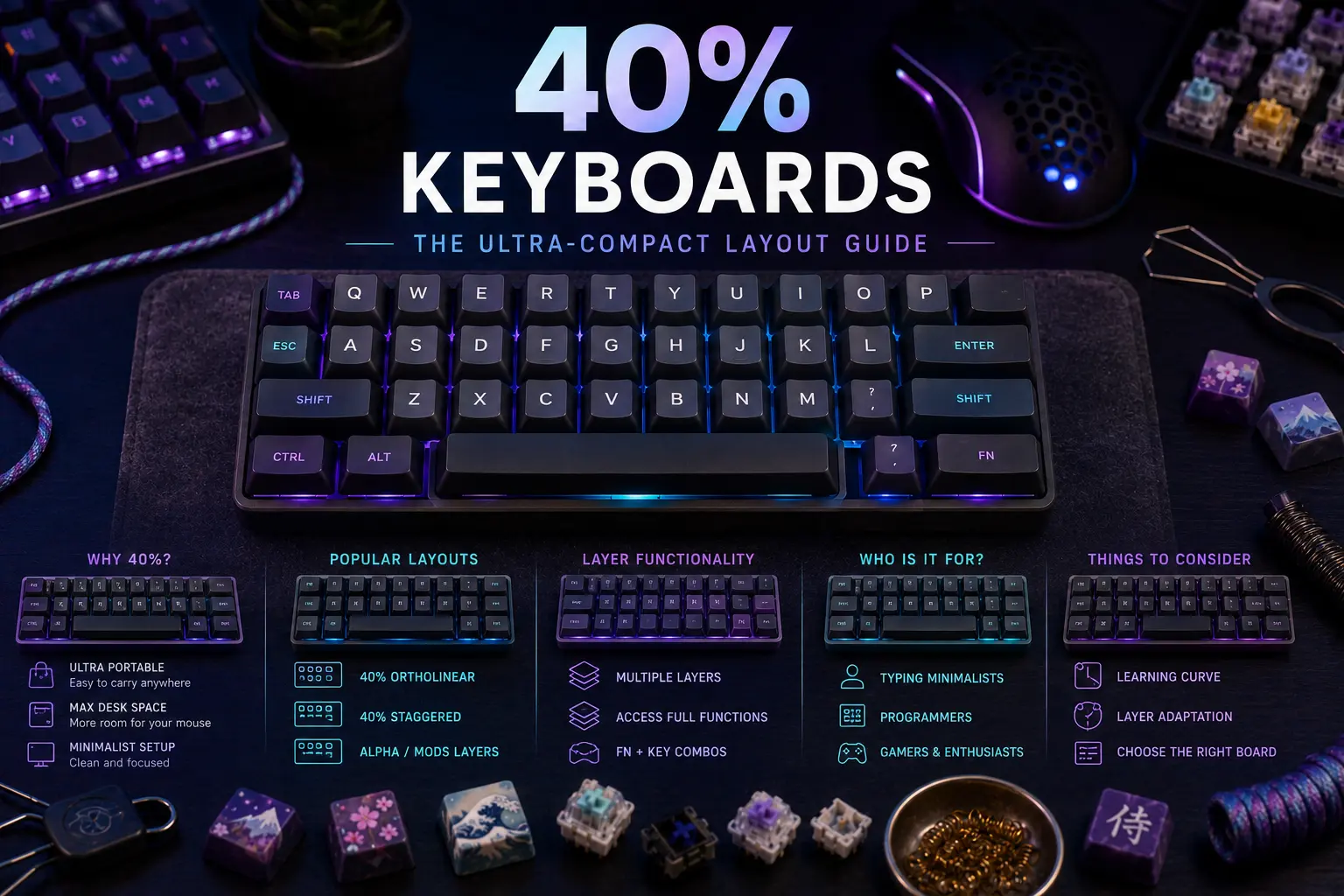
A 40% keyboard looks, at first glance, like someone took a bolt-cutter to a regular keyboard — and in a sense that's accurate, but the story is more interesting. Unlike the 60% keyboard, which still retains a recognizable alpha-number-symbol footprint, a 40% removes the number row entirely and often the dedicated symbol row as well, collapsing a full-size keyboard down to roughly 40–47 keys. The missing keys aren't gone — they've been moved. They now live on layers, accessed through held modifiers, much like the Fn key on a laptop, but elevated to a complete typing philosophy.
That philosophy is what separates 40% from every other form factor. A 65% keyboard or a 75% keyboard is a compromise between a TKL and portability; a 40% is a commitment. Every non-alpha keystroke becomes a chord. Numbers, symbols, arrows, function keys — nothing is where your hands expect it. The tradeoff: once trained, a competent 40% user never leaves the home row. For programmers, Vim users, and typists who treat the keyboard as an extension of thought rather than a data-entry panel, that promise is seductive. For anyone doing heavy Excel work, the same promise is miserable.
This guide covers everything that actually matters in 2026: the split between staggered 40% (Vortex Core, Keychron Q9, Minivan) and ortholinear 40% (Planck, Preonic, Atreus), the layer system primitives that make these boards usable (momentary, toggle, tap-hold, one-shot, home-row mods), the keycap compatibility problem nobody warns you about, the realistic 2–4 week adaptation curve, the firmware landscape dominated by QMK/VIA/Vial, and the recent community drift toward 34–36 key column-staggered splits like the Corne and Ferris Sweep. It also flags which iconic boards are still purchasable in 2026 and which have quietly been retired.
The sections below move from philosophy to hardware to purchase. If you already understand layers and just want recommendations, jump ahead to the prebuilt and DIY sections. If you've never programmed a keyboard in your life, start at the top and take it slow — a 40% is not a keyboard you buy and plug in; it's a keyboard you learn.
Note: This guide contains affiliate links. If you purchase through our links, we may earn a commission at no extra cost to you. This helps support our in-depth testing and content creation.
What Is a 40% Keyboard?
A 40% keyboard is defined by key count rather than exact physical size. Most 40% boards carry 40 to 47 keys, though the category overlaps fuzzily with "micro" keyboards below 40 keys and with "compact 50%" boards like the Preonic. As a reference point, a full-size keyboard has 104 keys and a TKL has 87. A 40% strips the layout down to roughly three rows of alphas plus a bottom row of modifiers and space, often with a split space bar that doubles as a layer shifter.
Physically, a 40% sits around 230–250 mm wide — about half the footprint of a full-size and noticeably smaller than a 60%. That compactness delivers two real benefits: it fits in a jacket pocket or the slimmest laptop sleeve, and it keeps the mouse within striking distance of the home row, a genuine ergonomic win for anyone whose right hand spends its day commuting across a number row to reach a trackpad.
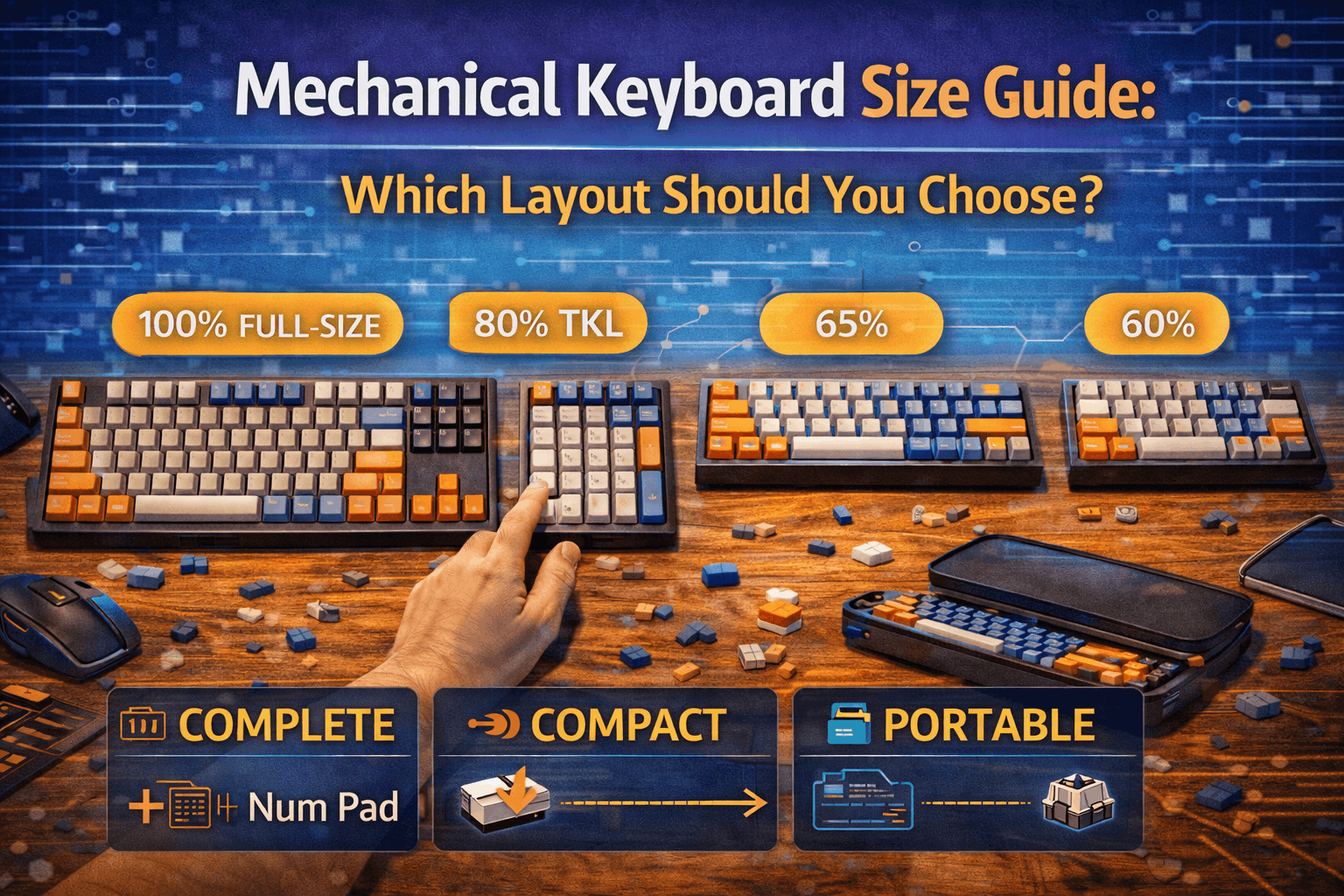
The category splits cleanly into three archetypes. Staggered 40% keyboards preserve the familiar row-stagger of traditional keyboards (Vortex Core, Minivan, Keychron Q9). Ortholinear 40% keyboards arrange keys on a perfect grid (Planck). Columnar-staggered 40% keyboards offset each column to match finger length (Atreus, Corne, most ergo splits). Each archetype has its own learning curve and its own keycap headaches, covered later in this guide. For a broader view of how 40% fits into the family tree, the keyboard size guide is the canonical reference.
The Philosophy of 40%: Layers Over Keys
The question "why would anyone use a 40%?" has a one-word answer: layers. The long version requires understanding that a keyboard is not a hardware problem, it's a translation problem. Every physical key is a message sent to the computer; the keyboard's job is to map the hardware to the message. On a full-size keyboard, the mapping is one-to-one: one key, one character. On a 40%, the mapping is many-to-one: one key press plus one held layer shifter sends a different message than the key alone.
This is not a new idea — it's exactly how laptops have always handled the Fn key. The 40% philosophy simply takes that idea and applies it to everything. Numbers go on a Lower layer accessed by holding a thumb key. Symbols go on a Raise layer. Arrows and navigation go on a second Lower. Function keys and media controls go on an Adjust layer triggered by holding Lower and Raise simultaneously. Once the map is set, a typist never leaves home row. Right pinky doesn't stretch to Backspace; it lives one layer away. Number entry doesn't cost a reach; it costs a thumb press.
The philosophical payoff, for devotees, is that typing becomes rhythmic rather than spatial. Instead of hunting for a key, the typist enters a mental mode (layer) and executes a known pattern. For code-heavy work where brackets, parentheses, slashes, and semicolons appear every few characters, this collapses distance: {, }, [, ], (, ) can all sit directly under the right hand on a single symbol layer, instead of scattered across the number row and right-shoulder region of a traditional layout. The same logic applies to Vim/Emacs users whose entire workflow is shortcuts, and to anyone typing a language with frequent accent marks or non-Latin characters.
The philosophical cost is equally clear: every non-alpha keystroke is now a chord, a two-fingered action requiring coordination. A fluent 40% user chords without thinking, the way a pianist plays left-hand accompaniment. A non-fluent 40% user fumbles. That asymmetry — incredible once trained, punishing while training — is the single most important thing to understand before buying one. It's also why 40% can't be evaluated in a review the way a 60% can. A 40% you've owned for one week is a bad 40%. A 40% you've owned for six months is a different keyboard entirely.
Understanding Layer Systems
Before a 40% makes any sense, the layer primitives need to be concrete. The open-source QMK firmware — which powers the majority of serious 40% keyboards — exposes a small vocabulary that every user learns. The full reference lives in the QMK documentation and is covered in the mkbguide QMK/VIA firmware guide, but the essentials are worth walking through here.
Momentary layer — MO(layer). The simplest and most common. Hold the key, the layer is active. Release, it deactivates. This is the thumb-held Lower/Raise pattern that defines most Planck keymaps.
Toggle layer — TG(layer). Press once to enable the layer, press again to disable. Useful for modes you want to persist, like a numpad overlay or a gaming layer.
Layer tap — LT(layer, kc). Tap the key, it sends the keycode kc. Hold it, it activates the layer. This lets a single physical key serve double duty — for example, the space bar sending space on tap and activating a navigation layer on hold.
One-shot layer — OSL(layer). Tap the key, the next single keystroke is applied on that layer, then the keyboard automatically drops back. Useful for users who don't want to hold-and-chord.
Tap-toggle — TT(layer). Behaves like momentary on hold, but tapping the key N times (default five) toggles it like TG. A hybrid for users who sometimes hold and sometimes lock.
Layer-mod — LM(layer, mod). Activate a layer while simultaneously holding a modifier such as Shift or Ctrl. Enables single-key access to layered-and-modified keystrokes.
Tri-Layer (the classic Planck paradigm). Two momentary layer keys (Lower and Raise) each trigger their own layer. When both are held together, a third Adjust layer activates automatically. Enabled via the TRI_LAYER_ENABLE directive and the TRI_LAYER_LOWER_LAYER, _UPPER_LAYER, and _ADJUST_LAYER defines in QMK's config.
Home Row Mods (HRMs). A design pattern rather than a keycode. Each home-row alpha is remapped as a mod-tap: LCTL_T(KC_A) sends A on tap and acts as Left Ctrl on hold. LSFT_T(KC_S), LALT_T(KC_D), LGUI_T(KC_F) complete the left hand; the right hand mirrors. Done well, this eliminates the need for dedicated modifier keys entirely. Done poorly, it turns every fast-typed word into a cascade of accidental shortcuts.
The reliability of HRMs is the central firmware story of 2025–2026. QMK 0.29.0 (May 2025) introduced Flow Tap, which suppresses the hold interpretation during fast same-finger typing, and Chordal Hold, which resolves ambiguous tap-hold events by same-hand vs opposite-hand chording. QMK 0.31.0 (November 2025) added Speculative Hold, applying modifiers on keydown for zero-perceived-lag mod-taps. These features, paired with a TAPPING_TERM tuned to the user's typing rhythm (200 ms is a good starting point), have pushed HRMs from "enthusiast curiosity" to "actually viable daily driver" — but only on keyboards running current QMK. Pre-2025 firmware on older boards still produces the frustrations that earned HRMs their controversial reputation.
Staggered vs Ortholinear 40%
The single biggest decision when buying a 40% — bigger than case material, switch choice, or even key count — is whether to go staggered or ortholinear. The keycaps will be different, the muscle memory transfer will be different, and the learning curve will be different.
Staggered 40% keeps the familiar row offset of every keyboard ever made. The Vortex Core and Keychron Q9 are the reference designs; the Minivan is a community classic in the same family. The advantage is obvious: alpha keys sit exactly where a touch typist expects them, so the learning curve is entirely about the missing non-alpha keys and the layer system, not about retraining finger positions. Staggered 40% is the correct recommendation for anyone transitioning from a 60% or 65% who wants to test whether the layer philosophy suits them without also retraining their typing. The downside is that row stagger exists for historical reasons (mechanical typewriter linkages) and is ergonomically suboptimal, especially in a compact form factor where the finger travel arithmetic of a larger board no longer applies.
Ortholinear 40% drops the stagger entirely. Every key sits on a perfect grid — the Planck is the canonical example at 4 rows × 12 columns = 47 keys (or 48 with the optional 2u space bar). The grid is cleaner to reason about when programming layers; it looks beautiful; and it forces a more deliberate hand position. The downside is that muscle memory does not transfer cleanly. Keys like N, M, B, V, C move on a staggered board relative to a grid, and fluent touch typists routinely type N when they mean M for the first week. Blogs from new ortho users describe the same pattern: the first three days feel impossible, week one is slow, week two is back to 70% speed, week three is home.
Columnar-staggered 40% (Atreus, Corne, Sofle, Ferris Sweep) occupies a third lane: the rows are horizontal but each column is offset vertically to match the actual length of each finger (pinkies shorter, middle fingers longer). This is ergonomically the most defensible layout and is why almost every serious ergonomic split keyboard uses it. Muscle memory transfer sits between staggered and ortholinear — harder than staggered, easier than pure ortho.
Better for transition from a normal keyboard: staggered (Vortex Core, Keychron Q9).
Better for clean-slate training and programming: ortholinear (Planck, Preonic).
Better for long-term ergonomics: columnar-staggered (Atreus, Corne).
Pros & Cons of 40% Keyboards
The objective picture, free of both fanboy enthusiasm and reflexive dismissal.
Pros. The footprint is genuinely small — roughly half of a full-size — which meaningfully reduces desk clutter and brings the mouse closer to the body, a real win for anyone doing extended mousework. Portability is excellent; a Planck fits in a messenger bag with room to spare. The layer system, once learned, keeps fingers on home row for every keystroke including punctuation, numbers, and navigation, which reduces the total distance fingers travel in a day by a non-trivial margin. Customization depth is unmatched — a QMK-powered 40% is effectively a programmable keyboard, with per-layer lighting, combos, tap dance, macros, leader keys, and Unicode. The aesthetic appeal is real; few keyboards photograph as well. And for programmers specifically, symbol-layer typing collapses the awkward distances of a standard layout.
Cons. The learning curve is not a rumor. A competent touch typist should expect 2–4 weeks of reduced throughput, and specific edge cases (entering a 16-digit credit card, fast-scrolling a spreadsheet, typing a URL with many symbols) stay slow for longer. Number entry is measurably slower on a layer than on a dedicated row — for roles with heavy number input, this is a hard blocker. Keycap compatibility is a genuine headache, covered in its own section below. Community tooling skews technical; if the word "firmware" is unwelcome, a 40% is a bad match. And the resale value of a custom-layout 40% is lower than a 60%, because the pool of buyers is smaller. Finally, context switching — using a 40% at home and a normal laptop keyboard at work — slows the adaptation curve significantly and causes both layouts to feel wrong.
Better for: programmers, Vim/Emacs users, minimalists, typists doing prose and code, people with small desks, travelers.
Worse for: heavy numerical work, gamers needing instant F-key access, users unwilling to invest weeks in adaptation, people who regularly share a machine.
The Adaptation Curve: What to Expect
Community consensus, drawn from years of Reddit threads (r/40percentclub, r/MechanicalKeyboards, r/ErgoMechKeyboards), forum posts on geekhack and deskthority, and surveys like the X-Bows transition study (which found that roughly 61% of users regained their typing speed within two weeks of switching to a compact ergonomic layout), points to a fairly consistent timeline:
Day 1–3: typing speed collapses. A 90 WPM typist becomes a 25 WPM typist. Symbol entry feels impossible. Every number requires conscious thought. This is normal and expected.
Week 1: alphas stabilize. Speed climbs back to roughly 50% of prior throughput. The layer system starts to click for numbers; symbols and navigation still require looking at a cheat sheet.
Week 2: speed returns to roughly 70–80% of baseline on pure prose. Symbol entry is deliberate but accurate. The single biggest remaining friction is context-switching to a normal keyboard.
Weeks 3–4: baseline WPM restored for alphas and common symbols. Less-common symbols and function keys remain slower. Fingers stop reaching for keys that no longer exist.
Months 2–3: the layer system becomes invisible. Speed on a 40% may actually exceed previous speed on a standard keyboard because finger travel is shorter. Going back to a full-size feels strange.
Practical advice: go cold-turkey if possible — oscillating between a 40% and a full-size dramatically slows adaptation. Print a cheat sheet of the layer map and tape it to the monitor for the first week. Spend 10 minutes a day on monkeytype or keybr. Start with a minimal layer map (one Lower for numbers/symbols, one Raise for nav/F-keys) and expand only after the baseline is fluent. If home-row mods are part of the plan, enable Flow Tap and Chordal Hold on QMK 0.29+ to reduce misfires; tune TAPPING_TERM to personal typing cadence. And be honest about use case: a journalist writing prose adapts faster than an accountant entering numbers, and neither is wrong.
Prebuilt 40% Keyboards
The prebuilt 40% market in 2026 is narrower than it was five years ago, because several iconic boards have quietly exited. What remains is a reasonable set of options across price points.
Keychron Q9 — Best prebuilt staggered 40% on Amazon
The Keychron Q9 is the most credible turn-key staggered 40% available on Amazon US in 2026. CNC aluminum case, gasket mount, full QMK/VIA support, hot-swap Gateron G Pro switches, south-facing RGB, USB-C. Available in standard and knob-equipped variants. It's not a boutique custom, but it's a well-built, fully programmable prebuilt that ships in days, not months.
- Layout type: staggered
- Key count: 47 (+ optional rotary knob)
- Form factor: prebuilt
- Switch compatibility: hot-swap 5-pin Cherry MX and clones
- Firmware: QMK + VIA (Keychron Launcher alternative)
- Case material: CNC-machined aluminum, gasket mount
- Connectivity: wired USB-C only (no wireless on Q9)
- Budget: $$$ (varies by variant)
- Keycap compatibility: doubleshot PBT OSA-profile caps ship with board; 1u mod replacements readily available
-
Best for: users who want a staggered 40% without the DIY overhead, QMK users who want VIA out of the box
- Verdict: the default Amazon recommendation for anyone testing whether 40% is for them without committing to a kit. Keychron Q9 on Amazon or the knob version here.
Epomaker TH40 — Best budget 40%
The Epomaker TH40 is the affordable, mass-market gateway to the 40% world. Tri-mode wireless (USB-C, Bluetooth, 2.4 GHz), gasket mount, PBT Cherry-profile dye-sub caps, hot-swap, south-facing RGB, 3000 mAh battery. VIA-compatible firmware on the V2 revision. Build quality is not on par with a Q9, but at roughly one-third the price, it doesn't have to be.
- Layout type: staggered (split space)
- Key count: 44
- Form factor: prebuilt
- Switch compatibility: hot-swap 3/5-pin
- Firmware: VIA-compatible (QMK-based V2 firmware)
- Case material: plastic, gasket mount
- Connectivity: tri-mode wireless (BT 5.x + 2.4 GHz + USB-C wired)
- Budget: $
- Keycap compatibility: ships with set sized for its split-space layout; replacement caps need 1u Shift and split-space compatibility
-
Best for: first-time 40% buyers, travelers who want wireless, anyone unsure enough about 40% that a mid-range commitment is too much
- Verdict: the right answer for "I want to try 40% without spending real money." Epomaker TH40 on Amazon or directly at epomaker.com/products/epomaker-th40.
Keyboardio Atreus — Best columnar-staggered 40% prebuilt
The Atreus is a 44-key columnar-staggered ortholinear board designed by Phil Hagelberg, commercialized by Keyboardio, and one of the few genuinely ergonomic unibody 40%s on the market. Aluminum case, Kailh MX hot-swap, XDA PBT caps, USB-C, ships fully assembled. Runs Kaleidoscope (with the Chrysalis GUI) by default, with full QMK support as a firmware option.
- Layout type: columnar-staggered
- Key count: 44
- Form factor: prebuilt (barebones also available)
- Switch compatibility: hot-swap Kailh MX
- Firmware: Kaleidoscope (default) or QMK
- Case material: aluminum
- Connectivity: wired USB-C
- Budget: $$
- Keycap compatibility: XDA uniform profile ships with board; the uniform profile makes replacement caps easy (any DSA/XDA ortho kit works)
-
Best for: users who want columnar-stagger ergonomics without going split, typists who value wrist posture over aesthetics
- Verdict: the sanest columnar 40% purchase for non-DIY buyers. Available at shop.keyboard.io/products/keyboardio-atreus.
Vortex Core & Core Plus — the legacy staggered 40%
The original Vortex Core (47 keys, staggered, proprietary CORE_MPC firmware, Cherry MX) was the keyboard that introduced a whole generation of enthusiasts to sub-60% sizes. In 2026, the original is effectively end-of-life: the Vortexgear store notes that fully assembled Core units will not be restocked, and most Amazon listings show as unavailable. Vortex's successor — the Core Plus — is positioned as a wireless, low-profile, VIA-compatible evolution on pre-order at vortexgear.store/products/core-plus. The original Core remains a historical reference and a used-market option; the Core Plus is the current path for buyers committed to the Vortex lineage.
- Layout type: staggered
- Key count: 47 (original) / 50 (Core Plus)
- Form factor: prebuilt
- Switch compatibility: Cherry MX (original) / Gateron low-profile (Core Plus)
- Firmware: proprietary CORE_MPC (original, 3 layers, many keys not remappable) / VIA (Core Plus)
- Case material: aluminum
- Budget: Core Plus on pre-order; original $$ when available, mostly aftermarket
-
Best for: collectors and Vortex fans; buyers wanting a pocketable wireless staggered 40% (Core Plus)
- Verdict: skip the original unless buying used. The Core Plus is interesting, but verify shipping status before ordering.
Happy Hacking Keyboard Professional Hybrid Type-S — compact reference
The HHKB is technically a 60%, not a 40%, but no conversation about ultra-compact programmer keyboards is complete without it. Topre silent capacitive switches, USB-C and Bluetooth, PBT dye-sub, 60 keys. It belongs in this guide as a reference point: the HHKB is what 40% thinking applied to a 60% footprint looks like. For users who want minimalism and programmer ergonomics without the layer-chording commitment, the HHKB is often the correct answer.
- Budget: $$$ (PFU runs occasional promotions at hhkeyboard.us)
- Verdict: not a 40%, but a natural stop on the path toward one. Full coverage in the 60% keyboard guide. HHKB Professional Hybrid Type-S on Amazon.
Koolertron 42-Key Macaro — ultra-budget option
For users who want an ultra-budget programmable compact board, the Koolertron 42-Key Macaro exists. Build quality is modest, the included software is basic, and it is not a serious enthusiast keyboard, but it is a functioning hot-swap 40% for the price of dinner. Koolertron 42-Key on Amazon.
DIY 40% Kits & Community Classics
The DIY 40% space is where the philosophy of the category is most fully expressed — and where the 2026 story is most complicated, because the retail infrastructure that supported Planck and Preonic kits through the late 2010s has largely dissolved.
Planck — the canonical ortholinear 40%
Designed by Jack Humbert, the Planck defined the modern 40% keyboard: 4 rows × 12 columns = 47 keys in a perfect grid. It was the first board to popularize the Lower/Raise/Adjust tri-layer keymap and remains the reference design for every ortho 40% that followed. In 2026, the retail situation is frustrating: Drop has pivoted away from keyboards (former Planck product URLs now redirect to Corsair gaming collabs), OLKB's own components at olkb.com are listed but frequently sold out, and assembled Drop Planck V7 units (legacy ASIN B08LX2Y7BP) appear intermittently on Amazon through Drop's storefront. Buyers committed to a Planck in 2026 are either waiting for OLKB restocks, hunting the used market, or buying an alternative ortho board.
- Layout type: ortholinear
- Key count: 47 (48 with 2u space option)
- Form factor: DIY kit
- Firmware: full QMK + VIA + Vial
- Budget: $$ for a kit when in stock
- Verdict: the reference design; buy it when you can find it. The custom mechanical keyboard building guide covers the assembly side.
Preonic — Planck plus a number row
Same design language as the Planck with an added row, bringing the count to 60 keys in a 5×12 grid. Sometimes called a 50%, it sits between pure 40% and 60% territory. The added row restores a dedicated number row, which dramatically lowers the learning curve while keeping the ortholinear layout and the Planck layer ecosystem. Same retail situation as the Planck — Drop exit, OLKB intermittent stock, Amazon legacy listings (B08L3WD9ZN).
- Key count: 60 (5×12)
- Firmware: full QMK
- Budget: $$ kit when in stock
- Verdict: the correct first ortho board for users intimidated by pure 40%; the number row is a meaningful safety net.
Planck EZ — historical reference (discontinued)
The ZSA Planck EZ was the assembled, plug-and-play Planck for users who didn't want to solder. It shipped with Oryx (ZSA's online keymap configurator), Wally flashing, and hot-swap switches. It was discontinued on August 15, 2023, and has not been replaced. It is listed here for historical completeness and because the keyboard still shows up constantly in search results; ZSA's farewell post is the authoritative reference. Used units trade on eBay; buyers of a Planck EZ in 2026 are buying aftermarket.
Minivan — boutique staggered 40%
Designed by Evangelist, the Minivan is a 44–46 key staggered 40% that has become a community classic for its balanced layout (true 1u mods, split spacebars, a quasi-arrow cluster). Production rights moved to TheKey.Company in 2019. Full QMK support, hot-swap PCB available. The kit is mid-range. The Minivan is to staggered 40% what the Planck is to ortho: the reference. Community-favored for anyone who wants boutique-kit quality in a staggered layout.
Gherkin & Boardwalk — the 40percent.club micros
The 40percent.club project is a design repository, not a store. Its two most-built designs are the Gherkin (30 keys, 6×5 ortho, often the first "how low can you go" board for hobbyists) and the Boardwalk (46 keys, staggered 40%). Both are sold as kits by community fabricators — Mechboards UK, SMKeyboards, KeyHive — at budget prices depending on case and plate options. PB Gherkin (Adafruit's documented variant at KeyHive) even allows 4-way switch orientation, making it a playground for layout experiments. These are not daily-driver boards for most people; they are the deep end of the minimalist pool.
JD40 / JD45 — legacy group buys
The JD40 (staggered 40% with 1u modifiers, designed by jdcarpe) and JD45 (45% with arrow cluster) were two of the defining community group buys of the mid-2010s. Neither has an active 2026 group buy; both trade exclusively on the aftermarket (Mechmarket, Reddit classifieds, geekhack). Listed for historical completeness.
Ortholinear 40% Deep Dive
Ortholinear layouts deserve separate treatment because they are not just "40% with the rows un-staggered" — they are a different typing experience that changes more than the stagger.
The adaptation hit is larger than staggered 40%. A touch typist's lateral finger memory is built around row stagger; removing it means the muscle map of M vs N, B vs V, and the whole right-pinky cluster has to be retrained. Most ortho users describe the first week as genuinely painful and the second week as manageable. By week three, most regain typing speed on prose.
Grid layouts make layers easier to reason about. When every key is 1u and sits on a perfect grid, remapping a layer becomes a visual exercise — symbols land in predictable geometric patterns under the fingers. This is why programmers with heavily customized keymaps disproportionately favor ortho.
Keycap compatibility is worse. A standard keycap set is built around a specific stagger and includes sculpted profiles for each row. On an ortho, every key is row 3 (or row 4, depending on the kit), and most sets either don't include enough row 3 caps or look wrong when one sculpted profile is applied across a flat grid. Uniform profiles (DSA, XDA, MT3 ortho kits, KAT ortho kits) are the practical solution — and most ortho-friendly keycap sets are sold explicitly as ortho kits.
The Preonic is ortho's gateway drug. With its restored number row, the Preonic keeps the grid but removes the single biggest learning hurdle of a 40% (layer-accessed digits). Many users who eventually move to a Planck start with a Preonic.
Alternative keyboard layouts pair well. Users who are already planning to switch to Colemak or Dvorak often combine the layout change with an ortho move, because both changes are going to cost adaptation time anyway. Combining them saves overall calendar time versus serial adaptation.
Split 40% Options
The most energetic category in the 2026 ergo community is not unibody 40% at all — it's the small split ergo boards, most of which sit in the 36–42 key range and qualify as "sub-40%" or "column-staggered 40%." A brief overview; full coverage lives in the split keyboard ergonomic guide and the broader context of ergonomic keyboards for wrist pain.
Corne (CRKBD). 42 keys, 3×6 alphas plus 3 thumb keys per half, columnar-staggered. Designed by foostan and one of the most-built keyboards in the hobby. PCB kits are affordable (BoardSource), plus a case (priced by material), switches, caps, MCU, and assembly. Full QMK. Wireless via nice!nano and ZMK. A fully assembled hotswap Corne MX from vendors like Little Keyboards runs from entry-level builds up to premium aluminum cases.
Ferris Sweep. 34 keys, 3×5 alphas plus 2 thumbs per half, columnar-staggered low-profile. The "sub-40% that started mattering" board, and the keyboard that pulled Ben Vallack away from the Planck EZ. Affordable kit from Mechboards UK; full builds cost more. Uses Miryoku as its canonical layout (github.com/manna-harbour/miryoku).
Helix. 50 or 64 keys, ortho split. A flexible platform that can be built as a 40% split (64 keys total = 32 per half) or smaller with the 50-key variant. Widely available from KeyHive, Little Keyboards, Beekeeb, and others. Good choice for users who want split ergonomics without going below 40 keys.
Iris (Keebio). 56 keys, columnar-staggered split with extra outer columns. Currently at Rev 8 (hotswap, low-profile Choc, and several case options — SE aluminum, CE Choc, LM low-profile MX, PE sandwich). Available at keeb.io. A touch larger than a true 40% but often grouped with them; a natural step up from a Corne for users who want slightly more keys.
Sofle. 58 keys, split, two rotary encoder slots. More key real estate than a Corne and correspondingly more forgiving. Kits available from multiple vendors.
The community trend line is clear: classic unibody 40% is stable but no longer growing in enthusiast mindshare; column-staggered splits (r/ErgoMechKeyboards has roughly 88,000 members) are where the creative energy sits in 2026.
Firmware & Layer Programming
A 40% is only as useful as its firmware, and the firmware landscape in 2026 is well-settled around three projects: QMK, VIA, and Vial. Each has a specific role, and most 40% users end up touching all three. The QMK and VIA firmware guide goes deep; the short version follows.
QMK is the underlying firmware — open source, C-based, running on thousands of keyboards including every keyboard discussed in this guide except Vortex Core (proprietary CORE_MPC) and HHKB (proprietary unless a Hasu Alt Controller is installed). Current stable release as of this guide is 0.31.0 (November 30, 2025); version 0.32.0 is expected imminently. The 2025–2026 headline features are Flow Tap, Chordal Hold, Speculative Hold, and Layer Lock — collectively, the set of improvements that made home-row mods reliable for daily use. QMK also moved external userspace in 2024, meaning keymaps are now maintained in user repos rather than merged into the main qmk_firmware tree.
VIA is the GUI layer on top of QMK. Version 3.x runs in the browser at usevia.app (Chromium-based only, WebHID requirement) and as an Electron desktop app. Users can remap keys, tweak layers, set up macros, and change RGB without compiling firmware. Most 2026 mass-market 40%s (Keychron Q9, Epomaker TH40, NuPhy's lineup) ship VIA-compatible out of the box.
Vial is a QMK fork plus GUI that adds features VIA has historically lacked — tap dance, combos, key overrides, and QMK Settings exposed in the UI — plus live-applied changes (no reflash required). Current release is v0.7.5 (August 2025), still labeled beta but widely used in production. Available as desktop downloads at get.vial.today and as a web app at vial.rocks. Many community-designed 40%s (Corne, Sweep, Void Ergo variants) ship Vial-flashable firmware because the added features specifically matter on small keyboards.
Practical firmware decision tree for a new 40% buyer: want to plug in and tweak in a browser? VIA is fine. Want combos and tap dance without compiling? Use Vial. Want total control and willing to install a toolchain? QMK directly. Buying a Vortex Core? Accept the proprietary MPC configurator and its limitations (three layers, many keys non-remappable). Buying an HHKB? Use the PFU keymap tool or swap in a Hasu controller.
Keycap Compatibility Issues
The single most common complaint from new 40% buyers is that their fancy keycap set doesn't fit. The problem is real, understandable once explained, and solvable with planning.
The 1u modifier problem. Standard ANSI keycap kits are built around a stagger that uses 2.25u Left Shift, 1.75u Right Shift, 2.25u Enter, 2u Backspace, and 1.25u bottom-row modifiers (Ctrl, Alt, GUI). A Planck (and most pure ortho 40%s) uses 1u for everything. A staggered 40% like a Vortex Core or Minivan typically uses 1u or 1.25u modifiers rather than the oversized ones. The result: many base kits ship without enough 1u mod caps to complete a 40% build.
The extras-kit solution. Most high-quality keycap sets (GMK, EPBT, KAT) sell "extras" kits or "40s" kits specifically intended to cover 40% and ortho builds. A dedicated GMK 40s kit typically adds 1u modifier legends (Ctrl, Alt, GUI, Shift) in matching colorways, plus split-space options. Budget for a modest add-on cost on top of a base kit if committing to a GMK build.
Ortho-specific PBT options. For users not going the GMK route, uniform-profile PBT sets designed for ortho are the pragmatic answer. DSA and XDA are cheap, widely available, and inherently 40%-compatible because every row is the same profile. MT3 ortho kits (Drop MT3 /dev/tty, Susuwatari — Amazon B08HPLS7R8 — WoB) are sculpted but explicitly designed to work on Planck/Preonic. MTNU (matt3o's newer uniform-ish profile) is excellent for cross-layout flexibility. The purpose-built Drop Planck Acute PBT set (B08LXB13L4) is the cheapest ortho-specific option for a Planck or Preonic.
Sculpted profiles (Cherry, OEM, SA) on ortho. Work, but they look and feel odd — a sculpted profile is designed for row stagger, and placing row 1, row 2, row 3, row 4 caps on a perfectly flat grid produces a gentle sawtooth when pressed. Most experienced ortho users buy either uniform profiles or explicitly-designed ortho kits of sculpted sets, not standard ANSI kits.
Bottom line: plan keycaps before buying the board. A 40% with the wrong keycap set is a 40% that sits on the shelf.
Who Should (Not) Get a 40%
Time for honesty. The 40% keyboard community is enthusiastic, and enthusiastic communities oversell their hardware. A 40% is the right keyboard for some people and a bad purchase for others, and the honest answer to "should I buy one?" depends entirely on the user.
A 40% makes sense for: programmers who spend most of the day in a terminal, IDE, or Vim; writers and journalists who do high-volume prose and value minimal finger travel; users with small desks or heavy desk-mouse movement who benefit from a tighter keyboard-to-mouse distance; travelers and hot-deskers (on their own machine) who need a portable board; firmware hobbyists who enjoy the customization for its own sake; and users with specific ergonomic needs (often on a split variant) for whom home-row layers reduce pronation and ulnar deviation.
A 40% is a poor fit for: accountants, data analysts, and anyone doing heavy number entry — layer-accessed digits are measurably slower than a dedicated row or numpad, and the full-size keyboard guide is a better starting point; gamers needing instant F-key, numpad, or many-hotkey access, where layer switching is reaction-time friction; users unwilling or unable to spend 2–4 weeks in adaptation; people who regularly share a workstation and can't bring their own firmware with them; users who do heavy app-specific keyboard workflows (Photoshop, Premiere) that depend on physical function-key placement, for whom a 65% or 75% is a better compromise; and hunt-and-peck typists for whom legend-free layered keys are a memory tax rather than a productivity win. The mechanical keyboard buying guide covers how to think about use-case-to-layout matching more generally.
Specifications Comparison
The current 40% landscape at a glance, with all values verified for April 2026.
Vortex Core (original):
- Layout: staggered, 47 keys
- Firmware: proprietary CORE_MPC (3 layers, partial remapping)
- Connectivity: wired USB
- Price: EOL at retail; aftermarket only
Vortex Core Plus:
- Layout: staggered, 50 keys, low-profile
- Firmware: VIA
- Connectivity: wireless + USB-C
- Price: pre-order at Vortexgear store
Keychron Q9:
- Layout: staggered, 47 keys (+ optional knob)
- Firmware: QMK + VIA
- Case: CNC aluminum, gasket mount
- Connectivity: wired USB-C
- Budget: $$$
Epomaker TH40 V2:
- Layout: staggered with split space, 44 keys
- Firmware: VIA
- Case: plastic, gasket mount
- Connectivity: BT + 2.4 GHz + USB-C
- Budget: $$
Keyboardio Atreus:
- Layout: columnar-staggered, 44 keys
- Firmware: Kaleidoscope or QMK
- Case: aluminum
- Connectivity: wired USB-C
- Budget: $$
Planck (DIY):
- Layout: ortholinear, 47 keys (4×12)
- Firmware: QMK + VIA + Vial
- Case: multiple options (Hi-Pro, Mid-Pro, Low-Pro)
- Budget: $$ (kit, when in stock)
Preonic (DIY):
- Layout: ortholinear, 60 keys (5×12)
- Firmware: full QMK
- Budget: $$ (kit, when in stock)
Minivan:
- Layout: staggered, 44–46 keys
- Firmware: full QMK
- Budget: $$ (kit)
Corne / CRKBD:
- Layout: columnar-staggered split, 42 keys
- Firmware: QMK + Vial (ZMK wireless)
- Budget: $$
Ferris Sweep:
- Layout: columnar-staggered split, 34 keys
- Firmware: QMK + Vial (ZMK wireless)
- Budget: $$
Koolertron 42-key Macaro:
- Layout: staggered, 42 keys
- Firmware: proprietary configurator
- Budget: $
HHKB Professional Hybrid Type-S (reference, 60% not 40%):
- Layout: staggered, 60 keys, Topre capacitive
- Firmware: proprietary
- Budget: $$$
How to Choose Your First 40%
The decision tree, ordered by the questions that actually matter.
Question 1: How much adaptation time can you realistically give it? Less than two weeks available? Buy a 60% or 65% instead and come back to 40% later. Two to four weeks? Proceed.
Question 2: Do you care about the stagger? Staggered (Keychron Q9, Epomaker TH40, Vortex Core Plus) minimizes alpha-key relearning but keeps the ergonomic compromise of traditional row offset. Ortholinear (Planck, Preonic, XD75) forces clean-slate retraining but rewards with a geometrically cleaner layer experience. Columnar (Atreus, Corne, Sweep) is the ergonomic best but has the steepest transfer cost from a standard keyboard.
Question 3: DIY or prebuilt? Prebuilt: Keychron Q9 (best Amazon option, premium prebuilt), Epomaker TH40 (budget entry), Atreus (columnar prebuilt, mid-range). DIY: Planck or Preonic kit when available, Minivan from TheKey.Company, Corne from multiple vendors. The first custom keyboard build guide walks through the assembly side.
Question 4: Wired or wireless? If wireless matters, the Epomaker TH40 (tri-mode) is the practical choice in the sub-$100 range; the Vortex Core Plus (pre-order) is the premium option; and wireless Corne builds via nice!nano are the DIY path.
Question 5: Layer philosophy or just a smaller keyboard? Users who want a smaller keyboard without the chording burden are better served by a compact 65% or TKL. Users who are specifically drawn to the layer system should commit to a QMK-compatible 40% (avoid Vortex Core original for serious layer work) and plan to invest an evening in configuring Oryx, VIA, or Vial.
Practical starter recommendation: for most new 40% buyers in 2026, the right first move is either an Epomaker TH40 (low-risk budget, try-before-commit) or a Keychron Q9 (higher-quality prebuilt with full QMK/VIA). Both are on Amazon, both are supported, both make the 40% experiment reversible.
Price & Where to Buy
The 40% market in 2026 is split between mainstream retail (Amazon, direct-to-consumer websites) and boutique community vendors. Matching the purchase to the right channel matters.
Amazon is the right channel for mass-market 40%s: Keychron Q9 variants (standard, knob version), Epomaker TH40, Koolertron 42-key, legacy Drop Planck V7 and Drop Preonic when available, and reference compact boards like the HHKB Professional Hybrid Type-S. Purpose-built 40% keycaps like the Drop Planck Acute PBT set and ortho MT3 Susuwatari also ship Prime.
Direct-to-brand websites are the right channel for OEM-specific boards: the Keyboardio Atreus, Epomaker TH40, Vortex Core Plus, and HHKB direct.
Boutique community vendors are the right channel for DIY kits and split ergo boards: OLKB for Planck/Preonic components, TheKey.Company for Minivan, BoardSource for Corne and Ferris Sweep PCBs, Little Keyboards for assembled Cornes and Helix parts, Keebio for Iris, splitkb.com for Aurora Sofle and Iris kits, KeyHive for Gherkin and community kits, and 40percent.club for the community design reference and a list of fabricators.
Budget ranges to expect. Entry prebuilt: $50–100. Mid prebuilt QMK/VIA: $150–220. High prebuilt (premium customs, group buys): $200–400+. DIY kits: $30–175 depending on design. Full builds with switches and caps: typically 1.5–2× the kit price. Premium split builds (Corne, Iris) with aluminum cases and good caps: $300–550+. Group buys for boutique 40% customs: $180–400 and 6–12 months of waiting. The mechanical keyboards ultimate guide covers the broader price and quality landscape.
FAQ
Q: Is a 40% keyboard practical for daily use?
A: Yes, once adapted — and this qualification matters. A fluent 40% user handles email, code, writing, browsing, and messaging as fast as (and sometimes faster than) on a full-size, because layer-accessed keys eliminate finger travel. The two categories where 40% stays slower even after full adaptation are heavy number entry (spreadsheets, accounting) and app-specific workflows that rely on physical function-key placement. For typical programmer, writer, and general-office use, a 40% is entirely practical as a daily driver.
Q: Can you game on a 40% keyboard?
A: For most PC games, yes, but with tradeoffs. FPS games (WASD-based) work well; the 40% actually benefits gaming by keeping the mouse closer. MOBA and MMO players who rely on 10+ hotkeys including F-keys and numpad will hate the layer-switching friction. Fighting games and rhythm games that need precise timing and deep combo muscle memory are the hardest fit. A practical workaround is a dedicated gaming layer (toggled via TG) that maps alphas to a gaming-optimized set — many 40% users configure this and switch to it with a single keystroke before launching a game.
Q: How long does it take to adapt to a 40% keyboard?
A: Two to four weeks is the community consensus for typing speed recovery on prose and common symbols. Week one is painful (speed drops to 25–50% of baseline); week two recovers to roughly 70–80%; weeks three and four lock in the full baseline. Less-common symbols and rare function keys remain slower for another month or two. Adaptation is dramatically faster if the user goes cold-turkey (no oscillating between 40% and full-size), tunes the firmware (TAPPING_TERM, Flow Tap, Chordal Hold on modern QMK), and practices deliberately rather than hoping osmosis will work.
Q: What's the difference between Planck and Preonic?
A: The Preonic is a Planck with one extra row. The Planck is 4 rows × 12 columns = 47 keys (48 with a 2u space option), 40% class, no dedicated number row. The Preonic is 5 × 12 = 60 keys, restoring a dedicated number row at the top. Both are ortholinear, both use OLKB/Jack Humbert's design language, both run full QMK, and both use the same Lower/Raise/Adjust tri-layer keymap. The Preonic is much easier to learn because numbers live on physical keys; the Planck is smaller, more portable, and more philosophically pure. Many users start with a Preonic and move to a Planck once the layer system clicks.
Q: Are 40% keyboards good for programming?
A: They can be excellent, with the right keymap. Symbol-heavy code (curly braces, brackets, parentheses, slashes, semicolons) benefits from being collapsed onto a well-designed symbol layer directly under the hand, where those keys appear in predictable geometric patterns. Vim and Emacs users, whose workflows are modal and shortcut-heavy, tend to adapt fastest and report the highest productivity gains. The caveat is that learning the keymap takes time and the first two weeks on a new 40% are unproductive for real work — many programmers deliberately time the switch to a slower work period or a vacation.
Q: Do 40% keyboards work on Mac and Linux?
A: Yes. QMK, VIA, and Vial are all cross-platform. Mac users configure Command, Option, and Control on whichever keys suit them; there's usually a KC_LGUI (Command) and KC_LOPT (Option) in the default keymap. Linux users have full support for QMK's extended keycodes including Unicode and layer-specific modifiers. The Keyboardio Atreus, Planck EZ (historical), and most NuPhy boards ship with Mac-compatible defaults out of the box.
Q: Why do 40% keyboards need special keycaps?
A: Because every key is 1u (or 1.25u), and standard ANSI keycap kits don't include enough 1u modifier caps. A typical base kit comes with a 2.25u Left Shift, 1.75u Right Shift, 2u Backspace, and 1.25u Ctrl/Alt/GUI — sizes that fit a traditional keyboard but not a 40%. The solution is either buying an "extras" or "40s" kit alongside a GMK base set (adds a modest amount to the build), or choosing uniform-profile PBT sets (DSA, XDA, MT3 ortho kits) that ship with plenty of 1u caps because every row is flat.
Q: Is a 40% keyboard the same as a split keyboard?
A: Not necessarily. A 40% refers to key count (40–47 keys); a split refers to physical separation into two halves. They overlap: many split keyboards (Corne, Ferris Sweep, Iris) fall in the 40% key-count range, and many 40% enthusiasts eventually move to splits. But a Planck is a 40% unibody (not split), and a Sofle is a split but at 58 keys it's above 40% territory. Users interested specifically in wrist ergonomics should look at splits; users interested primarily in portability and the layer philosophy are usually best served by a 40% unibody first. The split keyboard ergonomic guide covers the split side in depth.
The Verdict
40% keyboards in 2026 are a mature, well-understood, and narrowing category. The classic era — when Planck EZ, Vortex Core, and Drop Preonic defined the category and Amazon shipped fresh stock every week — is over. Planck EZ was retired by ZSA in 2023, Drop has pivoted away from keyboards entirely, and Vortex's original Core is end-of-life at retail. What remains is a two-lane market: on one side, mass-market 40%s like the Keychron Q9 and Epomaker TH40 that make the category accessible at reasonable prices; on the other, a vibrant but narrower DIY and boutique world (OLKB, TheKey.Company, Little Keyboards, 40percent.club) catering to enthusiasts willing to solder and wait. In between, the energy has moved to column-staggered splits (Corne, Ferris Sweep), which is where new hobbyists increasingly land first.
For a buyer new to 40% in 2026, the right starting point depends on budget and commitment. Under $100, the Epomaker TH40 is the honest recommendation — it's good enough to learn on, bad enough to upgrade from, and cheap enough that the commitment is low. Around $150–200, the Keychron Q9 (staggered, Amazon-available, full QMK/VIA) and Keyboardio Atreus (columnar, ergonomic, plug-and-play) are both excellent prebuilt options that skip DIY overhead. Above $200 and into kit territory, the Planck and Preonic remain the reference ortho experience when they're in stock, and the Minivan remains the reference staggered-boutique experience.
A closing word on honesty: a 40% is not an upgrade from a 60%. It's a lateral move to a different typing philosophy that requires real investment to pay off. For the right user — programmer, minimalist, firmware hobbyist, layer enthusiast — the payoff is genuine and lasting. For the wrong user, it's an expensive paperweight after two frustrating weeks. The community is enthusiastic, sometimes to the point of overselling, but the honest community also says out loud: if you're unsure after reading this guide, start with a 65% or a TKL. A 40% you want will still be there in a year, and a 40% you force onto yourself will teach you nothing except that you prefer bigger keyboards.
Whichever direction that decision goes, the mechanical keyboard buying guide and the broader keyboard size guide are the right next reads.