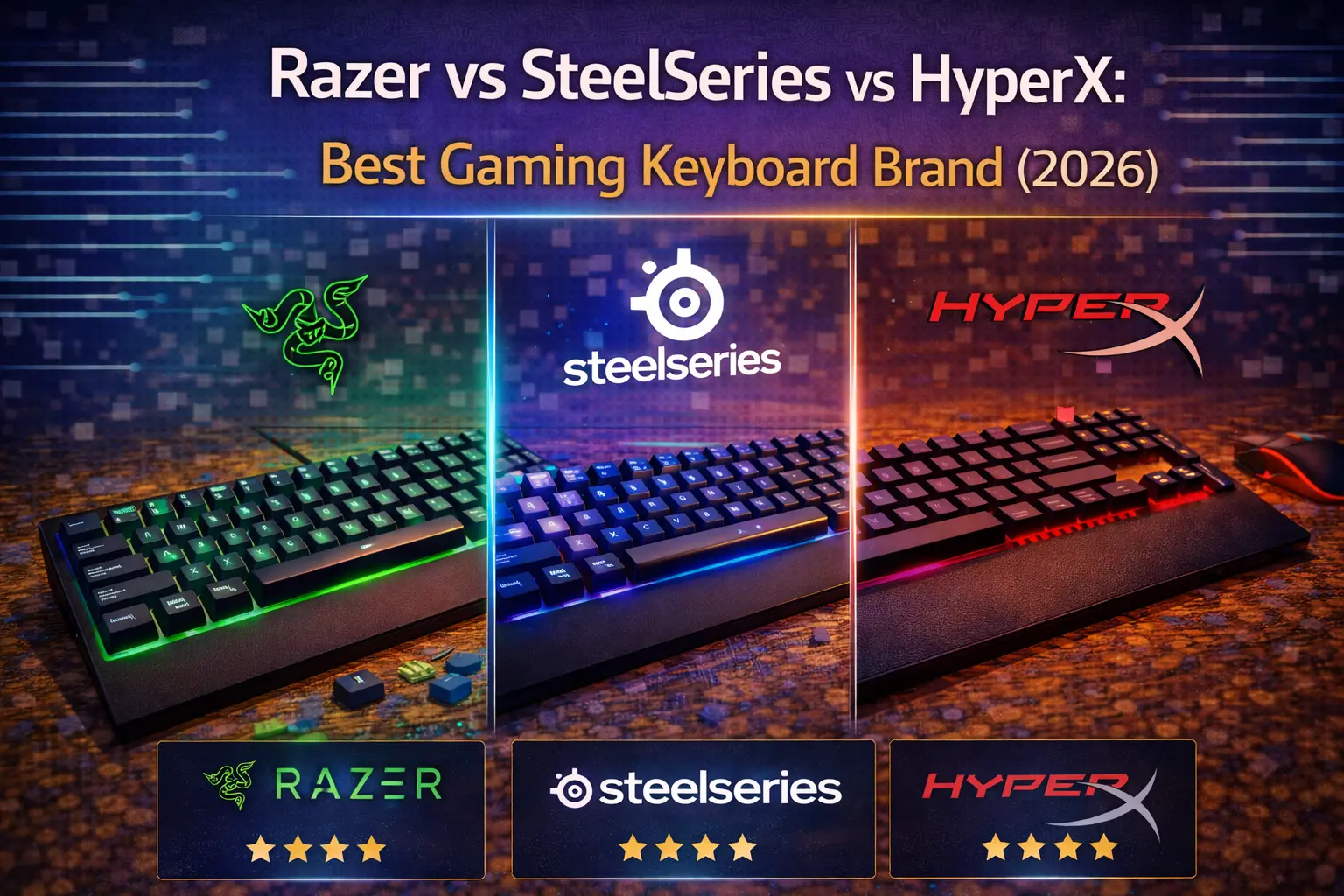
Ask any gamer which keyboard brands they'd consider, and odds are Razer, SteelSeries, and HyperX come up within the first three answers. They're the default shortlist — the brands you see on streaming desks, in esports arenas, and stacked on Best Buy shelves. But "popular" and "best" are not the same thing.
In 2026, these three brands have evolved into genuinely distinct products with very different philosophies. Razer doubled down on its gaming ecosystem with analog optical switches and an army of Chroma-lit accessories. SteelSeries pushed Hall Effect technology into the mainstream with OmniPoint 3.0 and kept raising the ceiling on what a $200 gaming keyboard can do. HyperX — now HP's unified gaming master brand after absorbing the OMEN line at CES 2026 — continued doing what it does best: putting exceptional build quality and reliable performance into keyboards that don't ask you to remortgage your desk setup.
We've dug into every current model, verified every spec, and looked at the switch technology, software, build quality, wireless options, and value across all three lineups. Here's how they actually stack up — and which brand deserves your money depending on what you actually need. If you want to see how they compare against Logitech, check our Corsair vs Razer vs Logitech breakdown as well.
Note: This guide contains affiliate links. If you purchase through our links, we may earn a commission at no extra cost to you. This helps support our in-depth testing and content creation.
Brand Overview at a Glance
| Razer | SteelSeries | HyperX | |
|---|---|---|---|
| Philosophy | Ecosystem + innovation | Competitive performance | Value + reliability |
| Proprietary switches | Analog Optical Gen-2, Green, Yellow, Orange | OmniPoint 3.0 (Hall Effect) | HyperX Red / Aqua / Blue / Linear |
| Adjustable actuation | Yes (Huntsman line) | Yes (Apex Pro line) | Not yet (Origins 2 Pro incoming) |
| Price range | $79.99 – $499.99 | $49.99 – $259.99 | $49.99 – $229.99 |
| Best current model | Huntsman V3 Pro | Apex Pro Gen 3 | Alloy Rise |
| Software | Razer Synapse 4 | SteelSeries GG | HyperX NGENUITY |
| Biggest strength | Widest lineup + RGB ecosystem | Hall Effect switches + OLED | Build quality per dollar |
| Biggest weakness | Synapse bloatware | Price of flagship | No Hall Effect (until Origins 2 Pro) |
Razer: The Gaming Ecosystem King
Razer's keyboard lineup is the broadest of the three brands — over 15 active models across four product families, covering every form factor from 60% to full-size, every price tier from $80 to $500, and multiple switch philosophies under one roof. If your primary goal is to build a unified gaming setup where your keyboard, mouse, headset, and monitor all talk to each other via a single software layer, Razer is unmatched.
The lineup breaks cleanly into two families. The Huntsman V3 Pro series is Razer's competitive performance flagship: analog optical switches, adjustable actuation from 0.1 to 4.0mm, Rapid Trigger, Snap Tap, and — uniquely — gamepad emulation that maps variable keystroke depth to joystick-style analog input. No other major gaming brand offers that. The full-size Huntsman V3 Pro 8KHz ($249.99, ASIN: B0FRPHGXJZ) adds an 8,000 Hz polling rate on top of all that; the standard V3 Pro full-size (B0CG7FQML2) covers most of those bases at the same price. A TKL and a 60% Mini round out the family. All use Razer's Analog Optical Gen-2 switches: 40g actuation, 4.0mm total travel, 100 million keystroke lifespan, and zero physical contact — the beam of light that detects a keypress simply can't wear out the way a metal contact can.
The BlackWidow V4 family handles the mechanical side. It's where most Razer buyers land, and it's legitimately good. The BlackWidow V4 X (~$129.99, ASIN: B0C8QYB8W6) is the best value entry in the entire Razer lineup — full-size, Green or Yellow switches, Chroma per-key RGB, and Snap Tap at a price that doesn't sting. It's plastic construction (no aluminum here), but it's solid and the switches punch above the price. Step up to the BlackWidow V4 Pro 75% ($299.99) and you get HyperSpeed wireless, Bluetooth, hot-swappable Orange tactile switches (Gen-3, factory-lubricated), and an aluminum top plate. The recently launched BlackWidow V4 Low-Profile HyperSpeed line extends the wireless family into laptop-style key travel — a smart move for users who hate the height of standard switches but still want the Razer ecosystem.
Razer switch specs across the current generation: Green (clicky, 50g, 1.9mm actuation, 4.0mm travel), Yellow (linear, 45g, 1.2mm actuation, 3.5mm travel), Orange Gen-3 (tactile, ~45g, 1.9mm, 4.0mm, pre-lubed). If you care about clicky switches, the Green remains one of the loudest and most satisfying in the mainstream gaming market.
Build quality varies by model. The Huntsman V3 Pro and BlackWidow 75% variants use brushed aluminum alloy top plates over plastic bodies — premium but not unique. The budget BlackWidow V4 X is all plastic, which is fine at that price but worth knowing. PBT doubleshot keycaps appear on the Huntsman and 75% models; the standard V4/V4 Pro ships with ABS.
On the wireless front, Razer HyperSpeed Gen-2 is the best wireless tech of the three brands: 0.195ms latency, adaptive frequency hopping, and — with the HyperPolling Wireless Dongle — up to 4,000 Hz wireless polling. Battery life reaches 980 hours in power-saving mode on the TKL models. The one glaring hole: the Huntsman V3 Pro (the most advanced keyboard Razer makes) is wired only. No wireless analog flagship exists.
Razer Synapse 4 is powerful and deeply integrated. It handles per-key remapping, HyperShift secondary key layers, Rapid Trigger configuration, Chroma Studio RGB with 300+ game integrations, and a browser-based Synapse Web tool that lets Huntsman V3 users configure without installing anything. The features are genuinely impressive. The execution is genuinely painful. Synapse runs six or more background services consuming 250MB+ of RAM. It persists after uninstallation. It has caused FPS drops of 50%+ in some setups. Razer's own forums are full of threads titled "Synapse is still garbage" and "I'm getting tired of this bloatware." If you care about a clean system tray, Synapse will test your patience — though Razer's generous onboard profile support (up to 6 profiles on the Huntsman V3 Pro) lets you configure once and never open Synapse again.
Best Razer keyboard: Razer Huntsman V3 Pro — Check price on Amazon
Best value Razer: Razer BlackWidow V4 X (Yellow Linear) — Check price on Amazon
For a full breakdown of every Razer model and which one to pick for your needs, see our dedicated Razer keyboard lineup guide.
SteelSeries: Hall Effect Goes Mainstream
SteelSeries built its reputation on the original Apex Pro and its OmniPoint Hall Effect switches — the first mainstream gaming keyboard with adjustable actuation. In 2026, the Gen 3 update is the most significant upgrade the line has ever received, and it cements SteelSeries as the go-to choice for competitive players who want precision analog switch performance without going full enthusiast-brand.
The current flagship is the Apex Pro Gen 3, available in full-size (~$239.99, ASIN: B0D4RKYZJ5), TKL ($219.99, ASIN: B0DGZLHN8G), and Mini ($199.99, ASIN: B0F11HCGST). All three use OmniPoint 3.0 HyperMagnetic switches — Hall Effect sensors that detect the magnetic field of the switch stem rather than a physical contact point. This means the actuation point is fully adjustable (0.1 to 4.0mm in 0.1mm increments — 40 different levels), Rapid Trigger is standard (resets when the key moves up by as little as 0.1mm), and the switches will theoretically never wear out mechanically. For a deep dive into why Hall Effect matters in competitive play, read our Hall Effect keyboards explained guide, and for the full comparison of the technology versus traditional mechanicals, our Hall Effect vs mechanical switches article covers everything.
What Gen 3 adds over Gen 2 is substantial: triple-layer sound dampening foam (the Gen 2 was notoriously clacky), per-key lubrication from the factory, doubleshot PBT keycaps (Gen 2 shipped with ABS — a legitimate downgrade at that price), improved stabilizers, and a new Protection Mode feature that's exclusive to SteelSeries. Protection Mode automatically reduces the sensitivity of keys adjacent to your most-used keys during gameplay, preventing accidental presses from the vibration of nearby keystrokes. For FPS players who live on WASD, this is surprisingly practical. Rapid Tap/SOCD — SteelSeries' equivalent of Snap Tap — supports five customizable pairings.
One thing worth flagging honestly: the full-size Apex Pro Gen 3 uses Gateron G Pro 3.0 Red mechanical switches for the F-key row, numpad, and arrow keys. Only the main alphanumeric block gets OmniPoint 3.0 Hall Effect sensors. This isn't a dealbreaker, and TechteamGB's testing confirmed it doesn't affect practical gaming performance — but paying $240 and getting mechanical switches on part of the board is the kind of detail you should know before buying. The TKL and Mini versions don't have this issue: every key gets OmniPoint.
The OLED Smart Display is still one of SteelSeries' signature differentiators. Present on every Apex Pro model (Gen 3 and 2.0), it shows clock, Discord messages, CPU/GPU stats, game info, or custom GIFs. It's a small luxury, but it genuinely gets used. No other brand in this comparison offers anything equivalent on their keyboards.
On wireless, Quantum 2.0 Dual Wireless (2.4GHz + Bluetooth 5.0) is available on the Apex Pro TKL Wireless Gen 3 and legacy TKL/Mini Wireless models. Battery life is approximately 37 hours with RGB on — adequate but not impressive. The full-size keyboard has no wireless option in the current lineup. If wireless matters to you, check our best wireless gaming keyboards roundup for a fuller picture. Versus Wooting's hall effect implementation, SteelSeries has some catching up to do on advanced multi-actuation features, as we note in our Rapid Trigger guide, but OmniPoint 3.0 with Protection Mode and GG QuickSet game presets makes it the most polished mainstream competitive experience.
For the rest of the lineup: the Apex 9 ($110–140) brings hot-swappable optical switches with two-point actuation — a middle ground between full Hall Effect and fixed-point mechanicals. The Apex 5 ($80–100, ASIN: B07ZGDD6B1) offers OLED and per-key RGB at a reasonable price. The Apex 3 (~$49.99, ASIN: B07ZGDPT4M) is membrane but earns its place as the cheapest IP32 water-resistant gaming keyboard on the market.
SteelSeries GG software is the most feature-rich of the three brands when it works. Rapid Trigger tuning, OLED configuration, GG QuickSet game presets, PrismSync RGB, macro support, and the Sonar audio suite all live under one roof. The problem is reliability. Trustpilot data from over 19,600 SteelSeries reviews reflects consistent complaints about device detection failures, blank screens, and a Sonar audio module that has caused hard reboots on Windows 10/11. SteelSeries pushes frequent updates — 89+ patches in 2025 alone — so the team is clearly responsive. But for a keyboard at this price point, users shouldn't need to troubleshoot their configuration software.
Best SteelSeries keyboard: SteelSeries Apex Pro Gen 3 (Full) — Check price on Amazon
Best value SteelSeries: SteelSeries Apex 3 — Check price on Amazon
HyperX: Best Value in Gaming Keyboards
HyperX in 2026 is not the brand it was even two years ago. HP's acquisition has been good for the brand: at CES 2026, HP announced that the OMEN gaming line is merging under HyperX as the sole gaming master brand, giving HyperX expanded reach into laptops, monitors, and the broader PC gaming ecosystem. The keyboard lineup itself has been quietly doing what it's always done — delivering genuinely excellent build quality at prices the competition can't match — while also finally joining the Hall Effect party with the announced Origins 2 Pro 65.
The current lineup centers on two families. The Alloy Origins series (full-size, TKL/Core, 60%, 65%) uses HyperX proprietary switches in three flavors: Red (linear, 45g, 1.8mm actuation, 3.8mm travel, 80M lifespan), Aqua (tactile, same specs), and Blue (clicky, 50g). These specs compare favorably to Cherry MX Red — the actuation is 0.2mm shorter, travel is 0.2mm tighter, and lifespan is 30 million keystrokes longer. They're not adjustable like OmniPoint or Analog Optical, and they're not hot-swappable on the base Origins models — but they're tuned well, consistent, and reliable. If you want to understand switch fundamentals before buying, our keyboard switches explained guide is a good starting point.
The Alloy Rise series is where HyperX shows what it's capable of when it targets the premium tier. The Alloy Rise full-size ($199.99, ASIN: B0CYNZN63J) and Alloy Rise 75 ($169.99, ASIN: B0CYNYGKRT) both feature gasket-mounted construction, 8,000 Hz polling rate, hot-swappable switches (HyperX Linear, 40g actuation, factory pre-lubed), magnetic swappable aluminum top plates, and double-layer sound dampening foam. Tom's Hardware called it "genuinely one of the best-feeling gaming keyboards I have used all year." The Alloy Rise 75 Wireless (~$229.99, ASIN: B0DF9X9F4D) adds tri-mode connectivity — 2.4GHz, Bluetooth 5.0 (three devices), and USB-C wired — with a 6,000 mAh battery rated at 80 hours RGB-on and a staggering 1,500 hours with RGB off. That's not a typo.
The headline HyperX advantage is build quality. Every Alloy Origins model uses full aircraft-grade aluminum construction — both the top plate and the bottom shell. Not an aluminum top plate over a plastic base (which is what Razer and SteelSeries do at this price), but a fully machined aluminum chassis from end to end. At the Alloy Origins Core TKL (~$89.99, regularly on sale at $60–70, ASIN: B07YMHGP86), this is genuinely astonishing value. TechGearLab awarded it a co-Editor's Choice as "an exceptional gaming keyboard" and praised its construction as feeling far more premium than its price suggests. If your budget is tight, this is one of the best recommendations in our best gaming keyboards under $100 guide — and probably the strongest argument for HyperX in this whole comparison. For more budget-focused alternatives across brands, also see our best budget keyboard brands under $100 roundup.
The big news from CES 2026 is the Origins 2 Pro 65 — HyperX's first Hall Effect keyboard with adjustable actuation, Rapid Trigger, and 8,000 Hz polling. When it ships (Spring 2026), it directly targets the SteelSeries Apex Pro at what's expected to be a lower price point. The Origins 2 65 (without Hall Effect, $119.99) has already shipped and received a measured review from Tom's Hardware — solid bones, some NGENUITY software friction, but a promising platform.
HyperX's wireless story is the thinnest of the three brands: the Alloy Rise 75 Wireless is currently the only wireless keyboard in the lineup. That 1,500-hour battery is genuinely impressive, but one model with no full-size wireless option is a real limitation compared to Razer's 5+ wireless models.
HyperX NGENUITY is the lightest and least powerful of the three software platforms. It covers per-key RGB, macros, key remapping, game mode, and firmware updates. A NGENUITY Beta with a modern UI is in development (Windows 11+ only) but remains incomplete. The saving grace is onboard profile support: 10 profiles on the Rise series, 3 on Origins — the most of any brand at this level. Run the software once to set everything up, then never open it again. Unlike Synapse, it doesn't lurk in the background consuming resources. The hot-swap capability on Rise models means you can also drop in third-party switches without voiding anything, which opens the customization door that standard HyperX switches close.
Best HyperX keyboard: HyperX Alloy Rise — Check price on Amazon
Best value HyperX: HyperX Alloy Origins Core TKL — Check price on Amazon
Head-to-Head: How They Compare
Switches & Performance
This is the crux of the comparison — and it's where the three brands have diverged most dramatically.
Razer's Analog Optical Gen-2 switches in the Huntsman V3 Pro are technically the most advanced: infrared light detection (no physical wear), 0.1–4.0mm adjustable actuation, Rapid Trigger down to 0.1mm resolution, and the unique gamepad emulation feature that lets the keyboard mimic a joystick's analog input. For racing games, character movement in action RPGs, or any genre that benefits from variable input, this is Razer's genuine differentiator.
SteelSeries OmniPoint 3.0 is the Hall Effect standard-bearer: magnetic sensors, same 0.1–4.0mm range, Rapid Trigger, and the exclusive Protection Mode that makes it the most tournament-tuned option. TechGearLab gave the Apex Pro Gen 3 a 9.9/10 for performance — the highest in their testing pool. For pure competitive FPS, it's the most refined experience.
HyperX's fixed-point mechanical switches are honest performers — well-tuned, reliable, and faster-actuating than Cherry MX. But they offer no adjustability, which is an increasing gap in a market where Wooting, Razer, and SteelSeries all offer sub-millimeter precision. The Origins 2 Pro 65 with Hall Effect will change this equation, but it hasn't shipped yet.
Verdict: SteelSeries for competitive play, Razer for switch innovation, HyperX for conventional reliability. Read our linear switch guide if you're still working out which switch feel you prefer before committing.
Build Quality & Design
HyperX wins this category at every price point below $200, and it's not close. Full aluminum bodies on the Alloy Origins at under $100 simply don't have competition in this field. Razer and SteelSeries both use aluminum-over-plastic construction on their mid-tier models — which is respectable but a step below.
At the premium tier, SteelSeries' Gen 3 triple-layer foam dampening and factory lubrication brought the Apex Pro's typing feel up significantly from the Gen 2's clacky reputation. The HyperX Alloy Rise's gasket mount adds a further layer of acoustic refinement. Both are exceptional. Razer's Huntsman V3 Pro feels premium and purposeful, though its doubleshot PBT keycaps (Huntsman and 75% models) stand out among Razer's lineup where ABS is still common on the V4 standard tier.
Verdict: HyperX wins on materials per dollar. SteelSeries and HyperX tie at the flagship tier.
Software
Razer Synapse 4 has the deepest feature set: 300+ Chroma game integrations, HyperShift secondary layers, Synapse Web browser config, hybrid cloud + onboard profiles. If you want the most powerful RGB and macro ecosystem, Synapse is it. The cost is system resources and stability — it remains the most complained-about peripheral software in gaming communities.
SteelSeries GG sits in the middle: rich features including OLED configuration, Sonar audio, GG QuickSet presets, and active Rapid Trigger tuning, but persistent reliability issues that are well-documented. When it works, it's excellent. When it doesn't, it's frustrating at $220+.
HyperX NGENUITY is the simplest — too simple for power users, but genuinely hassle-free for anyone who just wants to set a lighting profile and walk away. Its 10-profile onboard storage on Rise models is the most of any brand here, enabling a fully software-free experience after initial setup.
Verdict: Razer for features, HyperX for reliability and light footprint, SteelSeries in between.
RGB & Customization
Razer's Chroma ecosystem is the gold standard in gaming RGB — per-key addressable lighting, 300+ game titles with reactive effects, and seamless sync across Razer peripherals including mice, headsets, and even Philips Hue smart lighting. If RGB matters to you, Chroma is the most immersive implementation.
SteelSeries PrismSync supports per-key RGB on all Apex Pro models and syncs across SteelSeries peripherals. The OLED display adds a unique non-RGB dimension to personalization that Razer and HyperX don't offer.
HyperX NGENUITY offers per-key RGB customization that covers the basics well. It's functional rather than spectacular, and integration with non-HyperX devices is limited.
Verdict: Razer Chroma wins decisively. SteelSeries second. HyperX competent but basic. If hot-swap customization with third-party switches is your RGB priority, the Rise's swappable top plates add a physical dimension none of the competitors match.
Price & Value
| Brand | Entry price | Mid-range | Flagship |
|---|---|---|---|
| Razer | ~$79.99 (Ornata V3 X) | ~$129.99 (BW V4 X) | $249.99 (Huntsman V3 Pro) |
| SteelSeries | ~$49.99 (Apex 3) | ~$80–100 (Apex 5) | ~$239.99 (Apex Pro Gen 3) |
| HyperX | ~$49.99 (Alloy Core RGB) | ~$69–90 (Origins Core TKL) | ~$199.99 (Alloy Rise) |
HyperX delivers the most value per dollar at every tier. The Origins Core TKL at ~$70 on sale with full aluminum construction is the strongest value argument in this entire comparison. SteelSeries' Apex 3 at $49.99 is the cheapest flagship-brand keyboard available. Razer's entry points are higher and offer less material quality at equivalent prices.
Verdict: HyperX wins value. SteelSeries wins at the extreme budget tier. Razer's best value is the BlackWidow V4 X.
Wireless Options
Razer leads this category comprehensively: 5+ wireless keyboard models, HyperSpeed Gen-2 2.4GHz, optional 4,000 Hz wireless polling via HyperPolling Dongle, up to 980-hour battery, and Bluetooth 5.0 multi-device. Check our best wireless gaming keyboards guide for a full breakdown.
SteelSeries offers wireless on TKL and 60% form factors only (no full-size wireless), with Quantum 2.0 at ~37 hours battery life — adequate but not remarkable.
HyperX has one wireless keyboard — the Alloy Rise 75 Wireless — with an outstanding 1,500-hour battery life (RGB off) and tri-mode connectivity. One model is simply not an ecosystem.
Verdict: Razer wins decisively on breadth. HyperX wins on battery longevity. SteelSeries is limited.
Product Range & Variety
Razer offers 15+ active keyboard models across membrane, mechanical, optical, analog optical, and low-profile switches, with every form factor from 60% to full-size. No other brand in this comparison comes close.
SteelSeries covers membrane (Apex 3), mechanical (Apex 7), optical (Apex 9), and Hall Effect (Apex Pro Gen 3), with TKL and full-size options throughout. Compact and 75% options are limited.
HyperX has a focused but well-rounded lineup: full-size, TKL, 65%, 60%, with the Alloy Rise series adding gasket-mounted hot-swap options.
Verdict: Razer wins on variety. SteelSeries and HyperX are more focused.
The Verdict: Which Gaming Brand Should You Choose?
| Category | Winner |
|---|---|
| Competitive performance | SteelSeries |
| Switch innovation | Razer |
| Build quality per dollar | HyperX |
| Flagship build quality | SteelSeries / HyperX (tie) |
| Software features | Razer |
| Software reliability | HyperX |
| RGB ecosystem | Razer |
| Wireless options | Razer |
| Value | HyperX |
| Product variety | Razer |
There's no single winner here — and any article that tells you otherwise is selling you something. These three brands serve legitimately different needs.
SteelSeries wins on pure competitive gaming performance. OmniPoint 3.0's adjustable Hall Effect actuation, Protection Mode, and GG QuickSet presets make the Apex Pro Gen 3 the most purpose-built competitive gaming keyboard in mainstream retail. TechGearLab's lab testing ranked it number one with a 9.9/10 performance score. If you play at a high level and want every millisecond accounted for, this is your brand.
Razer wins on ecosystem, innovation, and variety. The Huntsman V3 Pro's analog optical switches are genuinely unique. No other brand gives you gamepad emulation from a keyboard. No other brand has the depth of Chroma integrations, the breadth of wireless models, or the sheer number of form factor options. If you're building a cohesive Razer setup — keyboard, mouse, headset, the whole desk — the ecosystem integration is worth paying for.
HyperX wins on value and build quality. At every price tier below $200, HyperX's full aluminum construction beats anything the competition offers. The Alloy Origins Core TKL at ~$70 on sale is one of the most objectively well-built keyboards at that price in the entire gaming market. And with the Origins 2 Pro 65 bringing Hall Effect + Rapid Trigger to the lineup in 2026, HyperX's competitive gap is about to get much narrower.
Choose Razer if you're building a unified gaming ecosystem, care deeply about RGB lighting and Chroma integration, want the widest selection of wireless keyboards, or are drawn to the unique gamepad emulation in the Huntsman V3 Pro. Just be prepared to make peace with Synapse.
Choose SteelSeries if you play competitive FPS or tactical shooters seriously, want adjustable Hall Effect actuation with the best mainstream Rapid Trigger implementation, or value the OLED display and Protection Mode as legitimate competitive tools. The Apex Pro Gen 3 TKL is the easiest recommendation for the serious gamer.
Choose HyperX if your priority is build quality per dollar, you don't need adjustable actuation (or are willing to wait for the Origins 2 Pro 65), prefer lighter software overhead, or simply want the most physically premium keyboard your budget can buy. The Alloy Origins Core TKL is the best-built keyboard under $100 from any of these three brands, full stop.
If none of these brands feel quite right and you want to go deeper — whether that's enthusiast mechanical options, hall effect specialists, or custom builds — our guides on Keychron vs GMMK vs Drop and the Logitech G Series cover the alternatives worth considering.
FAQ
Which is better: Razer or SteelSeries?
For competitive gaming, SteelSeries edges ahead: OmniPoint 3.0 Hall Effect switches with adjustable actuation and Protection Mode give competitive players more precision tools. For ecosystem, RGB, and overall product variety, Razer wins. Neither is universally "better" — it depends entirely on what you prioritize. If you want adjustable actuation on a flagship keyboard, both deliver it; the difference comes down to Razer's optical analog approach versus SteelSeries' Hall Effect magnetic approach.
Is HyperX a good keyboard brand?
Yes — and it's significantly underrated for build quality. HyperX Alloy Origins keyboards use full aluminum construction (top and bottom) at prices where competitors are using plastic bodies with aluminum top plates only. Tom's Hardware, TechGearLab, and most major review outlets consistently praise HyperX for build quality and typing feel. The main limitation until recently was the absence of adjustable actuation, but the Origins 2 Pro 65 with Hall Effect switches is addressing that. HyperX is also backed by HP's resources following a $425 million acquisition.
Which gaming keyboard brand has the best software?
By features: Razer Synapse 4 (most powerful, worst reliability). By reliability: HyperX NGENUITY (fewest features, lightest footprint, 10 onboard profiles on Rise models). SteelSeries GG sits in the middle — feature-rich and actively updated but with documented stability issues. None of the three brands has cracked the "great features AND great reliability" combination. If software is a dealbreaker for you, HyperX's generous onboard profile storage (especially on the Rise series) lets you set up once and ignore the software entirely.
Are Razer keyboards overpriced?
At the flagship level, the Razer Huntsman V3 Pro ($249.99) is priced comparably to the SteelSeries Apex Pro Gen 3 ($239.99) for similar adjustable-actuation functionality — so the premium is not egregious at the top. The problem is mid-range: the BlackWidow V4 (~$169.99) is ABS keycaps and a plastic body at a price where HyperX is giving you full aluminum. The BlackWidow V4 X at ~$129.99 is fair. The premium BlackWidow models ask more than their materials justify compared to the competition. Razer's prices reflect ecosystem investment more than raw hardware value.
What's the best gaming keyboard brand for beginners?
HyperX is the easiest recommendation for most new buyers. The Alloy Origins Core TKL (~$70–90) gives you reliable HyperX Red or Aqua switches, a full aluminum build, and RGB without requiring any software knowledge to use well. SteelSeries' Apex 3 ($49.99) is the cheapest entry point from any of the three brands. Razer's lineup starts at a higher price for equivalent quality. For beginners who want to understand the fundamentals before buying, our keyboard switches explained guide is the place to start.
Conclusion
Razer, SteelSeries, and HyperX are all legitimate gaming keyboard brands in 2026 — none of them is a trap. What's changed is that the market has grown sophisticated enough that "which brand?" is less important than "which features for which use case?" SteelSeries has the best competitive performance tools. Razer has the deepest ecosystem and the most innovative switch tech. HyperX has the best hardware quality per dollar and a major upgrade cycle underway with Hall Effect switches on the way.
If you already know your switches, form factor, and budget, the picks in this article will steer you straight. If you're still figuring out the fundamentals, use our keyboard configurator to narrow down exactly what you need — it covers switches, sizes, and compatibility across dozens of options.