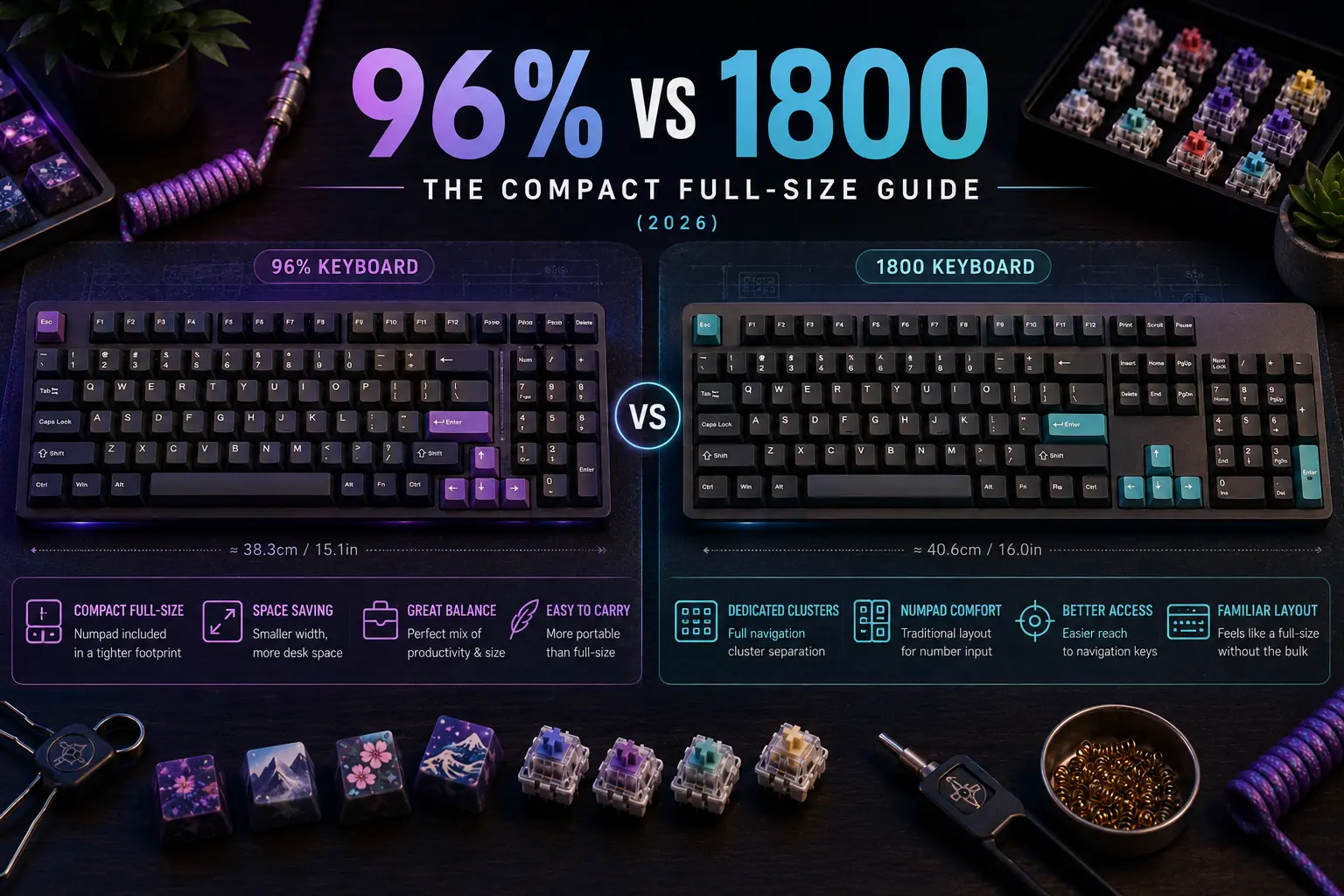
The 96% and 1800 layouts solve the same problem — a full numpad in less desk space — but they solve it differently, and the distinction matters the moment you start choosing keycaps, a prebuilt, or a high-end custom kit. A 96% board collapses the navigation cluster into the top of the numpad for a rectangular, monolithic footprint and roughly 100 keys. The 1800 layout, named after Cherry's late-1980s G80-1800, preserves a separate navigation column and stays closer to 104 keys in a shape that looks like a full-size board with the dead space squeezed out.
In 2026 the marketing lines have blurred almost beyond recognition. Keychron lists the V5 Max as both "96%" and "1800 compact" in the same product page; Akko calls the 5098B a "98-key layout (known as 1800 compact)" in a single breath; RAPOO, MonsGeek, and Epomaker use "98%" for boards that are physically different from one another. None of that changes the engineering: right-shift width, numpad-zero size, and total key count still dictate which keycap sets fit and how the board feels under the hands.
This guide does three things. First, it defines all three terms — 96%, 1800, and the marketing-soup "98%" — precisely enough that you can identify which one a manufacturer is actually selling you. Second, it walks the entire credible prebuilt landscape shipping in 2026, from $60 wireless boards to $300+ enthusiast customs, with verified product links. Third, it covers the parts of the decision that reviews routinely skip: keycap compatibility, switch choice, sound, firmware, and the ergonomics of living with a numpad.
If you only remember one sentence, make it this: count the keys, check the right-shift width, verify the numpad-zero size, and confirm south-facing RGB. Do that and the marketing maze collapses into a clear choice between the rectangular monolith and the compressed classic — both of which keep the 10-key that makes real numeric work fast.
Note: This guide contains affiliate links. If you purchase through our links, we may earn a commission at no extra cost to you. This helps support our in-depth testing and content creation.
The Layouts, Precisely Defined
A full-size (100%) keyboard has 104 ANSI keys arranged in four visually separated clusters — alphanumeric block, function row with navigation island, inverted-T arrows, and a dedicated numpad — and measures roughly 440–460 mm wide. It is the layout every other size is measured against.
The 1800 layout keeps all of those ~104 keys and the four-cluster logic, but collapses the gap between the navigation cluster and the numpad so the board measures roughly 19.25u (about 20–30 mm narrower than full-size). Crucially, the navigation cluster stays as its own column above the arrows — it is not fused into the numpad. Cherry's G80-1800 is the archetype: a full F-row, a 2×3 Insert/Home/PageUp over Delete/End/PageDown block, standard inverted-T arrows, and a numpad shoved tight against the nav cluster with no gap. The 1800 is, in essence, a full-size keyboard with the wasted air removed.
The 96% layout is tighter still. At roughly 19u wide — about 0.25u narrower than an 1800 — 96% boards typically push PrintScreen, ScrollLock, and Pause onto an Fn layer and fuse the navigation keys into the top of the numpad column, producing a rectangular silhouette with about 100 keys. Keychron's own explainer states it plainly: the 96% size keyboard is based on the 104-key full-size, with rarely used keys reduced and everything combined together. The visual result is a solid block with no internal gaps — what enthusiasts call the "monolithic" look.
The 98% designation is almost purely marketing. RAPOO, MonsGeek, Epomaker, and Akko use it interchangeably with both "96%" and "1800 compact," and there is no committee enforcing the term. Treat any "98%" claim as a prompt to look at a photograph of the actual board, count the gaps, and decide for yourself whether it is functionally a 96% or an 1800.
The shared quirks that separate both layouts from a true full-size are the heart of the buying decision: a 1.75u right shift instead of the standard 2.75u, a 1u numpad zero instead of 2u, and frequently compressed 1u bottom-row modifiers instead of 1.25u. These three details are the single most common reason a beautiful keycap set arrives and does not fit.
Why the Geometry Matters More Than the Name
It is tempting to treat 96% versus 1800 as a cosmetic preference. It is not. The physical key sizes ripple into three practical consequences that outlast any aesthetic opinion.
Keycap sourcing. A standard ANSI keycap set is cut for a tenkeyless or full-size board: 2.75u right shift, 2u numpad zero, 1.25u bottom-row modifiers. Drop those caps onto a 96% or 1800 board and the right shift, the numpad zero, and often the bottom row are simply missing. This is why the keycap section below is the longest in this guide — it is the part of the purchase most people get wrong.
Muscle memory for the navigation cluster. On an 1800, Home, End, PageUp, and PageDown live in a dedicated 2×3 block exactly where a full-size user's hand expects them. On a 96%, those same keys are fused into the top-right of the numpad, often requiring an Fn layer or relearning their position. For anyone who navigates documents or spreadsheets by feel, this is a genuine adaptation cost, not a footnote — and it is the main reason a long-time full-size user often prefers an 1800.
Desk footprint versus reach. A 96% board saves roughly 40–50 mm of width over full-size; the Leopold FC980M is exceptionally tight at about 366 mm. An 1800 saves only ~10–30 mm because it preserves the nav column. A tenkeyless board saves ~85–95 mm by dropping the numpad entirely. If the goal is maximum desk space while keeping the 10-key, the 96% wins; if the goal is full-size familiarity in a slightly smaller envelope, the 1800 wins.
The decision, then, is not "which looks nicer" but "which compromise do I want to live with" — tighter footprint and a relearned nav cluster (96%), or familiar ergonomics and a marginal space saving (1800).
A Brief History of the 1800 — Why the Number Has Nothing to Do With Keys
The "1800" designation is Cherry's internal article number, not a key count or a percentage. The G80-1800 first appeared in Cherry's November 1987 "New Generation Keyboards" catalogue, with the earliest dated production units from week 15 of 1988 — so the accurate citation is "introduced c. 1987–1988," not the flat "1987" frequently repeated online.
It sits within a G80 family of roughly 66 catalogued models. The G80-3000 is the classic full-size IBM-enhanced board from 1988; the G81-3000 and G81-1800 prefixes denote rubber-dome siblings; the G80-11800 added an integrated trackball. Suffix codes such as LPCEU-0 encode switch type, keycap material, and language — the kind of industrial part-numbering that makes clear the 1800 was never designed for enthusiasts.
Cherry built the 1800 for 19-inch rack drawers and space-constrained industrial deployments. The numerical keypad was moved closer to the main keyboard with the arrow keys squeezed in between and below, purely to fit equipment racks and control consoles. Current production G80-1800 units still ship with Cherry MX Black switches, and Cherry — branded Cherry Xtrfy after the 2022 merger, though the industrial line persists — still sells the board in 2026 at a mid-range price through channel retailers. It remains the only way to buy a genuine vintage-lineage 1800 brand-new, and it still ships with the heavy Cherry MX Black linear it was originally specified with.
The enthusiast revival began around 2014–2017 with 7bit's SA Dolch keycap group buys, was cemented by the Keychron Q5 in 2022, and is now mainstream enough that Keychron's own 2022 press release calling the 1800 "rare" already reads as dated.
96% and 1800 Versus Every Other Size
Choosing a compact full-size only makes sense once you know what you are giving up versus the alternatives, and what you would gain by going smaller.
Against a true full-size, both 96% and 1800 keep the numpad and lose almost nothing functionally — the 1800 keeps the nav cluster too. The only real costs are keycap sourcing and, on a 96%, the relearned navigation block.
Against a tenkeyless, the trade is stark and simple: a TKL drops the numpad entirely for ~85–95 mm of desk space and a mouse that sits dramatically closer to the home row. If you do not enter numbers in volume, a TKL is almost always the better ergonomic choice; if you do, the numpad is non-negotiable and a 96% is the tightest way to keep it.
Against a 75% layout, which compresses a TKL into a near-gapless block, the 96% is essentially the same philosophy applied to a board that keeps its numpad. A user who likes the 75% monolithic look but needs a 10-key should look directly at a 96%.
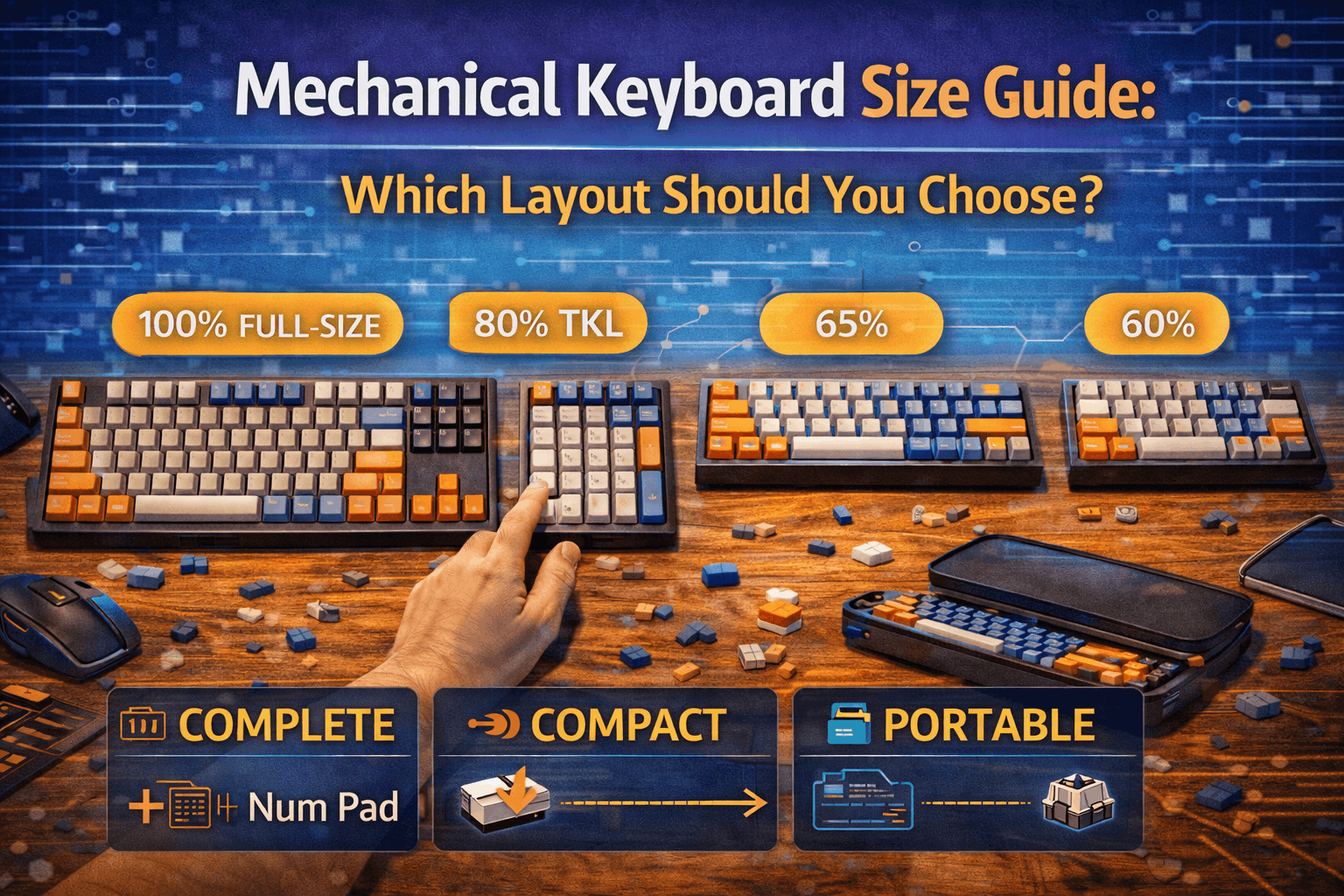
Against smaller layouts — the 65% and 60% — there is no real comparison for numeric work. Those layouts trade away the numpad, the F-row, and often the arrows for portability and a layer-driven typing style. They serve a different user entirely. The honest framing: 96% and 1800 are for people whose work demands the numpad and the function row, and who want to claw back desk space without sacrificing either.
The 2026 Prebuilt Landscape by Price Tier
Budget ($)
The cheapest credible entry is the RK Royal Kludge RK98. It carries 100 keys in a 98%-style layout, tri-mode BT5.1/2.4 GHz/USB-C connectivity, hot-swap sockets, and a 3750 mAh battery, and it sells at a budget street price. It is not an enthusiast board, but it is a fully functional wireless numpad keyboard for the price of a nice dinner — the RK Royal Kludge RK98 on Amazon is the default budget pick.
Keychron's V-series sits just above. The wired Keychron V5 on Amazon and the wireless tri-mode Keychron V5 Max on Amazon both bring QMK/VIA programmability, a gasket mount, PBT keycaps, hot-swap sockets, and south-facing RGB — a genuinely enthusiast feature set in a plastic case. The V5 Max adds 2.4 GHz at a 1000 Hz polling rate and Bluetooth 5.1 across three devices, and Keychron's confirmed January 2026 V5 Ultra extends the line with ZMK firmware and 8K polling. For most buyers the V5 Max is the single best value in the entire category: it does almost everything a premium board does at roughly half the price.
Epomaker's RT100 keeps a detachable TFT screen and a knob at a budget price, with a PRO revision adding a larger screen, a bigger battery, and additional sound dampening. It is a feature-forward, slightly gimmicky board that nonetheless types well — the Epomaker RT100 on Amazon is the pick for buyers who want the novelty screen without leaving the budget tier.
Mid-range ($$)
This is where the category gets genuinely interesting.
The Keychron Q-series brings a full 6063 CNC aluminum body, a double-gasket mount, QMK, screw-in stabilizers, and KSA PBT keycaps. The wired Keychron Q5 on Amazon and the wireless tri-mode Keychron Q5 Max on Amazon are repeatedly described by reviewers as a near-custom experience at a prebuilt price. If the goal is a premium board with no kit assembly and no group-buy wait, this is the reference choice.
Akko counter-punches hard at the bottom of this tier. The Akko 5098B on Amazon packs a 1.47-inch TFT LCD, a scroll wheel, an 8000 mAh battery with 2A fast charging, a gasket mount, and a five-layer sound system at a mid-range price — arguably the most feature-dense board under $150 in 2026. The cheaper Akko 3098B on Amazon drops the screen and battery extravagance but keeps the hot-swap 98-key layout at a lower mid-range price, and is a sensible no-frills entry into the 1800 shape.
The enthusiast-leaning options here are the Qwertykeys Neo98 and the Meletrix Zoom98 kit, both mid-range. The Zoom98 in particular remains a community favorite for its modular 2u blocker, which accepts an LCD, a knob, a badge, or two extra keys depending on the build.
For buyers who specifically want the vintage industrial typing feel rather than a modern custom, the Leopold FC980M is the long-standing reference 1800: a wired, no-software board with excellent PBT and a famously tight 366 mm footprint. The Leopold FC980M on Amazon and the doubleshot-keycap Leopold FC980M PD on Amazon are the picks for a plug-in-and-type 1800 with no RGB and no firmware learning curve.
Premium and Custom ($250–$800+)
The Drop SHIFT remains the only mainstream 1800 with shine-through PBT, a hefty aluminum case, and QMK, at a premium price — the Drop SHIFT on Amazon is the pick for a programmable aluminum 1800 without entering kit territory.
Above it sit the true enthusiast kits. The QwertyKeys QK100 kit pairs a dozen case colors with an integrated LCD and a tri-mode PCB option. Wind Studio's X98 R2 kit is the deep-enthusiast choice, with a 1.6 mm FR4 PCB, a dual-mount system, Vial firmware, and 1000 Hz wired / 800 Hz Bluetooth polling. Graystudio's Space82% Blade Runner is a high-end kit plus shipping, and Mode Designs' Prologue, announced for Summer 2026, is the most anticipated upcoming 98%-class custom. All of these require comfort with kit assembly and a tolerance for group-buy lead times before committing to a high-end board.
Two corrections enthusiasts routinely get wrong: the Mode Envoy is a 65%, not an 1800, and Rama's M50-A is a grid/ortho board, not an 1800, and is now legacy. Neither belongs on a 96%/1800 shortlist despite frequently appearing on one.
The Brand-Layout Quick Reference
Rather than a table, here is the practical at-a-glance breakdown, because the layout label a brand uses is often not the layout you receive.
Keychron V5 Max — 96% / "1800 compact," tri-mode, QMK/VIA, budget-priced. The value champion of the category.
Keychron Q5 Max — 96% / "1800 compact," tri-mode, QMK/VIA, full aluminum, premium-priced. The near-custom prebuilt.
Keychron Q5 (wired) — 96%, wired, QMK/VIA, aluminum, mid-range.
Akko 5098B — 1800 (98-key), tri-mode, Akko Cloud software, mid-range. Most feature-dense sub-$150 board.
Akko 3098B — 1800 (98-key), tri-mode, Akko Cloud, lower mid-range.
RK Royal Kludge RK98 — 98%, tri-mode, proprietary software, budget-priced. Cheapest credible entry.
Epomaker RT100 — 96% (97-key), tri-mode, Epomaker software, budget-priced. Novelty TFT screen.
Leopold FC980M / FC980M PD — 1800 (98–99 key), wired, no software, mid-range. The vintage typing reference.
Drop SHIFT — 1800 (99-key), wired, QMK, premium-priced. The programmable aluminum 1800.
Logitech G915 X — note that this is a full-size board with a numpad, not a 96% or 1800, despite often appearing in compact-full-size searches. The Logitech G915 X on Amazon is listed here only as a contrast: if desk space is the goal, a true 96% saves meaningfully more width.
Two more distinctions worth internalizing: the Keychron Q6/Q6 Max and V6/V6 Max are full-size (100%), not 1800, despite sharing the Q/V styling of their 1800 siblings; and the Logitech G915 and G915 X are full-size, while the G915 TKL and G515 drop the numpad entirely. Brand styling is not a reliable layout indicator — key count is.
Switches for a 96% or 1800 Board
A compact full-size board is still a mechanical keyboard, and switch choice shapes the typing experience more than layout does. Three considerations are specific to this category.
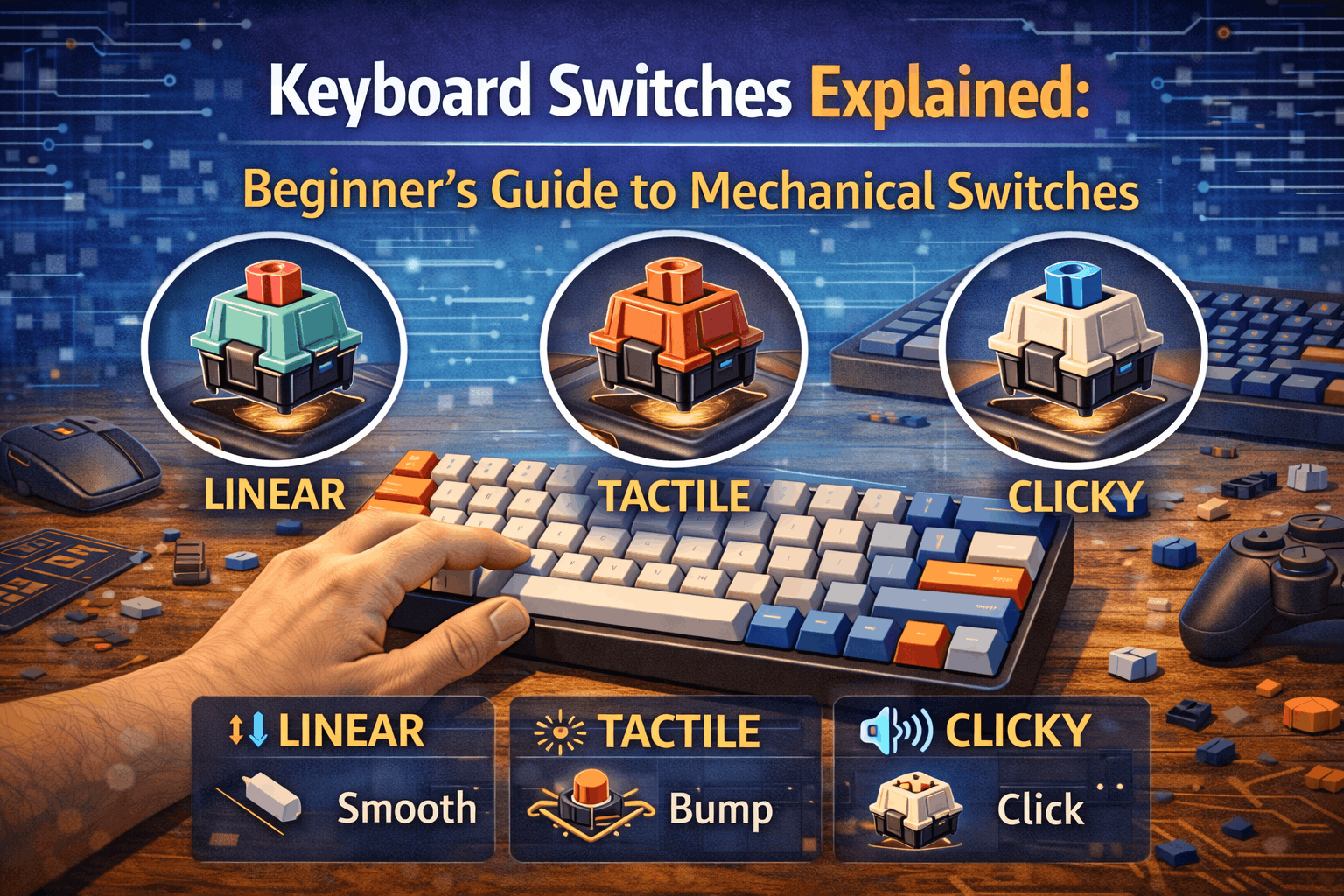
First, the numpad gets heavy use from the people who buy these boards, so switch durability and a consistent feel across 100 keys matter more than on a 60% that a typist babies. Linear switches dominate data-entry preferences because they let the finger machine-gun digits without a tactile bump interrupting the rhythm; the options are surveyed in the best linear switches roundup. Typists who split their day between prose and numbers often prefer a light tactile, covered in the best tactile switches guide.
Second, hot-swap is the norm in 2026 across nearly every board in this guide except the Leopold and the vintage Cherry. That means the switch decision is reversible: a Keychron Q5 Max or Akko 5098B owner can try a stock switch, then swap to something better without soldering. The mainstream hot-swap stock choice is Gateron, whose lineup is detailed in the Gateron switches guide; the original Cherry G80-1800 ships with MX Black, the heavy vintage linear documented in the Cherry MX guide.
Third, for buyers who do not want to research switches at all, the safe default is a stock pre-lubed linear or light tactile from the board's manufacturer and a later upgrade once the typing preference is known. A broader decision framework across all switch types lives in the best mechanical keyboard switches guide.
Building a Custom 96% or 1800
The enthusiast kits — QK100, Wind X98 R2, Zoom98, Neo98 — are not prebuilt boards. They are a case, a PCB, a plate, and a mounting system that the buyer assembles with separately purchased switches, keycaps, and stabilizers. The appeal is acoustic and tactile tuning impossible on a sealed prebuilt; the cost is time, money, and a learning curve.
The honest advice: a 96%/1800 custom is not a good first build. The 100-key footprint means more stabilizers to tune (the numpad alone has several), more switches to lube if going that route, and a longer, less forgiving assembly than a 60%. Anyone whose first keyboard project is a Wind X98 R2 is signing up for a frustrating weekend. The sequence that works is documented in the first custom keyboard build guide for the fundamentals, then the custom mechanical keyboard building guide for the full process including stabilizer tuning and mounting styles.
For buyers who want the custom result without the custom process, the Keychron Q5 Max is the pragmatic answer: it delivers most of the acoustic and build quality of a kit in a sealed, returnable package. The kit route only pays off for people who specifically enjoy the building.
Sound and Acoustics on Compact Full-Size Boards
Compact full-size boards have an acoustic quirk worth understanding before buying: the numpad and the larger case create more internal volume and more long-key stabilizer positions than a 60% or TKL, which means more opportunity for hollow resonance and stabilizer rattle if the board is untuned.
This is exactly why the feature-dense 2026 boards advertise multi-layer foam systems — the Akko 5098B's five-layer sound system and the Epomaker RT100 PRO's added dampening are direct responses to the hollow-case problem. The physics and the material choices are explained in the keyboard foam types guide; the short version is that case foam, plate foam, and a PCB-mount layer each address a different part of the sound signature, and a well-foamed budget board can out-sound a bare premium one.
For owners going the hot-swap or custom route, the single highest-impact acoustic improvement is stabilizer and switch lubing, not the case. A rattly numpad Enter or spacebar will dominate the sound profile of an otherwise excellent board; the technique is covered step by step in the how to lube keyboard switches tutorial. Buyers who do not want to lube anything should prioritize boards that ship with screw-in stabilizers and factory tuning — another reason the Keychron Q-series and Akko 5098B punch above their tier.
Firmware: QMK, VIA, and the Programmable Numpad
The firmware story matters more on a 96%/1800 than on most layouts, because the numpad and the compressed nav cluster are exactly the keys most users want to remap.
QMK and its VIA configurator turn the numpad into programmable real estate: a numpad that doubles as a macro pad on a held layer, a NumLock-toggled navigation cluster, or application-specific shortcut banks for CAD, video editing, or accounting. Every Keychron Q and V board in this guide ships QMK/VIA capable; the Drop SHIFT is QMK; the enthusiast kits run QMK or Vial. The proprietary-software boards (RK Royal Kludge, Akko Cloud, Epomaker) offer remapping but with less depth and no offline keymap compilation. The full landscape — QMK versus VIA versus Vial, and which to choose — is laid out in the QMK and VIA firmware guide.
The practical takeaway: if the appeal of keeping a numpad is workflow speed (accounting macros, CAD coordinate entry, editing scrubbing), a QMK/VIA board is worth the premium because the numpad becomes a programmable command surface, not just a digit block. If the numpad is purely for entering numbers, proprietary firmware is sufficient and the budget tier is fine.
Keycap Compatibility Is the Real Buying Decision
The single biggest buyer mistake on a 96% or 1800 board is ordering a keycap set without verifying the numpad/1800 extension kit. All three layouts typically require a 1.75u right shift, a 1u numpad zero, and often 1u bottom-row modifiers (1u Win/Alt/Ctrl rather than the standard 1.25u). Cheap ABS sets and many default kits skip these, leaving stranded blank positions exactly where the layout differs from a TKL.
Sets that credibly cover 96%/1800 out of the box include GMK CYL Chocolatier 2 (which explicitly lists 96-key and 1800 coverage), the Drop and Redsuns GMK Red Samurai 1800 kit, Drop's GMK White-on-Black at 146 keys, and Mode Keycaps' Anthracite, Tomorrow, and Obscura lines. PBTFans, ePBT, and HyperFuse group-buy sets nearly always offer a separate "Numpad/1800/Exotic" sub-kit — but it must be added to the cart deliberately; it is rarely included by default. Tai-Hao sells standalone 1.75u shift add-ons specifically as rescue kits for the FC980M and similar boards.
South-facing RGB is effectively table stakes for enthusiast keycap compatibility, and this is not a lighting preference — it is a clearance issue. Cherry-profile keycaps, the most popular enthusiast profile, physically collide with the switch housing on north-facing boards before bottoming out, producing a scratchy keystroke. Keychron's Q and V Max series, every Akko 5098B variant, the Epomaker RT100, and the Wind X98, QK100, Zoom98, and Neo98 kits all use south-facing LEDs for this reason. Many mainstream gaming boards still use north-facing LEDs for brighter shine-through, which is fine for their bundled ABS caps but limits later modding. If there is any intention to put aftermarket Cherry-profile caps on the board, south-facing RGB is a hard requirement, not a nice-to-have.
The actionable rule before any keycap purchase: confirm the set includes a 1.75u right shift and a 1u numpad zero, and confirm the board is south-facing if Cherry-profile caps are the goal. Those two checks prevent the overwhelming majority of "my keycaps don't fit" returns.
Who Actually Needs a Numpad
The real-world numpad audience is larger than online layout debates suggest, and it is worth being honest about whether you are in it before buying a board defined by keeping the 10-key.
Accountants, CPAs, financial analysts, and data-entry clerks work against industry benchmarks in the range of 9,000–12,000 keystrokes per hour at high accuracy — throughput that is realistically only achievable with a dedicated numpad. CAD engineers in AutoCAD and SolidWorks bind coordinate entry and view navigation to the numpad. Video editors use it for timecode scrubbing in Premiere and DaVinci Resolve. MMO players bind ability rotations to the numpad block. For all of these users the numpad is a productivity tool, not a preference, and a TKL is a downgrade no matter how much desk space it saves.
The frequently repeated claim that a numpad is "2–3× faster than the top-row number keys" is community consensus rather than a peer-reviewed finding, and it should be cited as such. But the directional point is not seriously disputed: for sustained numeric entry, the top row is meaningfully slower because it requires the hand to leave the home position and because the keys are in a single row rather than a touch-typable grid. If your work involves sustained numeric input, the numpad earns its desk space; if it does not, a smaller layout — explored across the keyboard size guide — is almost always the better ergonomic choice.
Ergonomics: The Numpad-and-Mouse Problem
There is one ergonomic cost to any board with a numpad that buyers should weigh honestly: the numpad pushes the mouse further to the right, increasing shoulder abduction and the daily reach distance between keyboard and pointing device. Over a long workday this is a measurable contributor to shoulder and wrist strain, a topic covered in depth in the guide to ergonomic keyboards and wrist pain.
The 96% versus 1800 choice interacts with this directly. A 96% board's tighter footprint moves the mouse 10–20 mm closer than an 1800 and 40–50 mm closer than a true full-size, which is a real ergonomic benefit for heavy mouse users who still need the numpad. Buyers who use the numpad only intermittently should also consider a separate wireless numpad paired with a TKL, which allows the numpad to be moved to the left side or removed entirely when not in use — the most ergonomically flexible solution, though it sacrifices the single-board simplicity that makes a 96% or 1800 attractive in the first place.
None of this argues against a compact full-size board; it argues for choosing the 96% over the 1800 when mouse-heavy work is part of the daily picture, and for being deliberate about mouse placement regardless of layout.
Picking Your Board
The decision collapses cleanly once the use case is clear:
For a wireless, QMK-programmable 96% under $150, the Keychron V5 Max is the answer — the gasket mount, PBT caps, and tri-mode connectivity punch far above the price, and nothing else in the budget tier matches it.
For a near-custom experience without the wait or the assembly, the Keychron Q5 Max is the best value in premium prebuilts; the wired Keychron Q5 is the cheaper option if wireless is not needed.
For maximum features at a mid-range price — LCD, scroll wheel, fast charging, large battery — the Akko 5098B is unmatched, with the Akko 3098B as the no-frills cheaper sibling.
For the vintage industrial typing feel with zero software, the Leopold FC980M (or the doubleshot FC980M PD) is the reference 1800, and the Drop SHIFT is the programmable aluminum alternative.
For the lowest credible price, the RK Royal Kludge RK98 is the floor, and the Epomaker RT100 adds the novelty screen without leaving the budget tier.
For a gateway custom build, the Qwertykeys Neo98 or Meletrix Zoom98 kit are the right entry points — but only after reading the build guides linked above. And for the original Cherry experience, the G80-1800 is still sold in 2026: the history book at working prices.
Frequently Asked Questions
Q: What is the actual difference between a 96% and an 1800 keyboard?
A: A 96% board fuses the navigation keys (Home, End, PageUp, PageDown) into the top of the numpad column for a rectangular, gapless block of about 100 keys, saving roughly 40–50 mm of width over full-size. An 1800 keeps the navigation cluster as its own separate column above the arrows and stays closer to 104 keys, saving only 10–30 mm. Both keep the numpad; the 96% is tighter but relocates the nav keys, while the 1800 preserves full-size muscle memory at a smaller space saving.
Q: Why is it called "1800" if it doesn't have 1800 keys?
A: The number is Cherry's internal article designation for the G80-1800, introduced around 1987–1988, not a key count or a percentage. The layout community adopted "1800" as shorthand for any compact full-size board that preserves a separate nav cluster. It has nothing to do with how many keys the board has — every "1800" board has roughly 99–104 keys.
Q: Will my normal keycap set fit a 96% or 1800 board?
A: Usually not without an extension kit. These layouts use a 1.75u right shift instead of the standard 2.75u, a 1u numpad zero instead of 2u, and often 1u bottom-row modifiers instead of 1.25u. A standard TKL or full-size keycap set is missing exactly those sizes. Before buying any set, confirm it explicitly lists 96%/1800 coverage or includes a numpad/1800 sub-kit with a 1.75u shift and a 1u numpad zero.
Q: Is a 98% keyboard a 96% or an 1800?
A: "98%" is a marketing term used inconsistently by RAPOO, MonsGeek, Epomaker, Akko, and others for both layouts. There is no standard. Look at a photograph of the specific board: if the nav keys are fused into the numpad and the board is a gapless rectangle, it is functionally a 96%; if there is a separate nav column with small gaps, it is functionally an 1800. Always verify by key count and layout image, never by the percentage label.
Q: Do I really need a numpad, or should I get a TKL instead?
A: If you do sustained numeric entry — accounting, data entry, CAD coordinates, video timecode, MMO ability binds — the numpad is a genuine productivity tool and a TKL is a downgrade. If you only occasionally type numbers, a tenkeyless board saves 85–95 mm of desk space and brings the mouse much closer to the home row, which is the better ergonomic choice for most people. Be honest about your actual numeric workload before committing to a board defined by keeping the 10-key.
Q: Which 96%/1800 board is the best value in 2026?
A: For most buyers, the Keychron V5 Max. It delivers QMK/VIA programmability, a gasket mount, PBT keycaps, hot-swap sockets, south-facing RGB, and tri-mode wireless at a budget price — a feature set that costs far more in the aluminum Q5 Max. The Q5 Max is the upgrade if a full metal case and the absolute best build quality matter; the Akko 5098B is the pick if screen-and-scroll-wheel features outweigh QMK.
Q: Why does south-facing RGB matter on these boards?
A: It is a keycap clearance issue, not a lighting preference. Cherry-profile keycaps — the most popular enthusiast profile — collide with the switch housing on north-facing boards before the key bottoms out, producing a scratchy keystroke. If there is any intention to install aftermarket Cherry-profile caps later, the board must be south-facing. Nearly all enthusiast-oriented 2026 boards (Keychron Q/V Max, Akko 5098B, the major kits) are south-facing for exactly this reason.
Q: Can I build a custom 96% or 1800 as my first keyboard project?
A: It is not recommended. The 100-key footprint means more stabilizers to tune and a longer, less forgiving assembly than a 60% or 65%. A first build should be smaller and simpler; the fundamentals are covered in the first custom keyboard build guide before tackling a 98%-class kit like the Wind X98 R2 or Zoom98. Buyers who want the custom result without the process should buy a Keychron Q5 Max instead.
Q: Is the original Cherry G80-1800 still worth buying in 2026?
A: It is still sold new and remains the only way to buy a genuine vintage-lineage 1800 brand-new, shipping with Cherry MX Black switches. It has no RGB, no software, no hot-swap, and no modern acoustic tuning, so it is a niche purchase for people who specifically want the industrial typing feel and the historical authenticity. For features-per-dollar, a modern board like the Keychron V5 Max or Akko 5098B vastly outperforms it; for heritage, nothing else is comparable.
The Verdict
The 96%-versus-1800 distinction is ultimately less about which layout you prefer and more about recognizing which one you are actually buying when a manufacturer calls a board "98%," "1800 compact," or "96%." The marketing terms are unreliable; the engineering is not.
For most buyers in 2026, the honest recommendation is the Keychron V5 Max under $150 for a do-everything wireless board, or the Keychron Q5 Max for a near-custom aluminum experience without assembly. The Akko 5098B wins on raw features per dollar, the Leopold FC980M and Drop SHIFT win for vintage and programmable-aluminum 1800 typing respectively, and the enthusiast kits win only for people who genuinely enjoy building. Before any purchase, the buying fundamentals in the mechanical keyboard buying guide and the size context in the mechanical keyboards ultimate guide are worth the read.
Count the keys, check the right-shift width, verify the numpad-zero size, and confirm south-facing RGB. Do those four things and a category that looked like a marketing maze becomes a clear, confident choice between the rectangular monolith and the compressed classic — both of which keep the 10-key that makes real work fast, in less space than the full-size board they descend from.