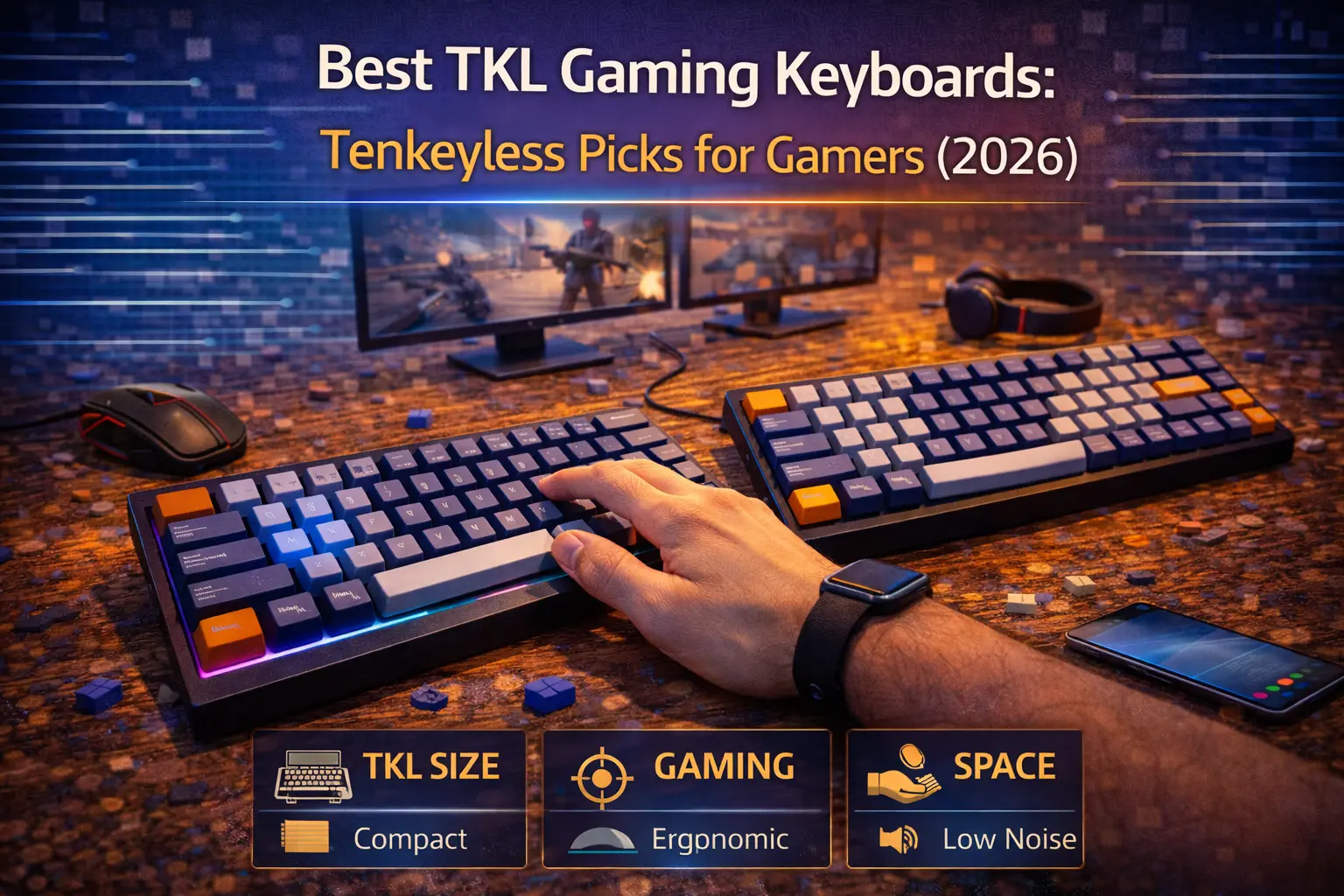
The TKL format hits the sweet spot that most gamers actually need. Strip the numpad, keep everything else — full F-row for in-game binds, navigation cluster for menu navigation and chat, and enough desk space freed up for wide mouse swings at low sensitivity. It's not a compromise. It's the right call for the overwhelming majority of PC gamers.
The tenkeyless layout has become the dominant format in competitive gaming for good reason. You get a complete keyboard — nothing mission-critical removed — in a chassis roughly 33% narrower than a full-size board. That translates directly into more consistent, repeatable mouse movement, which is the single most impactful physical variable in aim-dependent games.
For 2026, we've researched and verified six category-defining TKL picks across every price point and use case. Every spec, price, and feature claim in this article comes from manufacturer pages, Amazon listings, or major review sources — nothing invented. Whether you're spending $55 or $270, there's a clear answer below.
Note: This guide contains affiliate links. If you purchase through our links, we may earn a commission at no extra cost to you. This helps support our in-depth testing and content creation.
Quick picks: Best TKL gaming keyboards at a glance
| Category | Keyboard | Price | Polling Rate | Rapid Trigger | Wireless |
|---|---|---|---|---|---|
| Best Overall | Wooting 80HE | $199 | 8,000Hz | ✅ (0.1mm) | ❌ |
| Best Hall Effect | Corsair K70 PRO TKL | $179 | 8,000Hz | ✅ (0.1mm) | ❌ |
| Best Budget | Keychron C3 Pro 8K | $55 | 8,000Hz | ❌ | ❌ |
| Best Wireless | SteelSeries Apex Pro TKL Wireless Gen 3 | $270 | 1,000Hz | ✅ (0.1mm) | ✅ |
| Best Premium Build | Keychron Q3 HE | $239 | 1,000Hz | ✅ (0.2mm) | ✅ |
| Best for FPS | Razer Huntsman V3 Pro TKL 8KHz | $220 | 8,000Hz | ✅ (0.1mm) | ❌ |
Wooting 80HE — Best Overall TKL Gaming Keyboard
Switches: Wooting Lekker L60 V2 (Hall Effect magnetic, linear) | Polling rate: 8,000Hz (Tachyon Mode) | Rapid trigger: Yes, 0.1mm resolution | Hot-swap: Yes (Lekker-compatible HE only) | Connectivity: Wired USB-C | Build: PCR ABS or Zinc Alloy | Mount: Silicone gasket | Weight: ~750g (ABS) | RGB: Per-key + 10-segment LED bar | NKRO: Full
Price: $199 — Check current price on Amazon (Wooting sells direct at wooting.io — Amazon listings are third-party imports at a markup)
Wooting invented rapid trigger and the 80HE remains its best implementation. Every Hall Effect competitor is chasing what Wooting shipped first, and none of them have caught up in software quality. Wootility — the browser-based configuration suite — is simply in a different class. Per-key actuation profiles, four distinct SOCD (Rappy Snappy) modes per key, Dynamic Keystroke support (four actions per key based on press depth), and analog gamepad emulation are all tunable without downloading anything. The 8,000Hz Tachyon Mode synchronizes the polling cycle with the switch scan for verified 0.125ms input latency.
What actually makes the 80HE the best overall is the sum of its parts. The silicone gasket mount delivers a dampened, cushioned typing feel that's unusual at this price tier. PBT double-shot keycaps come standard. The keyboard ships with three sets of silicone feet for 2.8°, 6°, or 10° typing angles. A four-year warranty covers the full unit. Hall Effect magnetic switches mean no contact degradation — the sensor reads a magnet's position rather than completing an electrical circuit, so actuation consistency holds over hundreds of millions of keystrokes.
The 80HE is not perfect. It's wired only, which rules it out for anyone who prioritizes desk cleanliness or wireless flexibility. The base ABS plastic case is fine but not premium; the Zinc Alloy version at $289 addresses this. Hot-swap compatibility is limited to Wooting's own Lekker-format magnetic switches — you can't just drop in any MX-style switch. And if you want it without a markup, you need to order from wooting.io directly, since Wooting doesn't officially distribute through Amazon US.
This is the pick for competitive gamers who want the deepest feature set and the best-in-class rapid trigger implementation. The Hall Effect technology that makes it possible is covered in detail in our dedicated guide.
Corsair K70 PRO TKL — Best Hall Effect TKL for the Money
Switches: Corsair MGX Hyperdrive Hall Effect (pre-lubed, linear) on primary keys; MLX Plasma (linear) on function/nav keys | Polling rate: 8,000Hz (AXON) | Rapid trigger: Yes, 0.1mm resolution | Hot-swap: No | Connectivity: Wired USB-C | Build: Brushed aluminum top plate, plastic bottom | Mount: Standard plate | RGB: Per-key | NKRO: Full
Price: $179.99 (ABS) / $189.99 (PBT) — Check current price on Amazon
At $179.99, the K70 PRO TKL delivers the complete Hall Effect feature set — 8,000Hz polling, rapid trigger with 0.1mm resolution, SOCD support, and adjustable actuation — at a price that undercuts every other flagship HE keyboard on this list. The dedicated Game Mode button instantly enables 8K polling, rapid trigger, and window key lock simultaneously, which is genuinely useful for players who switch between gaming and productivity on the same board without diving into software.
Corsair's FlashTap SOCD system resolves simultaneous opposite directional inputs by prioritizing the most recently pressed key — the competitive standard for CS2 and other FPS titles. Dual Actuation (two distinct actions per key at different press depths) is a useful addition for gamers who bind walk-toggle to a light press and sprint to a full press. The included magnetic cushioned palm rest is another value-add that competitors charge extra for. For players who want Corsair's established ecosystem with iCUE integration, the K70 PRO TKL is the obvious choice.
The trade-offs are worth knowing. The base model ships with ABS keycaps — spend the extra $10 for the PBT version. The function row and navigation cluster use different Corsair MLX switches rather than the Hall Effect MGX switches on the main keys, though this is functionally invisible in everyday use. There's no hot-swap support, so you're committed to the factory switches. iCUE is powerful but resource-heavy if you run a lean PC.
For gamers who want Hall Effect performance with 8,000Hz polling without spending Wooting or Razer money, this is the straightforward recommendation.
Keychron C3 Pro 8K — Best Budget TKL Gaming Keyboard
Switches: Keychron Super Red (linear), Super Brown (tactile), or Super Banana (tactile) — hot-swappable, MX 3-pin and 5-pin compatible | Polling rate: 8,000Hz (switchable to 1,000Hz/4,000Hz) | Rapid trigger: No | Hot-swap: Yes | Connectivity: Wired USB-C | Build: ABS plastic, gasket mount, sound-absorbing foam + IXPE film | Weight: ~900–950g | RGB: Per-key | NKRO: Full
Price: $54.99 — Check current price on Amazon
At $55, the Keychron C3 Pro 8K is a genuinely remarkable value proposition and one of the most disruptive budget keyboards released in years. Two years ago, 8,000Hz polling was a $200+ exclusive. Hot-swap sockets were a mid-range feature. QMK/VIA firmware support was reserved for enthusiast customs. Gasket mount construction sat firmly in the $100+ tier. The C3 Pro 8K ships with all four — for under $60. If you're upgrading from a membrane board or a budget gaming keyboard and want to understand why people spend serious money on mechanical keyboards without spending serious money yourself, this is the starting point.
The hot-swappable sockets support both 3-pin and 5-pin MX-compatible switches, meaning you can swap in virtually any mainstream linear or tactile switch without soldering. QMK/VIA support gives you layer programming, macros, per-key remapping, and tap-hold functionality — the same programmability that enthusiast custom boards charge $150+ to deliver. The gasket mount with acoustic foam and IXPE switch film produces a sound profile that has no business being this good at $55.
The limits are real. No rapid trigger means you won't get the re-registration speed that Hall Effect boards deliver. No wireless. ABS plastic construction. No per-key actuation adjustment. Standard Keychron Super switches are competent but not exceptional — upgrading to better linear switches is the obvious first mod. If your budget is under $100 and you're willing to forgo rapid trigger, this is the correct purchase. For more under-$100 options in the broader gaming category, see our best gaming keyboards under $100 roundup.
SteelSeries Apex Pro TKL Wireless Gen 3 — Best Wireless TKL
Switches: OmniPoint 3.0 HyperMagnetic (Hall Effect, linear) | Polling rate: 1,000Hz | Rapid trigger: Yes, 0.1mm resolution | Hot-swap: No | Connectivity: 2.4GHz wireless + Bluetooth 5.0 + USB-C wired | Build: Aluminum top plate, plastic bottom, triple-layer sound dampening | Weight: ~800–900g | RGB: Per-key | NKRO: Full | Battery: Estimated 30–40 hours (RGB on, 2.4GHz)
Price: $269.99 — Check current price on Amazon
If you need a wireless gaming keyboard with Hall Effect switches and rapid trigger, this is the only TKL option worth considering. The Gen 3 update brings OmniPoint 3.0 switches with improved consistency, game-ready presets for CS2 and other competitive titles, and Protection Mode — a SteelSeries exclusive that reduces actuation sensitivity on keys surrounding your primary inputs to prevent mis-presses during intense gameplay. The OLED Smart Display gives you on-device access to actuation settings, media controls, and system stats without opening software. Triple connectivity (2.4GHz, Bluetooth 5.0, wired USB-C) lets you pair with multiple devices simultaneously — genuinely useful for productivity workflows between gaming sessions.
The 2.4GHz wireless connection is lag-free for practical gaming purposes. The debate between wireless and wired keyboards has largely been settled in favor of modern 2.4GHz wireless for everyday gaming, and the Apex Pro TKL Wireless holds up. The aluminum top plate and triple-layer sound-dampening foam produce a keyboard that feels and sounds premium. PBT keycaps are included. Five onboard profiles store your configuration without needing software running.
The honest criticism: 1,000Hz polling rate at $270 is difficult to defend when the wired Corsair K70 PRO TKL delivers 8,000Hz for $90 less. The polling rate difference matters less than switch technology for most players, but at this price point the omission stings. The wired-only Apex Pro TKL Gen 3 (ASIN: B0DGZLHN8G, ~$219) delivers 8,000Hz if wireless isn't required. Battery life without RGB is substantially better than the 30–40 hour estimate with lighting enabled — turning off backlighting dramatically extends runtime. If budget is a constraint, the wired Gen 3 at $219 with 8K polling is the smarter buy unless wireless is non-negotiable.
Keychron Q3 HE — Best Premium TKL Build
Switches: Gateron Double-Rail Magnetic Nebula (Hall Effect / TMR technology) — hot-swappable | Polling rate: 1,000Hz | Rapid trigger: Yes, 0.2mm minimum | Hot-swap: Yes (Keychron double-rail magnetic switches) | Connectivity: 2.4GHz wireless + Bluetooth 5.2 + USB-C wired | Build: Full CNC-machined 6063 aluminum | Weight: 1,774g (3.91 lbs) | RGB: South-facing per-key | NKRO: Full (wired) / 6KRO (wireless) | Battery: 4,000mAh | Mount: Double-gasket
Price: $239 (Keychron.com) / ~$244 — Check current price on Amazon
The Q3 HE is what the keyboard hobby calls an "endgame" board — a single purchase intended to replace any future upgrade desire. The full CNC-machined 6063 aluminum body weighs nearly four pounds. Nothing flexes. Nothing creaks. The double-gasket mount — silicone pads between the plate and both the top and bottom case — produces a keystroke bounce that's unlike anything a plate-mount board can replicate. This is a keyboard that communicates quality through every interaction with it.
What separates the Q3 HE from other premium builds is the combination of Hall Effect performance with hot-swappable HE sockets. Most Hall Effect keyboards lock you into factory switches. The Q3 HE uses Keychron's double-rail Gateron Magnetic switches, and the sockets accept any compatible double-rail magnetic switch — giving you future flexibility as the HE switch market matures. QMK firmware support delivers the deepest programmability available, with layers, macros, tap-hold, and Snap Tap SOCD all accessible via the Keychron Launcher web app. Quad-actuation assigns four distinct actions to a single key based on press depth and direction on both downstroke and upstroke. The gasket mount construction and full aluminum chassis place the typing feel miles ahead of the plastic-topped competition.
The limitations are clear. The 0.2mm minimum actuation (versus 0.1mm on every other HE board here) is the only meaningful performance trade-off. 1,000Hz polling trails the 8K competition — although Keychron's Q3 Ultra, announced at CES 2026 at $229.99, promises to add 8K wireless via ZMK firmware and should be on your radar if maximum polling rate matters. The switch hot-swap ecosystem is limited to Keychron's own double-rail magnetic format. At nearly 4 pounds, this is a desk keyboard — you're not carrying it to LAN tournaments.
This board is for enthusiasts who want the best possible TKL build quality and are willing to accept slightly less granular rapid trigger resolution and polling rate in exchange for an uncompromising physical experience.
Razer Huntsman V3 Pro TKL 8KHz — Best TKL for FPS Gaming
Switches: Razer Analog Optical Gen-2 (light-based, pre-lubed, linear) | Polling rate: 8,000Hz native | Rapid trigger: Yes, 0.1mm resolution | Hot-swap: No | Connectivity: Wired USB-C | Build: Brushed aluminum alloy top plate, plastic bottom, sound-dampening foam | Weight: 719.5g | RGB: Per-key Chroma | NKRO: Full | Keycaps: Textured double-shot PBT
Price: $219.99 — Check current price on Amazon
Razer is the number one most-used keyboard brand among professional CS2 players, and the Huntsman V3 Pro TKL is the model of choice. The 8KHz variant — released following the original V3 Pro that required a separate polling rate adapter — delivers 8,000Hz natively at 0.58ms confirmed input latency, the same tier as the Wooting 80HE and Corsair K70 PRO TKL. At 719.5 grams, it's the lightest keyboard on this list — a tangible advantage for tournament players who carry their gear.
Razer's Snap Tap SOCD handles up to four simultaneous directional key pairs, prioritizing the most recently pressed key for instant direction changes — critical for counter-strafing in CS2 and movement in tac shooters. The onboard LED array lets you adjust per-key actuation depth without opening Razer Synapse, which means you can fine-tune settings at a tournament PC in seconds. Six onboard profiles store your full configuration. The included magnetic leatherette wrist rest is legitimately comfortable, not an afterthought.
One technical distinction worth understanding: the Huntsman V3 Pro uses analog optical switches, not Hall Effect magnetic switches. Razer's system uses a light beam rather than a magnet to detect key position. The functional results are identical — adjustable actuation, rapid trigger, SOCD support — but the underlying mechanism differs. Razer argues optical switches offer more consistent actuation and zero magnetic interference. In practice, both technologies deliver indistinguishable competitive performance.
The keyboard's one meaningful limitation is the absence of hot-swap support. You're locked into Razer's analog optical switches, which limits your ability to customize the switch feel without buying a different keyboard entirely. Razer Synapse is also a divisive piece of software — functional, but heavier than Wootility or Keychron Launcher. For FPS-focused competitive players who want proven pro pedigree with 8K polling and the full rapid trigger feature set, this is the pick.
Why TKL is the best gaming format for most players
The tenkeyless layout removes exactly one thing from a full-size keyboard: the numpad. In exchange, it returns roughly 3–4 inches of desk space to the right of your keyboard — space that goes directly to your mouse pad. For gaming, this matters more than the numpad's absence.
The F-row is preserved in full. That means every in-game function key bind (F1–F12 for ability wheels, quicksaves, screenshot shortcuts), every streaming shortcut, and every Alt+F4 and Alt+Tab is exactly where muscle memory expects it. Lose the F-row (as the 60% format does) and you're introducing a Fn-key layer into every one of those actions. In a game where split-second decisions matter, adding cognitive overhead to a basic keyboard shortcut is a real cost.
The navigation cluster — Insert, Delete, Home, End, Page Up, Page Down, and the arrow keys — stays intact. For game chat, menu navigation, and any productivity use between sessions, these keys eliminate workarounds. The 60% and 65% formats sacrifice some or all of them.
For players who game at low sensitivity (400–800 DPI, 20–40 cm/360°), the freed desk space isn't optional — it's necessary. Wide arm swings at low sense require an unobstructed surface. The TKL delivers that without forcing you to retrain muscle memory for a compressed layout. Our keyboard size guide covers the full format comparison across 60%, 65%, 75%, TKL, and full-size.
Compared to full-size, the TKL wins for gaming almost universally. The numpad is irrelevant for gaming and its presence shifts the mouse position to an ergonomically worse location for most players. Full-size keyboards make sense for accountants, data entry, and productivity workflows — not for gaming.
TKL vs 75% for gaming: which format actually wins?
The 75% keyboard is genuinely compelling — it fits the same functional keys as a TKL into a chassis roughly 20% narrower by eliminating the gap between the main cluster and the navigation column. For desk space, the 75% wins. For everything else, the TKL holds advantages that matter to gamers.
The first issue is key spacing. TKL keyboards use standard key widths and gaps between clusters — the same spacing your hands learned on any conventional keyboard. The 75% compresses keys and eliminates the physical gaps between clusters that serve as tactile navigation cues. For touch typists and fast gamers who navigate the keyboard without looking, those gaps are reference points. The 75% layout guide walks through the trade-offs in detail.
The second issue is the right shift key. Most 75% layouts use a shortened right shift to accommodate the condensed navigation column — which is a real ergonomic compromise for touch typists. The TKL has no such trade-offs on any key size.
The third issue is availability. The TKL format gets the premium gaming hardware first. The Wooting 80HE, Corsair K70 PRO TKL, and Razer Huntsman V3 Pro TKL 8KHz all launched in TKL before any 75% equivalent. Rapid trigger and Hall Effect features consistently appear in TKL first.
For gaming specifically, our recommendation is clear: the 65% vs 75% comparison is relevant if you want maximum compactness, but TKL is the better choice if you want the full feature set without compromises. The ~20mm of extra width is a worthwhile trade for standard key spacing, better hardware availability, and preserved navigation cluster layout.
Frequently asked questions
Is TKL good for gaming?
Yes — the TKL is widely considered the optimal gaming format for most players. It removes only the numpad, preserving the full F-row, navigation cluster, and arrow keys that gamers actually use. The freed desk space improves mouse movement range without forcing you to learn a compressed or modified layout. Most competitive gaming peripherals are released in TKL before any other compact format.
Do pro gamers use TKL keyboards?
Yes. Prosettings.net tracking shows TKL as the dominant format among professional CS2 players. Razer, SteelSeries, and Wooting — the three most-used keyboard brands in esports — all lead with TKL products. The format's combination of compactness and preserved key layout makes it the practical choice for tournament players who game at low sensitivity.
TKL vs 60%: which is better for FPS gaming?
For most players, TKL is the better choice. The 60% format sacrifices the F-row and navigation cluster, forcing you to use a function layer for keys like F5 (quicksave), Tab-related binds, and arrow key navigation. If your game uses any F-key binds or you need arrow keys for chat and menu navigation, the 60% introduces unnecessary friction. The 60% makes sense for players who game exclusively at extremely high sensitivity and want maximum mouse room — but for the majority of FPS players, TKL's layout completeness wins. Check our keyboard size guide for a full breakdown.
What is rapid trigger and do I need it?
Rapid trigger allows the keyboard to re-register a keypress as soon as the key moves in any direction, rather than requiring it to return to a fixed reset point above the actuation point. In practical terms, it enables faster repeated keypresses (strafe cancels, bunny hops) and more responsive direction changes in FPS games. At 0.1mm resolution, modern rapid trigger implementations re-register keys within fractions of a millimeter of movement. For competitive players in CS2, Valorant, or any tac shooter where counter-strafing matters, rapid trigger delivers a measurable advantage. For casual gamers, it's a nice-to-have rather than a necessity — and the Keychron C3 Pro 8K proves you don't need to pay $200+ for a genuinely competitive keyboard.
Does keyboard input latency actually matter for gaming?
It does, but context matters. The input latency difference between a 1,000Hz board (1ms scan interval) and an 8,000Hz board (0.125ms) is real but smaller than monitor refresh rate or network latency in most gaming scenarios. The greater advantage of 8K polling is more consistent latency — less variance between keypresses — rather than a dramatic absolute improvement. For competitive play, consistency matters as much as raw numbers. N-key rollover ensures every simultaneous keypress registers correctly, which is the baseline requirement for any gaming keyboard.
Conclusion
For 2026, the TKL format delivers the most complete gaming keyboard experience for the widest range of players. The Wooting 80HE at $199 is the best overall pick — the deepest feature set, the best rapid trigger implementation, and software that no competitor has matched. If you want Hall Effect performance at a lower price, the Corsair K70 PRO TKL at $179 is the value leader with 8,000Hz polling and rapid trigger at $20 less. On a tight budget, the Keychron C3 Pro 8K at $55 is a genuinely remarkable keyboard that makes the case for TKL accessible without compromise on core gaming features.
Not sure which switches or components are right for your complete setup? Use the mkbguide.com keyboard builder to configure your ideal board based on your use case, budget, and preferences.